
Vaiz Review 2026: Pros, Cons, Features, and Pricing Explained


If you’re juggling tasks across multiple tools, chasing down updates, and struggling to keep your team aligned, project management can quickly feel more chaotic than productive. When deadlines shift, priorities change, and communication gets scattered, it’s hard to maintain clarity—let alone momentum.
That’s where Vaiz comes in. Vaiz is an all-in-one work and project management platform designed to bring your tasks, documentation, and workflows into a single, organized space. Instead of switching between tools to manage projects and store information, you can plan, track, and collaborate in one place—without losing context.
In this review, you’ll get a detailed breakdown of Vaiz’s features, pros and cons, pricing, and ideal use cases. Whether you’re evaluating new project management software or looking to simplify your current setup, this guide will help you decide if Vaiz fits the way your team works.
Vaiz Evaluation Summary
- $5/user/month (billed annually)
- Free plan + 30-day free trial available
Why You Can Trust Us
We’ve been testing and reviewing project management software since 2012. As project managers ourselves, we know how critical and difficult it is to make the right decision when selecting software.
We invest in deep research to help our audience make better software purchasing decisions. We’ve tested more than 2,000 tools for different project management use cases and written over 1,000 comprehensive software reviews. Learn how we stay transparent & our software review methodology.
Vaiz Overview
Vaiz is built around the idea that work should be structured, visible, and connected—not scattered across disconnected systems. It gives you a flexible foundation to organize projects into spaces, break work into detailed tasks, and layer in documentation that lives alongside execution rather than separately. What makes it stand out is the combination of depth and cohesion: you can map dependencies, customize workflows, track progress through multiple views, and automate routine actions—all within the same environment.
pros
-
Combines tasks, documents, and planning in one workspace.
-
Offers a built-in AI assistant for documentation and task support.
-
Advanced task management with dependencies and custom fields.
cons
-
Currently lacks enterprise-level controls, like SSO and granular security policies.
-
Limited native integrations compared to more established competitors.
-
Full-featured mobile app experience is currently limited.
Is Vaiz Right For Your Needs?
Who Would be a Good Fit for Vaiz?
Vaiz is best suited for teams that want to bring project execution and documentation into a single, structured workspace. If you’re managing complex workflows, coordinating across multiple roles, and need both visibility and context in one place, Vaiz gives you the tools to stay aligned without constantly switching between apps. With advanced task management features like dependencies, multiple planning views, and automation—alongside a powerful document editor and AI assistant—it’s a strong fit for teams that need more than basic task tracking but still want a relatively intuitive experience.
-
Product & Engineering Teams
Dependencies, Gantt views, and detailed task structures support complex builds and coordinated releases.
-
Marketing Teams
Campaign planning, content documentation, and dashboards improve execution visibility across channels and stakeholders.
-
Operations Teams
Custom fields, workflows, and automation streamline repeatable internal processes and reduce manual coordination work.
-
Cross-Functional Teams
Shared workspace keeps tasks, docs, and updates aligned across departments working toward shared goals.
-
Agencies & Client Work
Multiple spaces and permission controls help separate and manage client projects with clear boundaries.
-
Technical/Developer-Oriented Teams
API access and automation support custom workflows, integrations, and more advanced technical use cases.
Who Would be a Bad Fit for Vaiz?
Vaiz may not be the best choice if your organization depends on a large ecosystem of native integrations, strict compliance certifications, or highly specialized industry-specific tools. While it offers strong core work management features, its current capabilities are more limited in areas like enterprise reporting, regulatory compliance, and mobile execution. If your workflows rely heavily on external systems, advanced analytics, or fully developed mobile access, you may run into gaps.
-
Large Enterprises with Strict Compliance
No publicly available certifications like SOC 2 may limit enterprise adoption.
-
Integration-Heavy IT or RevOps Teams
Limited native integrations make it harder to connect multiple business-critical systems.
-
Construction Firms
No industry-specific templates for field operations or resource planning.
-
Finance Teams
Missing advanced analytics and audit trails for regulatory needs.
-
Healthcare Organizations
Does not offer HIPAA compliance or medical workflow support.
-
Field Sales Teams
Mobile experience lacks full feature consistency for on-the-go work management.
Our Review Methodology
How We Test & Score Tools
We’ve spent years building, refining, and improving our software testing and scoring system. The rubric is designed to capture the nuances of software selection and what makes a tool effective, focusing on critical aspects of the decision-making process.
Below, you can see exactly how our testing and scoring works across seven criteria. It allows us to provide an unbiased evaluation of the software based on core functionality, standout features, ease of use, onboarding, customer support, integrations, customer reviews, and value for money.
Core Functionality (25% of final scoring)
The starting point of our evaluation is always the core functionality of the tool. Does it have the basic features and functions that a user would expect to see? Are any of those core features locked to higher-tiered pricing plans? At its core, we expect a tool to stand up against the baseline capabilities of its competitors.
Standout Features (25% of final scoring)
Next, we evaluate uncommon standout features that go above and beyond the core functionality typically found in tools of its kind. A high score reflects specialized or unique features that make the product faster, more efficient, or offer additional value to the user.
We also evaluate how easy it is to integrate with other tools typically found in the tech stack to expand the functionality and utility of the software. Tools offering plentiful native integrations, 3rd party connections, and API access to build custom integrations score best.
Ease of Use (10% of final scoring)
We consider how quick and easy it is to execute the tasks defined in the core functionality using the tool. High scoring software is well designed, intuitive to use, offers mobile apps, provides templates, and makes relatively complex tasks seem simple.
Onboarding (10% of final scoring)
We know how important rapid team adoption is for a new platform, so we evaluate how easy it is to learn and use a tool with minimal training. We evaluate how quickly a team member can get set up and start using the tool with no experience. High scoring solutions indicate little or no support is required.
Customer Support (10% of final scoring)
We review how quick and easy it is to get unstuck and find help by phone, live chat, or knowledge base. Tools and companies that provide real-time support score best, while chatbots score worst.
Customer Reviews (10% of final scoring)
Beyond our own testing and evaluation, we consider the net promoter score from current and past customers. We review their likelihood, given the option, to choose the tool again for the core functionality. A high scoring software reflects a high net promoter score from current or past customers.
Value for Money (10% of final scoring)
Lastly, in consideration of all the other criteria, we review the average price of entry level plans against the core features and consider the value of the other evaluation criteria. Software that delivers more, for less, will score higher.
Core Features
Task Boards
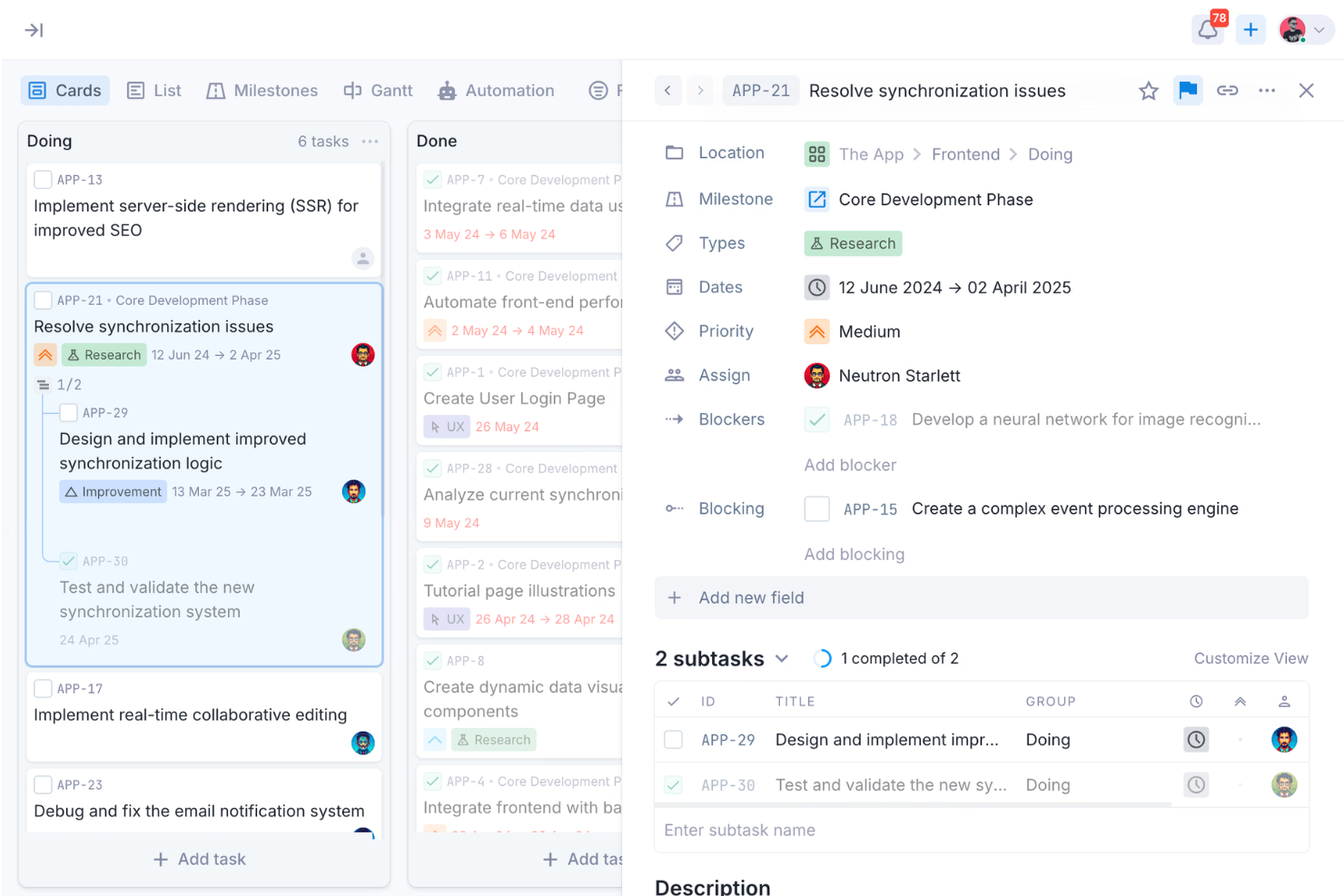
Organize work using flexible boards with Kanban, List, Gantt, and Milestone views. Customize workflows with statuses, WIP limits, filters, custom fields, subtasks, and task dependencies.
AI Assistant
Use the built-in AI assistant to turn ideas into tasks, generate plans, summarize updates, and refine written content—helping reduce manual work and speed up execution.
Document Collaboration
Create and manage structured documents alongside your work using a block-based editor. Build nested pages, embed rich content, and collaborate in real time without leaving the platform.
Gantt Charts
Plan and adjust project timelines with dependency-aware Gantt charts. Visualize task relationships, identify critical paths, and adapt schedules as priorities shift.
Automation
Automate repetitive actions with customizable triggers, rules, and webhook support. Streamline task updates, assignments, and recurring workflows to reduce manual coordination.
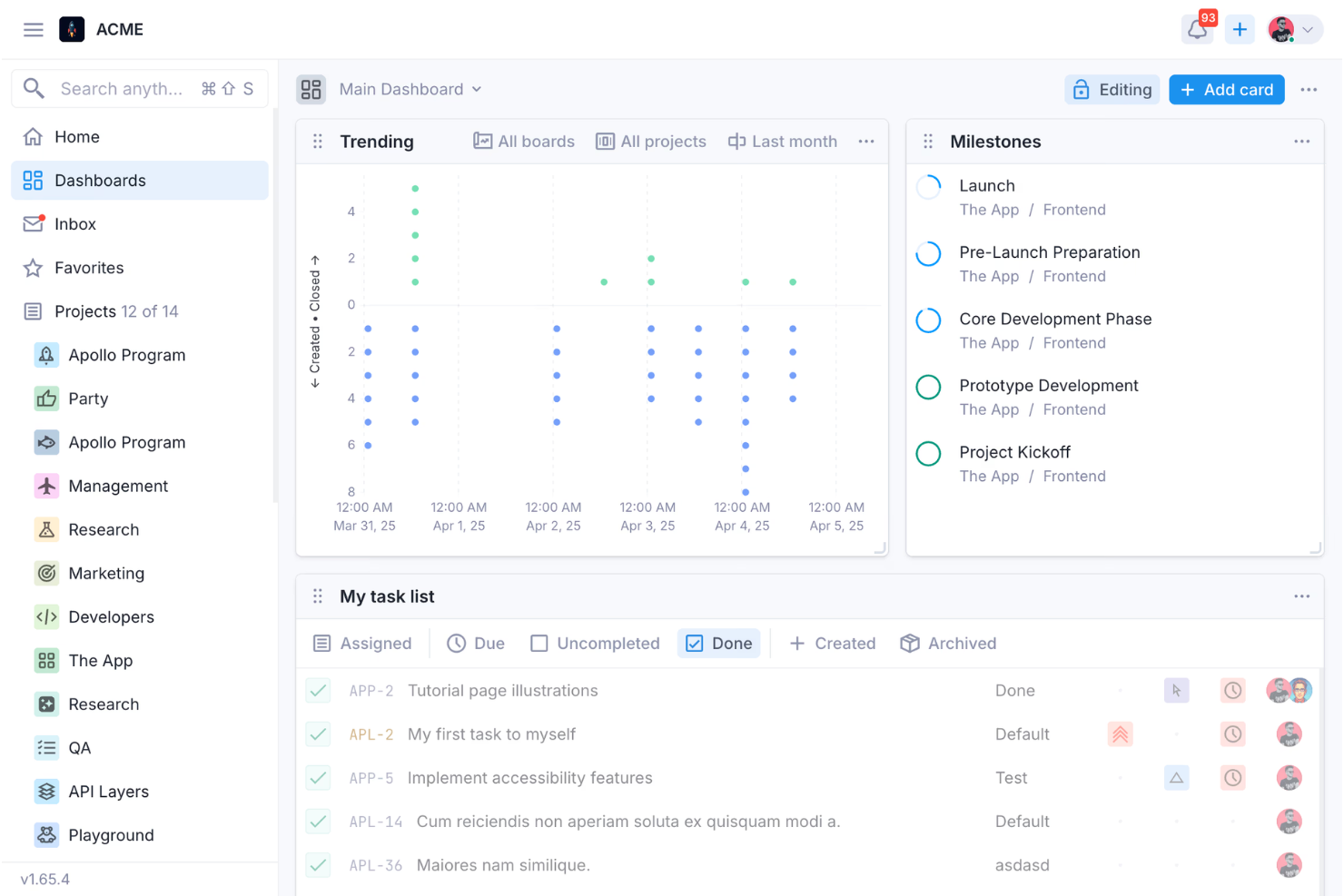
Dashboards
Monitor project health with dashboards that surface workload, progress, and delivery insights. Get a clear view of what’s moving, blocked, or at risk without manual reporting.
Milestones & Goal Tracking
Group work into milestones such as releases, epics, or quarterly goals. Track progress at a higher level while maintaining visibility into underlying tasks.
Standout Features
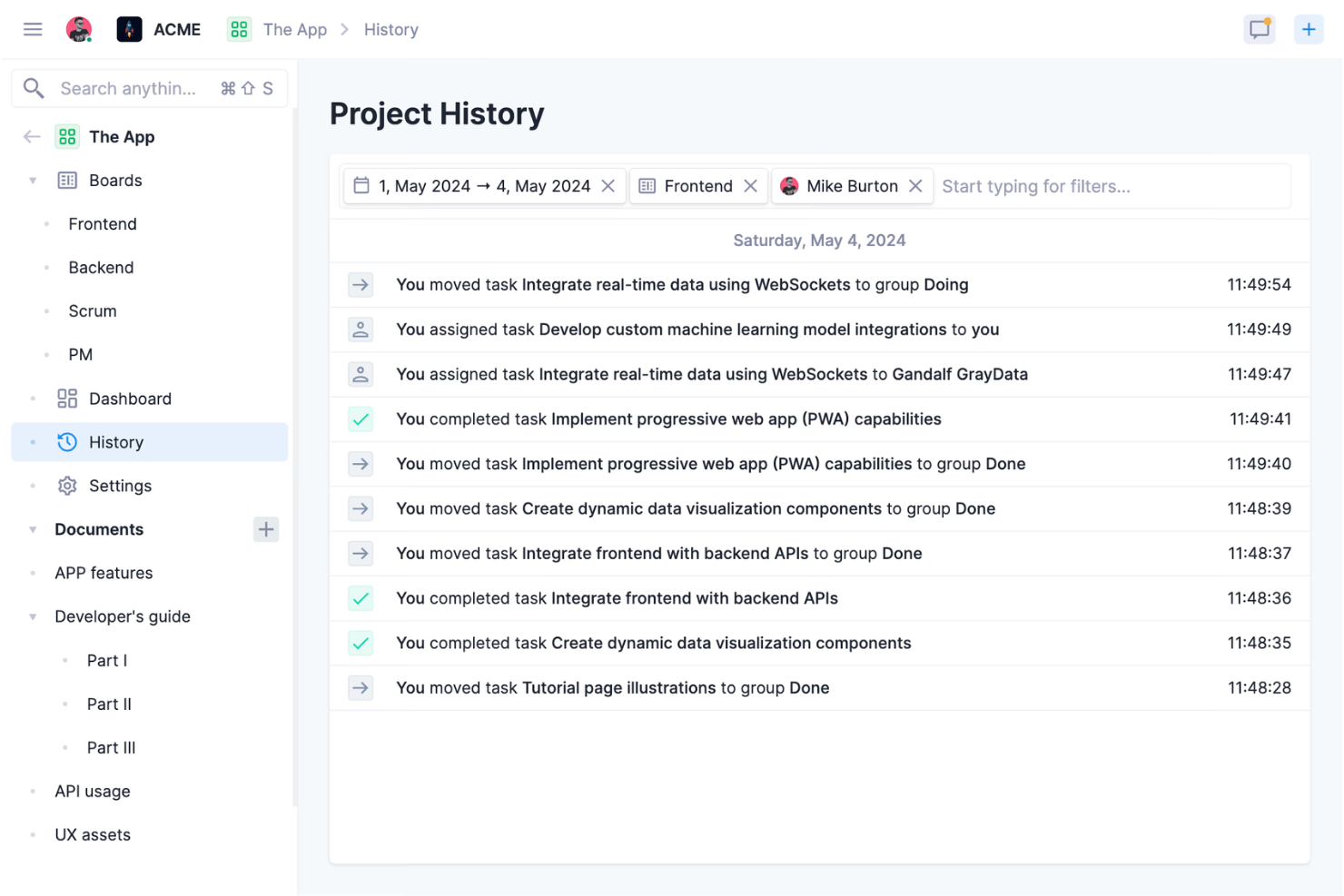
Events Feed
Every change across tasks, projects, and workspaces is logged in a centralized activity feed, giving teams a clear audit trail of who did what and when.
Space-Based Work Organization
Organize work into separate spaces for teams, clients, or departments, each with its own structure, permissions, and projects.
Ease of Use
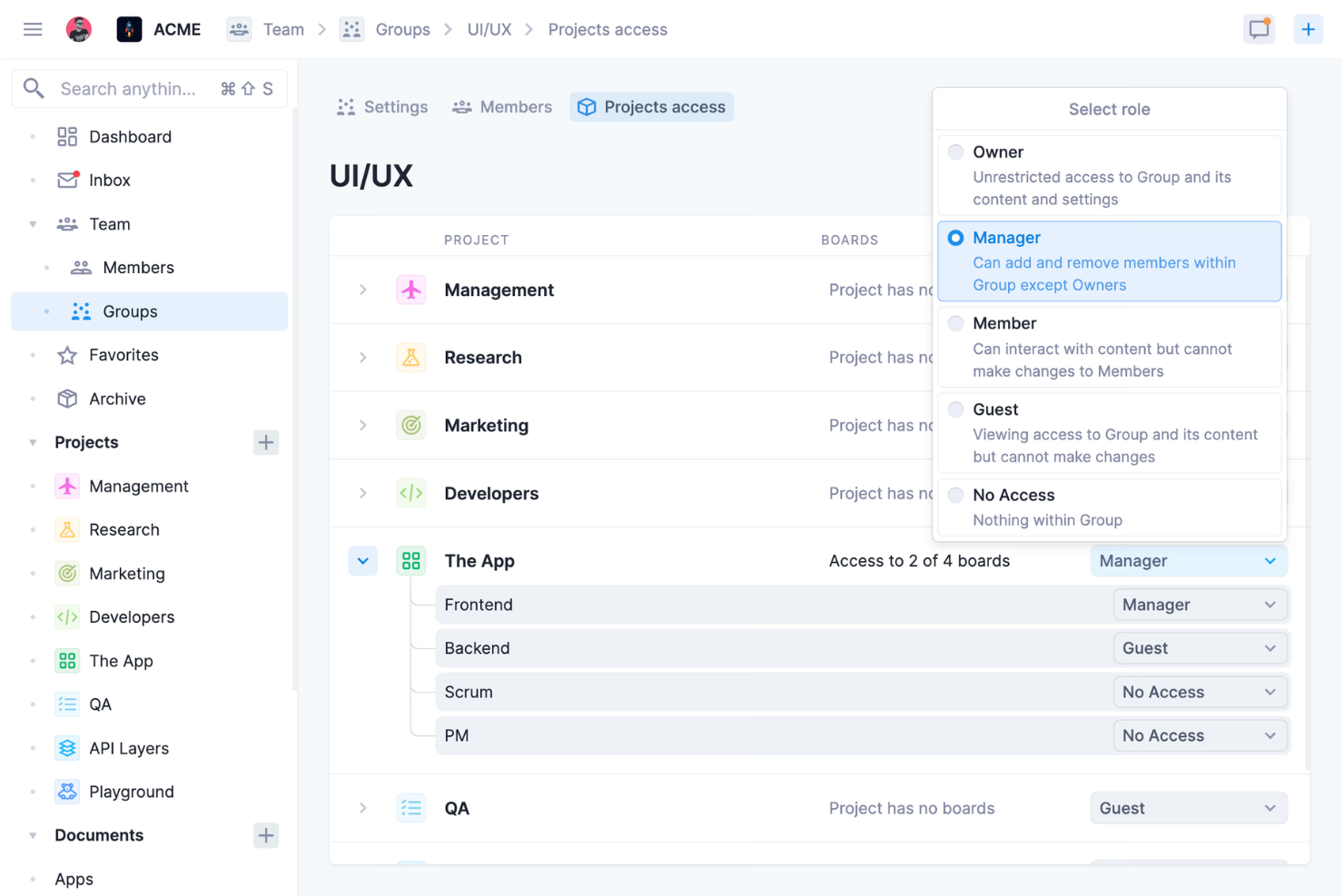
Vaiz offers a clean, modern interface designed to keep work organized without feeling cluttered. Navigation is generally intuitive, and features like drag-and-drop boards, multiple views, and real-time document editing make day-to-day project management efficient once you’re familiar with the system. Vaiz also provides structured onboarding guidance to help teams get started.
However, because of its depth—especially around automation, task dependencies, and advanced workflows—some users report a learning curve, particularly for smaller teams or those new to more robust project management tools. Overall, Vaiz strikes a balance between usability and capability, though it may take some time to fully master.
Onboarding
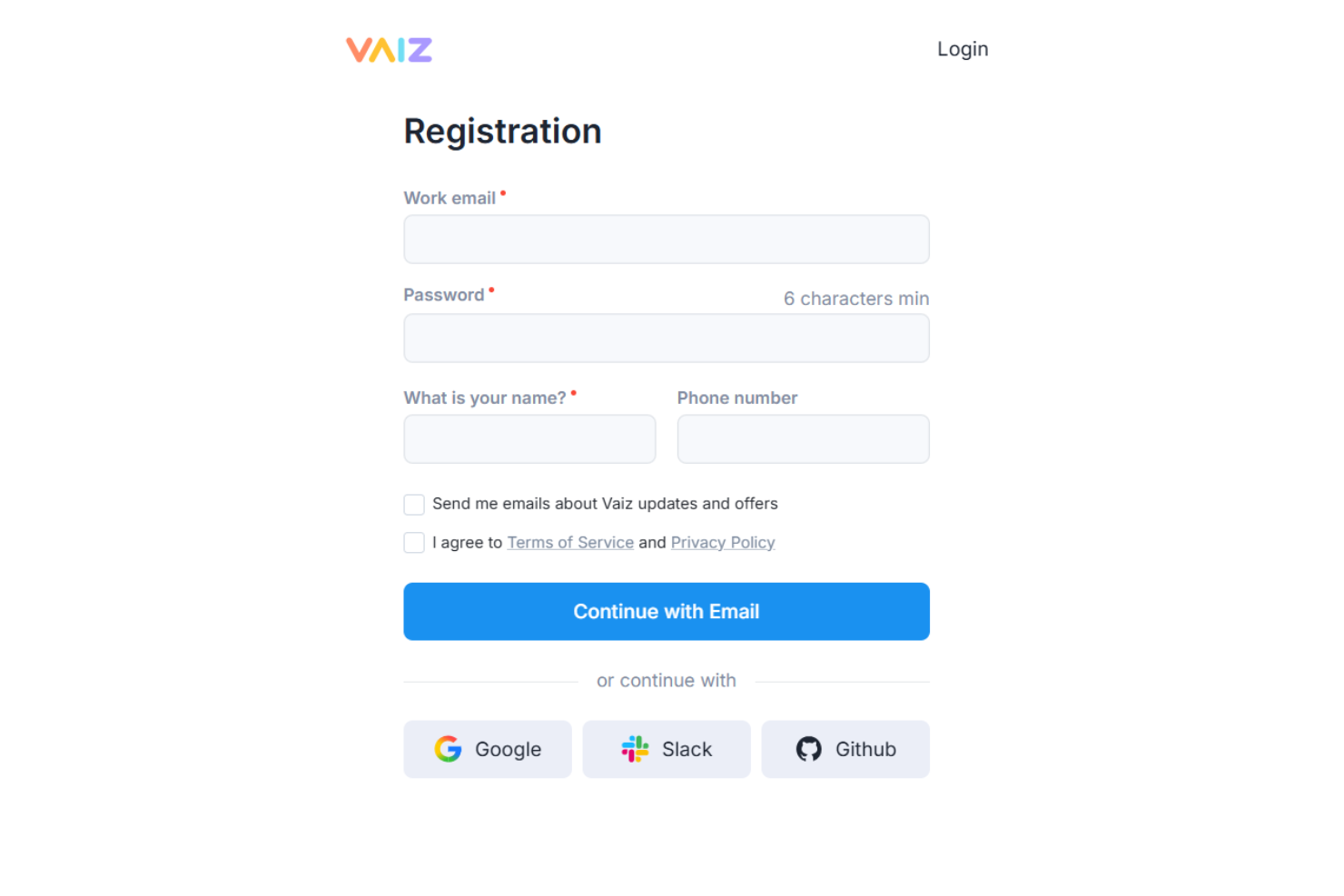
Vaiz provides a structured onboarding experience with step-by-step tutorials that guide you through setting up workspaces, projects, boards, and documents. The platform includes helpful in-app prompts and a detailed help center, making it easier to understand how core features fit together. Teams can also rely on support channels like chat and email for additional guidance. Many users note that even non-technical team members can become productive within the first day, reducing the typical ramp-up time seen with more complex tools.
Customer Support
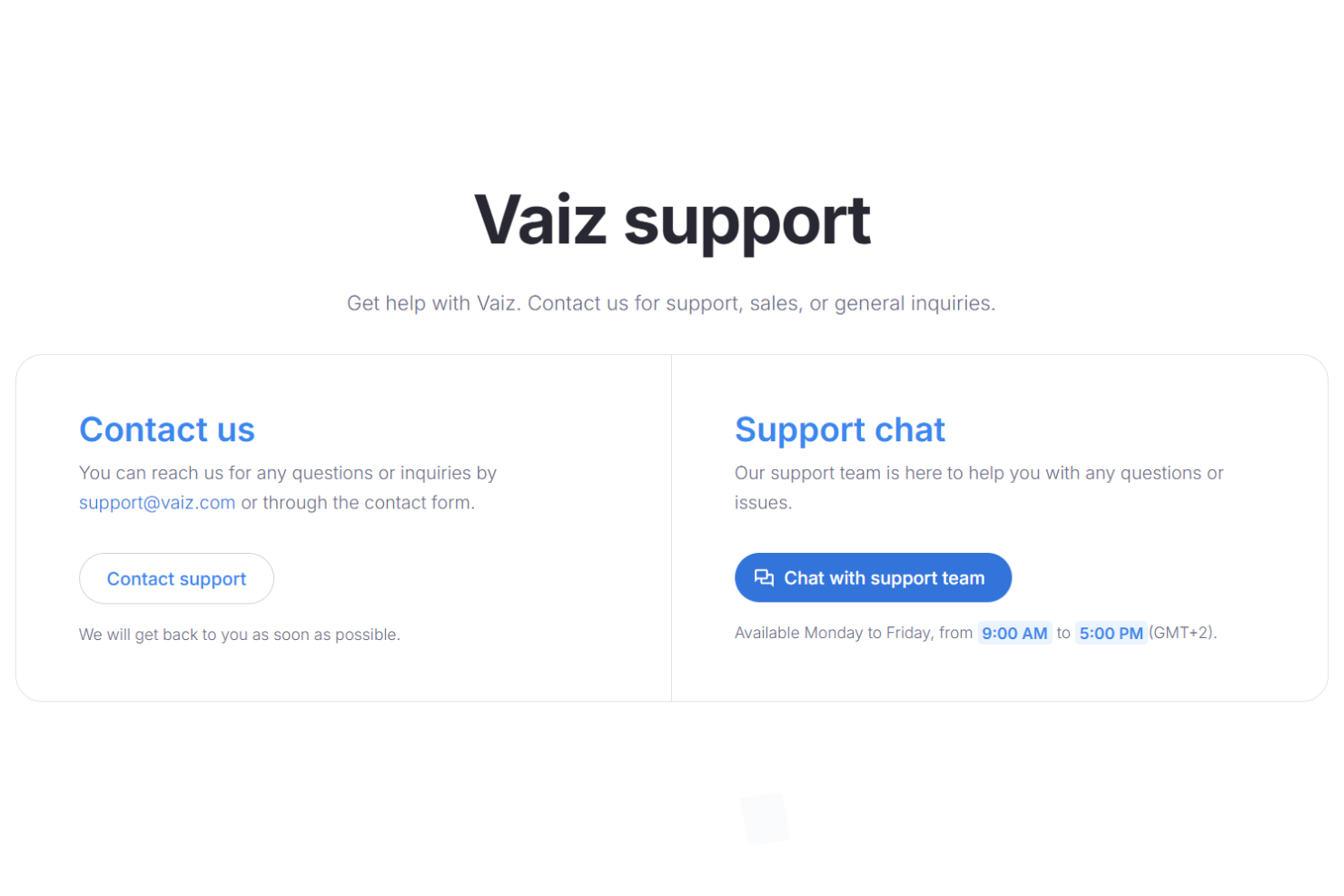
Vaiz offers multiple support channels, including email, a help center, and chat support. The help center provides structured documentation and tutorials that make it easier to find answers independently. Note that the support chat is only available Monday to Friday, from 9:00 AM to 5:00 PM (GMT+2).
Integrations
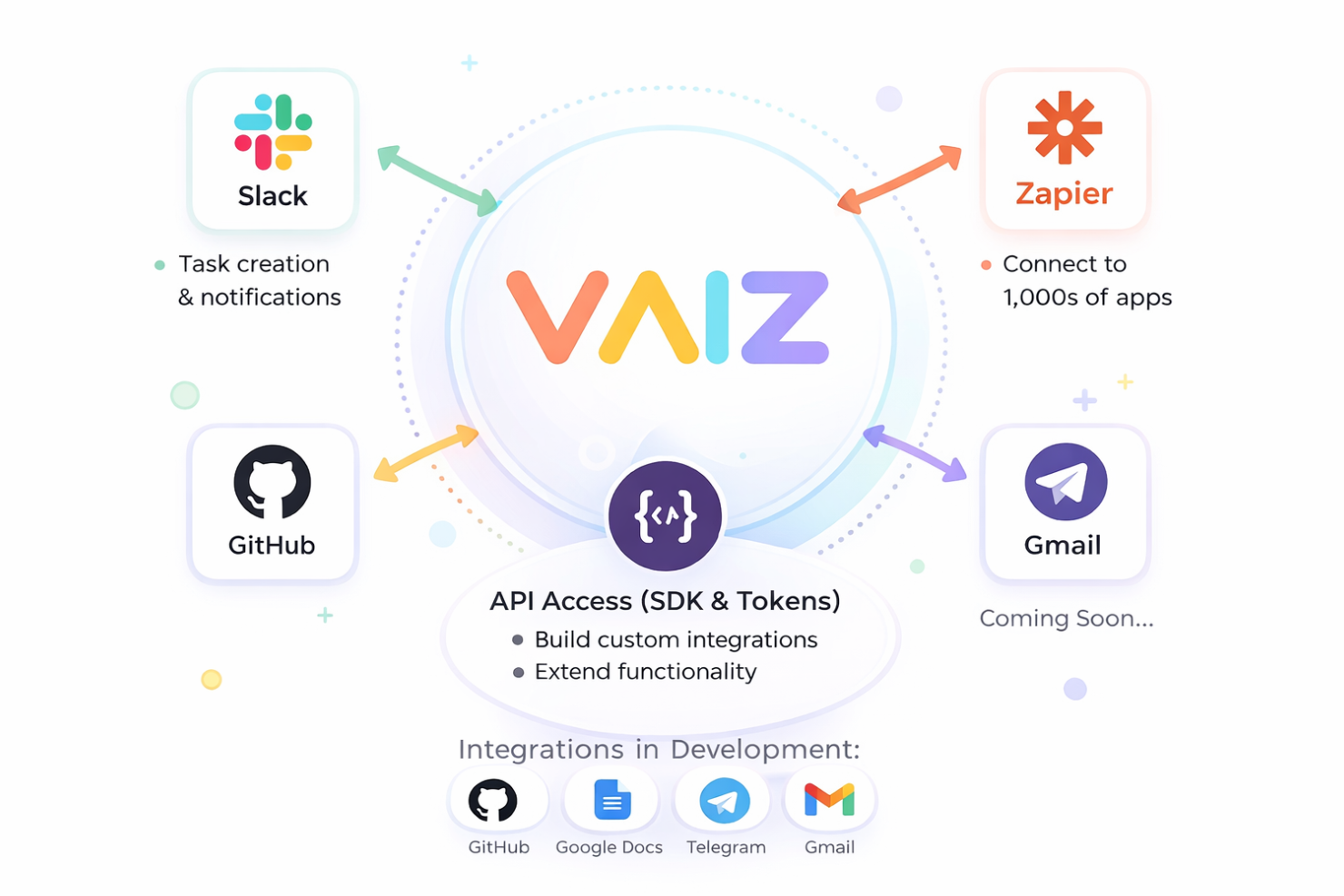
Vaiz currently offers a limited set of native integrations, with Slack and Zapier as its primary connections. Slack supports task creation and notifications, while Zapier enables connections to thousands of external apps for workflow automation.
Beyond native integrations, Vaiz provides API access through personal access tokens and an official SDK, allowing teams to build custom integrations and extend functionality as needed. GitHub, Google Docs, Telegram, and Gmail integrations are in the works, but are not yet available.
Value for Money
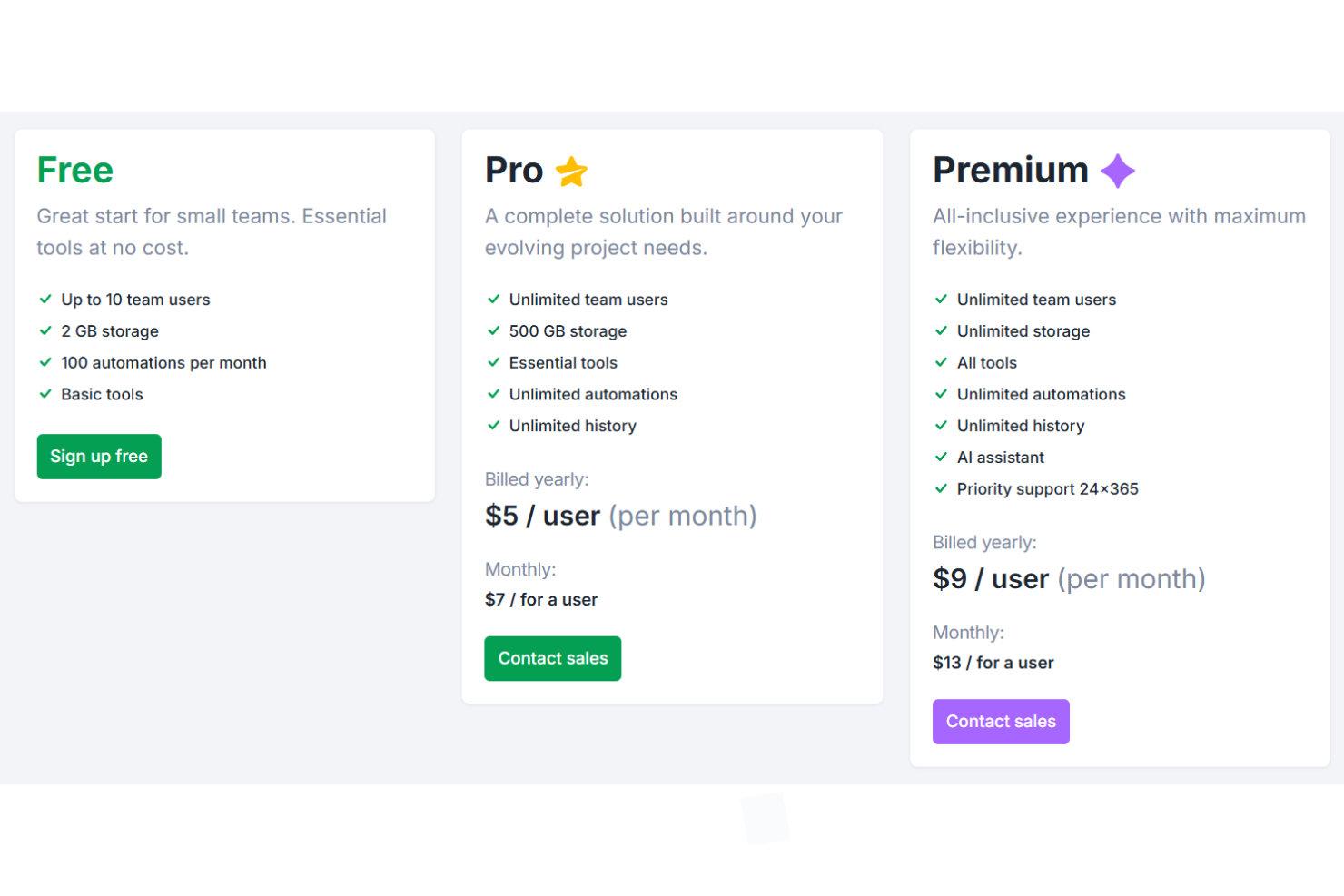
Vaiz offers a flexible pricing structure that can be appealing for teams looking to get started without an upfront cost. The free plan supports small teams and includes core features, making it a practical way to explore the platform before committing. As your needs grow, paid tiers unlock additional storage, unlimited automation, and access to more advanced tools like the AI assistant. For exact figures on the Pro and Premium plans, you’ll need to contact their sales team.
- Free: Up to 10 users, 2 GB storage, limited automations, core features included.
- Pro: Unlimited users, 500 GB storage, unlimited automations and history, and essential tools.
- Premium: Unlimited users and storage, all features, AI assistant, and priority support.
Vaiz Specs
- API
- Batch Permissions & Access
- Budgeting
- Calendar Management
- Collaboration Support
- Contact Management
- Contact Sharing
- Customer Management
- Dashboard
- Dashboards
- Data Export
- Data Import
- Data Visualization
- Dependency Tracking
- Document Sharing
- Expense Tracking
- External Integrations
- File Sharing
- Gantt Charts
- Kanban Boards
- Multi-User
- Notifications
- Project Management
- Resource Management
- Scheduling
- Task Scheduling/Tracking
- Third-Party Plugins/Add-Ons
- Time Management
- Travel Management
- Workflow Management
Vaiz FAQs
How quickly can my team get up and running with Vaiz?
Does Vaiz support recurring tasks and workflow automation?
Can I customize task boards and project views in Vaiz?
What data security and compliance measures does Vaiz offer?
How does Vaiz handle file sharing and document management?
Is there a mobile app for Vaiz?
What kind of customer support can I expect from Vaiz?
Can Vaiz scale with my organization as we grow?
Vaiz Company Overview & History
Vaiz Ltd. is a project management software company known for its all-in-one work management platform, combining tasks, documents, and collaboration tools. The company is headquartered in Limassol, Cyprus. Vaiz is recognized for its modern, user-friendly approach and has attracted clients such as Atleta, Atom Global, and Blockchain Sports. Public financial details, valuation, or stock information are not disclosed on the official site.
Vaiz Major Milestones
- 2022: Vaiz platform founded.
- 2024: Gained notable clients, including Atleta, Atom Global, and Blockchain Sports.
- 2025: Introduced advanced AI assistant and automation features.
- 2026: Continued expansion of integrations, analytics tools, and platform capabilities.