

ShareFile Review: Pros, Cons, Features & Pricing



ShareFile is a document management system built around secure file sharing, client portals, and e-signatures for professional services teams. I'd consider it if your work involves exchanging sensitive documents with external clients and you need built-in compliance support alongside that workflow. If you're coming from something like Dropbox Business, ShareFile is designed specifically for client-facing document workflows in regulated industries like legal, accounting, and financial services, not just internal file sync and storage.
ShareFile Evaluation Summary

- From $16.50/user/month (billed annually)
- 14-day free trial
Why Trust Our Software Recommendations
Our team has been testing and reviewing software since 2012. As project managers ourselves, we know how difficult—and important—it is to choose the right software.
For this guide, we evaluated tools using hands-on testing and independent research, scoring tools using our selection criteria. We also draw on insights from industry thought leaders and practicing project management experts.
Our reviews reflect our human editorial judgment, not a sales pitch.
Expert reviewers:
ShareFile Overview
In my opinion, ShareFile is a solid choice for those in industries requiring strict document security, like healthcare and finance. Its standout feature is the secure file sharing, which sets it apart from competitors. However, its pricing might be a concern for smaller teams. ShareFile excels in providing a secure environment, but it may not be the best fit for teams looking for extensive integrations or advanced collaboration tools. If security is your top priority, ShareFile deserves your consideration.
pros
-
ShareFile provides top-notch security for your documents.
-
Your team will benefit from its easy-to-use file sharing features.
-
It offers reliable customer support to help you when needed.
cons
-
You might find the user interface less intuitive compared to others.
-
Your team could face limitations with advanced collaboration tools.
-
It may not offer the extensive customization some teams need.
Is ShareFile Right For Your Needs?
Who Would be a Good Fit for ShareFile?
ShareFile is ideal for industries like healthcare, finance, and legal where document security is paramount. Your team will appreciate its robust security features that protect sensitive information.
Businesses that handle large volumes of confidential documents daily will benefit from its easy-to-use file sharing and reliable support. If your work involves frequent collaboration on secure files, ShareFile’s functionalities can streamline your processes and ensure peace of mind.
-
Healthcare Providers
Your team can securely manage patient records with ShareFile’s encryption and compliance features.
-
Financial Services
You’ll find comfort in ShareFile’s compliance standards and secure data handling for client financial documents.
-
Legal Firms
ShareFile’s secure file sharing and granular access management are perfect for managing sensitive legal documents efficiently.
-
Large Corporations
Your large teams will benefit from ShareFile’s scalability and robust security features.
-
Remote Teams
ShareFile makes sharing files easy and secure, ideal for teams working from different locations.
-
IT Departments
Your IT team will appreciate ShareFile’s seamless integration with existing security protocols.
Who Would be a Bad Fit for ShareFile?
ShareFile might not be the best choice for startups or small businesses with tight budgets, as its pricing could stretch your resources. Creative teams requiring extensive collaboration tools and integrations may find ShareFile lacking in advanced features.
If your work involves heavy customization or a need for a highly intuitive user interface, you might struggle with ShareFile's limitations in these areas.
-
Startups
Your small budget might not accommodate ShareFile’s cost, making it a tough fit.
-
Creative Agencies
You’ll miss advanced collaboration features that are essential for creative work.
-
Small Businesses
ShareFile might overwhelm your team with its features if you don’t need high-level security.
-
Freelancers
You likely won’t need ShareFile’s robust security features for individual work.
-
Education Sector
Your need for collaborative tools might not be fully met by ShareFile’s offerings.
-
Tech Startups
Your team might require more customization than ShareFile can provide.
Our Review Methodology
How We Test & Score Tools
We’ve spent years building, refining, and improving our software testing and scoring system. The rubric is designed to capture the nuances of software selection and what makes a tool effective, focusing on critical aspects of the decision-making process.
Below, you can see exactly how our testing and scoring works across seven criteria. It allows us to provide an unbiased evaluation of the software based on core functionality, standout features, ease of use, onboarding, customer support, integrations, customer reviews, and value for money.
Core Functionality (25% of final scoring)
The starting point of our evaluation is always the core functionality of the tool. Does it have the basic features and functions that a user would expect to see? Are any of those core features locked to higher-tiered pricing plans? At its core, we expect a tool to stand up against the baseline capabilities of its competitors.
Standout Features (25% of final scoring)
Next, we evaluate uncommon standout features that go above and beyond the core functionality typically found in tools of its kind. A high score reflects specialized or unique features that make the product faster, more efficient, or offer additional value to the user.
We also evaluate how easy it is to integrate with other tools typically found in the tech stack to expand the functionality and utility of the software. Tools offering plentiful native integrations, 3rd party connections, and API access to build custom integrations score best.
Ease of Use (10% of final scoring)
We consider how quick and easy it is to execute the tasks defined in the core functionality using the tool. High scoring software is well designed, intuitive to use, offers mobile apps, provides templates, and makes relatively complex tasks seem simple.
Onboarding (10% of final scoring)
We know how important rapid team adoption is for a new platform, so we evaluate how easy it is to learn and use a tool with minimal training. We evaluate how quickly a team member can get set up and start using the tool with no experience. High scoring solutions indicate little or no support is required.
Customer Support (10% of final scoring)
We review how quick and easy it is to get unstuck and find help by phone, live chat, or knowledge base. Tools and companies that provide real-time support score best, while chatbots score worst.
Customer Reviews (10% of final scoring)
Beyond our own testing and evaluation, we consider the net promoter score from current and past customers. We review their likelihood, given the option, to choose the tool again for the core functionality. A high scoring software reflects a high net promoter score from current or past customers.
Value for Money (10% of final scoring)
Lastly, in consideration of all the other criteria, we review the average price of entry level plans against the core features and consider the value of the other evaluation criteria. Software that delivers more, for less, will score higher.
Core Features
Secure File Sharing: ShareFile lets your team share documents safely with encryption and access controls. You’ll appreciate the peace of mind knowing your files are protected.
Version Control: You can track changes with version control, ensuring everyone on your team is working with the latest document. This reduces errors and confusion.
Workflow Automation & Approvals: ShareFile automates tasks like approvals and recurring document requests. This reduces manual follow-up and keeps projects moving.
File Request: Request files from others without them needing a ShareFile account. This streamlines your workflow and simplifies document collection.
Create Document Request with AI: ShareFile helps you build document request lists automatically using AI. It analyzes your needs and generates structured requests, saving you time and reducing manual setup.
Activity Logs: Keep track of all document activity with audit logs. You’ll have a clear record of who accessed or modified files, enhancing security and accountability.

Standout Features
Client Portals: You can improve client interactions through personalized portals. These portals have more than just documents; they can automatically send notifications, share encrypted files, and provide information access on multiple devices.
e-Signatures: Collect signatures electronically, speeding up your document approval process. Your team can finalize documents quickly without the hassle of printing and scanning.
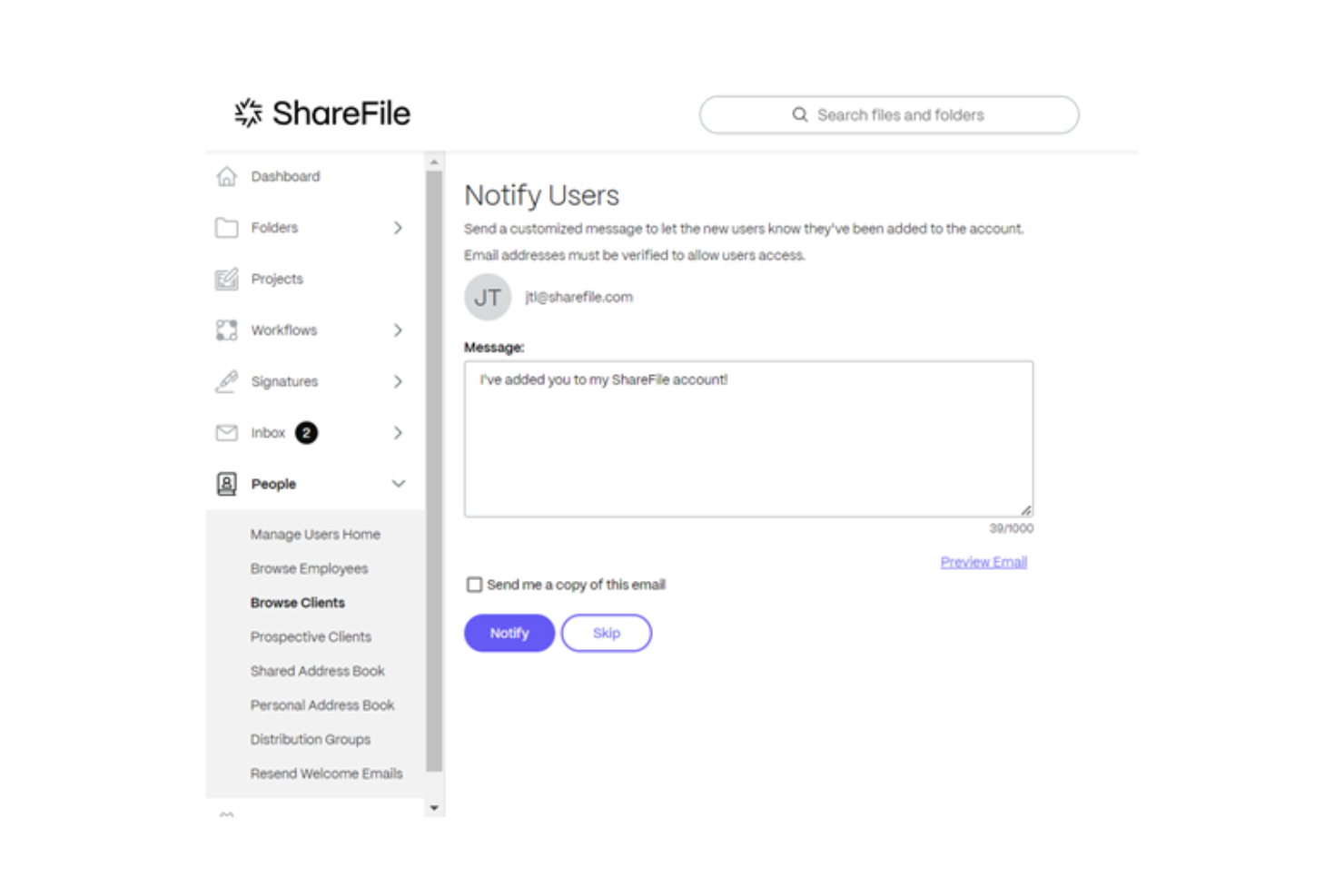
Ease of Use
ShareFile offers a straightforward interface, but some users might find it less intuitive compared to other systems. You might need a bit of time to get familiar with its layout and features. However, once you do, your team will appreciate the organized file management and secure sharing capabilities.
User reviews often highlight the learning curve, but they also note that the platform's security features make it worth the effort. If your work prioritizes security, ShareFile’s usability aligns well with your needs.

Onboarding
ShareFile’s onboarding process is reasonably smooth, supported by helpful resources and customer support. Your team will benefit from the clear guides and tutorials available to get you started. Some users mention the initial setup takes time, but the comprehensive support makes the transition easier.
If you encounter issues, ShareFile's support team is responsive and ready to assist, ensuring that your team can quickly find value in the system.

Customer Support
ShareFile offers solid customer support, with responsive assistance that users often praise. You can reach out through various channels like phone, chat, and email, ensuring your team gets help when you need it.
The support team is knowledgeable and quick to address your concerns, which is crucial for maintaining your workflow. User reviews highlight the effectiveness of ShareFile’s support in resolving issues, making it a reliable choice for teams needing dependable assistance.
ShareFile also has an API and connects with third-party integration tools like Zapier.

Value for Money
ShareFile pricing offers decent value, but its cost might be a hurdle for smaller teams, as its most basic plan has a minimum license requirement. While its security features justify the price for industries needing robust protection, others might find less expensive options more appealing. The various pricing tiers provide flexibility, yet the value is more pronounced for businesses prioritizing security and compliance.
- Advanced: Offers enhanced security features.
- Premium: Includes unlimited storage and advanced collaboration tools.
- Industry Advantage: Provides pre-configured workflows for specific industries.
- Virtual Data Room: Designed for secure document sharing in high-stakes environments.

ShareFile Specs
- 2-Factor Authentication
- API
- Batch Permissions & Access
- Calendar Management
- Contact Management
- Contact Sharing
- Email Integration
- External Integrations
- Google Apps Integration
- Multi-User
- Notifications
- Project Management
- Scheduling
ShareFile FAQs
ShareFile Company Overview & History
ShareFile, founded by Jesse Lipson in November 2005, is a secure content collaboration and file sharing software headquartered in Raleigh, North Carolina. Initially designed for web design clients, it quickly grew to 3 million users by 2011.
Acquired by Citrix Systems in 2011, it later became part of Cloud Software Group in 2023. In 2024, Progress Software Corporation acquired ShareFile for $875 million, adding over 86,000 customers to its portfolio.
ShareFile Major Milestones
- 2005: Founded by Jesse Lipson.
- 2011: Acquired by Citrix Systems.
- 2013: Introduced "Archiving for Financial Services."
- 2023: Became a standalone unit under Cloud Software Group.
- 2024: Acquired by Progress Software Corporation for $875 million
What's Next?
Want to connect with other digital project managers to share resources and best practices? Join our membership community and get access to 100+ templates, samples, and examples and connect with 100s of other digital project managers in Slack.