


OpenAI Frontier Review 2026: Pros, Cons, Features and Pricing



OpenAI Frontier is an AI productivity tool for project managers who want to draft plans, summarize status updates, and automate routine documentation without switching between a dozen apps. I'd reach for it when your team needs a single AI assistant that can handle research, writing, and light data analysis inside one workspace, especially across product, engineering, and design workstreams. Compared to Anthropic's Claude, I think OpenAI Frontier gives you a wider set of built-in tools like image generation, code execution, and custom GPTs, which makes it a better fit if you want one assistant to cover more of your daily project work.
OpenAI Frontier Evaluation Summary
- Pricing upon request
- Free demo available
Why Trust Our Software Recommendations
Our team has been testing and reviewing software since 2012. As project managers ourselves, we know how difficult—and important—it is to choose the right software.
For this guide, we evaluated tools using hands-on testing and independent research, scoring tools using our selection criteria. We also draw on insights from industry thought leaders and practicing project management experts.
Our reviews reflect our human editorial judgment, not a sales pitch.
Expert reviewers:
OpenAI Frontier Overview
When judging OpenAI Frontier against other AI productivity tools, I think its wide feature set—text, code, image generation, custom GPTs—makes it an easy pick if you're deciding on one tool for everything. The interface feels clean for onboarding new teams, specs are strong, and pricing is competitive for the breadth of tools you get. I do wish integrations went deeper for certain platforms, but overall, it's best if your environment demands flexible project support, cross-functional research, and one workspace to handle both structured tasks and creative work. If you're selecting for breadth and depth in one package, this is an easy choice.
pros
-
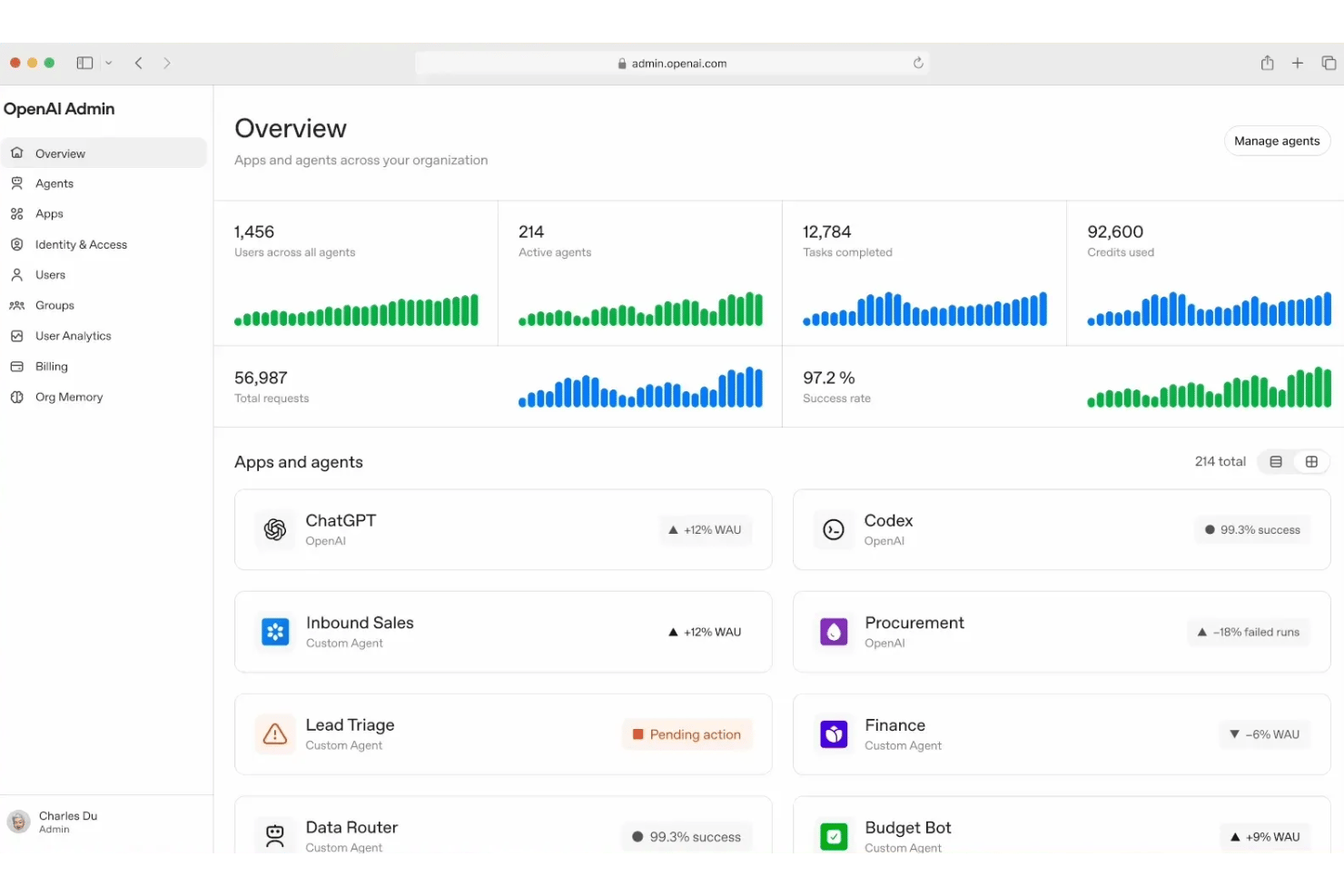
Connects AI coworkers to enterprise systems and shared business context
-
Supports production agent execution across complex, multi-step workflows
-
Built-in evaluation, IAM, monitoring, and auditable agent actions
cons
-
No public pricing or self-service signup
-
Enterprise deployments can require significant technical and organizational coordination
-
Public materials do not document an equivalent built-in omnichannel experience to Creatio
-

Celoxis
Visit WebsiteThis rating combines scores from multiple user review sites to reflect overall customer sentiment about the product.4.5 -
Smartsheet
Visit WebsiteThis rating combines scores from multiple user review sites to reflect overall customer sentiment about the product.4.5 -
Accelo
Visit WebsiteThis rating combines scores from multiple user review sites to reflect overall customer sentiment about the product.4.4





Our Review Methodology
How We Test & Score Tools
We’ve spent years building, refining, and improving our software testing and scoring system. The rubric is designed to capture the nuances of software selection and what makes a tool effective, focusing on critical aspects of the decision-making process.
Below, you can see exactly how our testing and scoring works across seven criteria. It allows us to provide an unbiased evaluation of the software based on core functionality, standout features, ease of use, onboarding, customer support, integrations, customer reviews, and value for money.
Core Functionality (25% of final scoring)
The starting point of our evaluation is always the core functionality of the tool. Does it have the basic features and functions that a user would expect to see? Are any of those core features locked to higher-tiered pricing plans? At its core, we expect a tool to stand up against the baseline capabilities of its competitors.
Standout Features (25% of final scoring)
Next, we evaluate uncommon standout features that go above and beyond the core functionality typically found in tools of its kind. A high score reflects specialized or unique features that make the product faster, more efficient, or offer additional value to the user.
We also evaluate how easy it is to integrate with other tools typically found in the tech stack to expand the functionality and utility of the software. Tools offering plentiful native integrations, 3rd party connections, and API access to build custom integrations score best.
Ease of Use (10% of final scoring)
We consider how quick and easy it is to execute the tasks defined in the core functionality using the tool. High scoring software is well designed, intuitive to use, offers mobile apps, provides templates, and makes relatively complex tasks seem simple.
Onboarding (10% of final scoring)
We know how important rapid team adoption is for a new platform, so we evaluate how easy it is to learn and use a tool with minimal training. We evaluate how quickly a team member can get set up and start using the tool with no experience. High scoring solutions indicate little or no support is required.
Customer Support (10% of final scoring)
We review how quick and easy it is to get unstuck and find help by phone, live chat, or knowledge base. Tools and companies that provide real-time support score best, while chatbots score worst.
Customer Reviews (10% of final scoring)
Beyond our own testing and evaluation, we consider the net promoter score from current and past customers. We review their likelihood, given the option, to choose the tool again for the core functionality. A high scoring software reflects a high net promoter score from current or past customers.
Value for Money (10% of final scoring)
Lastly, in consideration of all the other criteria, we review the average price of entry level plans against the core features and consider the value of the other evaluation criteria. Software that delivers more, for less, will score higher.
Core Features
Text Generation and Summarization
Draft project plans, documents, or meeting notes in seconds using AI-driven text generation right inside your workspace. Summarize lengthy team updates or research findings so you keep everyone aligned and skip manual rewrites.
Code Generation and Analysis
Automate routine coding tasks, generate code snippets for product or engineering teams, and review code for common errors without switching tools. You'll save time on boilerplate or troubleshooting by letting the AI handle quick reviews or repetitive edits.
Image Generation
Create custom visuals, mockups, and diagrams using natural language prompts—no design skills needed. This speeds up everything from pitch decks to product concepting because you don’t have to wait on design resources for simple graphics.
Real-Time Data Analysis
Upload data files to chat, ask questions in plain English, and get instant, chart-ready analyses within your workflow. You can spot trends in sales pipelines or product usage without exporting data to a separate analytics platform.
Custom GPTs
Build reusable, team-specific AIs that understand your processes, project templates, or company lingo. This means you can create smart assistants for onboarding, internal FAQs, or workflow automations tailored to your team’s culture and needs.
Workspace Collaboration
Work together in one workspace where chat, files, and AI tools are all in one place—no more jumping between apps. Teams can co-edit drafts, share analyses, and keep project context connected so nothing slips through the cracks.
Ease of Use
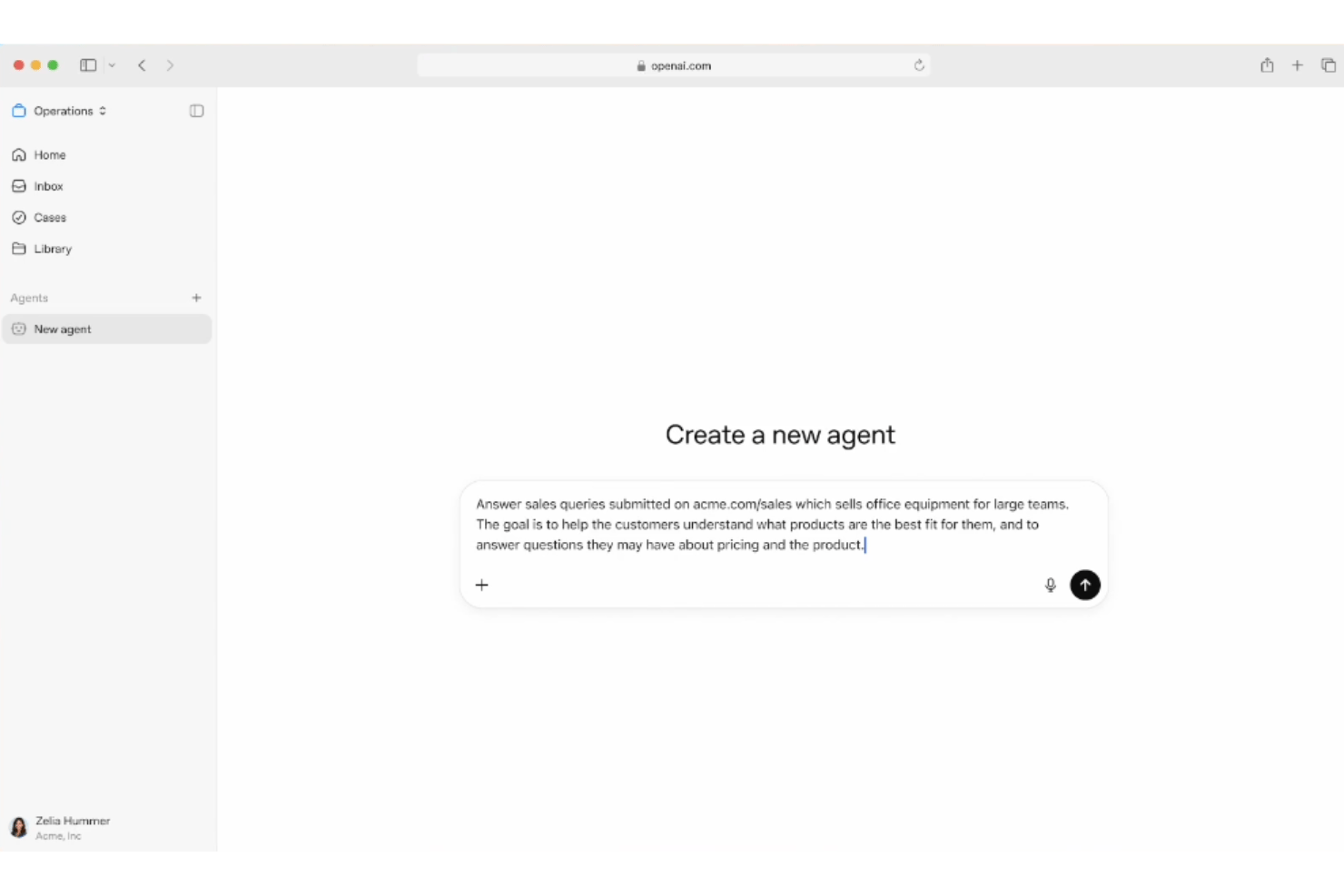
OpenAI Frontier is easy to pick up, even if your team is new to AI tools. The interface is clean and organized so you can access text, code, image, and data assistants in one place. Features like persistent chat memory and voice commands make it feel natural to use in daily workflows. I think the biggest strength is how everything coexists in one workspace—no need to juggle separate tabs or tools.
Integrations
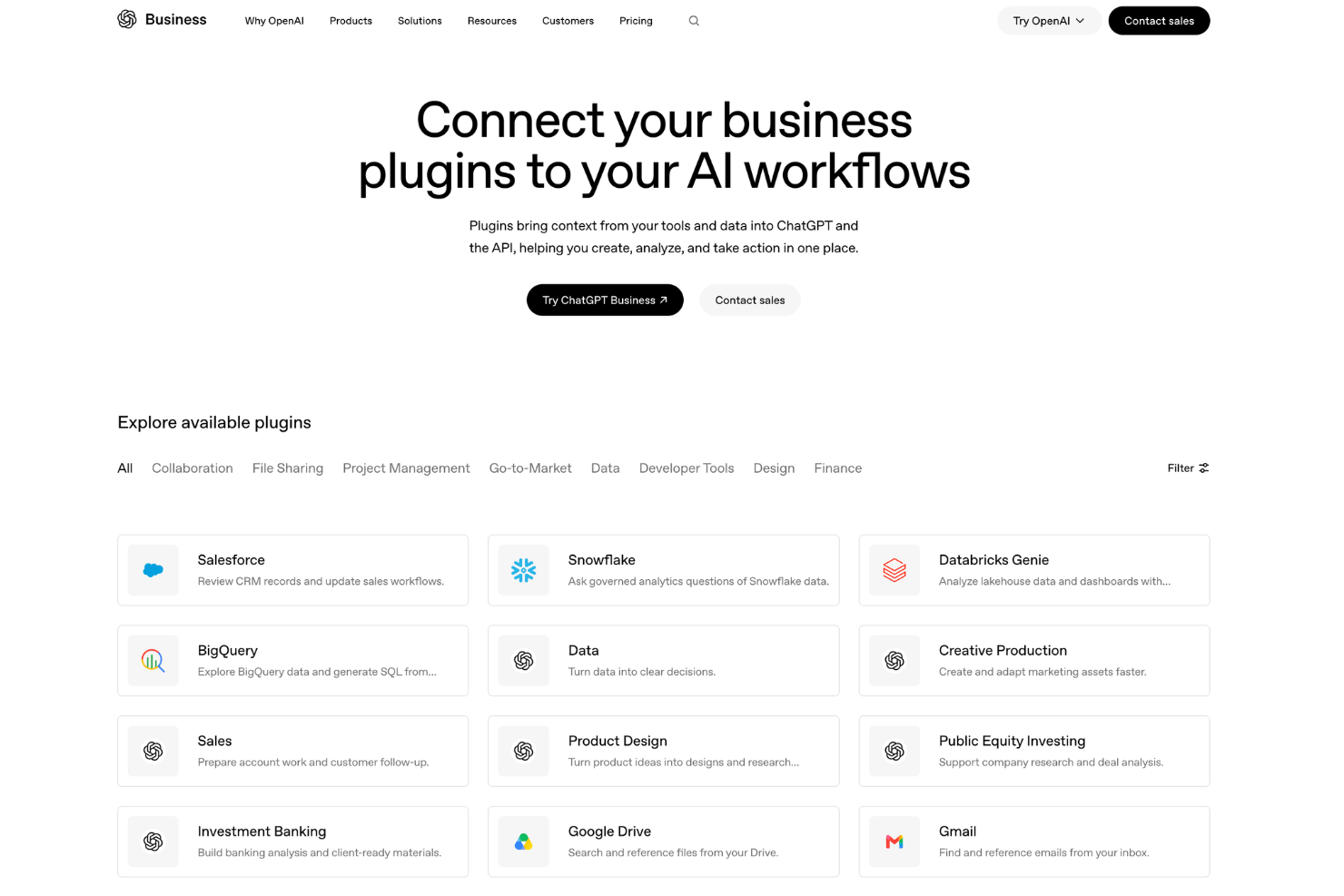
OpenAI Frontier integrates with Slack, Microsoft Teams, Jira, GitHub, Google Drive, Notion, Asana, Trello, Zoom, and Salesforce, among others.
OpenAI Frontier also offers an API and supports connections with third-party integration tools.
OpenAI Frontier Specs
- A/B Testing
- AI Integration
- Analytics
- API
- Calendar Management
- Comparative Reporting
- Custom Reports
- Dashboard
- Data Export
- Data Import
- Data Mining
- Data Visualization
- External Integrations
- Forecasting
- Historical Data Analysis
- Multi-User
- Notifications
- Process Reporting
- Real-time Alerts
- Scenario Planning
- Scheduling
- Sentiment Analysis
- SEO
- Time Series Modeling
- Workflow Management


