Inspire Planner Review 2026: Pros, Cons, Features and Pricing



Inspire Planner is Salesforce-native project management software that integrates with Slack for teams that want to track project work alongside Salesforce records and coordinate through Slack. If your cross-functional team already manages customer or opportunity data in Salesforce, I’d choose Inspire Planner over Asana because its projects and tasks connect directly to Salesforce records and native Tasks.
Inspire Planner Evaluation Summary
- From $25/user/month (billed annually)
- Free non-profit licenses
Why Trust Our Software Recommendations
Our team has been testing and reviewing software since 2012. As project managers ourselves, we know how difficult—and important—it is to choose the right software.
For this guide, we evaluated tools using hands-on testing and independent research, scoring tools using our selection criteria. We also draw on insights from industry thought leaders and practicing project management experts.
Our reviews reflect our human editorial judgment, not a sales pitch.
Expert reviewers:
Inspire Planner Overview
I’d choose Inspire Planner when project work needs to sit beside Salesforce opportunities, accounts, and native Tasks. Its Gantt, Kanban, Agile, resource, and portfolio views give teams additional structure beyond a Slack-centered workflow, while its Slack integration adds another coordination channel. Required onboarding and Salesforce configuration introduce setup effort compared with standalone tools. Its project views and Salesforce reporting suit teams coordinating repeatable client onboarding or delivery projects, but it may be less suitable for teams seeking minimal setup or avoiding Salesforce administration.
pros
-
Reviewers praise detailed Gantt scheduling, dependencies, and milestones.
-
Kanban, Agile backlogs, and portfolio views support varied workflows.
-
Users value resource visibility and accurate project time tracking.
cons
-
Slack alerts aren’t documented as a native project feature.
-
Required onboarding and Salesforce administration add setup overhead.
-
Cross-project dependencies and resource load leveling remain unavailable.
-

Smartsheet
Visit WebsiteThis rating combines scores from multiple user review sites to reflect overall customer sentiment about the product.4.4 -
Celoxis
Visit WebsiteThis rating combines scores from multiple user review sites to reflect overall customer sentiment about the product.4.5 -
Accelo
Visit WebsiteThis rating combines scores from multiple user review sites to reflect overall customer sentiment about the product.4.4





Our Review Methodology
How We Test & Score Tools
We’ve spent years building, refining, and improving our software testing and scoring system. The rubric is designed to capture the nuances of software selection and what makes a tool effective, focusing on critical aspects of the decision-making process.
Below, you can see exactly how our testing and scoring works across seven criteria. It allows us to provide an unbiased evaluation of the software based on core functionality, standout features, ease of use, onboarding, customer support, integrations, customer reviews, and value for money.
Core Functionality (25% of final scoring)
The starting point of our evaluation is always the core functionality of the tool. Does it have the basic features and functions that a user would expect to see? Are any of those core features locked to higher-tiered pricing plans? At its core, we expect a tool to stand up against the baseline capabilities of its competitors.
Standout Features (25% of final scoring)
Next, we evaluate uncommon standout features that go above and beyond the core functionality typically found in tools of its kind. A high score reflects specialized or unique features that make the product faster, more efficient, or offer additional value to the user.
We also evaluate how easy it is to integrate with other tools typically found in the tech stack to expand the functionality and utility of the software. Tools offering plentiful native integrations, 3rd party connections, and API access to build custom integrations score best.
Ease of Use (10% of final scoring)
We consider how quick and easy it is to execute the tasks defined in the core functionality using the tool. High scoring software is well designed, intuitive to use, offers mobile apps, provides templates, and makes relatively complex tasks seem simple.
Onboarding (10% of final scoring)
We know how important rapid team adoption is for a new platform, so we evaluate how easy it is to learn and use a tool with minimal training. We evaluate how quickly a team member can get set up and start using the tool with no experience. High scoring solutions indicate little or no support is required.
Customer Support (10% of final scoring)
We review how quick and easy it is to get unstuck and find help by phone, live chat, or knowledge base. Tools and companies that provide real-time support score best, while chatbots score worst.
Customer Reviews (10% of final scoring)
Beyond our own testing and evaluation, we consider the net promoter score from current and past customers. We review their likelihood, given the option, to choose the tool again for the core functionality. A high scoring software reflects a high net promoter score from current or past customers.
Value for Money (10% of final scoring)
Lastly, in consideration of all the other criteria, we review the average price of entry level plans against the core features and consider the value of the other evaluation criteria. Software that delivers more, for less, will score higher.
Core Features
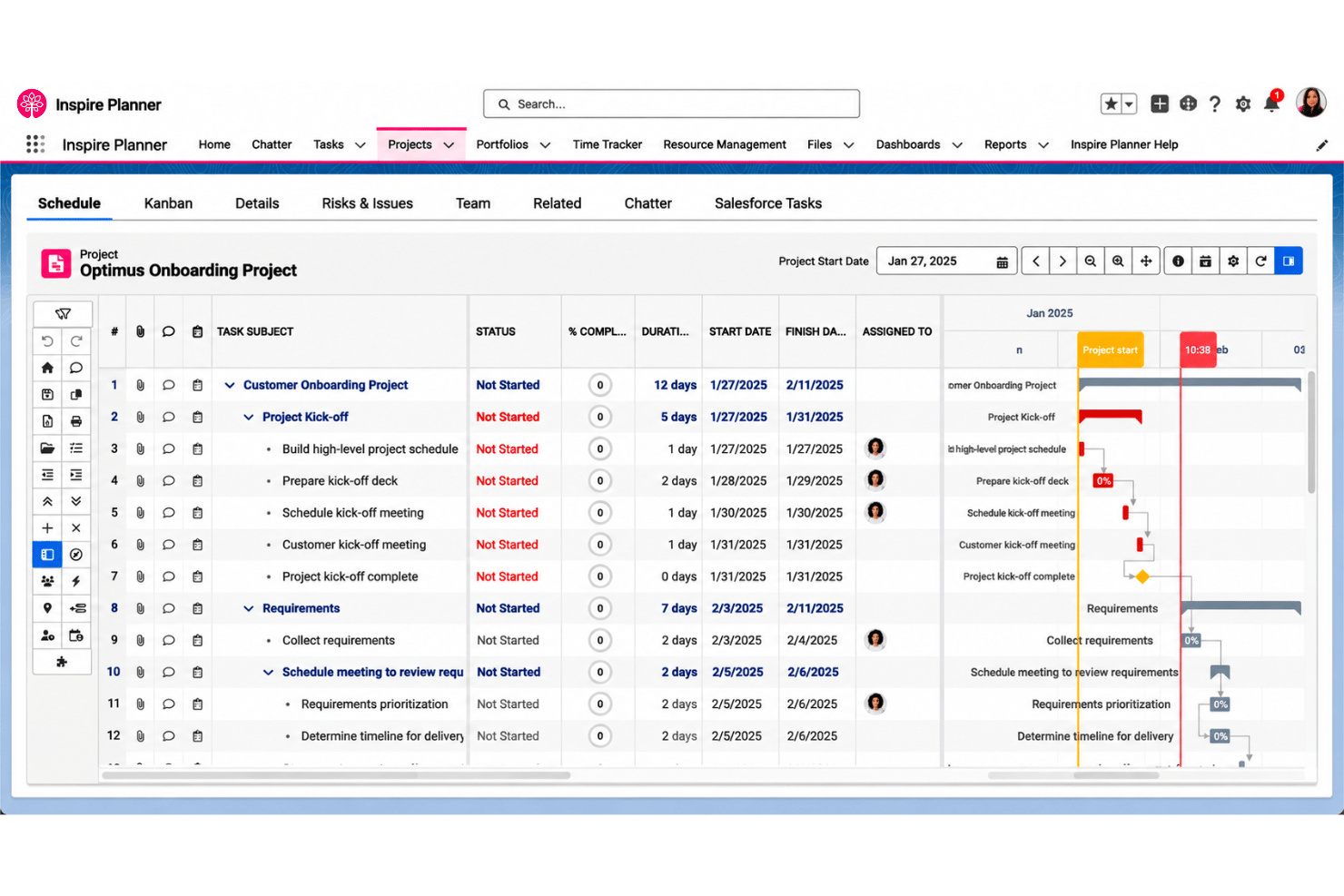
Interactive Gantt Scheduling
Plan tasks on an interactive Gantt chart, then drag dates, link predecessors, and mark milestones or baselines. Critical-path and baseline views help you spot schedule changes early, such as a launch date slipping after a task moves.
Task And Dependency Management
Create projects with tasks, subtasks, and milestones, then assign work to Salesforce users, contacts, or queues. Multiple predecessors and a ready-to-start indicator make blocked tasks easier to identify before they hold up a handoff.
Kanban and Agile Planning
Use drag-and-drop Kanban boards to organize tasks, or plan Agile work in a backlog and active sprints. Burnup, burndown, and velocity charts give your team a way to review sprint progress and delivery pace.
Resource Management
Review capacity and allocation in daily, weekly, or monthly views, and search resources by attributes such as skills or expertise. Hard and soft bookings, including PTO, help you check whether a designer has capacity before assigning another project.
Time Tracking and Effort Reporting
Log time with a stopwatch or manual entries, then compare actual effort with planned effort on project tasks. That comparison helps you flag work running over plan, such as a task that has used more hours than estimated.
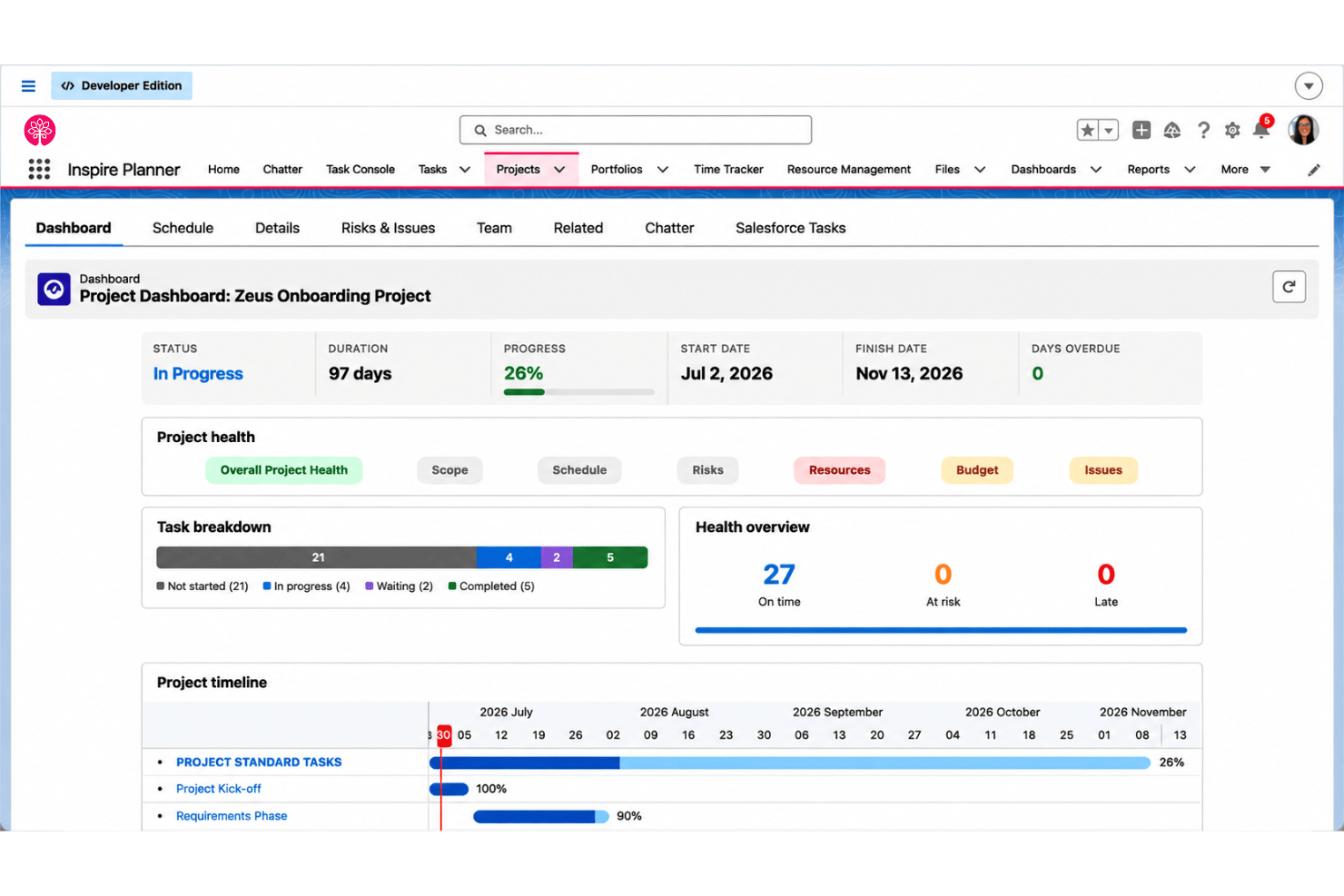
Portfolio Visibility and Reporting
Use portfolio views and Salesforce reports or dashboards to review project schedules and KPIs across work. This gives project leads a wider view of progress when several implementations are running at once.
Ease of Use
Inspire Planner offers extensive project management capabilities, but its range of features can introduce a learning curve. Gantt dependencies, Kanban boards, resource views, and Salesforce-linked tasks provide structure for managing projects, although navigating multiple options may require familiarization. Its Slack integration delivers notifications and links to Inspire Planner modules, but project management activities still take place within the application.
Integrations
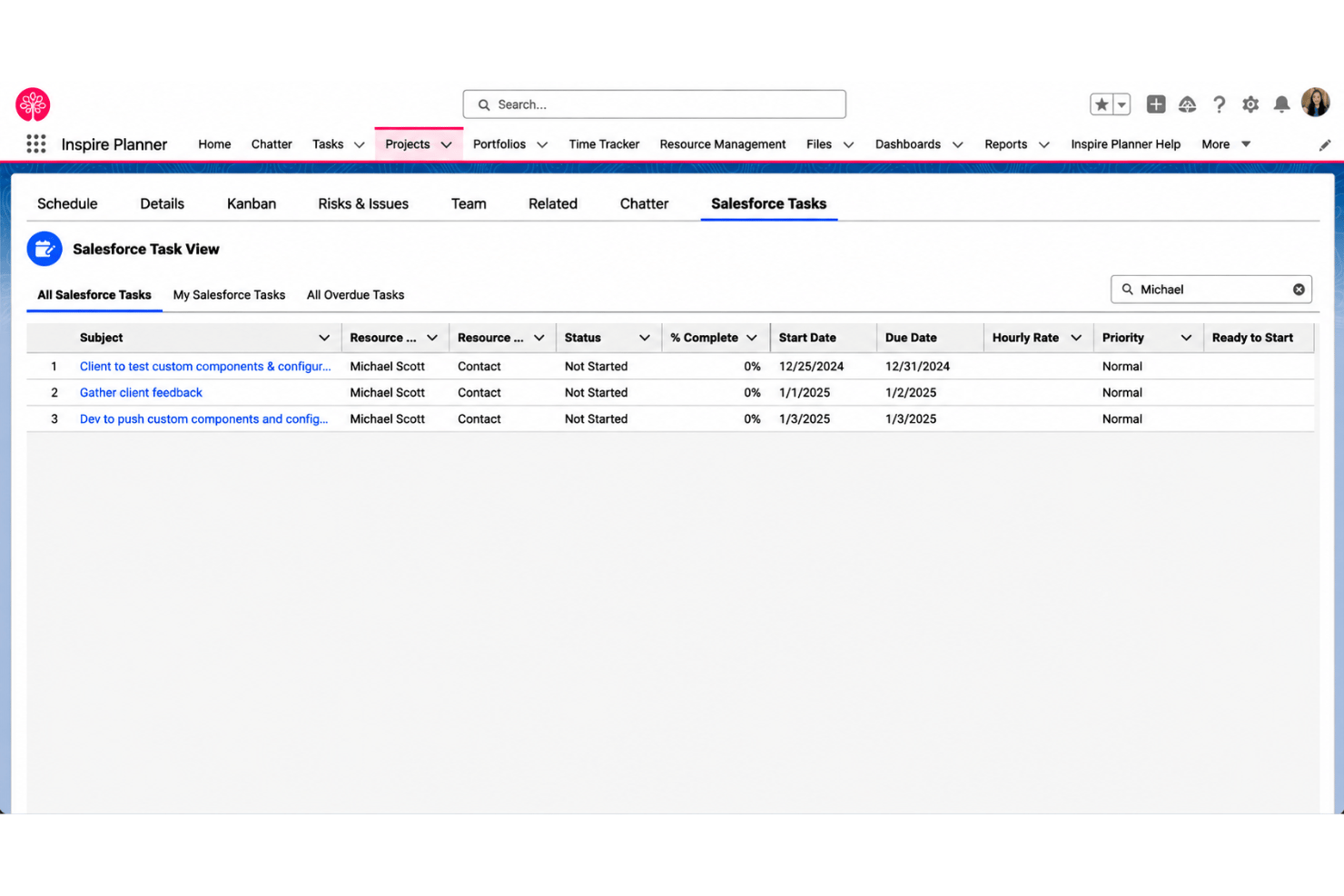
Inspire Planner is built natively on Salesforce and integrates with Salesforce Tasks, Opportunities, Accounts, Chatter, and Reports and Dashboards. It also supports workflow automation through Salesforce Flow and third-party integrations via the Salesforce API.
Inspire Planner Specs
- API
- Batch Permissions & Access
- Budgeting
- Calendar Management
- Collaboration Support
- Contact Management
- Contact Sharing
- Customer Management
- Dashboard
- Dashboards
- Data Export
- Data Import
- Data Visualization
- Dependency Tracking
- Document Sharing
- Expense Tracking
- External Integrations
- File Sharing
- Gantt Charts
- Kanban Boards
- Multi-User
- Notifications
- Project Management
- Resource Management
- Scheduling
- Task Scheduling/Tracking
- Third-Party Plugins/Add-Ons
- Time Management
- Travel Management
- Workflow Management