


Favro Review: Pros, Cons, Features and Pricing Breakdown



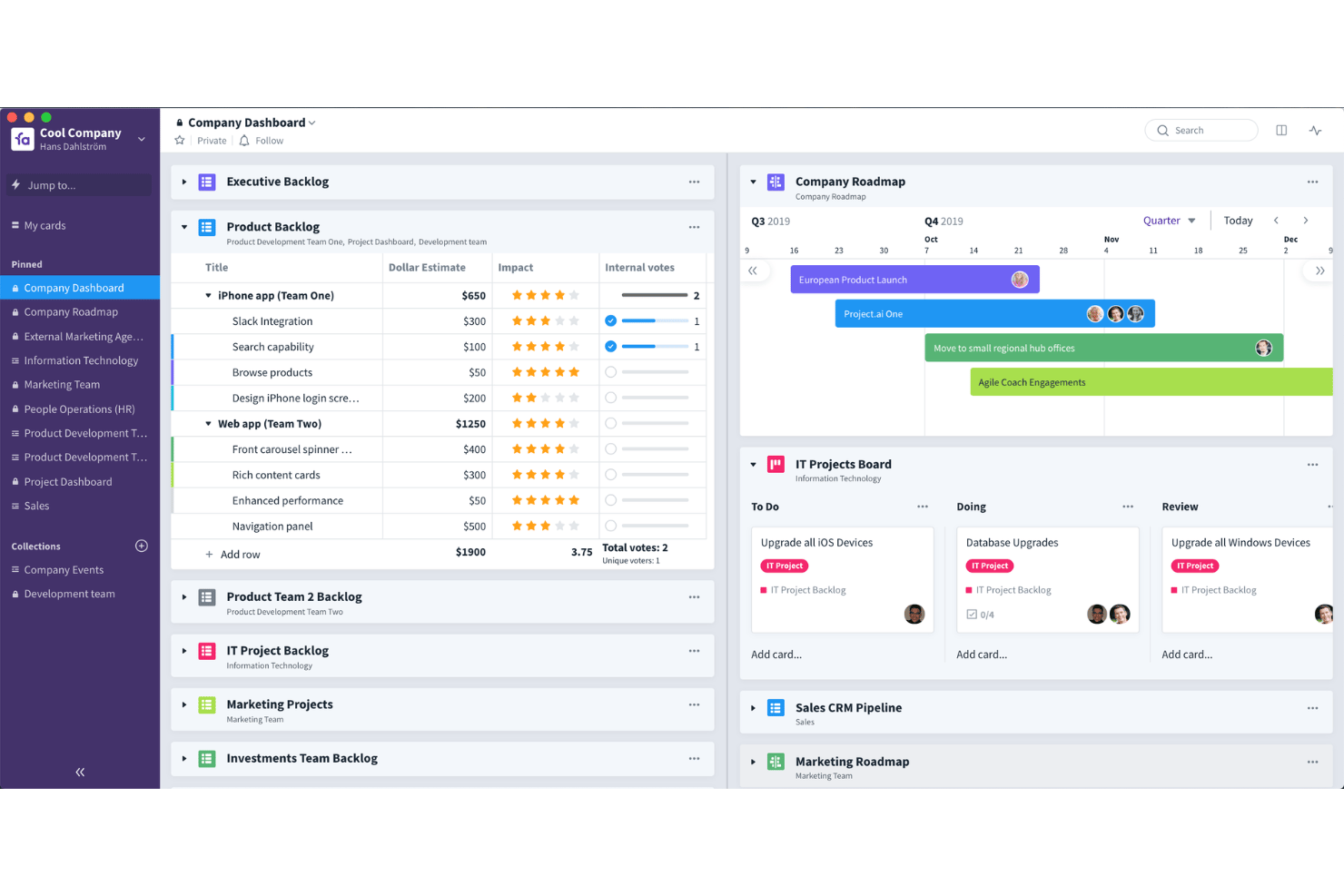
Favro is an agile tool for cross-functional teams that need kanban boards, sprint planning, and backlog management without committing to a rigid structure. It's worth a close look if your team has outgrown simple task boards but finds Jira too process-heavy for day-to-day collaboration. Favro's "collections" model lets different teams view and organize the same work their own way—so product, engineering, and design can stay aligned without being forced into a single board layout.
Favro Evaluation Summary
- From $12/month
- 14-day free trial
Why Trust Our Software Recommendations
Our team has been testing and reviewing software since 2012. As project managers ourselves, we know how difficult—and important—it is to choose the right software.
For this guide, we evaluated tools using hands-on testing and independent research, scoring tools using our selection criteria. We also draw on insights from industry thought leaders and practicing project management experts.
Our reviews reflect our human editorial judgment, not a sales pitch.
Expert reviewers:
Favro Overview
Favro stands out for its flexible boards, real-time collaboration functionality, and deep hierarchy options, making it a strong pick if you want customizable workflows. I find its interface intuitive, with easy onboarding for teams new to agile. Pricing is average, but you’ll want to factor in paid add-ons for advanced integrations. Compared to others, Favro excels at managing multi-team projects and dynamic backlogs, though reporting isn’t as advanced. I’d choose Favro if you value adaptability and need to align cross-functional squads, especially in creative, product, or tech-driven environments.
pros
-
Boards and cards adapt to multiple agile frameworks.
-
Hierarchical structure supports cross-team planning and objectives.
-
Real-time updates streamline distributed team collaboration.
cons
-
Reporting features lack advanced analytics and custom dashboards.
-
Mobile app experience is less smooth than desktop.
-
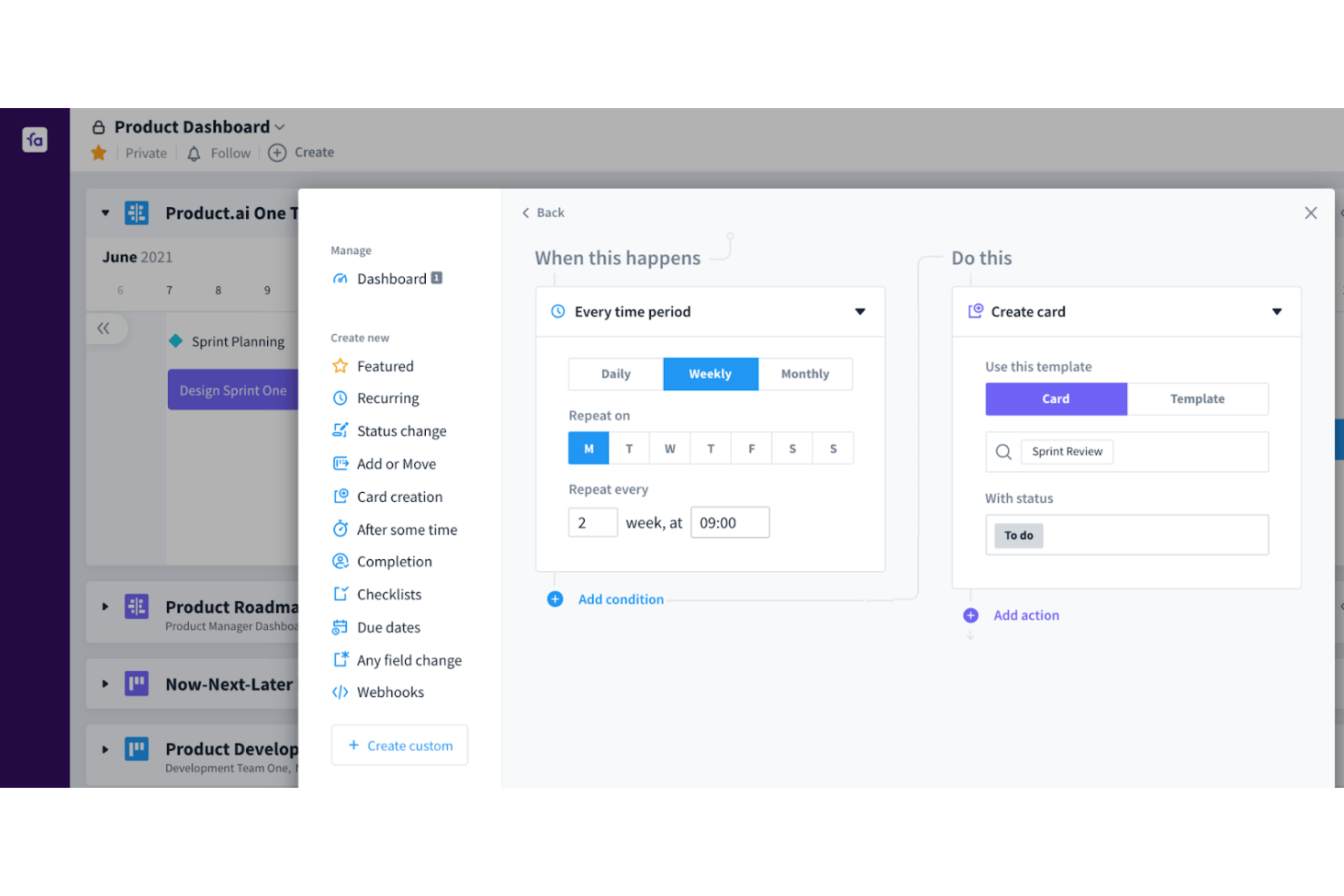
Automation options are limited for complex workflows.
Is Favro Right For Your Needs?
Who Would be a Good Fit for Favro?
Favro works best for fast-paced organizations needing a structured, multi-team project management tool. Tech companies, creative agencies, and game development studios benefit from real-time collaboration, card syncing, and deep hierarchy features. Distributed product teams and agile departments love Favro's visibility across projects, while startups and consultancies run multiple workflows in one place.
-
SaaS Startups
Favro’s flexible boards and centralized knowledge base make it easy for lean software development teams to adapt quickly and scale their agile workflows.
-
Game Development Studios
Game studios use Favro to manage pipelines and detailed multi-level task dependencies across art, programming, and design teams.
-
Distributed Product Teams
Remote teams value Favro’s real-time sync, making collaboration easy even across time zones.
-
Creative Agencies
Favro’s visual boards and template library help agencies track campaigns and client workstreams together in one place.
-
Agile PMOs
Agile project management offices use Favro for its objective hierarchy and portfolio-level oversight.
-
Tech Consultancies
Consulting teams managing multiple simultaneous client projects can easily configure separate boards and permissions in Favro.
Who Would be a Bad Fit for Favro?
Favro isn’t the best fit for organizations with heavy compliance needs, those preferring waterfall methods, automated time tracking, or very small teams with simple task lists. Construction firms, medical practices, and industries requiring built-in Gantt charts or detailed financial integrations might find Favro lacking. Users needing advanced built-in reporting or highly specialized vertical templates will want to look elsewhere.
-
Construction Firms
Favro lacks built-in Gantt charting and resource allocation tools fundamental for traditional construction project management.
-
Large Enterprises in Regulated Industries
Organizations with strict compliance and auditing needs may require deeper security, audit, and documentation features than Favro offers.
-
Financial Services Teams
Favro does not have in-depth financial tracking or integration with accounting systems needed for managing financial projects.
-
Healthcare Practices
Medical teams won’t find the HIPAA support or patient-specific project templates often required in clinical environments.
-
Waterfall-Only Teams
Teams working strictly in waterfall frameworks won’t benefit from Favro’s agile-first architecture.
-
Solo Operators
Individuals or tiny teams wanting only simple to-do or checklist tools will find Favro’s feature set unnecessarily complex.
Our Review Methodology
How We Test & Score Tools
We’ve spent years building, refining, and improving our software testing and scoring system. The rubric is designed to capture the nuances of software selection and what makes a tool effective, focusing on critical aspects of the decision-making process.
Below, you can see exactly how our testing and scoring works across seven criteria. It allows us to provide an unbiased evaluation of the software based on core functionality, standout features, ease of use, onboarding, customer support, integrations, customer reviews, and value for money.
Core Functionality (25% of final scoring)
The starting point of our evaluation is always the core functionality of the tool. Does it have the basic features and functions that a user would expect to see? Are any of those core features locked to higher-tiered pricing plans? At its core, we expect a tool to stand up against the baseline capabilities of its competitors.
Standout Features (25% of final scoring)
Next, we evaluate uncommon standout features that go above and beyond the core functionality typically found in tools of its kind. A high score reflects specialized or unique features that make the product faster, more efficient, or offer additional value to the user.
We also evaluate how easy it is to integrate with other tools typically found in the tech stack to expand the functionality and utility of the software. Tools offering plentiful native integrations, 3rd party connections, and API access to build custom integrations score best.
Ease of Use (10% of final scoring)
We consider how quick and easy it is to execute the tasks defined in the core functionality using the tool. High scoring software is well designed, intuitive to use, offers mobile apps, provides templates, and makes relatively complex tasks seem simple.
Onboarding (10% of final scoring)
We know how important rapid team adoption is for a new platform, so we evaluate how easy it is to learn and use a tool with minimal training. We evaluate how quickly a team member can get set up and start using the tool with no experience. High scoring solutions indicate little or no support is required.
Customer Support (10% of final scoring)
We review how quick and easy it is to get unstuck and find help by phone, live chat, or knowledge base. Tools and companies that provide real-time support score best, while chatbots score worst.
Customer Reviews (10% of final scoring)
Beyond our own testing and evaluation, we consider the net promoter score from current and past customers. We review their likelihood, given the option, to choose the tool again for the core functionality. A high scoring software reflects a high net promoter score from current or past customers.
Value for Money (10% of final scoring)
Lastly, in consideration of all the other criteria, we review the average price of entry level plans against the core features and consider the value of the other evaluation criteria. Software that delivers more, for less, will score higher.
Core Features
Customizable Boards and Backlogs
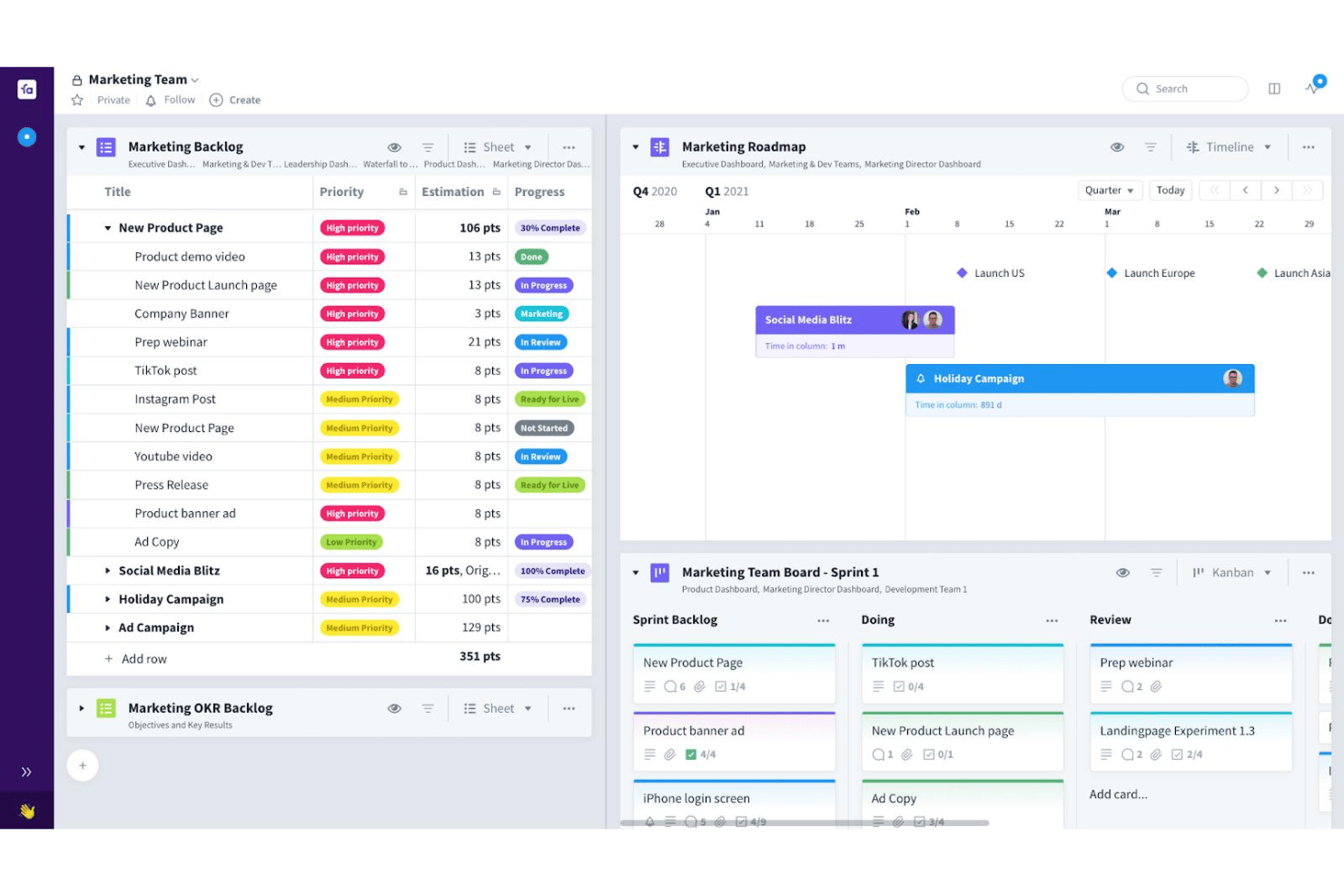
Set up boards to support Kanban, Scrum, or hybrid processes easily. Teams organize work visually and tailor columns, swimlanes, and cards for their workflow.
Hierarchical Structure and Collections
Groups, teams, and objectives are managed in a multi-level hierarchy. You get visibility across multiple teams and projects in one view.
Real-Time Collaboration
Team members update tasks, leave comments, and attach files instantly. Updates are synced live so everyone stays on the same page.
Card Relationships and Dependencies
Link cards across teams to clarify dependencies and blockages. This makes managing cross-functional work and hand-offs more visible.
Advanced Permissions
Control access with granular user roles and sharing settings. Only the right people see or modify sensitive projects or boards.
Template Library
Start new boards, epics, and workflows using pre-built agile templates. This helps teams launch projects faster and stay consistent.
Standout Features
Multi-Board Card Sync
Cards can live and update simultaneously on multiple boards across teams. This keeps all work linked and ensures updates cascade in real time.
OKR Alignment
You can map team initiatives to specific objectives and key results directly in Favro. This lets you track progress on business goals alongside everyday tasks.
Ease of Use
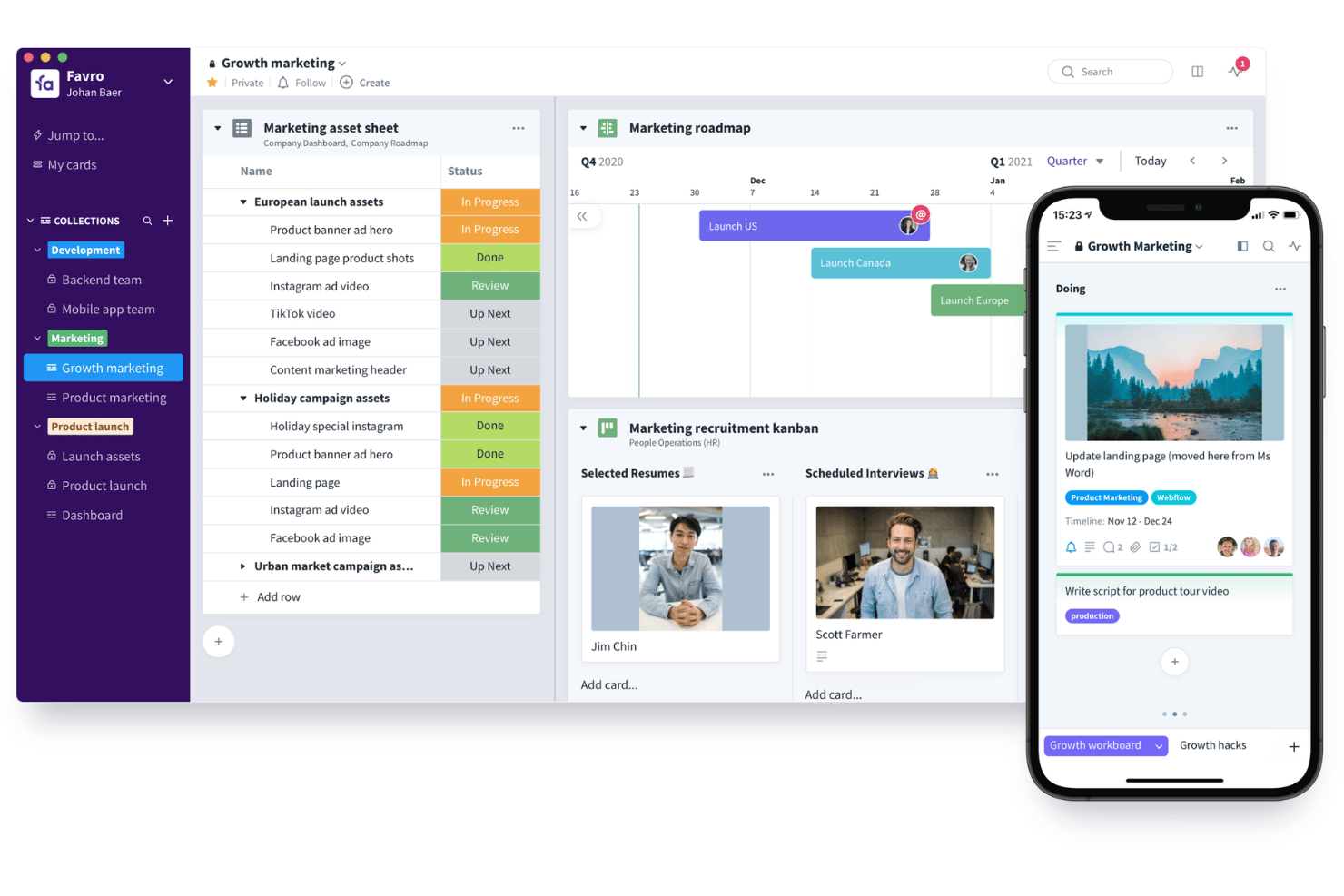
Favro’s interface strikes a strong balance between flexibility and clarity, making it approachable for new users and detailed enough for advanced teams. I think the drag-and-drop boards, quick inline edits, and intuitive permissions help teams get started fast. Users appreciate the easy navigation across collections, though some wish for more polished mobile usability.
Onboarding
Favro does a solid job onboarding new users, offering in-app tours, video tutorials, and a library of agile templates to help teams ramp up. Most users get practical value quickly, though some mention a desire for more hands-on demos or live onboarding sessions. The support team responds promptly via chat, and the help center is well-organized.
Customer Support
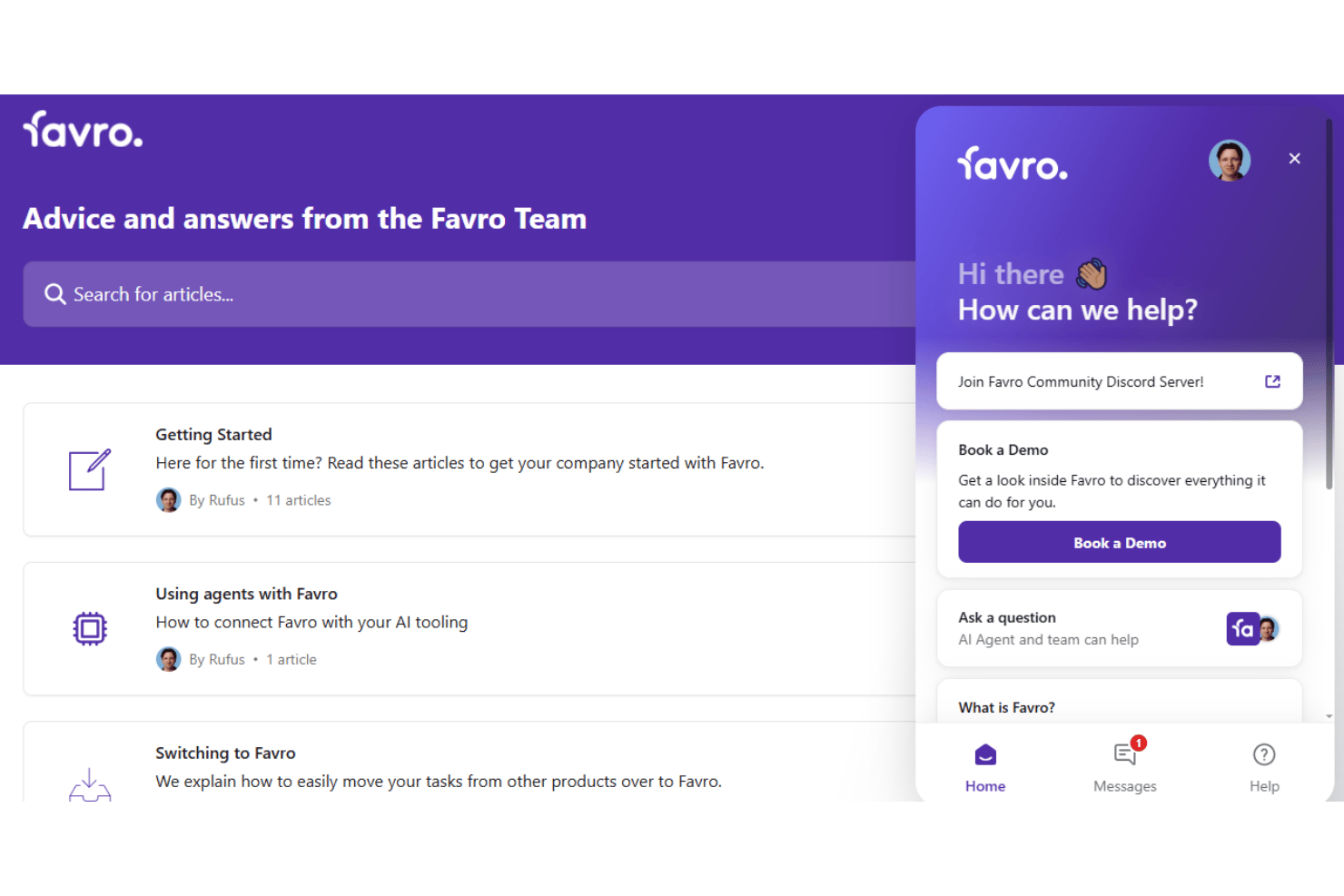
Favro’s customer support gets positive feedback for being responsive and knowledgeable, especially via live chat and email. Users value the quick answers and clear guidance on technical or setup issues. Some note that deeper support articles and community engagement could be expanded, but most teams find help when they need it.
Integrations
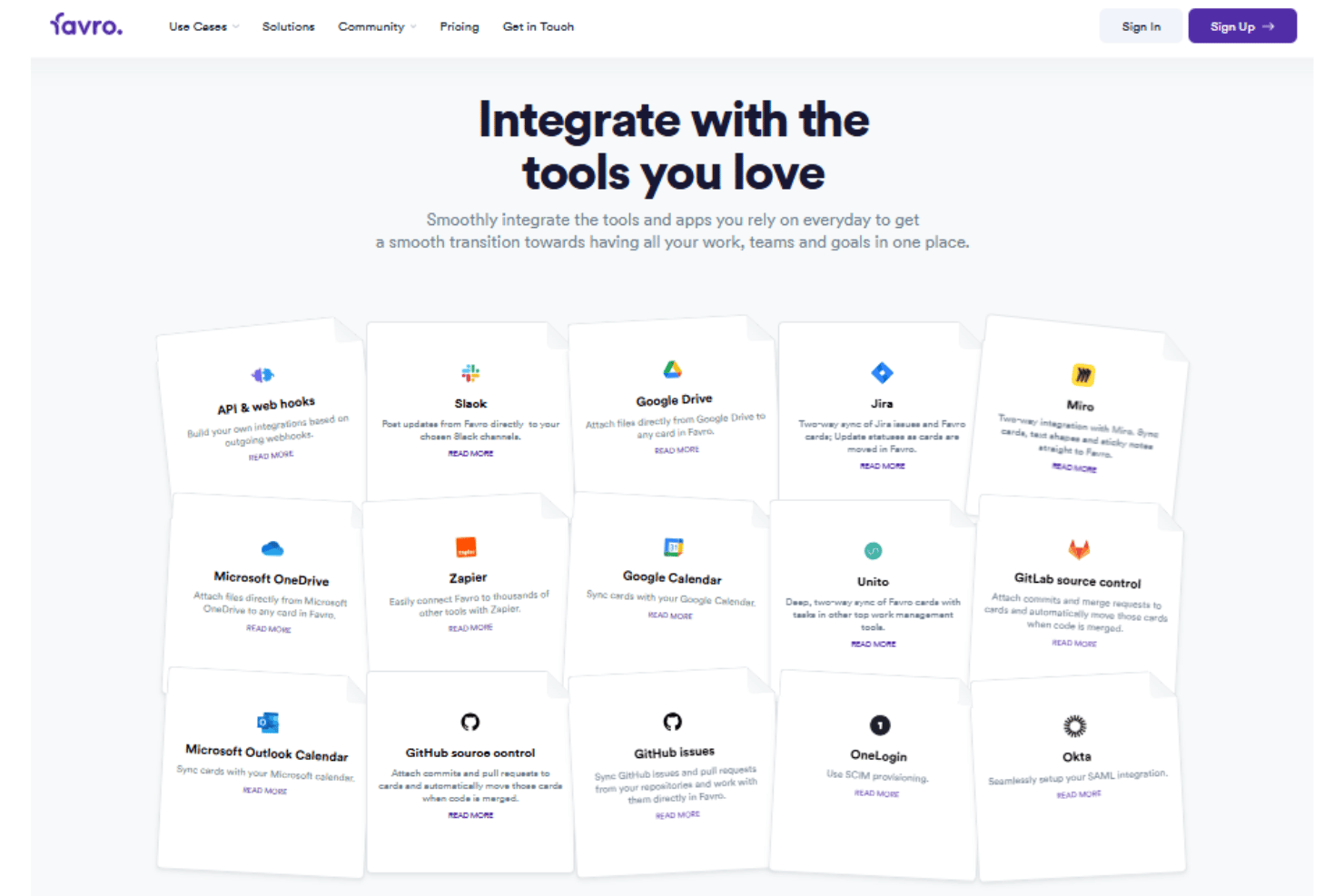
Favro integrates with Slack, Google Drive, Google Calendar, GitHub, Jira, Miro , and Okta, among others.
Favro also offers an open API and connects with third-party integration tools like Zapier for broader connectivity.
Value for Money
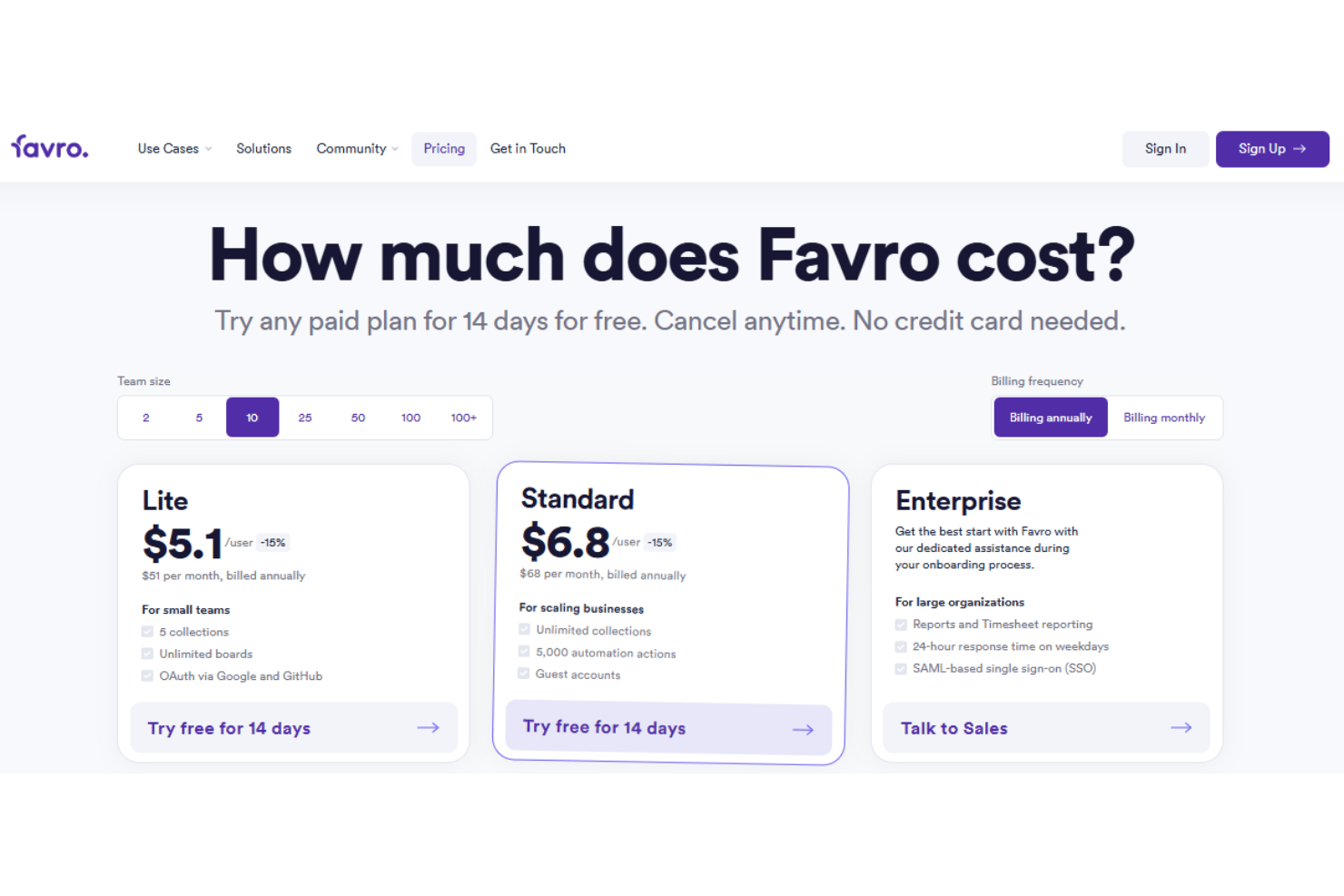
Favro’s pricing plans are competitive for teams needing flexible agile planning with cross-team visibility. You get a lot at the entry level, but features like advanced reporting or increased automation sit behind higher tiers, which some users find limiting as they scale.
- Lite**:** Includes unlimited team boards, backlogs, and 25 automation actions.
- Standard: Adds unlimited collections, storage, 5000 automation actions, and limited dashboards.
- Enterprise: Offers dashboards, timesheets, 10,000 API calls per hour, and 25,000 automation actions.
Favro Specs
- A/B Testing
- API
- Collaboration Support
- Custom Data Forms
- Dashboard
- Dashboards
- Data Export
- Data Import
- Developer Tools
- External Integrations
- Feedback Management
- Gantt Charts
- Google Apps Integration
- Multi-User
- Notifications
- Prioritization
- Product Catalog
- Release Management
- Reports
- Resource Management
- Review Monitoring
- Roadmapping
- Scheduling
- Task Scheduling/Tracking
Favro FAQs
How flexible is Favro for teams with different workflows?
Can Favro handle cross-team dependencies and large-scale agile?
How does Favro support remote or distributed teams?
What options are available for onboarding my team into Favro?
How does Favro keep my data secure, and is it compliant with major regulations?
What kind of reporting and analytics does Favro provide?
Can I automate workflows in Favro?
What support channels are available if my team runs into issues?
Favro Company Overview & History
Favro is a Swedish software company headquartered in Uppsala, Sweden. The company was founded by the creators behind Hansoft, and it focuses exclusively on Favro, its collaborative planning, task management, and agile project management platform. Favro is known for serving game studios, SaaS, and tech companies worldwide, and it highlights prominent clients like Ubisoft, Walt Disney, and SAP. The company has a reputation for being remote-first and values transparency in both its team culture and customer relationships.
Favro Major Milestones
- 2016: Favro founded in Uppsala, Sweden by the team who created Hansoft.
- 2017: Favro launches its agile planning and collaboration tool publicly.
- 2019: Company expands internationally, adding clients in North America and Asia-Pacific.
- 2022: Favro introduces advanced enterprise features and secures new investment round.
- 2023: Major update to automation and API integrations, enhancing extensibility for enterprise customers.