


eSUB Review: Pros, Cons, Features and Pricing for 2026



eSUB is a subcontractor project management software built for specialty trade contractors managing field crews, job documentation, and project communication. I'd choose it if your team finds general contractor platforms like Procore too sprawling. eSUB is purpose-built for subcontractor workflows. Features like daily field reports, time tracking, and RFI management are front and center rather than buried under tools you'll never use.
eSUB Evaluation Summary
- From $12/user/month (min 5 seats)
Why Trust Our Software Recommendations
Our team has been testing and reviewing software since 2012. As project managers ourselves, we know how difficult—and important—it is to choose the right software.
For this guide, we evaluated tools using hands-on testing and independent research, scoring tools using our selection criteria. We also draw on insights from industry thought leaders and practicing project management experts.
Our reviews reflect our human editorial judgment, not a sales pitch.
Expert reviewers:
eSUB Overview
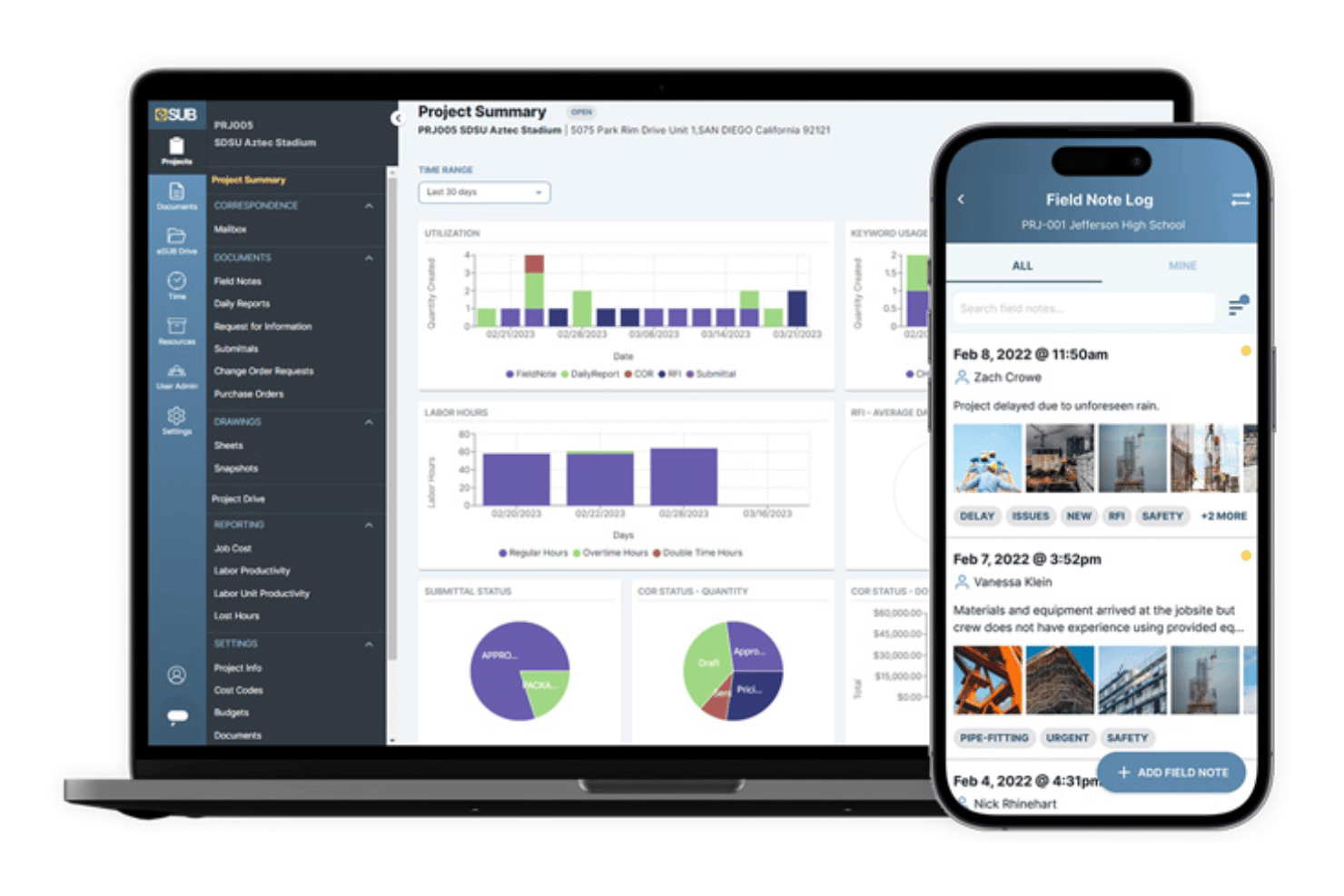
If you’re choosing eSUB, you’re picking a system that nails field documentation functionality, keeps subs and office in sync, and stays user-friendly even for tech-averse teams. I think its direct RFI workflows, daily reports, and mobile support outperform most competitors, though its integrations and pricing may not suit teams expecting deep ERP connections or tight budgets. For trade contractors juggling multiple projects who want simplified onboarding and responsive support, I’d judge eSUB as a strong fit.
pros
-
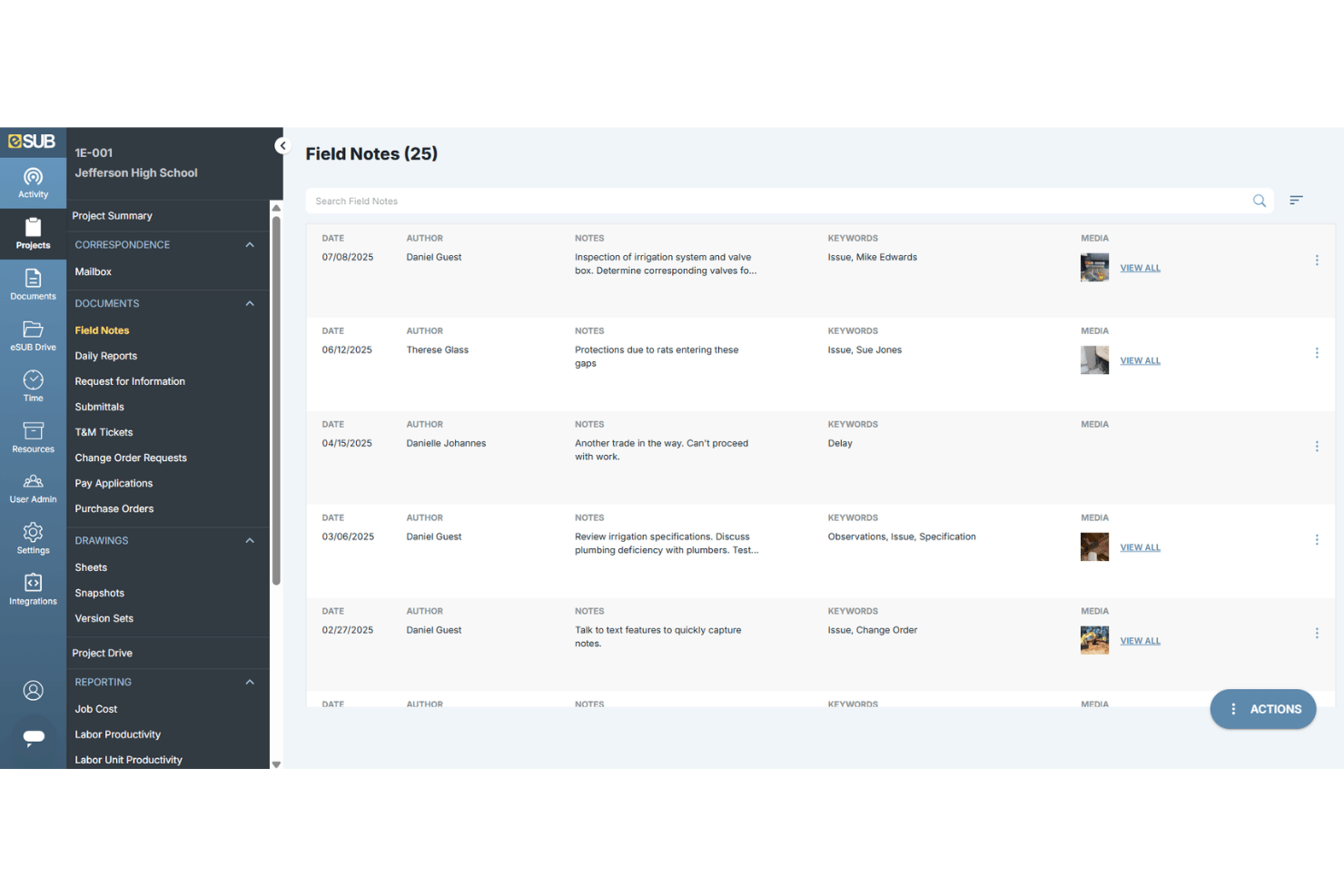
Captures and tracks field notes with photo attachments
-
Structured RFI and submittal workflows simplify documentation
-
Dedicated mobile app keeps crews updated in real time
cons
-
Scheduling tools are less flexible than some competitors
-
Reports sometimes lack advanced filtering and export options
-
Users mention support response delays during peak times
Is eSUB Right For Your Needs?
Who Would be a Good Fit for eSUB?
eSUB is a strong fit for specialty subcontractors and growing construction firms that need robust field-to-office coordination, role-based workflows, and reliable change order documentation. Trades working on complex, multi-phase jobs will see the most benefit, thanks to eSUB’s emphasis on daily reporting, RFI tracking, and centralized document storage. Project managers seeking real-time field updates and exhaustive project records will appreciate the deep focus on subcontractor needs.
-
MEP Subcontractors
eSUB’s field reporting and document management help mechanical, electrical, and plumbing teams coordinate large volumes of RFIs and change orders on busy job sites.
-
Companies With 20–100 Employees
Firms in this size range get scalable workflows, permission controls, and implementation support without overwhelming smaller teams.
-
Field Supervisors
Supervisors benefit from mobile daily logs, photo documentation, and instant reports that connect back to the main office.
-
Commercial Construction Projects
eSUB supports complex documentation needs, daily updates, and fast communication across multiple stakeholders on large projects.
-
Multi-Crew Operations
Crews working across several locations can use eSUB’s checklists and real-time notifications for accountability and coordination.
-
Union Contractors
Union contractors benefit from detailed labor tracking, certified payroll reports, and customizable compliance documentation.
Who Would be a Bad Fit for eSUB?
eSUB isn’t a great match for small firms doing simple jobs, industries outside construction, or those wanting low-cost, plug-and-play tools with minimal training. Organizations looking for end-to-end ERP features, general contractor oversight, or advanced scheduling detail will not get the most value. Teams focused only on accounting, design, or field-only work probably don’t need eSUB’s depth.
-
Small Handyman Firms
eSUB is overkill for jobs that don’t require formal RFIs, change orders, or extensive daily documentation.
-
General Contractors
Project owners who need broad oversight and coordination across dozens of subcontractors may find eSUB’s feature set too specialized.
-
Residential Remodelers
Home remodelers handling smaller, less-documented projects likely won’t use most of eSUB’s robust features.
-
Design Departments
Teams focused on pre-construction design or architecture work will not benefit from eSUB’s field management tools.
-
Accounting-Only Teams
Accounting or finance-only teams won’t utilize eSUB’s document workflows and would prefer dedicated construction accounting software.
-
Single-Crew Operations
Very small crews or solo operators won’t get value from multi-crew tracking, scheduling, or role-based workflows.
Our Review Methodology
How We Test & Score Tools
We’ve spent years building, refining, and improving our software testing and scoring system. The rubric is designed to capture the nuances of software selection and what makes a tool effective, focusing on critical aspects of the decision-making process.
Below, you can see exactly how our testing and scoring works across seven criteria. It allows us to provide an unbiased evaluation of the software based on core functionality, standout features, ease of use, onboarding, customer support, integrations, customer reviews, and value for money.
Core Functionality (25% of final scoring)
The starting point of our evaluation is always the core functionality of the tool. Does it have the basic features and functions that a user would expect to see? Are any of those core features locked to higher-tiered pricing plans? At its core, we expect a tool to stand up against the baseline capabilities of its competitors.
Standout Features (25% of final scoring)
Next, we evaluate uncommon standout features that go above and beyond the core functionality typically found in tools of its kind. A high score reflects specialized or unique features that make the product faster, more efficient, or offer additional value to the user.
We also evaluate how easy it is to integrate with other tools typically found in the tech stack to expand the functionality and utility of the software. Tools offering plentiful native integrations, 3rd party connections, and API access to build custom integrations score best.
Ease of Use (10% of final scoring)
We consider how quick and easy it is to execute the tasks defined in the core functionality using the tool. High scoring software is well designed, intuitive to use, offers mobile apps, provides templates, and makes relatively complex tasks seem simple.
Onboarding (10% of final scoring)
We know how important rapid team adoption is for a new platform, so we evaluate how easy it is to learn and use a tool with minimal training. We evaluate how quickly a team member can get set up and start using the tool with no experience. High scoring solutions indicate little or no support is required.
Customer Support (10% of final scoring)
We review how quick and easy it is to get unstuck and find help by phone, live chat, or knowledge base. Tools and companies that provide real-time support score best, while chatbots score worst.
Customer Reviews (10% of final scoring)
Beyond our own testing and evaluation, we consider the net promoter score from current and past customers. We review their likelihood, given the option, to choose the tool again for the core functionality. A high scoring software reflects a high net promoter score from current or past customers.
Value for Money (10% of final scoring)
Lastly, in consideration of all the other criteria, we review the average price of entry level plans against the core features and consider the value of the other evaluation criteria. Software that delivers more, for less, will score higher.
Core Features
Field Notes
Capture, organize, and share real-time field observations with photo attachments. Teams log issues instantly, keeping everyone aligned and accountable.
RFI Management
Create, route, and track RFIs from the field or office. Every response links to related documents, simplifying follow-up and audit trails.
Daily Reports
Submit weather logs, headcounts, and completed work from any device. Supervisors access clear summaries to spot delays or resolve disputes fast.
Submittals
Manage submittal packages and automate approval workflows. Stay organized and reduce project delays by tracking responses in one place.
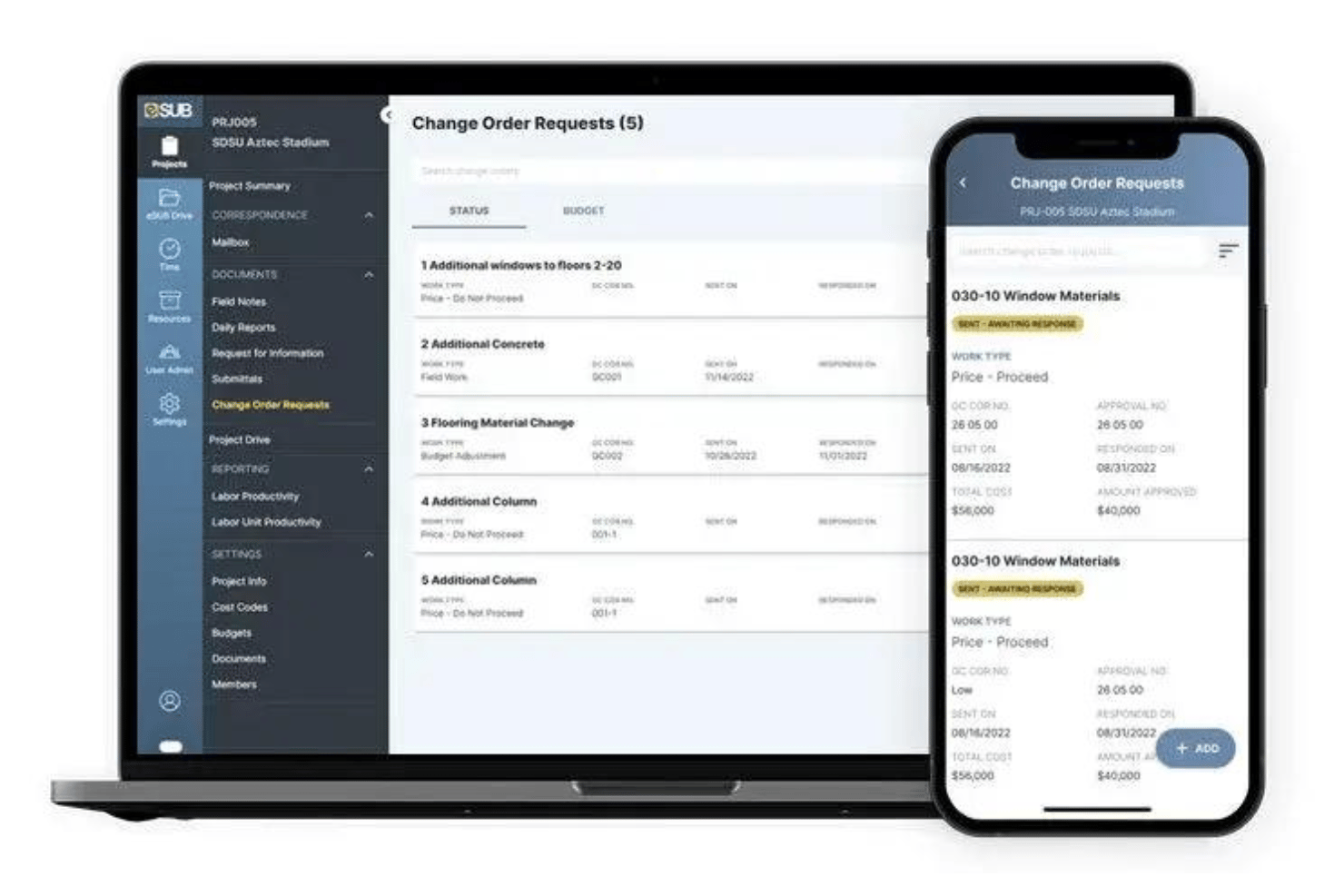
Change Orders
Draft, send, and approve change orders online with status tracking. Documentation is centralized, so disputes over scope changes are easier to resolve.
Project Scheduling
Use a visual calendar to assign tasks, deadlines, and crew allocations. Everyone sees the latest schedule updates to minimize miscommunications.
Standout Features
Centralized Document Control
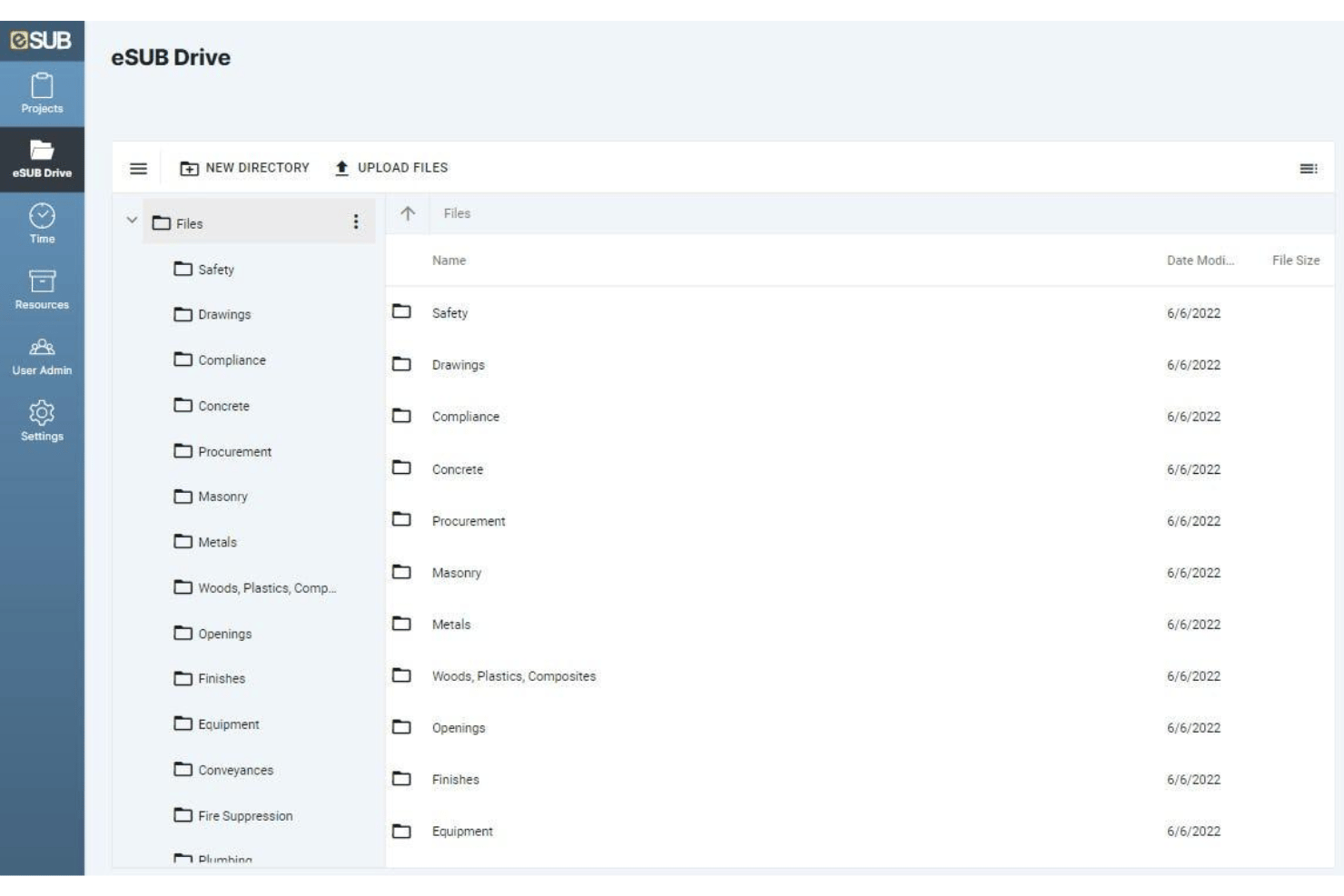
Store and manage all drawings, specs, and revisions in a single secure location. Everyone always accesses the latest documents, reducing risk of rework or missed updates.
Labor Productivity Tracking
Track labor hours, crew allocation, and productivity in real time. Compare planned vs. actual data to quickly spot overruns and optimize resource use.
Ease of Use
eSUB stands out for its clear dashboard, mobile app design, and simple RFI and daily reporting tools, making it approachable even if your team seldom uses tech. I think most users will find it intuitive—navigation is logical, core features appear right where you’d expect, and onboarding is quick with role-based guides and support resources built in.
Onboarding
I’ve found eSUB’s onboarding moves fast thanks to in-app tutorials, dedicated implementation specialists, and plenty of role-specific training materials. Users report quick setup with guided walkthroughs for core features like RFIs and daily logs, plus easy access to a knowledge center and responsive live chat if you get stuck.
Customer Support
From my experience and user feedback, eSUB provides solid customer support with phone, email, and live chat options. While some users note delays during peak periods, most praise the knowledgeable staff and quick resolutions for setup questions, troubleshooting, and ongoing training needs.
Integrations
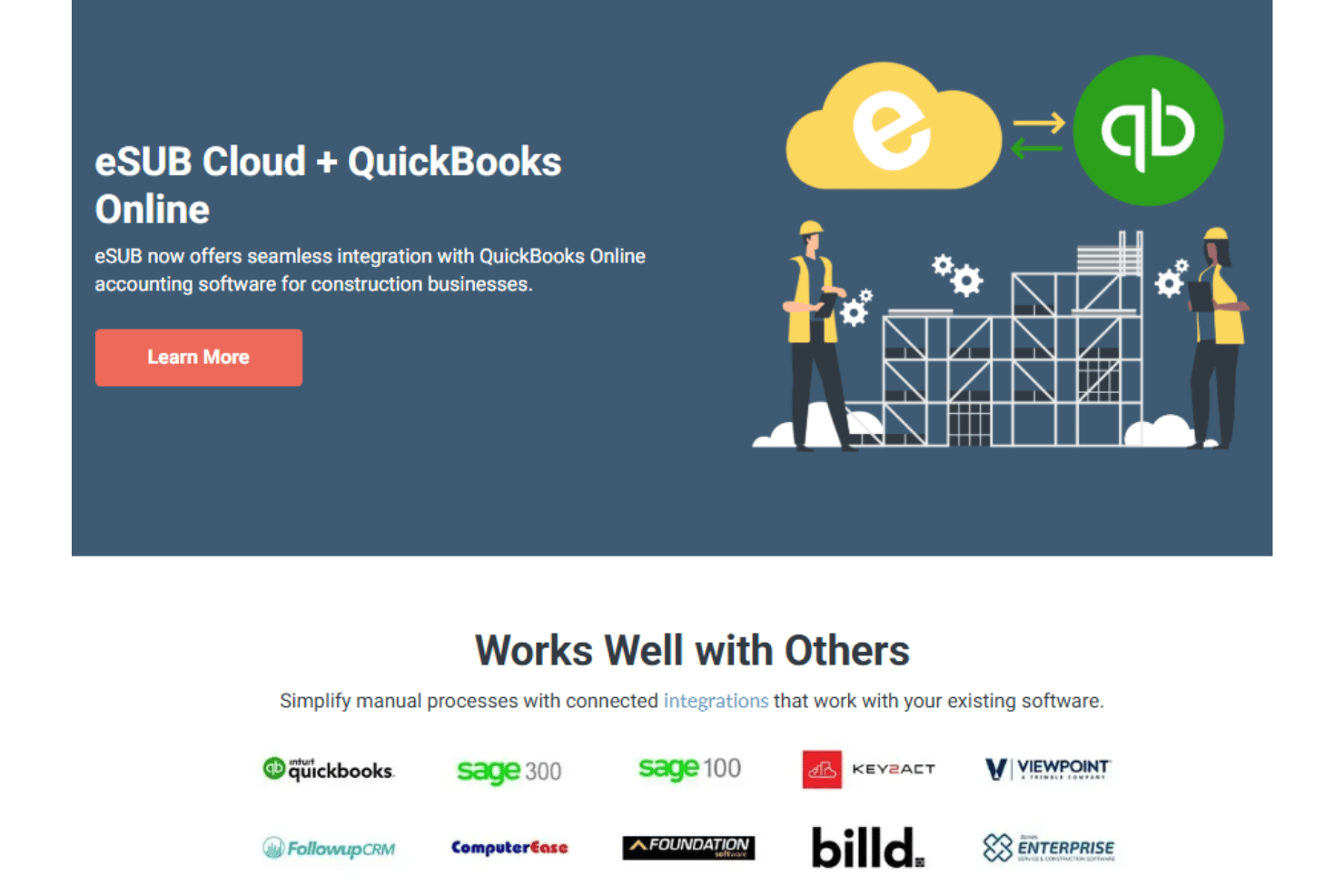
eSUB integrates with Sage 100 Contractor, Sage 300 CRE, QuickBooks Online, and Sharepoint, among others.
eSUB also offers an open API for custom integrations and connections with third-party tools.
Value for Money
eSUB’s pricing is higher than many expect, but most users say it justifies the cost with dedicated subcontractor features, unlimited document storage, and role-based workflows that reduce manual work and disputes. I think teams with complex documentation needs get the best value, though budget-focused firms may want to compare closely. If you’re looking for the exact price, then you’re going to have to contact eSUB for a tailored quote based on your needs and company size.
eSUB Specs
- API
- Calendar Management
- Customer Management
- Data Export
- Data Import
- External Integrations
- Inventory Tracking
- Multi-User
- Notifications
- Project Management
- Scheduling
- Supplier Management
eSUB FAQs
How easy is it to get field crews started with eSUB?
Can eSUB handle multiple projects at once?
What options does eSUB offer for storing and sharing project documents?
How does eSUB support change order management?
Is eSUB compliant with construction industry security standards?
Does eSUB offer integration with accounting or ERP systems?
Can I customize user permissions in eSUB?
What types of customer support does eSUB provide?
eSUB Company Overview & History
eSUB Construction Software is headquartered in San Diego, California, and focuses on delivering cloud-based project management solutions specifically for subcontractors in the construction industry. Founded by experienced construction professionals, the company’s platform is designed to bridge communication between field and office teams, with a workforce of approximately 50 employees. eSUB is known for fostering a collaborative, innovation-driven work culture and serves thousands of specialty subcontractors across North America.
eSUB** Major Milestones**
- 2008: Company founded by construction industry veterans.
- 2011: Official release of the eSUB cloud-based project management platform.
- 2017: Closed $5 million Series A funding round to accelerate product development.
- 2022: Expanded integrations and API capabilities for broader connectivity.