


Clio vs. Filevine: Comparison and Expert Reviews for 2026



Juggling multiple cases, shifting client demands, and tight deadlines can leave you searching for better ways to organize your legal work. Both Clio and Filevine promise relief, but each brings its own take on what makes project management software for lawyers truly effective. Choosing between them means looking closely at what matters to your firm—workflows, features, user experience, and more.
In this article, I’ll walk you through a clear comparison of Clio and Filevine. You’ll get a look at the pros and cons, top use cases, pricing, security practices, and how easy they are to use—so you can find the tool that fits your way of working.
Clio vs. Filevine: An Overview
Clio
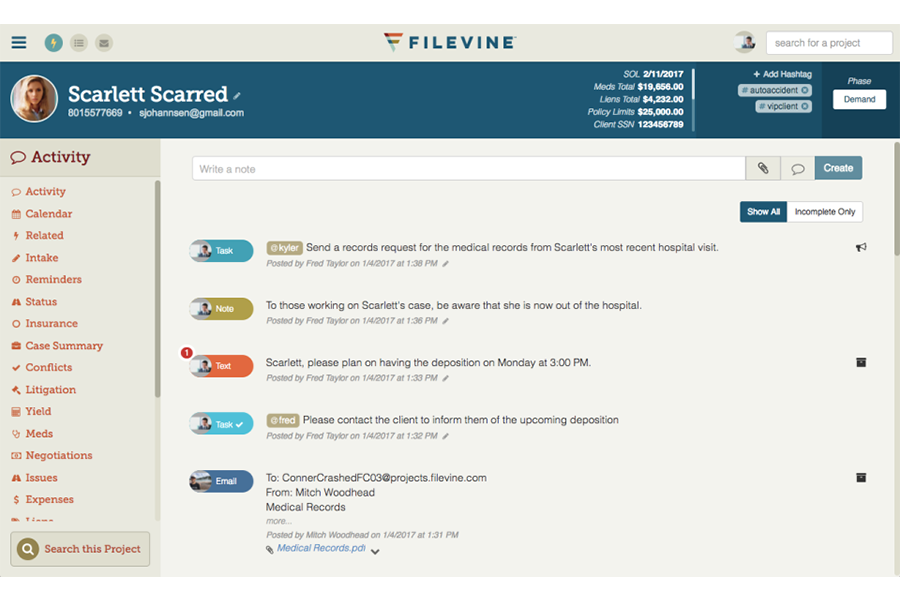
Filevine

Why Trust Our Software Recommendations
Our team has been testing and reviewing software since 2012. As project managers ourselves, we know how difficult—and important—it is to choose the right software.
For this guide, we evaluated tools using hands-on testing and independent research, scoring tools using our selection criteria. We also draw on insights from industry thought leaders and practicing project management experts.
Our reviews reflect our human editorial judgment, not a sales pitch.
Expert reviewers:
Clio vs. Filevine Pricing Comparison
| Clio | Filevine | |
|---|---|---|
| Free Trial | Free trial available | Free trial + free demo available |
| Pricing | From £79/user/month | Pricing upon request |
Clio vs. Filevine Pricing & Hidden Costs
Clio uses a tiered subscription model, charging per user with different feature sets at each level. While many core features are included, you may pay extra for add-ons like advanced document automation, CRM (Clio Grow), or accounting tools. Filevine’s pricing is quote-based—meaning you work directly with their sales team to get a tailored solution. Additional modules for features like intake, e-signatures, or analytics can increase costs, so the total can climb as you expand your use.
When comparing options, start by mapping out the must-have features your firm truly needs for case management, collaboration, and compliance. Ask vendors for a breakdown of what’s included in each plan, and make sure to clarify costs for users, integrations, onboarding, and support. Calculating your total cost in real-world scenarios—like onboarding your whole team or scaling up—gives you the clearest view of which vendor matches your firm’s growth plans and budget guardrails.
Clio vs. Filevine Feature Comparison
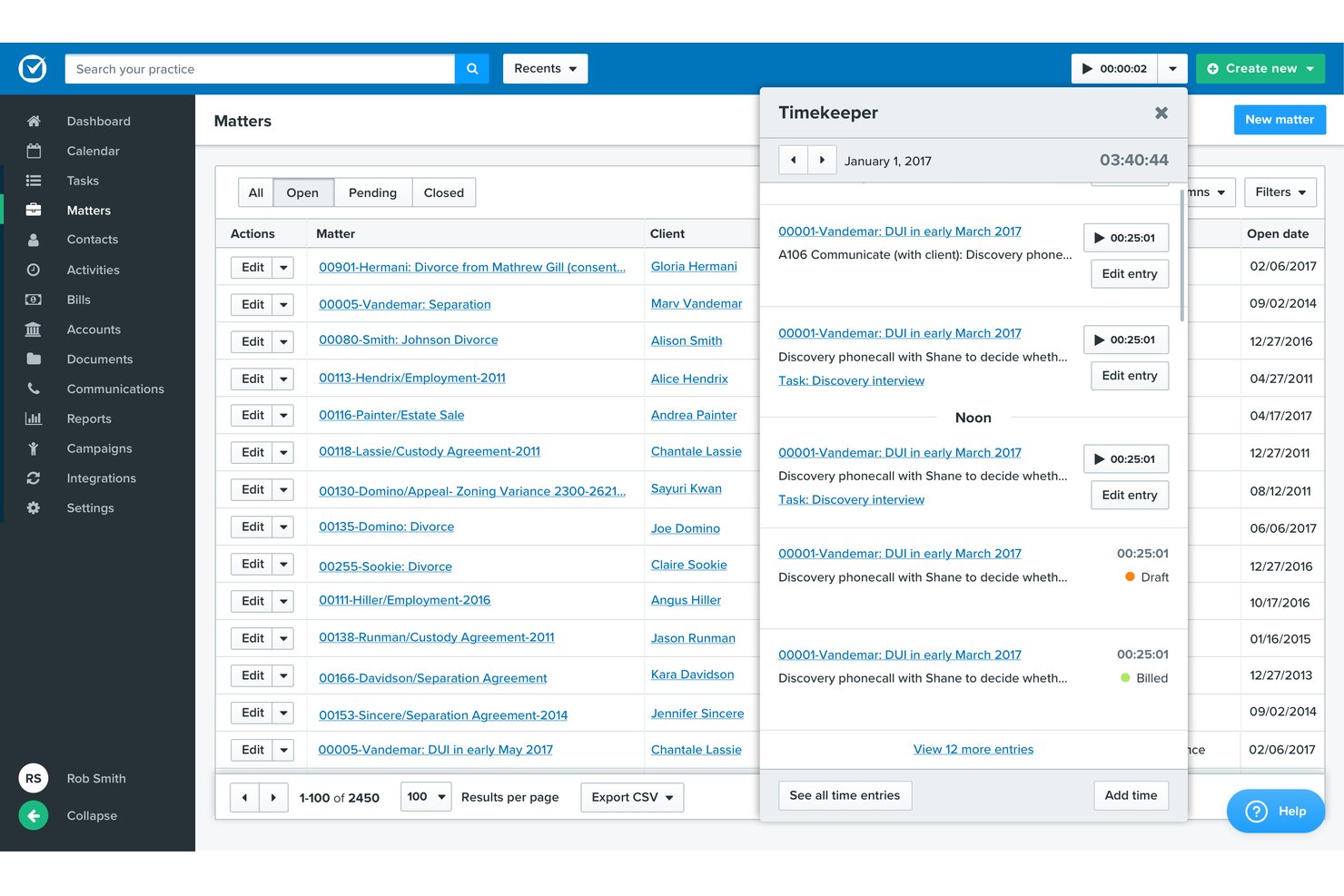
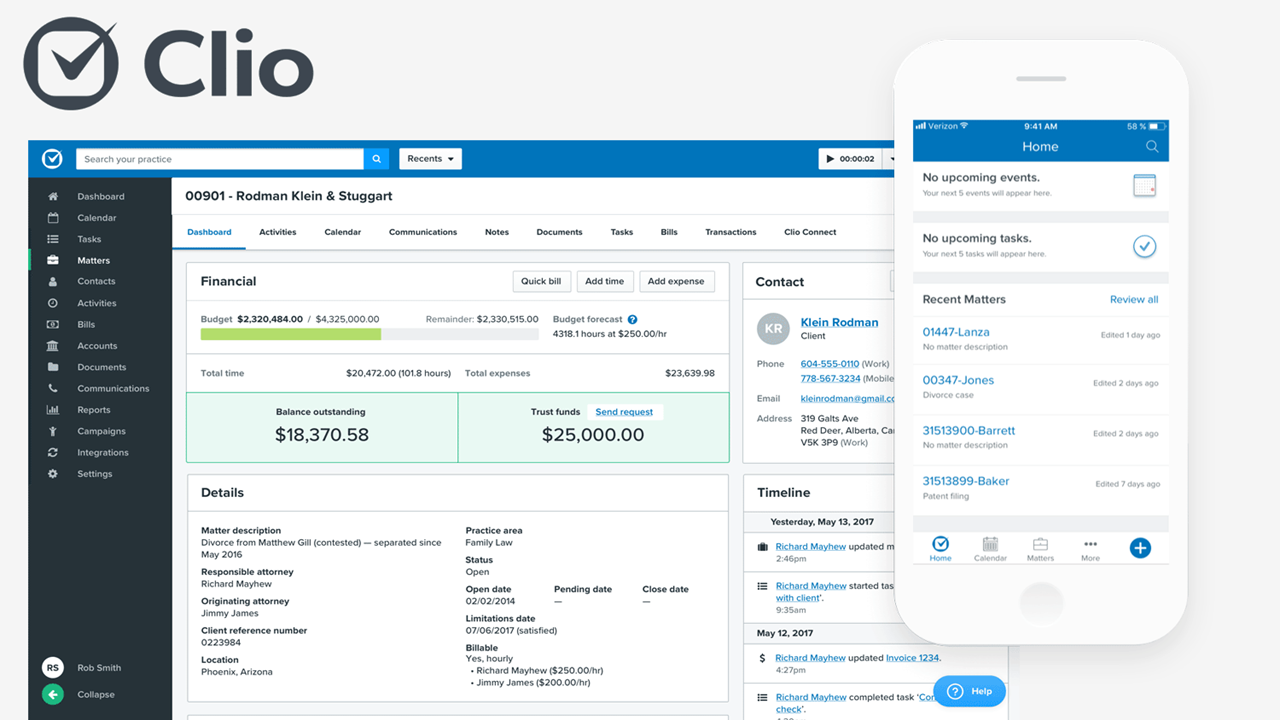
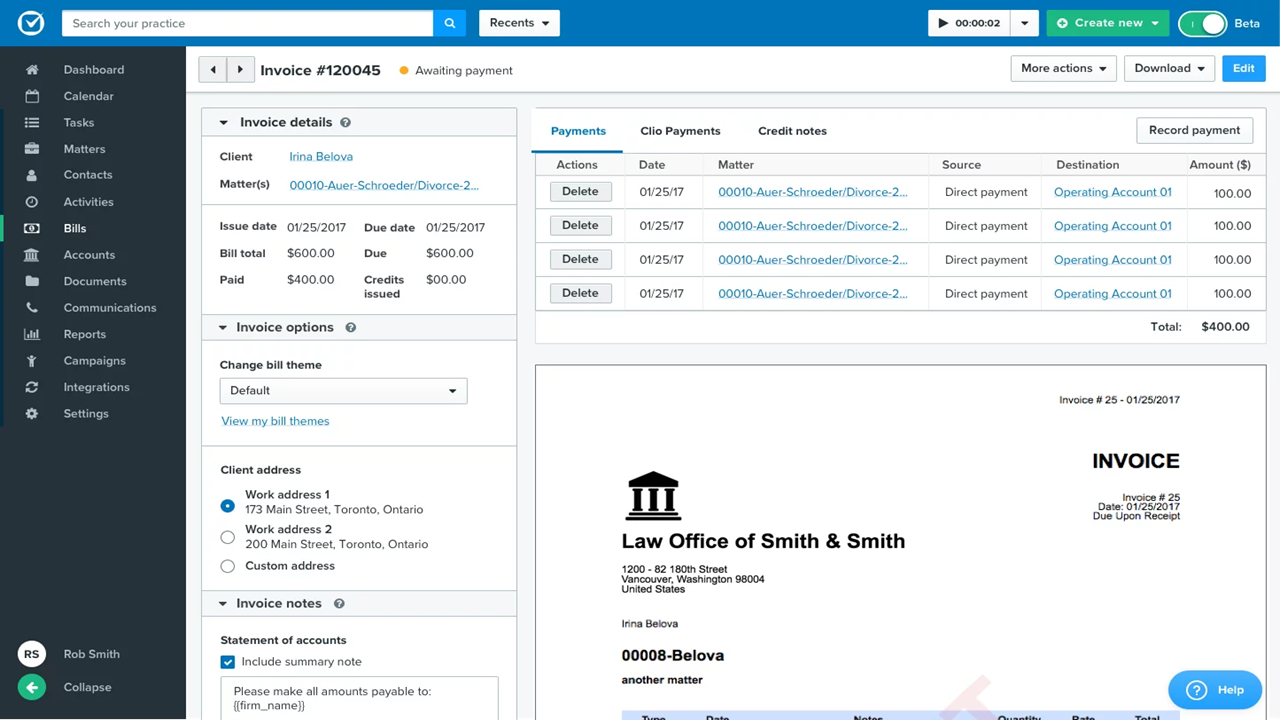
Both Clio and Filevine cover legal project management basics—case tracking, task management, document storage, and time tracking come standard with each. You get built-in calendaring, client communication tools, and billing designed around law firm workflows, making it easy to keep cases organized from intake to resolution.
Filevine stands out for its deep customization and automation—especially for litigation-heavy firms that need complex, multi-step processes and tailored workflows. Clio, on the other hand, differentiates itself with ease of use, a massive integration ecosystem, and built-in tools like client portals and CRM (Clio Grow) that make it easier to get up and running quickly without heavy configuration.
| Clio | Filevine | |
|---|---|---|
| 2-Factor Authentication | ||
| API | ||
| Approval Workflows | ||
| Audit Trail | ||
| Calendar Management | ||
| Compliance Tracking | ||
| Contract Management | ||
| Custom Reports | ||
| Customer Management | ||
| Data Export | ||
| Data Import | ||
| Document Management | ||
| External Integrations | ||
| Multi-User | ||
| NDA Management | ||
| Notifications | ||
| Policy Management | ||
| Scheduling | ||
| Workflow Management |
Clio vs. Filevine Integrations
| Integration | Clio | Filevine |
|---|---|---|
| Microsoft 365 | ✅ | ✅ |
| Google Workspace | ✅ | ✅ |
| DocuSign | ✅ | ✅ |
| QuickBooks Online | ✅ | ✅ |
| Dropbox | ✅ | ❌ |
| NetDocuments | ✅ | ✅ |
| LawPay | ✅ | ❌ |
| Slack | ❌ | ✅ |
| Box | ✅ | ❌ |
| RingCentral | ❌ | ✅ |
| API | ✅ | ✅ |
| Zapier | ✅ | ✅ |
Clio and Filevine both cover the legal essentials, but Clio features more out-of-the-box, cloud storage, and payment integrations, while Filevine stands out with voice and messaging links. Both offer an API and Zapier, so you can connect to almost any tool you need as your practice grows.
Clio vs. Filevine Security, Compliance & Reliability
| Factor | Clio | Filevine |
|---|---|---|
| Encryption | Uses strong encryption (including AES-256) for data at rest and SSL/TLS for data in transit. | Uses strong encryption for data at rest and secure protocols for data in transit. |
| Regulatory Compliance | SOC 2 Type II compliant and supports GDPR and HIPAA requirements. | SOC 2 Type II compliant and follows industry-standard legal and data security frameworks. |
| Access Controls | Offers granular user permissions and two-factor authentication. | Role-based access controls with two-factor authentication. |
| Data Residency | Stores data in secure, cloud-based infrastructure with regional considerations. | Hosted on AWS with globally distributed, secure data centers. |
| Uptime Guarantee | Provides high uptime with redundancy and disaster recovery systems. | Provides high uptime with automated backups and failover systems. |
Both platforms deliver strong security and reliability, but Clio is more transparent about its compliance standards and data practices, which I’ve found helpful when evaluating risk. Filevine, on the other hand, leans into infrastructure strength—particularly its AWS-backed hosting and access controls—giving you confidence in performance and system resilience as your firm scales.
Clio vs. Filevine Ease of Use
| Factor | Clio | Filevine |
|---|---|---|
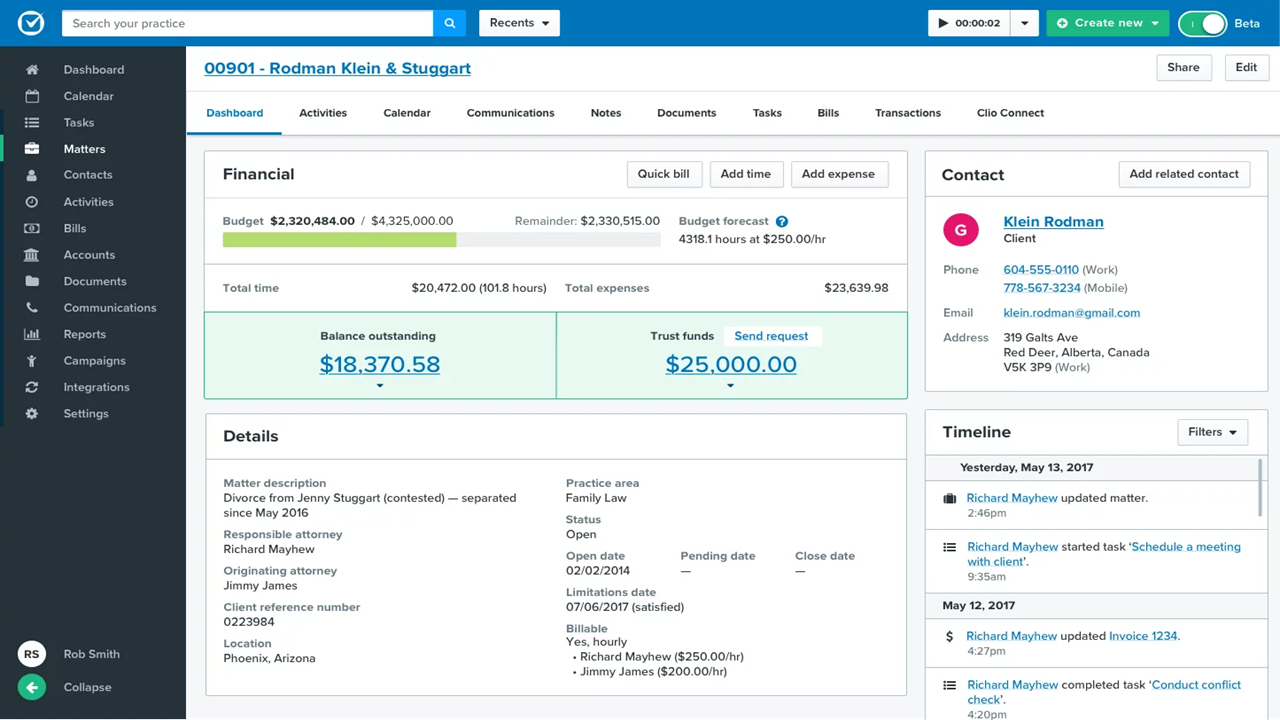
| User Interface | Clean, modern dashboard with intuitive navigation and labeling. | Customizable interface but has a learning curve with deep features. |
| Onboarding | Guided walkthroughs and an in-app knowledge base for quick ramp-up. | Personalized onboarding and training but more time-intensive. |
| Setup Process | Simple, step-by-step setup with pre-built templates. | Flexible setup with options to tailor workflows extensively. |
| Ongoing Support | 24/5 live chat and phone support, plus detailed help articles. | Direct support and a strong client success team for ongoing help. |
| Mobile Experience | Fully-featured mobile app for iOS and Android. | Mobile functionality is available but less robust than Clio. |
Clio usually feels easier and faster for teams to pick up, while Filevine gives power users more customization if they don’t mind a steeper learning curve. I find Clio’s out-of-the-box templates and responsive support help firms get moving quickly, but Filevine wins for firms that want to deeply tailor their workspace.
Clio vs Filevine: Pros & Cons
Clio
- Built-in time tracking links directly to billing.
- Task lists automate recurring workflows for cases.
- Custom matter templates match legal practice areas.
- Mobile app features lag behind desktop version.
- Reporting tools feel limited for complex performance analysis.
- Automated task dependencies are missing for multi-step projects.
Filevine
- Customizable dashboards track case progress and deadlines easily
- Automated document generation saves time on repetitive paperwork
- Built-in texting keeps clients connected in one platform
- Billing features are less robust than dedicated legal billing tools
- Reporting customizations can require Filevine support assistance
- Mobile access has limited functionality compared to desktop
Best Use Cases for Clio and Filevine
Clio
- Solo Practitioners Clio’s easy setup, client intake, and end-to-end workflow tools support solo lawyers with busy caseloads.
- Small Law Firms Teams of up to 20 gain from built-in document automation, secure case files, and collaborative calendars.
- Mid-Size Law Firms Growing firms value Clio’s advanced reporting, trust accounting, and task tracking across diverse practice areas.
- Legal Administrators Admins use the platform to manage billing, client intake, and compliance tasks with audit trails and status monitoring.
- Family Law Practices Document management, deadline tracking, and client communication features suit firms handling sensitive, ongoing matters.
- Litigation Departments Calendaring, document storage, and court deadline automation streamline high-volume litigation work.
Filevine
- Plaintiff Law Firms Robust intake forms, automated case events, and deadline management help manage hundreds of personal injury or class action cases at once.
- In-House Legal Teams Centralized document handling and built-in approvals make it easy to track contracts and collaborate with internal stakeholders.
- Multi-Office Practices Cloud access, permission controls, and unified dashboard reporting keep everyone aligned, no matter the location.
- Mass Tort Practices Automated workflows, data tracking, and batch document management streamline the complexity of managing thousands of related cases.
- Legal Operations Managers Custom reporting, task management, and automation enable operational leaders to optimize workflow and monitor productivity.
- Litigation Paralegals Integrated communication, document automation, and case chronology make daily tracking and case prep easier and more visible.
Who Should Use Clio, And Who Should Use Filevine?
Clio is the better fit for small to mid-sized firms—or really any team that values simplicity and fast setup. In my experience, if you want a clean interface, predictable pricing, and a platform that “just works” out of the box (with plenty of integrations to extend it), Clio is the safer choice. It’s especially strong for general practice firms or those without dedicated IT resources.
Filevine, on the other hand, is built for larger or more specialized firms that need deep customization. If your workflows are complex—think litigation-heavy practices with lots of moving parts—you’ll appreciate how much control Filevine gives you over automation, data structure, and processes. It takes more effort to implement, but if your firm needs that level of flexibility, it can be a much more powerful long-term fit.
Differences Between Clio and Filevine
| Clio | Filevine | |
|---|---|---|
| Automation Features | Focuses on straightforward, routine task automation. | Advanced automation for documents, texts, and reminders. |
| CRM & Client Intake | Built-in via Clio Grow (optional add-on). | Strong intake and lead tracking built into the platform. |
| Data & Reporting | Good reporting with some customization. | More advanced, customizable reporting and analytics (e.g., Periscope). |
| Pricing Model | Transparent, tiered subscriptions per user. | Custom quote-based pricing tailored to the firm. |
| Workflow Customization | Standardized templates for fast setup. | Deeply customizable workflows and field automation. |
| Read Clio ReviewOpens new window | Read Filevine ReviewOpens new window |
Similarities Between Clio and Filevine
| Case Management | Both platforms offer centralized matter management, including case intake, client records, and matter tracking. |
|---|---|
| Client Communication | Each offers tools for client communication, including secure messaging and portals. |
| Cloud-Based Access | Clio and Filevine host all data in the cloud, supporting remote work and multi-device access. |
| Task & Document Management | Each enables real-time task assignments and document version control to keep teams organized. |
| Time Tracking & Billing | Both include built-in time tracking, invoicing, and online payment capabilities. |
| Read Clio ReviewOpens new window Read Filevine ReviewOpens new window | |