

Buddy Punch Review: Pros, Cons, Features, and Pricing Explained


Buddy Punch is a time tracking software designed to help teams log work hours, manage attendance, and simplify payroll. For project managers dealing with shifting schedules, distributed teams, and the need for accurate time reporting, Buddy Punch offers a straightforward solution that balances ease of use with essential functionality.
I’ll walk you through Buddy Punch’s features, use cases, pros and cons, and buddy punch pricing, so you can decide if it fits your team's workflow.
Buddy Punch Evaluation Summary
- From $4.49/user/month
- Free demo + free 14-day trial available
Why You Can Trust Us
We’ve been testing and reviewing project management software since 2012. As project managers ourselves, we know how critical and difficult it is to make the right decision when selecting software.
We invest in deep research to help our audience make better software purchasing decisions. We’ve tested more than 2,000 tools for different project management use cases and written over 1,000 comprehensive software reviews. Learn how we stay transparent & our software review methodology.
Buddy Punch Overview
When evaluating Buddy Punch as a time tracking tool, its intuitive interface and simple onboarding set it apart for teams new to digital time tracking. The platform's flexible punch-in options and customizable reports make it easy to adapt to different workflows, while its pricing remains accessible for small and mid-sized businesses. However, users needing advanced integrations or highly detailed project analytics may find it less competitive. In my opinion, Buddy Punch is best suited for organizations prioritizing ease of use and straightforward scheduling over complex automation or deep analytics. For example, retail and field service teams often select it for its mobile features and real-time visibility into where employees punch in from.
pros
-
PTO tracking and scheduling are built into the platform.
-
Photo-on-punch and facial recognition reduce time theft.
-
GPS tracking and geofencing prevent offsite punching.
cons
-
Scheduling and payroll features cost extra as add-ons.
-
Visual data representation in reports is limited.
-
Mobile app can be glitchy and limiting for some users.
Is Buddy Punch Right For Your Needs?
Who Would be a Good Fit for Buddy Punch?
Buddy Punch works best for organizations that need straightforward time tracking, location verification, and simple scheduling without complex project management requirements. Its GPS tracking, PTO management, and mobile punch-in features make it a strong choice for teams with hourly workers, distributed staff, or field-based roles. Businesses that value built-in compliance tools and want to reduce time theft will find its photo-on-punch and facial recognition especially useful. These strengths make Buddy Punch a practical option for several specific industries and roles.
-
Construction Crews
GPS and geofencing confirm workers are on-site for every shift.
-
Retail Stores
Photo-on-punch helps prevent buddy punching among hourly staff.
-
Healthcare Clinics
PTO tracking and shift scheduling support rotating staff schedules.
-
Cleaning Services
Mobile punch-in and location tracking suit teams working offsite.
-
Small Businesses
Simple setup and affordable plans fit limited budgets and resources.
-
Franchise Operations
Centralized dashboard supports managing multiple locations and teams.
Who Would be a Bad Fit for Buddy Punch?
Buddy Punch is less suitable for organizations that need advanced project tracking, deep analytics, or highly customizable workflows. Its reporting and data visualization are basic compared to more specialized platforms, and some features require add-ons or higher-tier plans. Teams with complex integration needs or those managing large-scale, multi-phase projects may find Buddy Punch limiting. Here are some examples of where Buddy Punch may not be the best choice.
-
Software Development
Lacks detailed project tracking and task-level time allocation.
-
Large Enterprises
Limited reporting and analytics for enterprise-scale requirements.
-
Creative Agencies
No built-in client billing or granular project budgeting tools.
-
Finance Departments
Payroll integrations are limited and may require manual exports.
-
Consulting Firms
No native support for billable rates or multi-client invoicing.
-
Manufacturing Plants
Does not offer advanced shift planning or labor forecasting.
Our Review Methodology
How We Test & Score Tools
We’ve spent years building, refining, and improving our software testing and scoring system. The rubric is designed to capture the nuances of software selection and what makes a tool effective, focusing on critical aspects of the decision-making process.
Below, you can see exactly how our testing and scoring works across seven criteria. It allows us to provide an unbiased evaluation of the software based on core functionality, standout features, ease of use, onboarding, customer support, integrations, customer reviews, and value for money.
Core Functionality (25% of final scoring)
The starting point of our evaluation is always the core functionality of the tool. Does it have the basic features and functions that a user would expect to see? Are any of those core features locked to higher-tiered pricing plans? At its core, we expect a tool to stand up against the baseline capabilities of its competitors.
Standout Features (25% of final scoring)
Next, we evaluate uncommon standout features that go above and beyond the core functionality typically found in tools of its kind. A high score reflects specialized or unique features that make the product faster, more efficient, or offer additional value to the user.
We also evaluate how easy it is to integrate with other tools typically found in the tech stack to expand the functionality and utility of the software. Tools offering plentiful native integrations, 3rd party connections, and API access to build custom integrations score best.
Ease of Use (10% of final scoring)
We consider how quick and easy it is to execute the tasks defined in the core functionality using the tool. High scoring software is well designed, intuitive to use, offers mobile apps, provides templates, and makes relatively complex tasks seem simple.
Onboarding (10% of final scoring)
We know how important rapid team adoption is for a new platform, so we evaluate how easy it is to learn and use a tool with minimal training. We evaluate how quickly a team member can get set up and start using the tool with no experience. High scoring solutions indicate little or no support is required.
Customer Support (10% of final scoring)
We review how quick and easy it is to get unstuck and find help by phone, live chat, or knowledge base. Tools and companies that provide real-time support score best, while chatbots score worst.
Customer Reviews (10% of final scoring)
Beyond our own testing and evaluation, we consider the net promoter score from current and past customers. We review their likelihood, given the option, to choose the tool again for the core functionality. A high scoring software reflects a high net promoter score from current or past customers.
Value for Money (10% of final scoring)
Lastly, in consideration of all the other criteria, we review the average price of entry level plans against the core features and consider the value of the other evaluation criteria. Software that delivers more, for less, will score higher.
Core Features
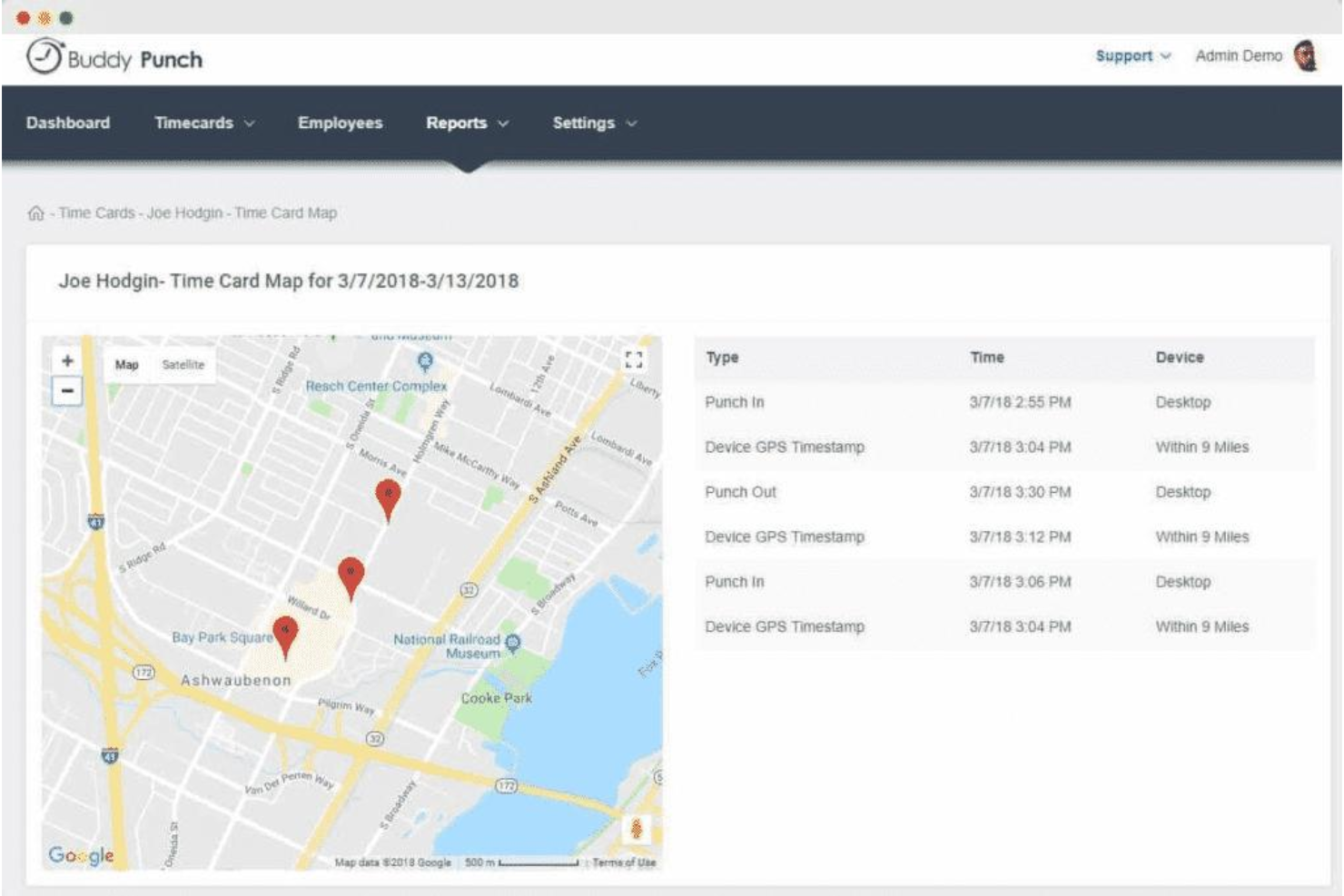
GPS Tracking
Track employee locations during clock-in and clock-out using GPS data. This helps verify on-site attendance for field and remote teams.
Photo-on-Punch
Require employees to take a photo when punching in or out. This reduces buddy punching and supports compliance for hourly staff.
Facial Recognition
Use facial recognition to confirm employee identity at clock-in. This adds an extra layer of security for workplaces with shared devices.
PTO Management
Employees can request, approve, and track time off requests directly in the platform. Managers see all PTO requests in one dashboard for easy scheduling.
Customizable Overtime Rules
Set custom overtime rules based on your company's policies. The system automatically calculates overtime hours for payroll accuracy.
Employee Scheduling
Create, assign, and adjust shifts with a drag-and-drop scheduler. Employees receive notifications about their schedules and any changes.
Standout Features
Punch Rounding Rules
Set custom rounding rules for clock-in and clock-out times to match payroll policies. This helps standardize time entries and reduces disputes over a few minutes worked.
Automatic Breaks
Configure automatic unpaid or paid breaks based on shift length. The system deducts break time without manual input, ensuring compliance with labor regulations.

Ease of Use
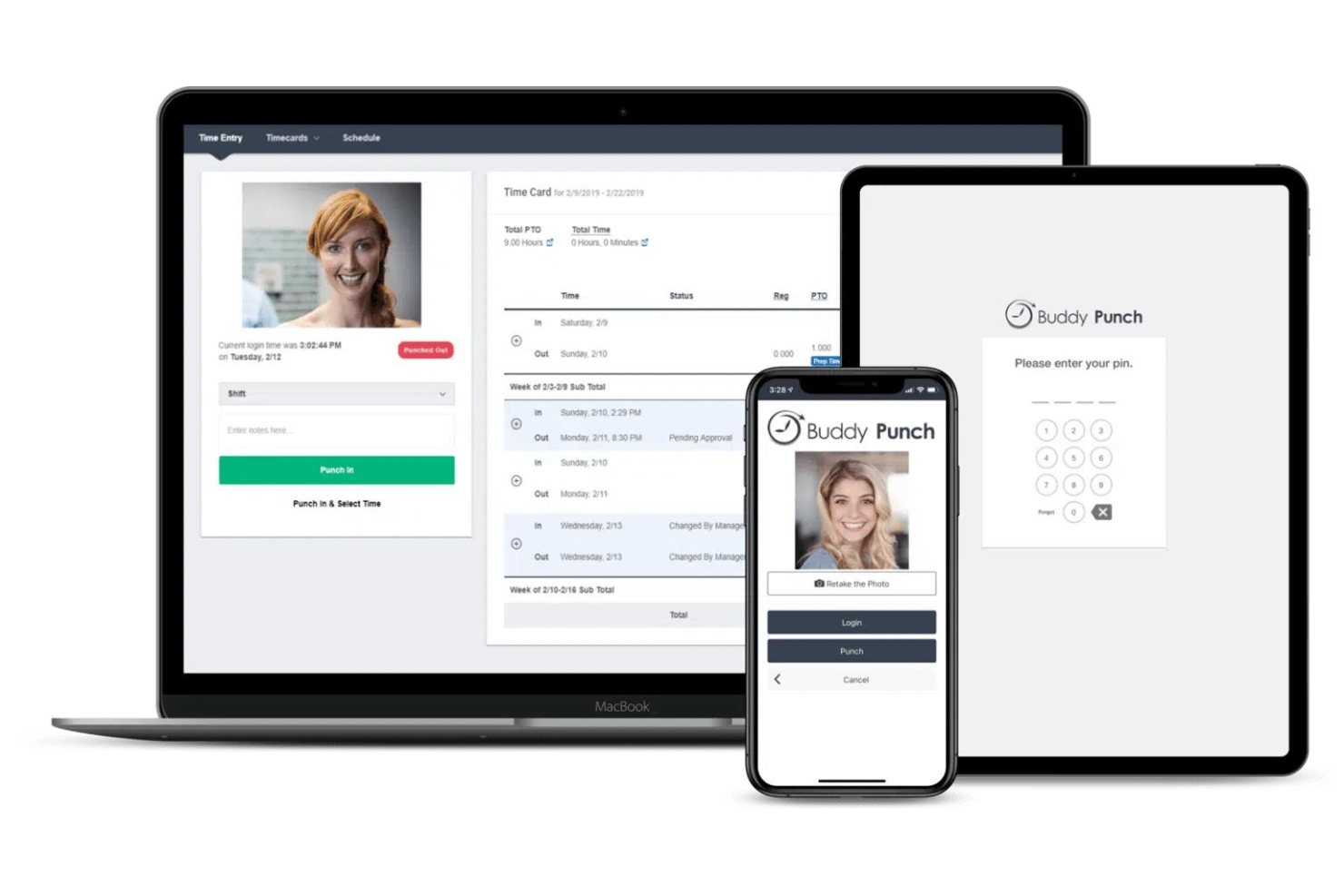
Buddy Punch is widely recognized for its clean interface and straightforward navigation, making it accessible for both managers and hourly staff. Users often mention the quick onboarding process and intuitive punch-in options, such as mobile, web, and kiosk modes. The dashboard clearly displays schedules, PTO, and hours worked, reducing confusion. While some users report occasional mobile app glitches, most find daily tasks easy to complete without extensive training or support.

Onboarding
Buddy Punch offers a fast onboarding experience, with most users able to set up accounts, add employees, and configure schedules in under an hour. The platform provides step-by-step guides, video tutorials, and responsive live chat support, which users frequently praise for quick issue resolution.

Customer Support
Buddy Punch earns strong marks for its responsive customer support, with users frequently noting fast replies via live chat and email. Many reviewers mention that support staff are knowledgeable and proactive in resolving setup or technical issues. The platform also offers a detailed help center and video resources, which help users troubleshoot independently. This combination of accessible channels and helpful documentation makes Buddy Punch's support experience stand out for teams with limited IT resources.

Integrations
Buddy Punch integrates with QuickBooks Online, QuickBooks Desktop, ADP, Paychex, Gusto, Paylocity, SurePayroll, Workday, and PayPlus, among others.
Buddy Punch also offers an API and connects with third-party integration tools like Zapier for expanded automation options.

Value for Money
Buddy Punch’s pricing is often seen as affordable for small and mid-sized teams. Users appreciate the flexible pricing plans and the ability to pay only for needed features, though some note that advanced scheduling and payroll tools require higher tiers or add-ons. Note that there is no platform-wide base fee—you pay per user, which keeps labor costs predictable as your team scales. The platform's value is strongest for teams seeking core time tracking without complex extras.
- Standard: Includes time tracking, PTO management, payroll integrations, and reporting.
- Pro: Adds QR code scanning, webcam on punches, geofencing, and job codes.
- Enterprise: Offers advanced controls, API access, and priority support.

Buddy Punch Specs
- 360 Degree Feedback
- API
- Attendance Tracking
- Batch Permissions & Access
- Budgeting
- Calendar Management
- Dashboard
- Data Export
- Data Import
- Data Visualization
- Employee Database
- Employee Engagement
- Employee Onboarding
- External Integrations
- Feedback Management
- Forecasting
- Multi-User
- Notifications
- Project Management
- Scheduling
- Timesheets
- Travel Management
- Vacation & Absence Calendar
Buddy Punch FAQs
Can Buddy Punch handle multiple locations or job sites?
How does Buddy Punch prevent buddy punching or time theft?
Is Buddy Punch suitable for remote or field-based teams?
What data security and compliance measures does Buddy Punch offer?
Can I customize overtime and break rules to match my company policy?
How easy is it to export time data for payroll processing?
Does Buddy Punch support approval workflows for timecards and PTO?
What kind of customer support is available if I run into issues?
Buddy Punch Company Overview & History
Buddy Punch is a U.S.-based company headquartered in Appleton, Wisconsin, focused exclusively on time clock software and scheduling for businesses with hourly workers. The company serves over 10,000 businesses across industries like construction, healthcare, retail, and professional services. Buddy Punch is independently owned and does not appear to be affiliated with other products or parent companies. The company is known for its user-friendly platform, responsive U.S.-based support, and high customer ratings, but does not publicly share financial or workforce size details.
Buddy Punch Major Milestones
- 2013: Buddy Punch is founded and begins development of its time tracking software.
- 2014: Official product launch, offering cloud-based time tracking for small businesses.
- 2020: Surpasses 10,000 business customers using the platform.
- 2023: Launches built-in payroll service and expands scheduling features.
- 2025: Recognized with multiple industry awards for usability and customer satisfaction.