
17 Best WeTransfer Alternatives Reviewed in 2026

Best WeTransfer Alternatives Shortlist
Here's my pick of the 10 best software from the 17 tools reviewed.


In project management, sharing large files quickly and securely is essential to keeping work moving. While WeTransfer is a popular file transfer tool, it may not meet every business requirement. Teams often look for alternatives when they need higher file size limits, stronger security controls, or better compliance support.
I've been there, and I know the struggle. That's why I've tested and reviewed various cloud-based file transfer platforms to find the best alternatives.
In this article, I'll share my top picks for WeTransfer alternatives, including platforms with free accounts and premium plans, focusing on features that address common pain points such as security and transfer speed. You'll get an unbiased look at each option, helping you choose the best fit for your team.
What Is WeTransfer?
WeTransfer is a SaaS platform that allows users to send large files without hassle. It's popular among creative professionals, freelancers, and small businesses who need quick access to free file transfer without creating accounts. A simple interface, generous free transfer limits, and no registration requirements help with straightforward and efficient file sharing. Overall, WeTransfer provides a convenient solution for both sending and receiving files without hassle.
Best WeTransfer Alternatives Summary
This comparison chart summarizes pricing details for my top WeTransfer alternatives to help you find the best one for your budget and business needs.
| Tool | Best For | Trial Info | Price | ||
|---|---|---|---|---|---|
| 1 | Best for encrypted cloud storage | Free 14-day trial + free demo available | From $4.75/month (billed annually) | Website | |
| 2 | Best for unlimited bandwidth | Free 7-day trial | From $4/user/month (billed annually) | Website | |
| 3 | Best for unlimited file sizes | Free plan available | From $15/month | Website | |
| 4 | Best for privacy-focused storage | Free plan available | From $3.99/month (billed annually) | Website | |
| 5 | Best for 200 GB transfers | Free plan available | From $9.99/month | Website | |
| 6 | Best for large 250 GB transfers | Free 7-day trial + free plan available | From $15/user/month | Website | |
| 7 | Best for instant file sharing | Free plan available | From $5.99/month | Website | |
| 8 | Best for 5 GB free transfers | Free plan available | From $35.48 (billed annually) | Website | |
| 9 | Best for expiring links | Free plan available | Pricing upon request | Website | |
| 10 | Best for creative collaboration | Free 14-day trial + free plan available | From $12/month (billed annually) | Website |
Why You Can Trust Us
We’ve been testing and reviewing project management software since 2012. As project managers ourselves, we know how critical and difficult it is to make the right decision when selecting software.
We invest in deep research to help our audience make better software purchasing decisions. We’ve tested more than 2,000 tools for different project management use cases and written over 1,000 comprehensive software reviews. Learn how we stay transparent & our software review methodology.
-

Insightful
Visit WebsiteThis is an aggregated rating for this tool including ratings from Crozdesk users and ratings from other sites.4.8 -
Accelo
Visit WebsiteThis is an aggregated rating for this tool including ratings from Crozdesk users and ratings from other sites.4.4 -
Wrike
Visit WebsiteThis is an aggregated rating for this tool including ratings from Crozdesk users and ratings from other sites.4.2





Best WeTransfer Alternatives Reviews
Below are my detailed summaries of the best WeTransfer alternatives that made it onto my shortlist. My reviews offer a detailed look at the key features, pros and cons, integrations, and ideal use cases of each tool to help you find the best one for you.

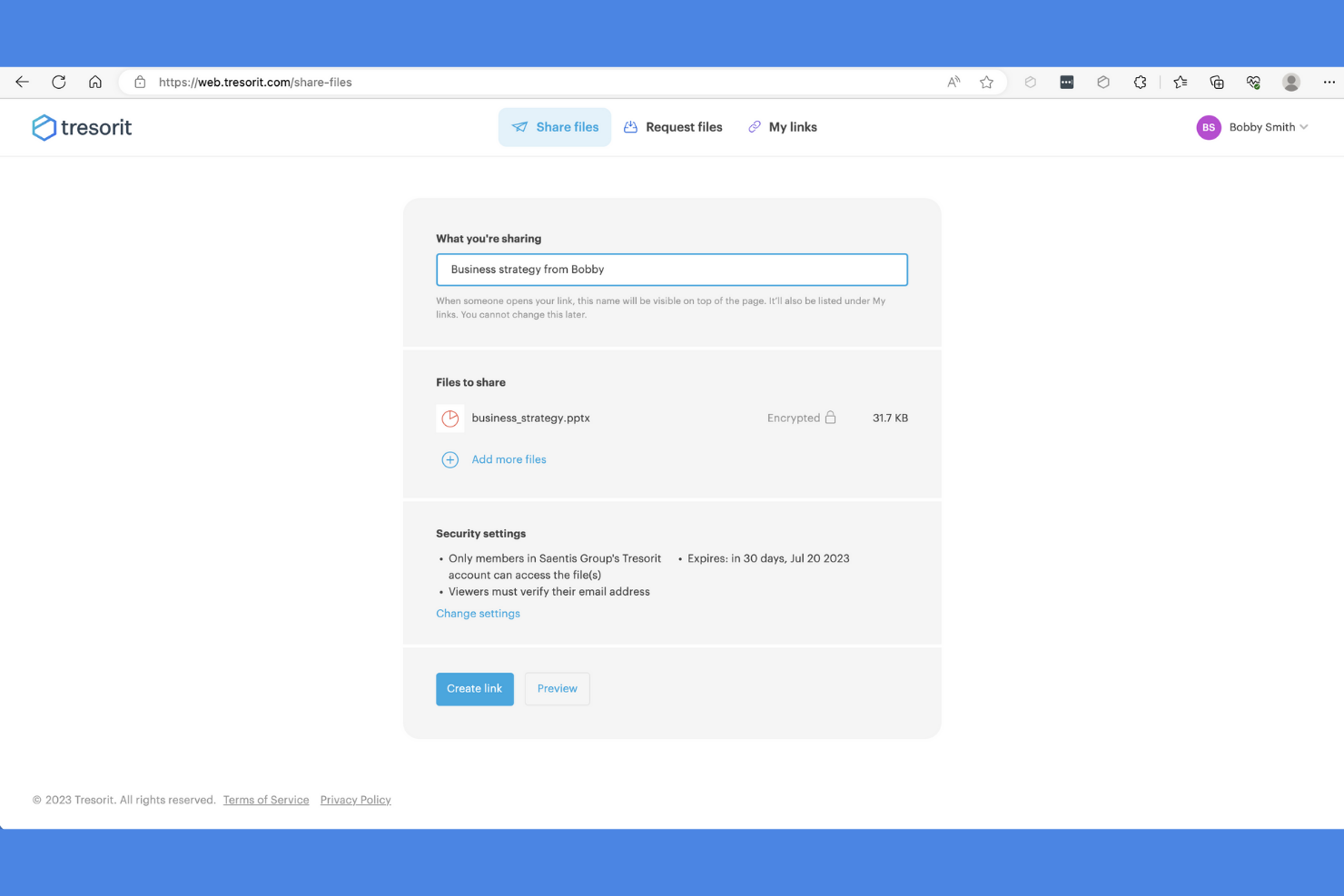
Tresorit is a cloud storage service focused on providing secure file sharing for businesses and individuals who prioritize data protection. It offers end-to-end encryption, so your files remain private and secure.
Why it's a good WeTransfer alternative: Tresorit provides encrypted cloud storage, which is a step above WeTransfer's basic file-sharing capabilities. With its zero-knowledge encryption, only you and those you authorize can access your files. The platform also offers advanced security features such as two-factor authentication and granular access controls, giving your team peace of mind. Additionally, Tresorit's secure share links allow you to send sensitive files with confidence.
Standout Features and Integrations:
Features include advanced access controls, allowing you to specify who can view or edit your files. Tresorit also offers detailed activity tracking, so you can monitor who accessed your data and when. Its secure file versioning lets you recover previous versions of files if needed.
Integrations include Microsoft Office 365, Outlook, Gmail, SIEM, and more.
Pros and Cons
Pros:
- Zero-knowledge policy
- Secure file versioning
- Strong encryption standards
Cons:
- Every edit requires a full re-upload of the file
- Restricted search functionality

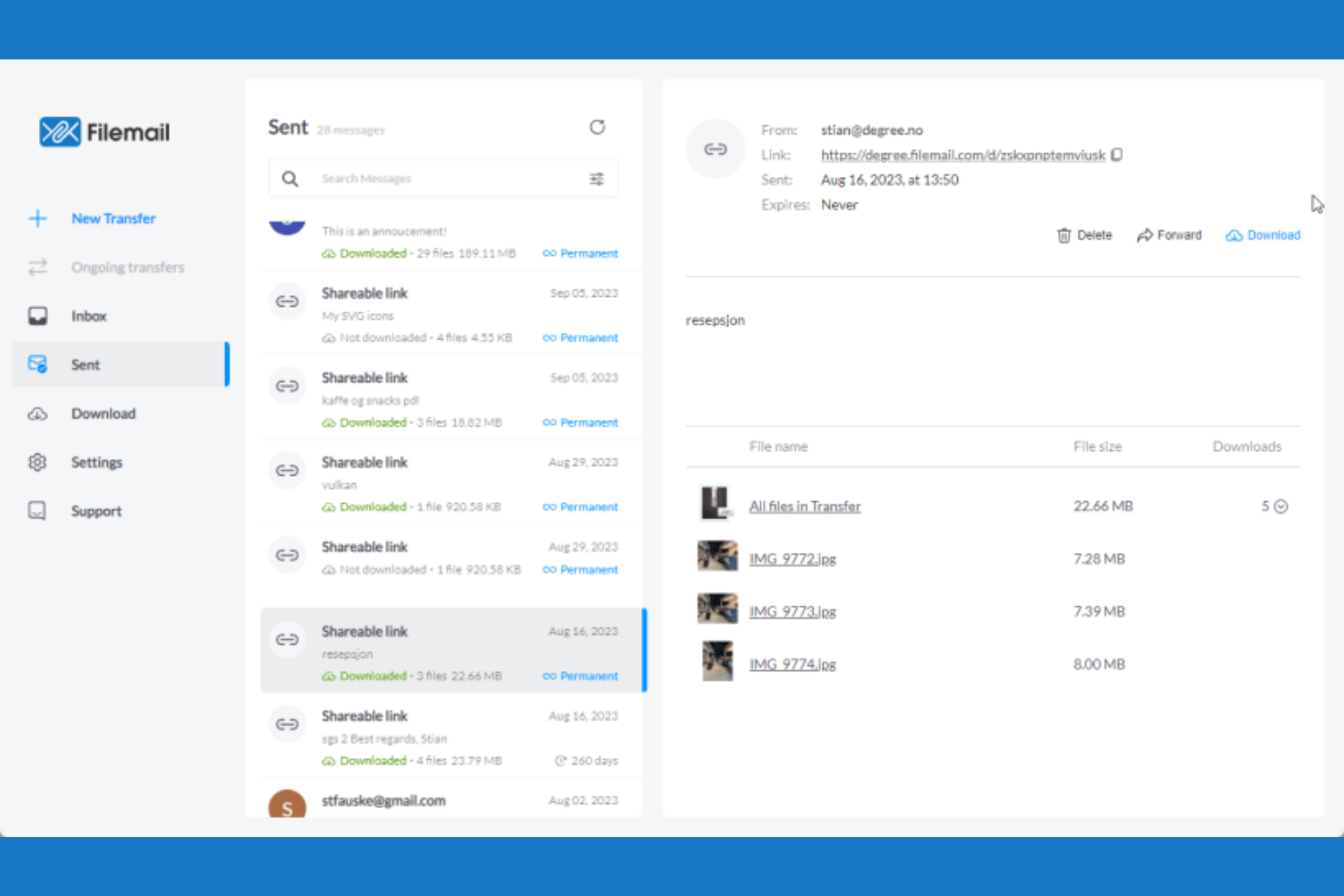
Filemail is a cloud-based file transfer service designed for businesses and individuals who need to send large files reliably and efficiently. It supports the transfer of massive file sizes, catering to users with demanding data transfer needs.
Why it's a good WeTransfer alternative: Filemail supports exceptionally large file sizes, making it ideal if you need to send big data files without limits. It offers unlimited bandwidth, allowing fast transfers regardless of file size. With features such as automatic download notifications, you and your team can stay informed about file delivery status. Filemail also provides password protection for transfers, adding a layer of security to your shared files.
Standout Features and Integrations:
Features include customizable branding, allowing you to maintain your company's identity during file transfers. Filemail also offers a desktop app for Windows, Linux, and Mac, providing flexibility in how you send files. Additionally, it provides detailed transfer tracking, so you know exactly when your files are downloaded.
Integrations include Zapier and more.
Pros and Cons
Pros:
- Password protection for files
- Unlimited bandwidth
- Supports very large files
Cons:
- Limited mobile functionality
- Inconsistent browser performance

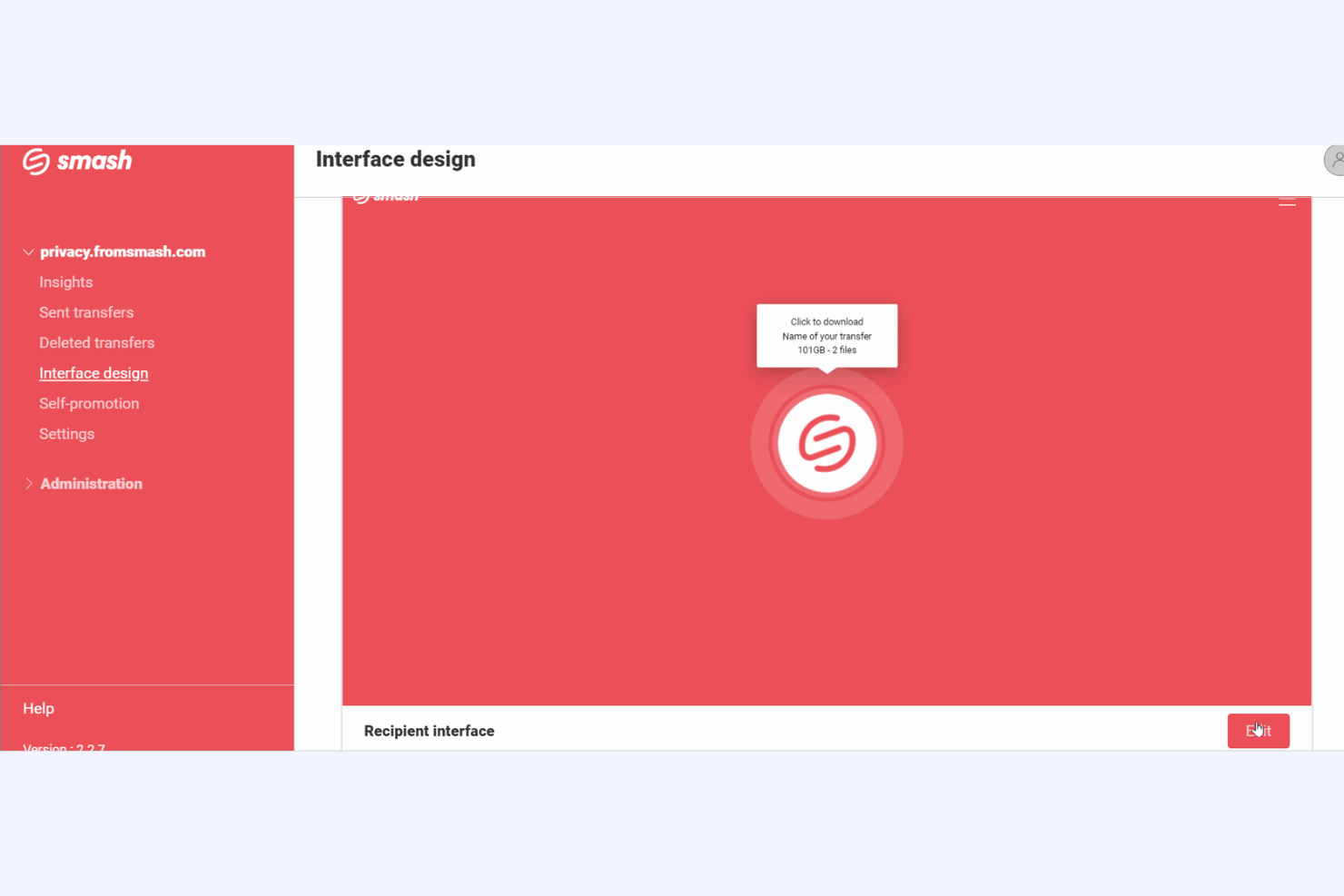
Smash is a cloud-based file transfer platform designed for businesses of all sizes looking to send large files efficiently. It simplifies the process of sharing high-quality content by focusing on ease of use and reliability.
Why it's a good WeTransfer alternative: Unlike WeTransfer, Smash does not have a maximum file size limit, which means you can send files of any size without restrictions. It also provides no-transfer speed limits, so your files get to their destination fast. Whether you're sending large video files or extensive design projects, Smash caters to your needs with flexibility and ease.
Standout Features and Integrations:
Features include customizable branding, which lets you personalize download pages with your logo and colors to maintain brand consistency. Smash also offers file previews, allowing recipients to view files before downloading, which can be particularly useful for visual content. Additionally, it provides detailed transfer tracking, so you can monitor when your files are downloaded.
Integrations include Microsoft Outlook and more.
Pros and Cons
Pros:
- Detailed transfer tracking
- File previews available
- Unlimited file size transfers
Cons:
- Uses basic encryption methods
- Limited free storage time

Proton Drive is a secure cloud storage service designed for individuals and organizations that prioritize privacy and data protection. It offers end-to-end encryption, so your files remain private and secure from unauthorized access.
Why it's a good WeTransfer alternative: Proton Drive emphasizes privacy with its end-to-end encryption, which is not available in WeTransfer. This makes your files accessible only to you and those you authorize. It also provides secure sharing options, making it easy for your team to collaborate while maintaining confidentiality. With its focus on user privacy, Proton Drive offers a trustworthy solution for storing and sharing sensitive information.
Standout Features and Integrations:
Features include encrypted file storage, which keeps your data safe from prying eyes. Proton Drive also offers secure link sharing, allowing you to share files without compromising security. Its intuitive interface makes it easy for you to organize and access your files efficiently.
Integrations are not publicly listed.
Pros and Cons
Pros:
- Reliable data protection
- End-to-end encryption
- Strong privacy focus
Cons:
- Limited third-party integrations
- Slower upload and download performance
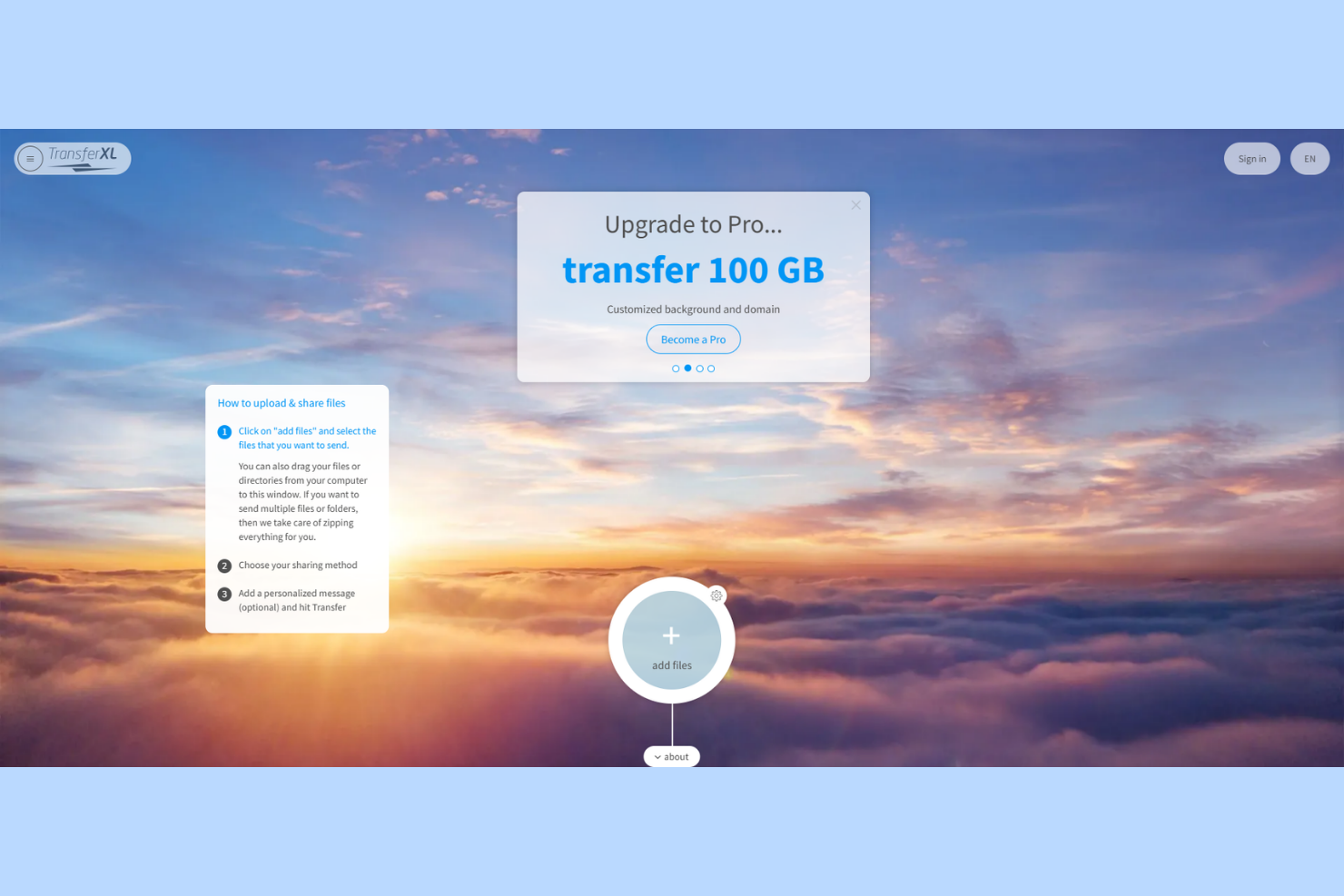
TransferXL is a cloud-based file transfer service that caters to individuals and businesses needing to share large files efficiently. It allows users to send files up to 200 GB, making it ideal for those with substantial data transfer needs.
Why it's a good WeTransfer alternative: TransferXL supports file transfers of up to 200 GB, which is significantly higher than WeTransfer's limit. It offers real-time file tracking so you can monitor the progress of your transfers. The platform provides end-to-end encryption, keeping your files secure throughout the transfer process. With its user-friendly interface, you and your team can manage and share large files without hassle.
Standout Features and Integrations:
Features include file previews, so you can view content before downloading. It keeps track of your file transfers and all data transfers are shown in a timeline, so you can see which file transfers you have sent and received.
Integrations are not publicly listed.
Pros and Cons
Pros:
- Generous free transfer limits
- User-friendly interface
- Large file transfer capacity
Cons:
- Basic interface design
- Daily transfer caps
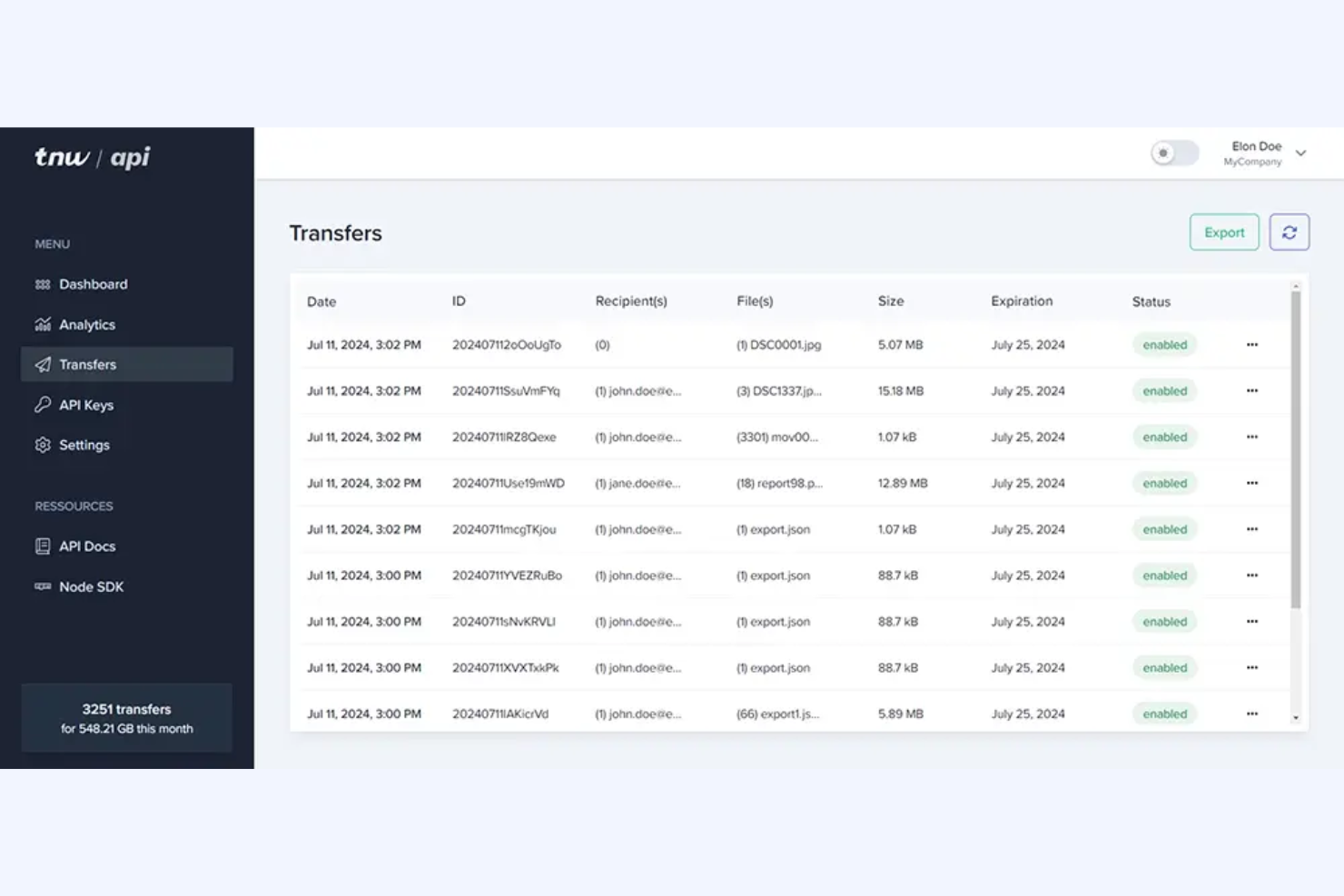
TransferNow is a cloud-based file transfer service catering to businesses and individuals who need to share large files securely and efficiently. It helps users send high-capacity files with ease, making it ideal for teams handling large media files or extensive data sets.
Why it's a good WeTransfer alternative: TransferNow supports large transfers of up to 250 GB, accommodating those who frequently need to send substantial files. It offers password protection and customizable expiration dates, adding layers of security and control over your file transfers. With its detailed transfer tracking, you'll know exactly when your recipients download the files. Plus, it provides customizable branding options to maintain your team's professional appearance.
Standout Features and Integrations:
Features include detailed transfer statistics, which help you track the success of your file deliveries. The platform offers email notifications, keeping you updated on file access and downloads. TransferNow also provides a secure link generator so your sensitive data is shared safely.
Integrations are not publicly listed.
Pros and Cons
Pros:
- Secure link generation
- Password-protected transfers
- Large file transfer capacity
Cons:
- Advanced features come at a higher cost
- Limited customization for free version users

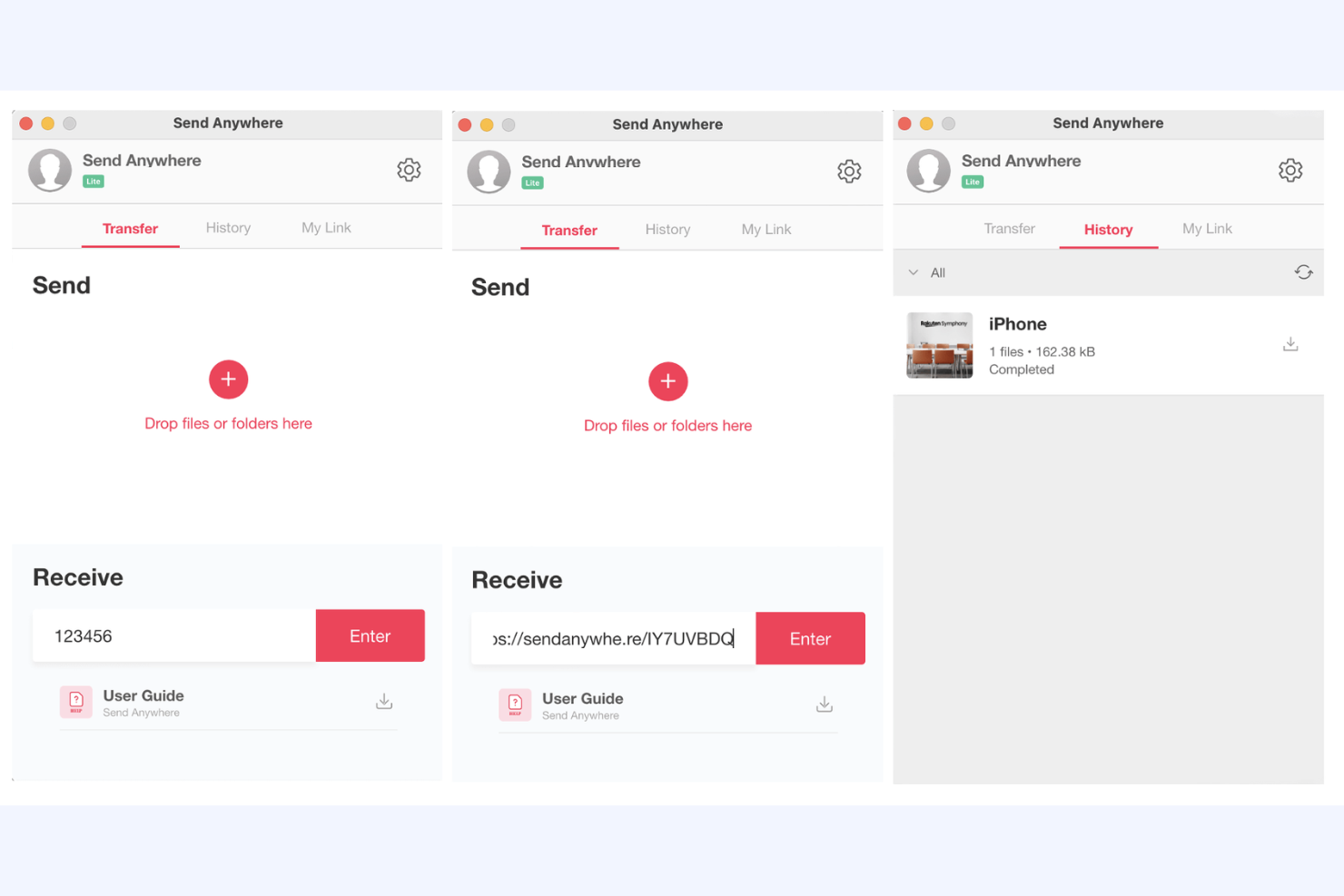
Send Anywhere is a cloud-based file transfer service designed for individuals and teams who need to share files quickly and efficiently. It caters to users looking for a simple way to transfer files without size limitations.
Why it's a good WeTransfer alternative: Send Anywhere provides instant file sharing through a unique six-digit key, allowing you to send files without delay. It supports unlimited file sizes and keeps your data secure with 256-bit file encryption. You'll appreciate the ability to transfer files directly between devices without the need for cloud storage. Its cross-platform availability makes it simpler for you and your team to share files across different devices and operating systems.
Standout Features and Integrations:
Features include real-time file sharing, which allows you to send files instantly without uploading. The service offers a direct device-to-device transfer option, eliminating the need for cloud storage. Additionally, it provides a secure key-based sharing system, so only the intended recipients can access your files.
Integrations include PI Music Player and more.
Pros and Cons
Pros:
- Cross-platform compatibility
- Secure encryption
- Direct device-to-device transfer
Cons:
- Limited support options
- Ad-heavy free tier can interrupt workflow

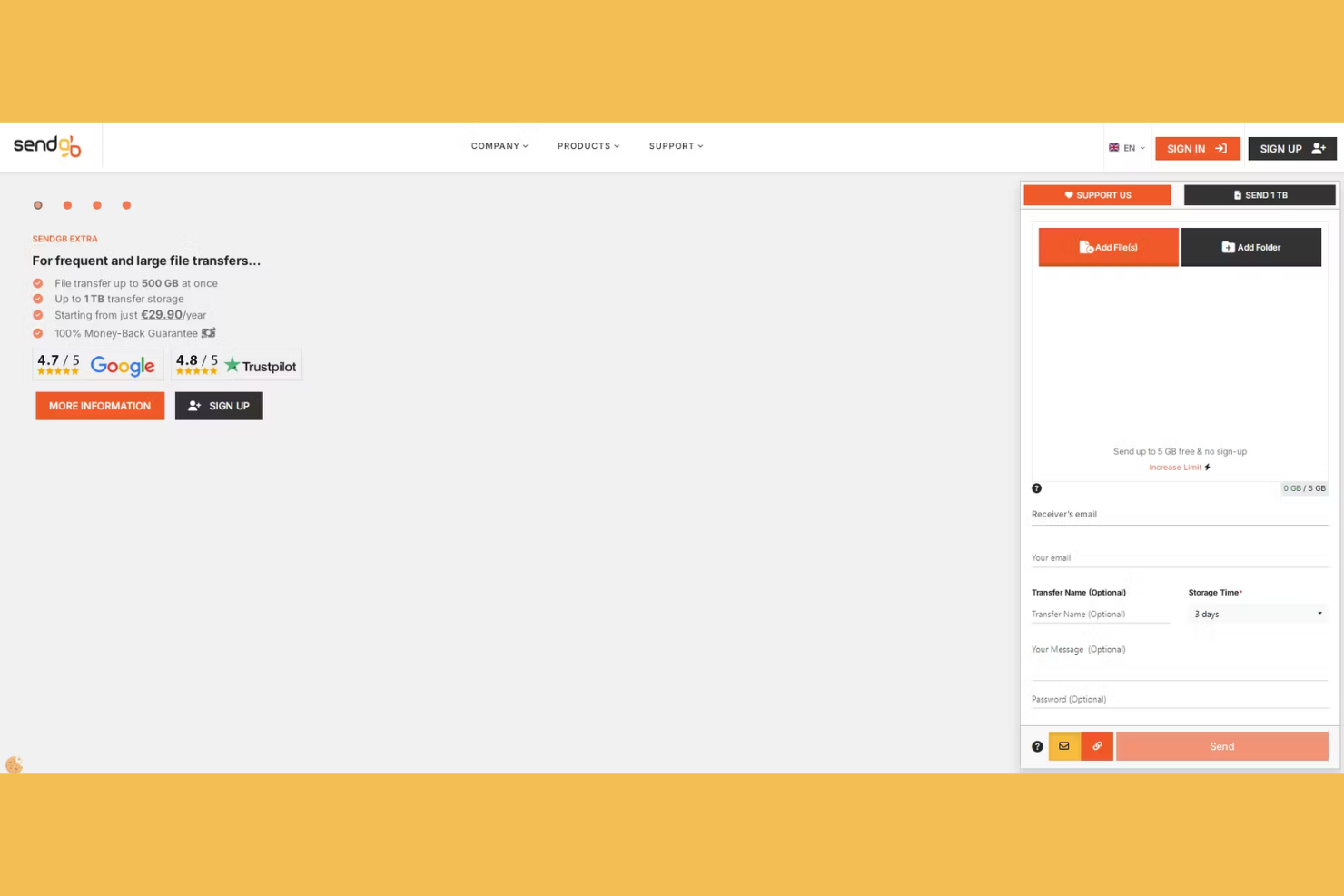
SendGB is a cloud-based file transfer service that caters to individuals and businesses needing to send large files quickly without any hitches. It offers a simple and user-friendly interface for transferring files up to 5 GB for free.
Why it's a good WeTransfer alternative: SendGB allows you to transfer files up to 5 GB without any cost, which is more generous than WeTransfer's free offering. It provides a straightforward drag-and-drop interface, making file transfers easy for you and your team. With features such as password protection and customizable expiration dates, you can keep your files secure and accessible for the desired period. Plus, the ability to send files without registration means you can get started right away.
Standout Features and Integrations:
Features include the ability to send files to multiple recipients simultaneously, saving you time when sharing with teams. SendGB provides optional email notifications, keeping you informed about the status of your file transfers. Additionally, it offers a "self-destruct" feature that automatically deletes files after a set period, improving security.
Integrations are not publicly listed.
Pros and Cons
Pros:
- Self-destruct feature for files
- Password protection available
- No registration required
Cons:
- Intrusive advertising
- Short file retention

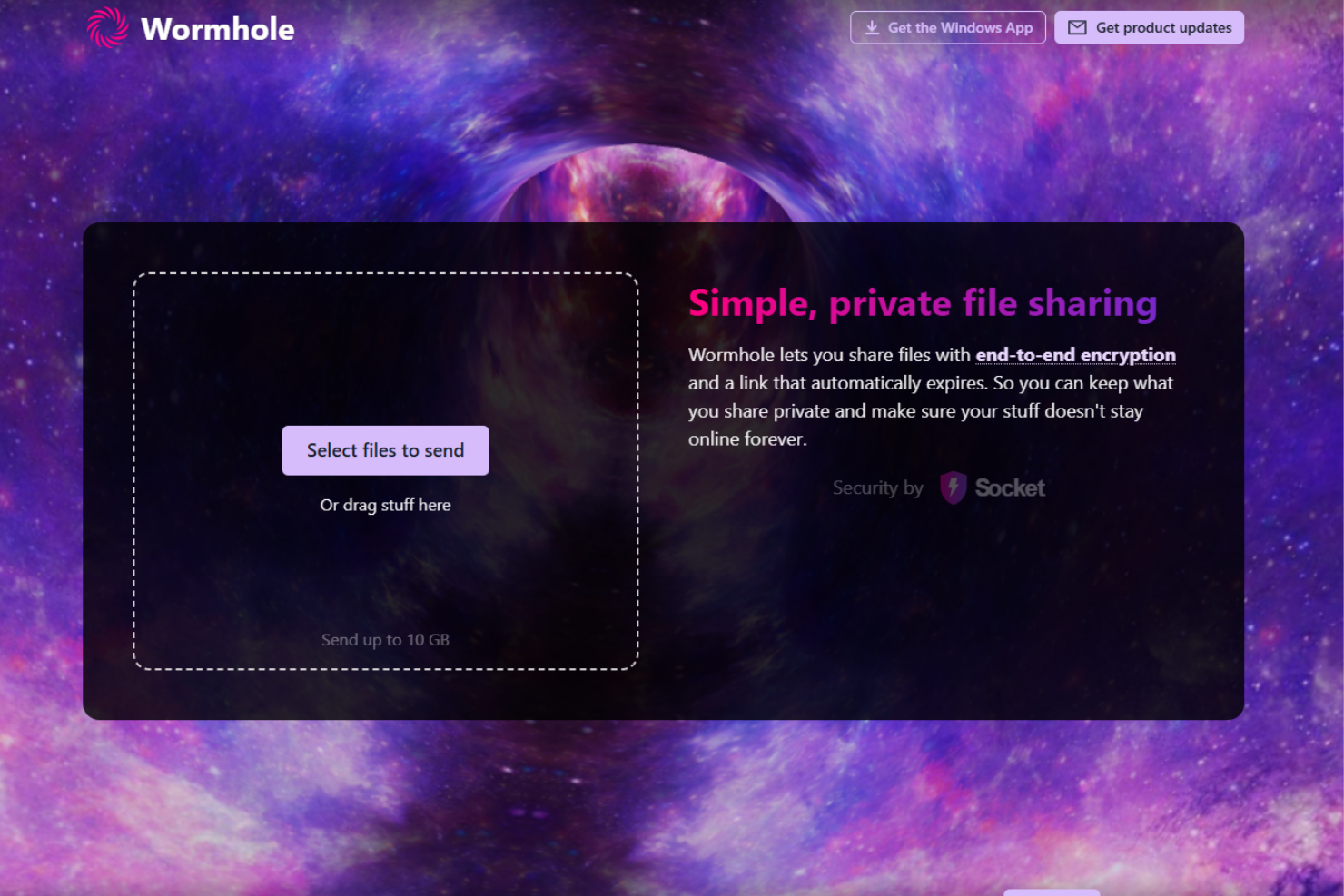
Wormhole is a cloud-based file transfer service that focuses on privacy and security for users who need to share files quickly and safely. It provides a platform for individuals and teams to send files with end-to-end encryption.
Why it's a good WeTransfer alternative: Wormhole provides end-to-end encryption, so you and your team can share files securely. With instant file sharing capabilities, recipients can start downloading files as soon as you begin uploading them. Wormhole's web-based interface simplifies the transfer process, making it easy for anyone to use without installation.
Standout Features and Integrations:
Features include password protection for added security, so only intended recipients can access your files. Wormhole allows you to set expiration times for links, so you control how long your files are available. It also offers a simple drag-and-drop interface, making it easy to upload and share files quickly.
Integrations are not publicly listed.
Pros and Cons
Pros:
- No installation needed
- Instant file sharing
- Expiring links for security
Cons:
- Limited organizational tools
- Lack of historical tracking

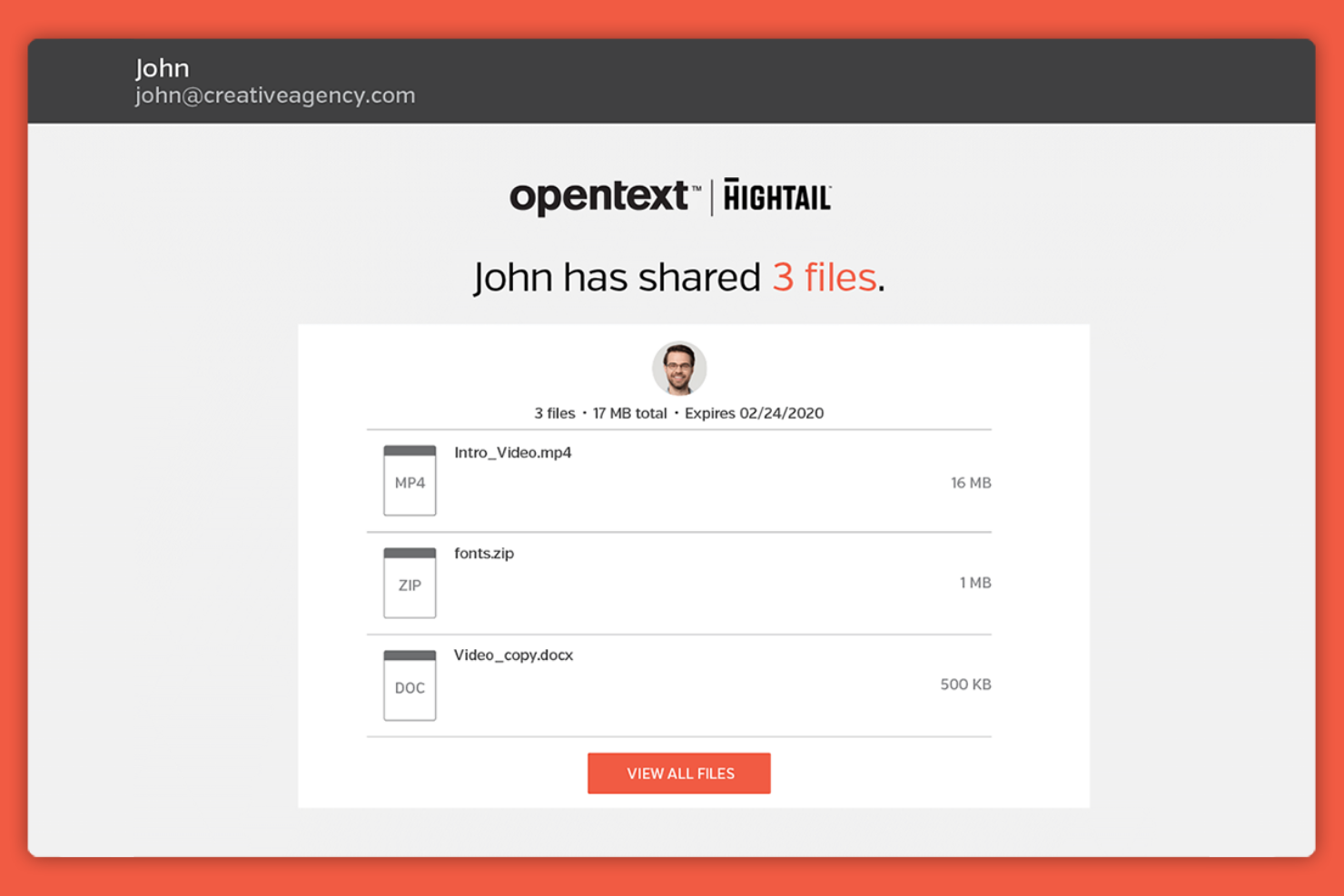
Hightail is a file-sharing and collaboration platform tailored for creative professionals and teams that need to share large files and manage feedback on creative projects. It facilitates file sharing, project collaboration, and feedback collection all in one place.
Why it's a good WeTransfer alternative: Hightail offers creative collaboration tools that allow teams to share large multimedia files with ease. With real-time feedback and commenting, your team can review and discuss projects efficiently. Its version control keeps everyone working on the latest file, reducing confusion and errors. The ability to organize projects and feedback in one place makes it a valuable tool for creative teams.
Standout Features and Integrations:
Features include project management capabilities, which help you organize and track your team's progress. The platform also supports file previews, allowing you to review content without downloading. Additionally, Hightail offers secure file sharing, so your files remain private and protected.
Integrations include Slack, Adobe Creative Cloud, Microsoft Teams, Google Calendar, monday.com, Asana, Basecamp, and more.
Pros and Cons
Pros:
- Project management features
- Version control for files
- Supports large file transfers
Cons:
- Lack of basic security on Pro
- Limited storage in lower plans
Other WeTransfer Alternatives
Here are some additional WeTransfer alternatives that didn’t make it onto my shortlist, but are still worth checking out:
- Digital Pigeon
For creative media professionals
- Dropbox
For team collaboration
- pCloud
For lifetime storage plans
- Google Drive
For Google Workspace users
- Microsoft OneDrive
For Microsoft 365 integration
- Frame.io
For video collaboration
- 4shared
For community sharing


WeTransfer Alternatives Selection Criteria
When selecting the best WeTransfer alternatives to include in this list, I considered common buyer needs and pain points related to cloud-based file transfer platform products, such as security and file size limitations. I also used the following framework to keep my evaluation structured and fair:
Core Functionality (25% of total score)
To be considered for inclusion in this list, each solution had to fulfill these common use cases:
- Secure file transfer
- Large file size support
- File sharing via link
- Multiple recipients support
- Cross-platform compatibility
Additional Standout Features (25% of total score)
To help further narrow down the competition, I also looked for unique features, such as:
- End-to-end encryption
- File version control
- Custom branding options
- Real-time collaboration tools
- Expiring download links
Usability (10% of total score)
To get a sense of the usability of each system, I considered the following:
- Intuitive user interface
- Easy navigation
- Minimal learning curve
- Mobile accessibility
- Customizable settings
Onboarding (10% of total score)
To evaluate the onboarding experience for each platform, I considered the following:
- Availability of training videos
- Interactive product tours
- Access to templates
- Presence of chatbots
- Webinars for new users
Customer Support (10% of total score)
To assess each software provider's customer support services, I considered the following:
- 24/7 support availability
- Multiple support channels
- Response time
- Knowledge base resources
- Personalized assistance
Value for Money (10% of total score)
To evaluate the value for money of each platform, I considered the following:
- Pricing transparency
- Features included in free plans
- Cost-effectiveness of paid plans
- Discounts for long-term use
- Flexibility in pricing tiers
Customer Reviews (10% of total score)
To get a sense of overall customer satisfaction, I considered the following when reading customer reviews:
- Overall satisfaction ratings
- Commonly praised features
- Frequent user complaints
- Recommendations from users
- Longevity of customer relationships
Why Look for a WeTransfer Alternative?
While WeTransfer is a good choice of a cloud-based file transfer platform, there are a number of reasons why some users seek out alternative solutions. You might be looking for a WeTransfer alternative because…
- You need larger file size limits
- Your team requires more security features
- You're looking for longer file retention
- You need better integration with other tools
- Your team wants more customization options
- You need better support services
If any of these sound like you, you've come to the right place. My list contains several cloud-based file transfer platform options that are better suited for teams facing these challenges with WeTransfer and looking for alternative solutions.
Features
Here are some of the key features of WeTransfer, to help you contrast and compare what alternative solutions offer:
- Simple interface: You can upload and send files without any hassle.
- No registration required: Send files quickly without creating an account.
- Transfer up to 2 GB for free: Share medium-sized files without paying.
- Email notifications: You'll get alerts when files are downloaded.
- Download link expiration: Links expire after seven days, keeping your transfers temporary.
- Customizable backgrounds: Personalize your transfer page with your own images.
- Password protection: Add an extra layer of security to your file transfers.
- Drag-and-drop functionality: Quickly upload files by dragging them into the browser.
- Transfer tracking: Monitor when your files are downloaded by recipients.
- Multiple recipients: Send files to multiple people at once with ease.
What's Next:
If you're in the process of researching a cloud-based file transfer platform, connect with a SoftwareSelect advisor for free recommendations.
You fill out a form and have a quick chat where they get into the specifics of your needs. Then you'll get a shortlist of software to review. They'll even support you through the entire buying process, including price negotiations.