


Air vs. Brandfolder: Comparison and Expert Reviews for 2026 Digital Asset Management


Without the right tools in place, managing a growing library of digital assets can become a challenge that compounds quickly. How well your creative team performs, and the business goals that depend on it, ultimately comes down to how easily they can access and work with the right assets, making it worth taking the time to identify the features and capabilities that will set them up for success.
Choosing between Air and Brandfolder means weighing modern collaboration features against enterprise-grade organization, two very different takes on digital asset management software that can make or break your team’s workflow. If you’re struggling to keep creative assets accessible, organized, and shareable across fast-moving projects, you’re not alone. Air stands out for its intuitive, visual-first approach that empowers creative teams to move quickly, while Brandfolder delivers powerful metadata, permissions, and scalability for organizations with complex asset libraries. In this article, you’ll get a side-by-side look at how each platform tackles asset management, what real users say, and which solution best fits your team’s needs in 2026.
Air vs. Brandfolder: An Overview
Air
Brandfolder


Why You Can Trust Us
Air vs. Brandfolder Pricing Comparison
| Air | Brandfolder | |
|---|---|---|
| Free Trial | Free plan available | Free demo available |
| Pricing | From $10/month (billed annually) | Pricing upon request |
Air vs. Brandfolder Pricing & Hidden Costs
Air uses a tiered subscription model based on storage, users, and feature access, with clear upgrade paths as your team grows. Brandfolder also offers tiered plans, but pricing often depends on custom quotes tailored to your organization’s size, asset volume, and integration needs. Both platforms may charge extra for advanced features, API access, or increased storage, so it’s important to watch for add-ons that can increase your total cost.
Air vs. Brandfolder Feature Comparison
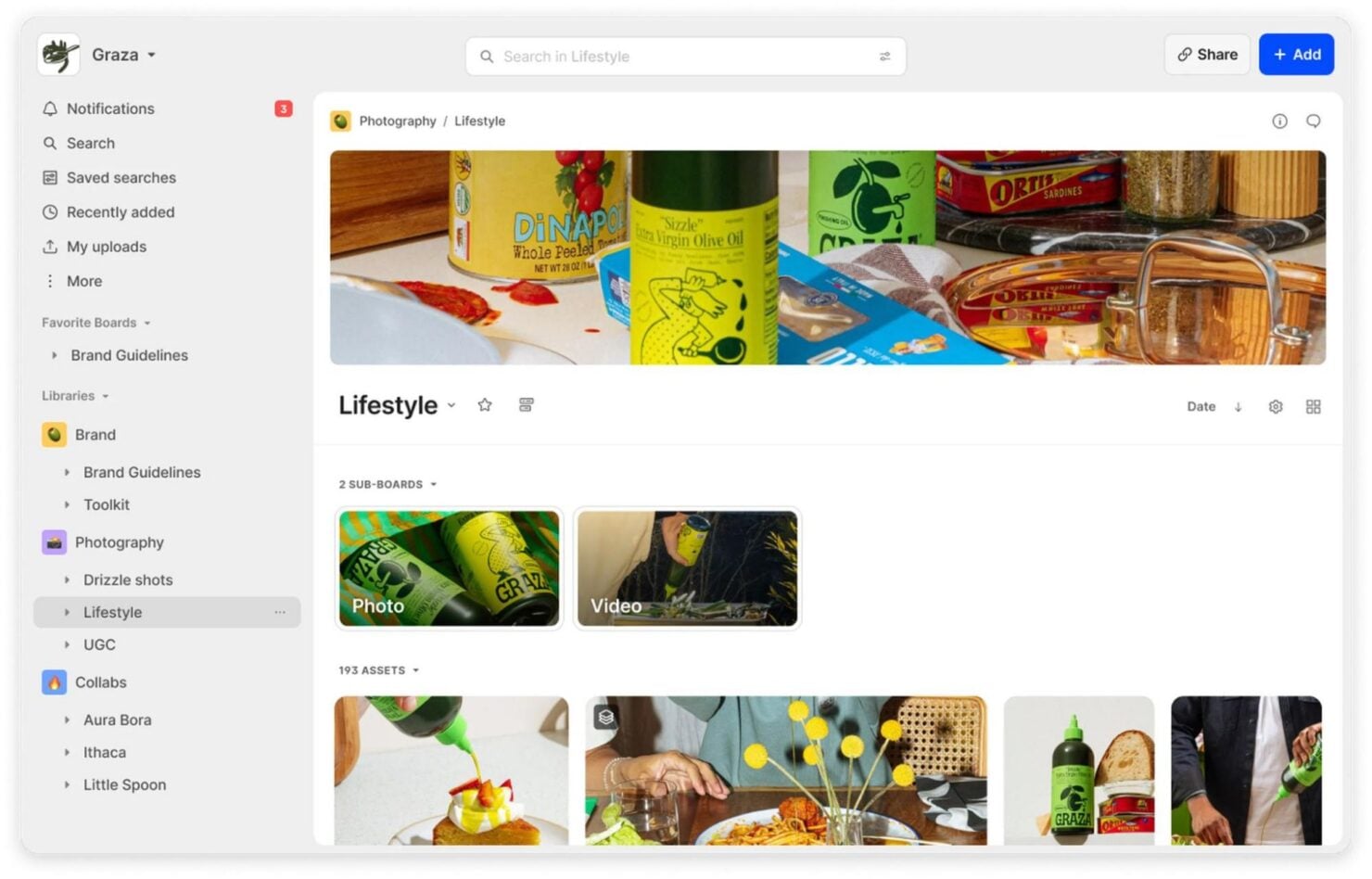
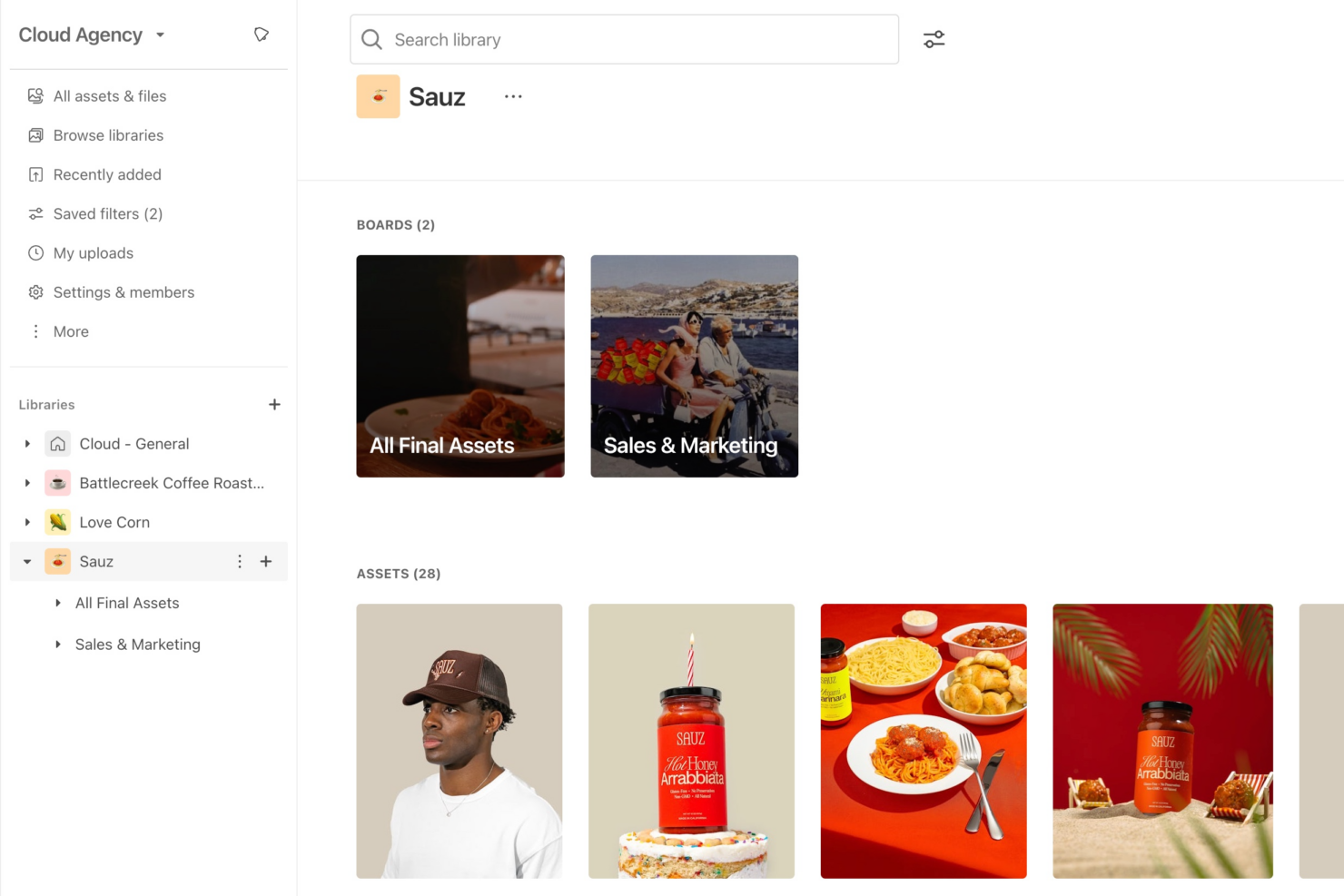
Air’s visual workspace and fast search make it easy for creative teams to organize, find, and collaborate on assets in real time. Brandfolder, on the other hand, shines with advanced metadata tagging and robust sharing controls, helping larger organizations manage, distribute, and track asset usage with precision.
| Air | Brandfolder | |
|---|---|---|
| Brand Asset Creation | ||
| Brand Management | ||
| Document Comparison | ||
| External Integrations | ||
| File Format Conversion | ||
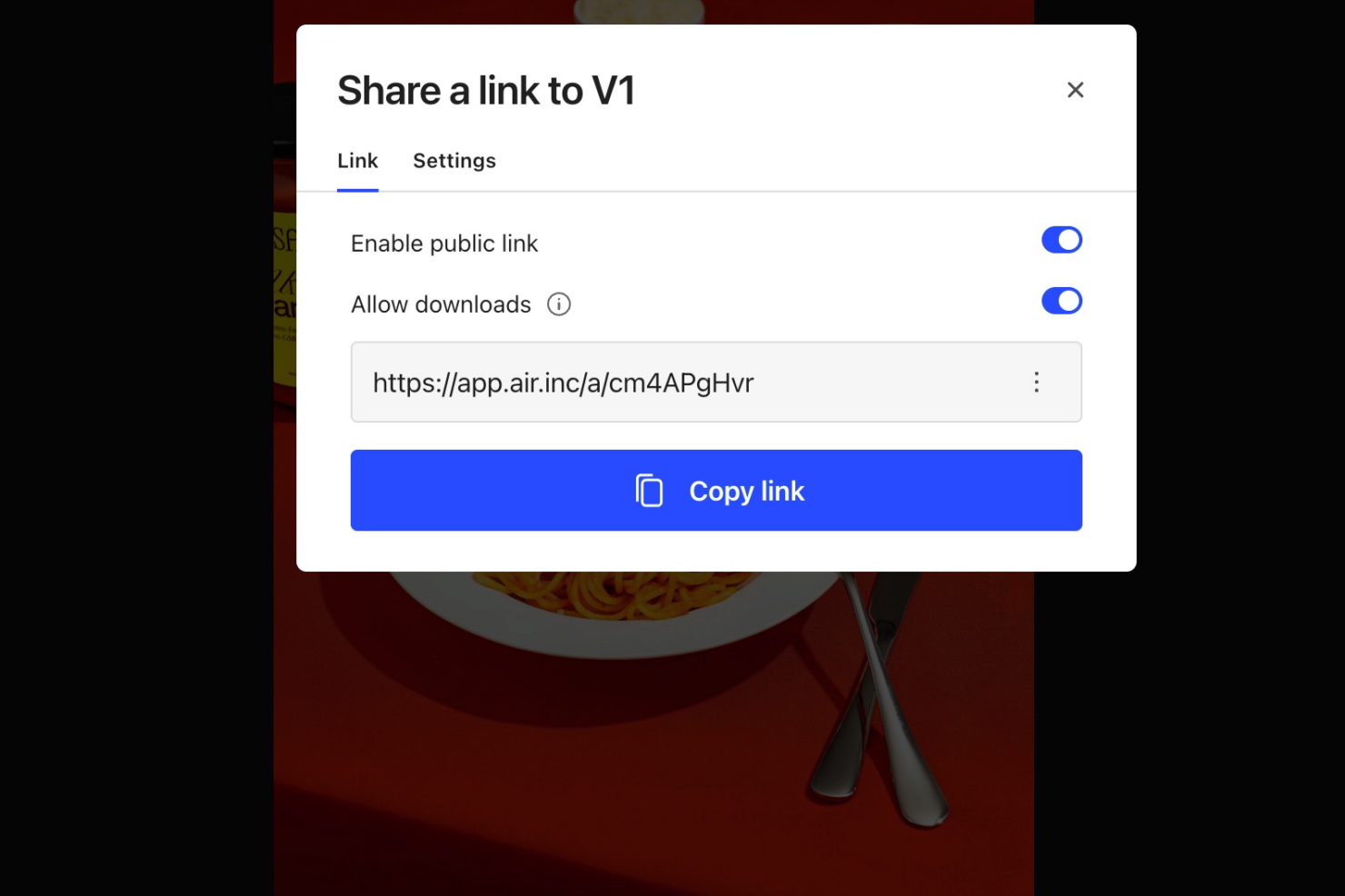
| File Sharing | ||
| File Transfer | ||
| Multi-User | ||
| Review Monitoring | ||
| Template Designer |
Air vs. Brandfolder Integrations
| Integration | Air | Brandfolder |
| Adobe Creative Cloud | ✅ | ✅ |
| Figma | ✅ | ✅ |
| Canva | ✅ | ✅ |
| Slack | ✅ | ✅ |
| Shopify | ❌ | ✅ |
| Salesforce | ❌ | ✅ |
| Smartsheet | ❌ | ✅ |
| Microsoft Office | ❌ | ✅ |
| Google Workspace | ❌ | ✅ |
| Zapier | ✅ | ✅ |
| API | ✅ | ✅ |
Both Air and Brandfolder cover the most popular creative and collaboration integrations, but Brandfolder offers a broader range—especially for enterprise tools like Salesforce, Smartsheet, and Microsoft Office. If your workflow relies on niche or advanced integrations, Brandfolder’s extensive library and API flexibility may give you more options, while Air’s Zapier and API support still allow for plenty of automation and custom connections.
Air vs. Brandfolder Security, Compliance & Reliability
| Factor | Air | Brandfolder |
| Data Encryption | Uses encryption in transit and at rest to protect assets. | Provides enterprise-grade encryption for data at rest and in transit. |
| Access Controls | Offers granular user permissions and role-based access. | Delivers advanced permissioning, SSO, and detailed audit logs. |
| Regulatory Compliance | Offers GDPR, SOC 2, and CASA Tier 2 compliance and privacy controls for user data. | Meets GDPR, SOC 2, and other industry compliance standards. |
| Uptime & Reliability | Maintains high uptime with cloud infrastructure and backups. | Guarantees 99.9% uptime SLA and robust disaster recovery. |
Brandfolder stands out for its enterprise compliance certifications and advanced access controls, while Air covers essential security and privacy needs for creative teams. Air’s strengths lie in straightforward permissions and reliable uptime, while Brandfolder is better suited for organizations with strict regulatory or audit requirements.
Air vs. Brandfolder Ease of Use
| Factor | Air | Brandfolder |
| User Interface | Features a modern, visual-first interface that feels intuitive for creative teams. | Offers a clean, professional dashboard with customizable views for large libraries. |
| Onboarding | Provides guided onboarding and quick-start templates for fast setup. | Includes dedicated onboarding support and detailed documentation for enterprise rollouts. |
| Asset Organization | Uses drag-and-drop folders and visual boards for easy sorting. | Supports advanced metadata, bulk actions, and smart search for complex asset management. |
| Support | Delivers responsive chat and email support with helpful resources. | Offers priority support, live chat, and a knowledge base for enterprise users. |
Air is easier for creative teams to pick up and use right away, while Brandfolder’s interface and onboarding are designed for organizations managing large, complex asset libraries. Air’s visual approach and simple setup make it a favorite for fast-moving teams, but Brandfolder’s robust organization tools and enterprise support shine for bigger operations.
Air vs Brandfolder: Pros & Cons
Air
- Asset organization features help keep digital content well-structured and accessible.
- The intuitive interface makes it easy to navigate and manage assets.
- Collaboration tools improve team communication and workflow efficiency.
- Onboarding could be smoother for new team members.
- The AI tagging feature could be more intuitive.
- Advanced customization options are limited.
Brandfolder
- The asset organization and search functions are top-notch.
- It offers strong collaboration tools for your team.
- You’ll find its interface intuitive and easy to navigate.
- It requires a learning curve to fully utilize its features.
- Customer support can be slow to respond at times.
- You might find the onboarding process a bit challenging.
Best Use Cases for Air and Brandfolder
Air
- Tech & Saas Companies Air gives tech teams a centralized hub to organize and scale their digital assets as their product output grows.
- Creative Departments Air supports your creative work with efficient collaboration and easy asset access.
- Media Companies Its asset organization features help keep content well structured and accessible for various media projects.
- Advertising Agencies Its intuitive interface can make asset navigation and management easier.
- Marketing Teams Air offers collaboration tools to improve communication and simplify asset management for marketing projects.
Brandfolder
- Event planners Its file sharing features simplify distribution of event-related content across your team.
- Large enterprises Brandfolder scales well and can handle extensive digital asset libraries for large teams.
- Brand managers Its advanced search and organization capabilities help you maintain brand consistency.
- Media companies Brandfolder supports your need for quick access to a vast library of digital content.
- Creative agencies You’ll appreciate its intuitive interface for managing assets for multiple clients.
- Marketing teams Brandfolder's collaboration tools and asset organization features streamline your team's content workflow.
Who Should Use Air, and Who Should Use Brandfolder?
Air is the best fit for creative teams, agencies, and startups that want a visually intuitive, fast-to-adopt platform for organizing and collaborating on assets without heavy process overhead. If your team values speed, simplicity, and a modern interface—and doesn’t need deep enterprise compliance—Air will feel like a natural extension of your workflow. Brandfolder is the stronger choice for larger organizations, marketing departments, or enterprises that need advanced permissions, compliance, and integration with other business systems. If you manage a high volume of assets, require strict governance, or need to support multiple departments, Brandfolder’s robust features and scalability will serve you well.
Differences Between Air and Brandfolder
| Air | Brandfolder | |
|---|---|---|
| Automation Features | Streamlines automation for asset organization and sharing. | Advanced automation for workflows, approvals, and asset distribution. |
| Compliance & Security | Covers essentials like GDPR and encryption. | Offers advanced compliance, including SOC 2 and related detailed audit logs. |
| Pricing Model | Transparent, tiered plans with self-serve upgrades. | Custom quotes and enterprise-focused pricing with add-ons. |
| User Experience | Visual-first, intuitive interface designed for creatives. | Professional dashboard tailored for enterprise asset management. |
| Visit AirOpens new window | Read Brandfolder ReviewOpens new window |
Similarities Between Air and Brandfolder
| API Availability | Each solution provides an API, allowing for customer integrations and workflow automation tailored to your needs. |
|---|---|
| Asset Organization | Both platforms let you organize, tag, and search assets efficiently, using folders, metadata, and visual previews. |
| Cloud-Based Access | Air and Brandfolder are fully could-based, so teams can access and manage assets from anywhere, or any device. |
| Collaboration Tools | Each tool supports real-time collaboration, commenting, and sharing, making teamwork on creative projects seamless. |
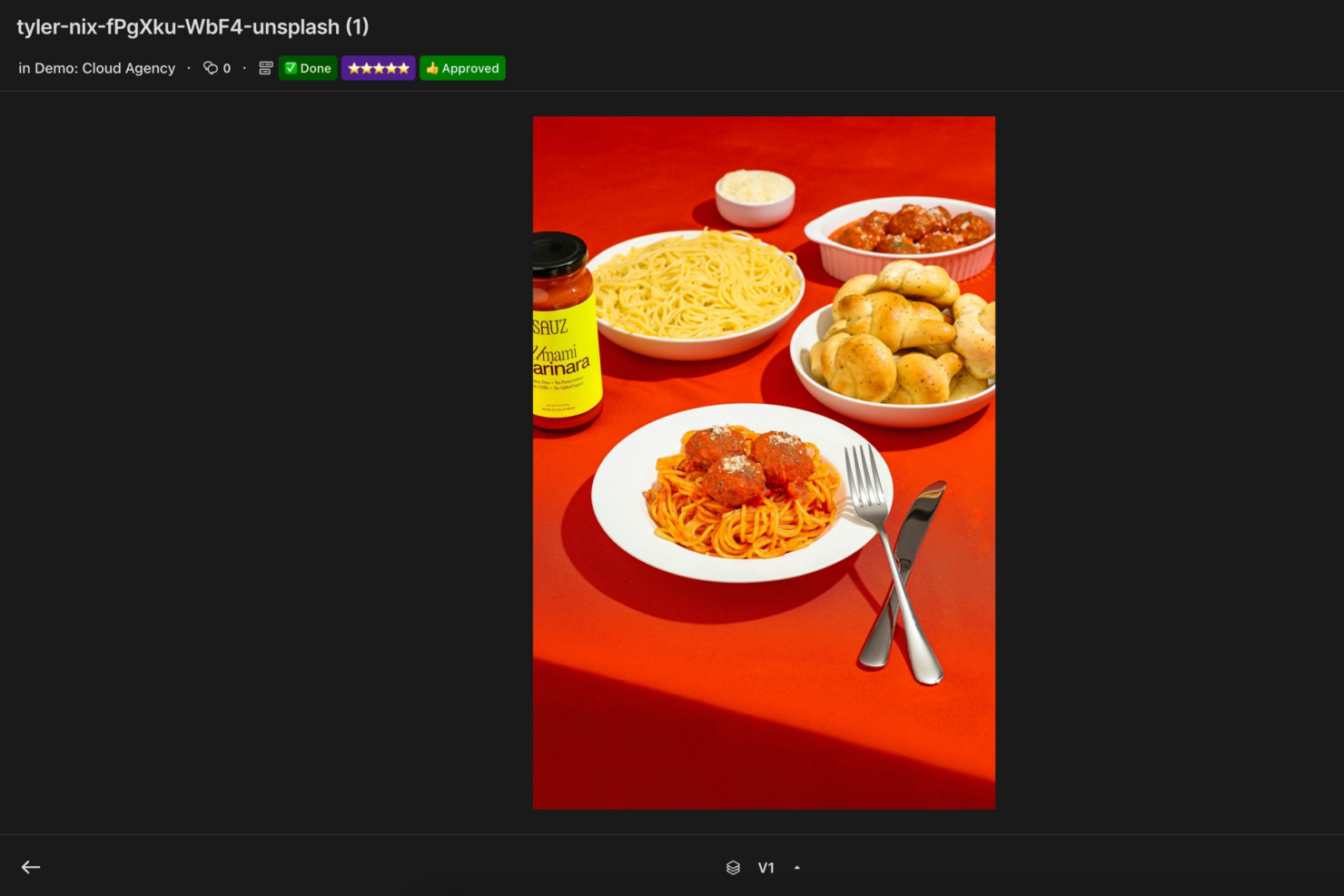
| Version Control | Both offer version history and rollback features. |
| Visit AirOpens new window Read Brandfolder ReviewOpens new window | |