
Aha! Review 2026: Pros, Cons, Features and Pricing



Aha! is project roadmap software that helps product teams set strategy, prioritize features, and create visual roadmaps. It’s a fit when you need to connect goals with cross-team plans and keep stakeholders informed as priorities shift. Compared with Productboard, Aha! is a stronger choice when you want customizable, presentation-ready roadmaps alongside planning tools such as Gantt charts and capacity planning.
Aha! Evaluation Summary
- From $9/user/month
- 30-day free trial
Why Trust Our Software Recommendations
Our team has been testing and reviewing software since 2012. As project managers ourselves, we know how difficult—and important—it is to choose the right software.
For this guide, we evaluated tools using hands-on testing and independent research, scoring tools using our selection criteria. We also draw on insights from industry thought leaders and practicing project management experts.
Our reviews reflect our human editorial judgment, not a sales pitch.
Expert reviewers:
Aha! Overview
I’d choose Aha! when your team needs to connect product strategy with delivery planning. Strategy mapping, feature prioritization, dependencies, capacity planning, Gantt charts, and presentation-ready roadmaps link goals to day-to-day work, while 40+ integrations connect Aha! with other tools. Compared with simpler roadmap apps, that breadth suits cross-functional product teams, though the feature-rich interface can feel like overkill for teams tracking dates alone. A 30-day trial, templates, and guided setup ease onboarding, and free 24/7 customer-success support with typical response times under two hours adds reassurance.
pros
-
Customizable visual roadmaps connect strategic goals with delivery plans.
-
Reviewers praise feature prioritization, dependencies, and date-linked release planning.
-
Idea portals centralize customer feedback for roadmap decisions.
cons
-
Per-user pricing can make broad team adoption costly.
-
Configuration and setup require substantial time and product discipline.
-
Reviewers report dated interfaces and sluggish dashboards with large datasets.
-

Smartsheet
Visit WebsiteThis rating combines scores from multiple user review sites to reflect overall customer sentiment about the product.4.4 -
Celoxis
Visit WebsiteThis rating combines scores from multiple user review sites to reflect overall customer sentiment about the product.4.5 -
Accelo
Visit WebsiteThis rating combines scores from multiple user review sites to reflect overall customer sentiment about the product.4.4





Our Review Methodology
How We Test & Score Tools
We’ve spent years building, refining, and improving our software testing and scoring system. The rubric is designed to capture the nuances of software selection and what makes a tool effective, focusing on critical aspects of the decision-making process.
Below, you can see exactly how our testing and scoring works across seven criteria. It allows us to provide an unbiased evaluation of the software based on core functionality, standout features, ease of use, onboarding, customer support, integrations, customer reviews, and value for money.
Core Functionality (25% of final scoring)
The starting point of our evaluation is always the core functionality of the tool. Does it have the basic features and functions that a user would expect to see? Are any of those core features locked to higher-tiered pricing plans? At its core, we expect a tool to stand up against the baseline capabilities of its competitors.
Standout Features (25% of final scoring)
Next, we evaluate uncommon standout features that go above and beyond the core functionality typically found in tools of its kind. A high score reflects specialized or unique features that make the product faster, more efficient, or offer additional value to the user.
We also evaluate how easy it is to integrate with other tools typically found in the tech stack to expand the functionality and utility of the software. Tools offering plentiful native integrations, 3rd party connections, and API access to build custom integrations score best.
Ease of Use (10% of final scoring)
We consider how quick and easy it is to execute the tasks defined in the core functionality using the tool. High scoring software is well designed, intuitive to use, offers mobile apps, provides templates, and makes relatively complex tasks seem simple.
Onboarding (10% of final scoring)
We know how important rapid team adoption is for a new platform, so we evaluate how easy it is to learn and use a tool with minimal training. We evaluate how quickly a team member can get set up and start using the tool with no experience. High scoring solutions indicate little or no support is required.
Customer Support (10% of final scoring)
We review how quick and easy it is to get unstuck and find help by phone, live chat, or knowledge base. Tools and companies that provide real-time support score best, while chatbots score worst.
Customer Reviews (10% of final scoring)
Beyond our own testing and evaluation, we consider the net promoter score from current and past customers. We review their likelihood, given the option, to choose the tool again for the core functionality. A high scoring software reflects a high net promoter score from current or past customers.
Value for Money (10% of final scoring)
Lastly, in consideration of all the other criteria, we review the average price of entry level plans against the core features and consider the value of the other evaluation criteria. Software that delivers more, for less, will score higher.
Core Features
Strategy Mapping
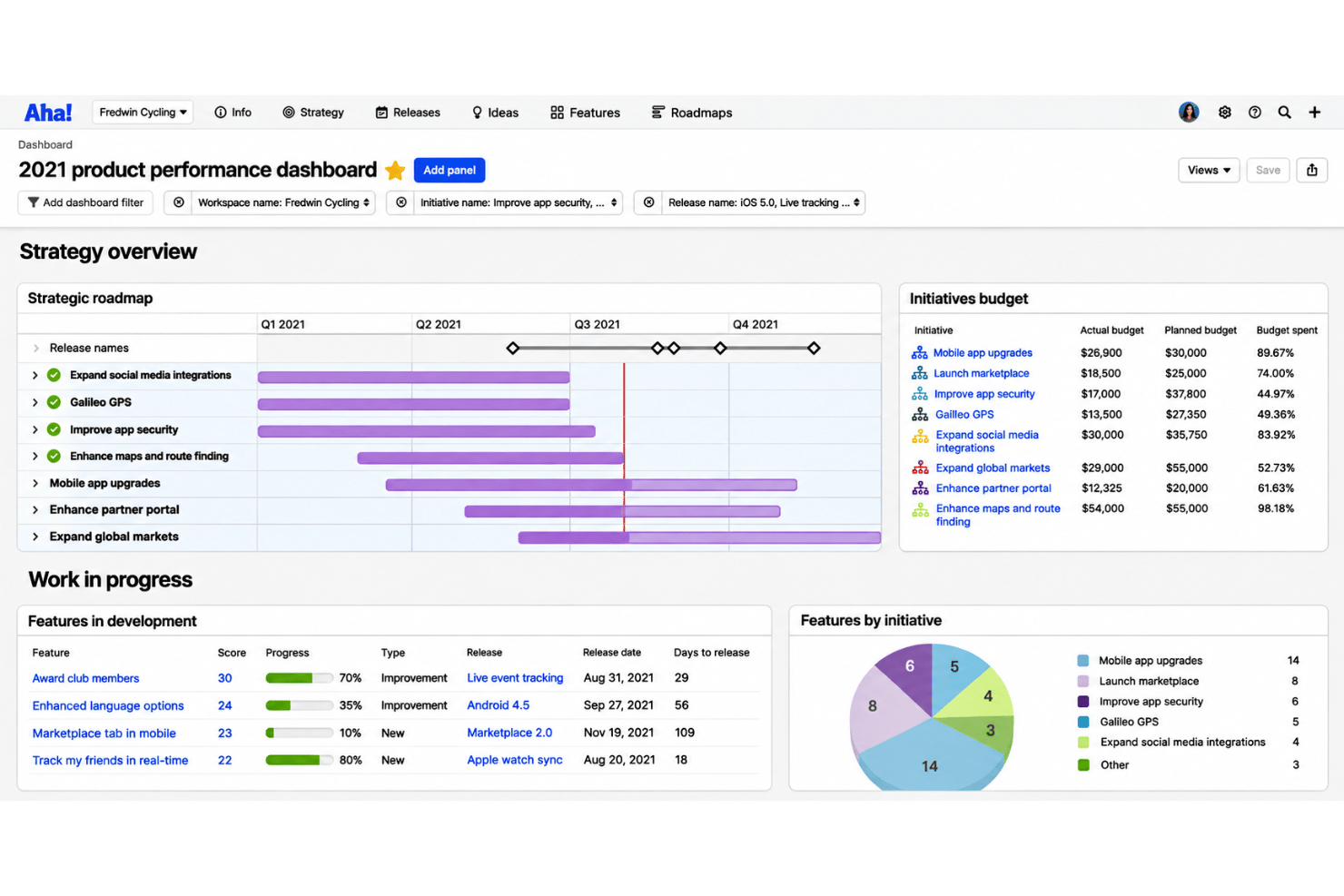
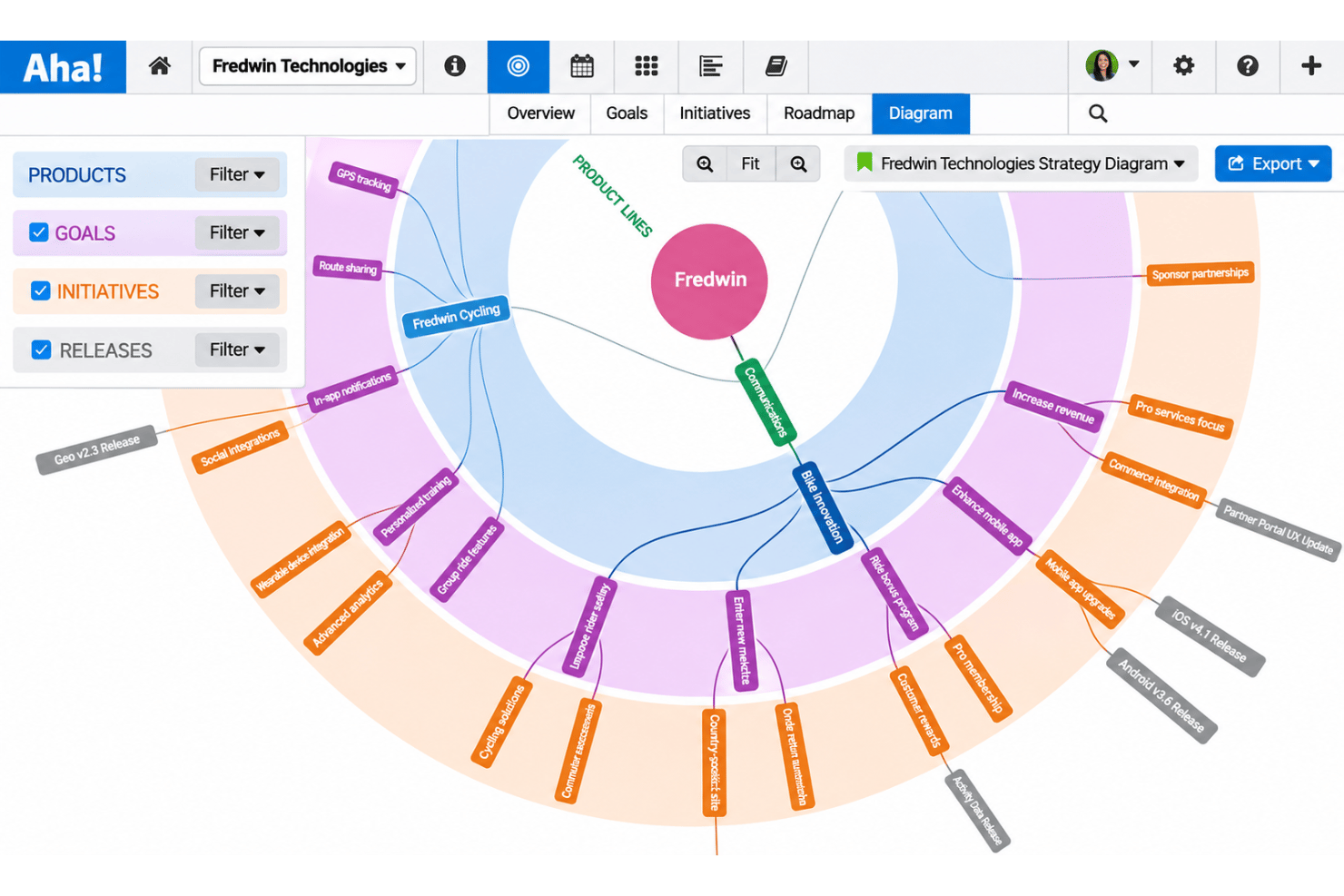
Aha! lets you capture product vision, goals, and initiatives, then connect them to features. You can show how planned work supports a goal, such as linking a reporting feature to a customer-retention objective.
Customizable Visual Roadmaps
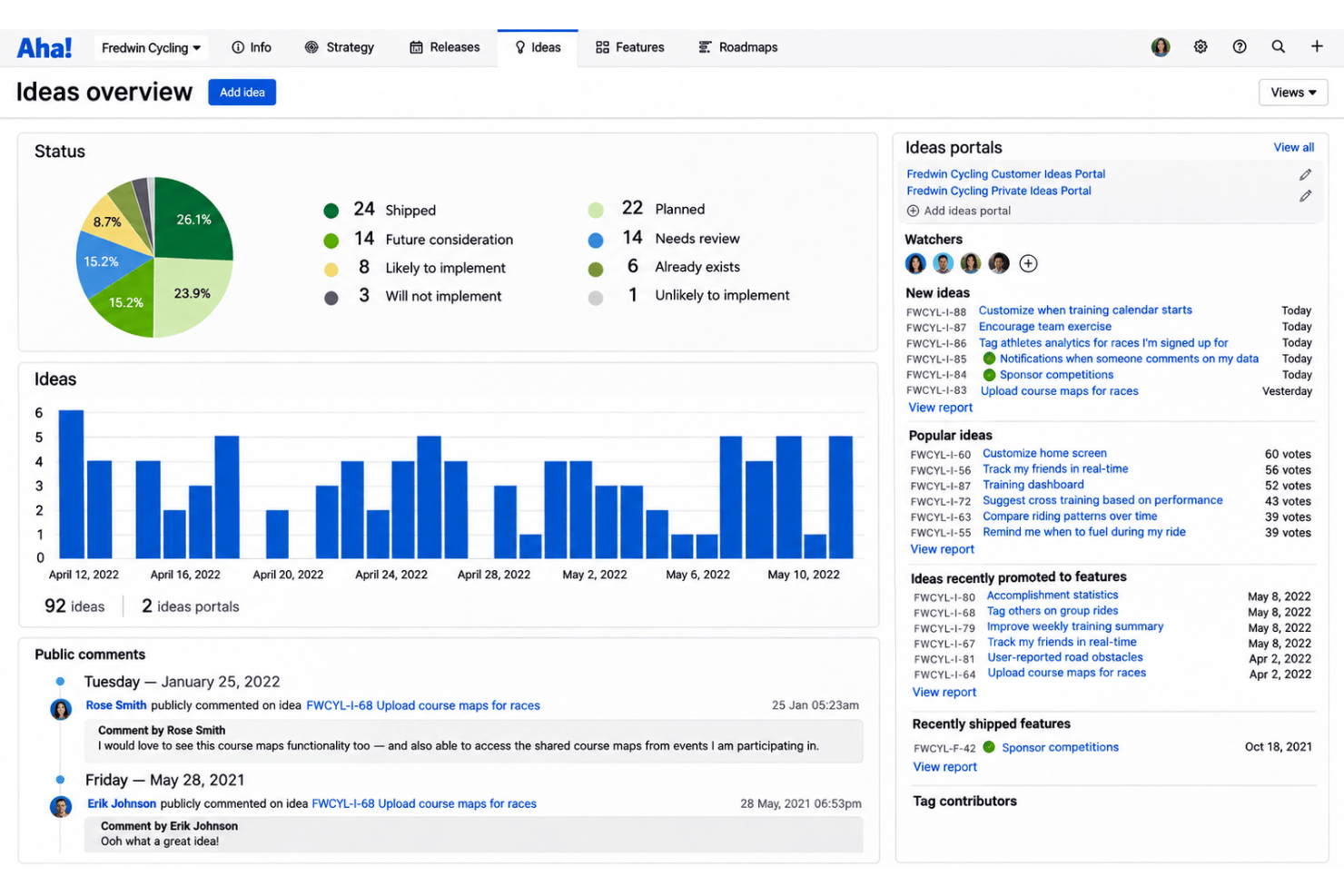
Build roadmaps from templates, customize the details, and show plans on a timeline. You can create audience-specific presentations that update as plans change, so stakeholders see current dates and priorities.
Feature Prioritization
Aha! helps teams assess feature value and identify work with the greatest potential impact. You can compare candidate features against product goals before deciding what belongs on the roadmap.
Release Planning
Create visual release plans to track dates, progress, dependencies, and to-dos, including in Gantt chart views. For example, you can shift a release date and review how the change affects scheduled work.
Dependency Tracking
Map relationships between work items to coordinate timing across teams and spot delivery risks. If one team’s feature depends on another team’s release, the roadmap makes that connection visible for planning.
Capacity Planning
Estimate work by team or individual, then compare planned effort with available capacity. A capacity report can reveal an overloaded team or unscheduled work before you commit to a release.
Ease of Use
Aha! is capable but takes more effort to learn than a simple roadmap tool. Strategy mapping, feature prioritization, dependency tracking, and capacity planning give teams detailed control, but reviewers say configuration takes substantial time and the interface can feel dated. Dashboards may also slow down with large datasets. I’d recommend it when you need connected strategy and delivery planning, not when your team mainly wants to track dates.
Integrations
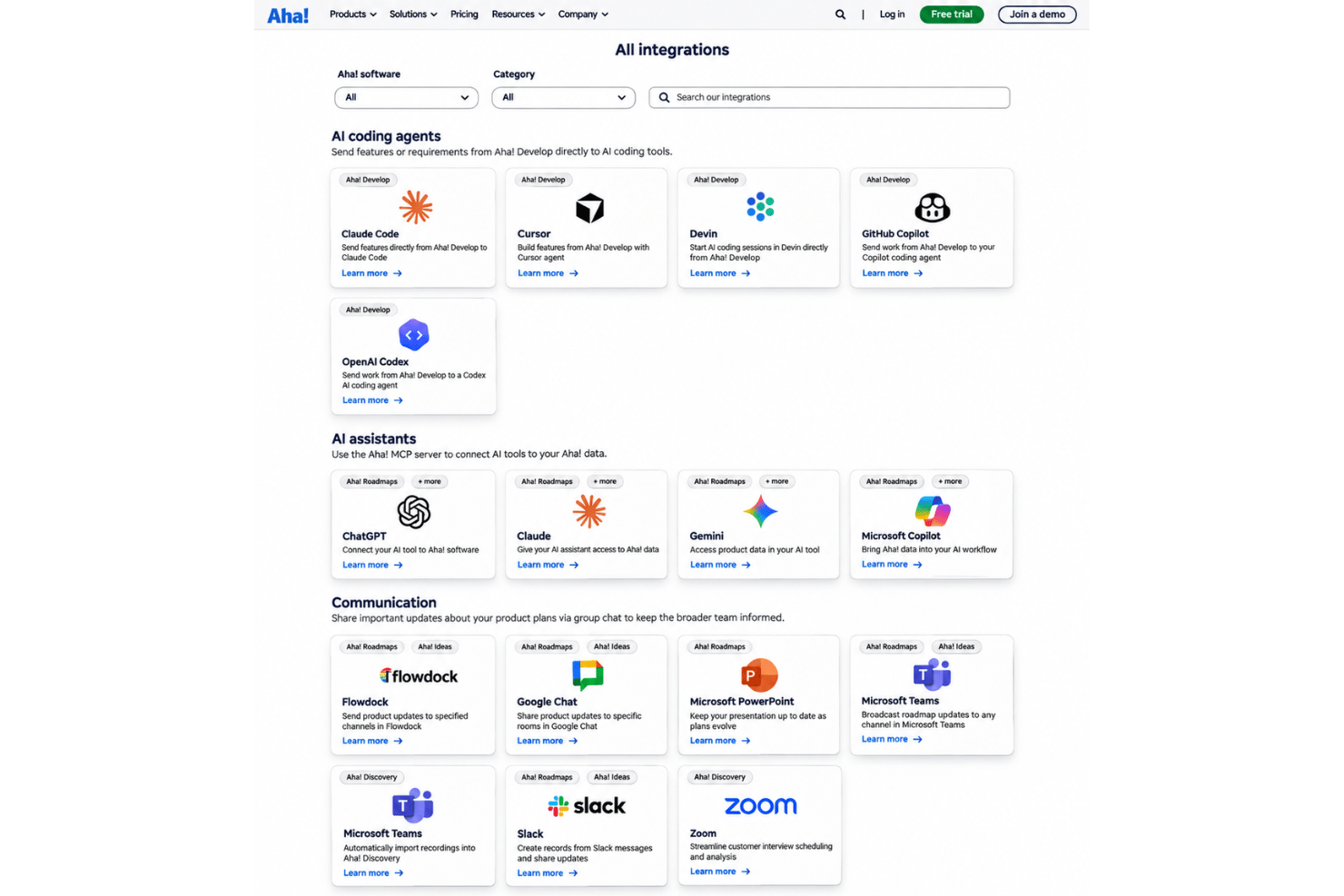
Aha! integrates with GitHub, Jira, Microsoft Azure DevOps, Microsoft Teams, Rally, Salesforce, Slack, Zendesk, HubSpot, and Confluence, among others.
It also provides a REST API for custom integrations and connects with third-party applications through Zapier.
Aha! Specs
- A/B Testing
- API
- Collaboration Support
- Custom Data Forms
- Dashboard
- Dashboards
- Data Export
- Data Import
- Developer Tools
- External Integrations
- Feedback Management
- Gantt Charts
- Google Apps Integration
- Multi-User
- Notifications
- Prioritization
- Product Catalog
- Release Management
- Reports
- Resource Management
- Review Monitoring
- Roadmapping
- Scheduling
- Task Scheduling/Tracking