


Creatio AI Studio jämfört med Microsoft Copilot Studio: Jämförelse och recensioner för 2026



As AI agents take on more routine and process-driven work, teams need tools that make it easier to build automation without adding another layer of complexity. The challenge is finding the right balance between accessibility, integration depth, and control.
Creatio AI Studio and Microsoft Copilot Studio are AI productivity tools for building and managing AI agents and workflows. Creatio combines AI Twin’s conversational agent creation with no-code and coded development, open model support, human-led and agentic workflows, and centralized lifecycle governance, while Copilot Studio focuses on low-code building within the Microsoft ecosystem.
In this comparison, I assess which tool is the better fit for your team, workflows, and automation needs.
Creatio AI Studio vs. Microsoft Copilot Studio: An Overview
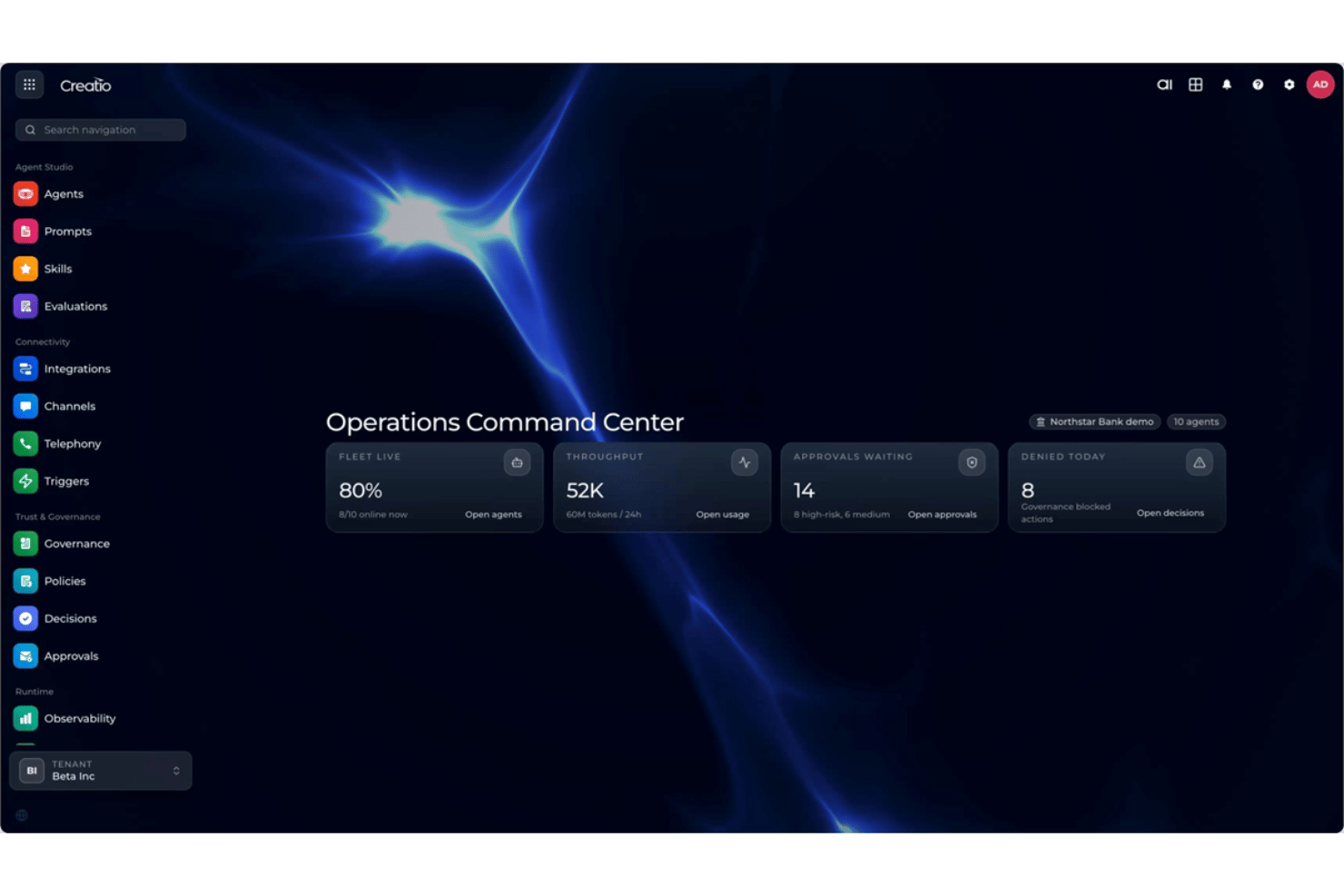
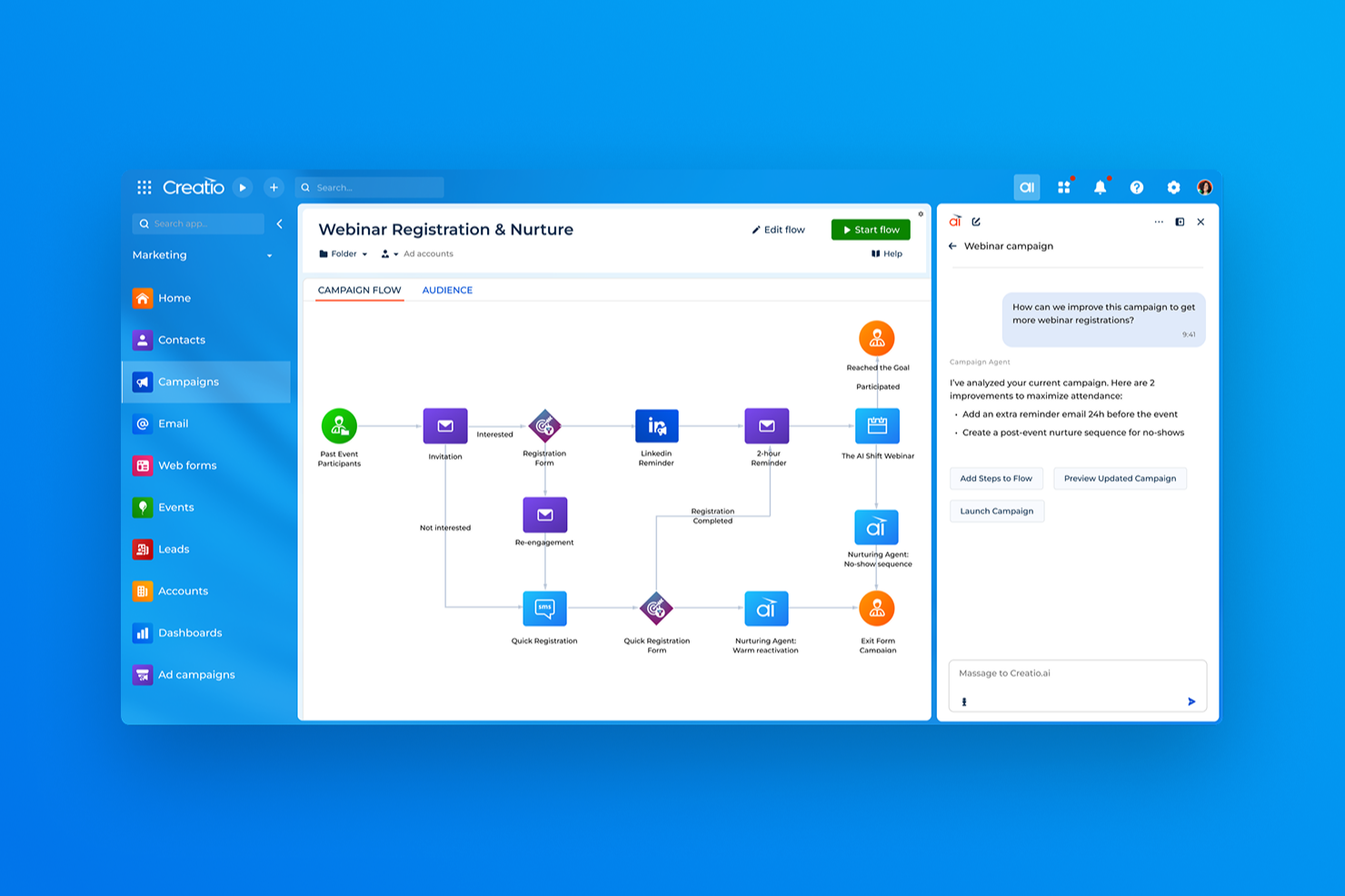
Creatio AI Studio


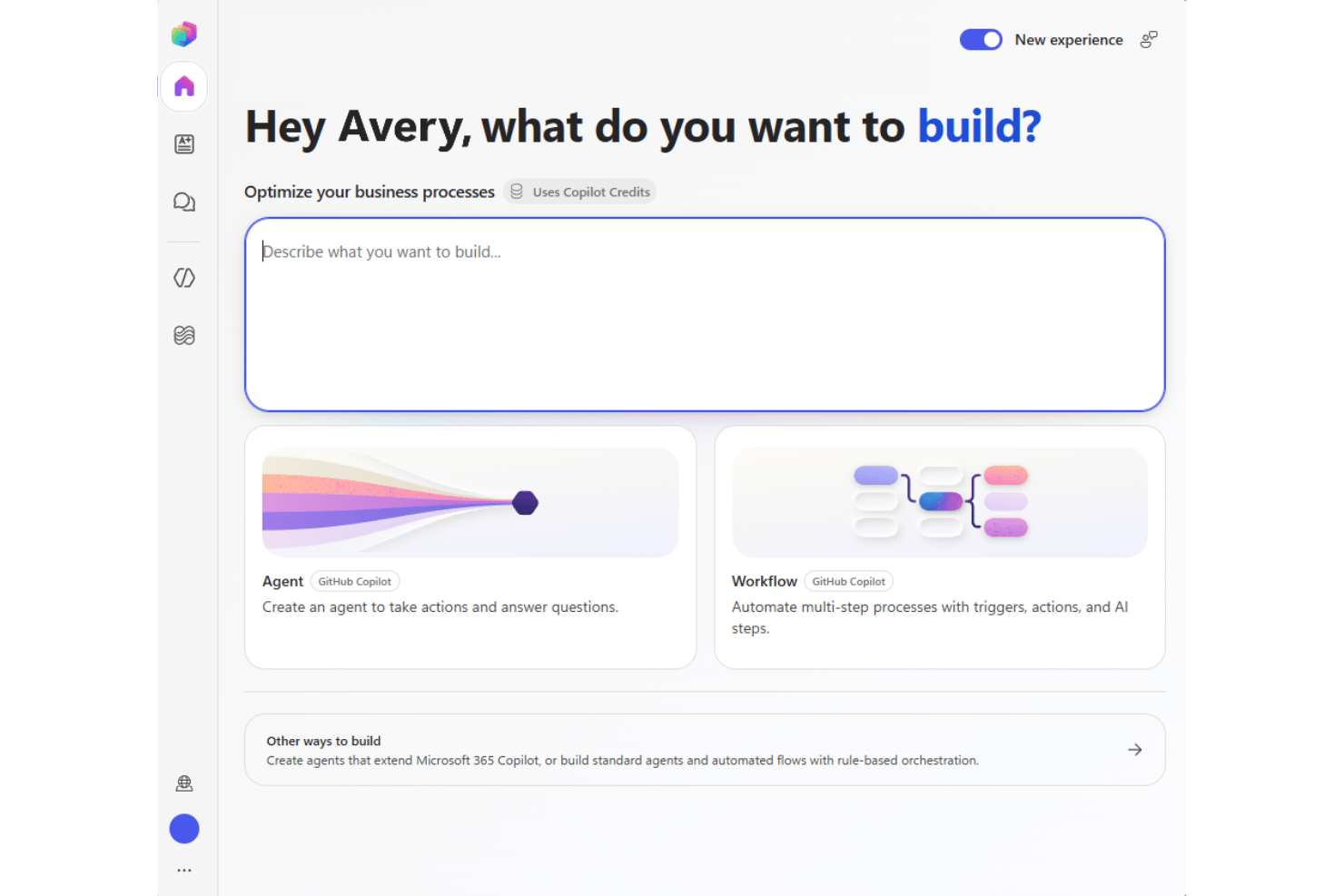
Microsoft Copilot Studio
Varför du kan lita på våra programvarurekommendationer
Vårt team har testat och recenserat programvara sedan 2012. Som projektledare själva vet vi hur
svårt — och viktigt — det är att välja rätt programvara.
För den här guiden utvärderade vi verktyg genom praktisk testning och oberoende research, och betygsatte verktygen enligt våra urvalskriterier. Vi drar även nytta av insikter från branschens tankeledare och praktiserande projektledningsexperter.
Våra recensioner speglar vårt mänskliga redaktionella omdöme, inte ett säljbudskap.
Expertgranskare:
Creatio AI Studio vs. Microsoft Copilot Studio Pricing Comparison
| Creatio AI Studio | Microsoft Copilot Studio | |
|---|---|---|
| Free Trial | Free demo available | Not available |
| Pricing | $40/user/month | From $30/user/month (billed annually) |
Creatio AI Studio jämfört med prissättning och dolda kostnader för Microsoft Copilot Studio
Creatio AI Studio kombinerar plattformsprissättning per användare med separata AI-paket baserade på AI Credits och valfria supportnivåer, medan Unlimited-modellen stöder bredare skalning i hela organisationen. Microsoft Copilot Studio använder däremot Copilot Credits med förskottsbetalning eller betalning efter användning, vilket innebär att kostnaderna kan variera beroende på agentaktivitet och uppgifternas komplexitet.
För att välja rätt leverantör bör du överväga hur förutsägbara kostnaderna behöver vara och hur intensivt dina agenter kommer att användas. Jag skulle föredra Creatio om du vill ha en tydligt definierad struktur för plattform och AI-paket, medan Copilot Studio erbjuder större användningsbaserad flexibilitet för organisationer som redan arbetar inom Microsofts ekosystem.
Creatio AI Studio vs. Microsoft Copilot Studio Feature Comparison
| Creatio AI Studio | Microsoft Copilot Studio | |
|---|---|---|
| API | ||
| Access Management | ||
| Data Export | ||
| Data Import | ||
| Document Management | ||
| External Integrations | ||
| Form Builder | ||
| Multi-User | ||
| Notifications | ||
| Process Modeling | ||
| Workflow Management |
Creatio AI Studio – integreringar i Microsoft Copilot Studio
| Integrering | Creatio AI Studio | Microsoft Copilot Studio |
|---|---|---|
| Microsoft 365 | ✅ | ✅ |
| Sage | ✅ | ❌ |
| Google Workspace | ✅ | ✅ |
| Slack | ✅ | ✅ |
| Microsoft Teams | ✅ | ✅ |
| SAP | ✅ | ✅ |
| ✅ | ✅ | |
| Hootsuite | ✅ | ❌ |
| API | ✅ | ✅ |
| Zapier | ✅ | ✅ |
Både Creatio AI Studio och Microsoft Copilot Studio erbjuder omfattande ekosystem av integreringar för att ansluta agenter till affärssystem och arbetsflöden. Creatio betonar öppen anslutning över flera plattformar genom sin Marketplace, API:er, webhooks och MCP, medan Copilot Studio drar nytta av Microsofts omfattande ekosystem av anslutningar och nära kopplingar till Microsofts tjänster. Sammantaget passar Creatio bra för team som arbetar med en blandad teknisk stack, medan Copilot Studio passar naturligt i Microsoft-centrerade miljöer.
Creatio AI Studio jämfört med Microsoft Copilot Studio: säkerhet, efterlevnad och tillförlitlighet
| Faktor | Creatio AI Studio | Microsoft Copilot Studio |
|---|---|---|
| Datasekretess | Stöder AWS- och Azure-regioner, alternativ för dataresidens, lokal distribution, fullständigt kundägande av data samt separering från träning av delade modeller. | Stöder geografiskt dataresidens och sekretesskontroller i Microsofts molninfrastruktur. |
| Kryptering & granskning | Använder kryptering och granskningsloggning för administrativ aktivitet, dataåtgärder och agentkörning för att stödja spårbarhet. | Krypterar data i vila och under överföring samt tillhandahåller loggning genom Microsofts ramverk för molnsäkerhet. |
| Tillförlitlighet | Erbjuder SLA:er för företagsmoln, AI-observerbarhet, körningshistorik, policyövervakning, godkännanden, eskaleringskontroller och livscykelstyrning. | Använder Microsoft Azure-infrastruktur och regional redundans för att stödja tillgänglighet och motståndskraft. |
| Regulatorisk efterlevnad | Upprätthåller certifieringarna SOC 2 Type II och ISO/IEC 27001, med kontroller som stöder GDPR-krav och reglerade arbetsflöden. | Stöder en bred portfölj för efterlevnad, inklusive ramverken SOC, ISO, GDPR, HIPAA och FedRAMP. |
| Åtkomst och AI-styrning | Stöder SAML 2.0 SSO, MFA, detaljerad RBAC, policyer på organisations- och agentnivå, godkännanden av verktyg, datamaskering, bekräftelser och kontroller med människa i loopen. | Använder Microsoft Entra ID, RBAC, autentiseringskontroller och styrning i Power Platform för hantering av agentåtkomst och aktivitet. |
Sammanfattningsvis betonar Creatio AI Studio detaljerade åtkomstkontroller, granskningsbarhet, flexibel distribution samt ett ramverk för AI-förtroende och styrning som utökar säkerhetskontrollerna till agentaktivitet. Microsoft Copilot Studio bygger på Microsofts bredare ekosystem för molnsäkerhet och efterlevnad. Båda erbjuder starka företagsgrundvalar, men de hanterar styrning genom olika plattformsarkitekturer.
Creatio AI Studio jämfört med Microsoft Copilot Studio: användarvänlighet
| Faktor | Creatio AI Studio | Microsoft Copilot Studio |
|---|---|---|
| Användargränssnitt | Kombinerar AI Twins konversationsbaserade agentskapande med visuella verktyg utan kod för att bygga och hantera agenter, medan SDK:er för kodning stöder mer avancerade krav. | Använder ett välbekant Microsoft-gränssnitt med vägledda verktyg för att bygga och hantera agenter. |
| Introduktion | Följer vanligtvis en vägledd implementering baserad på arbetsflöden, integrationer, data och distributionsomfattning. | Erbjuder vägledd konfiguration, mallar, dokumentation och Microsofts utbildningsresurser. |
| Konfigurationsprocess | Stöder flexibel konfiguration, men mer komplexa distributioner kan omfatta integrationer, migrering, testning och planering av lanseringen. | Ansluter nära till Microsofts tjänster och affärsdata, även om bredare konfigurationer fortfarande kan kräva inställningar. |
| Inlärningskurva | Verktyg utan kod sänker tröskeln för att bygga agenter, medan avancerade implementeringar kan dra nytta av specialister eller certifierade partner. | Verktyg med låg kod är lättillgängliga, särskilt för Microsoft-användare, men mer avancerad automatisering kan kräva kunskaper om Power Platform. |
| Support | Erbjuder support via e-post och regional telefon, samt Creatio Academy, självbetjäningsresurser och ett globalt partnernätverk. | Erbjuder Microsoft-dokumentation, utbildningsresurser, communitysupport och supportalternativ baserade på plan. |
Ur ett användarvänlighetsperspektiv ger Creatio AI Studio affärs- och teknikteam flera vägar till att skapa agenter, från AI Twins konversationsupplevelse och visuella verktyg utan kod till SDK:er för kodning. Microsoft Copilot Studio drar nytta av en välbekant miljö för team som redan använder Microsoft 365 och Power Platform. Creatio kan passa team som vill ha större flexibilitet i hur agenter byggs och konfigureras, medan Copilot Studio kan kännas mer naturligt i en Microsoft-centrerad stack.
Creatio AI Studio vs Microsoft Copilot Studio: Pros & Cons
Creatio AI Studio
- No-code agent designer lets teams build and deploy AI agents with less developer support
- Supports no-code and coding-based agents, giving technical and business teams more flexibility
- Built-in governance covers policies, approvals, audit trails, and human review of agent actions
- Advanced implementations may require significant configuration and integration work
- Administrators may need time to learn its broader no-code and agent management capabilities
- Its enterprise-focused feature set may be excessive for teams that only need simple AI automation
Microsoft Copilot Studio
- Connects securely to Microsoft 365 and business data.
- Built-in governance and access controls for enterprise compliance.
- Visual builder simplifies creating conversational AI agents.
- Limited customization outside Microsoft tools and connectors.
- Lacks advanced model fine-tuning options found elsewhere.
- Some features require higher-tier Microsoft 365 licenses.
Best Use Cases for Creatio AI Studio and Microsoft Copilot Studio
Creatio AI Studio
- Banking and Financial Services Creatio supports banking, credit union, insurance, and mortgage organizations with configurable AI and workflow automation for complex, regulated processes.
- Manufacturing and Distribution Manufacturing and distribution teams can use AI agents and automated workflows across operational, service, and customer-facing processes.
- Healthcare and Life Sciences Healthcare, pharma, and life sciences organizations can use configurable workflows, integrations, and governance controls across data-intensive processes.
- Telecommunications and Utilities Telecom, energy, and utility companies can automate high-volume operational and service workflows while maintaining centralized control over AI agents.
- Retail and CPG Retail and consumer goods teams can use AI-driven workflows to automate processes across customer operations, sales, and other cross-functional activities.
- High Tech and Business Services High-tech and business services organizations with complex, changing processes can use Creatio’s no-code tools and integrations to build and adapt AI-driven workflows.
Microsoft Copilot Studio
- Large Enterprises Integrated security, compliance, and scalability features suit organizations with complex oversight needs.
- IT Departments Tight links to Microsoft Azure and Power Platform simplify workflow automation and bot management for in-house IT teams.
- Human Resources HR teams benefit from ready-to-deploy chatbots for onboarding, policy guidance, and employee support with ties to Microsoft 365.
- Healthcare Providers Built-in security and compliance controls help healthcare organizations automate patient communication while protecting sensitive data.
- Education Institutions Easy deployment inside Microsoft Teams streamlines faculty and student interactions for schools already running on Microsoft platforms.
- Customer Service Ability to build AI agents for support and integrate directly with Dynamics 365 makes it attractive for service teams.
Vem bör använda Creatio AI Studio och vem bör använda Microsoft Copilot Studio?
Om du letar efter ett AI-produktivitetsverktyg som samlar affärsanvändare, teknikteam och AI-agenter i samma arbetsflödesmiljö är Creatio AI Studio sannolikt ett bra alternativ. Det passar medelstora och stora organisationer som behöver AI Twin och agentskapande utan kod, kodade agenter, flera AI-modeller, öppna integrationer, omnikanalengagemang, centraliserad styrning och mänsklig översyn i komplexa affärsprocesser.
Om din organisation i stället redan är starkt beroende av Microsoft 365, Dynamics 365, Azure eller Power Platform kan Microsoft Copilot Studio passa dina behov. Det passar stora företag, IT-team, HR, hälso- och sjukvård, utbildning och kundserviceteam som vill automatisera arbetsflöden, stödja självbetjäning och distribuera agenter via välbekanta Microsoft-kanaler och affärssystem.
Differences Between Creatio AI Studio and Microsoft Copilot Studio
| Creatio AI Studio | Microsoft Copilot Studio | |
|---|---|---|
| AI Model Flexibility | Supports OpenAI, Google, Anthropic, and other model strategies through an open architecture without tying teams to one provider. | Supports selectable AI models within Microsoft’s governed Copilot Studio framework, with availability varying by region and model status. |
| Deployment Options | Supports multiple AWS and Azure regions as well as on-premises deployment for organizations needing more hosting flexibility. | Runs as a cloud service within Microsoft’s Azure and Power Platform infrastructure. |
| Ecosystem Orientation | Designed to orchestrate agents and workflows across varied enterprise systems without requiring a Creatio-first stack. | Fits most naturally into organizations centered on Microsoft 365, Power Platform, Dynamics 365, and Azure. |
| Platform Scope | Combines AI Twin, AI Studio, workflow automation, no-code application development, CRM, and human-led business processes in one platform. | Centers on agent and workflow development within Microsoft Copilot, Power Platform, and related Microsoft services. |
| Pricing and Scaling | Combines platform access with separate AI packages and AI Credits, with Unlimited supporting broader organization-wide scaling. | Uses Copilot Credits through prepaid or pay-as-you-go billing, so costs scale with agent activity and task complexity. |
| Visit Creatio AI StudioOpens new window | Read Microsoft Copilot Studio ReviewOpens new window |
Similarities Between Creatio AI Studio and Microsoft Copilot Studio
| Business Data Grounding | Both allow agents to use organizational data and business context so responses and actions are tied to real operational information. |
|---|---|
| Governance Controls | Both provide policies, permissions, and administrative controls for managing how agents access data and execute business actions. |
| Monitoring and Evaluation | Both give teams tools to test, monitor, and evaluate agent activity so they can identify issues and improve performance over time. |
| No-Code Agent Building | Both provide visual and natural-language tools that make agent creation accessible without requiring users to code every workflow from scratch. |
| Workflow Automation | Both let teams create AI-driven workflows that handle routine tasks, trigger actions, and execute multi-step business processes. |
| Visit Creatio AI StudioOpens new window Read Microsoft Copilot Studio ReviewOpens new window | |