

Aconex Review 2026: Pros, Cons, Features and Pricing



Oracle Aconex is BIM project management software for coordinating models, documents, and project workflows across construction teams. I’d choose it for large projects with many organizations that need controlled information sharing and a permanent audit trail; compared with Procore, Aconex is the better fit when each organization’s data ownership and an unalterable project record matter most.
Aconex Evaluation Summary
- Pricing upon request
- Free demo available
Why Trust Our Software Recommendations
Our team has been testing and reviewing software since 2012. As project managers ourselves, we know how difficult—and important—it is to choose the right software.
For this guide, we evaluated tools using hands-on testing and independent research, scoring tools using our selection criteria. We also draw on insights from industry thought leaders and practicing project management experts.
Our reviews reflect our human editorial judgment, not a sales pitch.
Expert reviewers:
Aconex Overview
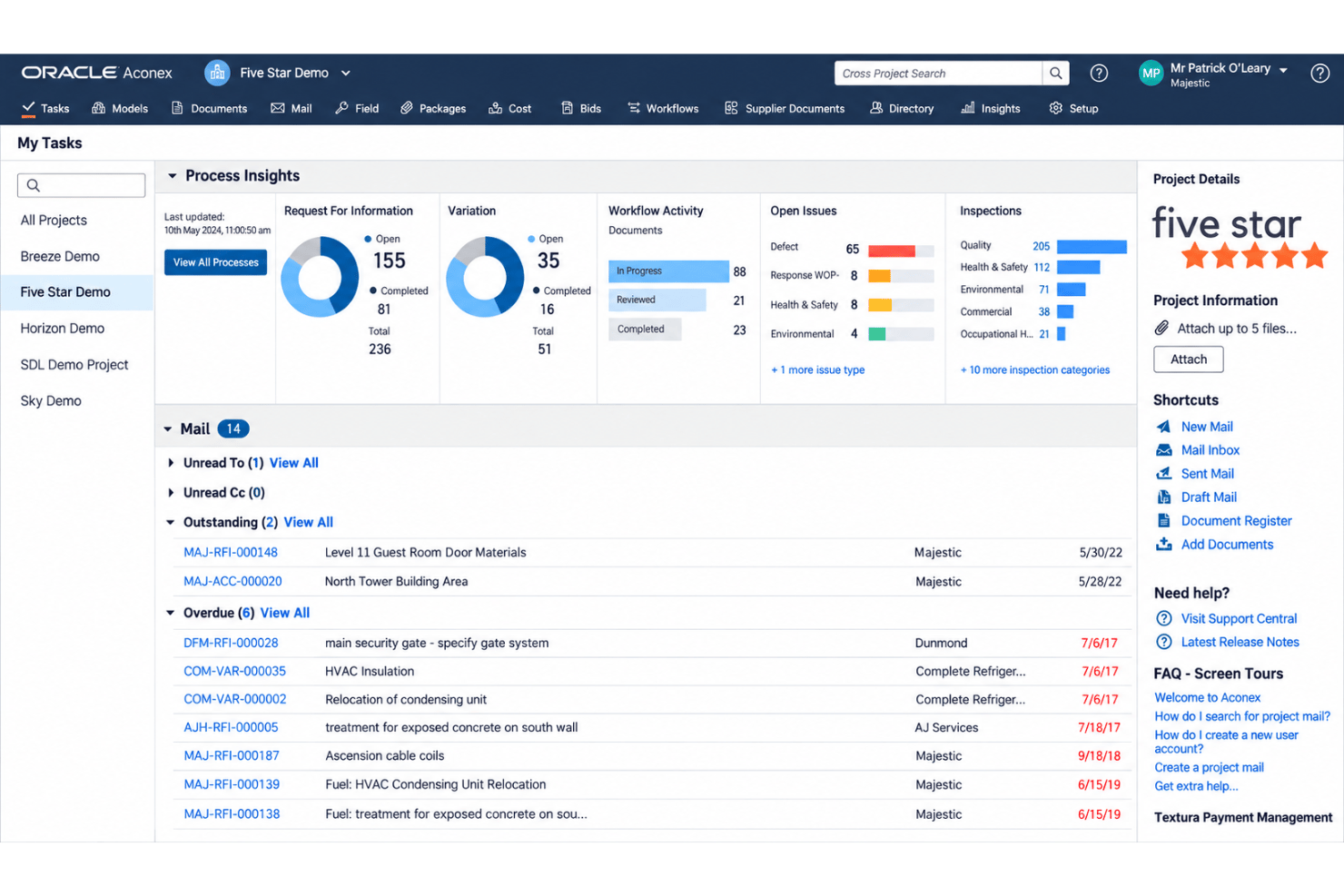
I’d choose Aconex for large, multi-organization projects where document control, data ownership, and an unalterable audit trail matter as much as BIM coordination. Model viewing, clash and issue management, and support for IFC and BCF formats give teams useful coordination tools, while APIs and Primavera connections support integrations. Compared with simpler project platforms, its configurable workflows and records are stronger, but the interface and setup can feel demanding for smaller teams. Pricing is quote-based, so judge it against project scale. Support guides and onboarding resources help, though teams need time to configure workflows and train users.
pros
-
Model coordination includes issue management and built-in clash detection.
-
Organization-controlled workspaces preserve document ownership and an unalterable project audit trail.
-
Users praise version control, searchable records, and approval tracking.
cons
-
Reviewers report that navigation and workflow setup take time to learn.
-
Some users report slow connections, performance problems, and technical issues.
-
Aconex coordinates models but doesn’t replace dedicated BIM authoring tools.
-

Smartsheet
Visit WebsiteThis rating combines scores from multiple user review sites to reflect overall customer sentiment about the product.4.4 -
Celoxis
Visit WebsiteThis rating combines scores from multiple user review sites to reflect overall customer sentiment about the product.4.5 -
Accelo
Visit WebsiteThis rating combines scores from multiple user review sites to reflect overall customer sentiment about the product.4.4





Our Review Methodology
How We Test & Score Tools
We’ve spent years building, refining, and improving our software testing and scoring system. The rubric is designed to capture the nuances of software selection and what makes a tool effective, focusing on critical aspects of the decision-making process.
Below, you can see exactly how our testing and scoring works across seven criteria. It allows us to provide an unbiased evaluation of the software based on core functionality, standout features, ease of use, onboarding, customer support, integrations, customer reviews, and value for money.
Core Functionality (25% of final scoring)
The starting point of our evaluation is always the core functionality of the tool. Does it have the basic features and functions that a user would expect to see? Are any of those core features locked to higher-tiered pricing plans? At its core, we expect a tool to stand up against the baseline capabilities of its competitors.
Standout Features (25% of final scoring)
Next, we evaluate uncommon standout features that go above and beyond the core functionality typically found in tools of its kind. A high score reflects specialized or unique features that make the product faster, more efficient, or offer additional value to the user.
We also evaluate how easy it is to integrate with other tools typically found in the tech stack to expand the functionality and utility of the software. Tools offering plentiful native integrations, 3rd party connections, and API access to build custom integrations score best.
Ease of Use (10% of final scoring)
We consider how quick and easy it is to execute the tasks defined in the core functionality using the tool. High scoring software is well designed, intuitive to use, offers mobile apps, provides templates, and makes relatively complex tasks seem simple.
Onboarding (10% of final scoring)
We know how important rapid team adoption is for a new platform, so we evaluate how easy it is to learn and use a tool with minimal training. We evaluate how quickly a team member can get set up and start using the tool with no experience. High scoring solutions indicate little or no support is required.
Customer Support (10% of final scoring)
We review how quick and easy it is to get unstuck and find help by phone, live chat, or knowledge base. Tools and companies that provide real-time support score best, while chatbots score worst.
Customer Reviews (10% of final scoring)
Beyond our own testing and evaluation, we consider the net promoter score from current and past customers. We review their likelihood, given the option, to choose the tool again for the core functionality. A high scoring software reflects a high net promoter score from current or past customers.
Value for Money (10% of final scoring)
Lastly, in consideration of all the other criteria, we review the average price of entry level plans against the core features and consider the value of the other evaluation criteria. Software that delivers more, for less, will score higher.
Core Features
3D Model Viewing
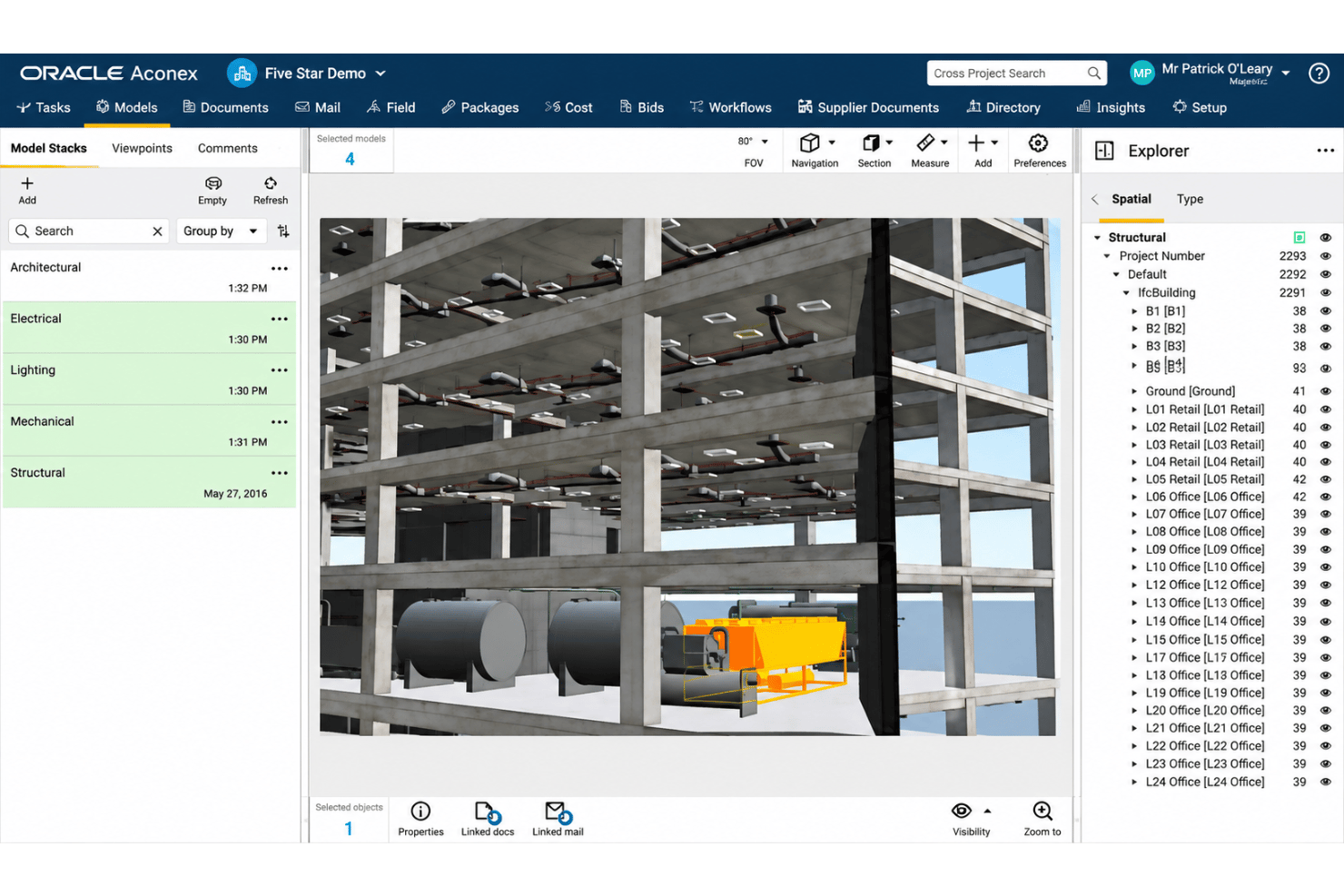
Aconex lets teams import and view supported models, including Revit files, without authoring software. Reviewers can inspect model information in the project workspace instead of relying on separate authoring tools just to view a model.
Automated Clash Detection
Aconex Model Coordination Cloud Service checks models for clashes. Teams can identify spatial conflicts during coordination, such as building elements that overlap, before they affect site work.
Model Issue Management
Teams can manage issues as part of model coordination in Aconex. Keeping coordination issues with the project’s models gives reviewers a shared place to follow up on conflicts.
Document Control and Versioning
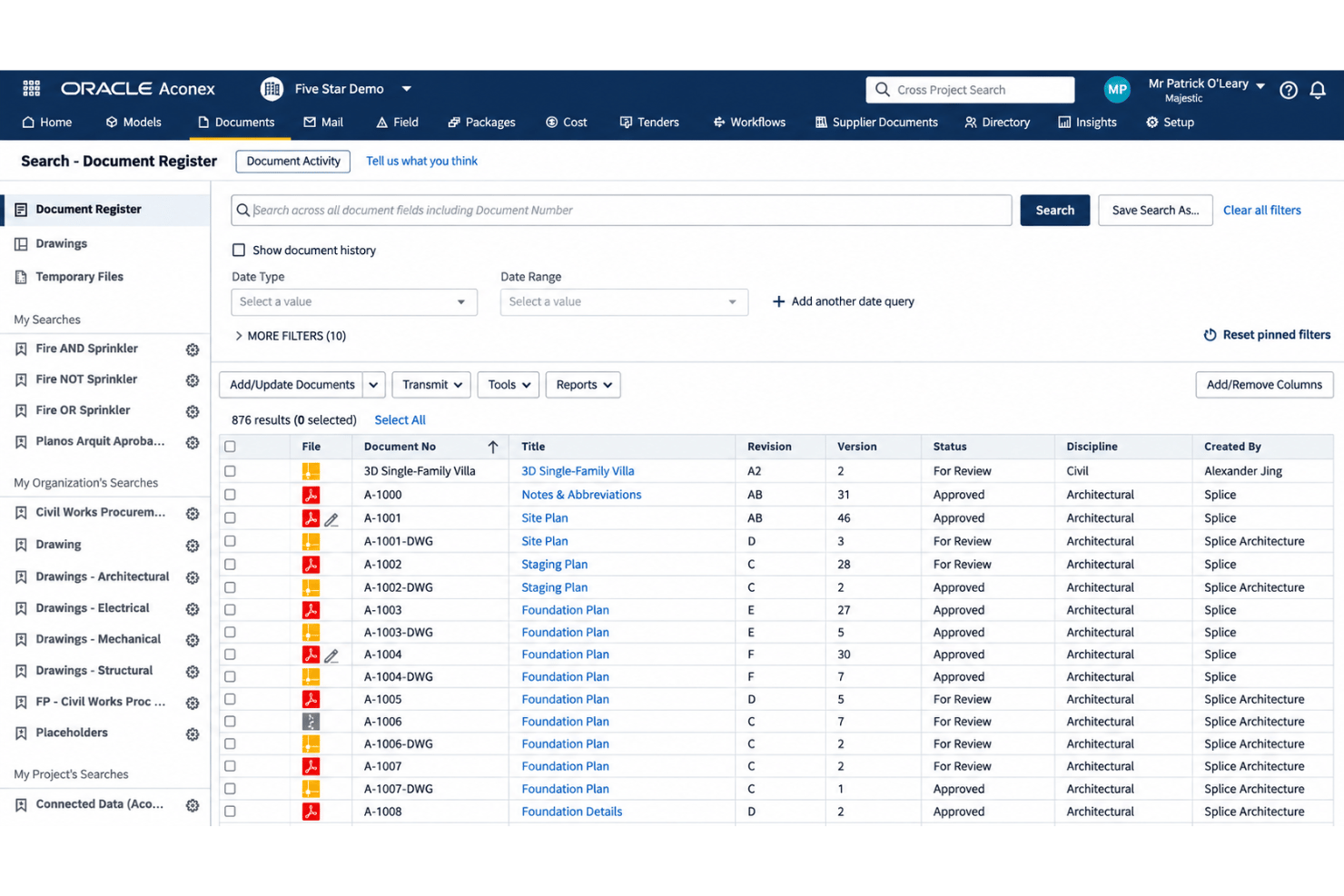
Aconex stores project documents in a central register and tracks versions. Teams can search by metadata and check document history to confirm they’re reviewing the right drawing or specification.
Review and Approval Workflows
Configurable workflows route documents for review and approval, while the Review Matrix selects reviewers using document metadata. For example, a drawing can go to the required reviewers based on its project-defined information.
Audit Trail and Data Ownership
Each organization controls its own workspace and what it shares, while Aconex records project documents, communications, decisions, and actions in an unalterable audit trail. Teams can refer back to who made a decision and when, even after the project moves into closeout.
Ease of Use
Aconex is capable but not especially easy to learn: reviewers report that navigation and workflow setup take time, and some flag slow connections and technical issues. I’d choose it when controlled records matter more than a lightweight interface. Once configured, its searchable document register, version history, metadata-driven approval routing, and mobile access make project information easier to locate and review. That depth suits complex, multi-organization projects but can feel like overhead on smaller ones.
Integrations
Aconex integrates with Oracle Primavera Cloud, Primavera P6, Autodesk Revit, Navisworks, and Solibri for schedule synchronization and BIM coordination. It also connects with Microsoft Power BI through Aconex Connected Cost APIs for reporting and analytics.
Aconex provides REST APIs for custom integrations and supports third-party application connections through the Oracle Aconex Cloud Adapter for Oracle Integration 3.
Aconex Specs
- API
- Calendar Management
- Customer Management
- Data Export
- Data Import
- External Integrations
- Inventory Tracking
- Multi-User
- Notifications
- Project Management
- Scheduling
- Supplier Management


