

Can We Take This On? How to Plan Capacity for Unconfirmed Project Work with Runn Scenarios


A promising opportunity moves closer to closing. A high-priority project appears. A key client considers several pieces of work. Before any of it is confirmed, delivery teams need to answer an important question: if this work moves ahead, can we deliver it with the people we have?
Even while the work is still tentative, teams need to understand what it could mean for their people. Will it change availability? Put pressure on certain roles? Shift utilization? Create a different picture depending on which projects are included?
That is where resource management and capacity planning become important.
Runn is resource management and capacity planning software for teams planning people on technical projects. It brings capacity, availability, and project data into one place, helping teams forecast what’s ahead and understand how new work could affect team availability.
Runn’s Scenarios feature builds on that foundation by helping users do lightweight scenario planning. Here’s how it works.
Create Scenarios around real pipeline questions
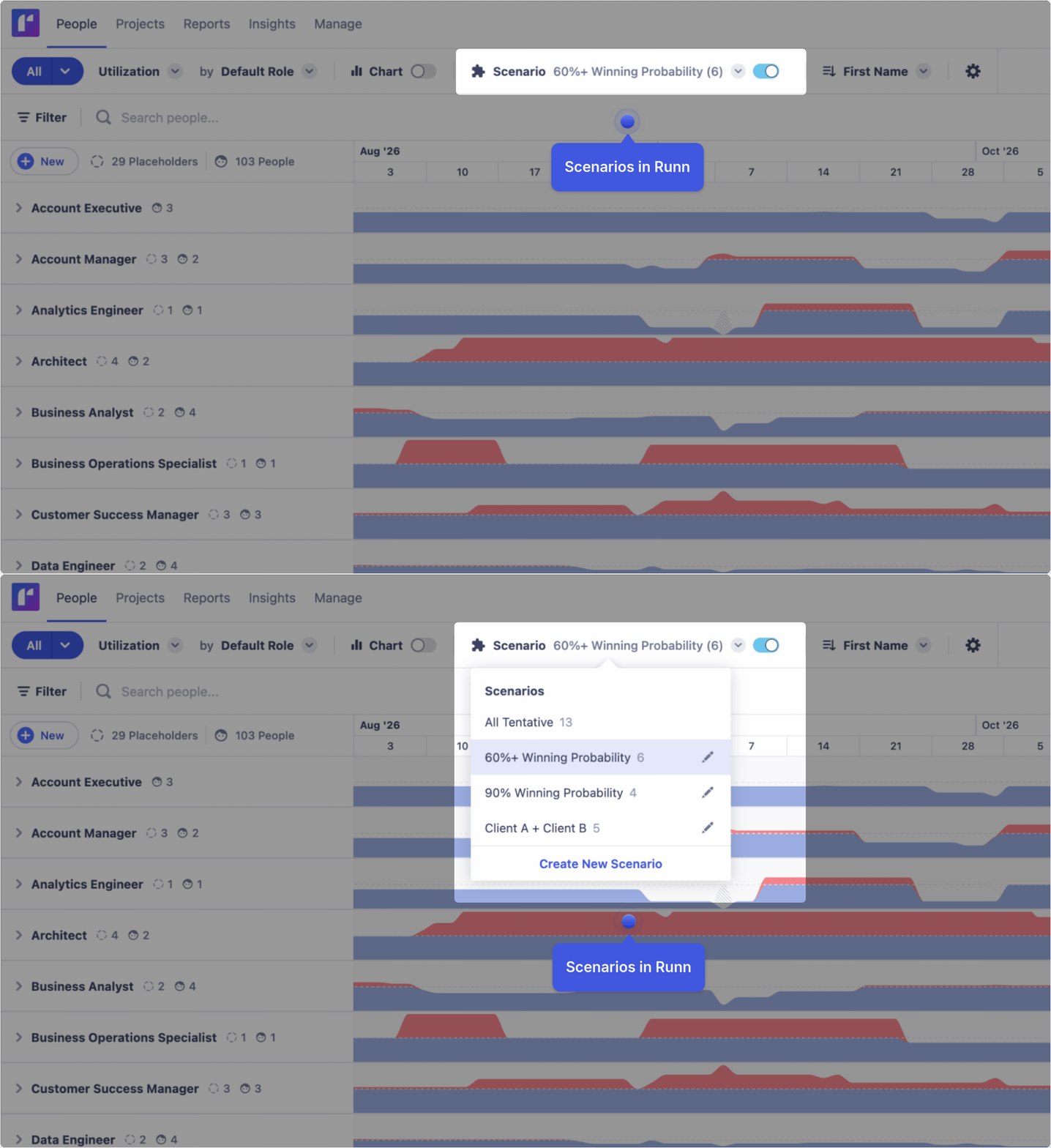
In Runn, a Scenario is a saved group of tentative projects. Teams often need different ways to look at future work, whether they’re reviewing high-confidence opportunities, high-priority projects, or demand from a strategic client. In Runn, it’s easy to compare those different views.
You might create Scenarios for:
- Opportunities with a 60%+ winning probability
- Opportunities with a 90% winning probability
- High-priority projects
- Demand from a specific client
Each group gives you a different view of demand. Instead of asking, "What does all tentative work look like?", teams can ask more specific questions:
- What if our highest-confidence opportunities move ahead?
- What if these priority projects are confirmed?
- What if this client's tentative demand becomes real?
This makes the potential impact much easier to review and understand.
Compare future work before it becomes the plan
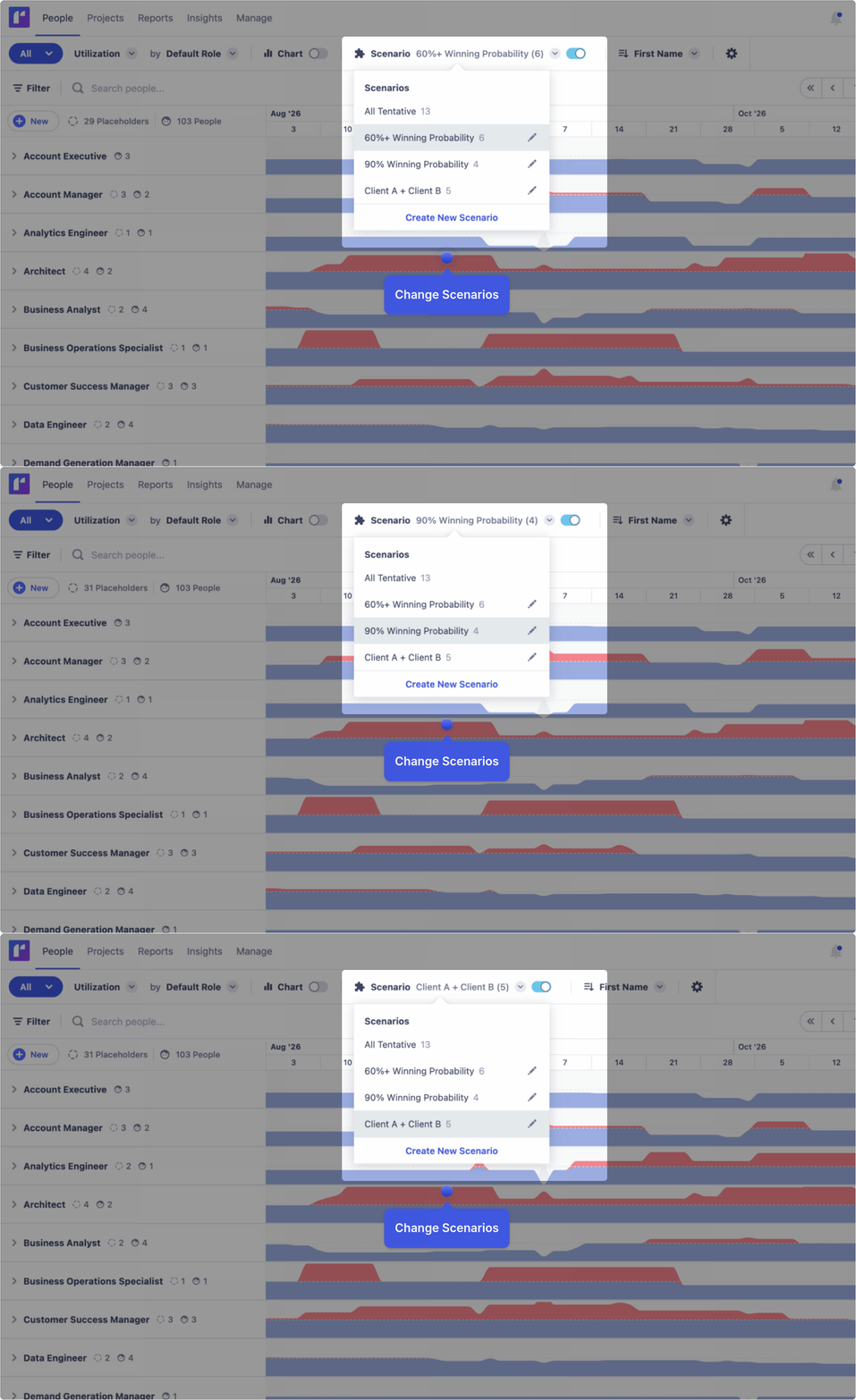
Delivery leaders can toggle Scenarios on and off to compare different outcomes without changing the confirmed plan.
The goal isn't to predict the future. When you compare different Scenarios, you can understand how the outcomes impact your team, so you can plan with confidence.
Keep Scenarios automatically aligned with the pipeline
Scenarios can also be linked to filters.
When a filter is linked to a scenario, matching tentative projects are automatically added. For example, a scenario for high-priority projects could be linked to a High Priority filter, so new matching tentative projects are included as the pipeline evolves.
Linked filters keep Scenarios automatically in sync as tentative projects change.
Link filters so matching tentative projects are automatically added to a Scenario.
Find capacity pressure across roles and teams
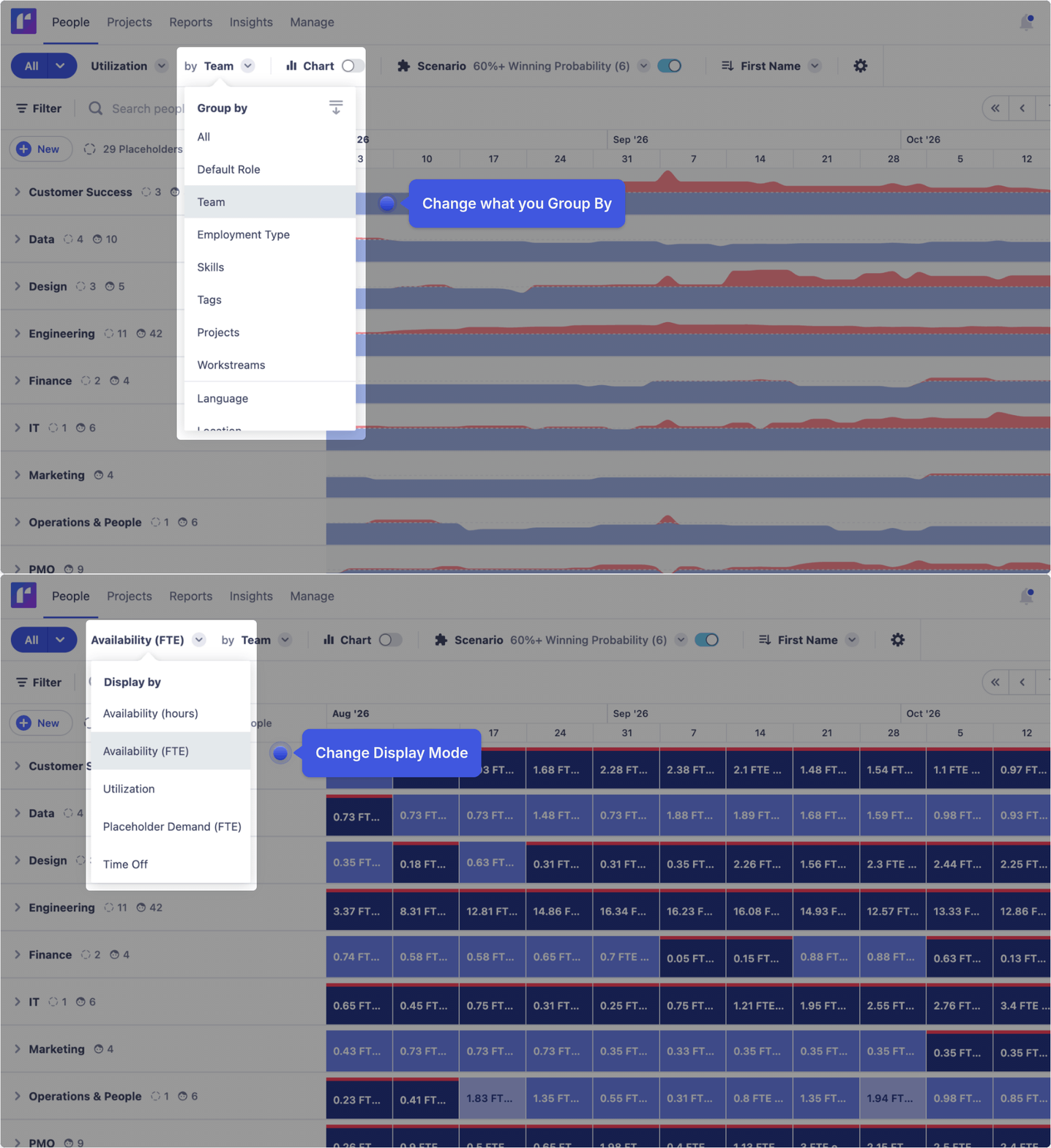
Once a Scenario is applied, teams can change how they view their people.
For example, you can switch to Availability (FTE) and group by Default Role to see which roles are most affected if the projects in that scenario move ahead.
Resource planning and capacity planning are not just about overall availability. Teams also need to understand where that availability sits: by role, team, or other dimensions.
 are not just about overall availability. Teams also need to understand where that availability sits: by role, team, or other dimensions.
One Scenario might look manageable at a high level but show pressure in a specific role. Another might affect one team more than another. By changing the view, teams can better understand where the impact shows up.
See how the impact changes over time
Charts make it easier to see how each scenario affects capacity, availability, and utilization over time.
Teams can apply Scenarios and see how different groups of tentative projects shape future planning.

Analyze future demand from different angles
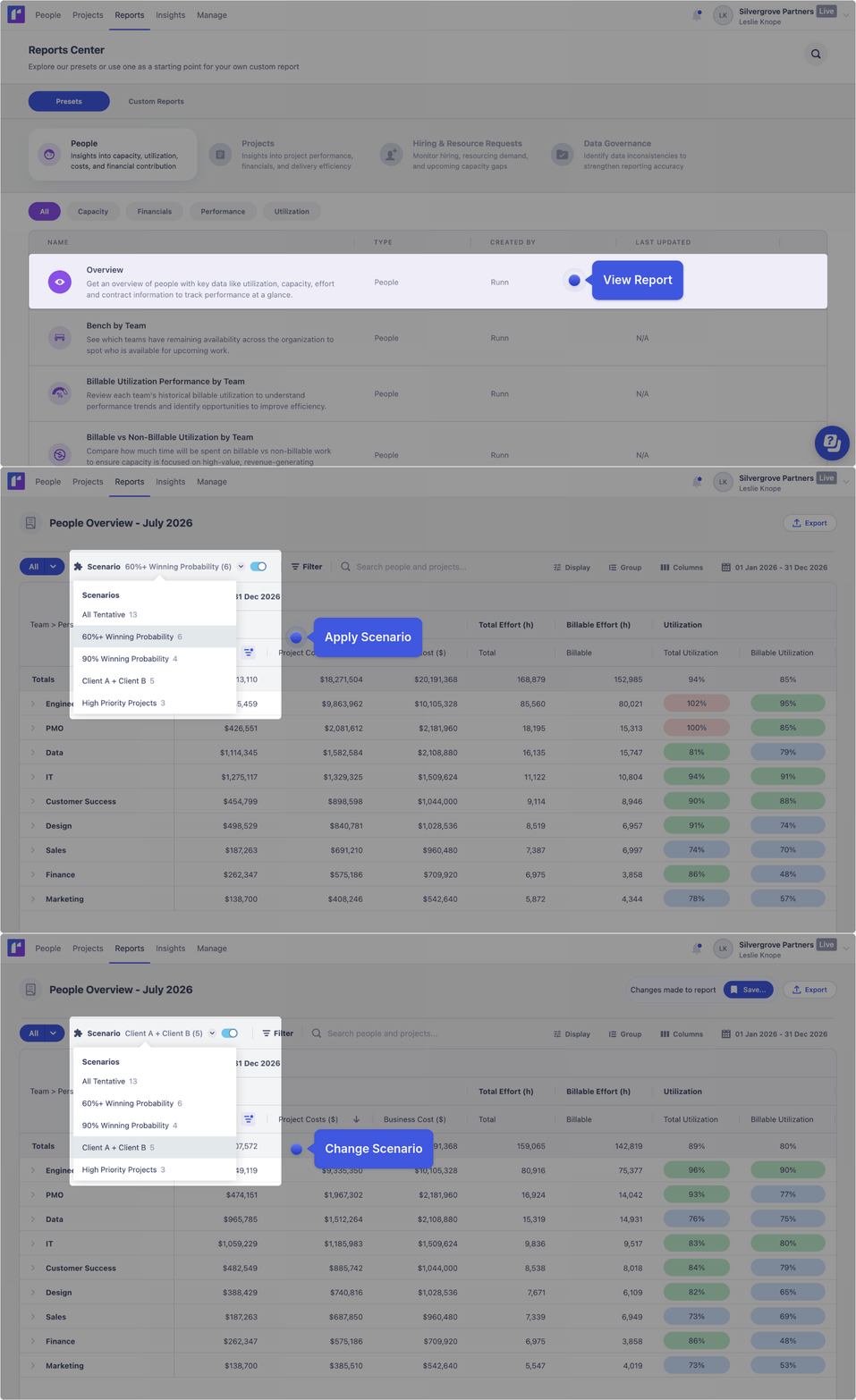
Scenarios can also be applied to reports in Runn.
This gives teams another way to analyze future demand and support resource forecasting. For example, a People Overview report can show how a selected scenario affects utilization.
For teams that use Runn to bring planning and reporting together, this helps connect tentative project groups with the metrics they already review.
Plan with confidence before work is confirmed
Scenarios help teams connect future demand with real capacity so they can make more confident project and staffing decisions. Instead of waiting for pipeline decisions to be finalized, resource managers can test likely outcomes early, identify capacity risks, and understand where additional support may be needed.
Learn more about how Runn helps technical teams plan capacity and prepare for future work by signing up for a 30-day free trial.

