


Lucid versus Visio: Vergelijking en deskundige beoordelingen voor 2026



Nobody dreams of becoming a diagram wrangler, yet here you are: weighing platforms because the last one made a simple flowchart feel like a second job. What you really want is a tool that keeps up with how your team thinks, then gets out of the way.
If you’ve ever struggled to keep messy processes clear or fought with clunky platforms, choosing the right workflow diagram software can feel overwhelming. You know Lucid and Visio are big names, but which one actually makes it easier for your team to map, share, and adapt workflows?
In this article, you’ll get a practical side-by-side comparison of the Lucid Visual Collaboration Suite and Visio—including pros and cons, use cases, pricing, security, and usability—so you can decide which tool fits your needs. I’ll break down what matters most for real teams who want to save time and reduce headaches.
Lucid vs. Visio: An Overview
Lucid
Waarom u onze softwareaanbevelingen kunt vertrouwen
Ons team test en beoordeelt software sinds 2012. Als projectmanagers weten we zelf hoe moeilijk — en belangrijk — het is om de juiste software te kiezen.
Voor deze gids hebben we tools geëvalueerd met behulp van praktijktests en onafhankelijk onderzoek, waarbij we tools beoordeelden aan de hand van onze selectiecriteria. We putten ook uit inzichten van vooraanstaande experts uit de branche en praktiserende projectmanagementprofessionals.
Onze reviews weerspiegelen ons menselijke redactionele oordeel, geen verkooppraatje.
Deskundige beoordelaars:
Lucid vs. Visio Pricing Comparison
| Lucid | Visio | |
|---|---|---|
| Free Trial | Free trial + free plan available | 30-day free trial available |
| Pricing | From $15/month (billed annually) | From $5/user/month (billed annually) |
Prijzen en verborgen kosten van Lucid versus Visio
Lucid gebruikt een abonnementsmodel met niveaus die meegroeien van individuele gebruikers tot bedrijfsabonnementen. Daarnaast biedt het een gratis abonnement voor eenvoudige diagrammen en samenwerking. Sommige van de meest geavanceerde gegevensfuncties en uitbreidingen, zoals de Process Accelerator, zijn echter voorbehouden aan Enterprise-accounts. Visio biedt zowel abonnementsplannen als een eenmalige permanente licentie, en een eenvoudige webversie is al inbegrepen bij de meeste commerciële Microsoft 365-abonnementen. Beide platforms kunnen extra kosten met zich meebrengen naarmate je team, gegevensbehoeften of diagrammen groeien.
Om de beste prijs-kwaliteitverhouding te vinden, kun je het beste de functies op een rij zetten die je dagelijks daadwerkelijk gebruikt, zoals realtime samenwerking, platformcompatibiliteit en integratiebehoeften. Neem de tijd om na te denken over de groei van je team op de lange termijn, de benodigde ondersteuning en de manier waarop elke tool in je bredere softwarestack past. Je maakt een beter onderbouwde keuze als je beide platforms eerst met de daadwerkelijke werkprocessen van je team uitprobeert voordat je een beslissing neemt.
Lucid vs. Visio Feature Comparison
| Lucid | Visio | |
|---|---|---|
| 2-Factor Authentication | ||
| API | ||
| Dashboard | ||
| Data Export | ||
| Data Import | ||
| Data Visualization | ||
| External Integrations | ||
| Multi-User | ||
| Notifications | ||
| Scheduling |
Integraties van Lucid versus Visio
| Integratie | Lucid | Visio |
|---|---|---|
| Google Workspace | ✅ | ❌ |
| Microsoft 365 | ✅ | ✅ |
| Slack | ✅ | ❌ |
| Confluence | ❌ | ✅ |
| Jira | ✅ | ❌ |
| Salesforce | ✅ | ❌ |
| Dropbox | ✅ | ❌ |
| Microsoft Teams | ✅ | ✅ |
| API | ✅ | ✅ |
| Zapier | ✅ | ❌ |
Lucid biedt via zijn marktplaats een ruime keuze aan integraties, waaronder tools voor bedrijfsarchitectuur zoals Ardoq en LeanIX, terwijl Visio zich richt op een nauwe aansluiting binnen de Microsoft-suite. Beide bieden een API, maar dankzij de grote verscheidenheid aan integraties en de MCP-server van Lucid is Lucid de duidelijke winnaar in deze categorie.
Lucid vs. Visio Beveiliging, Naleving & Betrouwbaarheid
| Factor | Lucid | Visio |
|---|---|---|
| Certificeringen | Beschikt over SOC 2 Type II-, ISO 27001- en ISO 27701-certificeringen, plus een PCI-handelaarscertificering. | Valt onder de uitgebreide compliancecertificeringen en versleuteling op ondernemingsniveau van Microsoft 365. |
| Overheid & publieke sector | FedRAMP-gecertificeerd op het niveau Moderate en IRAP-beoordeeld op het niveau PROTECTED | Beschikbaar via de overheidscloudomgevingen van Microsoft. |
| Toegangsbeheer voor gebruikers | Ondersteunt SSO, SAML en gedetailleerde deelrechten. | Integreert met Microsoft Entra ID voor strikte controle over gebruikers. |
| Gegevensprivacy | Gecertificeerd volgens de EU-VS- en Zwitsers-VS-kaders voor gegevensprivacy. | Ondersteund door de privacytoezeggingen voor ondernemingen van Microsoft. |
Beide tools bieden een sterke beveiligingsbasis, maar de compliancevoordelen van Visio zijn diep verweven met het ecosysteem van Microsoft, terwijl Lucid zelf over serieuze certificeringen beschikt—waaronder een FedRAMP-certificering en een IRAP-beoordeling die het tot een echte optie maken voor werk in de publieke sector. Mijn ervaring is dat Visio uitblinkt wanneer je complianceverhaal al via Microsoft loopt, terwijl Lucidchart opvalt door zijn flexibiliteit in uiteenlopende technologiestacks.
Lucid vs. Visio Gebruiksgemak
| Factor | Lucid | Visio |
|---|---|---|
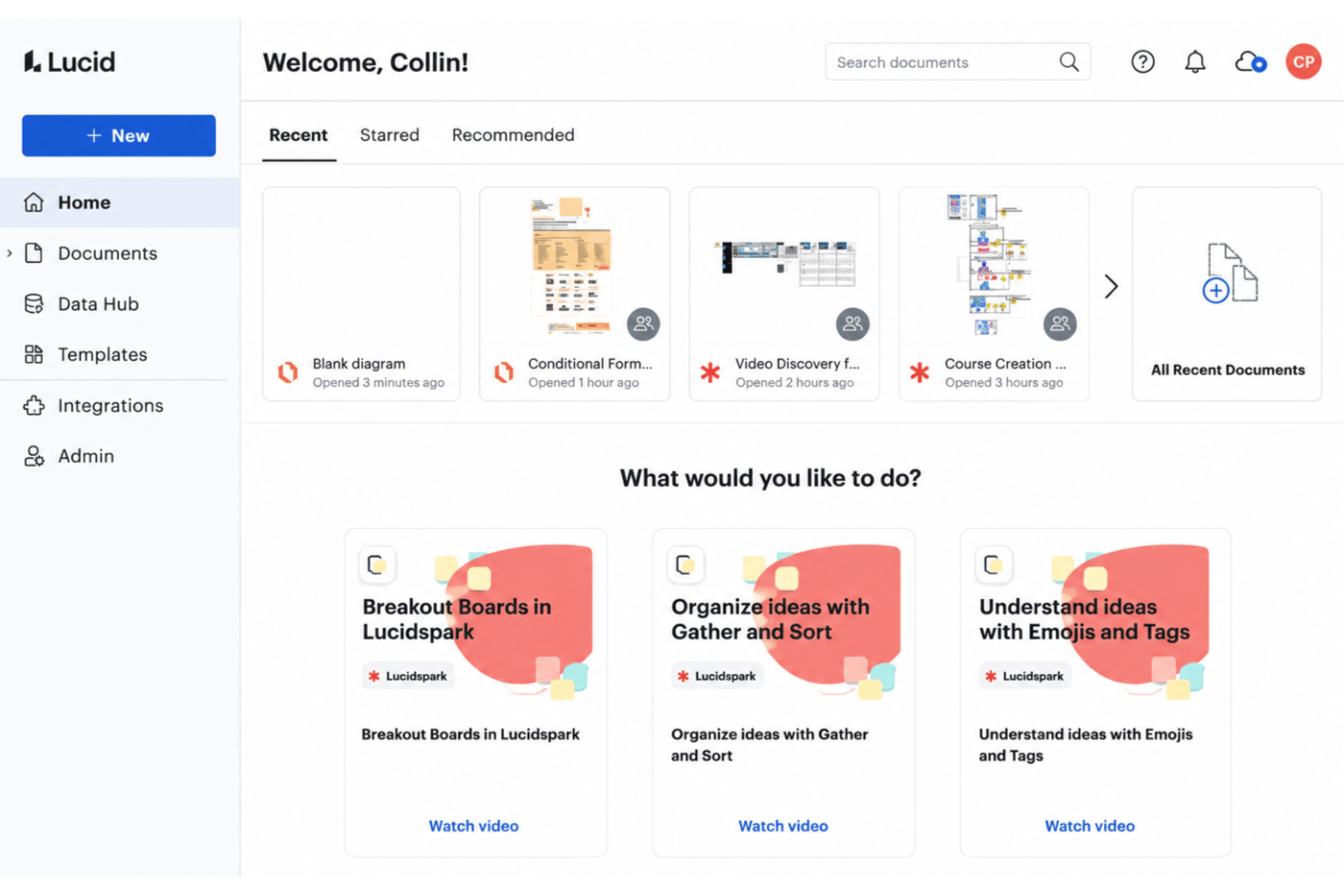
| Gebruikersinterface | Een overzichtelijke, intuïtieve indeling met bewerken via slepen en neerzetten. | Een traditionele, uitgebreide interface met meer technische menu's. |
| Introductie | Een e-mailtraject voor de introductie van elke gebruiker, plus een helpcentrum, trainingslabs en een actieve community. | Een steilere leercurve, vooral voor mensen die Microsoft Visio nog niet kennen. |
| Samenwerking | Samen in realtime bewerken en tools voor directe feedback. | Opmerkingen en delen werken het best met andere Microsoft 365-gebruikers. |
| Platformondersteuning | Volledig cloudgebaseerd—het best in een desktopbrowser, met een mobiele app die geschikt is voor bekijken en snelle opmerkingen. | Primair gericht op desktop, met een webversie die minder functies biedt. |
Lucid is veel toegankelijker voor nieuwe gebruikers en samenwerking in de cloud—elk account krijgt een e-mailtraject voor de introductie, en klanten met een ondernemingsabonnement kunnen professionele diensten toevoegen, waaronder een migratiepakket om over te stappen van concurrerende tools. Visio blinkt uit wanneer je geavanceerde functies nodig hebt en Microsoft al dagelijks gebruikt. Persoonlijk vind ik de interface en introductie van Lucid toegankelijker.
Lucid vs Visio: Pros & Cons
Lucid
- Real-time collaboration supports remote and hybrid teams well
- Advanced diagramming tools for technical and business workflows
- Version history enables easy rollback to previous states
- Tapping the full toolset means moving between Lucidchart and Lucidspark
- More advanced data features are reserved for the Enterprise plan
- Limited offline access for users without internet connection
Visio
- You can create detailed and professional-looking diagrams.
- It offers a wide range of templates and shapes.
- Your team benefits from its compatibility with Microsoft products.
- It has a steep learning curve for new users.
- You might find the interface outdated compared to competitors.
- It requires significant system resources for optimal performance.
Best Use Cases for Lucid and Visio
Lucid
- Product Management Teams Lucid enables rapid user journey mapping, roadmapping, and workflow visualization for cross-functional project work.
- Software Engineering UML diagrams, system architectures, and data flow mapping are easy to build and share with real-time collaboration.
- Enterprise IT Departments Complex process mapping, network diagrams, and documentation can be maintained at scale with admin controls and access management.
- Consulting Firms Facilitates collaborative client workshops, value stream mapping, and dynamic presentations for stakeholder alignment.
- Higher Education Offers collaborative whiteboarding for faculty and students, encouraging interactive learning and group project work.
- Large Enterprises Lucid's scalability, advanced security, and integration options match large organizations' governance and compliance requirements.
Visio
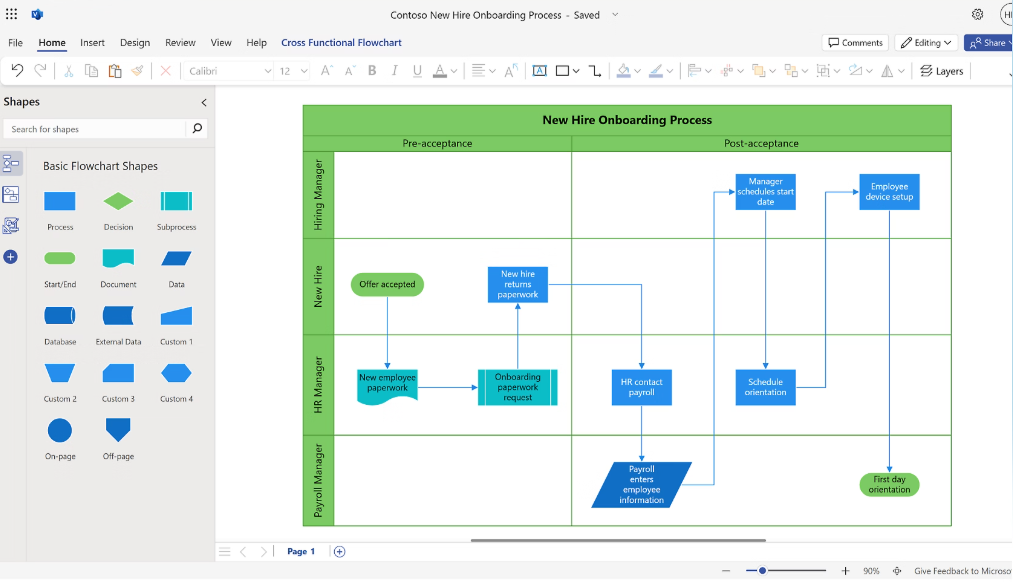

- Engineering Teams Visio offers precise diagramming tools that help your team create detailed engineering drawings.
- IT Departments It’s perfect for designing complex network diagrams, thanks to its extensive shape library.
- Project Managers You can plan projects efficiently using Visio’s project timeline and chart features.
- Architectural Firms Visio helps you draft clear architectural plans with its advanced drawing tools.
- Large Enterprises The software supports collaboration across departments, making it ideal for large-scale projects.
- Consultants Visio allows you to present complex data in a clear, visual format to your clients.
Wie moet Lucid gebruiken en wie Visio?
Lucid is de ideale keuze voor snel bewegende teams die behoefte hebben aan een eenvoudige introductie, live samenwerking en flexibele integraties, en het schaalt van individuele gebruikers tot bedrijfsaccounts—Lucid heeft meer dan 100 miljoen gebruikers in meer dan 180 landen, verspreid over softwareontwikkeling, SaaS, consultancy, onderwijs, gezondheidszorg, financiële dienstverlening en de publieke sector. Visio past bij bedrijven die al in Microsoft 365 hebben geïnvesteerd of bij ervaren gebruikers die diepgaande controle over diagrammen en integratie met IT-systemen van bedrijven willen. Ik zou Lucid aanbevelen voor startups, bureaus en verspreide teams, terwijl Visio logisch is voor grote ondernemingen met een gevestigde Microsoft-infrastructuur.
Differences Between Lucid and Visio
| Lucid | Visio | |
|---|---|---|
| Automation | Lucid AI generates and refines diagrams; the Lucid MCP server connects visuals to AI tools. | No built-in AI assistant; automation runs through the broader Microsoft ecosystem. |
| Collaboration | Real-time multi-user editing and instant feedback. | Collaboration mostly via sharing files within Microsoft 365. |
| Platform Access | 100% cloud-based and works on any device with a browser. | Primarily desktop-based, with a lighter online version. |
| Pricing Structure | Subscription model with clear tiers and flexible plans. | Subscriptions and perpetual licenses, with a lightweight web app included in most Microsoft 365 plans. |
| Visit LucidOpens new window | Read Visio ReviewOpens new window |
Similarities Between Lucid and Visio
| Data Linking | Both support data-driven diagrams, letting you connect shapes to spreadsheet data for live updates. |
|---|---|
| Diagram Templates | Both offer a wide range of built-in templates for flowcharts, org charts, and process diagrams. |
| Enterprise Compliance | Both meet modern compliance needs—like SSO, SOC 2, and advanced encryption—for enterprise teams. |
| File Export Choices | Both let you export diagrams in common formats like PDF, image files, and compatible diagram file types. |
| Visit LucidOpens new window Read Visio ReviewOpens new window | |