De 10 beste programvarene for klientadministrasjon gjennomgått i 2026

10 Beste kortliste over programvare for klienthåndtering


Programvare for klienthåndtering hjelper team med å holde seg organiserte, imøtekommende og konsekvente ved å samle klientinformasjon på ett sted, spore interaksjoner og effektivisere kommunikasjonen. Hvis du håndterer e-poster, prosjektoppdateringer og klientforventninger på tvers av ulike plattformer, kan riktig verktøy utgjøre en stor forskjell for hvor smidig klientrelasjonene dine fungerer.
Basert på praktisk testing og undersøkelser har jeg gått gjennom de beste plattformene for klienthåndtering for å fremheve verktøy som faktisk forbedrer oversikten, teamsamarbeidet og klienttilfredsheten. Fra sporing av potensielle kunder til relasjonshåndtering er disse verktøyene utviklet for å støtte både små team og virksomheter i vekst.
I denne veiledningen finner du den beste tilgjengelige programvaren for klienthåndtering – sammen med innsikt i hva hvert verktøy gjør best, og hvordan du velger det riktige for dine behov.
Why Trust Our Software Recommendations
Our team has been testing and reviewing software since 2012. As project managers ourselves, we know how difficult—and important—it is to choose the right software.
For this guide, we evaluated tools using hands-on testing and independent research, scoring tools using our selection criteria. We also draw on insights from industry thought leaders and practicing project management experts.
Our reviews reflect our human editorial judgment, not a sales pitch.
Expert reviewers:
Sammenligningstabell for programvare for klienthåndtering
Denne sammenligningstabellen oppsummerer prisdetaljene for mine beste utvalgte programmer for klienthåndtering:
| Tool | Best For | Trial Info | Price | ||
|---|---|---|---|---|---|
| 1 | Best for customizable pipelines | 14-day free trial; Free demo available | From $18/user/month | Website | |
| 2 | Best for shared inbox collaboration | 30-day free trial | From $24/user/month (billed annually) | Website | |
| 3 | Best for an all-in-one solution | 14-day free trial | From $19/month | Website | |
| 4 | Best for law firms | Free trial available | From £79/user/month | Website | |
| 5 | Best for creative professionals | 30-day free trial | From $36/month | Website | |
| 6 | Best for process automation | 14-day free trial | From $40/user/month (platform only; CRM products extra) | Website | |
| 7 | Best for sales teams | 14-day free trial | From $14/user/month (billed annually) | Website | |
| 8 | Best for client portals | Free trial + free demo available | From $39/month (billed annually) | Website | |
| 9 | Best for project management | Free plan + 14-day free trial available | From $9.99/user/month (billed annually) | Website | |
| 10 | Best for CRM and customer insights | 14-day free trial + free demo available | From $15/month (billed annually) | Website |


Anmeldelser av den beste programvaren for klienthåndtering
Nedenfor finner du mine detaljerte oppsummeringer av den beste programvaren for klienthåndtering som kom med på kortlisten min. Anmeldelsene mine gir et detaljert innblikk i de viktigste funksjonene, fordelene og ulempene, integrasjonene og de ideelle bruksområdene for hvert verktøy, slik at du kan finne det beste alternativet for deg.
Best for customizable pipelines

monday CRM is a customizable client management software designed to help you track leads, manage contacts, and oversee your entire sales pipeline. It centralizes customer data, communication, and activities in one place, making it easier to stay organized and responsive. As consultant Fred Baker notes from his own experience, “I've transitioned clients from Salesforce to Monday for simpler project tracking solutions,” highlighting how the platform can serve as an accessible alternative to more complex systems.
Why I picked monday CRM: I picked monday CRM for its focus on pipeline management, which lets you customize and manage multiple pipelines and edit stages easily. This flexibility allows you to tailor sales and communication processes to fit your unique business needs, ensuring that you can track every stage of your client interactions. Additionally, the tool offers contact and lead management features that help you organize and nurture your leads, improving your chances of converting them into clients.
Standout Features & Integrations:
Features include project tracking, which helps you keep tabs on ongoing projects and deadlines to ensure timely delivery. The tool also provides real-time dashboards that allow you to monitor client status and team performance at a glance, so you're always informed.
Integrations include NetSuite, Salesforce, HubSpot, Slack, Microsoft Dynamics CRM, Microsoft Teams, Zendesk, Jira Software Cloud, Google Sheets, Gmail, Google Drive, and Mailchimp.
Pros and Cons
Pros:
- Mobile CRM experience for on-the-go access
- Custom dashboards and client pipelines
- Automates repetitive tasks to save time
Cons:
- Limited native communication tools
- Reporting features may lack depth for some users
New Product Updates from monday CRM

monday CRM Adds Meta Conversions API Integration
monday CRM now lets you connect Meta Conversions API and sync lead status back to Meta, improving targeting and conversions via a new Meta integration automation recipe. For more information, visit monday CRM's official site.
Missive
Best for shared inbox collaboration
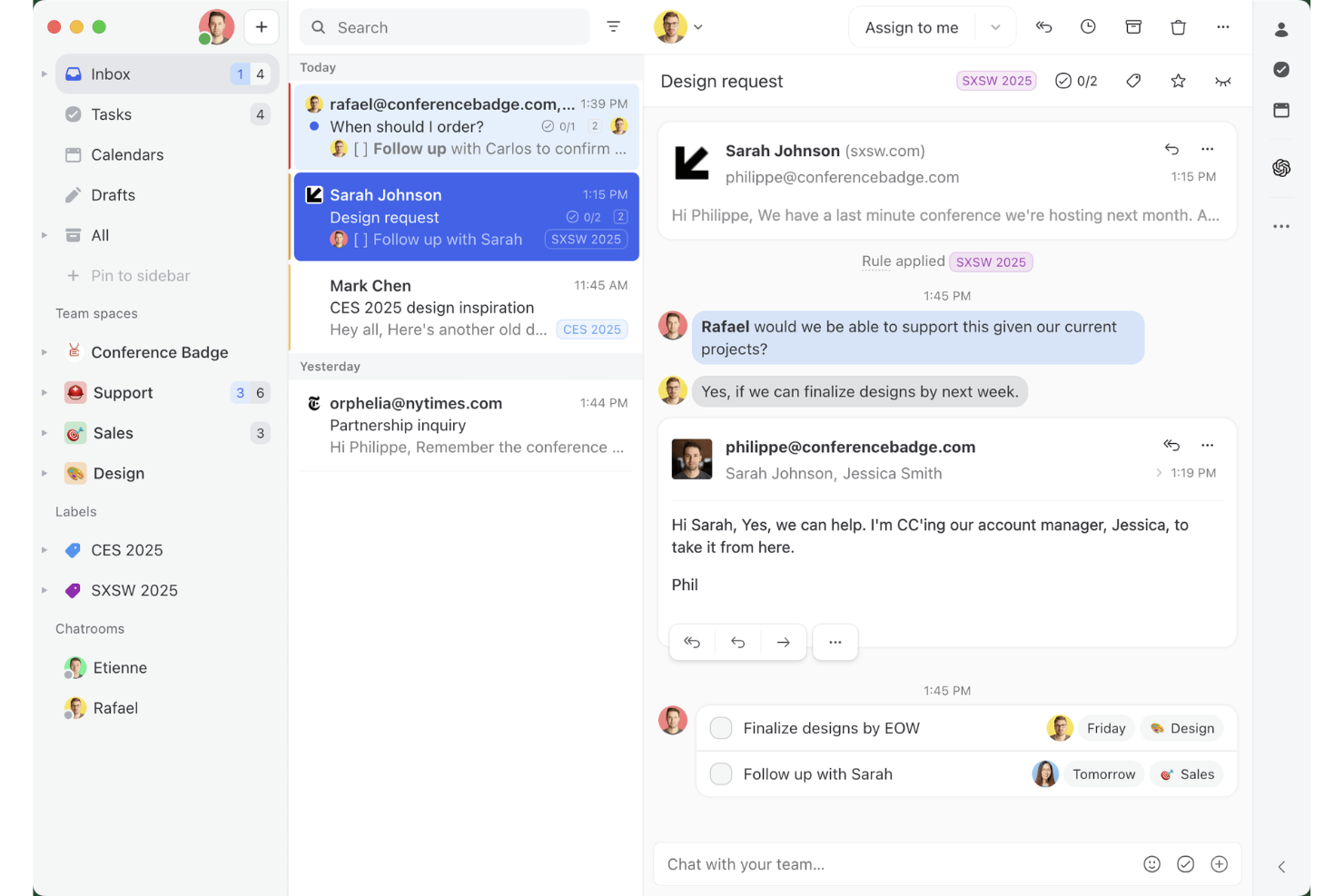
Missive is a shared inbox and team email collaboration tool that unifies email, SMS, WhatsApp, and social messaging channels into one workspace, with built-in task management, internal threads, and contact management.
Who Is Missive Best For?
Missive suits client-facing teams at agencies or service businesses that manage high volumes of multi-channel client conversations and need tighter internal coordination around those threads.
Why I Picked Missive
I've included Missive in my top picks because no other tool on this list handles shared inbox collaboration the way it does. I love that internal threads let your team talk around a client email without the client ever seeing it, and real-time collaborative drafting means two people can co-author a reply simultaneously. When a client messages across three different channels, everything lands in one workspace with a full audit trail of who touched what and when.
Missive Key Features
- Shared inbox rules engine: Automatically route, label, assign, and follow up on incoming conversations based on custom trigger conditions.
- CRM sidebar integrations: Surface client records from HubSpot, Salesforce, Pipedrive, and Close directly alongside email threadswithout switching tabs.
- Guest access for external collaborators: Invite clients or contractors into specific conversation threads at no extra seat cost.
- Multi-channel inbox consolidation: Manage email, SMS, WhatsApp, Facebook Messenger, Instagram DMs, and livechat from a single workspace.
- Missive MCP Server: Connect external AI tools (like Claude or ChatGPT) to query client management threads, check calendars, and draft replies—while keeping agent review required before sending.
Missive Integrations
Missive offers native integrations with HubSpot, Salesforce, Pipedrive, Close, Asana, ClickUp, Trello, Google Drive, Dropbox, and Shopify. It also provides an open REST API, supports Zapier, and includes its new MCP Server on Productive and Business plans (requires admin activation).
Pros and Cons
Pros:
- Real-time team drafting on every channel
- Internal threads let teams discuss client emails privately
- Unifies email, SMS, and social messages
Cons:
- Lacks billing, invoicing, and client onboarding tools
- No client portal or project dashboards
New Product Updates from Missive
Missive Adds Conversation Pins
Missive now lets you pin key links, decisions, and notes inside a conversation, keeping them accessible in a dedicated Pins section in the Details sidebar. For more information, visit Missive's official site.
 .
.
Best for an all-in-one solution

Suitedash is an all-in-one client management platform designed for businesses that need to manage projects, invoicing, and client communication in one place. It's ideal for small-to-medium-sized businesses looking for comprehensive functionality without the need for multiple tools.
Why I picked Suitedash: Suitedash combines project management, CRM, and invoicing into a single platform, making it a versatile choice for businesses. You can manage client interactions, track project progress, and handle billing seamlessly. The platform is also customizable, allowing you to tailor it to your specific business needs. Furthermore, its all-in-one approach reduces the need for multiple subscriptions, which saves you time and money.
Standout Features & Integrations:
Features include a client portal that simplifies communication and collaboration with clients. The invoicing tool allows you to create and send invoices directly from the platform, streamlining your billing process. The software’s project management features can additionally help you keep track of tasks, deadlines, and team responsibilities.
Integrations include QuickBooks, Stripe, PayPal, Zapier, Google Calendar, Braintree, WordPress, Zoom, Twilio, and Authorize.Net.
Pros and Cons
Pros:
- Reduces need for multiple tools
- Customizable features
- Versatile project tools
Cons:
- Limited advanced features
- Complex initial setup

Clio
Best for law firms
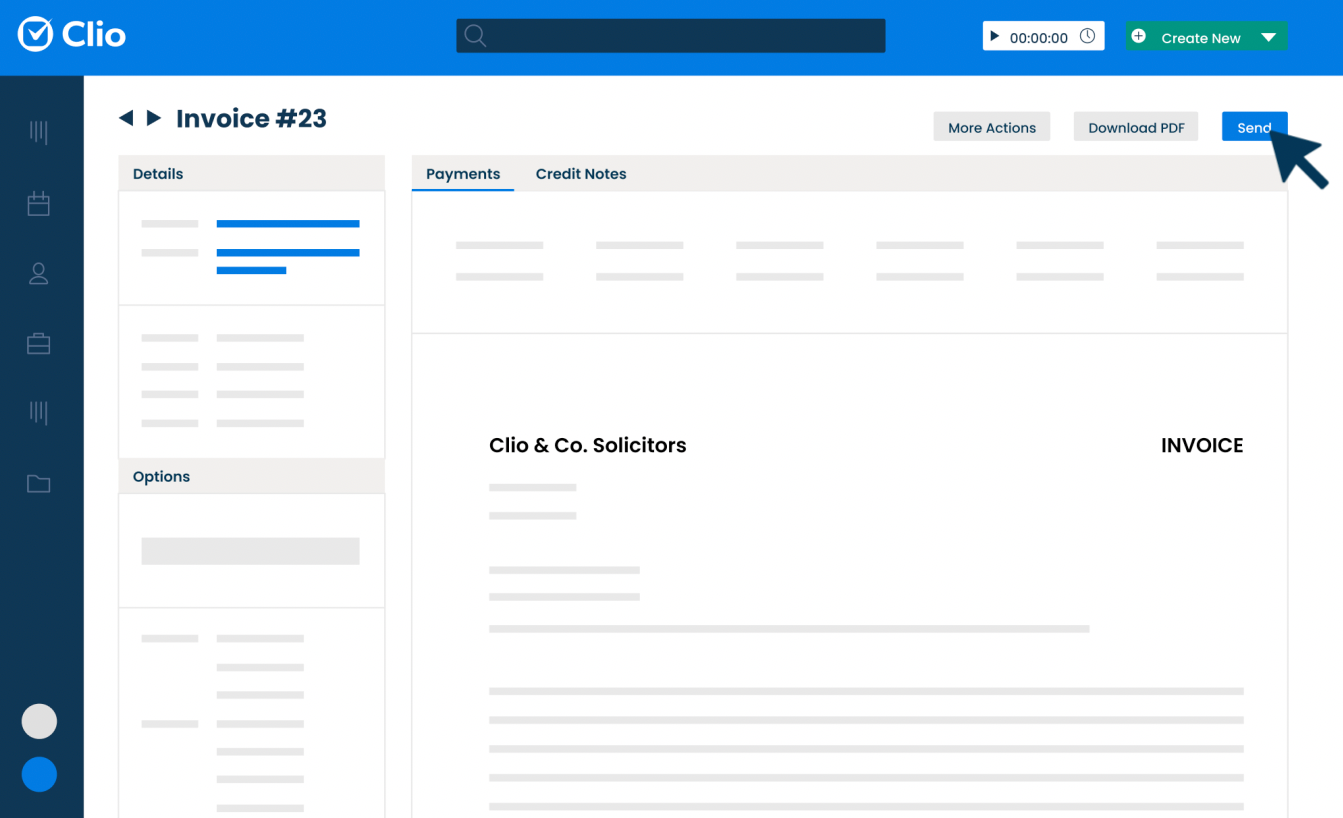
Clio is a cloud-based software platform built to support the everyday operations of legal practices. It helps professionals organize their cases, manage client communications, and handle administrative tasks like billing and scheduling. For attorneys like Mark Chatow, who has relied on Clio for more than a decade to run his practice, the platform has proven indispensable: “I've used Clio for 10+ years and they are phenomenal at anticipating what attorneys need and adding it—usually at no additional cost. From client intake to document automation to payment processing, and from smart court rule calendaring to integration with InfoTrack, Clio does it all—with a user-friendly interface and outstanding customer service.”
Why I picked Clio: Clio is made specifically for legal professionals, so everything is built around how a law office works. You can track time directly from case files, manage documents within specific matters, and send invoices that match legal billing formats. Clio Grow helps you handle client intake, while Clio Manage keeps ongoing casework organized. Furthermore, if you need to stay compliant or follow industry billing codes, the system is set up for that too.
Standout Features & Integrations:
Features include task management tools that let you assign and monitor case-related work, built-in calendars to keep track of court dates and meetings, and document automation tools so you can generate standard legal documents faster. You can also log phone calls and emails directly into client records. There’s an option to collect e-signatures through the platform as well.
Integrations include Microsoft 365, Google Workspace, QuickBooks Online, Dropbox, Zoom, Fastcase, DocuSign, LawPay, NetDocuments, and Albato.
Pros and Cons
Pros:
- Mobile app available
- Effective document management
- Strong compliance support
Cons:
- Complex for first-time users
- Can be pricey for small firms

Best for creative professionals

Honeybook is a client management platform designed for creative entrepreneurs and freelancers. It manages projects, contracts, and payments to help you focus on your craft. For small business owners like Madisen Saglibene, who has run her catering company with HoneyBook for over five years, the platform has been transformative: “HoneyBook’s evolving AI features have been a game changer…helping to keep me organized, saving time, and giving my clients the experience they deserve they honestly may not have gotten from me as a small business otherwise.”
Why I picked Honeybook: Honeybook is tailored for creative professionals, making it easy to manage the business side of your projects. You can send proposals, manage contracts, and handle invoices all in one place. Its user-friendly interface saves you time, allowing you to focus on your creative work. The automation of administrative tasks also makes it a valuable, time-saving tool for artists and freelancers.
Standout Features & Integrations:
Features include customizable templates that allow you to create branded proposals and contracts quickly. The client portal also provides a central place for your clients to view and interact with project details. Additionally, the time-tracking feature helps you keep track of billable hours and manage your time effectively.
Integrations include QuickBooks, Calendly, Zapier, Meta Leads, Pic-Time, Zoom, Prismm, and Canva.
Pros and Cons
Pros:
- Time-tracking feature
- Client portal available
- Customizable templates
Cons:
- Limited scalability for large teams
- Can be complex for beginners

Creatio
Best for process automation

Creatio is a platform that combines customer relationship tools with low-code technology to help businesses automate workflows and manage operations across departments. It’s built for teams looking to run both customer-facing and internal processes from a single system.
Why I picked Creatio: Creatio gives your team a way to automate both client interactions and behind-the-scenes workflows without writing code. You can use visual editors to set up process flows, manage pipelines, and build dashboards to track performance. The system connects customer data with tasks, approvals, and follow-ups so nothing gets missed. Its low-code studio lets you create apps to handle more complex or unique workflows. That flexibility makes it easier to manage long or layered client journeys.
Standout Features & Integrations:
Features include a dynamic case management tool that adjusts workflows based on client needs, analytics dashboards you can build with drag-and-drop tools, and a business rule designer that lets you set conditions to trigger actions. There’s also a mobile app builder so your team can create tools for field or remote work.
Integrations include OneLogin, Google Calendar, Microsoft 365, Webitel, Asterisk, Cisco Finesse, TAPI, CallWay, Infinity, and Avaya.
Pros and Cons
Pros:
- Handles both internal and client work
- Good support for layered automation
- Low-code platform for customization
Cons:
- Setup needs strong planning upfront
- Performance can slow under heavy use

Best for sales teams

Less Annoying CRM is a simple client management tool designed for small teams. It helps manage contacts, track leads, and organize tasks in a user-friendly way.
Why I picked Less Annoying CRM: Less Annoying CRM is designed with simplicity in mind, making it easy for you and your team to learn and use without needing a lot of training. You can manage contacts, schedule tasks, and keep notes all in one place. The platform also offers team permissions, so each user sees only what they need. This helps small teams stay organized without getting overwhelmed.
Standout Features & Integrations:
Features include easy contact management with a simple interface that lets you track all your leads and clients. You can customize your pipeline to fit your sales process, helping you stay organized. The calendar integration also allows you to sync tasks and appointments, keeping your schedule in one place.
Integrations include Mailchimp, Google Calendar, Outlook Calendar, Zapier, Simplii, JustCall, Calendly, Google Contacts, Nusii, and Crankwheel.
Pros and Cons
Pros:
- Customizable sales stages
- Supports goal setting
Cons:
- Limited marketing automation features
- Deal stages aren’t always flexible

Assembly
Best for client portals

Copilot is a client portal software designed for tech-enabled service businesses like accounting firms, marketing agencies, and freelancers. It focuses on secure messaging, file sharing, invoicing, and forms to enhance client experience.
The platform’s flexibility has also proven valuable outside of these traditional sectors. For example, Miguel Angel Gongora Meza, Founder & Director of Evolution Treks Peru, shared how Copilot streamlined his tourism business: “In tourism, I needed to discover something that would enable me to work with complex schedules, quick changeover, local payments and group management of guides, porters, and cooks. Copilot was a success with us since it allowed our guests a clean view of what was important while we were able to manage more complex information behind the scenes. We store PDF park permits on it, load maps of the hiking tracks, and get updates without flooding other people with notifications.”
Why I picked Copilot: Copilot is tailored for businesses needing a customizable client portal. You get features like a CRM, notification center, and automation capabilities, which help consolidate your tech stack. The platform’s white-label option also ensures you can create a branded client portal experience.
Standout Features & Integrations:
Features include a secure messaging system that keeps communication private and organized. The invoicing feature lets you manage billing directly within the portal, which reduces the need for separate tools. Automation capabilities can additionally help you save time by streamlining repetitive tasks.
Integrations include Airtable, Calendly, QuickBooks, Google Docs, Databox, ClickUp, Jotform, Notion, monday.com, and Loom.
Pros and Cons
Pros:
- Enhances client communication
- White-label options
- Customizable client portal
Cons:
- Initial configuration complexity
- Limited out-of-the-box templates

Best for project management

Teamwork.com is a project management platform built to help teams plan, track, and deliver client work. It’s used by service-based businesses to manage everything from tasks and deadlines to resources and billing. For Celina Moreno, Owner and CEO of Luna Marketing Services, Teamwork.com stood out for how it enhanced collaboration with clients: “Teamwork is a comprehensive tool: not only because of its client management capabilities, but also due to its versatility and completeness. We appreciated the fact that it allowed us to involve our clients in the projects, which made communication more streamlined and accessible for all our team members.”
Why I picked Teamwork.com: Teamwork.com is built to support project-heavy teams that work with clients on a regular basis. You can manage client projects across timelines, assign tasks, and track workloads in real time. The platform also includes budgeting tools so you can monitor billable hours and project profitability. Time tracking is also built in, which makes it easier to report on client work. Everything connects back to helping your team deliver projects on time and within budget.
Standout Features & Integrations:
Features include built-in templates that help your team launch repeatable projects faster, a client-facing dashboard so your clients can follow along with progress, and resource management tools to balance workloads. You can use portfolio views to get a big-picture look at ongoing projects. The platform also offers a built-in document editor for real-time collaboration.
Integrations include Slack, Microsoft Teams, Google Calendar, Dropbox, HubSpot, QuickBooks Online, OneDrive, Harvest, Xero, and Zapier.
Pros and Cons
Pros:
- Portfolio views help manage multiple clients
- Easy to copy and reuse project templates
- Supports large teams
Cons:
- Hard to manage recurring tasks efficiently
- Needs better bulk editing tools

Best for CRM and customer insights

ActiveCampaign is a versatile platform that combines marketing automation, CRM, and AI capabilities to enhance client management. It offers tools designed to help businesses engage with their audience across multiple channels, making it a valuable asset for managing customer relationships.
Why I Picked
I picked ActiveCampaign for its robust CRM features that facilitate effective relationship management and customer interactions. The platform's CRM allows you to track customer activity, manage contacts, and gain valuable insights into customer behavior, which is crucial for maintaining strong client relationships. Additionally, its marketing automation capabilities allow you to automate customer journeys, ensuring timely and relevant communications without the manual effort.
Another reason I chose ActiveCampaign is its advanced analytics and reporting tools. These tools provide insights into your marketing strategies' effectiveness, helping you make informed decisions and tailor your approach to meet client needs. By offering detailed reports and trends, ActiveCampaign ensures you have the data needed to optimize your interactions and drive client satisfaction.
Standout Features - Descriptive Format
Features include active intelligence, which leverages AI to enhance decision-making and optimize content creation. The platform also offers cross-channel automation, allowing you to engage with customers through SMS, WhatsApp, and social messaging, ensuring your communications reach clients where they are most active. Additionally, ActiveCampaign provides a powerful automation engine that supports complex workflows and precise targeting, allowing you to tailor interactions based on individual client preferences and behaviors.
Integrations
Integrations include Google Ads, Google Sheets, Calendly, Slack, Square, Typeform, Zapier, Make, Shopify, WooCommerce, Stripe, Mindbody, and Clay.
Pros and Cons
Pros:
- Native predictive and machine-learning features tied into the CRM pipeline
- Highly granular behaviour and tagging based segmentation
- Tight sales and marketing crossover
Cons:
- Automation over-complexity can undercut clarity
- CRM functionality is not as deep as CRM-only platforms
Annen programvare for klienthåndtering
Her er noen flere systemer for klienthåndtering som ikke kom med på kortlisten min, men som likevel er verdt å undersøke:
- Insightly
For integrations
- Odoo
For lead management
- CiviCRM
For non-profits
- Lone Wolf Relationships
For real estate agents
- Less Annoying CRM
For small teams
- Salesforce CRM
For comprehensive client profiles
- Zoho CRM
For versatile client relationship management
- monday.com
For task assignment
- ClickUp
For task management integration
- Zendesk
For customer support teams


How I Evaluate Client Management Software
I evaluate client management tools in two layers: the baseline must-haves—client portals, project-linked billing, intake workflows—and the differentiators that set top picks apart.
Core Functionality (Table Stakes For This List)
When I'm selecting tools for my list, I rank each one on a scale from 0 (does not offer the functionality) to 5 (excels in this area) for each core functionality listed below. Then, I calculate the tool's total score into a percentage. Each tool needs to achieve a minimum total score of 65% to be considered for inclusion.
- Client Database & Profiles: I look for centralized client records with custom fields, tags, and activity timelines—so you can pull up a client and see every project, note, and interaction in one place.
- Project-Client Linking: Each tool should connect clients to their projects, tasks, and deliverables. I check whether you can view all active engagements for a single client from one dashboard.
- Client Portal & Collaboration: I evaluate whether clients get a dedicated space to review deliverables, leave feedback, and approve work without needing to dig through email threads.
- Communication Tracking: Tools should log emails, meetings, and messages against client records automatically. I look at whether platforms sync with Gmail or Outlook to capture conversations.
- Billing & Invoicing: I check for invoicing tied to tracked time and project milestones—like converting logged hours on a retainer project directly into an invoice for the client.
- Onboarding & Intake Workflows: Good onboarding tools let you build repeatable intake sequences with forms, welcome emails, and task triggers that kick off every time you sign a new client.
Once I have a list of tools that meet this criteria, I consider what sets each platform apart.
Differentiating Factors (What Sets Vendors Apart)
Here's how I compare and contrast different vendors:
Standout Features
White-label branding is a big differentiator—agencies that present a branded client portal build more trust than those sending generic login links. I also look for built-in e-signature and contract workflows, which let you move from proposal to signed agreement without bouncing clients to a separate tool. Automated client reporting matters just as much. The strongest tools let you schedule branded progress reports that pull live project data, saving you from manually building slide decks every week.
Beyond Features
Integrations matter more than most buyers realize—I check whether a tool connects natively with the project management and accounting platforms your team already uses, like Jira, Asana, QuickBooks, or Xero. Pricing structure is equally important. Some vendors charge per client seat, which gets expensive fast when you're managing dozens of accounts. I also evaluate industry fit, since a tool built for creative agencies often handles retainer workflows differently than one designed for consulting firms.
Slik velger du programvare for klienthåndtering
Det er lett å gå seg vill i lange funksjonslister og kompliserte prisstrukturer. For å hjelpe deg med å holde fokus mens du går gjennom den unike prosessen din for valg av programvare, får du her en sjekkliste over faktorer du bør ha i bakhodet:
| Faktor | Hva du bør vurdere |
| Skalerbarhet | Forsikre deg om at programvaren kan vokse med virksomheten din. Vurder om den kan håndtere flere klienter, brukere og mer data etter hvert som teamet ditt utvides. |
| Integrasjoner | Kontroller om programvaren kobles til verktøyene teamet ditt allerede bruker, for eksempel e-postplattformer, kalendere og sosiale medier. |
| Tilpasningsmuligheter | Se etter alternativer for å tilpasse programvaren til prosessene dine. Dette kan omfatte egendefinerte felt, oversikter eller arbeidsflyter. |
| Brukervennlighet | Vurder om teamet ditt raskt kan lære seg og navigere i programvaren. Et brukervennlig grensesnitt sparer tid og reduserer frustrasjon. |
| Budsjett | Vurder kostnaden opp mot budsjettet ditt. Se etter skjulte gebyrer eller trinnvis prising som kan påvirke den totale investeringen. |
| Sikkerhetstiltak | Kontroller at programvaren har sterke sikkerhetstiltak, for eksempel datakryptering og brukerautentisering, for å beskytte klientinformasjon. |
| Brukerstøtte | Vurder tilgjengeligheten og kvaliteten på kundestøtten. Pålitelig brukerstøtte kan være avgjørende under implementering og feilsøking. |
| Funksjoner | Identifiser hvilke funksjoner som er avgjørende for teamets suksess, for eksempel rapporteringsverktøy, automatisering eller mobiltilgang, og sørg for at de dekker behovene deres. |
Trender innen programvare for klientadministrasjon
I undersøkelsen min hentet jeg inn utallige produktoppdateringer, pressemeldinger og lanseringslogger fra ulike leverandører av programvare for klientadministrasjon. Her er noen av de fremvoksende trendene jeg følger med på:
- KI-drevne innsikter: KI brukes til å analysere klientdata og forutsi trender, slik at virksomheter kan ta informerte beslutninger. Noen leverandører tilbyr KI-drevne anbefalinger for å forbedre klientrelasjoner eller optimalisere salgsstrategier.
- Funksjoner for talekommandoer: Talekommandoer blir stadig mer populære, siden de lar brukere samhandle med programvaren uten å bruke hendene. Dette er spesielt nyttig når brukerne utfører flere oppgaver samtidig eller er på farten.
- Verktøy for fjernsamarbeid: Etter hvert som fjernarbeid blir vanligere, øker etterspørselen etter verktøy som forbedrer virtuelt teamsamarbeid. Funksjoner som delte arbeidsområder og integrasjoner for videokonferanser blir derfor stadig viktigere.
- Selvbetjeningsportaler for klienter: Flere programvarer tilbyr nå portaler der klienter kan få tilgang til informasjonen sin, gjøre oppdateringer og kommunisere direkte med virksomheter. Denne trenden gir klientene større kontroll og reduserer arbeidsbelastningen for medarbeidere i kundeservice.
- Verktøy for datavisualisering: Visuelle oversikter og rapporteringsverktøy utvikler seg for å gi tydeligere innsikt i kundeinteraksjoner og salgsdata. Leverandørene fokuserer på å gjøre data mer tilgjengelige og handlingsrettede gjennom intuitive visualiseringer.
Hva er programvare for klientadministrasjon?
Programvare for klientadministrasjon er et verktøy som hjelper virksomheter med å spore, organisere og optimalisere samhandlingen med nåværende og potensielle klienter.
Den brukes av salgs-, kundestøtte- og kundeansvarlige team, sentraliserer kontaktopplysninger, planlegger oppgaver og gir innsikt som kan forbedre klientkommunikasjon, klientintroduksjon og tilfredshet. Disse verktøyene effektiviserer relasjonsadministrasjon, forbedrer teameffektiviteten og støtter datadrevet beslutningstaking.
Funksjoner i programvare for klientadministrasjon
Når du velger programvare for klientadministrasjon, bør du se etter følgende nøkkelfunksjoner:
- Kontakt- og ressursadministrasjon for klienter: Organiser og lagre klientinformasjon for å holde oversikt over interaksjoner og bygge bedre relasjoner.
- Oppgaveplanlegging: Planlegg og tildel oppgaver for å sikre oppfølging i tide og effektiv arbeidsflytstyring.
- Datavisualisering: Bruk visuelle oversikter for å få innsikt i klientinteraksjoner og salgsresultater.
- Selvbetjeningsportaler for klienter: La klienter få tilgang til og oppdatere informasjonen sin, slik at arbeidsbelastningen for teamet ditt reduseres.
- Automatisering av e-postmarkedsføring: Automatiser e-postkampanjer for å nå klienter med personlig tilpassede meldinger og forbedre engasjementet.
- Poengsetting av potensielle kunder: Prioriter potensielle kunder basert på sannsynligheten for at de konverterer, slik at teamet ditt kan fokusere på de mest lovende mulighetene.
- Tilpassbare oversikter: Tilpass grensesnittet slik at det passer til virksomhetens unike prosesser og preferanser.
- KI-drevne innsikter: Utnytt KI til å analysere data og gi handlingsrettede anbefalinger for å forbedre klientrelasjoner.
- Verktøy for fjernsamarbeid: Legg til rette for samarbeid med funksjoner som støtter virtuell kommunikasjon og prosjektstyring.
Vanlige KI-funksjoner i programvare for klientadministrasjon
Moderne programvare for klienthåndtering inkluderer ofte AI-drevne funksjoner som er utviklet for å øke produktiviteten og forbedre klientrelasjoner. Her er noen vanlige AI-funksjoner du bør se etter:
- Automatisert dataregistrering: AI kan skanne e-poster, skjemaer og dokumenter for automatisk å oppdatere klientoppføringer, slik at du sparer tid på manuell registrering.
- Smarte påminnelser og planlegging: Intelligente assistenter kan foreslå optimale møtetidspunkter, sende automatiske oppfølgingspåminnelser og bidra til å forhindre planleggingskonflikter.
- Prediktiv analyse: AI analyserer klientinteraksjoner og -atferd for å forutsi hvilke klienter som kan trenge oppmerksomhet, slik at du kan prioritere oppfølging og forbedre kundelojaliteten.
- Sentimentanalyse: AI-verktøy kan vurdere tonen i klienters e-poster eller meldinger og varsle deg om presserende bekymringer eller muligheter for å øke tilfredsheten.
- Personlig tilpasset kommunikasjon: Generer skreddersydde e-postmaler og svar basert på klientens historikk og preferanser, slik at oppfølgingen din blir mer relevant og engasjerende.
- Poengsetting av potensielle kunder: AI evaluerer potensielle klienter og rangerer dem basert på sannsynligheten for konvertering, slik at du kan konsentrere innsatsen der den vil ha størst effekt.
- Automatiserte arbeidsflyter: Sett opp AI-drevne automatiseringer som utløser oppgaver, tildeler teammedlemmer eller flytter klienter gjennom salgspipelinen basert på handlingene eller statusen deres.
- Chatboter og virtuelle assistenter: Gi umiddelbar støtte og svar på klienthenvendelser, også utenom åpningstidene, og forbedre responstiden og klientopplevelsen.
Fordeler med programvare for klienthåndtering
Implementering av programvare for klienthåndtering gir flere fordeler for teamet og virksomheten din. Her er noen av fordelene du kan se frem til:
- Forbedrede klientrelasjoner: Hold alle klientinteraksjoner organisert og tilgjengelige, slik at det blir enklere å bygge og opprettholde sterke relasjoner.
- Økt effektivitet: Automatiser repetitive oppgaver som e-postmarkedsføring og oppfølging, slik at du frigjør tid til viktigere arbeid.
- Bedre beslutningstaking: Bruk datavisualisering og AI-drevet innsikt til å ta informerte valg basert på sanntidsdata.
- Forbedret samarbeid: Verktøy for fjernsamarbeid og delte oversikter hjelper teamet med å arbeide effektivt sammen, uansett hvor de befinner seg.
- Prioriterte salgsinnsatser: Poengsetting av potensielle kunder hjelper teamet med å fokusere på potensielle kunder med stort potensial, noe som forbedrer konverteringsratene.
- Redusert arbeidsbelastning: Selvbetjeningsportaler for klienter gir klientene mulighet til å administrere sin egen informasjon, noe som reduserer belastningen på kundestøtteteamet.
- Personlig tilpasset kommunikasjon: E-postautomatisering gjør det mulig å sende målrettede meldinger som treffer hver enkelt klient, noe som forbedrer engasjementet.
Kostnader og priser for programvare for klienthåndtering
Valg av programvare for klienthåndtering krever en forståelse av de ulike prismodellene og abonnementene som er tilgjengelige. Kostnadene varierer fra gratis verktøy for klienthåndtering til hundrevis av dollar i måneden, basert på funksjoner, teamstørrelse, tillegg og mer. Tabellen nedenfor oppsummerer vanlige abonnementer, gjennomsnittsprisene deres og typiske funksjoner som er inkludert i programvareløsninger for klienthåndtering:
Sammenligningstabell for abonnementer for programvare for klienthåndtering
| Abonnementstype | Gjennomsnittspris | Vanlige funksjoner |
| Gratisabonnement | $0 | Grunnleggende kontaktadministrasjon, begrenset kundestøtte og e-postintegrasjon. |
| Personlig abonnement | $5-$25/bruker/måned | Avansert kontaktadministrasjon, oppgaveplanlegging og grunnleggende rapporteringsverktøy. |
| Forretningsabonnement | $30-$60/bruker/måned | Fullstendige CRM-funksjoner, automatiseringsfunksjoner og tilpassede oversikter. |
| Virksomhetsabonnement | $70-$150/bruker/måned | Avansert analyse, AI-drevet innsikt, forbedrede sikkerhetstiltak og prioritert kundestøtte. |
Vanlige spørsmål om programvare for klientadministrasjon
Her er noen svar på vanlige spørsmål om programvare for klientadministrasjon:
Hvordan kan programvare for klientadministrasjon hjelpe meg med å holde oversikt over klientkommunikasjon på en enklere måte?
Programvare for klientadministrasjon samler e-poster, samtaler, møtenotater og annen kommunikasjon for hver klient på ett sted, slik at du kan se hele historikken samlet. Dette gjør det enklere å unngå å gå glipp av meldinger eller gjenta samtaler. Mange plattformer tilbyr også sanntidsvarsler om ny aktivitet – for eksempel åpnede e-poster eller signerte dokumenter – slik at du alltid har de nyeste oppdateringene lett tilgjengelig uten å måtte lete gjennom flere verktøy.
Hva er eksempler på programvare for klientadministrasjon?
Noen populære eksempler på programvare for klientadministrasjon for kundeansvarlige er HubSpot CRM, Salesforce, Zoho CRM, Microsoft Dynamics 365 og Less Annoying CRM. Alle disse verktøyene hjelper deg med å organisere klientinformasjon, følge opp kommunikasjon, administrere oppfølginger og automatisere daglige oppgaver. Noen plattformer tilbyr også rapportering, deling av dokumenter og integrasjon med e-post- og kalenderapper for å øke effektiviteten.
Kan programvare for klientadministrasjon integreres med verktøy jeg allerede bruker, for eksempel e-post- eller regnskapsplattformer?
Ja. De fleste plattformer for klientadministrasjon kan integreres med populære verktøy som Gmail, Outlook, Slack, QuickBooks og kalenderapper. Disse integrasjonene lar deg synkronisere kommunikasjon, kontakter og fakturaer sømløst, slik at du i mindre grad må bytte mellom ulike applikasjoner. Oppsettet er vanligvis enkelt – ofte bare noen få klikk i innstillingene i programvaren – noe som gjør det lett å koble til verktøyene du allerede bruker daglig.
Hvilke funksjoner bør kundeansvarlige prioritere i programvare for klientadministrasjon?
Kundeansvarlige bør se etter sentralisert kontaktadministrasjon, detaljert aktivitetssporing, automatiserte påminnelser og sikker dokumentdeling. Tilpassbare dashbord og omfattende rapportering er verdifulle for å følge med på klientenes status og resultater. Integrasjon med e-post og kalender er avgjørende for å spare tid og få smidigere arbeidsflyter. Vurder også plattformer som tilbyr mobiltilgang, slik at du kan administrere klientforhold fra hvor som helst uten å miste oversikten.
Finnes det sikkerhetsutfordringer knyttet til programvare for klientadministrasjon?
Ja. Siden programvare for klientadministrasjon lagrer sensitiv informasjon, er det viktig å sørge for sterke sikkerhetstiltak. Se etter funksjoner som kryptering, regelmessige sikkerhetskopier og tofaktorautentisering. Spør leverandørene om samsvar med standarder som GDPR, HIPAA eller SOC 2, avhengig av bransjen din. Du bør også etablere interne rutiner for brukertillatelser og datatilgang for å beskytte konfidensiell klientinformasjon ytterligere.
Kan programvare for klientadministrasjon automatisere påminnelser om oppfølginger og frister?
Ja. Mange verktøy for klientadministrasjon lar deg automatisere påminnelser om møter, frister og oppfølginger, slik at du aldri går glipp av et viktig kontaktpunkt. Du kan angi gjentakende varsler for regelmessige oppfølginger eller milepæler i prosjekter. Denne automatiseringen holder arbeidsflytene organiserte, reduserer behovet for manuell sporing og styrker klientforholdene ved å sikre konsekvent og punktlig kommunikasjon uten at du må stole på hukommelsen eller manuell planlegging.
Har Microsoft programvare for klientadministrasjon?
Ja, Microsoft tilbyr programvare for klientadministrasjon gjennom Microsoft Dynamics 365. Dynamics 365 kombinerer verktøy for kunderelasjonshåndtering (CRM) og virksomhetsressursplanlegging (ERP). Som kundeansvarlig kan du bruke det til å administrere klientkontakter, følge opp kommunikasjon, automatisere oppfølginger og generere rapporter. Det integreres også med Microsoft Outlook, Teams og andre Microsoft 365-verktøy for å effektivisere arbeidsflyten.