

Monday CRM Review: Pros, Cons, Features & Pricing



Monday CRM is a customer relationship management product from monday.com’s project management software solutions that helps you speed up sales efficiently. It's ideal for marketing teams, sales departments, and creative agencies looking to streamline their workflows with tools like customizable dashboards and real-time collaboration. Monday CRM delivers value by enhancing your team's productivity and aligning your projects with your business goals.
In this article, you'll learn about Monday CRM's features, pros and cons, best and worst use cases, and pricing. Whether you're juggling multiple projects or striving for better team alignment, this review will help you decide if Monday CRM meets your needs.
monday CRM Evaluation Summary

- From $12/seat/month (billed annually)
- 14-day free trial + free demo available
Why Trust Our Software Recommendations
Our team has been testing and reviewing software since 2012. As project managers ourselves, we know how difficult—and important—it is to choose the right software.
For this guide, we evaluated tools using hands-on testing and independent research, scoring tools using our selection criteria. We also draw on insights from industry thought leaders and practicing project management experts.
Our reviews reflect our human editorial judgment, not a sales pitch.
Expert reviewers:
monday CRM Overview
In my opinion, Monday CRM is a solid choice for teams needing a flexible project management tool. It excels with its customizable workflows and integrations, making it suitable for creative teams and agencies that value adaptability. Compared to competitors, Monday CRM offers robust features with a user-friendly interface, though it might feel overwhelming for smaller teams due to its extensive capabilities. It's a top contender if you're looking for a platform that grows with your needs.
pros
-
You can easily customize workflows to fit your team's specific needs.
-
It enhances team collaboration with real-time updates and dashboards.
-
The onboarding process is smooth and user-friendly, helping your team get started quickly.
cons
-
The interface can be overwhelming for smaller teams with its extensive capabilities.
-
Some users find the navigation less intuitive compared to other tools.
-
It might not be the best fit for teams needing advanced financial features.
Is monday CRM Right For Your Needs?
Who Would be a Good Fit for monday CRM?
Marketing teams, creative agencies, and sales departments are a great fit for Monday CRM. You’ll benefit from its customizable workflows, which help you tailor project management to your specific needs. If your team values real-time collaboration, Monday CRM’s dashboards and updates keep everyone aligned and informed. For teams managing multiple projects, the platform’s visual interface helps you track progress and prioritize tasks efficiently.
-
Marketing Teams
Monday CRM lets you track campaigns and collaborate on content with its visual boards and real-time updates.
-
Creative Agencies
You can manage client projects and deadlines with customizable workflows that adapt to your needs.
-
Sales Departments
Track leads and sales pipelines with ease using Monday CRM’s intuitive dashboard and reporting features.
-
Product Development
Organize product roadmaps and collaborate with your team through Monday CRM’s task management and file-sharing capabilities.
-
Event Planning
Coordinate logistics and schedules seamlessly with Monday CRM’s timeline views and task assignments.
-
Remote Teams
Stay connected and on track with Monday CRM’s real-time collaboration tools and integration options.
Who Would be a Bad Fit for monday CRM?
Small businesses or solo entrepreneurs might find Monday CRM overwhelming due to its extensive features and complexity. If you’re in finance or accounting, you might struggle with the lack of advanced financial tools. Teams looking for a straightforward, minimalistic project management tool might find Monday CRM’s interface too cluttered and complex for their needs.
-
Small Startups
The extensive features can be overwhelming and unnecessary for small teams with limited project complexity.
-
Financial Services
Monday CRM lacks advanced financial tracking and reporting features needed for detailed financial management.
-
Solo Entrepreneurs
You might find Monday CRM too complex and feature-rich for managing simple, individual projects.
-
Manufacturing
The platform doesn’t cater to specialized manufacturing requirements like production scheduling and resource management.
-
Non-Tech Savvy Teams
Teams with little tech experience might find the interface and setup too complex to navigate effectively.
-
Legal Firms
Monday CRM doesn’t offer specific legal practice management features like case management or billing.
Our Review Methodology
How We Test & Score Tools
We’ve spent years building, refining, and improving our software testing and scoring system. The rubric is designed to capture the nuances of software selection and what makes a tool effective, focusing on critical aspects of the decision-making process.
Below, you can see exactly how our testing and scoring works across seven criteria. It allows us to provide an unbiased evaluation of the software based on core functionality, standout features, ease of use, onboarding, customer support, integrations, customer reviews, and value for money.
Core Functionality (25% of final scoring)
The starting point of our evaluation is always the core functionality of the tool. Does it have the basic features and functions that a user would expect to see? Are any of those core features locked to higher-tiered pricing plans? At its core, we expect a tool to stand up against the baseline capabilities of its competitors.
Standout Features (25% of final scoring)
Next, we evaluate uncommon standout features that go above and beyond the core functionality typically found in tools of its kind. A high score reflects specialized or unique features that make the product faster, more efficient, or offer additional value to the user.
We also evaluate how easy it is to integrate with other tools typically found in the tech stack to expand the functionality and utility of the software. Tools offering plentiful native integrations, 3rd party connections, and API access to build custom integrations score best.
Ease of Use (10% of final scoring)
We consider how quick and easy it is to execute the tasks defined in the core functionality using the tool. High scoring software is well designed, intuitive to use, offers mobile apps, provides templates, and makes relatively complex tasks seem simple.
Onboarding (10% of final scoring)
We know how important rapid team adoption is for a new platform, so we evaluate how easy it is to learn and use a tool with minimal training. We evaluate how quickly a team member can get set up and start using the tool with no experience. High scoring solutions indicate little or no support is required.
Customer Support (10% of final scoring)
We review how quick and easy it is to get unstuck and find help by phone, live chat, or knowledge base. Tools and companies that provide real-time support score best, while chatbots score worst.
Customer Reviews (10% of final scoring)
Beyond our own testing and evaluation, we consider the net promoter score from current and past customers. We review their likelihood, given the option, to choose the tool again for the core functionality. A high scoring software reflects a high net promoter score from current or past customers.
Value for Money (10% of final scoring)
Lastly, in consideration of all the other criteria, we review the average price of entry level plans against the core features and consider the value of the other evaluation criteria. Software that delivers more, for less, will score higher.
Core Features
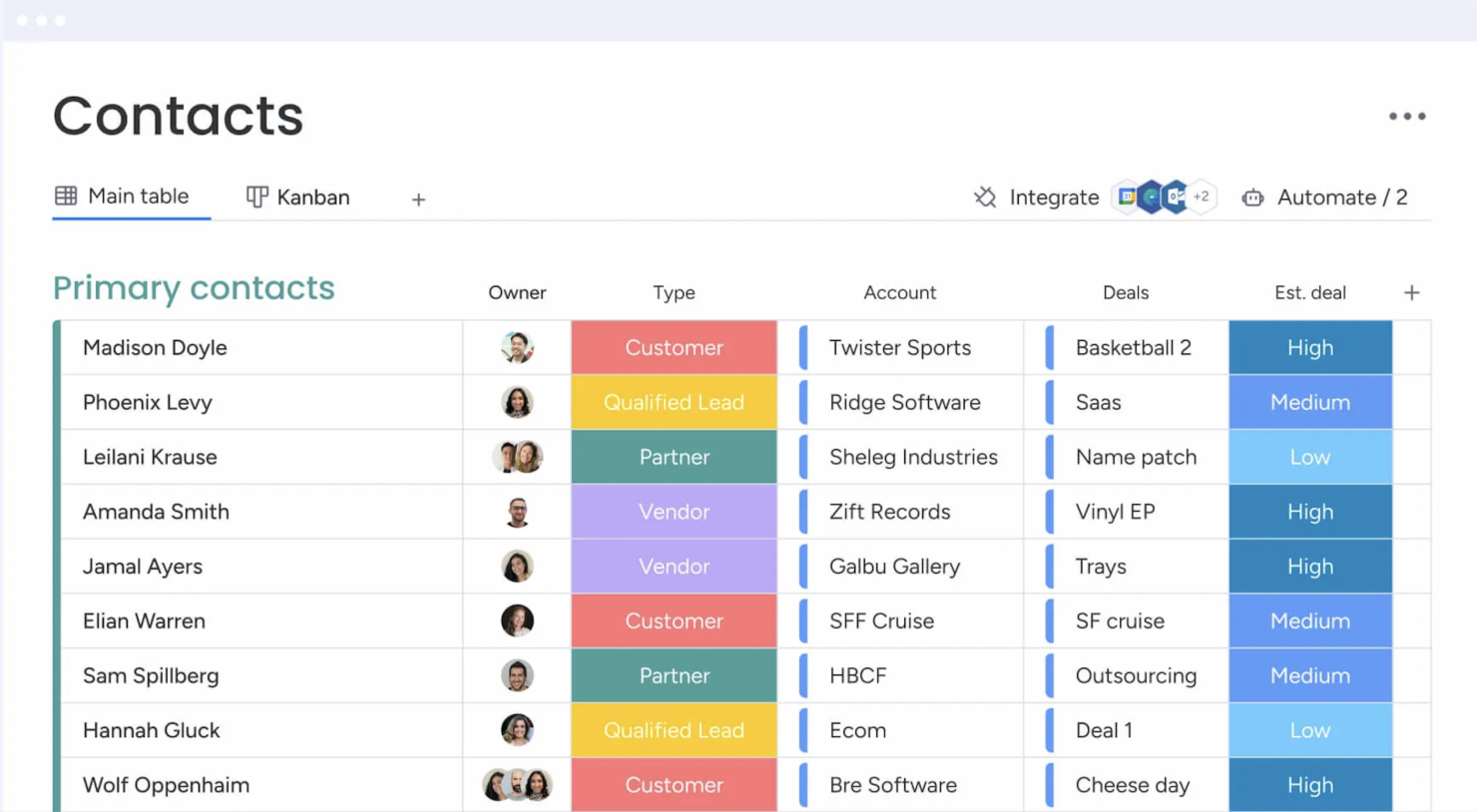
Contact Management: You get a central place to store all your contacts with details, communication histories, and linked deals. You can import them from Excel or auto-create contacts from your emails, so your team always has a clean, up-to-date list.
Lead Capturing and Pipeline Tracking: You can collect leads via forms or imports, track them through custom stages, and move deals with drag‑and‑drop. You see your entire sales funnel and can quickly spot where deals stall.
Email Sync and Tracking: You sync Gmail or Outlook to centralize email conversations, send bulk or templated emails, and get alerts when leads open or click. That way, you reach out at the right time and don’t miss follow‑up chances.
Automations: You set up no‑code rules that automate manual tasks like updating deal stages, sending reminders, or logging emails. It saves hours and keeps work consistent without extra effort.
Dashboards and Sales Forecasting: You get customizable dashboards that show pipeline status, team performance, and revenue forecasts by month or rep. These visuals help you spot trends and hit targets more reliably.
Activity Tracking And Team Goals: You track calls, meetings, and emails in one feed and monitor reps’ activity and quota progress. It gives you a clear picture of who’s doing what and where coaching might help.
Standout Features
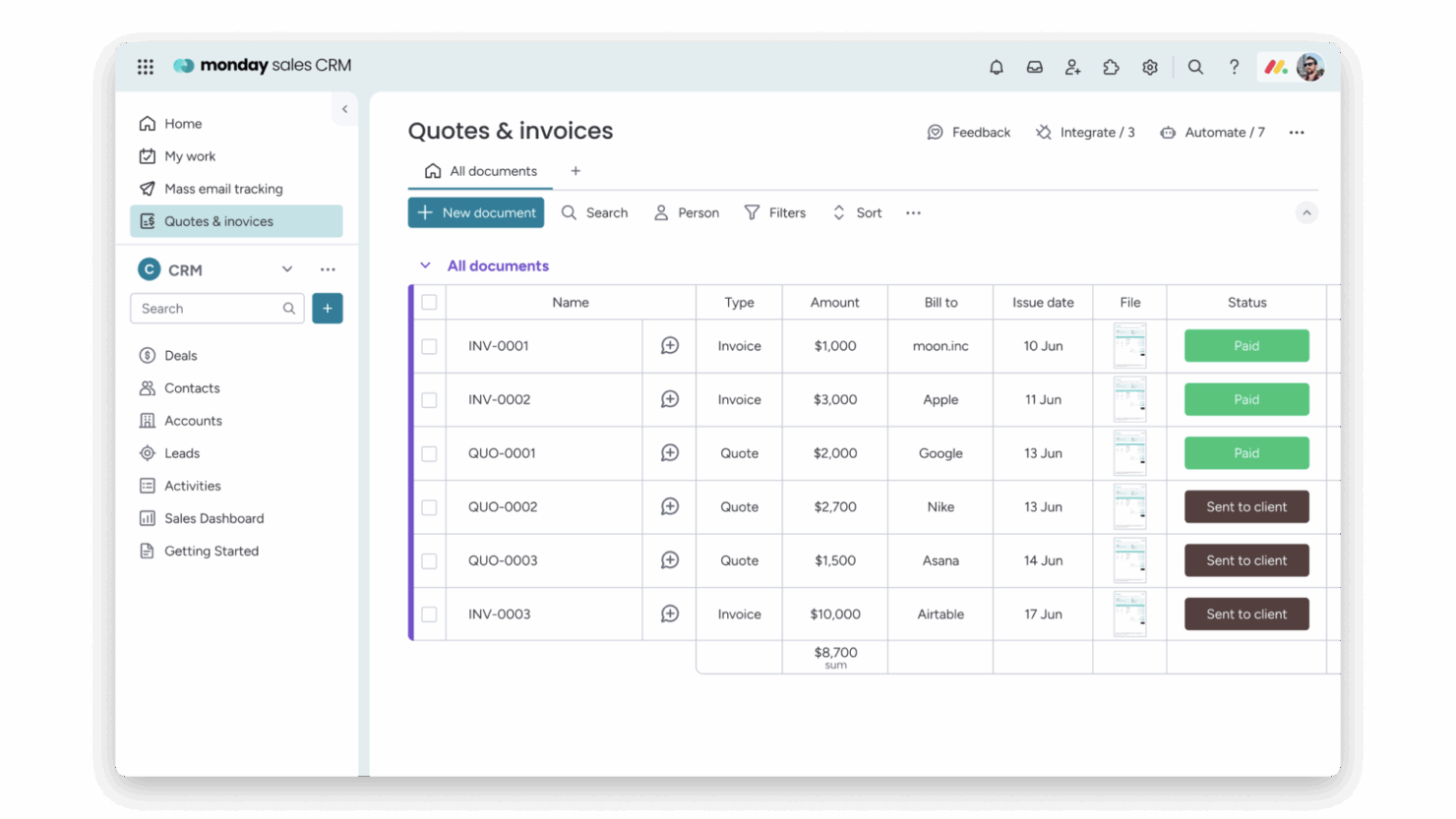
Quotes & Invoices: You can create, customize, send, and track quotes and invoices right within your CRM, pulling data from your contacts and deals. That means you skip back and forth between apps and speed up getting paid.
Sequences: You build multi‑step engagement flows (like email campaigns, reminders, task updates) that guide leads through your funnel automatically. You keep prospects moving without missing a beat or manually nudging them.
Ease of Use
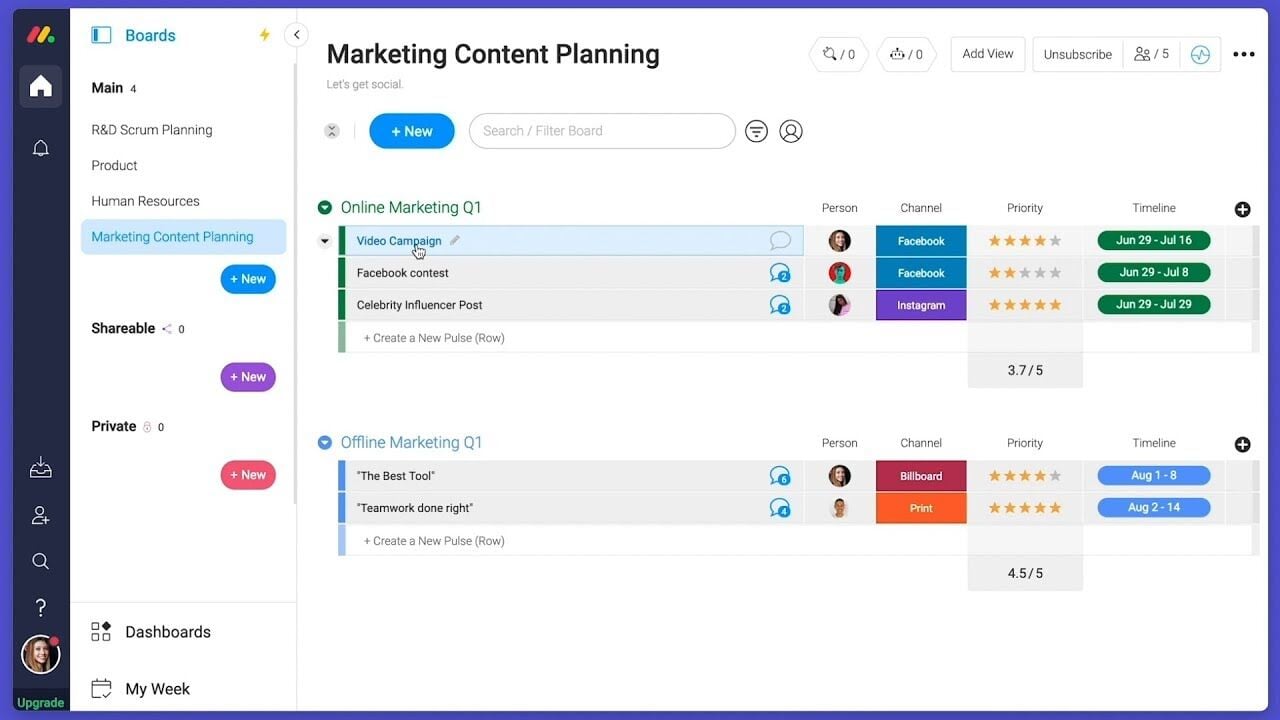
Monday CRM offers a user-friendly interface that helps your team get up to speed quickly, though some users find the multitude of features a bit overwhelming. Its drag-and-drop functionality and visual dashboards make task management intuitive. However, if your team prefers simplicity, the extensive capabilities might require a learning curve. The platform's customization options provide flexibility, but you might need time to explore and configure them to best suit your workflow.
Onboarding
Monday CRM provides a smooth onboarding experience with clear tutorials and a user-friendly setup process that helps your team get started quickly. The platform offers a range of resources, including webinars and a knowledge base, to support new users. Its step-by-step guides and personalized onboarding sessions ensure you find value quickly. However, the depth of features might require some exploration to fully utilize, but the available support makes this manageable.

Customer Support
Monday CRM offers robust customer support with multiple channels like live chat, email, and an extensive help center to assist your team. Users appreciate the prompt and knowledgeable responses they receive from the support team. The availability of 24/7 support ensures you get help whenever needed. Additionally, the platform's comprehensive documentation and community forums provide valuable insights and solutions, helping you resolve issues efficiently and keep your projects on track. Monday CRM integrates natively with Slack, Google Drive, Microsoft Teams, Zoom, Trello, Dropbox, HubSpot, Shopify, LinkedIn, and Outlook.
Monday CRM also offers an API and connects with third-party integration tools like Zapier.
Value for Money
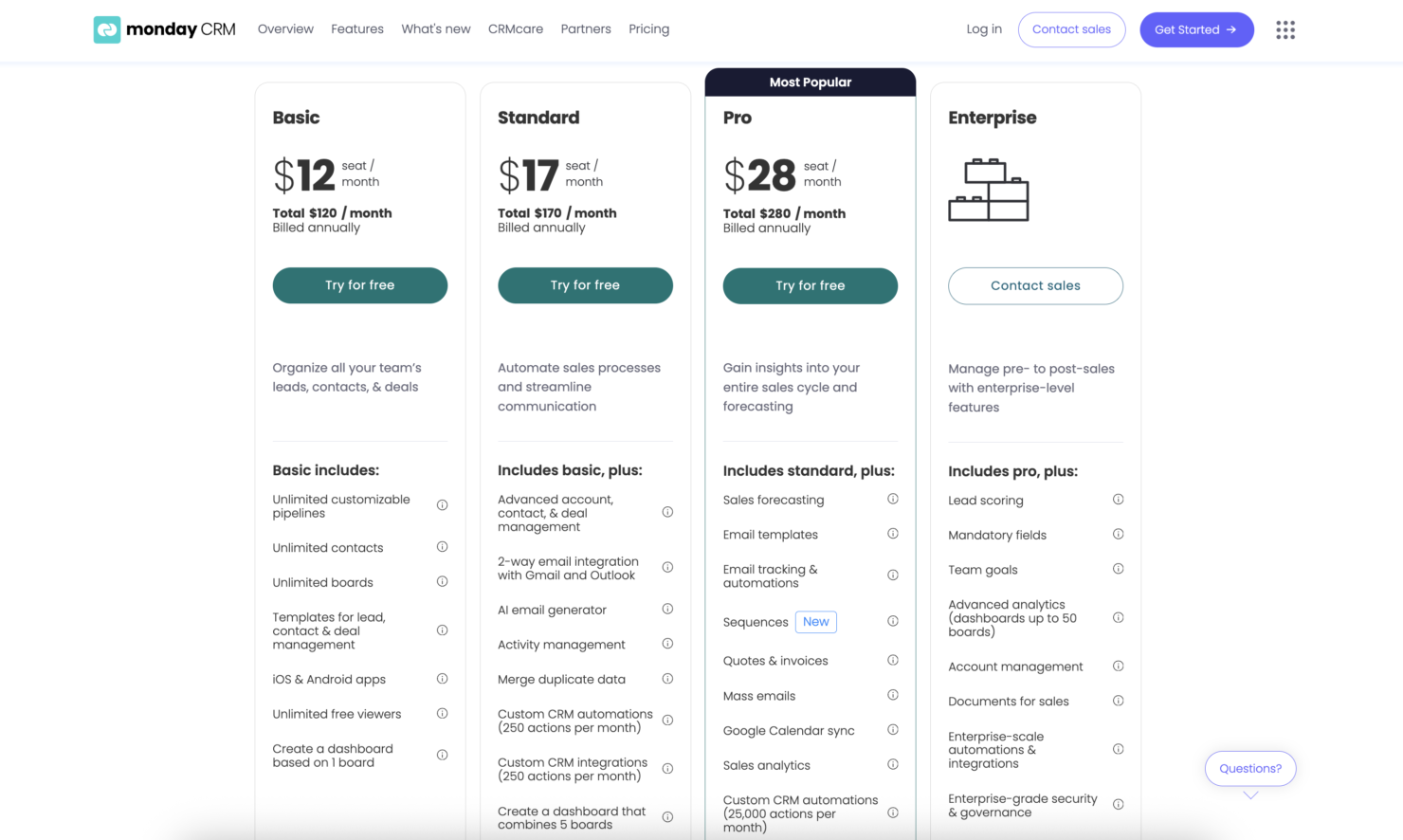
monday CRM pricing offers strong value, especially if your team wants something easy to use without sacrificing flexibility. Although there is no free plan, monday CRM does offer a 14-day free trial.
You get a lot at the lower tiers, including automation and reporting tools that work well for small to midsize teams. Higher plans add more control, but smaller teams won’t need Enterprise to get full use out of it.
- Basic Plan: Contact management, boards, and limited automations
- Standard Plan: Activity tracking, custom pipelines, and calendar view
- Pro Plan: Sales forecasting, advanced reporting, and higher automation limits
- Enterprise Plan: Admin controls, multi-level permissions, and enterprise-grade security features
New Product Updates from monday CRM

monday CRM Adds Meta Conversions API Integration
monday CRM has added an easier way to connect Meta Conversions API so you can sync lead status back to Meta. This helps you improve targeting and conversion performance with minimal setup effort. Highlights include:
- Meta Conversions API Integration: Connect monday CRM with Meta to share lead status updates automatically.
- Lead Status Sync: Send CRM lead status changes back to Meta to improve campaign targeting and conversion tracking.
- Automation Recipe: Configure the integration quickly using the new built-in Meta automation recipe.
Visit monday CRM's official site for more details.
 for more details.
monday CRM Specs
- 2-Factor Authentication
- API
- Calendar Management
- Call Tracking
- Campaign Management
- Click-to-Dial
- Contact Management
- Contact Sharing
- Custom Data Forms
- Customer Management
- Dashboard
- Data Export
- Data Import
- Data Visualization
- Email Integration
- External Integrations
- File Sharing
- File Transfer
- Google Apps Integration
- Lead Management
- Lead Scoring
- Marketing Automation
- Mobile App
- Multi-User
- Notifications
- Pipeline Management
- Sales Automation
- Scheduling
- Social-Media Integration
- Task Scheduling/Tracking
- Third-Party Plugins/Add-Ons

monday CRM FAQs
How easy is it to customize Monday CRM for my team's workflow?
Does Monday CRM support mobile access?
How does Monday CRM handle team collaboration?
Can I track project progress with Monday CRM?
What kind of customer support does Monday CRM offer?
Is Monday CRM compliant with data security standards?
How does Monday CRM integrate with other tools?
Can I use Monday CRM for remote team management?
monday CRM Company Overview & History
monday.com, founded in 2012 by Roy Mann and Eran Zinman, is a collaborative work operating system designed to improve communication and automate workflows. Headquartered in Tel Aviv, Israel, the company became publicly traded on Nasdaq in June 2021. Known for its innovative products, monday.com serves over 152,000 customers worldwide and is recognized for its strong work culture and commitment to sustainability. The company continues to expand, opening new offices and launching groundbreaking features like AI-driven solutions.
Monday CRM Major Milestones
- 2012: Founded by Roy Mann and Eran Zinman.
- 2014: Launched its platform to the public.
- 2018: Opened its first global office in New York City.
- 2019: Reached unicorn status.
- 2021: Became publicly traded on Nasdaq.
- 2023: Achieved over 152,000 global customers.
- 2024: Crossed $1 billion in annual recurring revenue.
- 2025: Expanded offices in Munich and Paris to enhance the European presence.
What's Next?
Want to connect with other digital project managers to share resources and best practices? Join our membership community and get access to 100+ templates, samples, and examples and connect with 100s of other digital project managers in Slack.