10 beste nettbaserte programmer for flytskjemaer – anmeldt for 2026

10 Kortliste over beste programvare for flytskjemaer


Nettbasert programvare for flytskjemaer hjelper deg med å visualisere prosesser, systemer og arbeidsflyter ved hjelp av former, forbindelseslinjer og tekst. Uten en tydelig visuell fremstilling kommuniserer team ofte dårlig, gjør dobbeltarbeid eller overser kritiske trinn i en prosess. Programvare for flytskjemaer løser disse problemene ved å gi teamene et felles og lettfattelig diagram som forbedrer samkjøringen og kommunikasjonen.
Med over 20 års erfaring innen prosjektledelse har jeg testet et bredt utvalg av verktøy for flytskjemaer, fra grunnleggende diagramverktøy til avanserte plattformer med samarbeid i sanntid og dataintegrasjon. Jeg fokuserte på hvor intuitive de er, hvor godt de støtter teamenes arbeidsflyter, og hvor sømløst de passer inn i eksisterende prosjektmiljøer.
Her er de beste nettbaserte verktøyene for flytskjemaer som jeg har vurdert. Hvert av dem tilbyr fremtredende funksjoner som hjelper deg med å lage tydeligere diagrammer, samarbeide enklere og effektivisere arbeidsflytene dine.
Why Trust Our Software Recommendations
Our team has been testing and reviewing software since 2012. As project managers ourselves, we know how difficult—and important—it is to choose the right software.
For this guide, we evaluated tools using hands-on testing and independent research, scoring tools using our selection criteria. We also draw on insights from industry thought leaders and practicing project management experts.
Our reviews reflect our human editorial judgment, not a sales pitch.
Expert reviewers:
Sammenligningstabell for programvare for flytskjemaer
Denne sammenligningstabellen oppsummerer prisdetaljene for mine beste valg av programvare for flytskjemaer:
| Tool | Best For | Trial Info | Price | ||
|---|---|---|---|---|---|
| 1 | Best for data import | Free plan + 7-day free trial available | From $9/month (billed annually) | Website | |
| 2 | Best for built-in communication tools | Free plan + 14-day free trial available | From $8/user/month (billed annually) | Website | |
| 3 | Best for flowchart templates | Free plan available | From $16/user/month | Website | |
| 4 | Best for Windows | 30-day free trial available | From $5/user/month (billed annually) | Website | |
| 5 | Best for enterprise teams | Free demo available | From $9.95/user/month (billed annually) | Website | |
| 6 | Best easy to use flowchart freeware | Free plan available | Free to use | Website | |
| 7 | Best for agile teams | Not available | From $4/month | Website | |
| 8 | Best all-purpose diagramming software | 30 days free trial | From $8.25/user/month | Website | |
| 9 | Best for Confluence and Jira integrations | 30-day free trial available | From $2.80/month (billed annually) | Website | |
| 10 | Best for real-time collaboration | 14-day free trial + free plan available | From $5/user/month (billed annually) | Website |

Oversikt over den beste programvaren for flytskjemaer
Her er en kort beskrivelse av hver av programvareløsningene for flytskjemaer som er med på denne topp 10-listen.

Best for data import
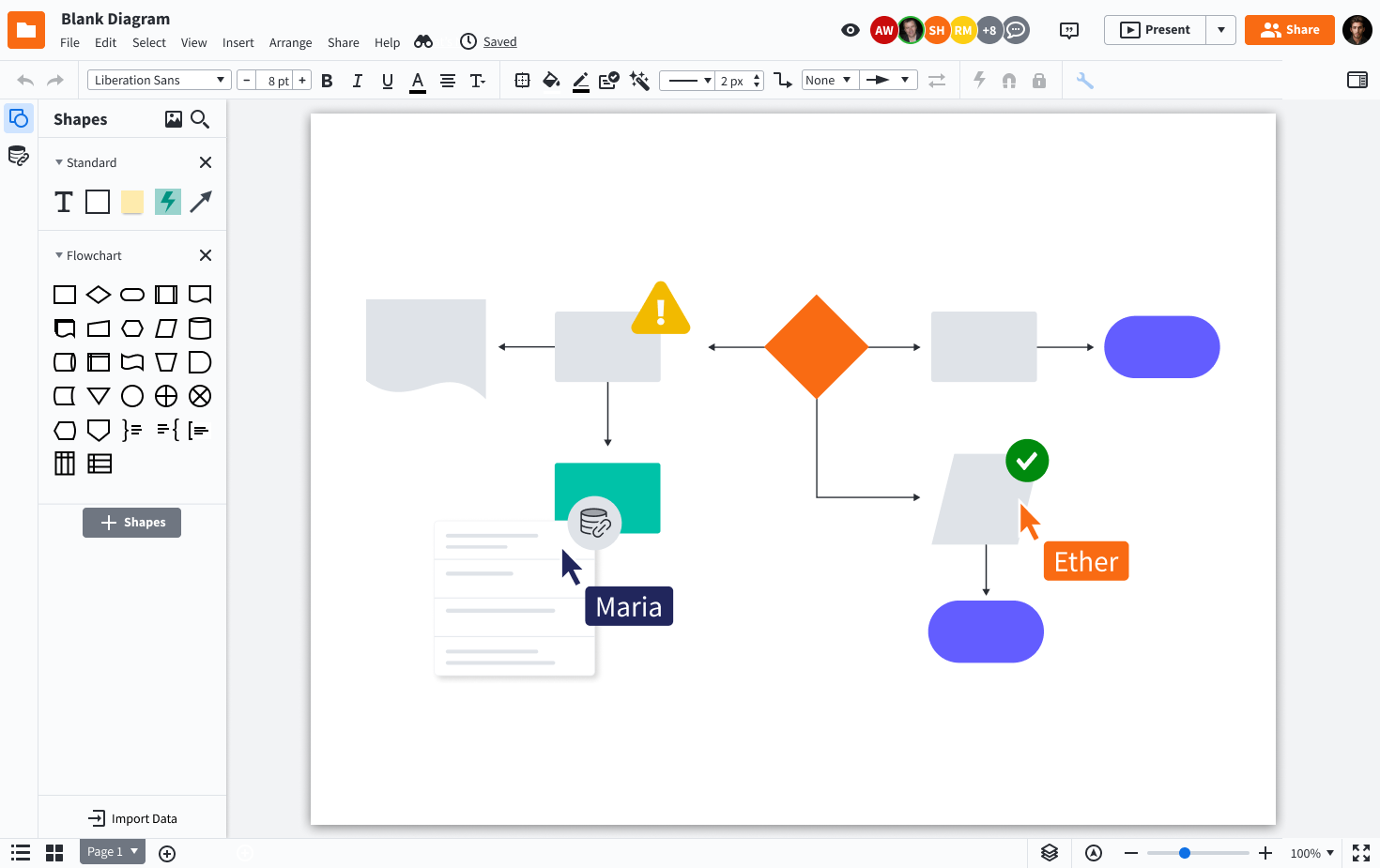
Lucidchart is an online diagramming platform designed for teams in tech, business, and education who need to create, share, and collaborate on flowcharts and process maps to clarify complex workflows and drive better decision-making.
Who Is Lucidchart Best For?
Lucidchart is a great fit for cross-functional teams in mid-size to enterprise companies who need a shared visual workspace for mapping processes, systems, and org structures.
Why I Picked Lucidchart
I picked Lucidchart as one of the best because its data import capabilities genuinely set it apart from other flowchart tools. You can pull in data directly from spreadsheets or linked data sources to auto-generate diagrams, which means my team can map out complex system architectures or org structures without building them manually from scratch. I also like the conditional formatting layer on top of that—once data is linked, shapes and labels update automatically when the underlying data changes. That kind of live connection between data and diagrams is something I rarely see executed this well in other tools.
Lucidchart Key Features
- Real-time collaboration: Multiple team members can edit the same diagram simultaneously, with live cursors and in-editor comments.
- Template library: Choose from hundreds of pre-built flowchart and diagramming templates to start new diagrams with minimal setup.
- Smart containers: Group and organize shapes into swimlanes or structured containers that automatically adjust as you add or move elements.
- Revision history: Access a full version history of any diagram to review, compare, or restore previous versions.
Lucidchart Integrations
Integrations include Google Workspace, Microsoft 365, Slack, Jira, Confluence, Dropbox, Box, Zoom, Notion, and Smartsheet.

Miro
Best for built-in communication tools
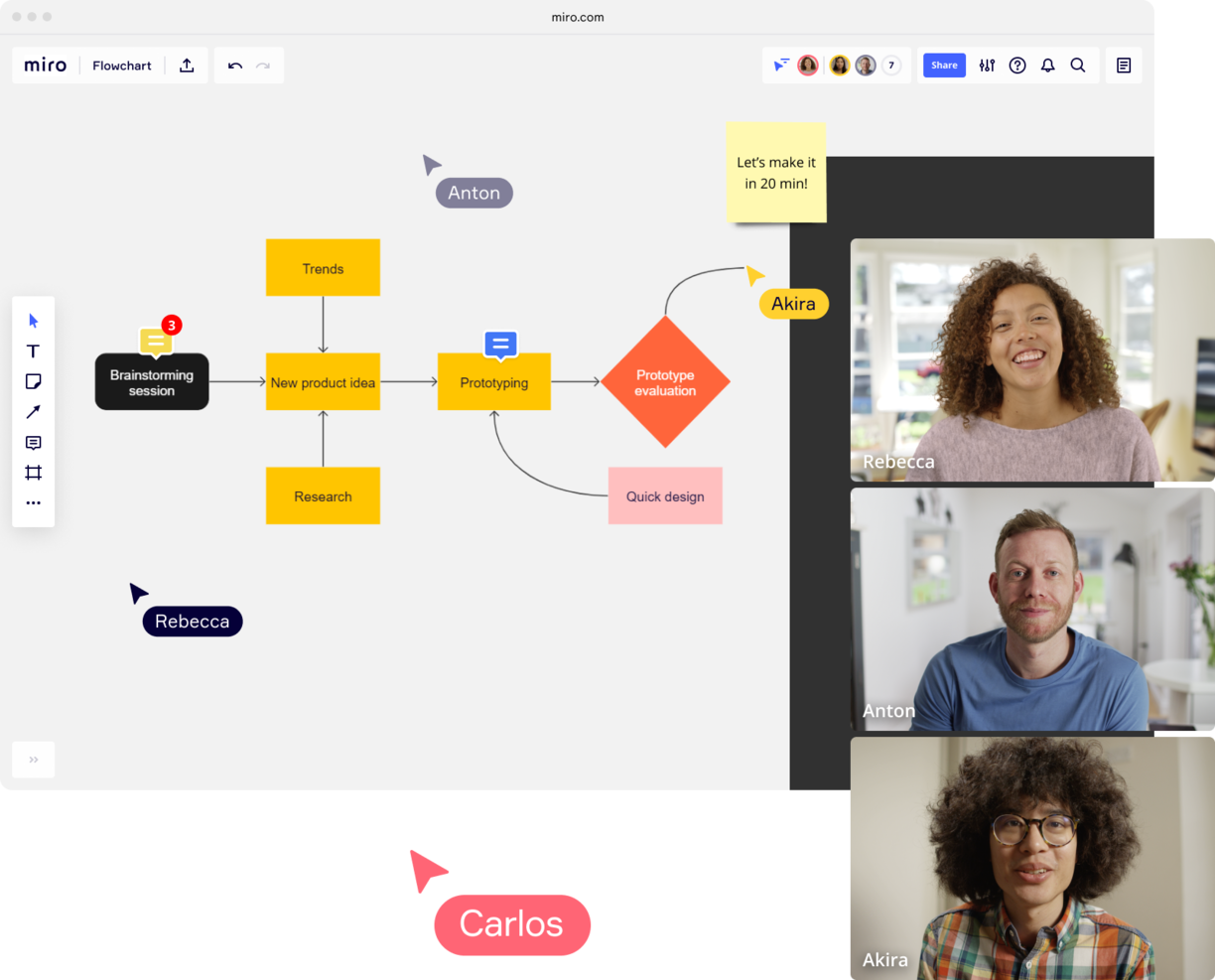
Miro is an online whiteboard platform designed for teams in tech, product, and design who need to create, share, and collaborate on flowcharts and diagrams in real time.
Who Is Miro Best For?
Miro is a great fit for cross-functional teams in product, engineering, and design who need a shared visual workspace for mapping workflows and processes.
Why I Picked Miro
Miro is one of my top picks because I love how it keeps communication woven directly into the flowcharting workspace. Instead of jumping to Slack or email to discuss a diagram, my team can leave threaded comments directly on specific shapes or connectors, tag teammates with @-mentions, and resolve feedback without ever leaving the board. The Talktrack feature is especially useful—I've recorded video walkthroughs of complex process flows and shared them async, so teammates in different time zones can watch, pause, and comment on exact points in the diagram. For live sessions, the built-in Timer and anonymous voting tools let my team run structured workshops around a flowchart without needing a separate facilitation tool.
Miro Key Features
- Flowchart templates: Choose from a library of pre-built flowchart and process diagram templates to start mapping workflows.
- Smart diagramming: Use auto-connect and snap-to-grid tools to draw and arrange shapes, connectors, and swimlanes with precision.
- Infinite canvas: Build flowcharts of any size or complexity on an expandable board without running out of space.
- Presentation mode: Walk stakeholders through a completed flowchart as a structured, frame-by-frame presentation directly within Miro.
Miro Integrations
Integrations include Microsoft Teams, Google Workspace, Jira, Confluence, ServiceNow, GitHub Copilot, OpenAI Codex, Replit, Gemini CLI, and Claude Code.
Pros and Cons
Pros:
- Built-in communication features for streamlined collaboration
- Intuitive and easy setup
- Free forever plan available
Cons:
- Free version does not allow high-quality export to pdf
- Zooming can be jumpy on larger projects
- Visitor/guest accounts locked to paid plans only
New Product Updates from Miro
Miro Adds Japan Data Residency for Enterprise Customers
Miro has introduced Japan data residency for enterprise customers, offering in-region storage for production data, backups, and metadata, plus in-region compute infrastructure. For more information, visit Miro's official site.

FigJam
Best for flowchart templates
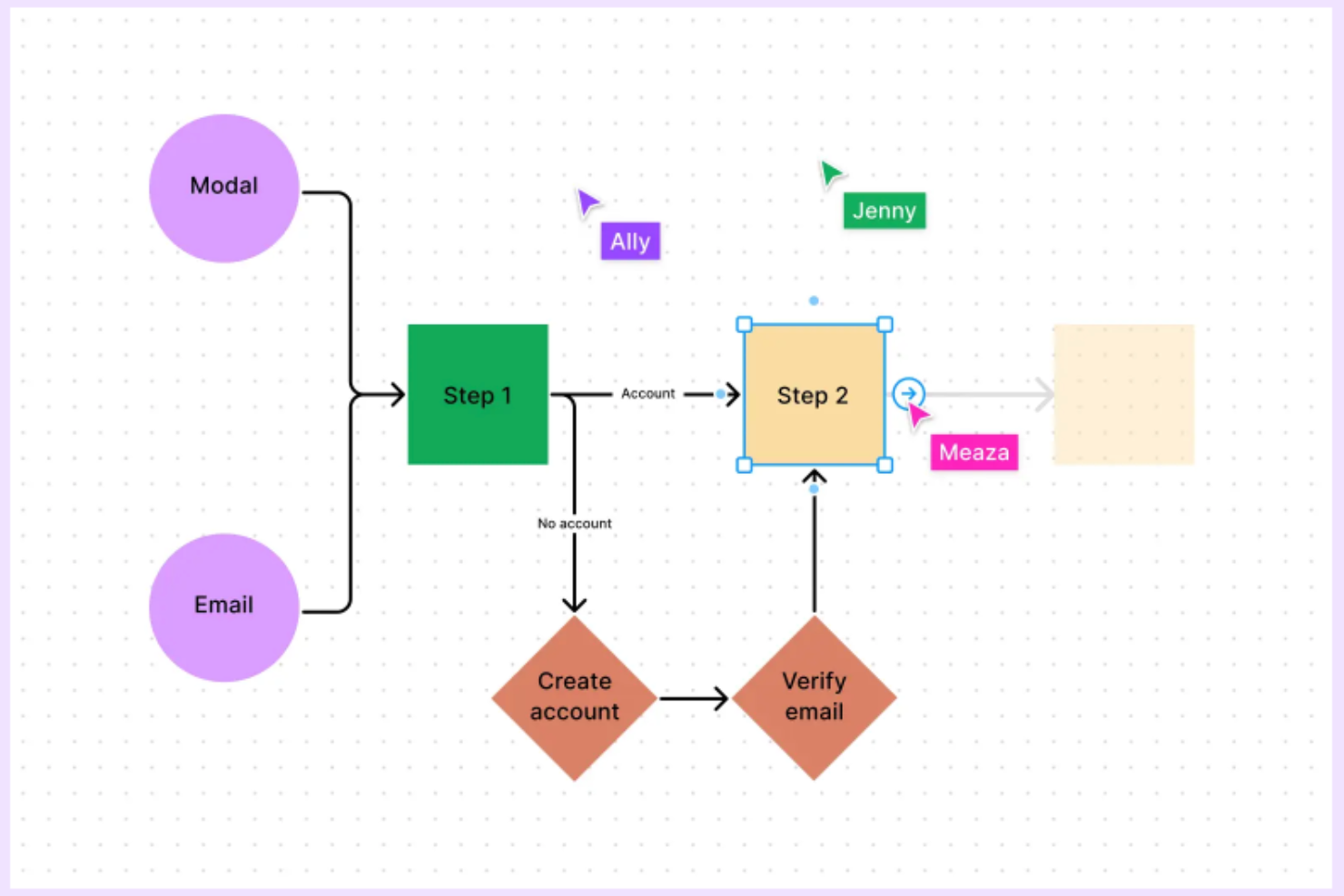
FigJam is an online whiteboard built for teams who need to create, edit, and share flowcharts, making it a go-to choice for product managers, designers, and cross-functional teams mapping out processes and ideas together.
Who Is FigJam Best For?
FigJam is a great fit for product and design teams at tech companies who need a shared space for visual collaboration and process mapping.
Why I Picked FigJam
FigJam earns its spot on my shortlist because of how well its template library supports flowchart creation right out of the box. I like that you can start from a dedicated flowchart template and immediately get to work with pre-built shapes, connectors, and a grid-snapping system that keeps diagrams clean and aligned. Beyond the core flowchart template, FigJam's AI lets you generate custom diagram templates from a simple text prompt, which I've found useful when mapping out a non-standard process that doesn't fit a generic layout. The community library also surfaces additional templates, supplementing the various built-in options.
FigJam Key Features
- Real-time audio and live chat: Communicate with teammates directly inside a FigJam board using built-in audio and live chat without switching to another tool.
- Spotlight mode: Guide meeting participants to focus on a specific area of the board during live sessions or workshops.
- Sticky note sorting with AI: Automatically group sticky notes into themes with a single click to organize brainstorm output.
- Guest access: Invite external collaborators to contribute to a FigJam file for 24 hours without requiring them to create an account.
FigJam Integrations
Integrations include Asana, Jira, and ChatGPT.
Visio
Best for Windows

Visio is a diagramming platform designed for professionals and teams who need to create detailed flowcharts, process maps, and organizational charts, making it a go-to choice for businesses that rely on Microsoft 365 and want advanced diagramming capabilities online.
Who Is Visio Best For?
Visio is a strong fit for enterprise teams and IT professionals who already work within the Microsoft 365 ecosystem and need a dedicated diagramming tool for complex workflows and technical documentation.
Why I Picked Visio
Visio earns its spot on my shortlist because it's the most mature diagramming tool built specifically for Windows environments and the Microsoft 365 ecosystem. I like that Visio Plan 2 includes a full desktop app with offline support, allowing my team to continue working on complex flowcharts offline. The Data Visualizer feature converts Excel process map data directly into Visio diagrams, reducing manual rebuilding. BPMN 2.0 support and access to over 250,000 shapes make it a serious option for teams documenting technical processes at scale.
Visio Key Features
- Real-time co-authoring: Multiple team members can edit the same diagram simultaneously using Visio for the web.
- Microsoft Teams integration: Embed and share Visio diagrams directly within Teams channels for in-context collaboration.
- Pre-built diagram templates: Choose from a library of templates covering flowcharts, network diagrams, org charts, and floor plans.
- Shape data linking: Attach metadata to individual shapes to document process details, ownership, or status directly within a diagram.
Visio Integrations
Integrations include Microsoft Teams, Power BI, Power Automate, Microsoft Excel, Microsoft Word, Microsoft PowerPoint, OneDrive for Business, Microsoft Azure, Microsoft Access, and Microsoft SharePoint.

Best for enterprise teams
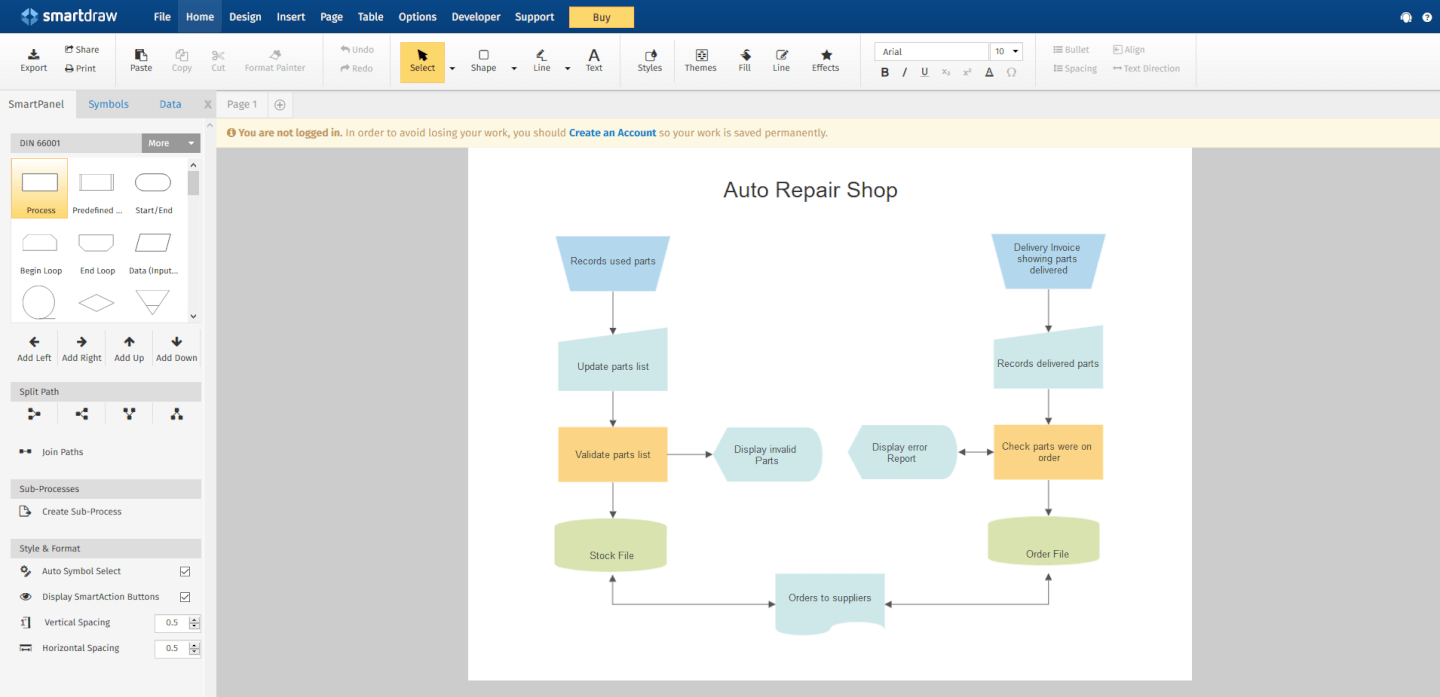
SmartDraw is an online diagramming platform designed for teams and organizations that need to create, share, and manage flowcharts and process diagrams at scale.
Who Is SmartDraw Best For?
SmartDraw is a strong fit for enterprise teams that need centralized diagram management, admin controls, and cross-functional collaboration across large organizations.
Why I Picked SmartDraw
SmartDraw earns its spot as one of the best on my shortlist because of how well it handles the operational demands of large organizations. I like that it lets IT admins provision users via SSO and save files directly to OneDrive, SharePoint, or Google Drive—without needing to set up a separate storage system. That kind of data control matters a lot when you're managing compliance across dozens of teams. I also find the dedicated enterprise support rep genuinely useful, especially during onboarding when you're migrating files from tools like Visio or Lucidchart at scale.
SmartDraw Key Features
- AI-powered flowchart generation: Describe a process in plain text and SmartDraw automatically generates a fully editable flowchart as a starting point.
- Data-driven diagramming: Pull in data from Google Sheets or a CSV file to populate flowcharts with real process details like responsibilities and costs.
- Custom team templates: Create and save standardized flowchart templates that your entire team can reuse to keep diagrams consistent across projects.
- Swimlane diagram support: Add swimlanes to any flowchart in a single click to map cross-functional processes across departments or roles.
SmartDraw Integrations
Integrations include Microsoft OneDrive, Microsoft SharePoint, Google Drive, Dropbox, Box, Google Workspace, Microsoft Teams, Confluence, Jira, and Trello.


draw.io is a browser-based diagramming tool designed for teams and professionals who need to create, edit, and share flowcharts and process diagrams without installing software or paying upfront.
Who Is draw.io Best For?
draw.io is a great fit for individual contributors, small teams, and budget-conscious organizations that need a no-cost diagramming tool without sacrificing core functionality.
Why I Picked draw.io
draw.io earns its spot as one of the best on my shortlist because it's one of the few fully free diagramming tools that doesn't cut corners on functionality. I love that you can open a browser, start building a flowchart with a dedicated shape library, and share it with collaborators—all without creating an account. The AI-powered diagram generation is a feature I use regularly: you describe a process in plain text, and draw.io builds the initial flowchart structure for you, which is a real time-saver when mapping out complex workflows from scratch. Real-time collaboration with shared cursors also means my team can co-edit the same diagram simultaneously, with changes syncing live across Google Drive or OneDrive.
draw.io Key Features
- Multi-format export: Export diagrams as PNG, SVG, PDF, HTML, or XML files directly from the browser.
- Diagram templates: Start from a pre-built template for flowcharts, org charts, network diagrams, UML, and more.
- Freehand drawing tool: Sketch shapes and annotations by hand directly on the canvas using the built-in freehand mode.
- XML-based file format: Save and edit diagrams as open XML files, making them portable and version-control friendly.
draw.io Integrations
Integrations include Google Drive, Microsoft OneDrive, Dropbox, GitHub, GitLab, Confluence, Jira, Trello, Notion, and SharePoint.

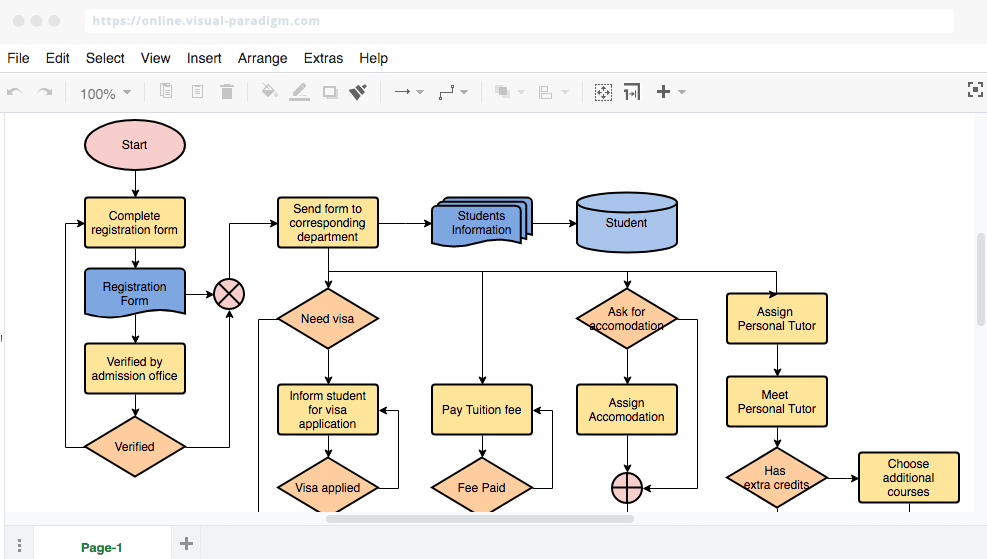
VisualParadigm Online is a cloud-based diagramming platform for teams and professionals who create, share, and collaborate on flowcharts and process diagrams to support project planning, workflow mapping, and business analysis.
Who Is VisualParadigm Online Best For?
VisualParadigm Online is a good fit for cross-functional teams in tech and software development who need a shared space for diagramming across sprints, planning cycles, and design reviews.
Why I Picked VisualParadigm Online
I picked VisualParadigm Online as one of the best because of how well it supports the kind of iterative, visual work that agile teams do across sprints. The multi-project, multi-team workspace means my team can organize diagrams by project without everything bleeding into one cluttered shared folder. I also like that multiple team members can edit the same diagram simultaneously with real-time synchronization, which is useful when you're mapping out a user flow mid-sprint and three people have opinions. The Agilien extension connects directly to Jira to generate an initial product backlog from your diagrams, providing a practical bridge between visual planning and sprint execution.
VisualParadigm Online Key Features
- Drag-and-drop diagram editor: Build flowcharts using a visual canvas with pre-built shapes, connectors, and formatting tools.
- Template library: Start from a curated set of flowchart and process diagram templates to reduce setup time.
- Export and sharing options: Export diagrams as PNG, SVG, or PDF, or share via a live link for stakeholder review.
- Version history: Access and restore previous versions of a diagram to track changes over time.
VisualParadigm Online Integrations
Integrations include Jira, Google Drive, Microsoft Word, Microsoft Excel, Microsoft PowerPoint, and an API is available for custom integrations.

Edraw Max gives teams, educators, and business professionals a flexible platform to create flowcharts and diagrams for process mapping, brainstorming, and visual communication across a wide range of industries.
Who Is Edraw Max Best For?
Edraw Max suits teams in engineering, IT, education, and business who need one tool to handle a wide variety of diagram types.
Why I Picked Edraw Max
Edraw Max earns its spot on my shortlist because it covers more diagram types than almost any other tool I've used, including flowcharts, UML diagrams, P&ID drawings, network diagrams, and floor plans. I like that my team can switch between a process flowchart for an engineering handoff and an org chart for a stakeholder presentation without leaving the platform. The library of 26,000+ symbols means I'm rarely hunting for the right shape, and the 1,500+ built-in templates cut down the time it takes to get a diagram from blank canvas to shareable draft.
Edraw Max Key Features
- Real-time collaboration: Multiple team members can edit and comment on diagrams simultaneously within a shared workspace.
- Cross-platform support: Edraw Max runs on Windows, Mac, Linux, and in a browser, so your team can work from any device.
- Export and import options: Export diagrams to Visio, PDF, PNG, SVG, and more, or import existing Visio files directly.
- Presentation mode: Display diagrams as a slideshow directly within the tool without exporting to a separate presentation app.
Edraw Max Integrations
No native integrations are listed.

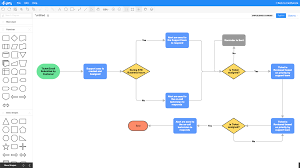
Gliffy is an online diagramming tool designed for teams in tech, product, and project management who need to create, share, and collaborate on flowcharts and process diagrams directly within their workflows.
Who Is Gliffy Best For?
Gliffy is a great fit for software and product teams that run their work inside Atlassian tools like Confluence and Jira.
Why I Picked Gliffy
Gliffy earns its spot on my shortlist because of how deeply it's built into the Confluence environment. I like that diagrams created in Gliffy are fully searchable within Confluence search—so when my team is hunting for a specific process or system, the text inside a diagram surfaces right alongside page content. That's something most diagramming tools simply don't offer. I also find the automatic update feature genuinely useful: edit a diagram once, and every copy of it across your entire Confluence space updates automatically, which keeps documentation consistent without any manual cleanup. It's the kind of tight Atlassian-native integration that makes Gliffy a natural choice for teams already living in Confluence.
Gliffy Key Features
- Mermaid diagram support: Generate entity-relationship diagrams, UML diagrams, and other technical diagrams using code, without placing a single shape manually.
- Interactive linked layers: Build diagrams with multiple layers that viewers can toggle on and off directly on a Confluence page.
- CSV data upload: Import CSV files into Gliffy and drag data directly into your diagrams without switching to another tool.
- Real-time collaboration: Co-edit diagrams simultaneously with teammates inside Confluence.
Gliffy Integrations
Integrations include Confluence, Jira, and an API is available for custom integrations.


Cacoo is a cloud-based diagramming tool designed for teams in tech, product, and design who need to create, edit, and share flowcharts and diagrams together online.
Who Is Cacoo Best For?
Cacoo is a good fit for cross-functional teams in tech and product who need a shared space to build and iterate on diagrams together.
Why I Picked Cacoo
Cacoo is one of my top picks because I love how it handles live, multi-user editing on a shared canvas. When my team is working through a process flow together, everyone can edit simultaneously and track changes through version history—no one is waiting on a "turn" to contribute. I also find the follow mode genuinely useful during diagram reviews, where one person can guide the rest of the team cursor-by-cursor through a complex flowchart. The built-in video calls and chat mean we stay in the diagram the whole time, rather than jumping between Cacoo and a separate meeting tool.
Cacoo Key Features
- Templates and shapes library: Choose from a pre-built library of shapes and templates to build flowcharts, wireframes, network diagrams, and more.
- Infinite canvas: Expand your workspace in any direction as your diagram grows, with no fixed boundaries on the board.
- Presentation mode: Turn any diagram into a slideshow and present it directly from Cacoo without switching to another tool.
- Export and embed options: Export diagrams as PNG, PDF, or SVG, or embed them directly into websites and wikis.
Cacoo Integrations
Integrations include Backlog, Google Drive, Google Docs, Atlassian Confluence, AWS, Adobe Creative Cloud, Slack, Dropbox, Box, and Microsoft OneDrive.
Andre alternativer for å lage flytskjemaer
Her er noen flere som ikke kom med på topplisten. Hvis du trenger flere forslag til praktisk programvare for prosessflytdiagrammer, kan du ta en titt på disse.
- ConceptDraw Diagram
For a one-time license purchase
- Terrastruct
For software development
- Creately
Free flowchart software
- Whimsical
App for making fast flowcharts


How I Evaluate Flowchart Software
I split my evaluation into baseline requirements—like whether a tool can actually build swimlane diagrams or map decision trees—and the differentiators that set one option apart from another.
Core Functionality (Table Stakes For This List)
When I'm selecting tools for my list, I rank each one on a scale from 0 (does not offer the functionality) to 5 (excels in this area) for each core functionality listed below. Then, I calculate the tool's total score into a percentage. Each tool needs to achieve a minimum total score of 65% to be considered for inclusion.
- Drag-and-Drop Diagramming Canvas: I evaluate how smoothly you can build and rearrange nodes—like reorganizing a sprint workflow—with smart connectors and auto-alignment.
- Flowchart Shape Library: I check for standard flowchart symbols, including decision diamonds and swimlanes, since mapping cross-functional handoffs requires proper notation.
- Templates and Presets: A solid set of PM-relevant templates matters—things like approval workflows, decision trees, and release process maps that save setup time.
- Real-Time Collaboration: I look at whether distributed team members can co-edit a diagram live, leave comments on specific nodes, and see each other's cursors.
- Export and Sharing Options: The ability to export to PNG, PDF, or SVG and share via link is essential for embedding diagrams in project briefs or sprint review decks.
- PM Tool Integrations: I evaluate native connections to platforms like Jira, Confluence, Asana, and Microsoft Teams so flowcharts live where your project work already happens.
Once I have a list of tools that meet the criteria, I consider what sets each platform apart.
Differentiating Factors (What Sets Vendors Apart)
Here's how I compare and contrast different vendors:
Standout Features
AI-powered diagramming is a big differentiator. I look for tools that can generate a flowchart from a text prompt, which speeds up early-stage process mapping during kickoffs. Version control matters just as much, especially when multiple PMs iterate on the same diagram across sprint cycles. I also evaluate whether a tool supports data-linked diagrams, where shapes update based on live project data. That turns a static process map into something stakeholders actually reference between reviews.
Beyond Features
Pricing structure is one of the first things I evaluate. Some tools offer generous free tiers that work for solo PMs, while others gate collaboration behind enterprise plans—so I check where team-level access actually starts. Onboarding speed also matters. If a business analyst can't build a usable process map within their first session, adoption across project teams stalls. For PMOs managing multiple squads, I look at admin controls like centralized template libraries and role-based permissions that keep diagrams consistent and access secure at scale.
Slik velger du programvare for flytskjemaer
Det er lett å gå seg vill i lange funksjonslister og komplekse prisstrukturer. For å hjelpe deg med å holde fokus mens du arbeider deg gjennom din unike prosess for valg av programvare, får du her en sjekkliste over faktorer du bør ha i bakhodet:
| Faktor | Hva du bør vurdere |
|---|---|
| Skalerbarhet | Sørg for at programvaren kan vokse sammen med teamet ditt. Se etter løsninger som støtter flere brukere og mer komplekse diagrammer etter hvert som prosjektene dine vokser. |
| Integrasjoner | Kontroller om programvaren integreres med verktøy teamet ditt allerede bruker, for eksempel Slack, Google Drive eller Trello, for å effektivisere arbeidsflyten. |
| Tilpasningsmuligheter | Vurder hvor mye du kan tilpasse programvaren etter behovene dine. Se etter maler som kan tilpasses, og fleksible alternativer for å lage diagrammer til ulike prosjekter. |
| Brukervennlighet | Vurder hvor intuitivt grensesnittet er. Teamet ditt bør kunne begynne å bruke verktøyet raskt uten omfattende opplæring eller en bratt læringskurve. |
| Budsjett | Sammenlign prisplanene og sørg for at kostnaden samsvarer med budsjettet ditt. Vurder hvilke funksjoner som er inkludert på de ulike prisnivåene, slik at du unngår uventede kostnader. |
| Sikkerhetstiltak | Kontroller at programvaren tilbyr sterke sikkerhetstiltak, som datakryptering og sikre tilgangskontroller, for å beskytte den sensitive informasjonen din. |
| Samarbeid | Se etter funksjoner som støtter samarbeid i sanntid, slik at teamet ditt kan arbeide effektivt sammen uavhengig av hvor de befinner seg. |
| Støtte | Vurder tilgjengeligheten av og kvaliteten på kundestøtten. Se etter ressurser som livechat, veiledninger og et omfattende hjelpesenter. |
Trender innen programvare for flytskjemaer
I researcharbeidet mitt hentet jeg inn utallige produktoppdateringer, pressemeldinger og lanseringslogger fra ulike leverandører av programvare for flytskjemaer. Her er noen av de fremvoksende trendene jeg følger med på:
- Forbedringer innen samarbeid i sanntid: Flere verktøy fokuserer på å forbedre funksjoner for samarbeid i sanntid, slik at team kan jobbe mer effektivt sammen. Funksjoner som chat i redigeringsverktøyet og direkteoppdateringer hjelper team med å holde seg samkjørte, og leverandører som Lucidchart og Miro går i front.
- KI-assistert diagramoppretting: Noen verktøy begynner å ta i bruk KI for å bistå med oppretting av diagrammer. Dette bidrar til å fremskynde designprosessen ved å foreslå oppsett og forbindelser. KI-funksjoner blir en fast del av moderne verktøy for flytskjemaer for å øke produktiviteten.
- Interaktive og dynamiske diagrammer: Det er en økende trend mot interaktive diagrammer som reagerer på brukerinndata. Dette omfatter funksjoner som klikkbare elementer og betinget formatering, noe som gjør diagrammene mer engasjerende og informative.
- Fokus på personvern for brukerdata: Med økende bekymring for datasikkerhet forbedrer leverandørene personverntiltakene sine. Dette omfatter bedre kryptering og overholdelse av regelverk som GDPR, slik at brukernes data er beskyttet.
- Flere tilpasningsmuligheter: Brukerne krever mer kontroll over hvordan diagrammene deres ser ut og fungerer. Leverandørene svarer ved å tilby flere tilpasningsmuligheter, som justerbare maler og personlige stiler, for å møte ulike brukerbehov.
Hva er nettbasert programvare for flytskjemaer?
Nettbasert programvare for flytskjemaer er et skybasert verktøy som lar deg opprette og dele flytskjemaer i nettleseren. Du kan bruke det til å kartlegge prosesser, visualisere systemer og samarbeide med andre i sanntid, uten behov for nedlastinger eller installasjoner.
Det er populært blant prosjektledere, analytikere og eksterne team som trenger en enkel måte å lage diagrammer på og holde alle samkjørte, uansett hvor de befinner seg.
Funksjoner i programvare for flytskjemaer
Når du velger programvare for flytskjemaer, bør du se etter følgende nøkkelfunksjoner:
- Samarbeid i sanntid: Gjør det mulig for flere brukere å arbeide med det samme diagrammet samtidig, noe som forbedrer kommunikasjonen og effektiviteten i teamet.
- KI-assistert diagramoppretting: Bruker kunstig intelligens til å foreslå oppsett og forbindelser, noe som fremskynder designprosessen og reduserer manuelt arbeid.
- Interaktive diagrammer: Gjør det mulig for brukere å opprette diagrammer som reagerer på inndata, slik at de blir mer engasjerende og informative.
- Versjonskontroll: Gir en måte å spore endringer og gå tilbake til tidligere versjoner på, slik at diagrammene er nøyaktige og konsistente.
- Tilpassbare maler: Tilbyr ferdig utformede maler som kan tilpasses spesifikke prosjektbehov, noe som sparer tid og arbeid.
- Funksjoner for lagdelte diagrammer: Lar brukere legge til flere lag i diagrammer, noe som gjør det enklere å administrere og forstå komplekse systemer.
- Datakryptering: Sikrer at alle data i programvaren er kryptert på en sikker måte, slik at sensitiv informasjon beskyttes mot uautorisert tilgang.
- Eksportalternativer: Tilbyr flere formater for eksport av diagrammer, slik at brukere enkelt kan dele arbeidet sitt på tvers av ulike plattformer.
- Chat i redigeringsverktøyet: Legger til rette for direkte kommunikasjon mellom teammedlemmer i diagramverktøyet, noe som styrker samarbeidet.
- Scenariosimulering: Gjør det mulig for brukere å simulere ulike scenarier i diagrammer, slik at team kan forutse og håndtere potensielle problemer.
Fordeler med programvare for flytskjemaer
Implementering av programvare for flytskjemaer gir flere fordeler for teamet og virksomheten din. Her er noen av fordelene du kan se frem til:
- Forbedret kommunikasjon: Funksjoner for samarbeid i sanntid og chat i redigeringsverktøyet hjelper teamet med å holde kontakten og være samkjørt om prosjektene.
- Økt effektivitet: KI-assistert diagramoppretting fremskynder prosessen, reduserer tiden som brukes på manuelle oppgaver, og gir mer tid til viktig arbeid.
- Bedre problemløsning: Scenariosimulering og interaktive diagrammer gir innsikt i potensielle problemer, slik at teamet kan håndtere dem proaktivt.
- Større fleksibilitet: Tilpassbare maler og lagdelte diagrammer lar deg skreddersy løsninger etter ulike prosjektbehov, noe som gjør det enklere å tilpasse seg endringer.
- Økt sikkerhet: Datakryptering sikrer at sensitiv informasjon forblir beskyttet, slik at du kan være trygg på personvernet for dataene.
- Enkel deling: Eksportalternativer i ulike formater gjør det enkelt å distribuere diagrammer på tvers av forskjellige plattformer og til interessenter.
- Nøyaktig sporing: Versjonskontroll lar deg holde oversikt over endringer og opprettholde konsistens, slik at alle er på samme side.
Kostnader og priser for programvare for flytskjemaer
Prisene øker generelt etter hvert som du legger til flere funksjoner, skalerbarhet og alternativer for støtte i abonnementet ditt. Her er de vanligste prisnivåene og hva som er inkludert i hvert av dem, slik at du kan få en idé om hva programvare for flytskjemaer kan koste.
Sammenligningstabell for programvare for flytskjemaer
| Abonnementstype | Gjennomsnittlig pris | Vanlige inkluderte funksjoner | Best egnet for |
|---|---|---|---|
| Gratisalternativ | $0 | Grunnleggende verktøy for diagrammer og kartlegging av arbeidsflyter, begrenset antall maler, en liten mengde skylagring, begrensede alternativer for eksport av flytskjemaer | Mindre oppstartsbedrifter, enkeltbrukere, studenter |
| Grunnleggende | $5 - $10/måned | Mer avanserte funksjoner for flytskjemaer, tilgang til et malbibliotek, ekstra skylagring, grunnleggende integrasjoner med andre programvareverktøy | Små bedrifter eller mindre team i en større bedrift |
| Standard | $10 - $25/måned | Alt det ovennevnte, i tillegg til et økt antall teammedlemmer, mer skylagring, flere alternativer for eksport av flytskjemaer, flere integrasjonsalternativer | Mellomstore bedrifter eller avdelinger i en større bedrift |
| Premium | $25 - $75/måned | Alt det ovennevnte, i tillegg til muligheten til å legge til flere (eller ubegrenset antall) teammedlemmer, ekstra skylagring | Store bedrifter der alle trenger tilgang |
| Bedrift | Tilpasset pris | Alt det ovennevnte, i tillegg til flere tilpasningsalternativer for integrasjoner, sikkerhet og distribusjon (dvs. lokalt) | Store virksomheter og/eller bedrifter med strenge krav til sikkerhet og samsvar |
Vanlige spørsmål om programvare for flytskjemaer
Finn svar på vanlige spørsmål om dette emnet.
Hva brukes flytskjemaer til?
Flytskjemaer er fortsatt en utmerket måte å visualisere data på. Og visualisering av data hjelper oss med å forstå og huske informasjon, identifisere relasjoner og mønstre og kommunisere ideer fra én person til en annen. Derfor brukes de ofte til å analysere komplekse prosesser i organisasjoner.
Det første «flytprosessdiagrammet» ble beskrevet av Frank og Lillian Gilbreth i 1921 som en måte å presentere alle detaljene i et prosjekt på, der hver del av prosessen er avhengig av eller påvirkes av alle andre deler.
I dag undervises det i flytskjemaer allerede i grunnskolen som en måte å sortere ideer, gjennomføre idémyldring, visualisere data, lage organisasjonskart, nettverksdiagrammer, dataflytdiagrammer og mer.
Hva er de grunnleggende symbolene i et flytskjema?
De grunnleggende symbolene er ovaler, piler, linjer, parallellogrammer, rektangler og romber.
Vanligvis betyr en oval et start- eller sluttpunkt, mens en pil (eller linje) viser en forbindelse, relasjon eller bane. Et parallellogram angir en form for inndata eller utdata, et rektangel representerer en prosess, og en rombe representerer et beslutningspunkt.
Ved hjelp av disse symbolene kan du bygge opp enhver grunnleggende prosess som viser informasjonsflyten fra begynnelse til slutt, samt beslutningspunktene underveis. For mer avanserte diagrammer finnes det symboler som representerer dokumenter, manuell inntasting, sammenslåing, subrutiner, databaser og mer.
Hva er de vanligste typene flytskjemaer?
Det finnes tre vanlige typer flytskjemaer: prosessflytskjema, dataflytskjema og diagram for forretningsprosessmodellering.
Det finnes imidlertid mange ulike typer flytskjemaer, blant annet svømmebaneflytskjema, EPC-diagram, SDL-diagram, tverrfunksjonelt flytskjema (eller distribusjonsflytskjema), IDEF-flytskjema og arbeidsflyt-flytskjema.
Hva er de beste gratis verktøyene for flytskjemaer?
Noen gratis verktøy for flytskjemaer (eller verktøy med gode gratistilbud) er LucidChart, Creately, Google Tegninger, Gliffy, yED, OpenOffice.org Draw, Calligra Flow og Draw.io. Gratisversjonene av disse programmene kan imidlertid begrense antallet diagrammer og former du kan opprette eller bruke, eller begrense hvor mange brukere som kan samarbeide.