


Recensione Insightful 2026: Pro, Contro, Caratteristiche e Prezzi



Insightful is a time tracking software built for teams that need visibility into how work time is actually being spent. It tracks activity across apps, websites, and projects—not just clock-in and clock-out times. I'd consider it over Hubstaff if deeper workforce analytics and productivity scoring matter more to you than GPS tracking and basic time logging.
Insightful Evaluation Summary
- From $8/user/month (billed annually)
- Free demo + 7-day free trial available
Perché fidarsi dei nostri consigli sui software
Il nostro team testa e recensisce software dal 2012. In quanto project manager noi stessi, sappiamo quanto sia difficile — e importante — scegliere il software giusto.
Per questa guida, abbiamo valutato gli strumenti attraverso test pratici e ricerche indipendenti, assegnando un punteggio agli strumenti in base ai nostri criteri di selezione. Ci basiamo inoltre sulle competenze di leader di pensiero del settore e di professionisti attivi nella gestione dei progetti.
Le nostre recensioni riflettono il nostro giudizio editoriale umano, non un discorso di vendita.
Revisori esperti:
Insightful Overview
When choosing a time tracking solution, I think Insightful stands out for its transparent reporting, intuitive dashboard, and automated time mapping that reduces manual entries. Its pricing feels fair for mid-sized teams seeking visibility without a steep learning curve. While some integrations are limited compared to others, and onboarding support could be more hands-on, I judge its core tracking and productivity analytics as reliable.
I’d suggest Insightful for teams that prioritize simple, agentless deployment and clear productivity insights over dense workflow customizations.
pros
-
Automatic time tracking accurately captures activity in real time
-
Detailed productivity analytics are included for team and individual insights
-
Stealth mode option helps monitor activity without interrupting workflows
cons
-
Manual editing of tracked time is not always flexible
-
Mobile time tracking features are limited compared to desktop
-
Occasional false positives in idle detection are reported by users
-

Celoxis
Visit WebsiteThis rating combines scores from multiple user review sites to reflect overall customer sentiment about the product.4.5 -
Smartsheet
Visit WebsiteThis rating combines scores from multiple user review sites to reflect overall customer sentiment about the product.4.5 -
Accelo
Visit WebsiteThis rating combines scores from multiple user review sites to reflect overall customer sentiment about the product.4.4





La nostra metodologia di recensione
Come testiamo e valutiamo gli strumenti
Abbiamo passato anni a costruire, perfezionare e migliorare il nostro sistema di test e valutazione dei software. Il nostro schema è progettato per cogliere tutte le sfumature della scelta di un software e ciò che rende uno strumento efficace, ponendo l’accento sugli aspetti critici del processo decisionale. Qui sotto puoi vedere esattamente come funziona il nostro test e la nostra valutazione su sette criteri. Questo ci consente di offrire una valutazione imparziale del software basata su funzionalità fondamentali, caratteristiche distintive, facilità d’uso, onboarding, assistenza clienti, integrazioni, recensioni dei clienti e rapporto qualità-prezzo.
Funzionalità principali (25% della valutazione finale)
Il punto di partenza della nostra valutazione è sempre la funzionalità principale dello strumento. Ha le funzioni e le caratteristiche di base che un utente si aspetterebbe di trovare? Alcune di queste funzionalità sono limitate ai piani premium? In sostanza, ci aspettiamo che uno strumento sia all’altezza delle capacità di base dei suoi concorrenti.
Caratteristiche distintive (25% della valutazione finale)
Successivamente valutiamo le funzioni distintive, non comuni, che vanno oltre la semplice funzionalità di base normalmente presente in strumenti simili. Un punteggio elevato riflette funzionalità specializzate o uniche che rendono il prodotto più rapido, efficiente o che offrono un valore aggiunto all’utente. Valutiamo anche la facilità d’integrazione con altri strumenti comunemente presenti nel tech stack per ampliare la funzionalità e l’utilità del software. Gli strumenti che offrono molte integrazioni native, connessioni di terze parti e accesso API per creare integrazioni personalizzate ottengono il punteggio più alto.
Facilità d’uso (10% della valutazione finale)
Consideriamo quanto sia semplice e rapido eseguire le attività definite dalla funzionalità principale tramite lo strumento. Gli strumenti con un punteggio elevato sono ben progettati, intuitivi, offrono app mobili, propongono modelli e rendono semplici anche le attività più complesse.
Onboarding (10% della valutazione finale)
Sappiamo quanto sia importante che il team adotti rapidamente una nuova piattaforma, quindi valutiamo quanto sia facile imparare e utilizzare uno strumento con poca formazione. Valutiamo quanto velocemente un membro del team possa iniziare a utilizzare lo strumento senza esperienza. Le soluzioni con un punteggio alto indicano che è richiesto poco o nessun supporto.
Supporto clienti (10% della valutazione finale)
Recensiamo la rapidità e semplicità nel trovare aiuto tramite telefono, chat live o knowledge base. Gli strumenti e le aziende che forniscono supporto in tempo reale ottengono i punteggi migliori, mentre i chatbot i più bassi.
Recensioni dei clienti (10% della valutazione finale)
Oltre ai nostri test e valutazioni, consideriamo il net promoter score dei clienti attuali e passati. Valutiamo la loro probabilità, qualora fosse possibile, di scegliere nuovamente lo strumento per le sue funzionalità di base. Un software con un punteggio elevato riflette un alto net promoter score da clienti attuali o passati.
Rapporto qualità-prezzo (10% della valutazione finale)
Infine, prendendo in considerazione tutti gli altri criteri, analizziamo il prezzo medio dei piani base confrontandolo con le funzionalità principali e valutando il valore degli altri criteri. I software che offrono di più, spendendo meno, ottengono punteggi più alti.
Core Features
Automatic Time Tracking
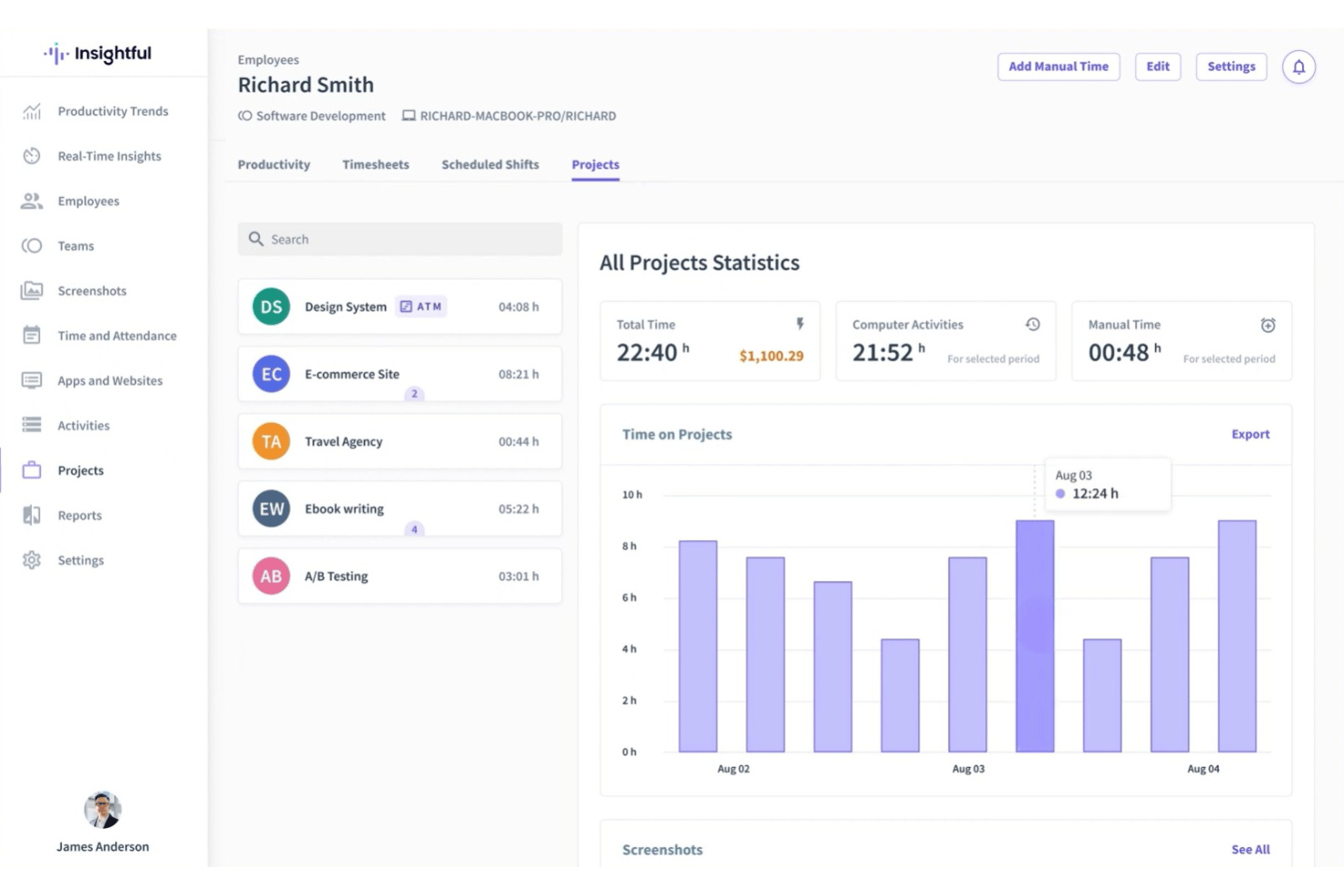
Tracks work hours and activities in real time without manual input. Users see detailed records by app, website, and project.
Employee Productivity Insights
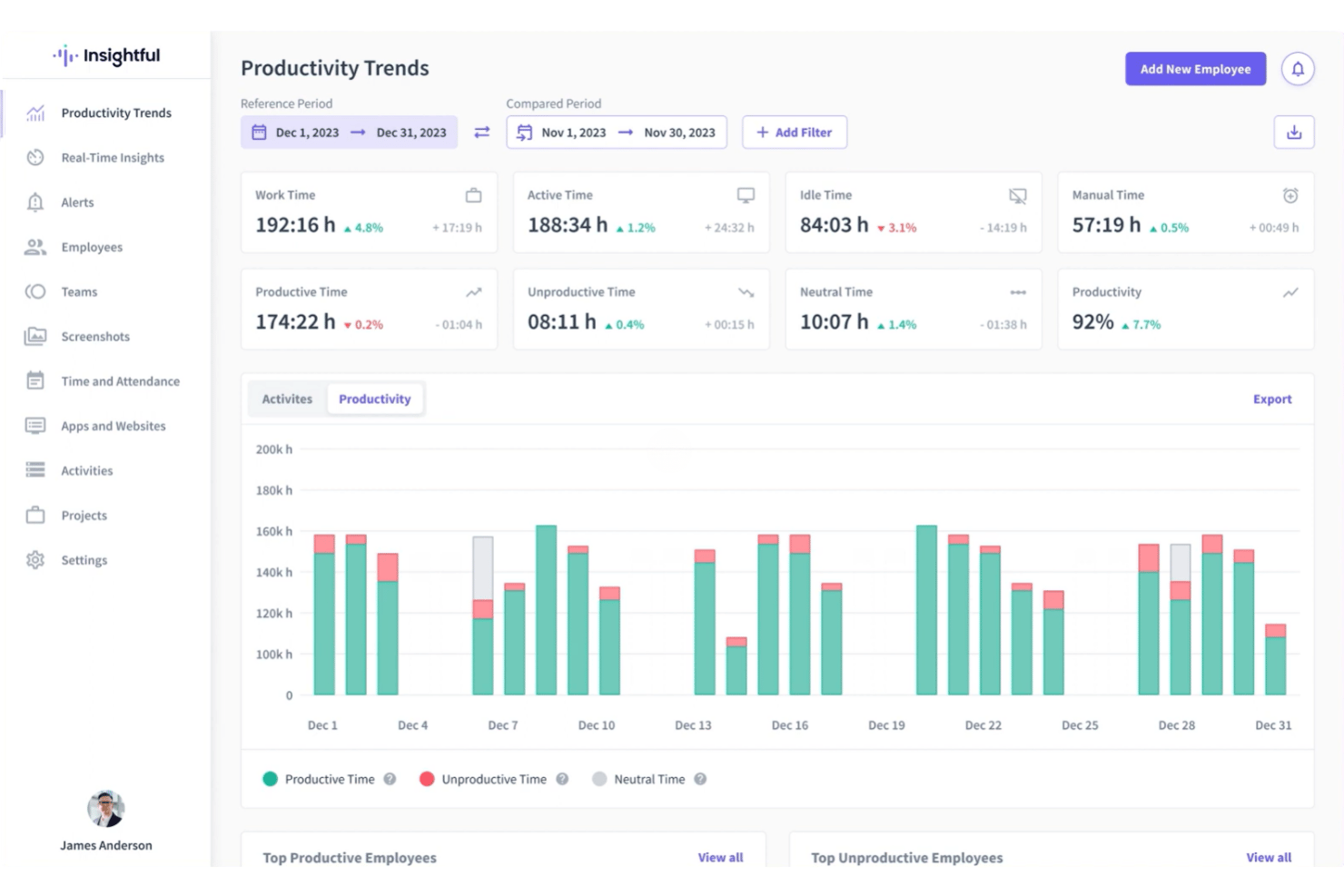
Delivers analytics on productive, unproductive, and neutral time for individuals and teams. Managers can spot trends and make data-driven decisions.
Stealth Mode Monitoring
Runs in the background invisibly, capturing user activity discreetly. This helps teams gather unbiased data on work habits.
Screenshots Capture
Takes automatic screenshots at set intervals for transparency and accountability. You control frequency and can blur images for privacy.
Project and Task Tracking
Assigns tracked time to specific projects or tasks for precise billing and reporting. Managers can monitor project progress and allocate resources.
Idle Time Detection
Automatically detects periods of inactivity and flags them in reports. Helps ensure only actual work hours are logged.
Ease of Use
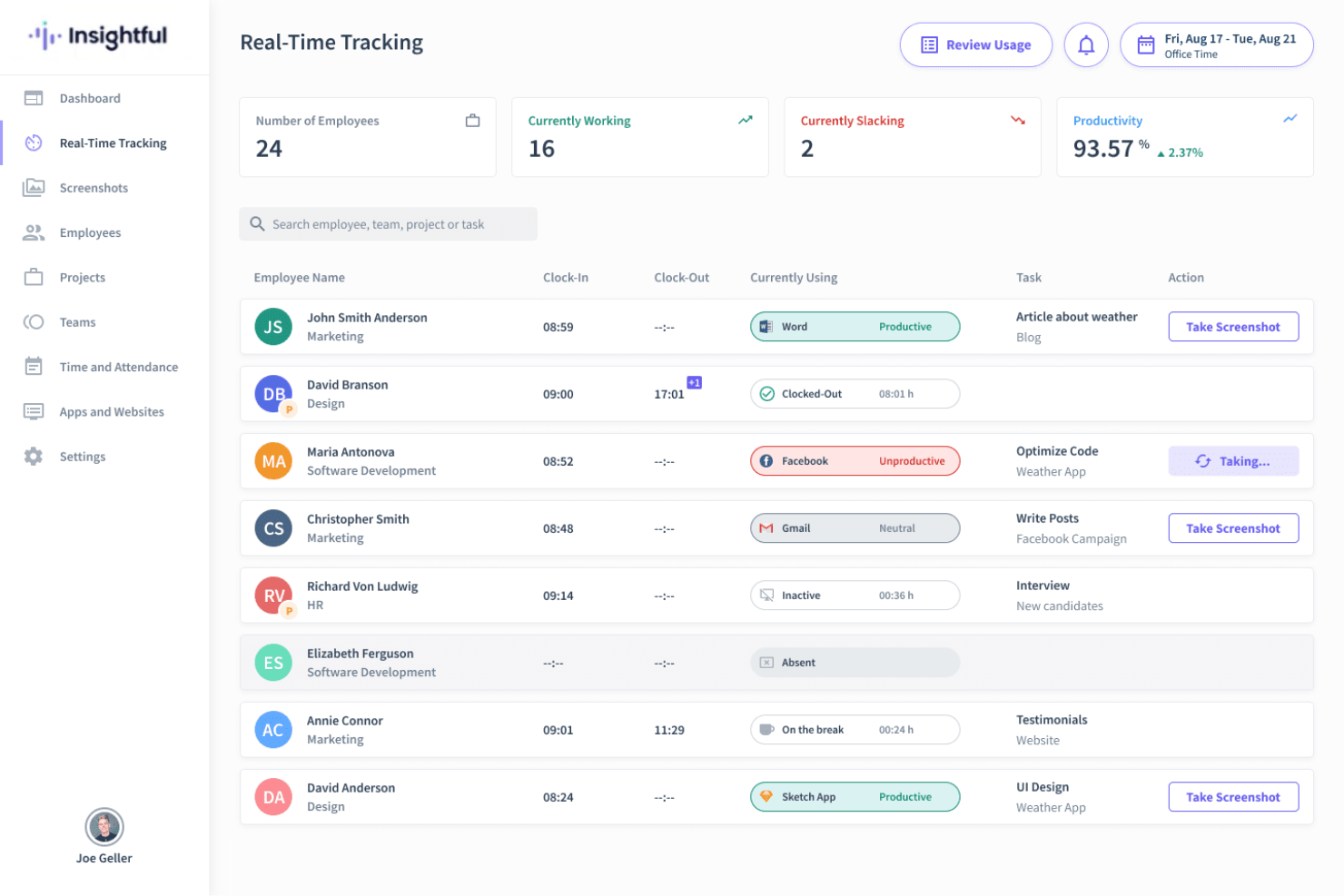
Insightful feels straightforward to use, thanks to its clean dashboard and automatic tracking, which minimizes the need for manual input. Users regularly praise how quickly they can view team activity and productivity analytics.
Visual timelines and clear reporting make it easy to get actionable insights without digging through menus.
Integrations
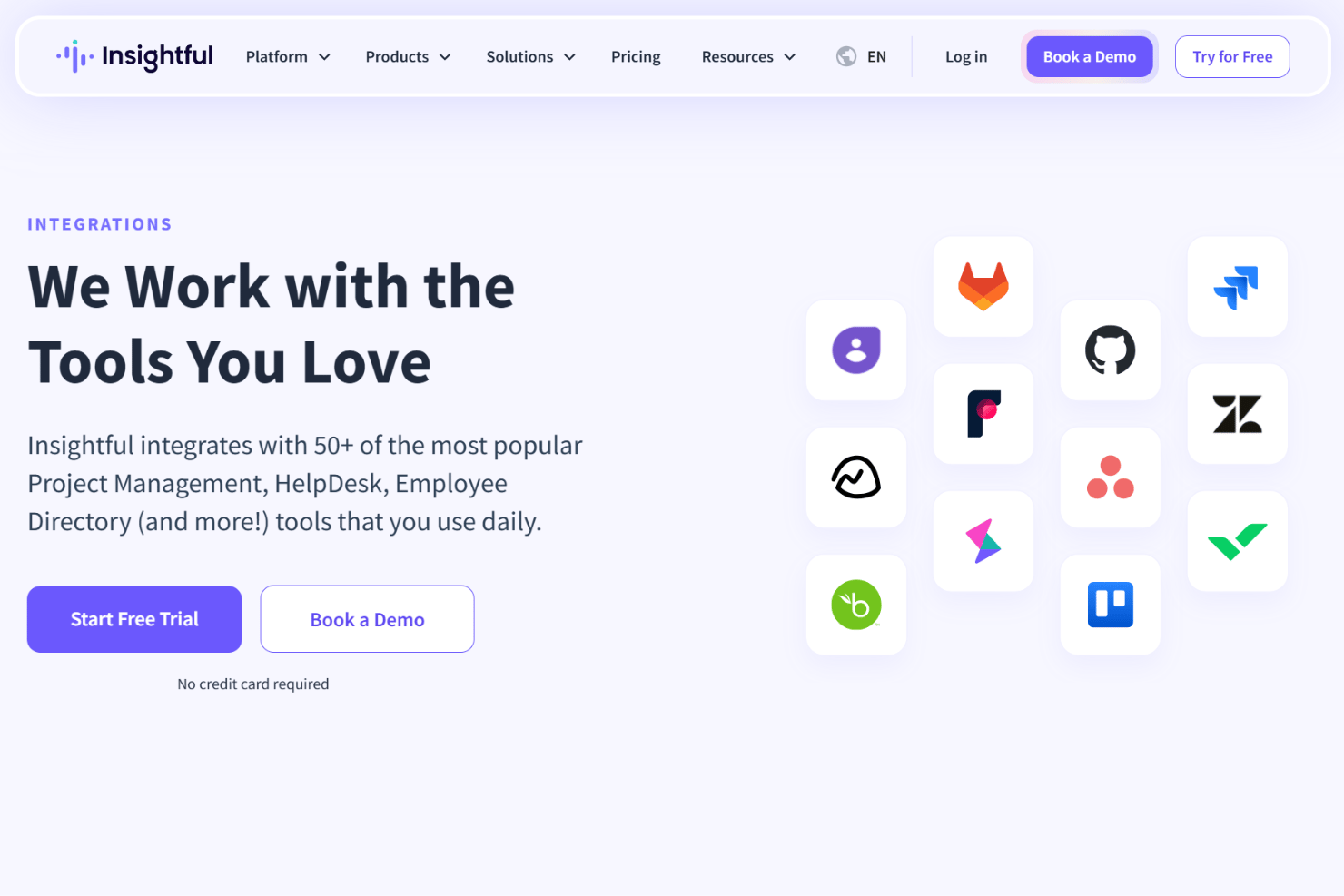
Insightful integrates with Jira, Trello, Asana, ClickUp, Basecamp, GitHub, GitLab, Azure DevOps, Wrike, and Zoho BugTracker, among others.
Insightful also offers a public API for custom integrations.
New Product Updates from Insightful
Insightful Expands MCP and HRIS Integrations
Insightful MCP Server now lets authorized users query live workforce data from ChatGPT and Copilot Studio using OAuth. HRIS integrations can also sync manager access from reporting hierarchies and keep permissions updated as structures change. Highlights include:
- ChatGPT Connection: Connects ChatGPT to live Insightful data through OAuth.
- Copilot Studio Connection: Adds OAuth access for Microsoft Copilot Studio.
- Read-Only MCP Access: Keeps AI queries within existing Insightful permissions.
- Manager Scope Sync: Aligns manager access with HRIS reporting hierarchies.
- Automatic Permission Updates: Adjusts manager access as organizational structures change.
- HRIS Beta: Manager scope syncing is currently available in Beta.
Visit Insightful’s official site for more details.
 for more details.
Insightful API Adds Alert Management
Insightful has expanded its API capabilities to include alert management, making it easier to automate and centrally administer alerting workflows. This helps teams integrate Insightful alerts into existing tools and reduce manual setup. Highlights include:
- Alert Creation: Creates new alerts through the API.
- Alert Updates: Changes existing alert configurations programmatically.
- Activation Controls: Activates or deactivates alerts through API calls.
- Alert Deletion: Removes alerts without using the UI.
- Permission Controls: Limits actions based on token access and user roles.
Visit Insightful’s official site for more details.
Insightful Redesigns Tracking Settings With Shared Controls
Insightful now centralizes shared tracking settings, employee assignments, and tracking actions in one redesigned experience. Admins can also assign employees during setup and review each setting’s scope more easily. Highlights include:
- Shared Tracking Settings: Centralizes reusable tracking configurations in one place.
- All Tab: Lists every shared tracking setting and its assigned scope.
- Employees Tab: Shows active employees alongside their applied tracking setting.
- Guided Setup: Walks admins through creating settings and assigning employees.
- Manage Actions: Groups employee tracking actions under a single Manage button.
- Team Inheritance: Lets employees inherit their team’s tracking setting when moved.
Visit Insightful’s official site for more details.
Insightful Brings Work Intelligence to AI Assistants
Insightful MCP Server lets Work Intelligence users access saved reports and run discovery conversations from AI assistants such as Claude. Users can start analyses, check progress, answer clarifying questions, and ask follow-ups from the same assistant. Highlights include:
- Saved Reports: Lets users list and read saved Work Intelligence reports.
- Discovery Conversations: Runs Work Intelligence analysis directly from a connected AI assistant.
- Progress Tracking: Lets users check the status of an active analysis.
- Follow-Up Questions: Supports clarifications and continued analysis within the conversation.
- Early Access: Available to organizations with Work Intelligence enabled.
Visit Insightful’s official site for more details.
Insightful Specs
- API
- Batch Permissions & Access
- Behavioral Tracking
- Big Data
- Competency Assessment
- Compliance Tracking
- Dashboard
- Data Export
- Data Import
- Data Visualization
- Database
- Employee Database
- Employee Engagement
- Employee Onboarding
- External Integrations
- Feedback Management
- Multi-User
- Notifications
- Password & Access Management
- Performance Appraisal
- Site Access Management
- Social-Media Integration
- Workflow Management


