





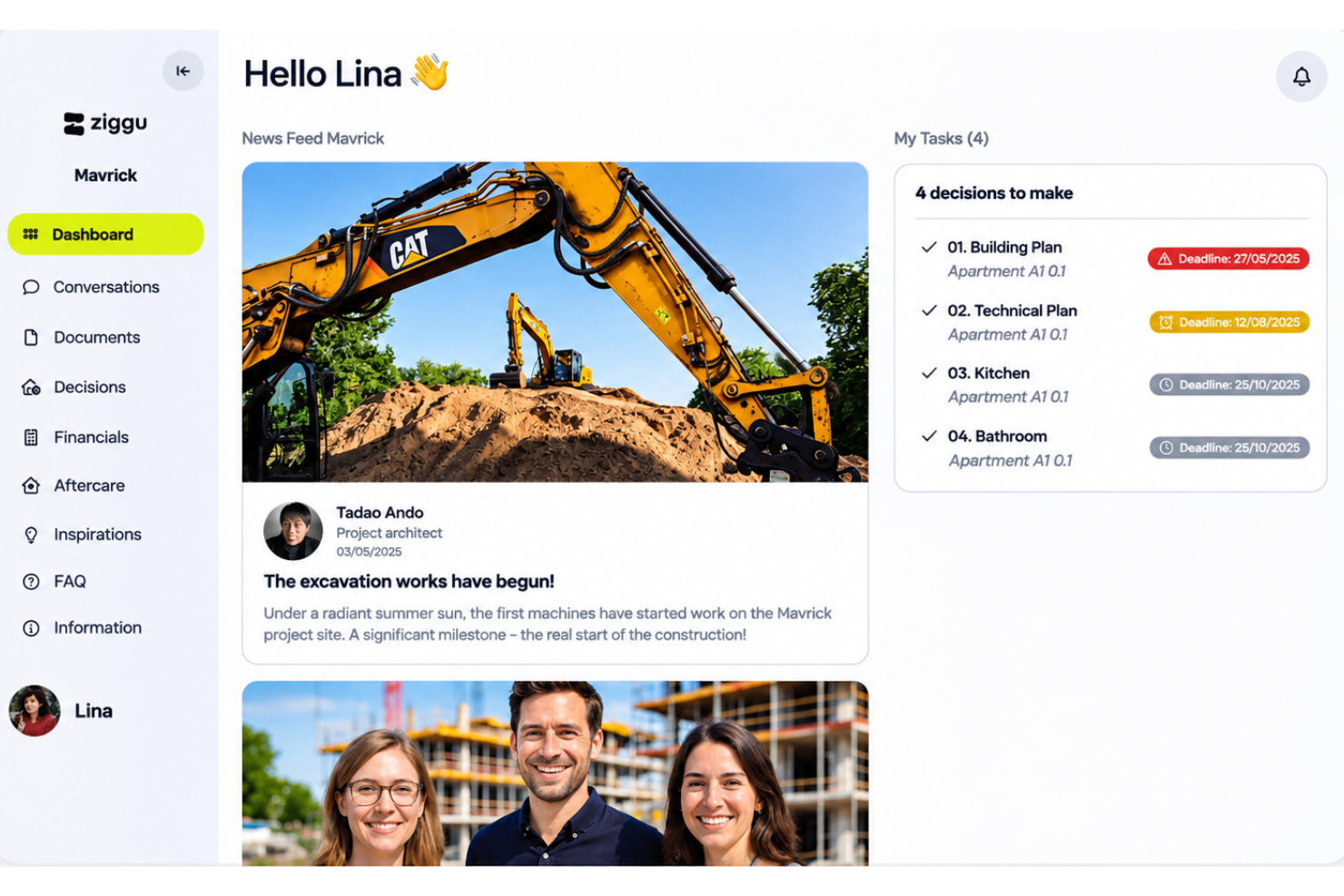
Ziggu is a project management software with a client portal that combines project tasks and timelines with client updates, documents, messages, and approvals. It suits project-based businesses such as property developers, to Asana, Ziggu is a better fit when client-facing coordination matters because its branded portal puts updates, documents, and sign-offs alongside project workflows.
Ziggu Evaluation Summary
- From €5.50/active project/month (minimum 15 projects)
- 14-day free trial
Why Trust Our Software Recommendations
Our team has been testing and reviewing software since 2012. As project managers ourselves, we know how difficult—and important—it is to choose the right software.
For this guide, we evaluated tools using hands-on testing and independent research, scoring tools using our selection criteria. We also draw on insights from industry thought leaders and practicing project management experts.
Our reviews reflect our human editorial judgment, not a sales pitch.
Expert reviewers:
Ziggu Overview
I’d choose Ziggu when client-facing coordination matters as much as tracking project work. Its portal puts tasks, timelines, updates, documents, messages, and approvals in one place, which suits property developers, architecture firms, and contractors managing client decisions. Compared with general-purpose project tools, Ziggu is better tailored to external collaboration, though teams focused on complex internal workflows or broad integrations may need more. To judge its overall value, confirm pricing, support, integrations, and onboarding requirements during selection, then compare the portal experience with your team’s day-to-day needs.
pros
-
Clients and teams find project updates, files, and decisions centralized.
-
Timestamped approvals keep client decisions and sign-offs traceable.
-
Milestone templates release tasks, messages, and documents by project phase.
cons
-
Reviewers report confusing approval views that include unapproved plans.
-
Some teams want clearer setup guidance and reusable project structures.
-
No native Gantt, Kanban, calendar, or workload planning limits internal scheduling.
-

Smartsheet
Visit WebsiteThis rating combines scores from multiple user review sites to reflect overall customer sentiment about the product.4.4 -
Celoxis
Visit WebsiteThis rating combines scores from multiple user review sites to reflect overall customer sentiment about the product.4.5 -
Accelo
Visit WebsiteThis rating combines scores from multiple user review sites to reflect overall customer sentiment about the product.4.4



Our Review Methodology
How We Test & Score Tools
We’ve spent years building, refining, and improving our software testing and scoring system. The rubric is designed to capture the nuances of software selection and what makes a tool effective, focusing on critical aspects of the decision-making process.
Below, you can see exactly how our testing and scoring works across seven criteria. It allows us to provide an unbiased evaluation of the software based on core functionality, standout features, ease of use, onboarding, customer support, integrations, customer reviews, and value for money.
Core Functionality (25% of final scoring)
The starting point of our evaluation is always the core functionality of the tool. Does it have the basic features and functions that a user would expect to see? Are any of those core features locked to higher-tiered pricing plans? At its core, we expect a tool to stand up against the baseline capabilities of its competitors.
Standout Features (25% of final scoring)
Next, we evaluate uncommon standout features that go above and beyond the core functionality typically found in tools of its kind. A high score reflects specialized or unique features that make the product faster, more efficient, or offer additional value to the user.
We also evaluate how easy it is to integrate with other tools typically found in the tech stack to expand the functionality and utility of the software. Tools offering plentiful native integrations, 3rd party connections, and API access to build custom integrations score best.
Ease of Use (10% of final scoring)
We consider how quick and easy it is to execute the tasks defined in the core functionality using the tool. High scoring software is well designed, intuitive to use, offers mobile apps, provides templates, and makes relatively complex tasks seem simple.
Onboarding (10% of final scoring)
We know how important rapid team adoption is for a new platform, so we evaluate how easy it is to learn and use a tool with minimal training. We evaluate how quickly a team member can get set up and start using the tool with no experience. High scoring solutions indicate little or no support is required.
Customer Support (10% of final scoring)
We review how quick and easy it is to get unstuck and find help by phone, live chat, or knowledge base. Tools and companies that provide real-time support score best, while chatbots score worst.
Customer Reviews (10% of final scoring)
Beyond our own testing and evaluation, we consider the net promoter score from current and past customers. We review their likelihood, given the option, to choose the tool again for the core functionality. A high scoring software reflects a high net promoter score from current or past customers.
Value for Money (10% of final scoring)
Lastly, in consideration of all the other criteria, we review the average price of entry level plans against the core features and consider the value of the other evaluation criteria. Software that delivers more, for less, will score higher.
Core Features
Milestones And Reusable Workflows
Ziggu lets you build project phases and attach tasks, messages, forms, and approval requests that launch when a milestone begins. Reusable templates help teams repeat a project process, such as sending a client checklist at kickoff.
Task Management
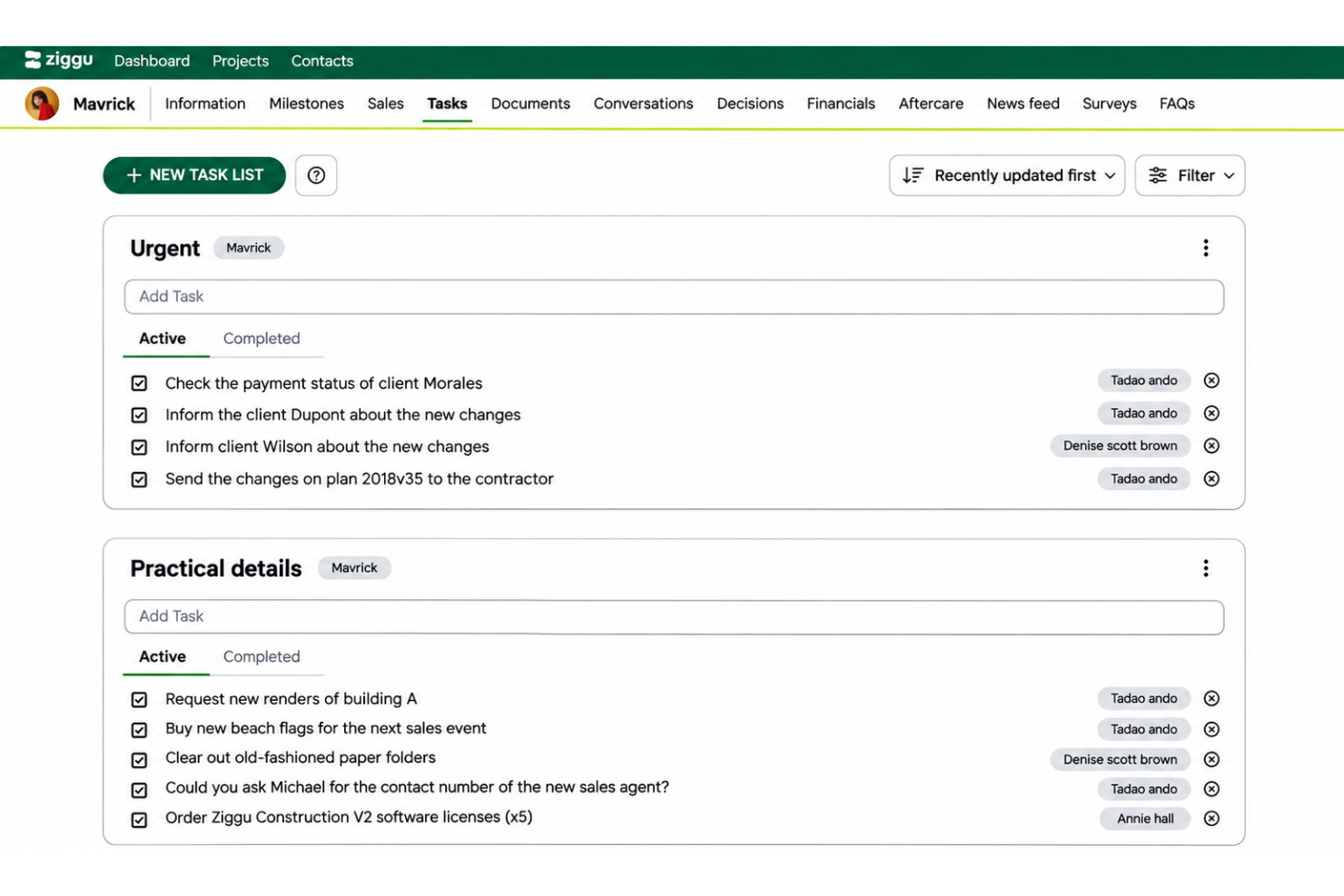
Assign tasks to team members, clients, or partners with owners, deadlines, and reminders; tasks can request a file upload or sign-off. Linking tasks to milestones means clients receive relevant next steps when a project phase starts.
Client Updates
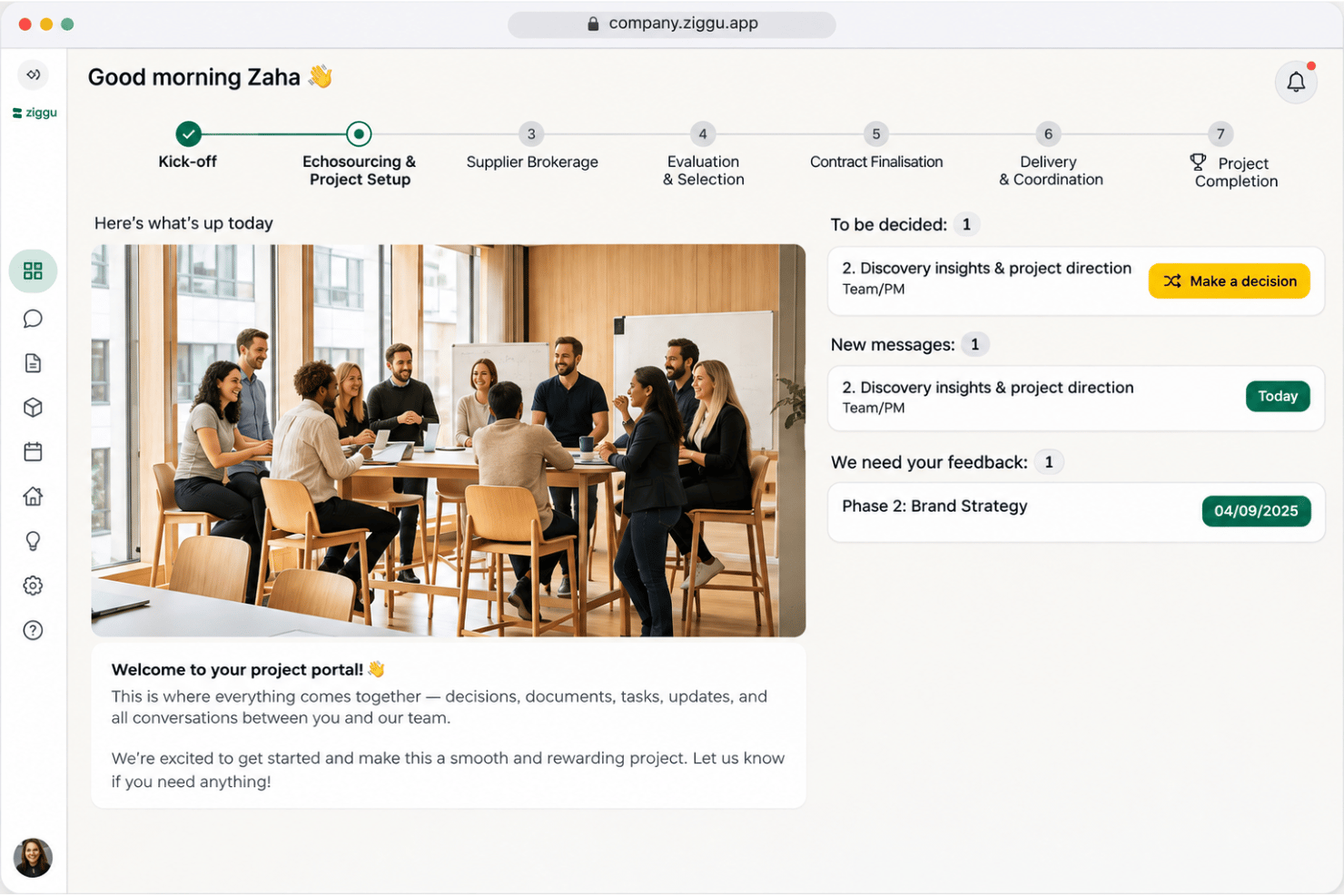
Post project news, photos, milestone progress, financial details, and searchable FAQs in the client portal. For example, clients can check what’s complete and what comes next without relying on a separate update email.
Decisions And Approvals
Clients can review options, make selections, and approve items digitally, while Ziggu records who acted and when. Teams can track open decisions and send reminders, keeping choices such as finish selections tied to the project record.
Document Management
Store plans, contracts, invoices, and photos in project-organized folders, with access for selected clients and partners. Ziggu notifies the right people when a file gets updated and records who opened it, helping teams point everyone to the latest plan.
Project Conversations
Keep client, team, and partner messages in project threads organized by subject and linked to relevant documents or decisions. Assign threads to colleagues or add private notes so another team member can follow the conversation and respond with its history.
Ease of Use
I find Ziggu easier to use for client-facing project work than tools built mainly for internal task tracking: clients can find updates, current plans, messages, and approvals in one portal. The trade-off is that approval screens can confuse buyers and contractors, while some teams want clearer setup guidance.
Integrations
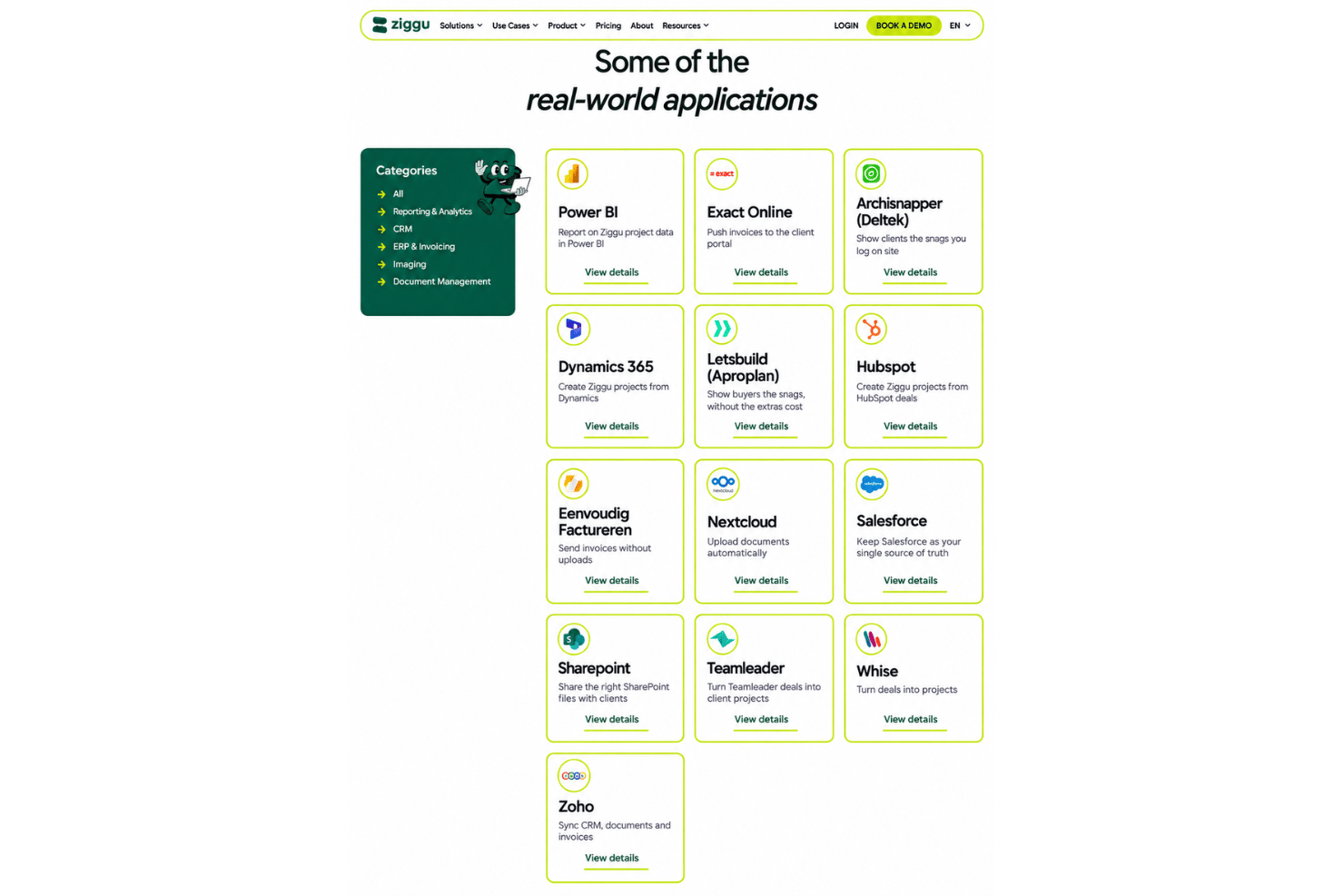
Ziggu integrates with Power BI, Exact Online, Archisnapper , MLetsbuild, HubSpot, Eenvoudig Factureren, Salesforce, and Microsoft SharePoint, among others.
Ziggu also offers a public REST API, and some connections use third-party tools such as Peliqan or Stratokit rather than plug-and-play native connectors.
Ziggu Specs
- API
- Calendar Management
- Customer Management
- Data Export
- Data Import
- External Integrations
- Inventory Tracking
- Multi-User
- Notifications
- Project Management
- Scheduling
- Supplier Management


