

10 strumenti alternativi a Office Timeline per la pianificazione nel 2026

Elenco delle migliori alternative a Office Timeline
- 2. EdrawMax
- 3. ProductPlan
- 4. Vizzlo


Se hai notato che Office Timeline non è lo strumento software di gestione dei progetti più adatto al tuo team, sono disponibili numerose alternative a Office Timeline che possono aiutarti a pianificare i progetti, creare diagrammi di Gantt e realizzare sequenze temporali.
Office Timeline potrebbe non offrire il set di funzionalità giusto per soddisfare il tuo caso d'uso, quindi ho testato e analizzato decine di alternative a Office Timeline per aiutarti a trovare un sostituto. Che tu abbia bisogno di una maggiore personalizzazione, di funzionalità collaborative o di integrazioni, queste sono le mie raccomandazioni per le migliori alternative a Office Timeline.
Che cos'è Office Timeline?
Office Timeline è un componente aggiuntivo intuitivo per Microsoft PowerPoint che consente agli utenti di creare sequenze temporali di progetto e diagrammi di Gantt visivamente accattivanti. Semplifica il processo di trasformazione di dati complessi sui progetti in elementi visivi facili da comprendere per report, riunioni e presentazioni.
Perché fidarsi dei nostri consigli sui software
Il nostro team testa e recensisce software dal 2012. In quanto project manager noi stessi, sappiamo quanto sia difficile — e importante — scegliere il software giusto.
Per questa guida, abbiamo valutato gli strumenti attraverso test pratici e ricerche indipendenti, assegnando un punteggio agli strumenti in base ai nostri criteri di selezione. Ci basiamo inoltre sulle competenze di leader di pensiero del settore e di professionisti attivi nella gestione dei progetti.
Le nostre recensioni riflettono il nostro giudizio editoriale umano, non un discorso di vendita.
Revisori esperti:
Tabella comparativa delle alternative a Office Timeline
Confronta i prezzi e altre specifiche di ciascuna delle mie scelte per le alternative a Office Timeline qui sotto:
| Tool | Best For | Trial Info | Price | ||
|---|---|---|---|---|---|
| 1 | Ideale per la progettazione di linee temporali coerenti con il marchio | Versione di prova gratuita + piano gratuito disponibili | A partire da $144/utente/anno (con fatturazione annuale) | Website | |
| 2 | È disponibile una prova gratuita di 7 giorni | A partire da $119/anno (fatturato annualmente) | Website | ||
| 3 | Gratis demo beschikbaar | Prijs op aanvraag | Website | ||
| 4 | Piano gratuito + prova gratuita di 14 giorni disponibile | A partire da $15/mese (fatturati annualmente) | Website | ||
| 5 | Prova gratuita di 30 giorni + demo gratuita disponibile | A partire da $59/utente/mese (fatturato annualmente) | Website | ||
| 6 | Ideale per roadmap Gantt collegate a Jira | Piano gratuito + prova gratuita di 14 giorni disponibile | Da $18/user/month (con fatturazione annuale) | Website | |
| 7 | Prova gratuita + demo gratuita disponibili | A partire da $19/utente/mese (con fatturazione annuale) | Website | ||
| 8 | Ideale per diagrammi di Gantt interattivi | Prova gratuita di 14 giorni | A partire da $7/utente/mese (con fatturazione annuale) | Website | |
| 9 | Ideale per la pianificazione collaborativa visiva delle cronologie | Piano gratuito + prova gratuita di 14 giorni disponibile | A partire da $8/utente/mese (con fatturazione annuale) | Website | |
| 10 | Ideale per visualizzazioni di progetto simili a fogli di calcolo | Prova gratuita di 30 giorni | A partire da $9/utente/mese (con fatturazione annuale) | Website |


Recensioni delle migliori alternative a Office Timeline
Ecco la mia analisi dettagliata e la panoramica di ciascuna alternativa a Office Timeline. Esamino vantaggi e svantaggi, funzionalità e scenari ideali per ogni strumento.

Canva
Ideale per la progettazione di linee temporali coerenti con il marchio
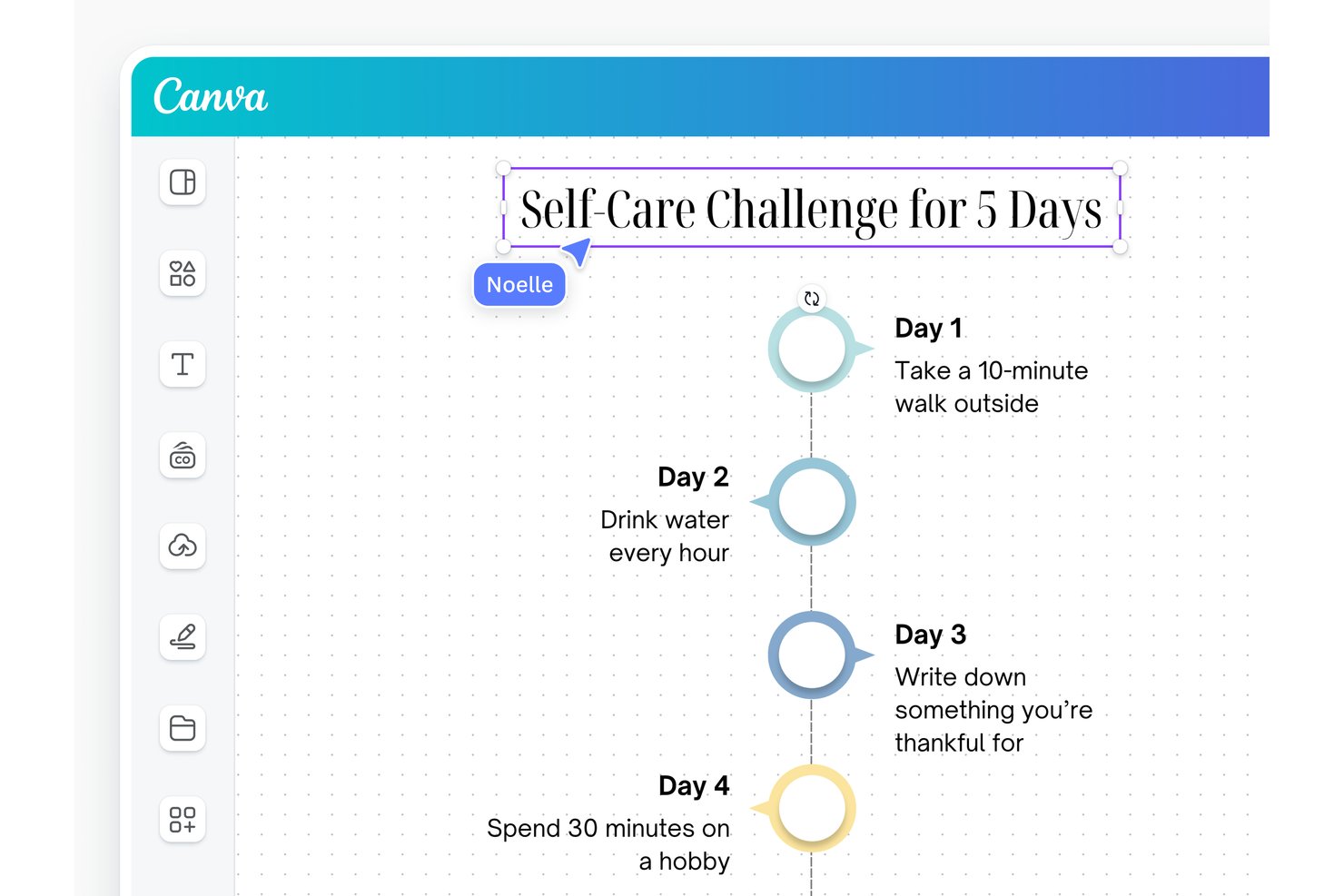
Canva è una piattaforma di progettazione visiva che consente di creare linee temporali, diagrammi di Gantt, roadmap e grafiche di progetto pronte per le presentazioni utilizzando modelli con funzionalità di trascinamento nei formati lavagna, documento, infografica e diapositiva.
Per chi è più adatto Canva?
Canva è ideale per i team che devono trasformare linee temporali e roadmap di progetto in elementi visivi curati e coerenti con il marchio senza affidarsi a un designer dedicato.
Perché ho scelto Canva
Ho incluso Canva tra le mie scelte principali perché è l'opzione più valida di questo elenco per i team che hanno bisogno che le linee temporali di progetto siano curate quanto il lavoro che rappresentano. Mentre gli output di Office Timeline sono in gran parte vincolati alle diapositive, Canva consente di creare lo stesso diagramma di Gantt o la stessa roadmap su lavagne, infografiche, documenti e diapositive per presentazioni, applicando poi un kit del marchio per mantenere colori, caratteri e loghi approvati in ogni formato. È questa coerenza a far sembrare intenzionali, anziché improvvisati, i materiali destinati ai clienti e ai dirigenti.
Funzionalità principali di Canva
- Strumento per creare diagrammi di Gantt su lavagna: Crea diagrammi di Gantt su una tela infinita utilizzando barre delle attività, frecce delle dipendenze e indicatori delle milestone, partendo da un modello o da una lavagna vuota.
- Modelli di linee temporali in più formati: Accedi a modelli di linee temporali in formato infografica, documento, poster, lavagna e diapositiva per presentazioni da un'unica raccolta di modelli.
- Controlli di collaborazione basati sui ruoli: Invita i membri del team come editor, visualizzatori o commentatori, blocca gli elementi di progettazione principali e ripristina versioni precedenti utilizzando la cronologia delle versioni.
- Opzioni di esportazione per le presentazioni: Scarica le linee temporali e i diagrammi di Gantt completati come PDF, PNG di alta qualità o PPTX, oppure condividili tramite un link attivo o un documento Canva incorporato.
Integrazioni di Canva
Canva si connette a Google Sheets, Salesforce, Google Analytics, HubSpot e World Bank tramite Charts and Sheets, mentre SharePoint è disponibile tramite integrazioni del marketplace. Canva offre inoltre Apps SDK e Connect API per integrazioni personalizzate.
Pros and Cons
Pros:
- I modelli velocizzano la creazione di bozze di linee temporali curate
- La modifica condivisa facilita le revisioni delle parti interessate
- I kit del marchio mantengono coerenti i materiali finali
Cons:
- Date e dipendenze dei diagrammi di Gantt richiedono aggiornamenti manuali
- Le esportazioni in PowerPoint possono modificare la formattazione

EdrawMax
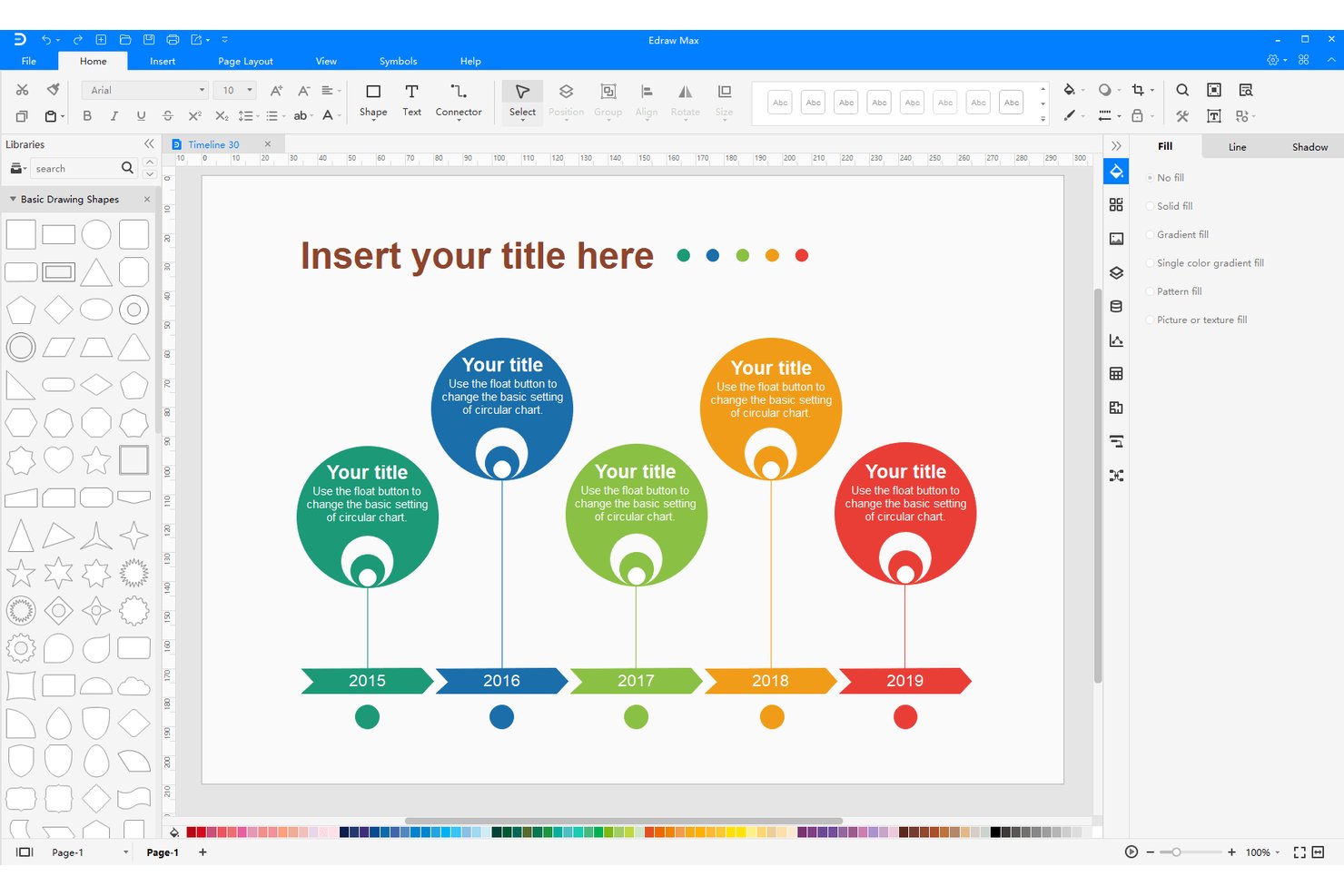
EdrawMax è una piattaforma per la creazione di diagrammi che supporta la realizzazione di linee temporali, diagrammi di Gantt, diagrammi di flusso, organigrammi e oltre 210 altri tipi di diagrammi, con esportazione in PowerPoint, PDF, Word e altri formati standard.
Per chi è più adatto EdrawMax?
EdrawMax è particolarmente adatto a consulenti aziendali e al personale degli uffici di gestione dei progetti (PMO) che devono trasformare i dati dei progetti in diagrammi curati e pronti per le presentazioni, in un'ampia varietà di formati.
Perché ho scelto EdrawMax
Ho scelto EdrawMax come uno dei migliori strumenti perché va oltre la semplice creazione di linee temporali, offrendo accesso a oltre 210 tipi di diagrammi insieme a strumenti dedicati per diagrammi di Gantt e linee temporali. Mi piace il fatto che sia possibile creare una linea temporale orizzontale o verticale curata, regolare gli stili e la spaziatura delle pietre miliari, quindi esportarla direttamente come diapositiva PPTX o trasferirla in PowerPoint tramite il componente aggiuntivo nativo con sincronizzazione in tempo reale. Gli oltre 20.000 modelli della comunità, comprese opzioni di Gantt denominate Edilizia e Ricerca, mi permettono di ottenere rapidamente un elemento visivo pronto per una presentazione senza dover partire da zero.
Funzionalità principali di EdrawMax
- Modifica delle linee temporali tramite trascinamento: Regola direttamente sulla tela le posizioni delle pietre miliari, la spaziatura e le forme degli eventi senza dover navigare nei menu.
- Importazione dei dati da fogli di calcolo: Carica i dati di Gantt da file
.csv,.xlso.xlsxcon mappatura delle colonne per attività, date, dipendenze e altro. - Creazione di temi personalizzati: Definisci e salva i colori del tema, gli stili dei connettori e gli stili del testo per allineare i diagrammi al tuo marchio.
- Condivisione tramite link con autorizzazioni: Condividi i diagrammi tramite link con accesso di sola visualizzazione o di modifica, oppure invita i collaboratori tramite e-mail.
Integrazioni di EdrawMax
EdrawMax dispone di integrazioni native documentate con Microsoft Word e Microsoft PowerPoint, incluso un componente aggiuntivo di PowerPoint per inserire e modificare diagrammi con sincronizzazione in tempo reale.
Pros and Cons
Pros:
- Disposizioni di linee temporali orizzontali e verticali
- I modelli di Gantt modificabili semplificano la visualizzazione delle pianificazioni
- Il trascinamento delle barre di Gantt aggiorna le date delle attività
Cons:
- L'interfaccia ricca di funzionalità può rallentare le prime modifiche
- Le importazioni da fogli di calcolo non mantengono i diagrammi sincronizzati

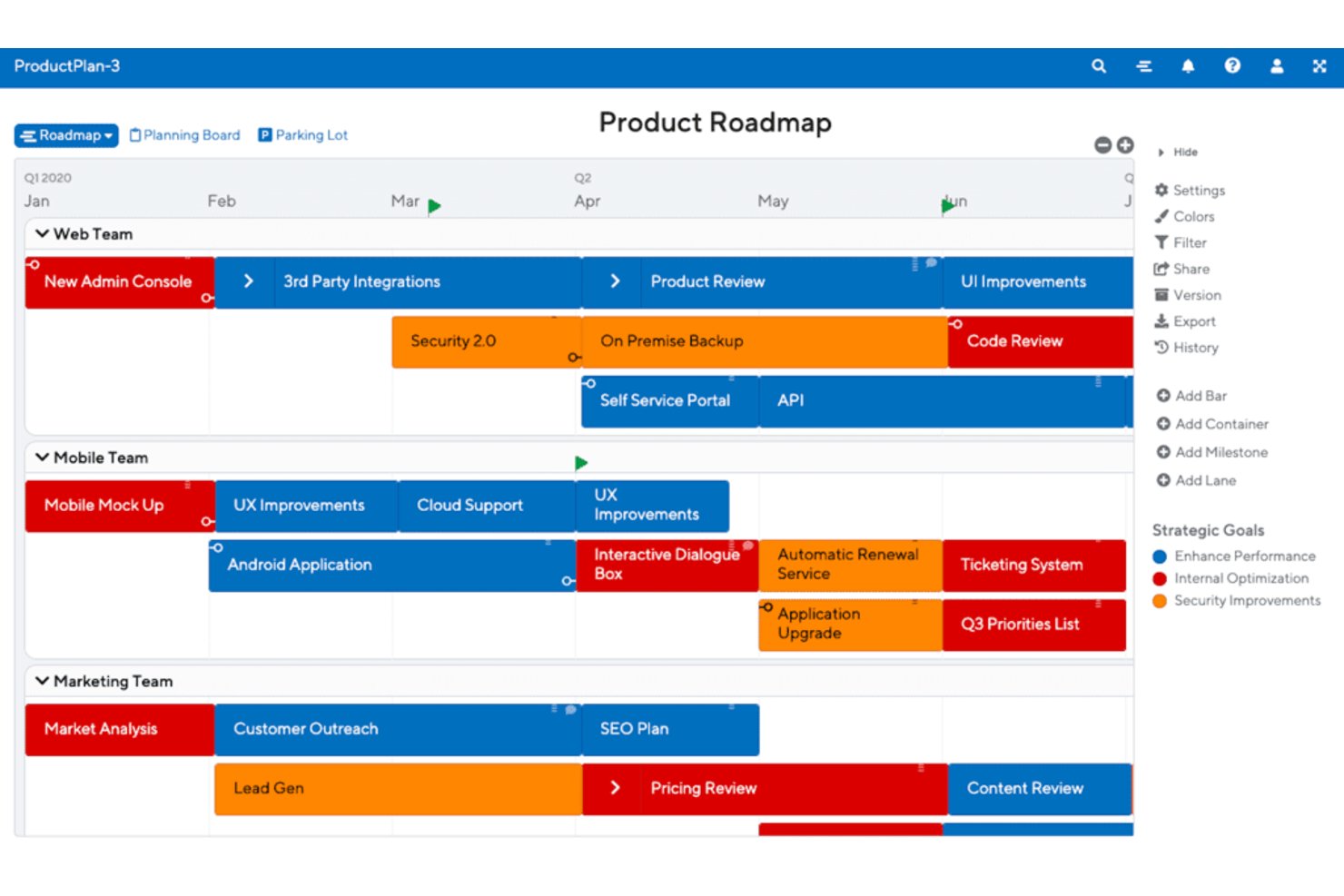
ProductPlan is een hulpmiddel voor productroutekaarten waarmee teams visuele tijdlijnroutekaarten kunnen maken, prioriteiten kunnen beheren, afhankelijkheden kunnen volgen en aangepaste weergaven kunnen delen met verschillende groepen belanghebbenden.
Voor wie is ProductPlan het meest geschikt?
ProductPlan is zeer geschikt voor productmanagers die visuele routekaarten moeten maken en delen, en belanghebbenden binnen engineering-, go-to-market- en managementteams op één lijn moeten brengen.
Waarom ik voor ProductPlan heb gekozen
Ik heb ProductPlan gekozen als een van de beste opties omdat het een echt probleem oplost dat ik herhaaldelijk heb gezien: teams maken één routekaart en moeten die vervolgens haastig opnieuw opmaken voor vijf verschillende doelgroepen. Met opgeslagen weergaven per doelgroep kan ik precies aanpassen wat engineering, leidinggevenden en sales uit dezelfde onderliggende gegevens zien. Delen via een privékoppeling betekent dat belanghebbenden een actuele routekaart krijgen zonder dat ze hoeven in te loggen, waardoor het eindeloze aantal verzoeken als „kun je me de nieuwste versie sturen?” afneemt.
Belangrijkste functies van ProductPlan
- Bewerken van balken door slepen en neerzetten: Voeg routekaartitems toe, wijzig hun formaat en verplaats ze op een tijdlijn door ze rechtstreeks op het canvas te slepen.
- Tweerichtingssynchronisatie met Jira en Azure DevOps: Koppel epics en onderliggende stories aan routekaartcontainers en -balken, waarbij wijzigingen in datums en velden in beide richtingen worden gesynchroniseerd.
- Importeren uit spreadsheets: Importeer bestaande routekaartgegevens uit CSV-, XLS- of XLSX-bestanden, met automatische toewijzing van kolommen aan ProductPlan-velden.
- Portfolio-overzicht: Voeg meerdere routekaarten samen in één filterbare weergave voor inzicht over teams heen of op managementniveau.
Integraties van ProductPlan
ProductPlan biedt native integraties met Jira en Azure DevOps, plus integraties met Confluence en Microsoft Teams. Het biedt ook een API voor aangepaste integraties en ondersteunt Zapier.
Pros and Cons
Pros:
- Weergaven per doelgroep verbeteren de afstemming met belanghebbenden
- Bewerkingen door slepen en neerzetten helpen teams tijdlijnen aan te passen
- Visuele routekaarten verduidelijken prioriteiten voor het management
Cons:
- Geen native export naar PowerPoint-bestanden
- Geen gedocumenteerde functies voor planning met Gantt-diagrammen
Vizzlo
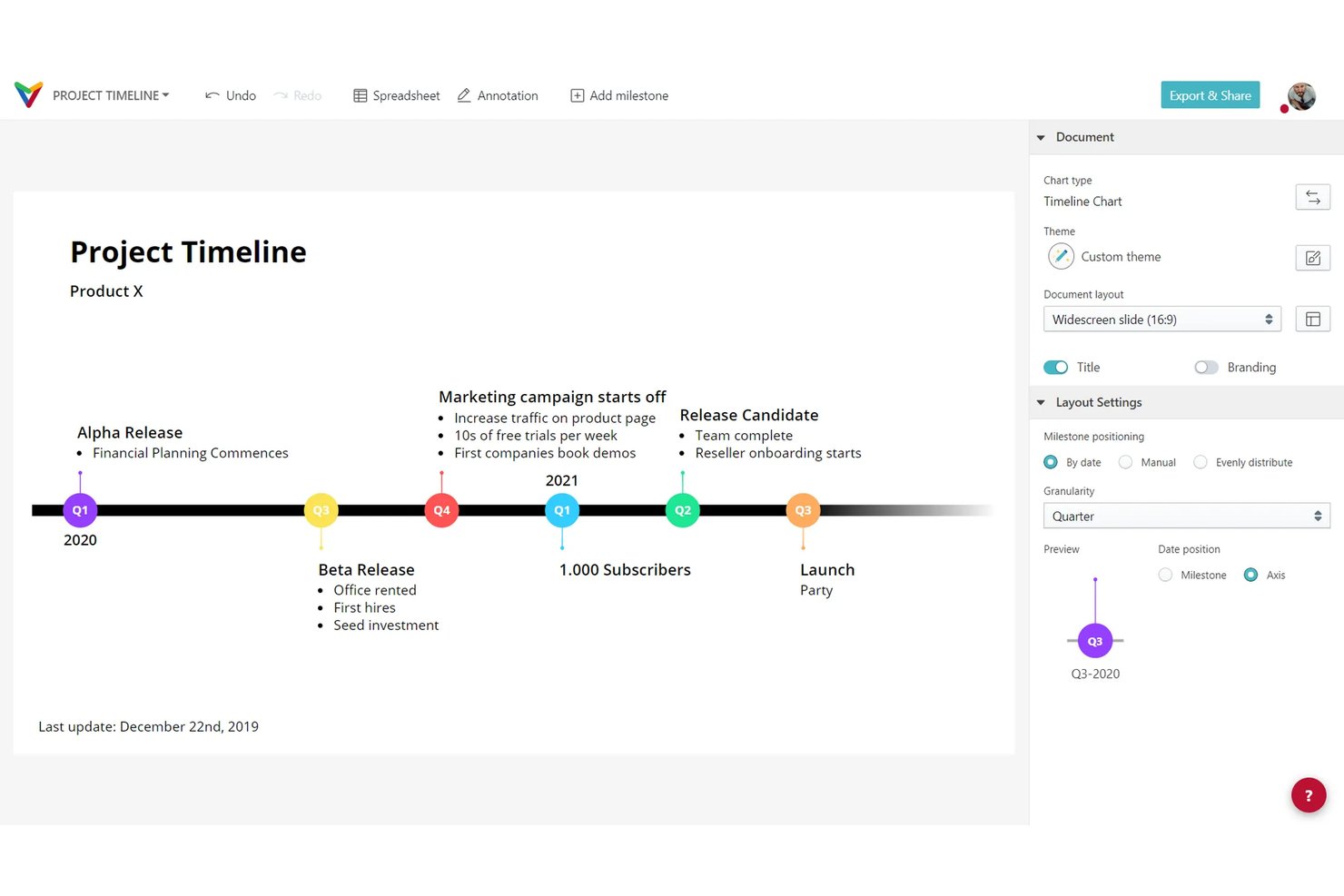
Vizzlo è uno strumento per la creazione di grafici e la visualizzazione dei dati che consente di creare diagrammi di Gantt, sequenze temporali, roadmap e sequenze temporali a livelli direttamente in PowerPoint e Google Slides.
Per chi è più adatto Vizzlo?
Vizzlo è particolarmente adatto a responsabili di progetto e consulenti che devono trasformare rapidamente i programmi dei progetti in elementi visivi curati e pronti per le presentazioni.
Perché ho scelto Vizzlo
Ho scelto Vizzlo come uno dei migliori strumenti perché è progettato appositamente per trasformare i programmi dei progetti in elementi visivi pronti per le presentazioni, senza il consueto avanti e indietro in PowerPoint. L'editor di Gantt consente di trascinare e rilasciare le attività, impostare le dipendenze e monitorare i progressi, per poi inserire il grafico completato direttamente in una presentazione Google Slides o in un file PowerPoint con un solo clic. Mi piace anche il fatto che i 13 temi integrati di Vizzlo e i controlli dell'identità visiva a livello di organizzazione facciano sì che ogni grafico prodotto dal team abbia un aspetto coerente, sia che si tratti di una relazione per un cliente sia di un aggiornamento settimanale per le parti interessate.
Caratteristiche principali di Vizzlo
- Generazione di grafici tramite IA: Chart Vizzard consente di descrivere un grafico in una richiesta e genera un elemento visivo pronto per essere modificato, che può essere aperto direttamente nell'editor di Vizzlo.
- Aggiornamento programmato dei dati: I grafici collegati possono sincronizzarsi con fonti di fogli di calcolo esterne con frequenza oraria, giornaliera o settimanale, per mantenere aggiornati gli elementi visivi.
- Temi a livello di organizzazione: I team possono condividere palette di colori personalizzate, caratteri e impostazioni del logo tra tutti i grafici, per mantenere un'identità visiva coerente.
- App desktop con supporto offline: Le app di Vizzlo per Windows e macOS consentono di creare e modificare i grafici localmente senza una connessione Internet.
Integrazioni di Vizzlo
Vizzlo offre integrazioni native con Microsoft PowerPoint e Google Slides, oltre a collegamenti con Google Sheets, Google Drive, OneDrive, Dropbox e Box.
Pros and Cons
Pros:
- Elementi visivi Gantt curati per le presentazioni delle parti interessate
- Creazione rapida di diagrammi di Gantt per i progetti
- I temi condivisi favoriscono un'identità visiva coerente per i clienti
Cons:
- Controllo limitato sulle dimensioni dei caratteri e sull'adattamento alle diapositive
- L'importazione di fogli di calcolo di grandi dimensioni può essere frustrante

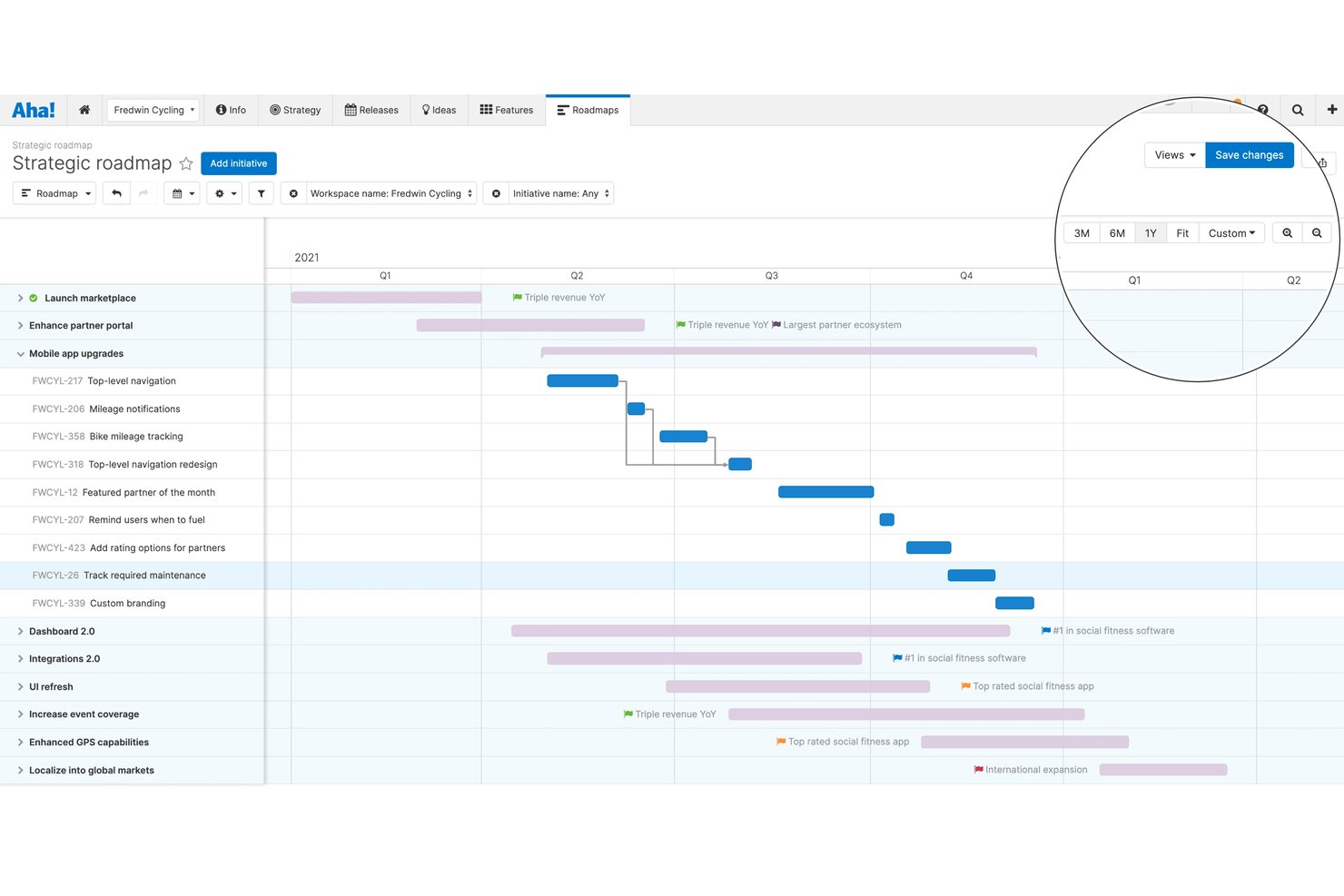
Aha! Roadmaps è una piattaforma di gestione dei prodotti che comprende la definizione della strategia, la prioritizzazione delle funzionalità, la creazione di roadmap visive, la pianificazione dei rilasci basata sui diagrammi di Gantt e la condivisione delle presentazioni con le parti interessate.
Per chi è più adatto Aha! Roadmaps?
Aha! Roadmaps è particolarmente adatto ai product manager di team tecnologici in crescita che hanno bisogno di collegare strategia, prioritizzazione e condivisione delle roadmap in un unico luogo.
Perché ho scelto Aha! Roadmaps
Aha! Roadmaps si è guadagnato un posto nella mia lista ristretta perché gestisce l'intero percorso della pianificazione delle roadmap, dalla strategia e dalla prioritizzazione alle presentazioni curate per le parti interessate, senza richiedere di combinare strumenti separati. Apprezzo in particolare il modo in cui la sua vista Gantt consente di gestire rilasci, fasi, traguardi e dipendenze in un unico luogo, per poi inserire direttamente queste viste in una presentazione che si aggiorna automaticamente quando cambiano i piani. È inoltre possibile personalizzare i formati delle roadmap in base al pubblico, scegliendo tra viste di portafoglio, strategiche o personalizzate, con palette di colori e loghi coordinati applicati all'intero account.
Funzionalità principali di Aha! Roadmaps
- Attribuzione di punteggi per la prioritizzazione delle funzionalità: Attribuisci un punteggio e classifica le funzionalità in base all'impatto previsto per allineare il team sulle attività di maggior valore prima di impegnarsi in un rilascio.
- Monitoraggio delle dipendenze tra team: Mappa le relazioni tra gli elementi di lavoro in più spazi di lavoro per individuare i rischi di consegna prima che influiscano sulle tempistiche.
- Palette di colori e branding personalizzati: Applica fino a 10 palette di colori a livello di account e loghi primari o secondari a roadmap, report e presentazioni.
- Invio programmato tramite e-mail: Invia automaticamente viste delle roadmap e report salvati alle parti interessate secondo una pianificazione ricorrente, senza passaggi manuali di condivisione.
Integrazioni di Aha! Roadmaps
Aha! Roadmaps include oltre 40 integrazioni native, tra cui Jira, Azure DevOps, Asana, Confluence, GitHub, GitLab, Slack, Smartsheet e Trello. Offre inoltre un'API REST e un'integrazione con Zapier.
Pros and Cons
Pros:
- Le roadmap visive chiariscono priorità e traguardi
- Le viste Gantt mappano rilasci e dipendenze
- Le viste della roadmap in tempo reale riducono gli aggiornamenti di PowerPoint
Cons:
- I modelli di presentazione possono richiedere preparazione
- L'interfaccia densa complica la navigazione per alcuni utenti

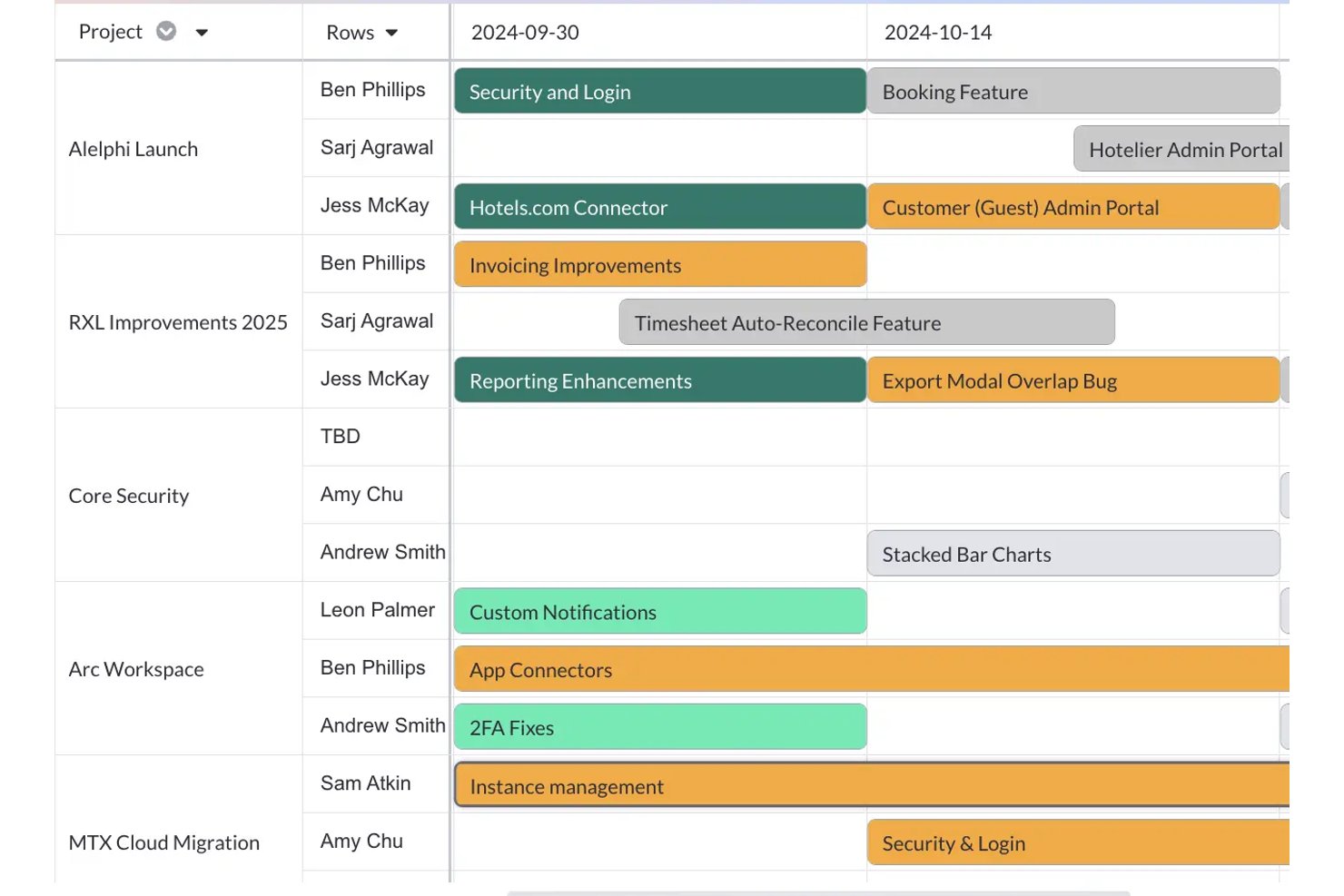
Visor è uno strumento di visualizzazione dei progetti che raccoglie dati in tempo reale da Jira, Asana e Salesforce per creare diagrammi di Gantt, roadmap, visualizzazioni cronologiche e dashboard.
Per chi è più adatto Visor?
Visor è particolarmente adatto ai project manager e ai program manager che lavorano quotidianamente con Jira e hanno bisogno di trasformare quei dati in diagrammi di Gantt e roadmap condivisibili senza dover ricostruire tutto manualmente.
Perché ho scelto Visor
Visor si è guadagnato un posto nella mia rosa di strumenti preferiti perché risolve una frustrazione specifica che ho riscontrato più volte: Jira contiene tutti i dati reali dei progetti, ma trasferire quei dati in un diagramma di Gantt chiaro e condivisibile di solito significa ricostruire tutto a mano. Con Visor, posso importare direttamente in una visualizzazione Gantt i dati in tempo reale di Jira, incluse le gerarchie nidificate delle attività e le dipendenze, quindi trascinare le barre per modificare le date senza dover mai intervenire direttamente in Jira.
Funzionalità principali di Visor
- Modelli intelligenti con IA: Genera diagrammi di Gantt, roadmap, grafici cronologici, visualizzazioni a scheda e visualizzazioni tabellari configurati rispondendo a domande sui dati del tuo progetto.
- Indicatori delle milestone: Trasforma qualsiasi record da barra a milestone e viceversa nella visualizzazione Gantt utilizzando un campo data di fine esistente.
- Autorizzazioni di condivisione granulari: Invita i collaboratori come visualizzatori, commentatori, redattori o proprietari e modifica o revoca immediatamente l'accesso.
- Esportazione in più formati: Esporta le visualizzazioni in formato PDF, PNG, JPG o CSV oppure incorpora una cartella di lavoro in qualsiasi applicazione compatibile con iframe.
Integrazioni di Visor
Visor offre integrazioni native con Jira, Asana, Salesforce e HubSpot.
Pros and Cons
Pros:
- I revisori apprezzano le cronologie chiare per gli aggiornamenti agli stakeholder
- Le modifiche alle date tramite trascinamento aggiornano le altre visualizzazioni della cartella di lavoro
- Mantiene le gerarchie nidificate dei progetti nelle roadmap
Cons:
- Le visualizzazioni di portafoglio complesse possono diventare caotiche
- La dismissione del servizio era prevista per il 31 luglio 2026, con conseguenze sulla disponibilità
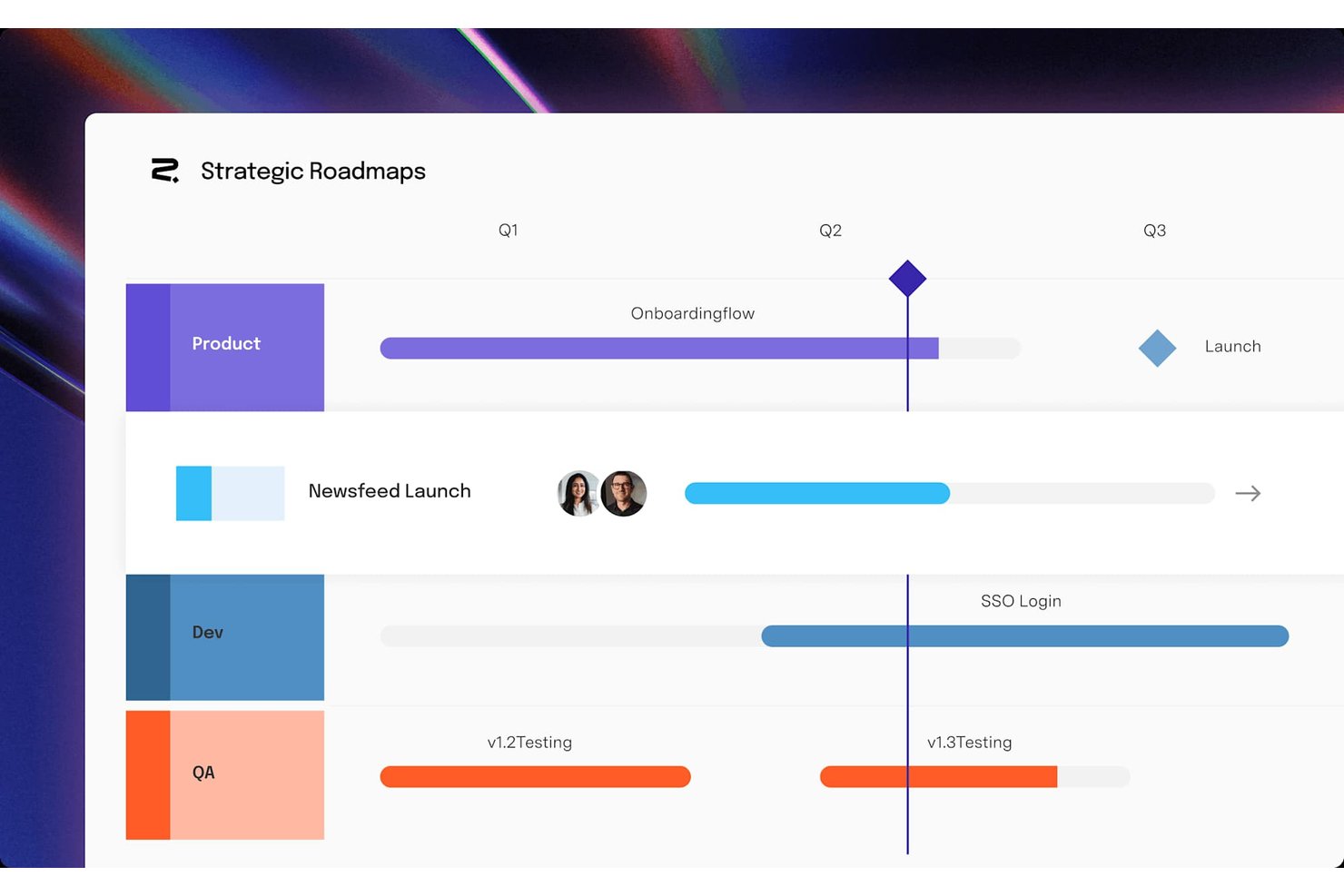
Roadmunk by Tempo è uno strumento dedicato alla creazione di roadmap che offre viste cronologiche, a corsie e tabellari, oltre alla gestione delle idee, alla raccolta dei feedback e alle integrazioni native con Jira e Azure DevOps.
Per chi è più adatto Roadmunk by Tempo?
Roadmunk by Tempo è particolarmente indicato per i team di prodotto e di progetto che utilizzano già Jira o Azure DevOps e hanno bisogno di uno spazio dedicato per creare e condividere roadmap visive.
Perché ho scelto Roadmunk by Tempo
Ho scelto Roadmunk by Tempo perché è progettato appositamente per i team che lavorano con Jira o Azure DevOps e hanno bisogno che la roadmap rimanga sincronizzata con il lavoro effettivo di sviluppo. Mi piace il fatto che sia possibile utilizzare la sincronizzazione unidirezionale nel piano Starter e passare alla sincronizzazione bidirezionale completa nel piano Professional, così gli elementi della roadmap si aggiornano quando i ticket cambiano in Jira, senza dover effettuare riconciliazioni manuali. Le viste cronologica e a corsie attingono dallo stesso insieme di dati, il che significa che posso generare un'esportazione PNG pronta per la dirigenza in formato 16:9, mantenendo al contempo un link HTML alla roadmap aggiornata per gli stakeholder che desiderano esaminare i dettagli.
Funzionalità principali di Roadmunk by Tempo
- Vista a corsie: Organizza gli elementi della roadmap in corsie orizzontali raggruppate per team, prodotto o categoria, per ottenere una disposizione visiva strutturata.
- Roadmap di portafoglio: Riunisce più roadmap dei team in un'unica vista di livello superiore per monitorare il lavoro trasversale ai team in un unico luogo.
- Portale dei feedback: Raccoglie i feedback degli stakeholder o dei clienti tramite un modulo personalizzabile e li collega direttamente alle idee della roadmap.
- Esportazione PNG con opzioni di formato: Esporta qualsiasi vista della roadmap come immagine PNG nei formati 4:3, 16:9 o 16:10, per utilizzarla nelle presentazioni.
Integrazioni di Roadmunk by Tempo
Roadmunk by Tempo offre integrazioni native con Jira, Azure DevOps, Trello, Asana, Monday.com, GitHub, GitLab, Pivotal Tracker e Shortcut. I token di accesso API supportano le integrazioni personalizzate nel piano Business.
Pros and Cons
Pros:
- Le corsie curate rendono più chiari i piani della roadmap
- I modelli supportano roadmap strategiche diversificate
- Le viste condivisibili aiutano a spiegare i piani all'esterno
Cons:
- Nessuna esportazione in PDF o PowerPoint
- I portafogli complessi richiedono una strutturazione preliminare

GanttPRO
Ideale per diagrammi di Gantt interattivi
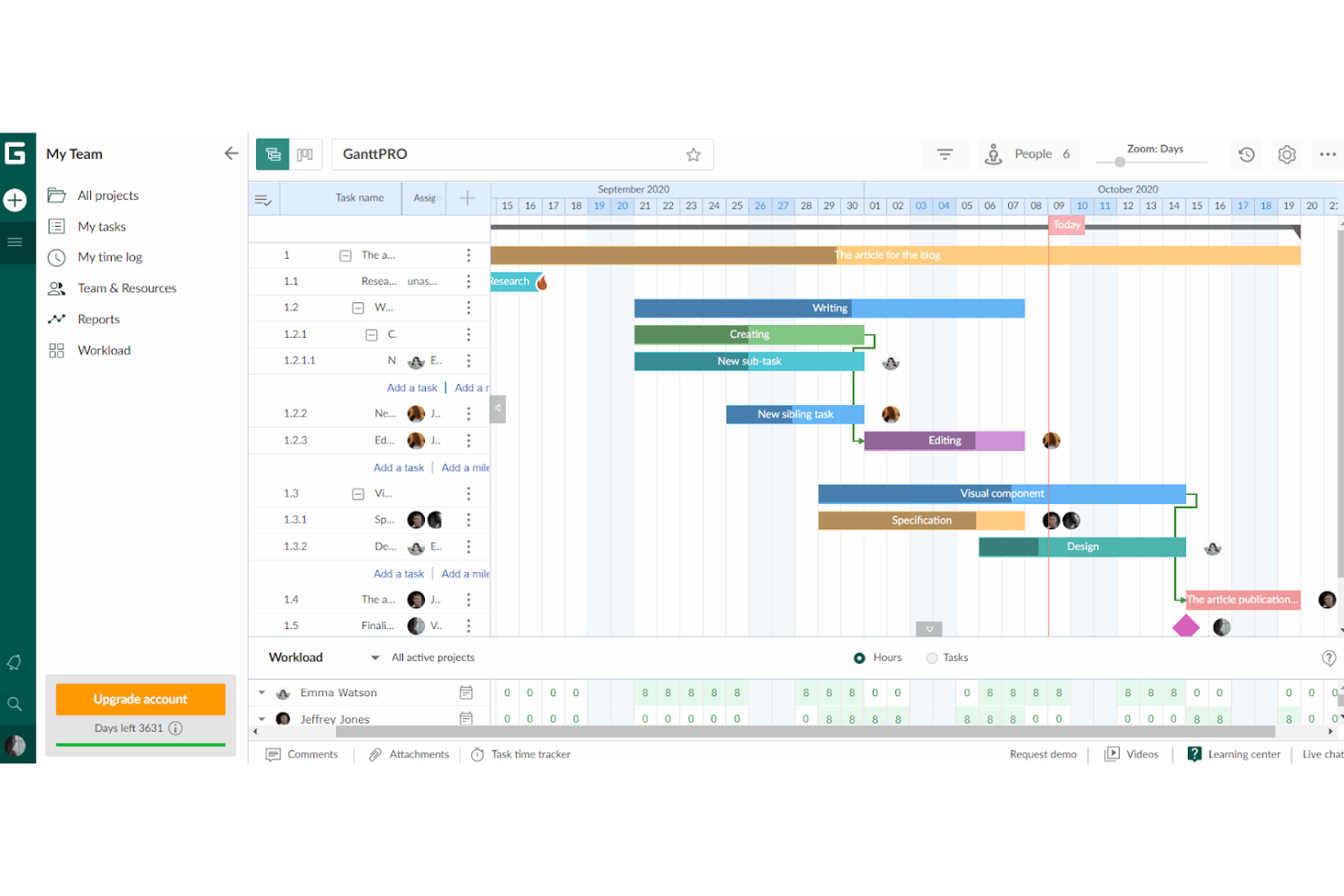
GanttPRO è uno strumento online per la gestione dei progetti che utilizza i diagrammi di Gantt per la pianificazione e la collaborazione. I suoi diagrammi di Gantt interattivi consentono ai membri del team di lavorare insieme in modo sincrono, migliorando la collaborazione complessiva.
Perché è una buona alternativa a Office Timeline: GanttPRO pone l'accento sulla collaborazione e sugli aggiornamenti in tempo reale, elementi essenziali per gli ambienti di progetto dinamici. La sua capacità di facilitare la comunicazione immediata e gli adeguamenti tra i membri del team lo rende una valida alternativa a Office Timeline.
Funzionalità e integrazioni principali:
Le funzionalità includono la creazione di diagrammi di Gantt interattivi, il monitoraggio delle attività e delle milestone, modelli di progetto, gestione delle risorse, campi e colori personalizzati, monitoraggio del budget, monitoraggio del tempo e baseline di progetto per il confronto dei progressi.
Le integrazioni includono Slack, Google Drive, Jira e Microsoft Teams.
Pros and Cons
Pros:
- Collaborazione in tempo reale sui diagrammi di Gantt
- Funzionalità complete per la gestione dei progetti
- Integrazioni native con strumenti popolari
Cons:
- Sono necessarie almeno 5 licenze per usufruire del prezzo iniziale
- Alcune funzionalità avanzate potrebbero richiedere un periodo di apprendimento

Miro
Ideale per la pianificazione collaborativa visiva delle cronologie
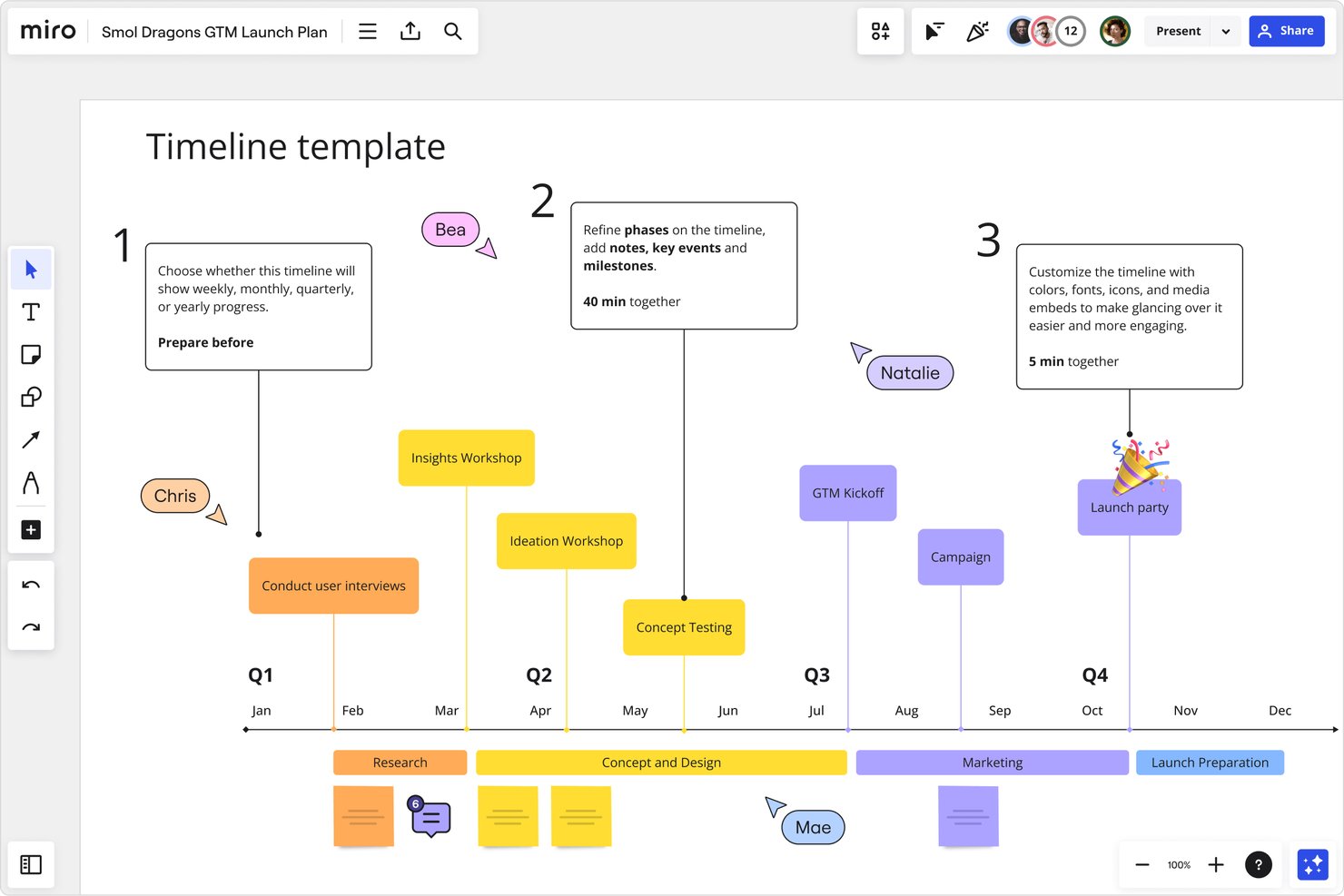
Miro è una piattaforma collaborativa con canvas visivo che combina una lavagna infinita con la creazione strutturata di cronologie, diagrammi di Gantt, bacheche Kanban e strumenti di collaborazione in tempo reale per i team.
Per chi è più adatto Miro?
Miro è particolarmente adatto ai team interfunzionali in ambito tecnologico e digitale che pianificano e monitorano visivamente i progetti insieme alle attività di progettazione, prodotto e ingegneria.
Perché ho scelto Miro
Ho incluso Miro tra le mie scelte migliori perché il suo canvas infinito rende la pianificazione visiva delle cronologie realmente collaborativa, in un modo che Office Timeline non riesce a eguagliare. Mi piace il fatto che il tuo team possa creare e modificare insieme i widget della cronologia in tempo reale, sincronizzare queste visualizzazioni su più bacheche e integrare direttamente nella cronologia i dati aggiornati di Jira o Asana con i piani Business. I 51 modelli di cronologia pronti all'uso, che coprono tutto, dai lanci di prodotto alle campagne di marketing, fanno sì che non si debba partire da zero ogni volta.
Funzionalità principali di Miro
- Bacheche Kanban: i team possono organizzare e monitorare gli elementi di lavoro utilizzando le bacheche Kanban integrate direttamente nel canvas, insieme alle cronologie e ad altri formati.
- Talktrack: i team possono registrare presentazioni interattive delle bacheche che gli stakeholder possono visualizzare in modo asincrono, con commenti inseriti direttamente sulla bacheca.
- Brand Center: i team possono archiviare loghi, tavolozze di colori, tipografia e caratteri in un tema centralizzato per applicare uno stile coerente alle bacheche.
- Importazione di fogli di calcolo: è possibile creare tabelle da file
.xlsx,.csvo.odscaricati, con le colonne delle date di inizio e fine convertite automaticamente in barre della cronologia.
Integrazioni di Miro
Miro offre oltre 250 app, integrazioni e strumenti di intelligenza artificiale, incluse integrazioni native con Jira, Asana, Linear, ClickUp, Azure DevOps, Microsoft 365, Google Workspace e Slack. La sua API REST e il Web SDK supportano integrazioni personalizzate.
Pros and Cons
Pros:
- I team da remoto possono aggiornare i piani condivisi in tempo reale
- I modelli aiutano i team ad avviare piani visivi
- Le bacheche visive rappresentano chiaramente i processi di progetto
Cons:
- Le esportazioni in PowerPoint non sono disponibili
- Le bacheche dense possono risultare disordinate e rallentare il lavoro
New Product Updates from Miro
Miro Adds Japan Data Residency for Enterprise Customers
Miro has introduced Japan data residency for enterprise customers, offering in-region storage for production data, backups, and metadata, plus in-region compute infrastructure. For more information, visit Miro's official site.

Smartsheet
Ideale per visualizzazioni di progetto simili a fogli di calcolo
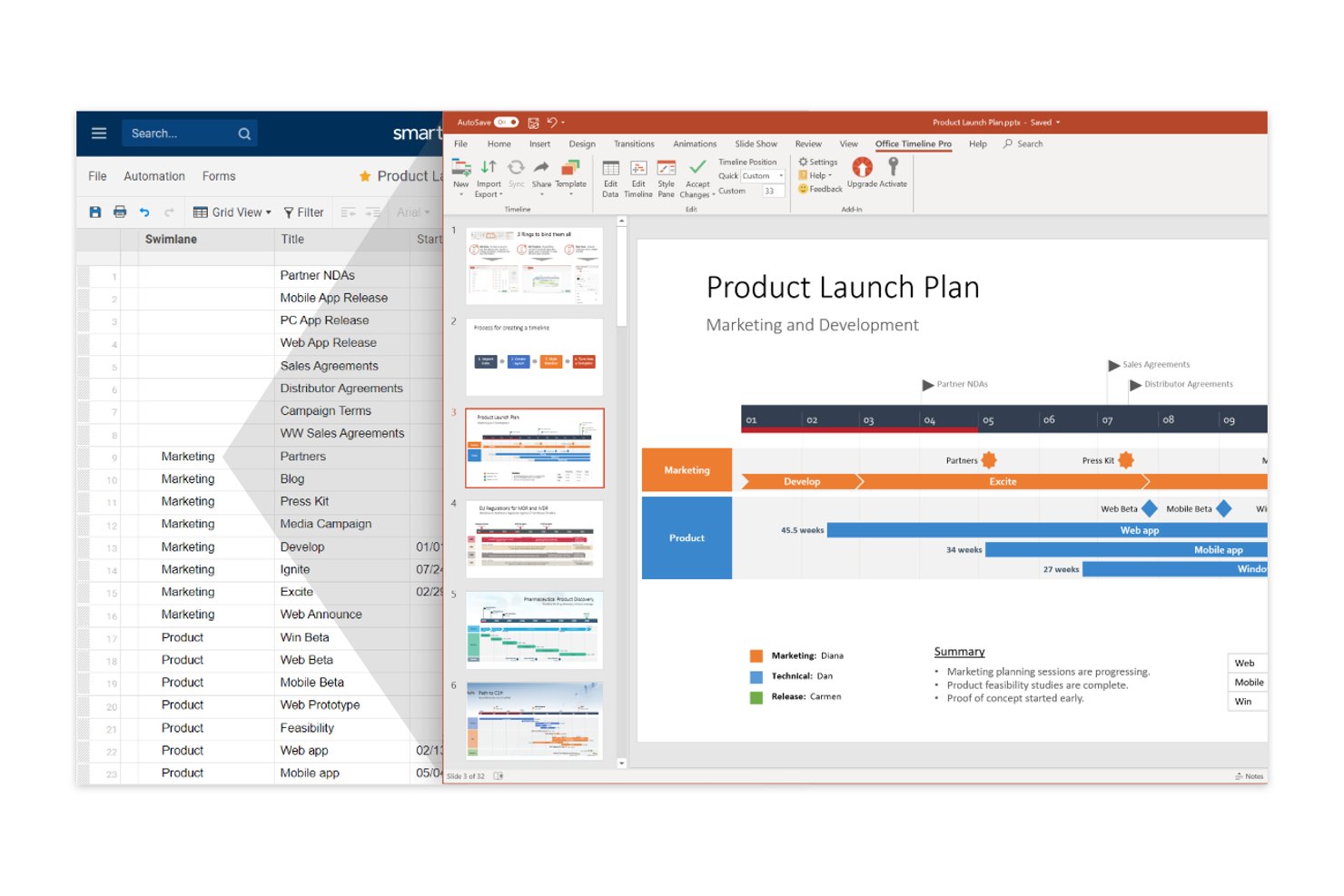
Smartsheet è una piattaforma di gestione del lavoro con viste a griglia in stile foglio di calcolo, Gantt e sequenza temporale che consentono ai team di progetto di pianificare le attività, monitorare le tappe fondamentali, gestire le dipendenze e condividere i progressi con le parti interessate.
Per chi è più adatto Smartsheet?
Smartsheet è particolarmente adatto ai project manager e ai team PMO che ragionano già in termini di fogli di calcolo e desiderano integrare le viste Gantt e sequenza temporale nel flusso di lavoro quotidiano.
Perché ho scelto Smartsheet
Ho incluso Smartsheet tra le mie migliori scelte perché è l'unico strumento di questo elenco che trasferisce direttamente i dati di progetto in stile foglio di calcolo in una vista visiva della sequenza temporale, trasformando le righe Gantt e le gerarchie delle attività in una roadmap raggruppata e aggiornata in tempo reale, senza dover ricostruire nulla. Mi piace il fatto che la vista della sequenza temporale rappresenti automaticamente le attività con due date come barre di durata e le voci con una sola data come tappe fondamentali; inoltre, puoi organizzare tutto in corsie orizzontali per fase, team o stato.
Funzionalità principali di Smartsheet
- Vista Gantt con monitoraggio delle dipendenze: Visualizza le attività come barre con date di inizio, date di fine e durate e collega le attività tramite relazioni di predecessori per gestire i percorsi critici e le variazioni della pianificazione.
- Collaborazione in tempo reale: Condividi i fogli con autorizzazioni basate sui ruoli, così i colleghi e le parti interessate possono commentare, mentre gli altri visualizzano istantaneamente gli aggiornamenti senza conflitti tra versioni.
- Flussi di lavoro automatizzati: Configura automazioni basate su condizioni o attivate in base al tempo per promemoria, approvazioni, assegnazioni di attività e avvisi sullo stato, senza scrivere codice.
- Report tramite dashboard: Crea dashboard visive che raccolgono dati aggiornati in tempo reale da più fogli per mettere in evidenza le metriche del progetto, le tappe fondamentali e lo stato durante le revisioni della dirigenza o delle parti interessate.
Integrazioni di Smartsheet
Smartsheet offre oltre 175 integrazioni, comprese integrazioni native con Google Workspace, Microsoft Office 365, Microsoft Teams e Slack, oltre a integrazioni disponibili nel marketplace per Jira Software, Power BI, Salesforce e Tableau. Fornisce inoltre un'API e supporta Zapier.
Pros and Cons
Pros:
- I fogli simili a fogli di calcolo risultano familiari
- Le sequenze temporali raggruppate mostrano chiaramente le fasi
- Gli aggiornamenti in tempo reale supportano le revisioni delle parti interessate
Cons:
- Nessuna esportazione nativa dalla sequenza temporale a PowerPoint
- I report avanzati possono richiedere una configurazione aggiuntiva
New Product Updates from Smartsheet

Smartsheet Adds Non-Plan User Management in Admin Center
Smartsheet adds a Non plan users tab to the Seat types and true-up page in Admin Center. This lets system admins review non-plan users and add them to the plan or remove them from the organization in one place. For more information, visit Smartsheet’s official site.
Altre alternative a Office Timeline
Ecco alcune altre opzioni alternative a Office Timeline, nel caso in cui non avessi trovato quello che cercavi qui sopra.
- Lucidchart
Ideale per la collaborazione sulle cronologie incentrata sulla diagrammazione
- Wrike
Ideale per la gestione del carico di lavoro dei team
- Zoho Projects
Ideale per la gestione avanzata delle tempistiche
- Instagantt
Ideale per la programmazione dei diagrammi di Gantt collegati ad Asana
- thinkcell
Ideale per diapositive Gantt assistite dall'IA in PowerPoint
- Timeline Maker Pro
Ideale per funzionalità di auto-programmazione


Recensioni correlate sui software di gestione dei progetti
Se non hai ancora trovato quello che stai cercando qui, dai un'occhiata a questi altri strumenti correlati che abbiamo testato e valutato:
- Software di gestione dei progetti
- Software di gestione delle risorse
- Software di automazione dei flussi di lavoro
- Software per il monitoraggio del tempo
- Software di gestione delle attività
- Strumenti di collaborazione
- Creazione di diagrammi di Gantt
- Strumenti per la produttività
- Software per il monitoraggio dei progetti
- Software per la pianificazione dei progetti
Come valuto le alternative a Office Timeline
Divido la mia valutazione in due livelli: la base che ogni strumento deve superare—output Gantt, esportazione in PowerPoint e importazione dei dati—e gli elementi distintivi che separano le opzioni migliori.
Funzionalità principali (requisiti essenziali per questo elenco)
Quando seleziono gli strumenti per il mio elenco, assegno a ciascuno un punteggio su una scala da 0 (non offre la funzionalità) a 5 (eccelle in quest'area) per ogni funzionalità principale riportata di seguito. Quindi calcolo il punteggio totale dello strumento come percentuale. Ogni strumento deve raggiungere un punteggio totale minimo del 65% per essere preso in considerazione.
- Visualizzazione di diagrammi di Gantt e sequenze temporali: verifico se uno strumento è in grado di produrre diagrammi di Gantt e visualizzazioni della sequenza temporale chiari e abbastanza curati da poter essere inseriti in una presentazione per il comitato direttivo o in un aggiornamento per il cliente.
- Gestione di milestone e attività: ogni strumento dovrebbe consentire di definire attività, milestone, fasi e dipendenze, ovvero gli elementi costitutivi di qualsiasi pianificazione di progetto degna di essere presentata.
- Esportazione pronta per le presentazioni: cerco l'esportazione nativa nei formati PowerPoint, PDF o immagine, in modo che responsabili di progetto e consulenti possano condividere le sequenze temporali senza ricrearle in uno strumento separato.
- Importazione e integrazione dei dati: lo strumento dovrebbe acquisire i dati di pianificazione da fonti come Excel, MS Project, Jira o Smartsheet, invece di costringerti a ricreare le sequenze temporali da zero.
- Personalizzazione e stile della sequenza temporale: valuto il livello di controllo disponibile su colori, caratteri, scale temporali e layout, così che le sequenze temporali possano adattarsi al marchio di un'azienda o al modello di presentazione di un cliente.
- Visualizzazioni multi-progetto e delle roadmap: per i responsabili PMO e i gestori di portafoglio, verifico se lo strumento è in grado di consolidare più sequenze temporali di progetto in un'unica visualizzazione di roadmap o a corsie.
Una volta ottenuto un elenco di strumenti che soddisfano questi criteri, considero ciò che distingue ciascuna piattaforma.
Fattori distintivi (ciò che differenzia i fornitori)
Ecco come confronto i diversi fornitori:
Funzionalità di spicco
Una solida libreria di modelli è importante perché riduce il tempo che intercorre tra "mi serve una sequenza temporale" e "ecco la diapositiva". Cerco anche funzionalità di aggiornamento automatico che rinnovino gli elementi visivi quando cambiano i dati di origine in Excel o Jira: questo evita ai responsabili di progetto di ricostruire manualmente le sequenze temporali a ogni sprint. La generazione di sequenze temporali basata sull'intelligenza artificiale è un altro elemento distintivo da tenere d'occhio: gli strumenti trasformano una descrizione del progetto o un input testuale in un elemento visivo strutturato in pochi secondi.
Oltre le funzionalità
Le integrazioni con l'ecosistema hanno un peso considerevole nella mia valutazione. Uno strumento per le sequenze temporali che si connette a Jira, Smartsheet o MS Project si inserisce naturalmente nel flusso di lavoro esistente di un responsabile di progetto, senza obbligarlo a inserire i dati due volte. Anche il tempo necessario per ottenere valore è importante: considero la rapidità con cui un nuovo utente può produrre una sequenza temporale pronta per il cliente, sia tramite un onboarding guidato sia attraverso un'ampia galleria di modelli. Vale la pena verificare anche il modello di distribuzione, poiché alcuni team hanno bisogno di un componente aggiuntivo desktop per PowerPoint, mentre altri preferiscono un'app basata sul browser a cui possa accedere l'intero team.
Perché cercare un'alternativa a Office Timeline
Sebbene Office Timeline sia uno strumento prezioso, ci sono diversi motivi per cui potresti cercare un'alternativa. Ad esempio, potresti scoprire che tu e il tuo team:
- Hai bisogno di più funzionalità: Office Timeline non dispone delle funzionalità avanzate necessarie per gestire sequenze temporali di progetto complesse.
- Preferisci integrazioni diverse: Se fai affidamento su strumenti esterni a Microsoft Office, cerca un software che offra opzioni di integrazione più ampie.
- Hai bisogno di una collaborazione avanzata: Le funzionalità di collaborazione di Office Timeline potrebbero non soddisfare le esigenze del tuo team.
- Vuoi maggiore flessibilità: Le capacità di personalizzazione di Office Timeline sono limitate.
- Hai bisogno di un rapporto qualità-prezzo migliore: Il prezzo di Office Timeline potrebbe non adattarsi al tuo budget o non offrire il valore che ti aspetti.
Funzionalità principali di Office Timeline
Ecco alcune delle funzionalità principali di Office Timeline, per aiutarti a confrontare ciò che offrono le soluzioni alternative:
- Integrazione con PowerPoint: consente di creare e modificare le sequenze temporali direttamente in PowerPoint, rendendo facile inserirle nelle presentazioni.
- Modelli personalizzabili: offre modelli predefiniti che puoi modificare in base alle esigenze del tuo progetto, risparmiando tempo e fatica.
- Linee di nuoto e sotto-linee di nuoto: aiuta a organizzare attività e traguardi in categorie distinte per una maggiore chiarezza del progetto.
- Importazione da Excel: consente di importare rapidamente i dati da Excel per creare sequenze temporali senza inserire manualmente i dettagli delle attività.
- Dipendenze tra attività e percorso critico: mostra come sono collegate le attività ed evidenzia il percorso critico per aiutarti a gestire le scadenze.
- Più scale temporali: consente di visualizzare sequenze temporali giornaliere, settimanali, mensili o annuali in base alle diverse esigenze del progetto.
- Temi personalizzati: offre la possibilità di creare e applicare uno stile coerente a tutti gli elementi visivi del progetto.
- Aggiornamento dei dati: aggiorna automaticamente le sequenze temporali quando cambiano i dati collegati in Excel, Project o Jira.
- Integrazione con altri strumenti: funziona con Microsoft Project, Smartsheet, Jira e Wrike per sincronizzare i dati del progetto.
- Assistenza premium: offre assistenza tecnica prioritaria per risolvere più rapidamente i problemi.