


Lucid vs. Visio: Confronto e Recensioni degli Esperti per il 2026



Nobody dreams of becoming a diagram wrangler, yet here you are: weighing platforms because the last one made a simple flowchart feel like a second job. What you really want is a tool that keeps up with how your team thinks, then gets out of the way.
If you’ve ever struggled to keep messy processes clear or fought with clunky platforms, choosing the right workflow diagram software can feel overwhelming. You know Lucid and Visio are big names, but which one actually makes it easier for your team to map, share, and adapt workflows?
In this article, you’ll get a practical side-by-side comparison of the Lucid Visual Collaboration Suite and Visio—including pros and cons, use cases, pricing, security, and usability—so you can decide which tool fits your needs. I’ll break down what matters most for real teams who want to save time and reduce headaches.
Lucid vs. Visio: An Overview
Lucid
Perché fidarsi dei nostri consigli sui software
Il nostro team testa e recensisce software dal 2012. In quanto project manager noi stessi, sappiamo quanto sia difficile — e importante — scegliere il software giusto.
Per questa guida, abbiamo valutato gli strumenti attraverso test pratici e ricerche indipendenti, assegnando un punteggio agli strumenti in base ai nostri criteri di selezione. Ci basiamo inoltre sulle competenze di leader di pensiero del settore e di professionisti attivi nella gestione dei progetti.
Le nostre recensioni riflettono il nostro giudizio editoriale umano, non un discorso di vendita.
Revisori esperti:
Lucid vs. Visio Pricing Comparison
| Lucid | Visio | |
|---|---|---|
| Free Trial | Free trial + free plan available | 30-day free trial available |
| Pricing | From $15/month (billed annually) | From $5/user/month (billed annually) |
Prezzi e costi nascosti di Lucid vs. Visio
Lucid utilizza un modello di abbonamento con diversi livelli scalabili dall’utente singolo fino ai piani aziendali, e offre anche un piano gratuito per funzioni base di diagrammazione e collaborazione. Tuttavia, alcune delle sue funzionalità dati più avanzate, oltre ad add-on come il Process Accelerator, sono riservate agli account Enterprise. Visio propone sia piani in abbonamento sia una licenza perpetua una tantum e una versione web semplificata è già inclusa nella maggior parte dei piani Microsoft 365 commerciali. Entrambe le piattaforme possono presentare costi aggiuntivi via via che il tuo team, le esigenze di dati o complessità dei diagrammi crescono.
Per trovare il miglior rapporto qualità-prezzo, elenca le funzionalità che utilizzi realmente ogni giorno—come collaborazione in tempo reale, compatibilità tra piattaforme e necessità di integrazione. Prenditi il tempo di valutare la crescita futura del team, il supporto necessario e come ciascuno strumento si inserisce nel tuo ecosistema software più ampio. Prenderai una decisione più informata se testerai ciascuna piattaforma con i flussi di lavoro reali del tuo team prima di impegnarti.
Lucid vs. Visio Feature Comparison
Entrambi, Lucid e Visio, ti offrono le basi per creare diagrammi di flusso di lavoro—forme drag-and-drop, modelli personalizzabili, collaborazione in tempo reale e opzioni di esportazione per condividere i tuoi progetti. Troverai anche integrazioni con gli strumenti più diffusi, automazioni base e commenti per centralizzare i feedback.
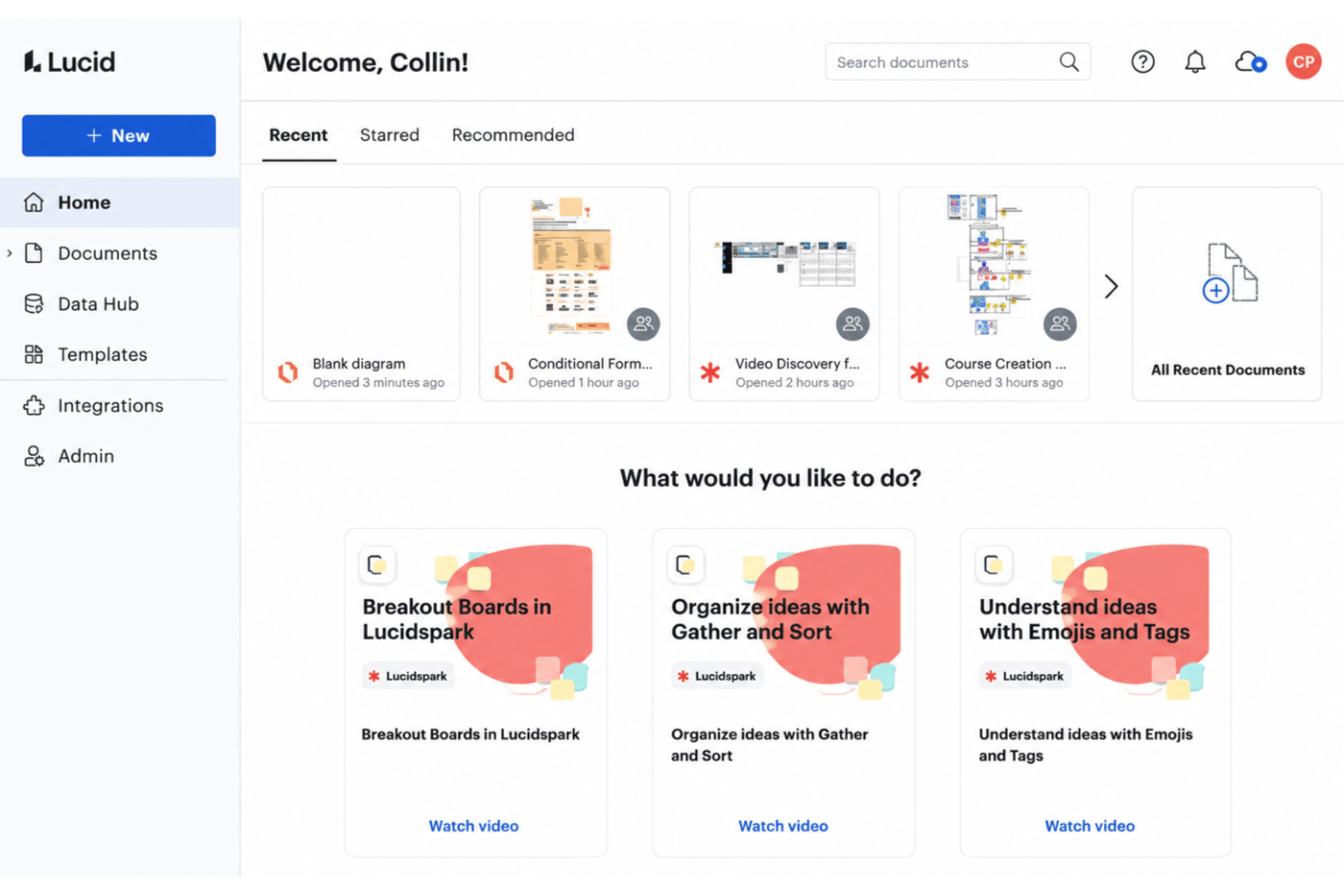
Lucid si distingue per la facilità della collaborazione cloud e per l’ampiezza della suite: Lucid AI può generare e perfezionare i diagrammi per te, oltre 1.000 modelli preimpostati accelerano la bozza iniziale e il diagramming di Lucidchart condivide la stessa tela universale di Lucidspark, la lavagna virtuale di Lucid per brainstorming e sessioni di lavoro. Visio, invece, propone strumenti di diagrammazione avanzati che si integrano profondamente con Microsoft 365, rendendolo la scelta più naturale se il tuo team lavora già nell’ecosistema Microsoft—anche se al momento non dispone di un assistente AI integrato.
| Lucid | Visio | |
|---|---|---|
| 2-Factor Authentication | ||
| API | ||
| Dashboard | ||
| Data Export | ||
| Data Import | ||
| Data Visualization | ||
| External Integrations | ||
| Multi-User | ||
| Notifications | ||
| Scheduling |
Integrazioni Lucid vs. Visio
| Integrazione | Lucid | Visio |
|---|---|---|
| Google Workspace | ✅ | ❌ |
| Microsoft 365 | ✅ | ✅ |
| Slack | ✅ | ❌ |
| Confluence | ❌ | ✅ |
| Jira | ✅ | ❌ |
| Salesforce | ✅ | ❌ |
| Dropbox | ✅ | ❌ |
| Microsoft Teams | ✅ | ✅ |
| API | ✅ | ✅ |
| Zapier | ✅ | ❌ |
Lucid offre una vasta gamma di integrazioni tramite il suo marketplace—comprese soluzioni per l’enterprise architecture come Ardoq e LeanIX—mentre Visio punta tutto sull’integrazione all’interno della suite Microsoft. Entrambi forniscono un’API, ma la varietà di integrazioni e la presenza di server MCP rendono Lucid il vincitore evidente in questa categoria.
Lucid vs. Visio Sicurezza, Conformità & Affidabilità
| Fattore | Lucid | FigJam |
|---|---|---|
| Crittografia dei dati | Utilizza TLS 1.2+ per i dati in transito e AES-256 per i dati a riposo | Crittografa i dati in transito con TLS 1.2+ e a riposo su tutta la piattaforma Figma. |
| Conformità normativa | Possiede certificazioni SOC 2 Type II, ISO 27001 e ISO 27701, oltre a certificazione PCI merchant. | Certificata SOC 2 Type II e ISO 27001/27018, garantisce conformità GDPR e CCPA per tutto l'ecosistema Figma. |
| Controlli di accesso | Supporta SAML SSO, controlli amministratore granulari e ruoli utente personalizzabili. | Offre SSO (SAML, SCIM) e controlli di accesso a livello di workspace per le organizzazioni. |
| Pubblica amministrazione & settore pubblico | Certificato FedRAMP al livello Moderate; valutazione IRAP al livello PROTECTED | Autorizzazione FedRAMP Moderate tramite la piattaforma Figma. |
| Privacy dei dati | Certificato secondo gli EU-U.S. e Swiss-U.S. Data Privacy Frameworks. | Offre hosting nell'UE per file Figma e FigJam e aderisce all'EU Cloud Code of Conduct. |
Entrambi gli strumenti vantano solide referenze in questo campo; ciascuno possiede certificazioni SOC 2 Type II e ISO 27001 e addirittura autorizzazione FedRAMP Moderate, requisito raro per software di collaborazione. Lucid aggiunge la valutazione IRAP al livello PROTECTED e la certificazione Data Privacy Framework, offrendo un vantaggio per il settore pubblico e le organizzazioni altamente regolamentate, mentre FigJam beneficia delle protezioni su larga scala di Figma, come l’hosting EU per i file.
Lucid vs. Visio Facilità d'Uso
| Fattore | Lucid | Visio |
|---|---|---|
| Interfaccia utente | Layout pulito e intuitivo con modifica drag-and-drop. | Interfaccia tradizionale, ricca di funzionalità, con menù tecnici più complessi. |
| Onboarding | Un flusso di onboarding via email per ogni utente, oltre a un help center, training labs e una community attiva. | Curva di apprendimento più ripida, specialmente per chi non conosce Microsoft Visio. |
| Collaborazione | Co-editing in tempo reale e strumenti di feedback immediato. | I commenti e la condivisione funzionano al meglio con altri utenti Microsoft 365. |
| Supporto alle piattaforme | Totalmente cloud—ottimale su browser desktop, con app mobile adatta per visualizzazioni e rapidi commenti. | Concezione desktop-first, con versione web che offre meno funzionalità. |
Lucid è molto più user-friendly per nuovi utenti e per la collaborazione in cloud—ogni account riceve un flusso di onboarding per email, e per i clienti Enterprise sono disponibili servizi professionali, incluso un pacchetto di migrazione da strumenti concorrenti. Visio si distingue quando servono funzionalità avanzate e si utilizza già Microsoft quotidianamente. Personalmente, trovo l’interfaccia e l’onboarding di Lucid molto più accessibili.
Lucid vs Visio: Pros & Cons
Lucid
- Real-time collaboration supports remote and hybrid teams well
- Advanced diagramming tools for technical and business workflows
- Version history enables easy rollback to previous states
- Tapping the full toolset means moving between Lucidchart and Lucidspark
- More advanced data features are reserved for the Enterprise plan
- Limited offline access for users without internet connection
Visio
- You can create detailed and professional-looking diagrams.
- It offers a wide range of templates and shapes.
- Your team benefits from its compatibility with Microsoft products.
- It has a steep learning curve for new users.
- You might find the interface outdated compared to competitors.
- It requires significant system resources for optimal performance.
Best Use Cases for Lucid and Visio
Lucid
- Product Management Teams Lucid enables rapid user journey mapping, roadmapping, and workflow visualization for cross-functional project work.
- Software Engineering UML diagrams, system architectures, and data flow mapping are easy to build and share with real-time collaboration.
- Enterprise IT Departments Complex process mapping, network diagrams, and documentation can be maintained at scale with admin controls and access management.
- Consulting Firms Facilitates collaborative client workshops, value stream mapping, and dynamic presentations for stakeholder alignment.
- Higher Education Offers collaborative whiteboarding for faculty and students, encouraging interactive learning and group project work.
- Large Enterprises Lucid's scalability, advanced security, and integration options match large organizations' governance and compliance requirements.
Visio
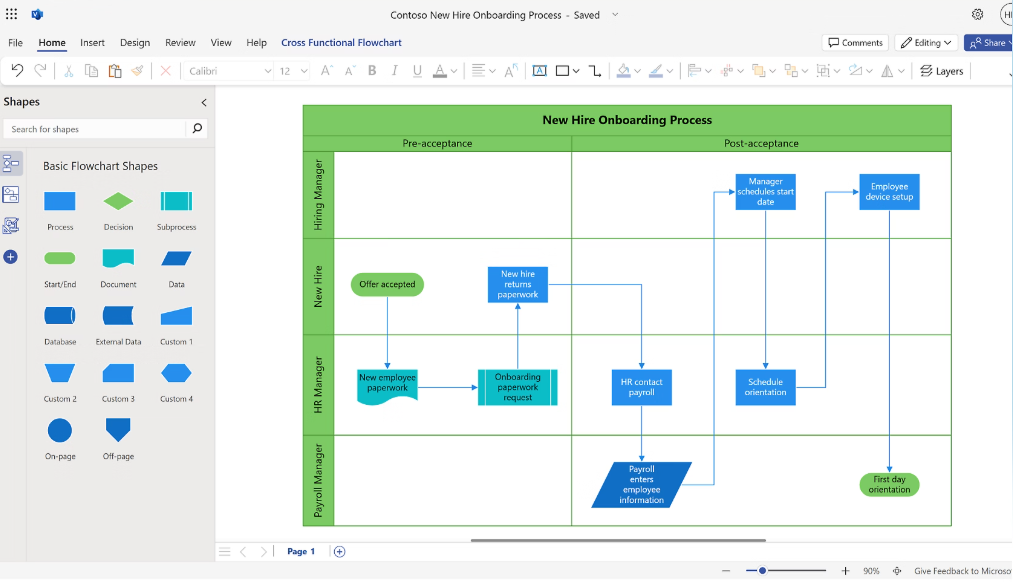

- Engineering Teams Visio offers precise diagramming tools that help your team create detailed engineering drawings.
- IT Departments It’s perfect for designing complex network diagrams, thanks to its extensive shape library.
- Project Managers You can plan projects efficiently using Visio’s project timeline and chart features.
- Architectural Firms Visio helps you draft clear architectural plans with its advanced drawing tools.
- Large Enterprises The software supports collaboration across departments, making it ideal for large-scale projects.
- Consultants Visio allows you to present complex data in a clear, visual format to your clients.
Chi dovrebbe usare Lucid e chi dovrebbe usare Visio?
Lucid è ideale per team dinamici che cercano onboarding semplice, collaborazione in tempo reale e integrazioni flessibili; si adatta sia a utenti singoli che ad aziende Enterprise—Lucid conta oltre 100 milioni di utenti in più di 180 Paesi, tra sviluppo software, SaaS, consulenza, didattica, sanità, servizi finanziari e settore pubblico. Visio è perfetto per aziende già integrate in Microsoft 365 o power user che desiderano massimo controllo sui diagrammi e integrazione con i sistemi IT aziendali. Consiglio Lucid a startup, agenzie e team distribuiti, mentre Visio ha senso per grandi aziende con infrastruttura Microsoft consolidata.
Differences Between Lucid and Visio
| Lucid | Visio | |
|---|---|---|
| Automation | Lucid AI generates and refines diagrams; the Lucid MCP server connects visuals to AI tools. | No built-in AI assistant; automation runs through the broader Microsoft ecosystem. |
| Collaboration | Real-time multi-user editing and instant feedback. | Collaboration mostly via sharing files within Microsoft 365. |
| Platform Access | 100% cloud-based and works on any device with a browser. | Primarily desktop-based, with a lighter online version. |
| Pricing Structure | Subscription model with clear tiers and flexible plans. | Subscriptions and perpetual licenses, with a lightweight web app included in most Microsoft 365 plans. |
| Visit LucidOpens new window | Read Visio ReviewOpens new window |
Similarities Between Lucid and Visio
| Data Linking | Both support data-driven diagrams, letting you connect shapes to spreadsheet data for live updates. |
|---|---|
| Diagram Templates | Both offer a wide range of built-in templates for flowcharts, org charts, and process diagrams. |
| Enterprise Compliance | Both meet modern compliance needs—like SSO, SOC 2, and advanced encryption—for enterprise teams. |
| File Export Choices | Both let you export diagrams in common formats like PDF, image files, and compatible diagram file types. |
| Visit LucidOpens new window Read Visio ReviewOpens new window | |