



Jira vs Microsoft Project: Confronto Affiancato 2026



Jira offre al tuo team capacità di gestione progetti agile che si adattano alle esigenze del tuo flusso di lavoro. Microsoft Project propone strumenti avanzati di pianificazione e programmazione per un monitoraggio completo dei progetti. Sebbene entrambe le soluzioni eccellano nella gestione dei progetti, si differenziano per l’approccio: Jira punta sulla flessibilità, mentre Microsoft Project privilegia la struttura. In questo articolo confronteremo gli strumenti e le loro funzionalità, vantaggi e svantaggi, prezzi e altro ancora, aiutandoti a scegliere il miglior software di project management per le tue esigenze.
Jira vs. Microsoft Project: An Overview
Jira

Microsoft Project




Perché fidarsi dei nostri consigli sui software
Il nostro team testa e recensisce software dal 2012. In quanto project manager noi stessi, sappiamo quanto sia difficile — e importante — scegliere il software giusto.
Per questa guida, abbiamo valutato gli strumenti attraverso test pratici e ricerche indipendenti, assegnando un punteggio agli strumenti in base ai nostri criteri di selezione. Ci basiamo inoltre sulle competenze di leader di pensiero del settore e di professionisti attivi nella gestione dei progetti.
Le nostre recensioni riflettono il nostro giudizio editoriale umano, non un discorso di vendita.
Revisori esperti:
Jira vs. Microsoft Project Pricing Comparison
| Jira | Microsoft Project | |
|---|---|---|
| Free Trial | Free plan + 14-day free trial available | 30-day free trial |
| Pricing | From $7.91/user/month | From $10/user/month (billed annually) |
Prezzi e costi nascosti di JIRA vs. Microsoft Project
Jira offre un modello di prezzi a livelli basato sul numero di utenti, con potenziali costi aggiuntivi per funzionalità avanzate e integrazioni, che puoi esplorare in prezzi di Jira. Microsoft Project segue un modello di abbonamento, con variazioni in base al livello di accesso e alle funzionalità scelte, come descritto in prezzi di Microsoft Project. Per selezionare lo strumento con il giusto costo per le tue necessità, valuta il numero di utenti, le funzionalità richieste e le integrazioni necessarie, quindi confronta come la struttura dei prezzi di ciascun tool si adatta alle tue esigenze specifiche.
Jira vs. Microsoft Project Feature Comparison
Con le board agili di Jira puoi gestire sprint e backlog con facilità, rendendolo ideale per team che utilizzano metodologie Scrum o Kanban. I diagrammi di Gantt di Microsoft Project sono ottimi per monitorare le tempistiche e le dipendenze nei progetti, soprattutto in quelli complessi con molti stakeholder. Mentre Jira eccelle per flessibilità e adattabilità, Microsoft Project offre una pianificazione strutturata e un monitoraggio dettagliato, soddisfacendo diverse esigenze di project management.
| Jira | Microsoft Project | |
|---|---|---|
| API | ||
| Calendar Management | ||
| Collaboration Support | ||
| Dashboards | ||
| Data Export | ||
| Data Import | ||
| External Integrations | ||
| File Sharing | ||
| Gantt Charts | ||
| Kanban Boards | ||
| Multi-User | ||
| Notifications | ||
| Project Management | ||
| Task Scheduling/Tracking | ||
| Time Management |
Integrazioni JIRA vs. Microsoft Project
| Integrazione | Jira | Microsoft Project |
| Slack | ✅ | ❌ |
| Trello | ✅ | ❌ |
| Salesforce | ✅ | ❌ |
| GitHub | ✅ | ❌ |
| Microsoft Teams | ❌ | ✅ |
| Power BI | ❌ | ✅ |
| SharePoint | ❌ | ✅ |
| Confluence | ✅ | ❌ |
| API | ✅ | ✅ |
| Zapier | ✅ | ✅ |
Grazie all’integrazione di Jira con Slack, puoi ottimizzare la comunicazione inviando aggiornamenti di progetto direttamente ai canali del tuo team, funzione preziosa per gruppi che puntano sulla collaborazione in tempo reale. L’integrazione di Microsoft Project con Power BI invece è ottima per creare report visivi dettagliati, aiutandoti ad analizzare efficacemente i dati di progetto.
Sebbene Jira sia eccellente nel migliorare la comunicazione tra i membri e offra molte integrazioni native, alcune soluzioni—specialmente quelle esterne come Salesforce—possono richiedere plugin o middleware come Zapier. Al contrario, Microsoft Project si integra profondamente nell’ecosistema Microsoft, ma le connessioni con app di terze parti come GitHub o Slack in genere dipendono da Power Automate o configurazioni personalizzate. Per questo è importante valutare non solo se le integrazioni siano disponibili, ma anche quanto siano facili da implementare nel tuo flusso di lavoro.
JIRA vs. Microsoft Project Facilità d'Uso
| Fattore | Jira | Microsoft Project |
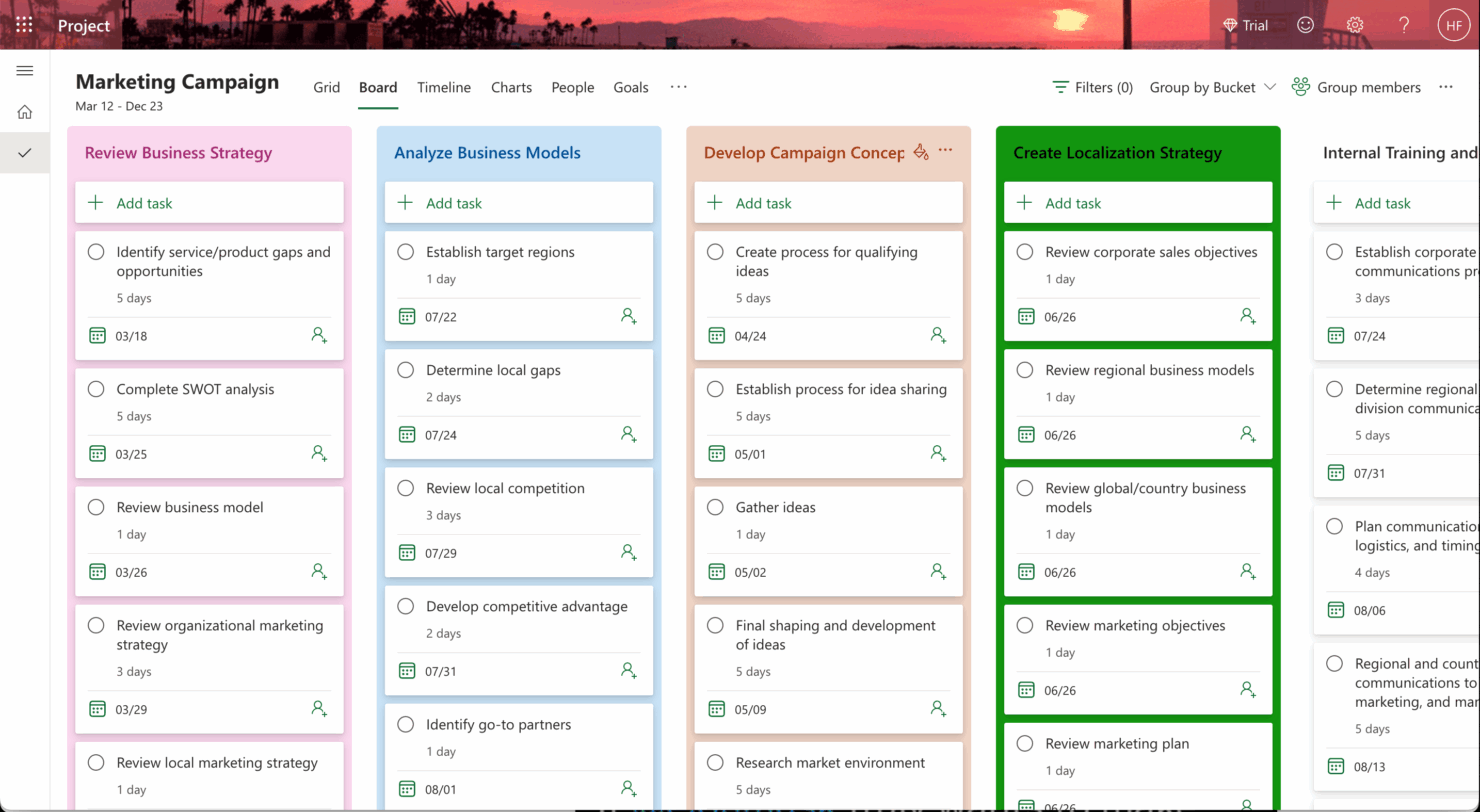
| Interfaccia utente | Jira offre un'interfaccia pulita e personalizzabile con funzionalità drag-and-drop per i flussi di lavoro agili. | Microsoft Project fornisce un'interfaccia dettagliata e strutturata, focalizzata su diagrammi di Gantt e linee temporali. |
| Onboarding | L'onboarding di Jira include tutorial interattivi e una vivace community online per un apprendimento rapido. | Microsoft Project offre guide complete e risorse di formazione, ma potrebbe richiedere più tempo per essere padroneggiato. |
| Configurazione | La configurazione di Jira è semplice grazie a modelli per diversi flussi di lavoro, facilitando la configurazione iniziale. | La configurazione di Microsoft Project può risultare complessa a causa della vasta gamma di funzionalità e opzioni di personalizzazione. |
Jira è intuitivo e rapido da apprendere, soprattutto per i team che hanno familiarità con le metodologie agili, ma la sua flessibilità può a volte risultare opprimente per i nuovi utenti. Microsoft Project eccelle nella pianificazione strutturata, anche se la sua complessità può essere impegnativa per chi si avvicina per la prima volta a software di project management, rendendolo più adatto agli utenti esperti che necessitano di strumenti dettagliati di schedulazione.
Jira vs Microsoft Project: Pros & Cons
Jira
- Agile workflow management supports Scrum and Kanban and can improve your teams' productivity.
- Automation rules are easy to set up, which helps your team speed up their work.
- Custom filters can be created and accessed quickly, which improves your team's efficiency.
- Field names can be confusing, which might slow down your team's workflow.
- The interface can be too crowded in Scrum projects, which can make it hard for your team to navigate.
- There's a lack of resource management capabilities, which could limit your team's planning.
Microsoft Project
- You can manage complex project schedules with ease.
- It offers robust resource management tools.
- You get detailed reporting and analytics for better decision-making.
- It has a steep learning curve for new users.
- The interface can feel outdated compared to newer tools.
- It requires significant time investment for setup and maintenance.
Best Use Cases for Jira and Microsoft Project
Jira
- Software development Jira’s agile tools like Scrum and Kanban boards make it perfect for managing software projects.
- IT departments Its issue tracking capabilities help your team efficiently handle technical support and bug fixes.
- Tech startups Jira offers customization capabilities that allow your team to scale and adapt as your projects grow.
- Agile teams Sprint planning and backlog management features keep your agile processes organized and effective.
- Large enterprises Jira’s automation rules can streamline your complex workflows and improve team productivity.
- Project managers Its reporting and analytics provide insights that help you make informed decisions quickly.
Microsoft Project
- Construction Firms You can manage timelines and resources effectively, ensuring project phases align perfectly.
- IT Departments You’ll find its detailed scheduling invaluable for managing multiple, overlapping projects.
- Government Agencies You can rely on its precise tracking and reporting to meet regulatory requirements.
- Engineering Teams You’ll benefit from its resource management capabilities to allocate manpower and materials efficiently.
- Large Enterprises You can handle complex project portfolios with advanced analytics and reporting tools.
- Project Managers You’ll appreciate its ability to plan and track intricate project details for successful execution.
Chi dovrebbe usare JIRA e chi dovrebbe usare Microsoft Project?
Secondo me, Jira è ideale per i team che adottano metodologie agili e necessitano di flessibilità nella gestione di progetti dinamici, in particolare nei settori IT e sviluppo software. Ritengo che Microsoft Project sia più indicato per team che richiedono una pianificazione dettagliata e una gestione accurata delle risorse, spesso presenti in grandi organizzazioni o settori come l'edilizia e l'ingegneria. Dal mio punto di vista, se il tuo team valorizza adattabilità e collaborazione, scegli Jira; se invece hai bisogno di linee temporali strutturate e un tracciamento completo delle risorse, Microsoft Project è la scelta giusta.
Differences Between Jira and Microsoft Project
Di seguito trovi i dettagli su ciò che rende questi strumenti differenti l’uno dall’altro.
| Jira | Microsoft Project | |
|---|---|---|
| Automation | Jira supports automation with customizable workflows and integrations. | Microsoft Project includes automation features but focuses more on manual scheduling. |
| Integrations | Jira integrates seamlessly with tools like Slack and GitHub for collaboration. | Microsoft Project integrates with Microsoft tools like Teams and SharePoint for enterprise use. |
| Onboarding | Jira offers interactive tutorials and community support for quick learning. | Microsoft Project provides in-depth guides and resources, requiring more time to master. |
| Pricing | Jira uses a tiered pricing model based on user count and features. | Microsoft Project follows a subscription-based model with various access levels. |
| User Interface | Jira offers a clean, customizable interface suited for agile workflows. | Microsoft Project provides a structured interface focused on Gantt charts. |
| Read Jira ReviewOpens new window | Read Microsoft Project ReviewOpens new window |
Similarities Between Jira and Microsoft Project
Ora che sai cosa li rende diversi, diamo un’occhiata alle somiglianze.
| Collaboration | Each tool supports team collaboration; Jira through integrations like Slack, and Microsoft Project through Microsoft Teams. |
|---|---|
| Customization | They allow customization to fit your workflow; Jira offers flexible workflows and fields, Microsoft Project offers custom views and fields. |
| Project Tracking | Both Jira and Microsoft Project offer robust project tracking capabilities; Jira excels with agile boards while Microsoft Project shines with Gantt charts. |
| Reporting | Both provide comprehensive reporting features; Jira offers agile reports and dashboards, while Microsoft Project provides detailed project reports. |
| Security | Both ensure security and compliance with industry standards; Jira and Microsoft Project are both GDPR compliant and offer encryption. |
| Read Jira ReviewOpens new window Read Microsoft Project ReviewOpens new window | |