


monday service vs. ClickUp: Comparison & Expert Reviews



monday service offers a flexible solution for IT and customer support teams that manage service delivery and operations. ClickUp provides a comprehensive project management platform that integrates tasks, docs, and goals in one place. monday service is meant for service delivery teams, whereas ClickUp can be used to manage projects of any type (including service delivery).
Read my expert comparison and evaluation of each tool, which I’ve compiled using my experience in project management. I cover key features, pros and cons, and pricing to help you choose the best project management software for your project and team needs.
monday service offers a flexible solution for IT and customer support teams that manage service delivery and operations. ClickUp provides a comprehensive project management platform that integrates tasks, docs, and goals in one place. monday service is meant for service delivery teams, whereas ClickUp can be used to manage projects of any type (including service delivery).
Read my expert comparison and evaluation of each tool, which I’ve compiled using my experience in project management. I cover key features, pros and cons, and pricing to help you choose the best project management software for your project and team needs.
monday service vs. ClickUp: An Overview
monday service

ClickUp




Why Trust Our Software Recommendations
Our team has been testing and reviewing software since 2012. As project managers ourselves, we know how difficult—and important—it is to choose the right software.
For this guide, we evaluated tools using hands-on testing and independent research, scoring tools using our selection criteria. We also draw on insights from industry thought leaders and practicing project management experts.
Our reviews reflect our human editorial judgment, not a sales pitch.
Expert reviewers:
monday service vs. ClickUp Pricing Comparison
| monday service | ClickUp | |
|---|---|---|
| Free Trial | 14-day free trial | Free plan + free trial + free demo available |
| Pricing | From $8/user/month (billed annually) | From $12/user/month |
monday service vs. ClickUp Pricing & Hidden Costs
monday service’s pricing model offers tiered plans that scale with your team size and needs, and costs increase as you add advanced features or integrations. ClickUp’s pricing is also tiered, and costs increase as you add more project management features and storage. ClickUp also offers a free plan.
To choose the right project management tool for your team, assess your requirements, compare which features are essential for your work, and determine which pricing plan or tier those functionalities are offered in.
monday service vs. ClickUp Feature Comparison
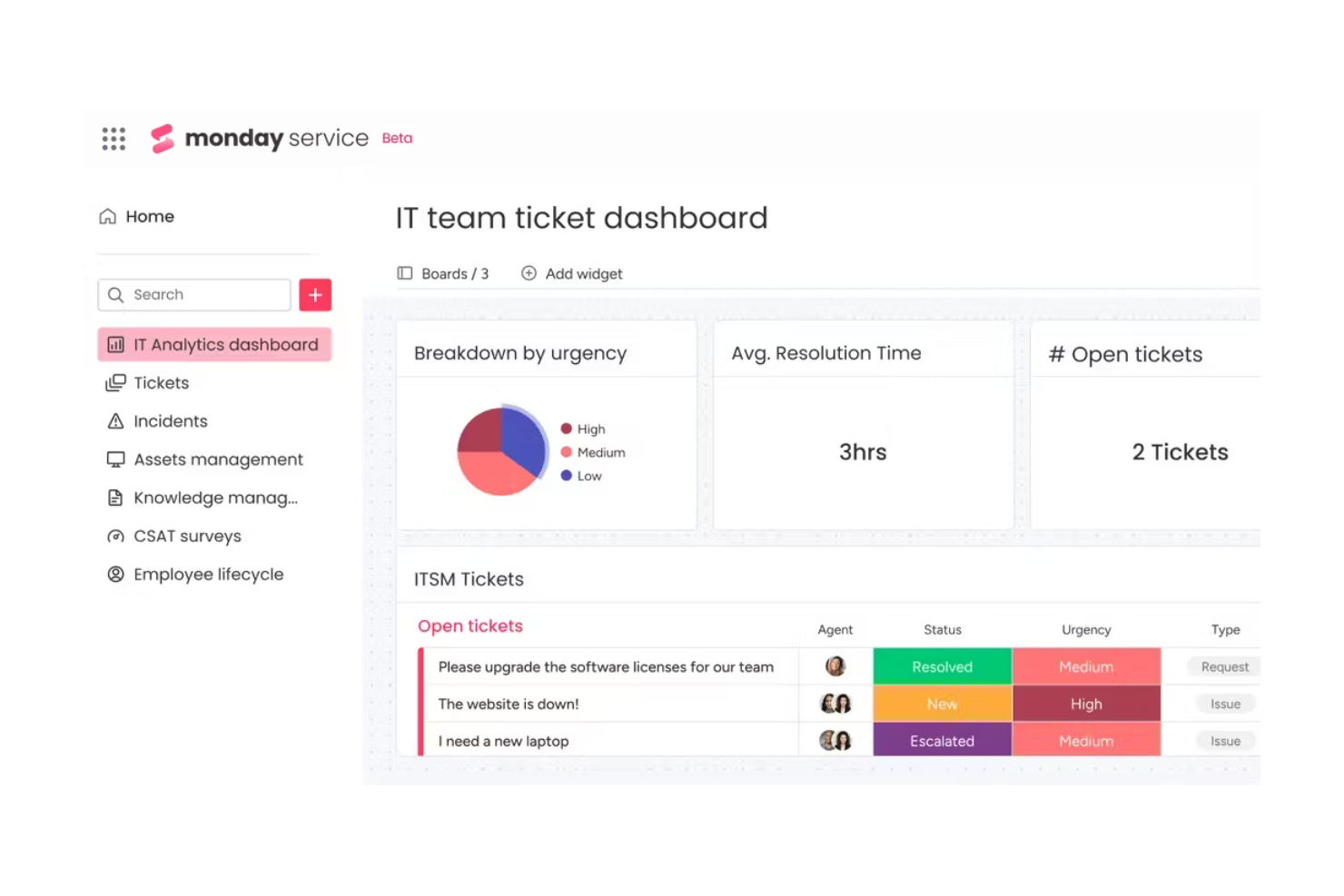
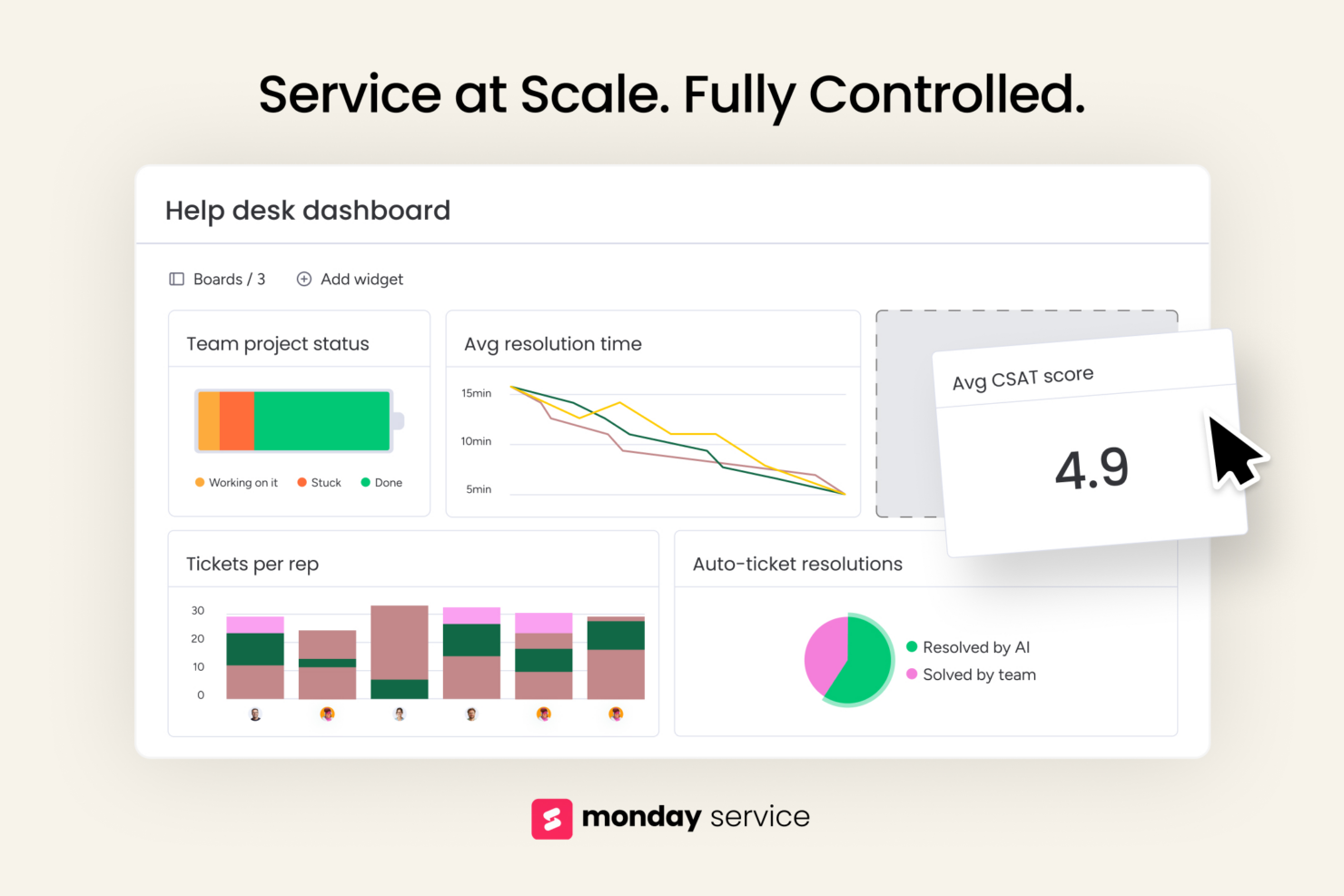
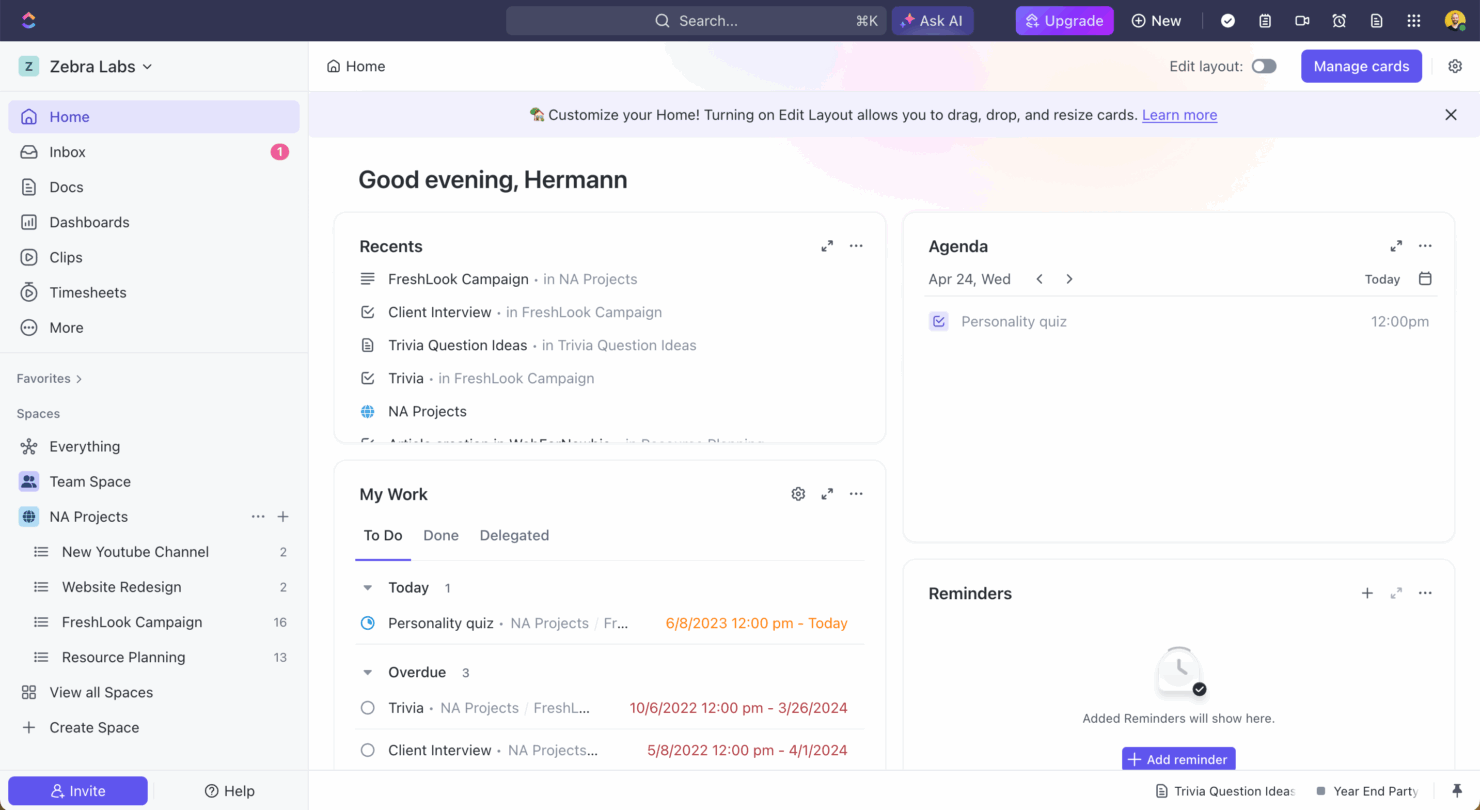
monday service’s custom dashboards let you track service performance, ticket status, and resolutions in real-time, so you can make informed decisions and adjust as needed. ClickUp’s extensive task management capabilities, which include bulk editing and multiple task views, are great for complex projects with numerous dependencies, like software development.
| monday service | ClickUp | |
|---|---|---|
| API | ||
| Contact Management | ||
| Customer Management | ||
| Dashboard | ||
| Data Export | ||
| Data Import | ||
| Data Visualization | ||
| External Integrations | ||
| Multi-User | ||
| Notifications | ||
| Scheduling | ||
| Workflow Management |
monday service vs. ClickUp Integrations
| Integration | monday service | ClickUp |
|---|---|---|
| Dropbox | ✅ | ✅ |
| Slack | ✅ | ✅ |
| Google Calendar | ❌ | ✅ |
| GitHub | ✅ | ✅ |
| Zoom | ✅ | ✅ |
| ✅ | ❌ | |
| HubSpot | ✅ | ✅ |
| Miro | ❌ | ❌ |
| API | ✅ | ✅ |
| Zapier | ✅ | ✅ |
monday service's integration with HubSpot lets service teams and marketing teams manage customer relationships and tickets in one place. ClickUp's integration with Zoom lets you schedule and join meetings without leaving your project workspace, which is great for remote teams.
monday service vs. ClickUp Security, Compliance & Reliability
| Factor | monday service | ClickUp |
|---|---|---|
| Data Privacy | monday service is GDPR compliant and offers data residency options in the EU. | ClickUp provides GDPR compliance and allows data export for transparency. |
| Encryption | monday service uses AES-256 encryption for data at rest and TLS for data in transit. | ClickUp secures data with AES-256 encryption and TLS protocols. |
| Uptime Reliability | monday service offers a 99.9% uptime service level agreement (SLA) to maintain consistent access. | ClickUp offers a 99.9% uptime guarantee and reliable service access. |
| Access Controls | monday service offers role-based permissions so you can control user access effectively. | ClickUp features customizable permissions and two-factor authentication. |
| Compliance Audits | monday service undergoes regular SOC 2 Type II audits for security assurance. | ClickUp also conducts SOC 2 Type II audits to maintain compliance. |
monday service and ClickUp both offer security and compliance features. Focus on the specific needs of your industry and weigh how each tool's features align with those needs.
monday service vs. ClickUp Ease of Use
| Factor | monday service | ClickUp |
|---|---|---|
| User Interface | monday service offers a visually intuitive interface with drag-and-drop capabilities. | ClickUp provides a customizable interface with various view options like list and board. |
| Onboarding Experience | monday service includes guided tutorials and templates to ease the learning curve. | ClickUp offers detailed onboarding checklists and video tutorials for new users. |
| Setup | monday service provides quick setup with pre-built templates for different workflows. | ClickUp requires more initial setup but offers more extensive customization options. |
| Support | monday service offers 24/7 support via live chat and a comprehensive help center. | ClickUp also provides 24/7 support, including webinars and a community forum. |
| Customization | monday service lets you easily customize boards and workflows without coding. | ClickUp allows for deep customization but might require more time to configure. |
monday service is easier to pick up quickly due to its straightforward interface and helpful onboarding. ClickUp offers more extensive customization and can be challenging to set up initially, but becomes powerful once configured to your specific needs.
monday service vs ClickUp: Pros & Cons
monday service
- You can customize ticket workflows to fit your team's needs.
- Its visual interface helps your team easily track completed tickets.
- Automation features save your team members time on repetitive tasks.
- You might find the onboarding process a bit complex.
- Some users feel the interface can be overwhelming at first.
- Customer support response times may not always meet your expectations.
ClickUp
- Extensive task management features keep your projects organized and on track
- Real-time collaboration makes team communication more effective
- Built-in automations reduce manual work and speed up your workflow
- Users often find the learning curve steep due to its rich feature set
- Some users report occasional performance lags when managing large projects
- Mobile app can be less intuitive than the desktop version
Best Use Cases for monday service and ClickUp
monday service
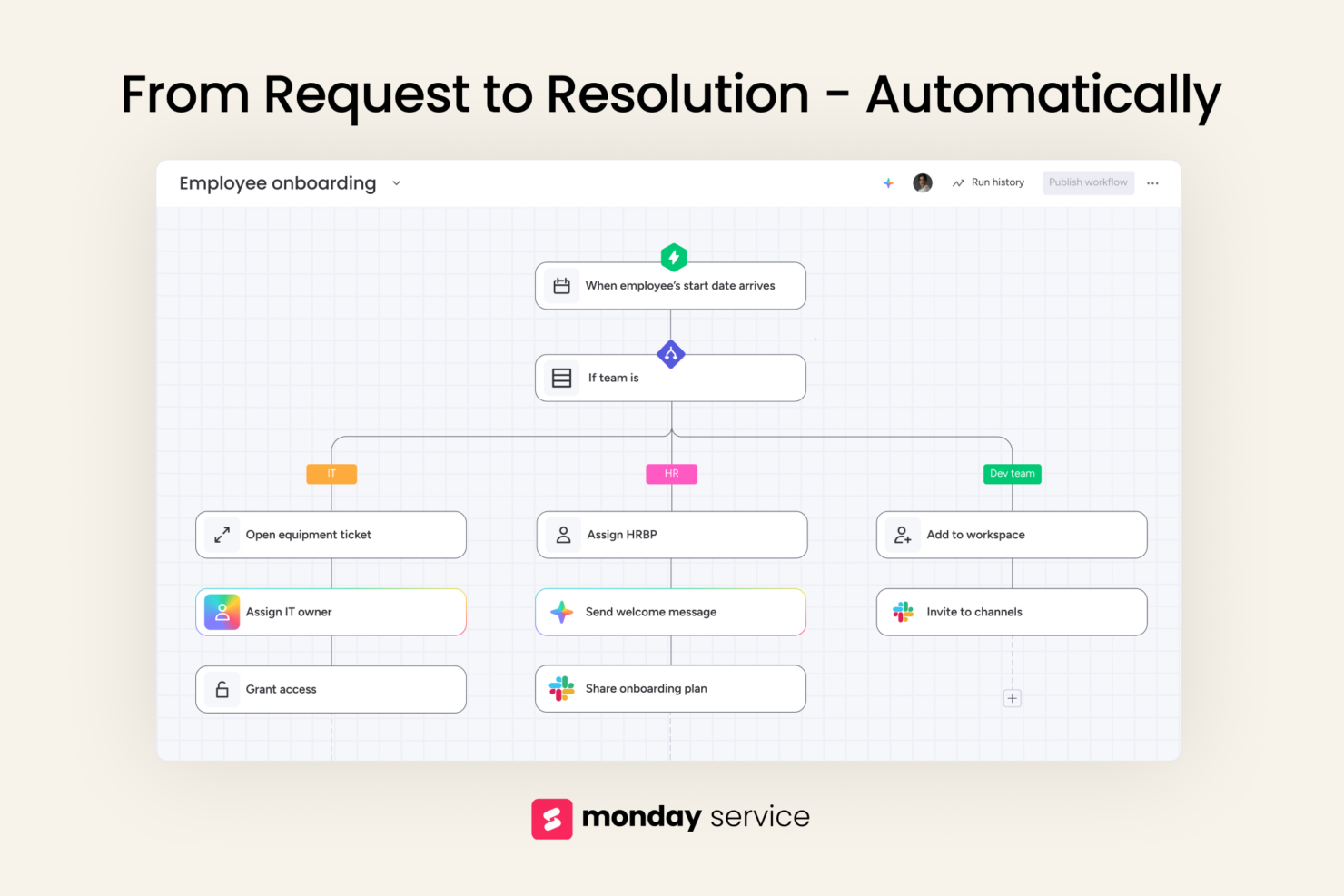
- IT support teams Track incoming requests, assign tickets, and set up automation rules to speed up resolution times.
- Operations departments Map out processes, manage internal requests, and create clear ownership across teams.
- Customer support teams Keep track of issues, follow-ups, and feedback loops in one place with simple status updates and task assignments.
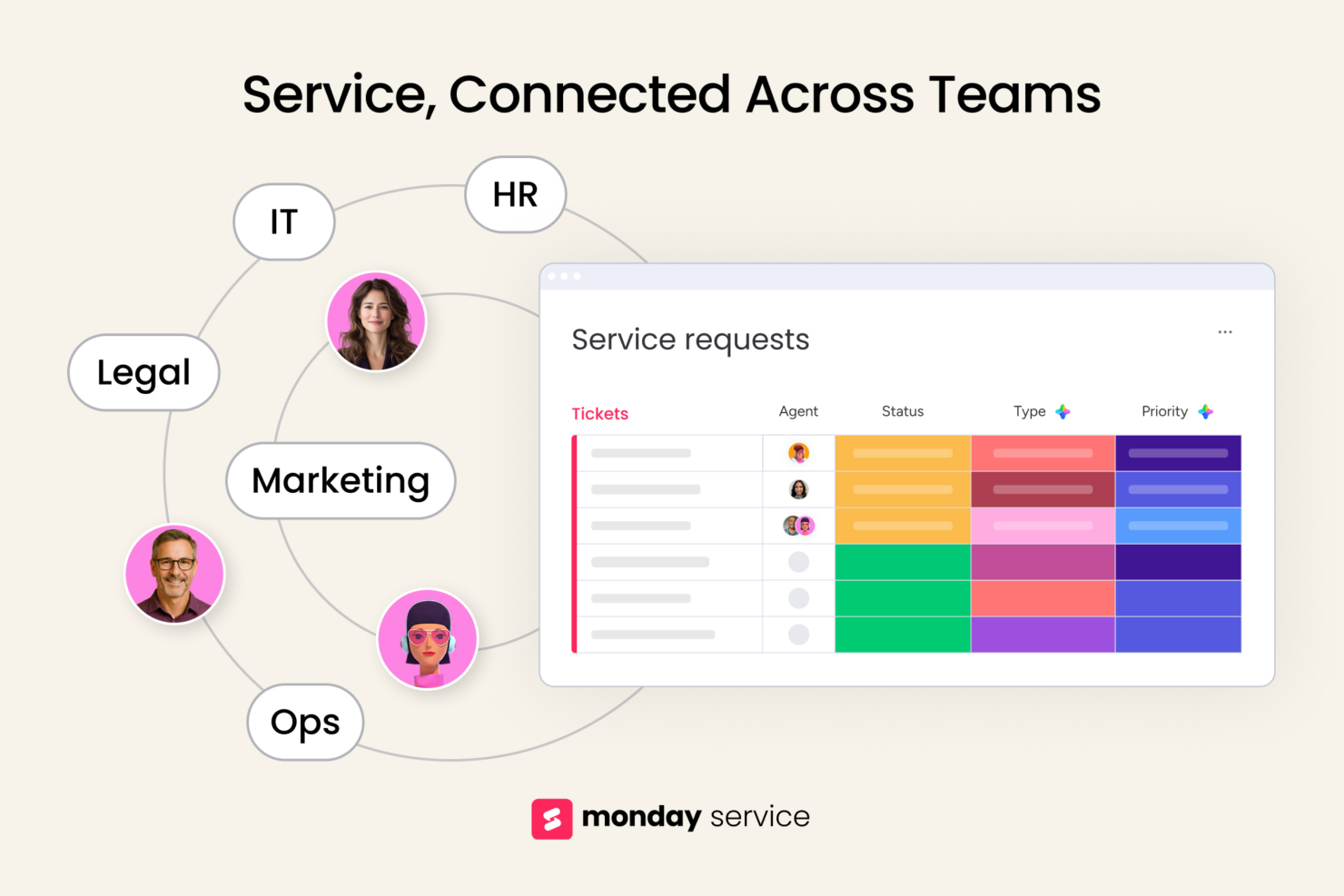
- HR teams monday service offers templates to manage employee requests without spreadsheets or email chains.
- Marketing departments Plan campaigns, manage deadlines, and collaborate with designers and writers using visual workflows.
- Legal teams Track contract reviews, approvals, and legal requests with boards that give you transparency and accountability.
ClickUp
- Creative agencies ClickUp's customizable dashboards and task automation features can help you manage client projects, track feedback and revisions, and keep creative teams aligned.
- Tech startups ClickUp supports agile development with sprints and real-time collaboration features that can help teams iterate quickly.
- Marketing teams You can streamline campaign planning and execution using ClickUp’s task dependencies and timelines.
- Remote teams ClickUp's real-time updates and collaboration tools keep everyone on the same page, no matter where they are.
- Product managers ClickUp’s roadmaps and goal-tracking features help you align development with business objectives.
- Freelancers You can track your tasks and deadlines efficiently with ClickUp’s simple task and time management tools.
Who Should Use monday service, and Who Should Use ClickUp?
In my opinion, monday service is best for service-delivery teams in IT, customer support, or operations that are handling tickets, requests, and issues. ClickUp suits project teams who require extensive customization and robust task management—it’s particularly good for software development and engineering projects.
If your use case requires ease of use and quick setup, monday service is the way to go. If you need deeper flexibility and advanced features, ClickUp is the better choice.
Differences Between monday service and ClickUp
| monday service | ClickUp | |
|---|---|---|
| Automation | monday service offers basic automation options. | ClickUp has advanced automation and more customization options. |
| Customization | monday service allows simple customization without coding. | ClickUp offers deep customization but may require more setup time. |
| Integrations | monday service integrates with tools like Slack and HubSpot. | ClickUp integrates with tools like Zoom and GitHub. |
| User Interface | monday service’s interface is intuitive and easy-to-navigate. | ClickUp provides a customizable, user-friendly interface with multiple view options. |
| Read monday service ReviewOpens new window | Visit ClickUpOpens new window |
Similarities Between monday service and ClickUp
| Collaboration | Both platforms include features like comments and file sharing, so your team members can communicate and collaborate within the tool. |
|---|---|
| Mobile Usability | Both monday service and ClickUp offer mobile apps, so you can manage projects and stay connected with your team on the go. |
| Security | Both platforms prioritize security with features like data encryption and compliance with GDPR, so your data is protected. |
| Support | Both monday service and ClickUp provide extensive support resources, including help centers and 24/7 customer support. |
| Task Management | Both monday service and ClickUp offer task management features that let you assign tasks and subtasks, set deadlines, and track progress effectively. Each provides unique views like boards and lists to organize tasks. |
| Read monday service ReviewOpens new window Visit ClickUpOpens new window | |