

Acquia DAM -arvostelu: hyvät ja huonot puolet, ominaisuudet ja hinnoittelu



Acquia DAM (Widen) is a digital asset management software for marketing and brand teams that need to organize, govern, and distribute large libraries of digital content. It's worth a close look if your team handles complex asset taxonomies, multiple product lines, or strict brand governance requirements. I'd choose it over Bynder when metadata-driven organization matters most. Bynder has a cleaner interface, but Acquia DAM (Widen) gives you more control over how assets are tagged, categorized, and surfaced across teams.
Acquia DAM (Widen) Evaluation Summary
- Pricing upon request
- Free demo available
Why Trust Our Software Recommendations
Our team has been testing and reviewing software since 2012. As project managers ourselves, we know how difficult—and important—it is to choose the right software.
For this guide, we evaluated tools using hands-on testing and independent research, scoring tools using our selection criteria. We also draw on insights from industry thought leaders and practicing project management experts.
Our reviews reflect our human editorial judgment, not a sales pitch.
Expert reviewers:
Acquia DAM (Widen) Overview
Acquia DAM (formerly known as Widen Collective) is a strong digital asset management solution that is particularly well-suited for marketing and creative teams. It offers extensive support and a wide range of features that help with asset organization and collaboration. Its ability to integrate with CMS platforms and responsive customer support set it apart from competitors.
However, the pricing is less accessible for smaller teams, and the onboarding experience could be more user-friendly. It also lacks breadth in third-party integrations, but it’s a worthwhile DAM solution for teams that need strong asset and brand management.
pros
-
It offers an excellent customer experience, and their support team can respond quickly and effectively to your team's needs.
-
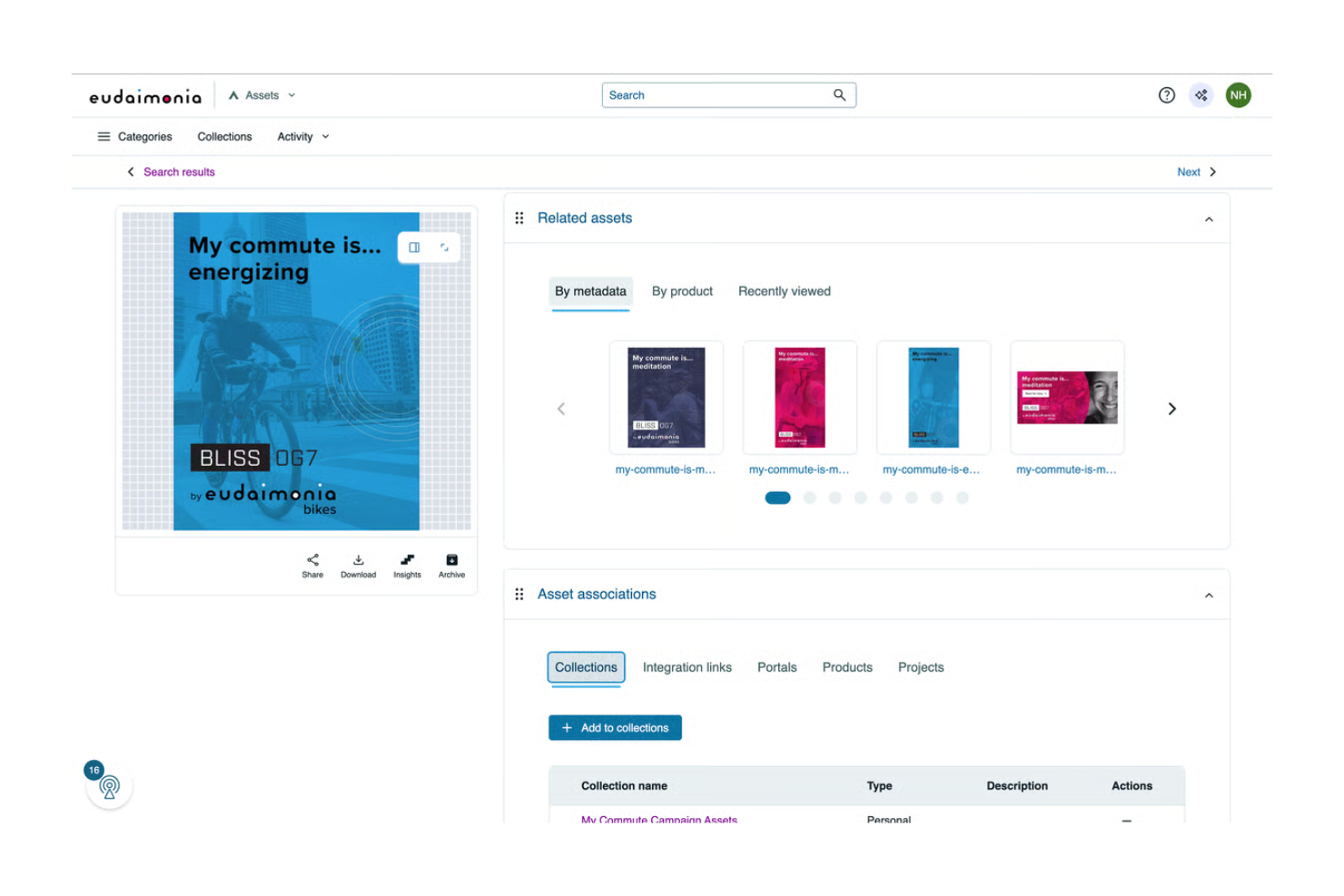
The intuitive interface simplifies asset management and makes it easy for your team to find and use assets.
-
It improves collaboration and lets your team work together seamlessly on digital content.
cons
-
The onboarding process can be a bit complex and time-consuming for new users.
-
It doesn’t offer as many templates as some competitors, which could slow your team's initial setup.
-
The learning curve can be steep and lots of time is required for your team to master all functionalities.
-

Celoxis
Visit WebsiteThis rating combines scores from multiple user review sites to reflect overall customer sentiment about the product.4.5 -
Smartsheet
Visit WebsiteThis rating combines scores from multiple user review sites to reflect overall customer sentiment about the product.4.5 -
Accelo
Visit WebsiteThis rating combines scores from multiple user review sites to reflect overall customer sentiment about the product.4.4





Core Features
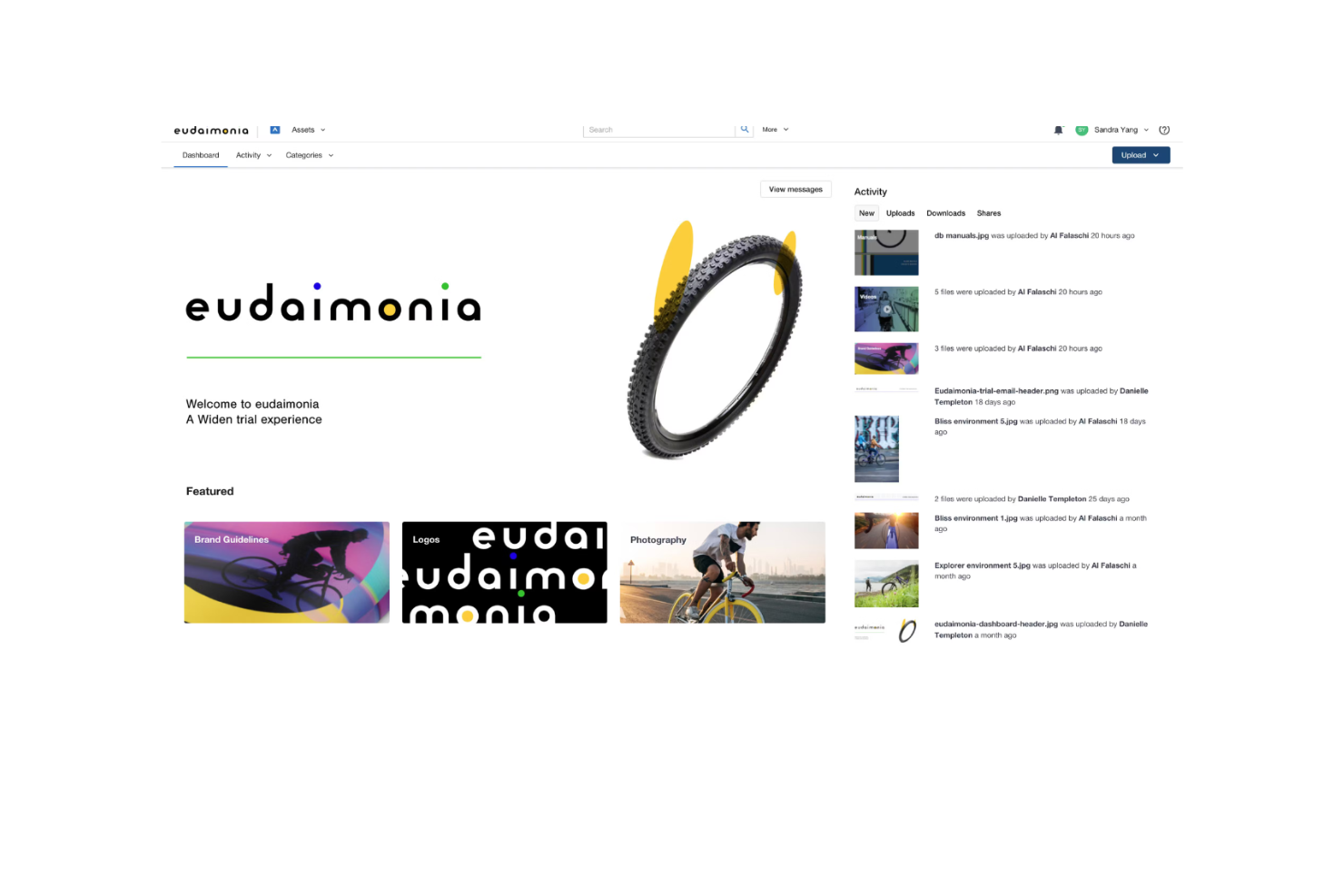
Asset Organization: Acquia DAM helps you categorize and store your digital files efficiently, which makes it easy for your team to find what they need. Its intuitive tagging and metadata features allow for quick retrieval of assets.
Native Integrations: Acquia DAM can connect with tools like Drupal, Slack, Adobe Creative Cloud, Asana, and Microsoft Office 365. These integrations let teams access and use assets directly within their existing workflows.
Mobile-Responsive: Acquia DAM’s web interface adapts seamlessly to smartphones and tablets, so you have full access to features on any device. This lets you manage, share, and collaborate on assets from anywhere without needing a separate mobile app.
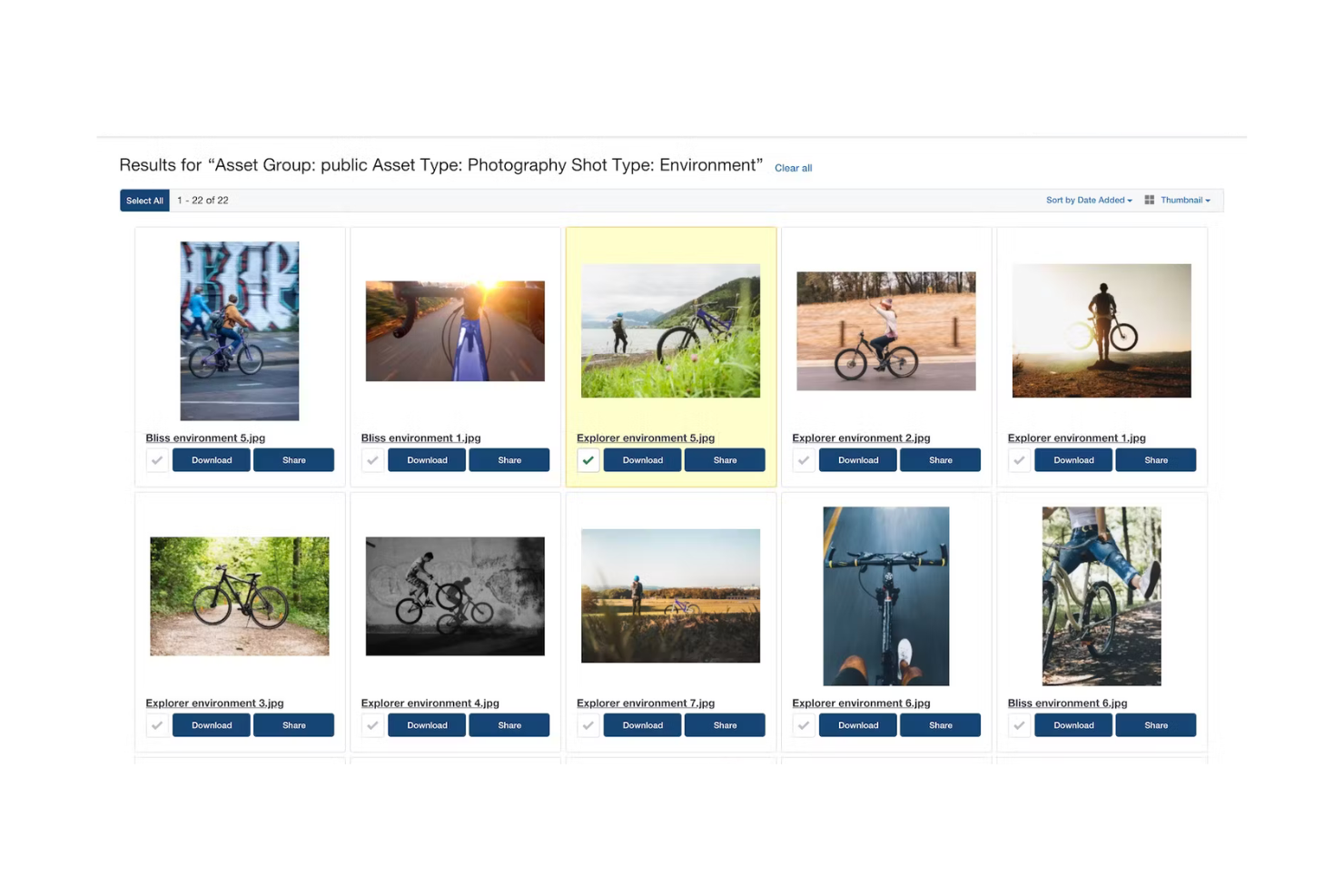
Search Functionality: Acquia DAM's powerful search tool lets your team find assets quickly using keywords and filters. This saves time and boosts productivity when you’re managing large asset libraries.
Collaboration Tools: Your team can collaborate in real-time and share feedback and updates directly within the platform. This improves your workflow and your team’s ability to work together.
Reporting and Analytics: Acquia DAM provides insights into asset usage and performance to help you make informed decisions. You can track engagement and optimize your content strategies effectively.
Ease of Use
Acquia DAM may not be ideal for small businesses or startups with limited budgets, as its pricing is high and onboarding can be complex.
Teams with minimal digital content or basic asset management needs might not fully benefit from its advanced features. If quick setup and ease of use are priorities, more straightforward digital asset management platforms may be a better fit.
Acquia DAM (Widen) Specs
- Access Management
- API
- Asset Tagging
- Automatic Transcription
- Batch Permissions & Access
- Brand Asset Creation
- Brand Management
- Dashboards
- Database Search
- Document Comparison
- Document Sharing
- Downloading
- External Integrations
- File Format Conversion
- File Sharing
- File Transfer
- History/Version Control
- Keyword Tracking
- Materials Library
- Metadata Management
- Multi-User
- Product Catalog
- Reports
- Review Monitoring
- Template Designer
Alternatives to Acquia DAM (Widen)


Acquia DAM (Widen) FAQs
How does Acquia DAM handle data security and compliance?
Can I customize workflows in Acquia DAM?
Is there a mobile app for Acquia DAM?
How does Acquia DAM support collaboration?
What kind of training resources are available for new users?
Can I track asset usage in Acquia DAM?
Does Acquia DAM support multiple languages?
What kind of customer support can I expect with Acquia DAM?
Mitä seuraavaksi?
Haluatko verkostoitua muiden digitaalisten projektipäälliköiden kanssa jakaaksesi resursseja ja parhaita käytäntöjä? Liity jäsenyhteisöömme ja saat käyttöösi yli 100 mallipohjaa, näytettä ja esimerkkiä sekä verkostoidu Slackissa satojen muiden digitaalisten projektipäälliköiden kanssa.