

Reseña de los agentes gestionados de Claude 2026: características, ventajas, desventajas y precios



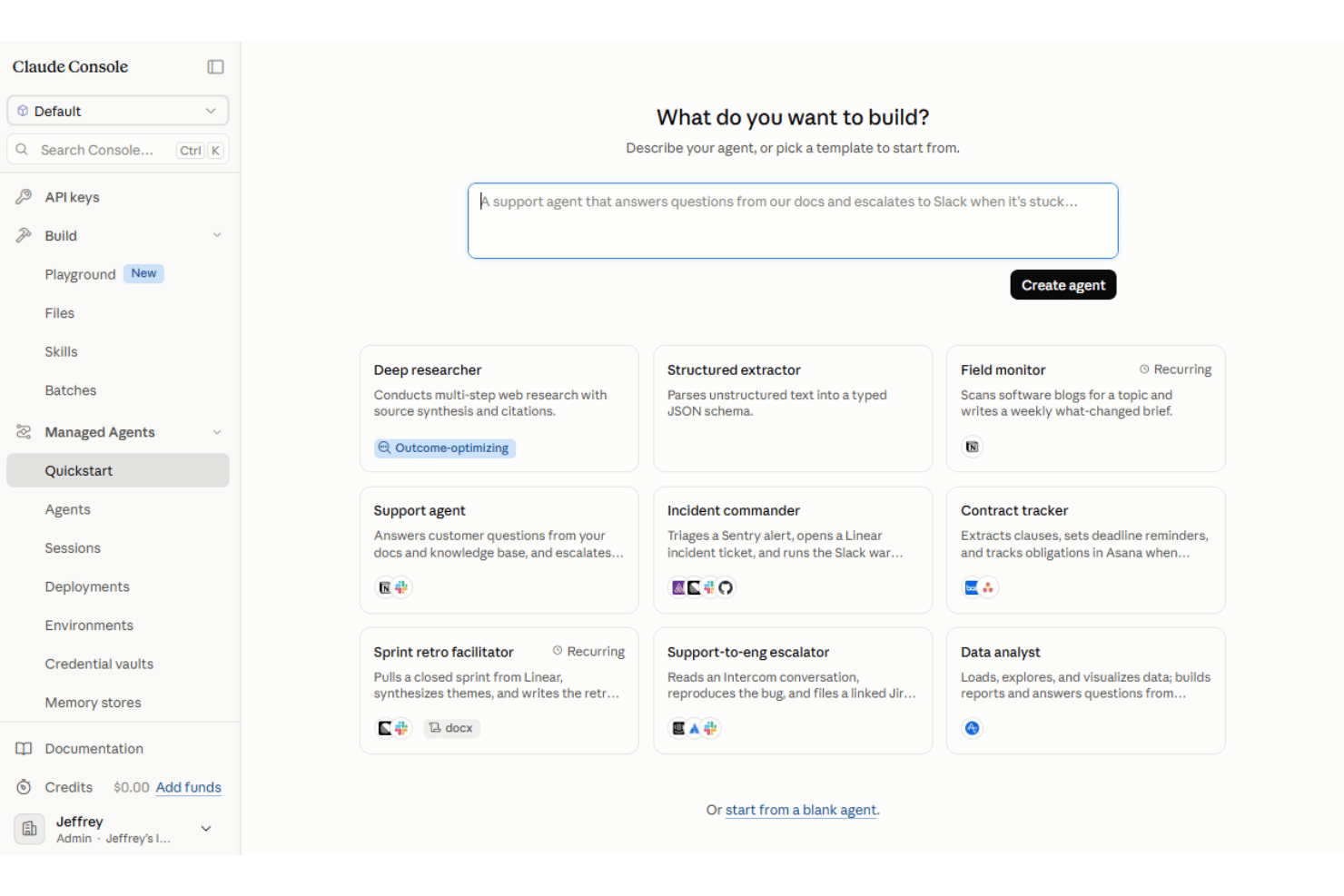
Claude Managed Agents is an AI productivity tool from Anthropic for building and running autonomous agents with a managed agent harness and production infrastructure. It supports long-running, stateful sessions, built-in tool execution, MCP connections, scheduled runs, and managed or self-hosted sandboxes. I’d look at it when a technical team needs agents to complete multi-step work without building its own agent loop, sandbox, and tool execution layer from scratch. Compared to ChatGPT's custom GPTs, Claude Managed Agents give you longer context windows, stronger reasoning on ambiguous project docs, and managed orchestration so you're not stitching together your own agent scaffolding to get reliable output.
Claude Managed Agents Evaluation Summary
- From $0.08/active session-hour + model usage
- No free trial available
Por qué confiar en nuestras recomendaciones de software
Nuestro equipo lleva probando y evaluando software desde 2012. Como gestores de proyectos, sabemos lo difícil —y lo importante— que es elegir el software adecuado.
Para esta guía, evaluamos las herramientas mediante pruebas prácticas e investigación independiente, puntuando las herramientas según nuestros criterios de selección. También nos basamos en la experiencia de líderes de opinión del sector y de profesionales en activo de la gestión de proyectos.
Nuestras reseñas reflejan nuestro criterio editorial humano, no un discurso de ventas.
Revisores expertos:
Claude Managed Agents Overview
If you’re judging Claude Managed Agents as an AI productivity tool, I think its main strength is the infrastructure it provides for long-running, stateful agent work. Anthropic manages much of the agent loop, tool execution, session state, and runtime, while teams can connect external tools through MCP and run agents in managed or self-hosted sandboxes. A visual Console makes agents easier to configure and test, but production implementation remains developer-oriented and typically involves APIs or SDKs. The main tradeoffs are its technical setup requirements, usage-based costs, and current beta status.
pros
-
Managed agent harness reduces the infrastructure teams need to build for agent loops, state, and tool execution
-
Stateful sessions and scheduled deployments support long-running and recurring agent work
-
Supports built-in tools, MCP connections, and managed or self-hosted execution environments
cons
-
Production implementation remains developer-oriented despite the visual Console
-
Managed Agents is built for Claude models rather than offering a model-agnostic runtime
-
The product remains in beta and is not currently eligible for Zero Data Retention or HIPAA BAA coverage
-

Smartsheet
Visit WebsiteThis rating combines scores from multiple user review sites to reflect overall customer sentiment about the product.4.5 -
Celoxis
Visit WebsiteThis rating combines scores from multiple user review sites to reflect overall customer sentiment about the product.4.5 -
Accelo
Visit WebsiteThis rating combines scores from multiple user review sites to reflect overall customer sentiment about the product.4.4





Nuestra Metodología de Revisión
Cómo probamos y puntuamos las herramientas
Llevamos años construyendo, refinando y mejorando nuestro sistema de prueba y puntuación de software. La rúbrica está diseñada para capturar los matices de la selección de software y los factores que hacen efectivo a un sistema, centrándose en los aspectos críticos del proceso de toma de decisiones.
A continuación, puedes ver exactamente cómo funciona nuestro proceso de prueba y puntuación en base a siete criterios. Esto nos permite proporcionar una evaluación imparcial del software basada en la funcionalidad principal, características destacadas, facilidad de uso, incorporación, soporte al cliente, integraciones, opiniones de clientes y valor por el dinero.
Funcionalidad principal (25% de la puntuación final)
El punto de partida de nuestra evaluación es siempre la funcionalidad principal de la herramienta. ¿Cuenta con las funciones y características básicas que un usuario esperaría ver? ¿Alguna de estas funciones principales está limitada a planes de precios superiores? Esperamos que la herramienta se mantenga a la par de las capacidades básicas de sus competidores.
Características destacadas (25% de la puntuación final)
A continuación, evaluamos las características destacadas poco comunes que van más allá de la funcionalidad principal normalmente encontrada en este tipo de herramientas. Una puntuación alta refleja funciones únicas o especializadas que hacen que el producto sea más rápido, eficiente, o aporte valor extra al usuario.
También evaluamos la facilidad de integración con otras herramientas habitualmente presentes en el ecosistema tecnológico para ampliar la funcionalidad y utilidad del software. Las herramientas que ofrecen muchas integraciones nativas, conexiones de terceros y acceso por API para integrar soluciones personalizadas obtienen la mejor puntuación.
Facilidad de uso (10% de la puntuación final)
Consideramos cuán rápido y fácil es ejecutar las tareas fundamentales usando la herramienta. El software con alta puntuación está bien diseñado, es intuitivo, ofrece aplicaciones móviles, proporciona plantillas y hace que tareas relativamente complejas parezcan sencillas.
Incorporación (10% de la puntuación final)
Sabemos lo importante que es una adopción rápida para un nuevo sistema, así que evaluamos cuán sencillo es aprender a usar la herramienta con una capacitación mínima. Analizamos cuán rápido un miembro del equipo puede configurarse y comenzar a usar la herramienta sin experiencia previa. Las soluciones mejor puntuadas indican que se requiere poco o ningún soporte.
Soporte al cliente (10% de la puntuación final)
Revisamos la rapidez y facilidad para obtener ayuda por teléfono, chat en vivo o base de conocimientos. Las empresas que ofrecen soporte en tiempo real obtienen las mejores puntuaciones, mientras que los chatbots obtienen las peores.
Opiniones de clientes (10% de la puntuación final)
Además de nuestras propias pruebas y valoraciones, consideramos la puntuación neta del promotor de clientes actuales y anteriores. Revisamos la probabilidad de que, ante la opción, quisieran elegir la herramienta de nuevo por su funcionalidad central. Un software con una puntuación alta refleja una gran satisfacción de sus usuarios actuales o pasados.
Valor por el dinero (10% de la puntuación final)
Por último, tomando en cuenta todos los criterios mencionados, comparamos el precio promedio de los planes básicos respecto a las funciones principales y el valor aportado por los otros criterios. El software que entrega más por menos recibirá una puntuación superior.
Core Features
Autonomous Multi-Step Task Execution
Deploy agents that independently complete complex, multi-step workflows such as software research, code review, or documentation. Agents can continue working across multiple tool calls while you monitor, steer, or interrupt execution when needed.
Long Context Window Processing
Handle large inputs such as lengthy project briefs, research materials, or connected business data within an agent workflow. This helps teams work with more context without manually splitting information across separate tasks.
Managed Orchestration
Anthropic manages core agent infrastructure such as the agent loop, session state, tool execution, and runtime environment. This reduces the amount of orchestration infrastructure development teams need to build and maintain themselves.
Task-Specific Agent Creation
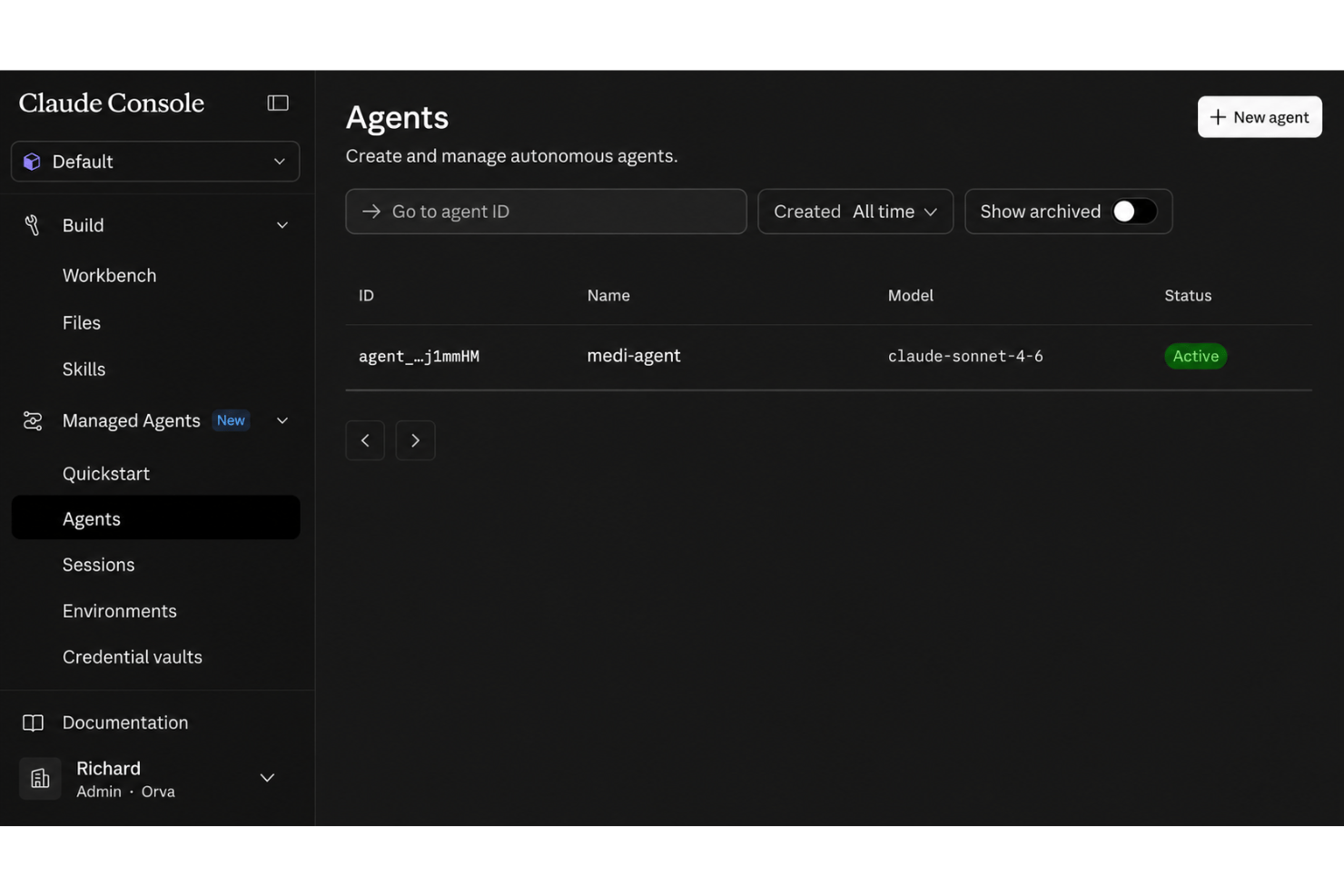
Create reusable, task-specific agents with their own model, system prompt, tools, MCP servers, and skills. Teams can configure agents visually in Claude Console or through the API for repeated use across sessions.
Real-World Document Understanding
Agents parse ambiguous or unstructured project docs to extract what matters—think summarizing decision logs or surfacing pain points in meeting notes. You get actionable context, not just reworded text.
Cross-Tool Workflow Handling
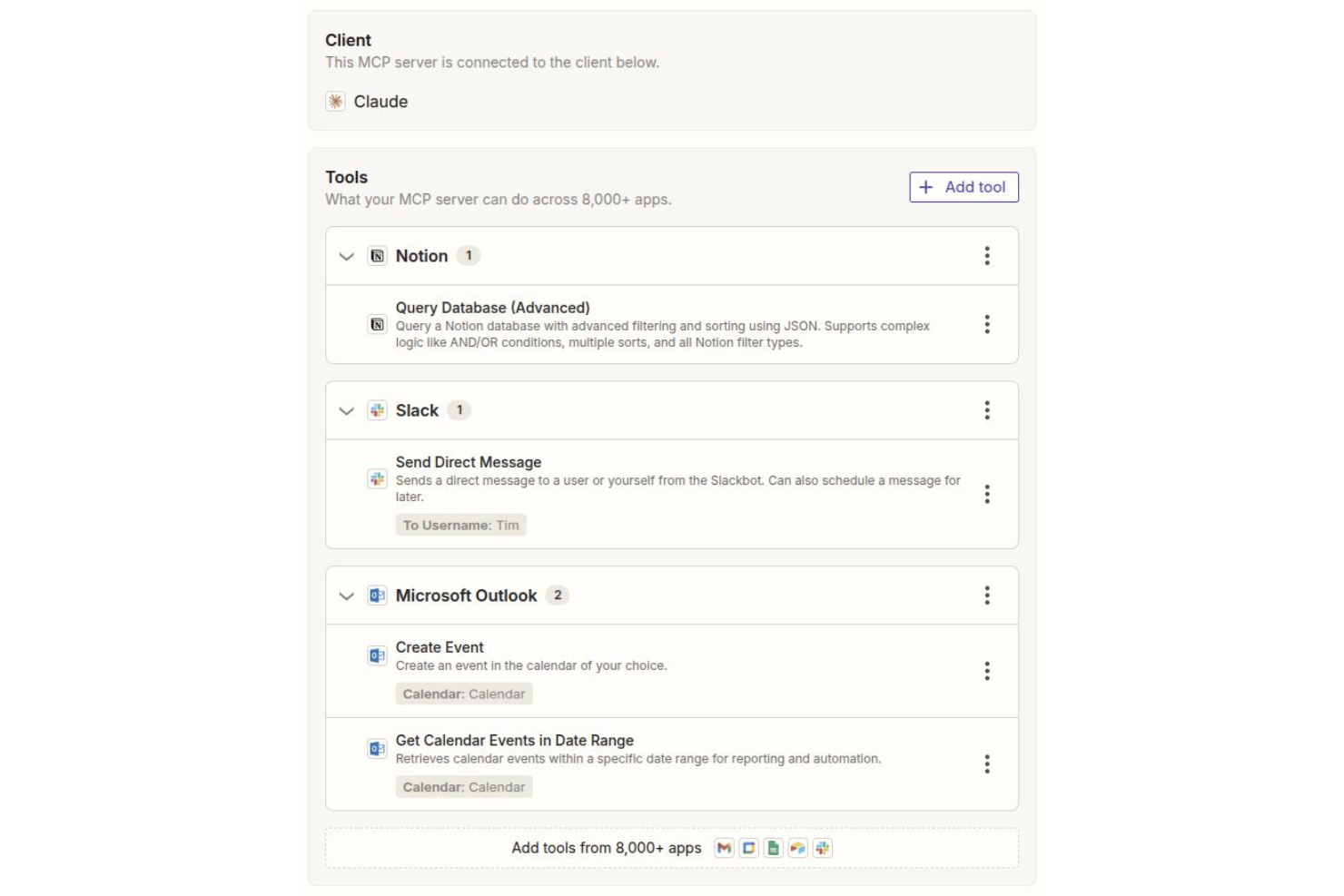
Configure agents to work across external tools and data sources through MCP servers, built-in tools, and APIs. Agents can gather information, use tools, and carry out several actions within the same workflow.
Ease of Use
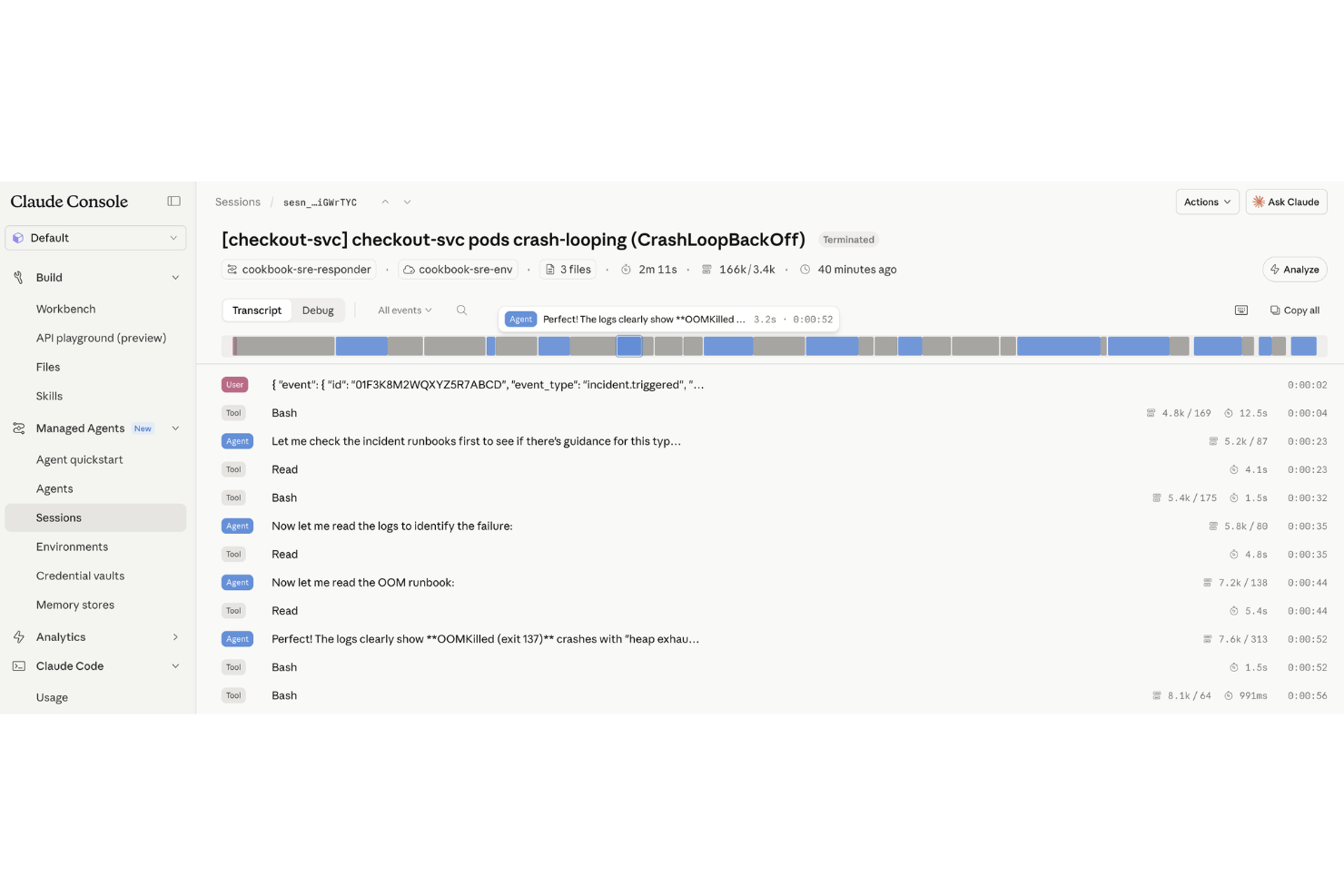
Claude Managed Agents is more approachable than building an agent runtime from scratch, but it is still primarily aimed at developers. Claude Console provides a visual interface for configuring and testing agents, including prompts, tools, MCP servers, and skills. Production use generally moves into the API or SDK, where teams create sessions, connect environments, and manage agent execution. This reduces infrastructure work, but teams still need technical familiarity to deploy and operate agents effectively.
Integrations
Claude Managed Agents integrates with Jira, Google Docs, Google Sheets, Confluence, Slack, Trello, Asana, Notion, GitHub, and Microsoft Teams, among others.
You can also connect Claude Managed Agents to other systems using its API or by working with third-party integration tools.
Claude Managed Agents Specs
- A/B Testing
- AI Integration
- Analytics
- API
- Calendar Management
- Comparative Reporting
- Custom Reports
- Dashboard
- Data Export
- Data Import
- Data Mining
- Data Visualization
- External Integrations
- Forecasting
- Historical Data Analysis
- Multi-User
- Notifications
- Process Reporting
- Real-time Alerts
- Scenario Planning
- Scheduling
- Sentiment Analysis
- SEO
- Time Series Modeling
- Workflow Management


