

10 alternativas a Accelo para servicios profesionales en 2026

Resumen de las mejores alternativas a Accelo


Si te sientes abrumado al gestionar proyectos, no eres el único. Muchos gestores de proyectos tienen dificultades para mantener las tareas organizadas y los equipos coordinados. Puede que Accelo no se adapte perfectamente a tus necesidades, y no pasa nada.
El software de automatización de servicios profesionales puede aliviar estas dificultades al ofrecer funciones que se ajusten a tus retos específicos. Según mi experiencia, encontrar la herramienta adecuada puede marcar una gran diferencia en la productividad y la motivación de tu equipo.
En este artículo, compartiré mis principales alternativas a Accelo. Las he probado minuciosamente para asegurarme de que satisfacen distintas necesidades. Encontrarás reseñas claras e imparciales que te ayudarán a elegir la opción que mejor se adapte a tu empresa.
¿Qué es Accelo?
Accelo es un software de automatización de servicios profesionales (PSA) diseñado para ayudar a las empresas a gestionar el trabajo con clientes de forma eficiente. Lo utilizan habitualmente consultores, contables y agencias digitales que necesitan mantener organizados los proyectos, los clientes y las finanzas. Sus funciones de seguimiento de proyectos, gestión de clientes y facturación ayudan a mantener la productividad y mejorar las relaciones con los clientes. Accelo aporta valor al centralizar todos los aspectos del trabajo con clientes en una sola plataforma, lo que facilita que tú y tu equipo gestionéis los proyectos de principio a fin.
Resumen de las mejores alternativas a Accelo
Esta tabla comparativa resume los detalles de precios de mis principales alternativas a Accelo para ayudarte a encontrar la mejor opción según tu presupuesto y las necesidades de tu empresa.
| Tool | Best For | Trial Info | Price | ||
|---|---|---|---|---|---|
| 1 | La mejor solución integral para pequeñas empresas | Prueba gratuita de 7 días y plan gratuito disponible | Desde $39/mes | Website | |
| 2 | Ideal para la gestión de proyectos impulsada por IA | Prueba gratuita de 14 días + demostración gratuita disponible | Desde $19/usuario/mes (facturado anualmente) | Website | |
| 3 | Ideal para portales de clientes todo en uno | Prueba gratuita de 14 días disponible | Desde $19/mes | Website | |
| 4 | Ideal para flujos de trabajo personalizables | Prueba gratuita de 30 días + demostración gratuita disponible | Desde $24/usuario/mes | Website | |
| 5 | Ideal para la colaboración en equipo y el seguimiento de objetivos | Plan gratuito disponible | Desde $10.99/usuario/mes (facturado anualmente) | Website | |
| 6 | Ideal para flujos de trabajo de MSP | Demostración gratuita disponible | Precios bajo consulta | Website | |
| 7 | La mejor opción para la gestión integral de proyectos | Plan gratuito + demostración gratuita disponible | Desde $11.95/mes | Website | |
| 8 | Ideal para la reserva y facturación de clientes | Demostración gratuita + prueba gratuita de 14 días disponible | Desde $29/mes (facturado anualmente) | Website | |
| 9 | Ideal para empresas de arquitectura e ingeniería | Demostración gratuita disponible. | Precios disponibles bajo solicitud | Website | |
| 10 | Ideal para profesionales creativos que necesitan CRM | Prueba gratuita de 7 días | Desde $7/mes (facturado anualmente) | Website |
Por qué confiar en nuestras recomendaciones de software
Nuestro equipo lleva probando y evaluando software desde 2012. Como gestores de proyectos, sabemos lo difícil —y lo importante— que es elegir el software adecuado.
Para esta guía, evaluamos las herramientas mediante pruebas prácticas e investigación independiente, puntuando las herramientas según nuestros criterios de selección. También nos basamos en la experiencia de líderes de opinión del sector y de profesionales en activo de la gestión de proyectos.
Nuestras reseñas reflejan nuestro criterio editorial humano, no un discurso de ventas.
Revisores expertos:
Reseñas de las mejores alternativas a Accelo
A continuación encontrarás mis resúmenes detallados de las mejores alternativas a Accelo que llegaron a mi lista final. Mis reseñas ofrecen un análisis detallado de las funciones principales, las ventajas y desventajas, las integraciones y los casos de uso ideales de cada herramienta para ayudarte a encontrar la mejor opción para ti.

Flowlu
La mejor solución integral para pequeñas empresas
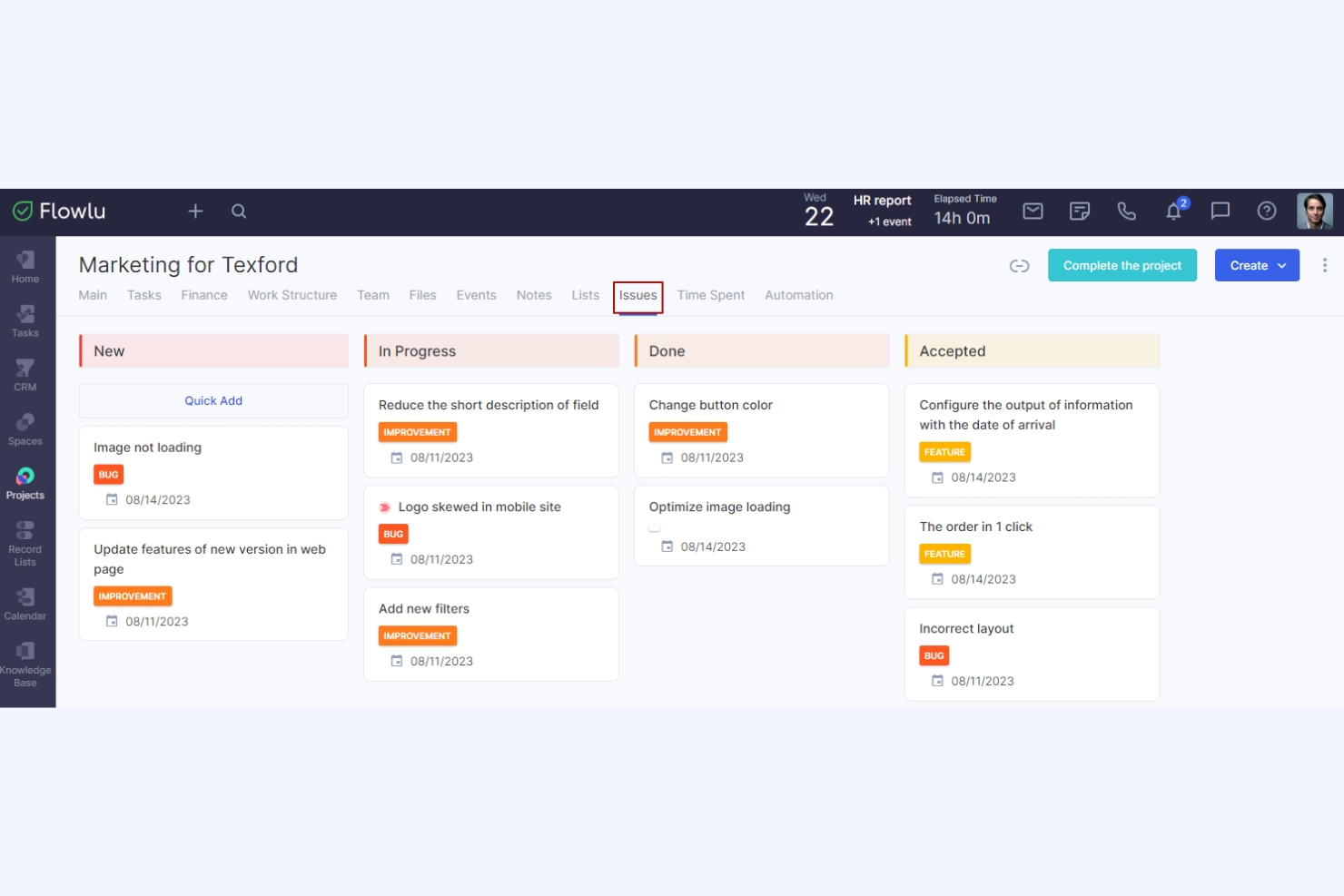
Flowlu es una plataforma integral de gestión del trabajo en línea diseñada para pequeñas y medianas empresas. Sus principales usuarios incluyen agencias de marketing, departamentos de TI, profesionales del ámbito legal, instituciones educativas y organizadores de eventos. Proporciona herramientas para la gestión de proyectos, CRM, facturación, gestión financiera y colaboración.
Por qué es una buena alternativa a Accelo: Flowlu ofrece un conjunto completo de herramientas, lo que la hace ideal para pequeñas empresas que buscan una solución integral. Incluye funciones de gestión de proyectos y tareas, como diagramas de Gantt y tableros Kanban, que te ayudan a mantener todo organizado. La automatización de flujos de trabajo y la supervisión financiera te proporcionan eficiencia y control sobre tus operaciones, mientras que sus herramientas de comunicación del equipo fomentan la colaboración y mantienen a todos informados.
Funciones e integraciones destacadas:
Las funciones incluyen herramientas de gestión financiera que te ayudan a realizar un seguimiento eficiente de los gastos y los ingresos, mientras que las funciones de CRM permiten a tu equipo gestionar las relaciones con los clientes de manera eficaz. Los flujos de trabajo automatizados te ayudan a asignar tareas, enviar notificaciones a los miembros del equipo, proporcionar actualizaciones de los proyectos y crear nuevos proyectos.
Las integraciones incluyen Slack, Google Calendar, Microsoft Outlook, QuickBooks, Xero, Dropbox, Mailchimp, Trello y más.
Pros and Cons
Pros:
- Plataforma integral
- Admite la automatización de flujos de trabajo
- Facilita la comunicación del equipo
Cons:
- Problemas ocasionales con la integración del correo electrónico
- El módulo de informes ofrece poca personalización

Ideal para la gestión de proyectos impulsada por IA
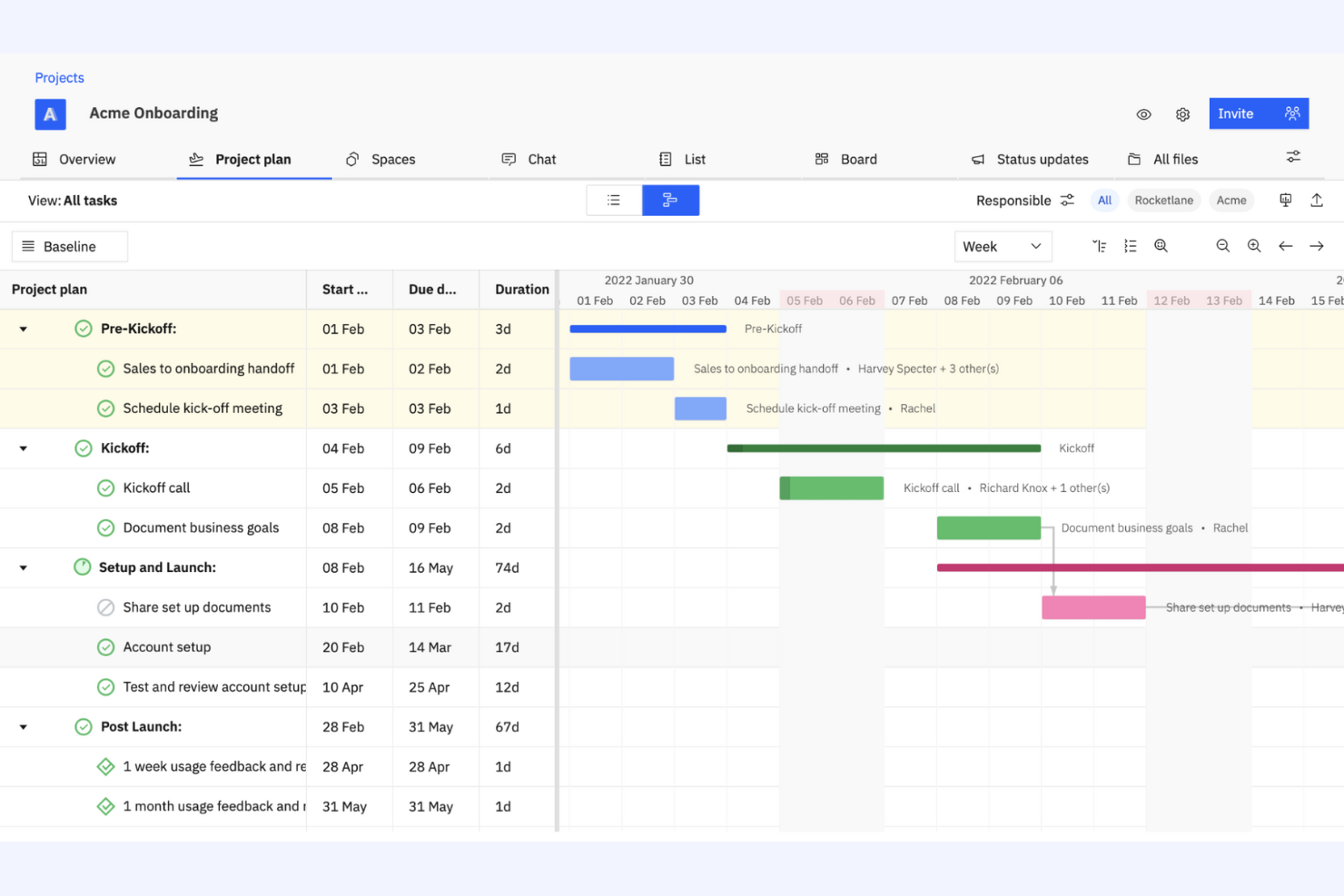
Rocketlane es una plataforma de gestión de proyectos integral y basada en agentes, diseñada para equipos que necesitan mejorar sus procesos de entrega de proyectos. La utilizan empresas que buscan mejorar la colaboración, la transparencia y la eficiencia en la ejecución de proyectos.
Por qué es una buena alternativa a Accelo: Rocketlane proporciona herramientas de entrega de proyectos impulsadas por IA que se adaptan a empresas centradas en optimizar la ejecución de sus proyectos, con agentes de IA que comparten la carga operativa. Las plantillas de proyectos ayudan a tu equipo a estandarizar los flujos de trabajo y ahorrar tiempo, mientras que las herramientas de colaboración en tiempo real de la plataforma garantizan que todos se mantengan alineados e informados durante todo el proyecto. El énfasis de Rocketlane en los conocimientos basados en IA ofrece a tu equipo datos valiosos para perfeccionar las estrategias y los resultados de los proyectos.
Funciones e integraciones destacadas:
Las funciones incluyen la gestión de cronogramas, que ayuda a tu equipo a mantener los proyectos dentro de los plazos previstos, y las herramientas de gestión de recursos de la plataforma garantizan una asignación óptima de los esfuerzos de tu equipo. Los paneles personalizables proporcionan información sobre el progreso y el rendimiento de los proyectos.
Las integraciones incluyen Slack, Salesforce, Microsoft Teams, Google Calendar, Jira, GitLab, HubSpot, Asana, Zapier, monday.com y muchas más.
Pros and Cons
Pros:
- Conocimientos y automatización basados en IA
- Permite estandarizar los proyectos
- Ofrece datos en tiempo real
New Product Updates from Rocketlane

Rocketlane Introduces Governance and Workforce Agents
Rocketlane introduces Governance Agents and Workforce Agents to automate delivery processes and recurring tasks. These updates help teams enforce rules and streamline project execution. For more information, visit Rocketlane’s official site.
 .
.
Ideal para portales de clientes todo en uno
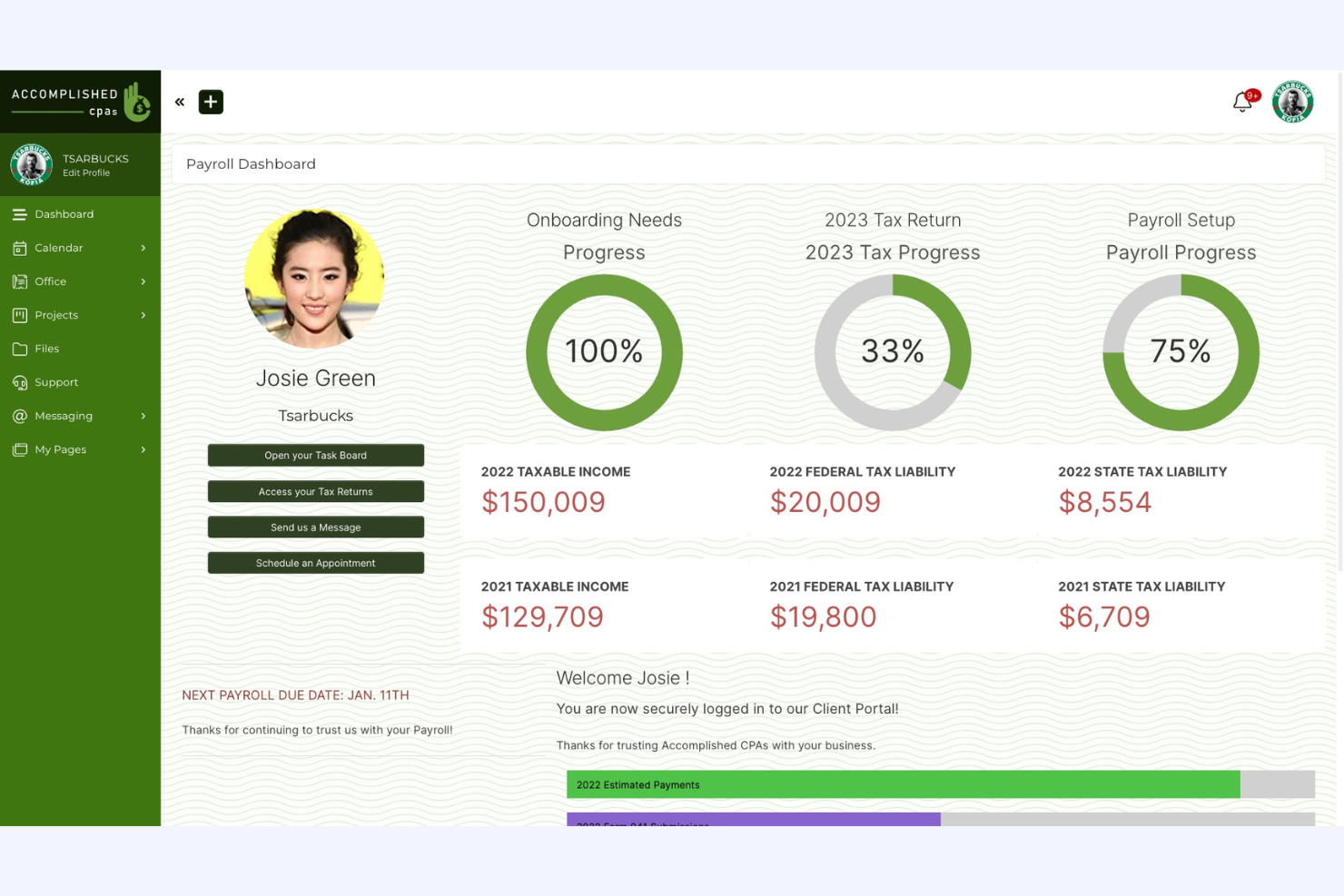
SuiteDash es una plataforma integral de gestión empresarial diseñada para pequeñas y medianas empresas, que proporciona herramientas para la gestión de proyectos, CRM y portales de clientes. Es ideal para empresas que desean integrar múltiples funciones en una sola plataforma.
Por qué es una buena alternativa a Accelo: SuiteDash ofrece una solución todo en uno que combina la gestión de proyectos con CRM y portales de clientes, lo que la hace ideal para una plataforma empresarial centralizada. Sus funciones de gestión de clientes ayudan a tu equipo a mantener relaciones sólidas con los clientes. Las herramientas de seguimiento de proyectos de la plataforma permiten a tu equipo gestionar las tareas y los plazos de manera eficaz. El enfoque de SuiteDash en integrar funciones empresariales clave en una sola plataforma la convierte en una opción adecuada para quienes buscan simplificar sus operaciones.
Funciones e integraciones destacadas:
Las funciones incluyen paneles personalizables y uso compartido seguro de archivos, lo que garantiza que los documentos confidenciales se intercambien de forma segura. La facturación y el cobro automatizados ayudan a optimizar los procesos financieros y reducir el trabajo manual.
Las integraciones incluyen QuickBooks, Stripe, PayPal, Zapier, Google Calendar, Microsoft Office 365, Plaid, Slack, Zoom, WordPress y más.
Pros and Cons
Pros:
- Usuarios ilimitados en todos los niveles de precios
- Admite la gestión de clientes
- Simplifica los procesos financieros
Cons:
- La configuración inicial puede ser compleja
- Personalización limitada para necesidades avanzadas
Kintone
Ideal para flujos de trabajo personalizables
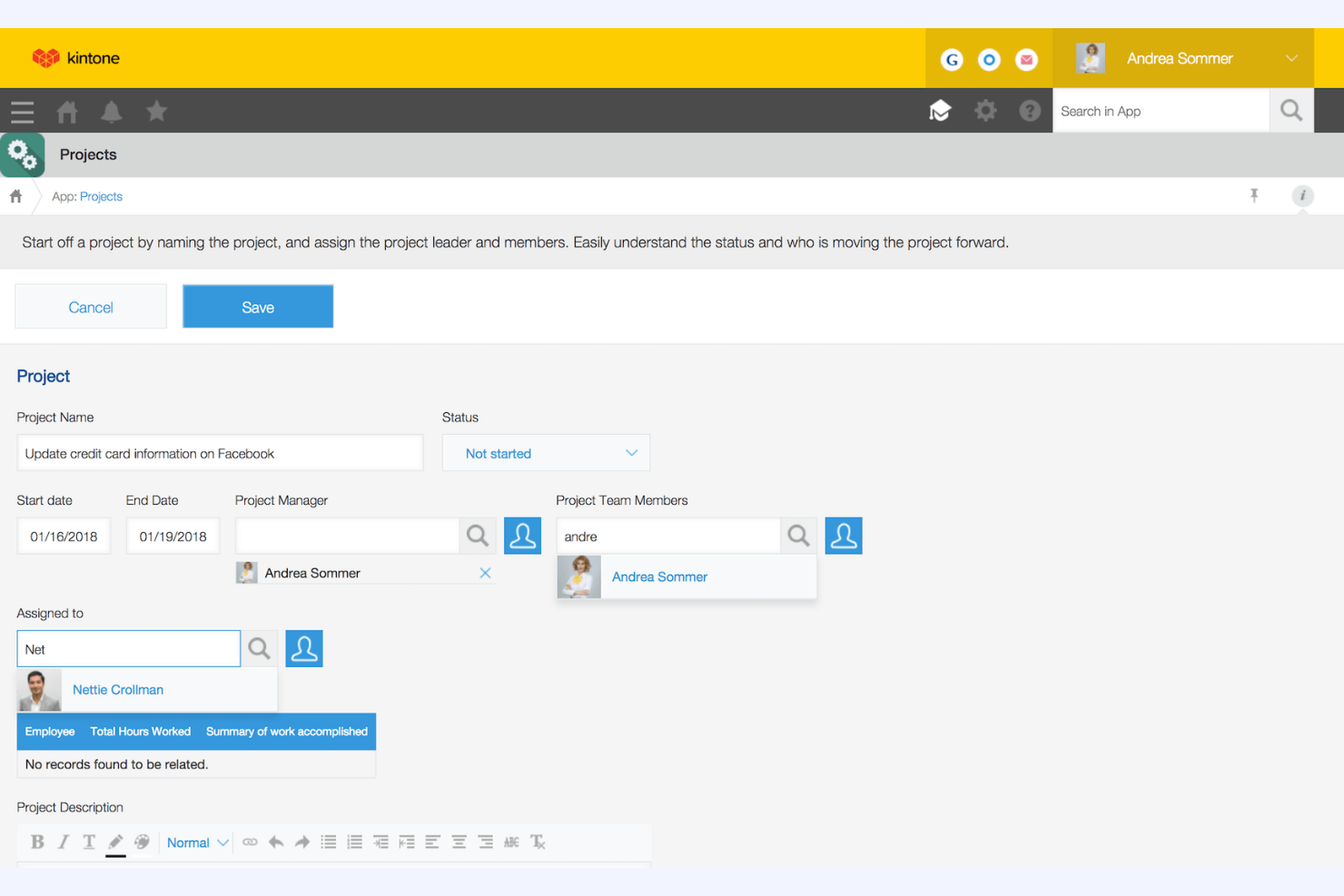
Kintone es una plataforma personalizable de flujos de trabajo y colaboración que los equipos utilizan para gestionar datos y automatizar procesos. Es popular entre las empresas que necesitan soluciones adaptadas para la gestión de proyectos, la gestión de datos y la colaboración.
Por qué es una buena alternativa a Accelo: Kintone ofrece flujos de trabajo personalizables, lo que lo hace ideal para equipos que necesitan soluciones de gestión de proyectos adaptadas. Puedes crear aplicaciones personalizadas que se ajusten a tus procesos empresariales y gestionar los datos de manera eficiente, y la plataforma facilita la colaboración al permitir que tu equipo comparta información y realice un seguimiento de las tareas en tiempo real. Su flexibilidad para adaptarse a diversas necesidades empresariales lo convierte en una opción adecuada para quienes buscan un enfoque personalizado.
Funciones e integraciones destacadas:
Las funciones incluyen la creación de aplicaciones mediante arrastrar y soltar, lo que permite a tu equipo crear aplicaciones personalizadas sin necesidad de programar. Las herramientas de generación de informes de la plataforma ofrecen información sobre el rendimiento y ayudan a tomar decisiones basadas en datos, mientras que sus funciones de gestión de tareas ayudan a tu equipo a mantenerse organizado y avanzar según lo previsto.
Las integraciones incluyen Slack, Zapier, Google Calendar, Dropbox, Salesforce, QuickBooks, Microsoft Office 365, HubSpot, Mailchimp, Box y más.
Pros and Cons
Pros:
- Flujos de trabajo altamente personalizables
- Facilita la colaboración del equipo
- Proporciona seguimiento de tareas en tiempo real
Cons:
- Mínimo de cinco usuarios
- Curva de aprendizaje para la personalización

Asana
Ideal para la colaboración en equipo y el seguimiento de objetivos
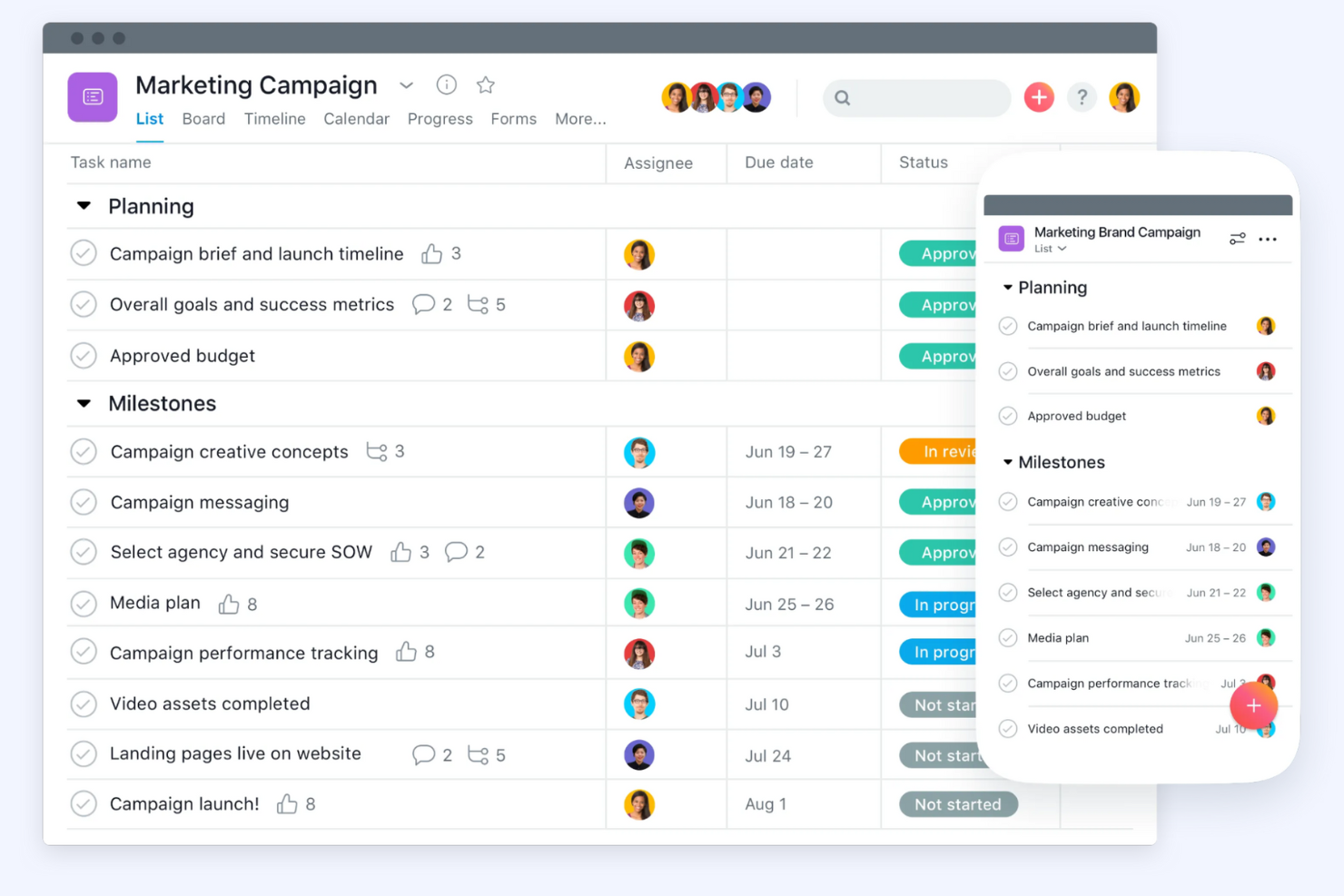
Asana es una plataforma de gestión de proyectos diseñada para ayudar a los equipos a organizar y realizar un seguimiento de su trabajo de manera eficiente. Se utiliza principalmente en diversos sectores para gestionar proyectos, automatizar flujos de trabajo y realizar un seguimiento de los objetivos.
Por qué es una buena alternativa a Accelo: Asana se centra en facilitar el trabajo en equipo y realizar un seguimiento eficaz de los objetivos. Ofrece funciones de gestión de proyectos, automatización de flujos de trabajo y seguimiento de objetivos, lo que la hace ideal para equipos que necesitan mantenerse alineados con sus objetivos. La gestión de recursos y las capacidades de IA también ayudan a aumentar la productividad y la claridad. La interfaz fácil de usar y las herramientas de colaboración de Asana la convierten en una excelente opción para mejorar la comunicación del equipo.
Funciones destacadas e integraciones:
Las funciones incluyen herramientas de gestión de proyectos que permiten crear, organizar y priorizar tareas fácilmente. La automatización de flujos de trabajo ayuda al equipo a reducir el trabajo manual y centrarse en lo importante, mientras que el seguimiento de objetivos garantiza que todos estén alineados y trabajen para alcanzar los mismos objetivos.
Las integraciones incluyen Slack, Microsoft Teams, Google Drive, Dropbox, Salesforce, Zoom, Jira, Adobe Creative Cloud, Trello, Microsoft Outlook y otras.
Pros and Cons
Pros:
- Amplias funciones de colaboración en equipo
- Facilita el seguimiento de objetivos
- Interfaz fácil de usar
Cons:
- Requiere una ligera curva de aprendizaje
- Puede ser costoso para equipos grandes

Ideal para flujos de trabajo de MSP
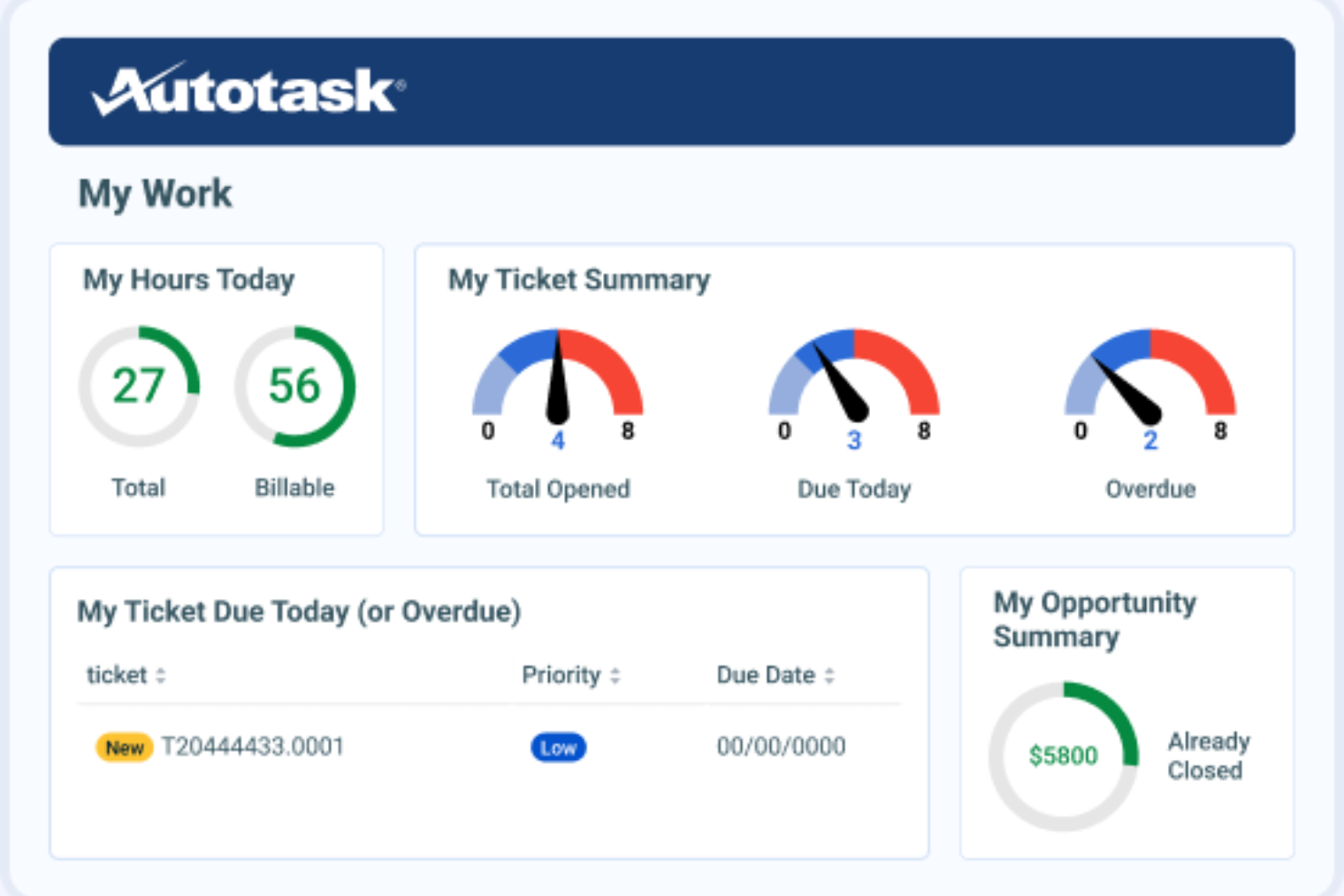
Autotask es un software de automatización de servicios profesionales diseñado para proveedores de servicios gestionados y empresas de servicios de TI. Ayuda con la gestión de proyectos, la prestación de servicios y la facturación para mejorar la eficiencia operativa.
Por qué es una buena alternativa a Accelo: Autotask ofrece una gestión de TI integrada, lo que lo hace ideal para los MSP que necesitan una solución completa. Incluye seguimiento de proyectos y gestión de tickets, lo que te ayuda a prestar servicios de manera eficiente, y las funciones de facturación y emisión de facturas del software ayudan a garantizar una gestión financiera precisa.
Funciones e integraciones destacadas:
Las funciones incluyen la gestión de tickets, que ayuda a tu equipo a gestionar las solicitudes de servicio de manera eficiente. Las herramientas de informes proporcionan información sobre el rendimiento de tu empresa y facilitan la toma de decisiones, mientras que la gestión de recursos garantiza una asignación óptima del tiempo y las habilidades de tu equipo.
Las integraciones incluyen QuickBooks, Xero, ConnectWise, Salesforce, Slack, Zapier, Microsoft Teams, Google Workspace y más.
Pros and Cons
Pros:
- Adaptado para MSP
- Gestión de TI integrada
- Capacidades de seguimiento de proyectos
Cons:
- Requiere configuración y puesta en marcha
- Puede no ser adecuado para sectores no relacionados con las TI
Avaza
La mejor opción para la gestión integral de proyectos
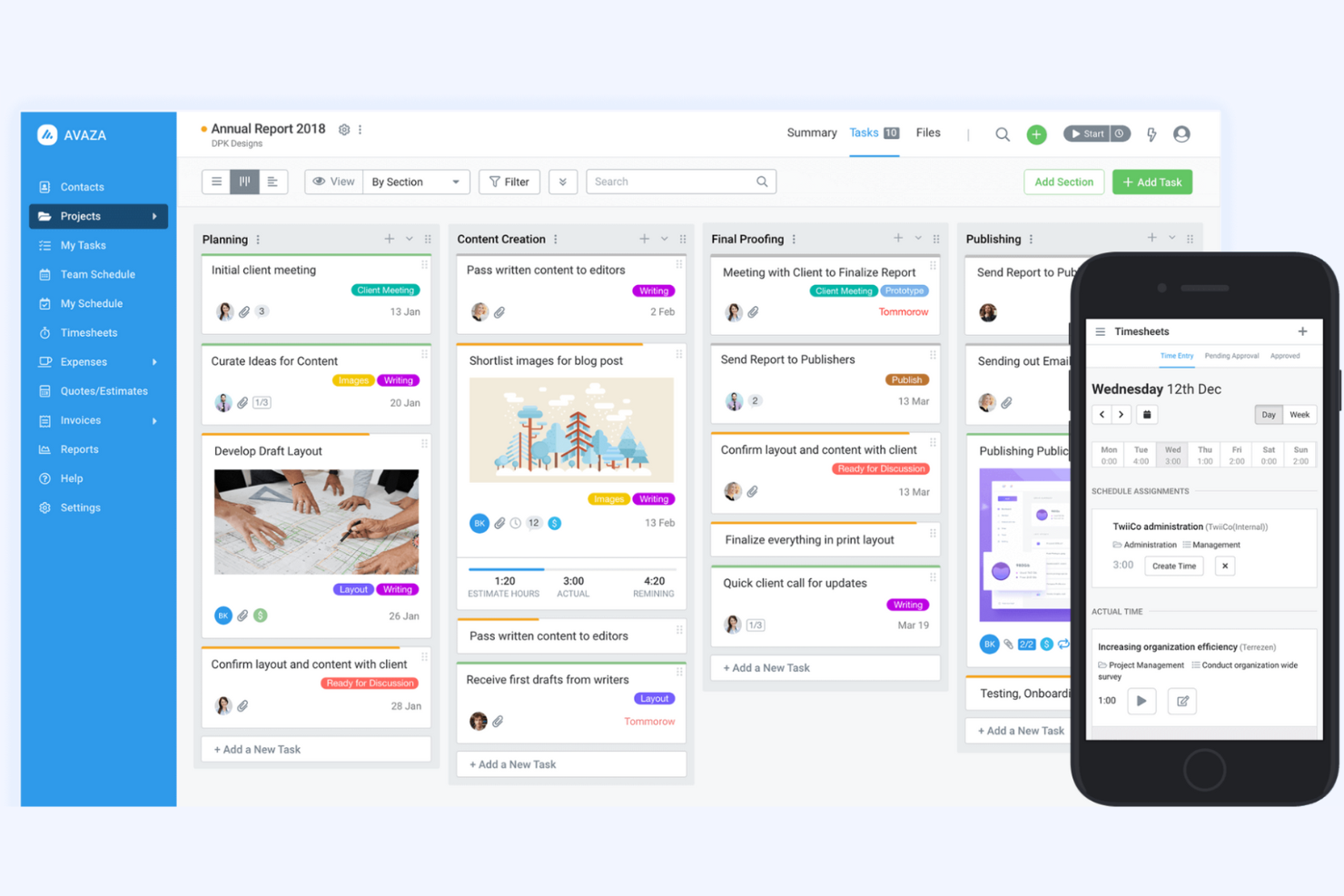
Avaza es una herramienta integral de gestión de proyectos y colaboración diseñada para empresas de todos los tamaños. Admite la gestión de proyectos, el seguimiento del tiempo, la gestión de gastos y la facturación, lo que la convierte en una solución versátil para diversos equipos.
Por qué es una buena alternativa a Accelo: Avaza ofrece capacidades detalladas de gestión de proyectos, lo que la hace ideal para empresas que necesitan una solución integral. Incluye funciones como la gestión de tareas y el seguimiento del tiempo, que ayudan a tu equipo a mantenerse organizado y eficiente. Las herramientas de gestión de gastos y facturación del software proporcionan supervisión financiera, mientras que su interfaz fácil de usar y sus funciones de colaboración en proyectos la hacen adecuada para equipos que buscan mejorar la productividad.
Funciones e integraciones destacadas:
Las funciones incluyen la programación de recursos, que ayuda a tu equipo a asignar recursos eficazmente entre los proyectos. Las herramientas de informes del software te permiten obtener información sobre el rendimiento de los proyectos y tomar decisiones basadas en datos, mientras que el uso compartido de archivos permite a tu equipo almacenar y acceder fácilmente a los documentos de los proyectos.
Las integraciones incluyen Xero, QuickBooks, Slack, Google Drive, Dropbox, Zapier, Salesforce, Trello, Mailchimp y muchas más.
Pros and Cons
Pros:
- Facturación y seguimiento de gastos integrados
- Adecuado para empresas de diversos tamaños
- Incluye funciones de seguimiento del tiempo
Cons:
- Puede carecer de funciones avanzadas
- Las opciones de automatización son limitadas

vCita
Ideal para la reserva y facturación de clientes
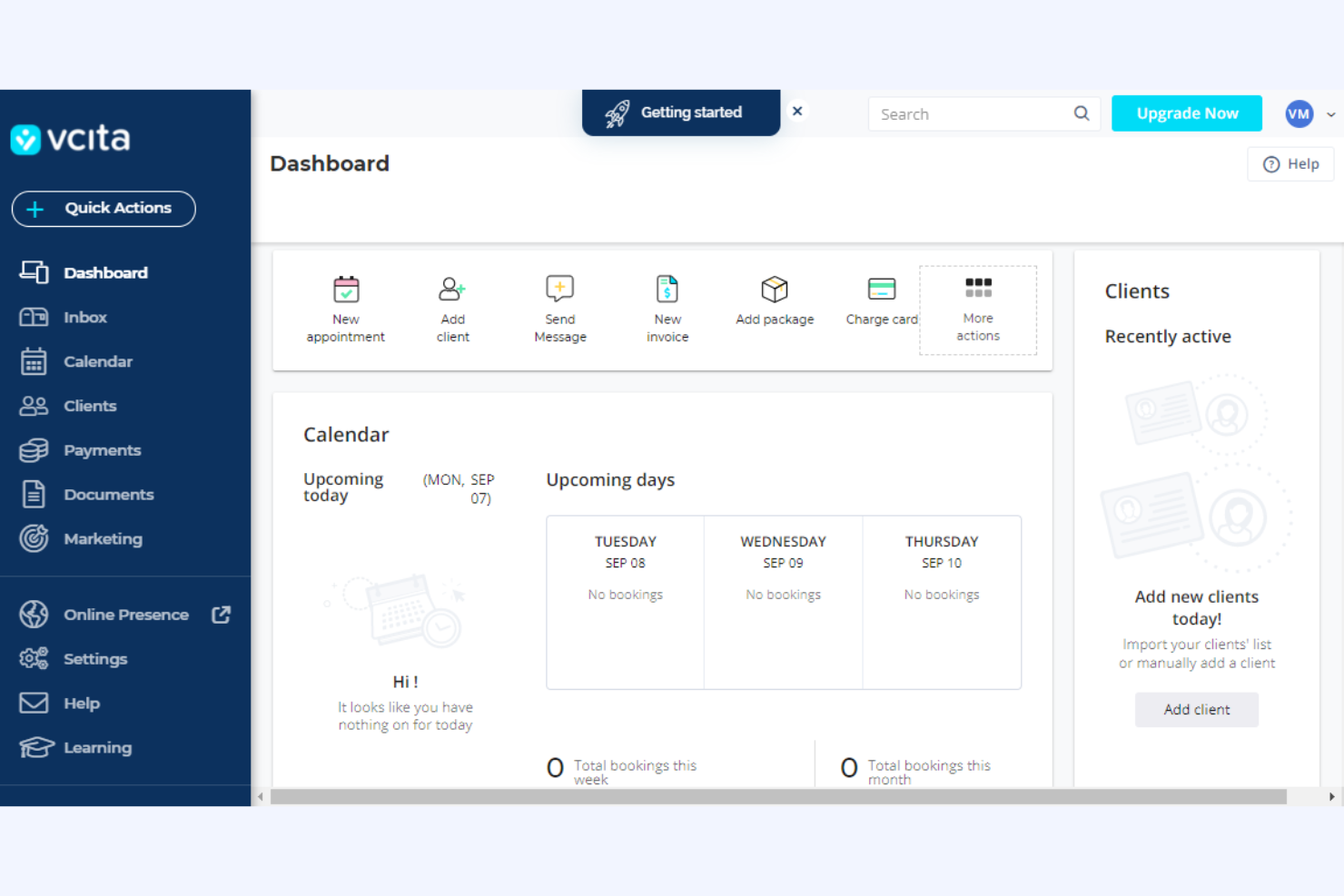
vcita es una plataforma de gestión empresarial adaptada a pequeñas empresas y proveedores de servicios, que ofrece herramientas para la gestión de clientes, la facturación y la programación. La utilizan profesionales que necesitan agilizar las interacciones con los clientes y gestionar las operaciones comerciales de manera eficiente.
Por qué es una buena alternativa a Accelo: vcita proporciona un portal de clientes para agencias con programación en línea, lo que permite a los clientes reservar citas cuando les resulte conveniente. Las herramientas de facturación y emisión de facturas de la plataforma simplifican la gestión financiera al automatizar los procesos de pago. El enfoque de vcita en la comunicación con los clientes y la gestión empresarial la convierte en una opción adecuada para agencias que buscan una solución integrada.
Funciones e integraciones destacadas:
Las funciones incluyen herramientas de marketing por correo electrónico que ayudan a tu equipo a interactuar con los clientes y promocionar servicios. La función de CRM te permite gestionar las relaciones con los clientes y hacer un seguimiento de las interacciones, mientras que el uso compartido de documentos facilita el intercambio seguro de archivos importantes con los clientes.
Las integraciones incluyen QuickBooks, PayPal, Stripe, Zoom, Mailchimp, Google Calendar, WordPress, Facebook Messenger, Square, Zapier y más.
Pros and Cons
Pros:
- Ofrece un portal de clientes con marca para pagos integrados de facturas
- Adecuado para pequeñas empresas
- Admite la programación y la facturación
Cons:
- Las automatizaciones están limitadas a los niveles de pago superiores
- Puede no ser adecuado para organizaciones más grandes

Ideal para empresas de arquitectura e ingeniería
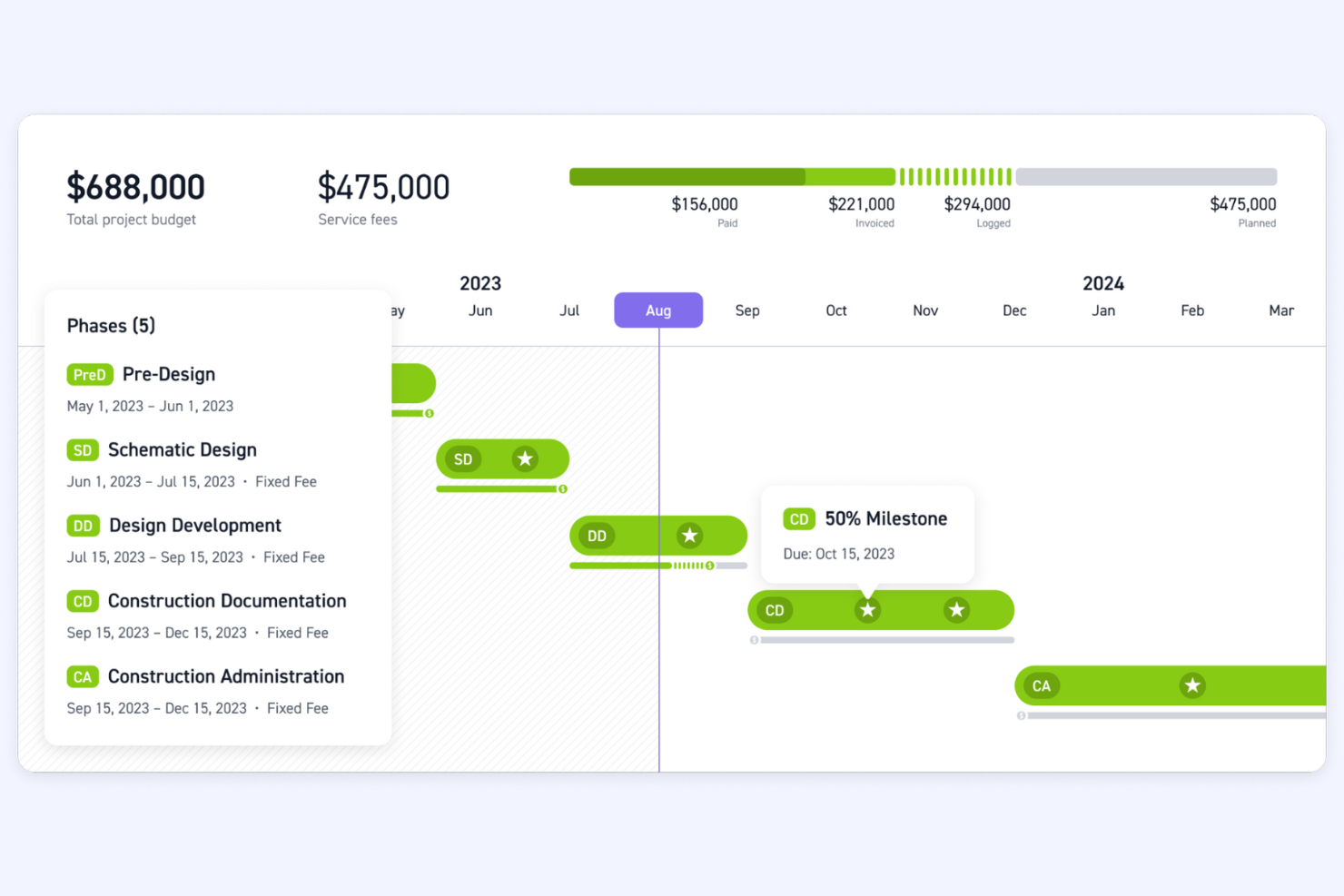
Monograph es una herramienta de gestión de proyectos diseñada específicamente para empresas de arquitectura e ingeniería. Ayuda con el seguimiento de proyectos, la gestión de recursos y la planificación financiera, lo que la convierte en un recurso valioso para estas industrias.
Por qué es una buena alternativa a Accelo: Monograph ofrece herramientas especializadas para empresas de arquitectura e ingeniería, centradas en la gestión de proyectos y recursos. Sus amplias funciones ayudan a gestionar proyectos complejos de manera eficiente y a garantizar que su equipo se utilice de forma óptima en los distintos proyectos. El énfasis de Monograph en la planificación financiera y los flujos de trabajo específicos del sector la convierte en una opción ideal para empresas que necesitan capacidades detalladas de supervisión y planificación.
Funciones e integraciones destacadas:
Las funciones incluyen cronogramas de proyectos que permiten a su equipo visualizar el progreso, seguimiento del presupuesto para mantener los proyectos dentro de los límites financieros y asignación de recursos para garantizar un uso eficiente del tiempo y las habilidades de su equipo.
Las integraciones incluyen QuickBooks.
Pros and Cons
Pros:
- Adaptado para arquitectura e ingeniería
- Admite la planificación financiera
- Asignación eficiente de recursos
Cons:
- Puede no ser adecuado para usos en sectores no relacionados con la ingeniería y la arquitectura
- No es una solución integral

Bloom
Ideal para profesionales creativos que necesitan CRM

Bloom es una plataforma de gestión empresarial diseñada para profesionales creativos, que ofrece herramientas para la gestión de clientes, el seguimiento de proyectos y la facturación. La utilizan fotógrafos, diseñadores y trabajadores independientes que necesitan gestionar sus operaciones empresariales de manera eficiente.
Por qué es una buena alternativa a Accelo: Bloom está orientada a profesionales creativos y proporciona un conjunto de herramientas que simplifican la gestión de clientes y el seguimiento de proyectos. Cuenta con flujos de trabajo automatizados que ayudan a agilizar las tareas repetitivas y te permiten centrarte en la creatividad, y el portal de clientes de la plataforma facilita la comunicación y la colaboración. La integración de CRM y gestión de proyectos de Bloom la convierte en una opción adecuada para creativos que buscan una solución todo en uno.
Funciones e integraciones destacadas:
Las funciones incluyen contratos personalizables para redactar y enviar acuerdos profesionales rápidamente, mientras que la función de facturación garantiza que puedas facturar a los clientes de manera eficiente y hacer un seguimiento de los pagos. La gestión de reservas permite a los clientes programar citas, lo que facilita la organización de tu calendario.
Las integraciones incluyen Google Calendar, QuickBooks, Stripe, PayPal, Square, Zapier, Mailchimp, Slack, Zoom, Xero y más.
Pros and Cons
Pros:
- Diseñada para profesionales creativos
- Admite la gestión de clientes
- Simplifica el seguimiento de proyectos
Cons:
- Puede no ser adecuada para sectores no creativos
- Funciones avanzadas limitadas
Otras alternativas a Accelo
Estas son algunas alternativas adicionales a Accelo que no llegaron a mi lista final, pero que merece la pena considerar:
- Basecamp
Ideal para una gestión de proyectos sencilla
- ConnectWise
Ideal para empresas de servicios de TI
- Function Point
Ideal para la gestión de agencias creativas
- Ravetree
Ideal para la gestión integrada de proyectos
- ManyRequests
Ideal para portales de clientes de agencias
- StartingPoint
Ideal para la automatización de flujos de trabajo
- BigTime
Ideal para PSA con información basada en AI
- Scoro
La mejor opción para las finanzas de proyectos desde la cotización hasta el cobro


Cómo evalúo las alternativas a Accelo
Evalúo estas herramientas en dos niveles: las funciones principales —registro de horas, facturación de clientes y gestión de contratos de servicios— que cualquier reemplazo de Accelo debe ejecutar a la perfección, y los elementos diferenciadores que separan lo bueno de lo excelente.
Funcionalidad principal (requisitos básicos para esta lista)
Al seleccionar herramientas para mi lista, califico cada una en una escala de 0 (no ofrece la funcionalidad) a 5 (sobresale en esta área) para cada una de las funcionalidades principales que se indican a continuación. Después, convierto la puntuación total de la herramienta en un porcentaje. Cada herramienta debe alcanzar una puntuación total mínima del 65 % para ser considerada para su inclusión.
- Gestión de proyectos: Busco asignaciones de tareas, dependencias, hitos y varias vistas, como Gantt y Kanban, que permitan gestionar proyectos de clientes simultáneos.
- Seguimiento del tiempo y facturación: Cada herramienta debería conectar las horas registradas con las tarifas facturables y la facturación, para que los equipos no tengan que exportar hojas de horas a una herramienta de facturación independiente.
- Gestión de clientes y CRM: Compruebo si la plataforma almacena en un solo lugar los contactos de los clientes, el historial de comunicaciones y las etapas de las oportunidades, en lugar de exigir un CRM independiente.
- Contratos de servicios y trabajo recurrente: Para las agencias que gestionan contratos de servicios continuos, evalúo cómo maneja cada herramienta la facturación recurrente, el seguimiento del presupuesto y las horas transferibles.
- Planificación de recursos y capacidad: Las vistas de carga de trabajo y las funciones de programación son importantes en este caso, especialmente para las empresas que gestionan varias cuentas de clientes con un equipo compartido.
- Informes financieros y rentabilidad: Analizo si se pueden obtener informes sobre el margen del proyecto, la utilización y la comparación entre presupuesto y resultados reales sin exportar los datos a una hoja de cálculo.
Una vez que tengo una lista de herramientas que cumplen estos criterios, considero qué distingue a cada plataforma.
Factores diferenciadores (qué distingue a los proveedores)
Así es como comparo y contrasto los distintos proveedores:
Funciones destacadas
Los portales para clientes son un factor diferenciador importante. Busco herramientas que permitan a los clientes consultar el estado del proyecto, aprobar entregables y acceder a las facturas sin saturar tu bandeja de entrada. La automatización del proceso de cotización a cobro también es importante para las empresas que quieren que las propuestas pasen directamente a proyectos activos y ciclos de facturación. También vale la pena evaluar la gestión de tickets integrada, ya que muchas agencias compaginan el trabajo estructurado de los proyectos con solicitudes de asistencia de clientes específicas que igualmente deben registrarse y facturarse.
Más allá de las funciones
Las integraciones son muy importantes en este caso. Compruebo si una herramienta se conecta de forma nativa con plataformas de contabilidad como QuickBooks o Xero, ya que introducir las facturas dos veces contradice el propósito de un sistema todo en uno. La transparencia de los precios es otro factor que tengo en cuenta. Algunos proveedores reservan las funciones de facturación o de contratos de servicios para los planes superiores, así que evalúo si el plan que realmente necesitas tiene un precio claramente indicado. También considero la asistencia durante la incorporación, especialmente las opciones de migración para los equipos que dejan Accelo y ya cuentan con datos de clientes y proyectos existentes.
¿Por qué buscar una alternativa a Accelo?
Aunque Accelo es una buena opción de software de automatización de servicios profesionales, hay varios motivos por los que algunos usuarios buscan soluciones alternativas. Es posible que estés buscando una alternativa a Accelo porque…
- Necesitas más opciones de personalización.
- Tu equipo necesita mejores capacidades de integración.
- Buscas precios más competitivos.
- Necesitas compatibilidad con equipos más grandes.
- Tu empresa opera en regiones con asistencia limitada de Accelo.
- Quieres funciones de generación de informes más avanzadas.
Si alguna de estas situaciones te resulta familiar, has llegado al lugar adecuado. Mi lista incluye varias opciones de software de automatización de servicios profesionales más adecuadas para los equipos que se enfrentan a estos desafíos con Accelo y buscan soluciones alternativas.
Principales funciones de Accelo
Estas son algunas de las principales funciones de Accelo, para ayudarte a contrastar y comparar lo que ofrecen las soluciones alternativas:
- Flujos de trabajo automatizados: Automatiza tareas repetitivas para liberar tiempo de tu equipo y dedicarlo a trabajos más importantes.
- Gestión centralizada de clientes: Gestiona todas las interacciones y los datos de tus clientes en un solo lugar para facilitar el acceso y la organización.
- Registro del tiempo: Registra el tiempo dedicado a tareas y proyectos para mejorar la precisión de la facturación y la gestión de proyectos.
- Seguimiento de proyectos: Establece y supervisa los plazos y las fechas límite de los proyectos para que tu equipo mantenga el calendario previsto.
- Gestión de acuerdos de servicios recurrentes: Crea y gestiona acuerdos de servicios recurrentes para garantizar fuentes de ingresos constantes y previsibles.
- Previsión de ventas: Prevé los ingresos por ventas para ayudar a tu equipo a planificar y asignar recursos de forma eficaz.
- Facturación: Factura a los clientes por lotes para simplificar tu proceso de facturación y mejorar el flujo de caja.
- Seguimiento de indicadores clave de rendimiento (KPI): Genera y supervisa métricas clave de rendimiento para medir el éxito de tu equipo e identificar áreas de mejora.
- Conversión de presupuestos en proyectos: Convierte clientes potenciales y presupuestos en proyectos para organizar tus procesos de ventas y gestión de proyectos.
- Comunicación con clientes: Colabora y comunícate directamente con los clientes dentro de la plataforma para mejorar la transparencia y las relaciones con ellos.
¿Qué viene después?
Si estás investigando software de automatización de servicios profesionales, contacta gratuitamente con un asesor de SoftwareSelect para recibir recomendaciones.
Rellenas un formulario y mantienes una breve conversación en la que se profundiza en los detalles de tus necesidades. Después recibirás una lista reducida de programas para revisar. También te ayudarán durante todo el proceso de compra, incluidas las negociaciones de precios.