
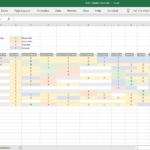
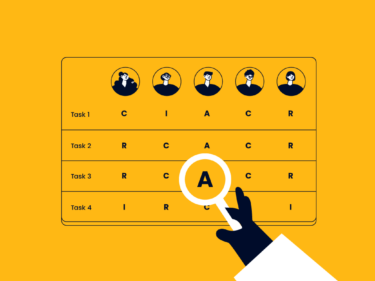
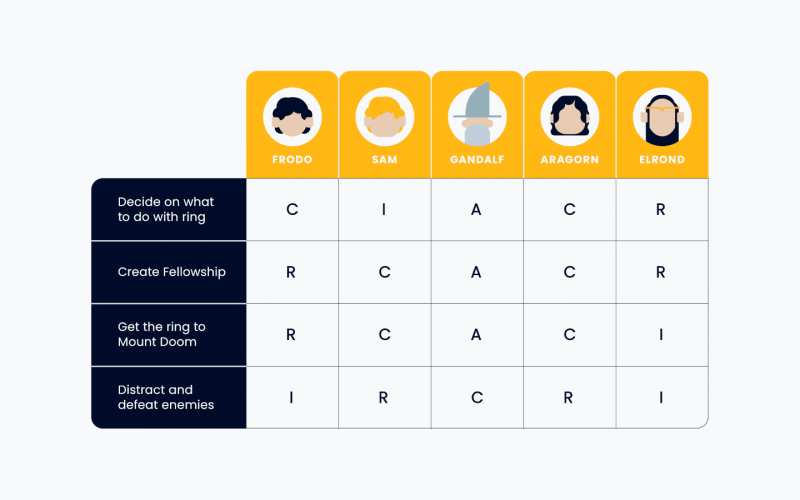
Help team members, stakeholders, and clients understand who is Responsible, Accountable, Consulted, and Informed so everyone knows how work moves through the pipeline and how to communicate about progress.
RACI Overview


Get This Template… And The Skills To Use It!
Career Builder Members get access to this template, our mini course on RACI charts, and our full certificate program for Mastering Digital Project Management.
RACI Guide
Here’s a quick step-by-step guide to creating an effective RACI Chart:
- Decide on the scope of your RACI chart. Is this for all project stakeholders, or is it for your internal project team, or is it for your team and your vendors?
- Add the relevant team member names and their roles. Typically this is listed along the top of the RACI chart so each name has its own column, as it’s cleaner and more scalable than putting RACI along the top and the names in each cell.
- Identify and add the key tasks and deliverables. Not every task or deliverable! Just the ones that are complex or critical enough that documenting for clarity will pay dividends.
- Work with the team to determine who is Responsible, Accountable, Consulted, and Informed for each row in the RACI. Note the decision as R, A, C, and I in the relevant team members’ cell.
- Get alignment with the broader team and core project stakeholders. You can take a first stab, but if you want your RACI chart to be effective, don’t create it in a vacuum!
- Keep it up to date. This is a living document, so as things come up where role clarity is important, add them. And if team members or roles change, have a process for keeping your RACI chart up to date so that it is useful for team member onboarding and as a reference for stakeholders.
For a deeper dive, check out our RACI Chart How-To Guide.