

Scoro Professional Services Automation Software Review for 2026



For services firms, the hours you sell are the whole business, and yet they are scattered across timesheets, invoices, and project trackers that rarely agree with one another. Scoro promises to pull all of it into one place, and I put that promise to the test.
Scoro is a professional services automation software that helps you manage projects, resources, and finances in a single system. It is purpose-built for mid-sized professional services businesses who are primarily selling their time, such as consultancies, agencies, architecture and engineering firms, and IT and software companies. Scoro helps improve your workflows and create visibility by consolidating your data and letting you focus more on growth and less on administrative tasks.
I've tested Scoro extensively and evaluated its features pros and cons, best and worst use cases, and pricing. Whether you want to gain visibility into project progress and finances, boost profitability, improve utilization, or increase team collaboration, my review can help you decide if Scoro is right for your team.
Scoro Evaluation Summary
- From $17/user/month
- 14-day free trial
Why Trust Our Software Recommendations
Our team has been testing and reviewing software since 2012. As project managers ourselves, we know how difficult—and important—it is to choose the right software.
For this guide, we evaluated tools using hands-on testing and independent research, scoring tools using our selection criteria. We also draw on insights from industry thought leaders and practicing project management experts.
Our reviews reflect our human editorial judgment, not a sales pitch.
Expert reviewers:
Scoro Overview
In my opinion, Scoro works best for organizations and teams who want to bring tasks, time tracking, billing, and reporting into one clean interface. It stands out for blending project management with finance and CRM tools, which you don’t often get in one package. Compared to competitors, such as Asana or ClickUp, Scoro’s depth in financials and reporting is better, but the tradeoff is a steeper learning curve during onboarding. It’s well-suited for teams that juggle client work and need to keep a close eye on billable hours and profitability. If you want something lightweight and quick to set up, you might find it a bit much. But if you're comparing tools and want one that handles more than just tasks, Scoro's worth considering.
pros
-
Excellent multi-entity and multi-currency support for international businesses.
-
Deep two-way accounting integrations.
-
Scoro is highly-customizable with different permission sets, user-based menus, and settings.
cons
-
User interface can feel cluttered for new users (although this can be fixed by creating simplified views via permission sets).
-
Some users find the learning curve steep for advanced features.
-
Lack of built-in chat/messaging and weaker real-time collaboration features compared to others.
Is Scoro Right For Your Needs?
Who Would be a Good Fit for Scoro?
If you run an SMB or mid-market sized professional services business, such as a marketing agency, consultancy, or IT services firm, Scoro is a practical choice. It’s designed for teams that need to manage multiple projects and clients, and it combines project management and time tracking in one platform. Scoro’s detailed reporting and shared calendars can also keep your team organized and informed, so you can stay on schedule and deliver on client expectations.
-
Agencies
Scoro connects the sales pipeline, creative delivery, and billing in one place, so agencies can quote, resource, and invoice client work without switching tools.
-
Consultancies
Scoro's quoting matrix breaks down deliverables by role, hours, and cost, giving consultancies real-time margin and utilization visibility across multi-entity, multi-currency operations.
-
Architecture FIrms
Scoro ties project phases, budgets, and time tracking together so architecture firms can monitor scope creep and protect fee-based project margins in real time.
-
IT Services
With Jira integration and effortless time logging from calendars or tasks, Scoro gives IT consultancies clear visibility into billable utilization, project profit, and progress as work gets delivered.
-
Event Management
Scoro handles multi-currency event quoting, purchase orders for vendors, and phase-based Gantt planning, so event agencies can track supplier costs and protect margins across simultaneous productions.
-
Engineering FIrms
Scoro unifies resourcing, cost tracking, and reporting across teams and offices, helping engineering firms forecast capacity and keep multi-phase projects profitable.
-
Software Development
Through native Jira sync, Scoro lets developers keep working in their existing tools while worklogs flow back automatically for accurate reporting, invoicing, and profitability tracking.
Who Would be a Bad Fit for Scoro?
Scoro might not be the best fit for businesses with highly specialized needs. If your organization is in a niche industry like healthcare or manufacturing, Scoro's generalist approach might not cater to your specific workflow requirements. Additionally, smaller teams or startups with limited resources might find Scoro's comprehensive feature set overwhelming and expensive.
-
Healthcare industry
Scoro lacks the specialized tools needed for healthcare workflows.
-
Manufacturing sector
The software doesn’t offer specific tools and features tailored to manufacturing processes.
-
Small startups
Scoro's extensive features and pricing can be daunting for small startups with basic needs.
-
Highly specialized teams
Teams requiring niche functionalities might not find them within Scoro's platform.
-
Budget-conscious companies
Organizations with tight budgets might find Scoro's pricing out of reach for its comprehensive features.
-
Simple task management
If your team just needs a simple task management tool, Scoro’s advanced features could be excessive.
Our Review Methodology
How We Test & Score Tools
We’ve spent years building, refining, and improving our software testing and scoring system. The rubric is designed to capture the nuances of software selection and what makes a tool effective, focusing on critical aspects of the decision-making process.
Below, you can see exactly how our testing and scoring works across seven criteria. It allows us to provide an unbiased evaluation of the software based on core functionality, standout features, ease of use, onboarding, customer support, integrations, customer reviews, and value for money.
Core Functionality (25% of final scoring)
The starting point of our evaluation is always the core functionality of the tool. Does it have the basic features and functions that a user would expect to see? Are any of those core features locked to higher-tiered pricing plans? At its core, we expect a tool to stand up against the baseline capabilities of its competitors.
Standout Features (25% of final scoring)
Next, we evaluate uncommon standout features that go above and beyond the core functionality typically found in tools of its kind. A high score reflects specialized or unique features that make the product faster, more efficient, or offer additional value to the user.
We also evaluate how easy it is to integrate with other tools typically found in the tech stack to expand the functionality and utility of the software. Tools offering plentiful native integrations, 3rd party connections, and API access to build custom integrations score best.
Ease of Use (10% of final scoring)
We consider how quick and easy it is to execute the tasks defined in the core functionality using the tool. High scoring software is well designed, intuitive to use, offers mobile apps, provides templates, and makes relatively complex tasks seem simple.
Onboarding (10% of final scoring)
We know how important rapid team adoption is for a new platform, so we evaluate how easy it is to learn and use a tool with minimal training. We evaluate how quickly a team member can get set up and start using the tool with no experience. High scoring solutions indicate little or no support is required.
Customer Support (10% of final scoring)
We review how quick and easy it is to get unstuck and find help by phone, live chat, or knowledge base. Tools and companies that provide real-time support score best, while chatbots score worst.
Customer Reviews (10% of final scoring)
Beyond our own testing and evaluation, we consider the net promoter score from current and past customers. We review their likelihood, given the option, to choose the tool again for the core functionality. A high scoring software reflects a high net promoter score from current or past customers.
Value for Money (10% of final scoring)
Lastly, in consideration of all the other criteria, we review the average price of entry level plans against the core features and consider the value of the other evaluation criteria. Software that delivers more, for less, will score higher.
Core Features
Quoting & Estimating
Scoro’s quotes let you build a price proposal for the client and simultaneously assess delivery costs to get a better understanding of margins. The quotes can be converted into projects and corresponding budgets with just a click.
Project Management
Scoro lets you plan, track, and execute your projects in one place. You can assign tasks, set deadlines, and track progress, so your team always knows what’s next. Its interactive Gantt chart lets you map out project timelines visually, set milestones, and manage task dependencies to keep everything on track.
Task Management
You can break projects into milestones, phases, tasks, and subtasks, assign owners, and set priorities, which makes it easy to keep your team focused on what needs to get done first.
Time Tracking
Scoro has built-in time trackers and timesheets that track how much time you spend on each task. This helps you stay on top of billable hours and make sure nothing slips through the cracks.
Resource Planning
You can see your team’s workload and availability in real time. This makes it simple to allocate resources and avoid overloading anyone.
Budgeting & Cost Tracking
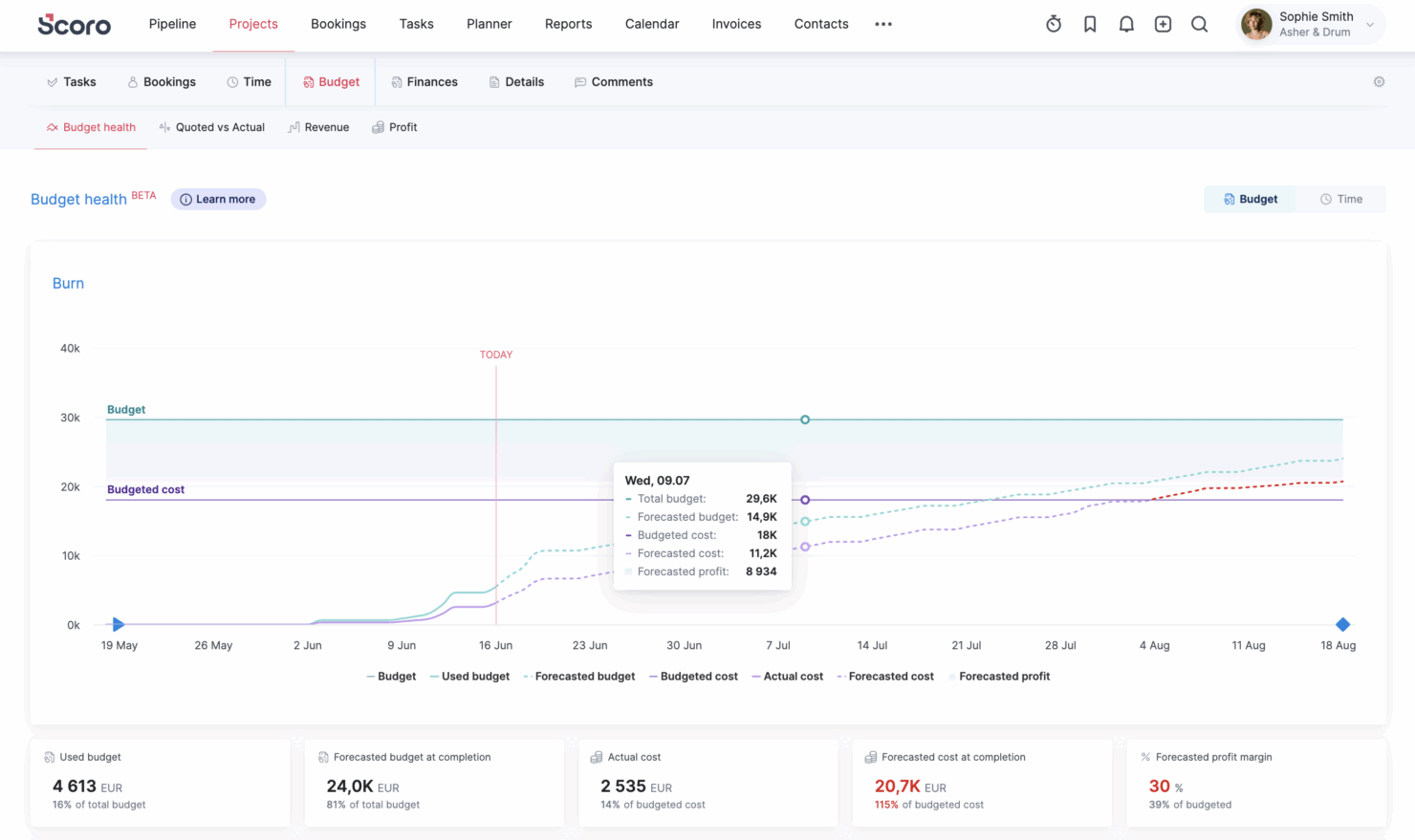
Scoro lets you set project budgets and track expenses as you go, so you always know whether your project is on budget or headed off course.
Billing
Scoro supports different types of native invoicing options for fixed fee, time & materials, and retainer projects. It can also be integrated with all main accounting tools (Sage Intacct, Xero, QuickBooks, Exact Online) for automated document and payment info sync.
Reporting & Dashboards
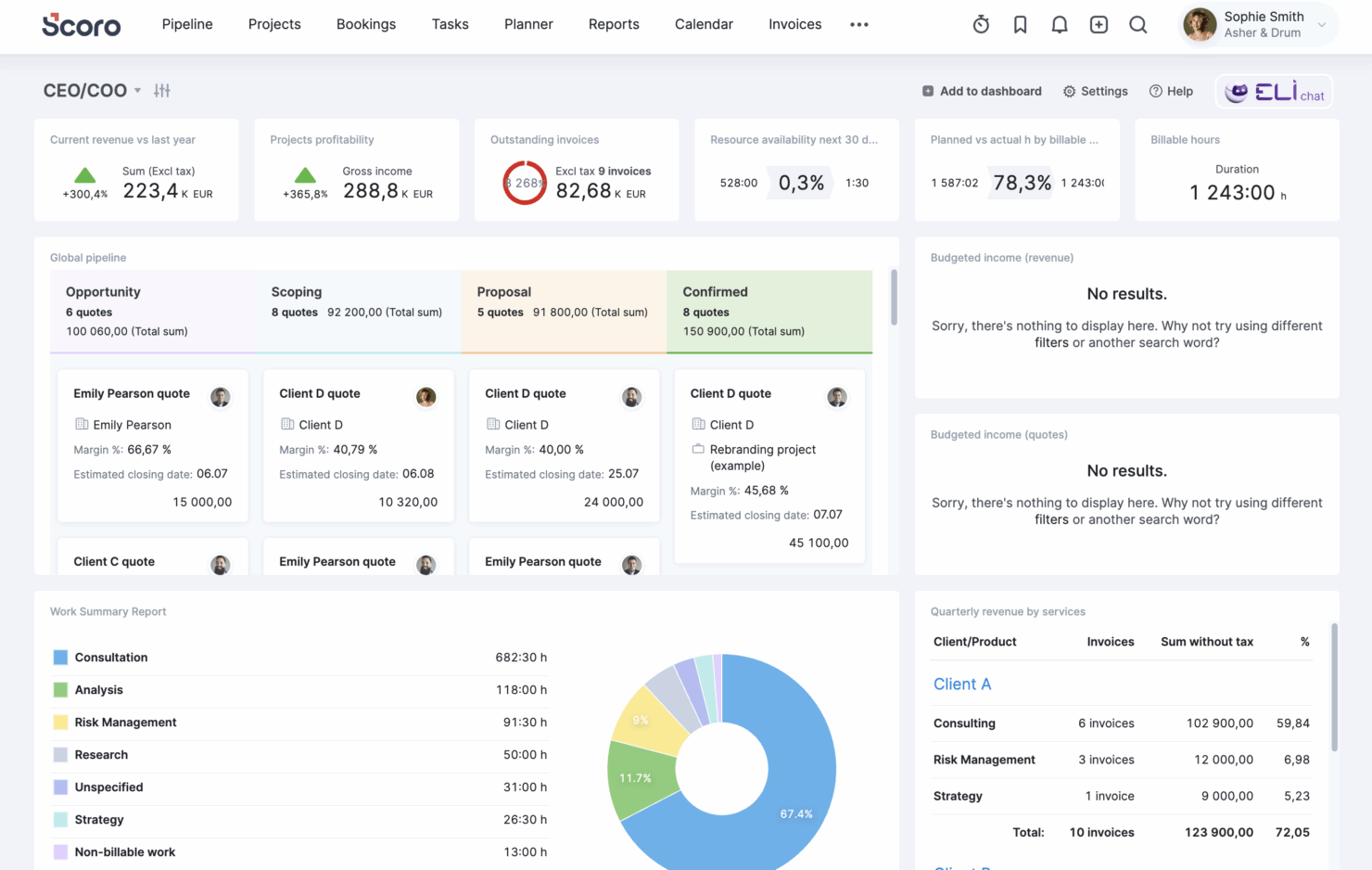
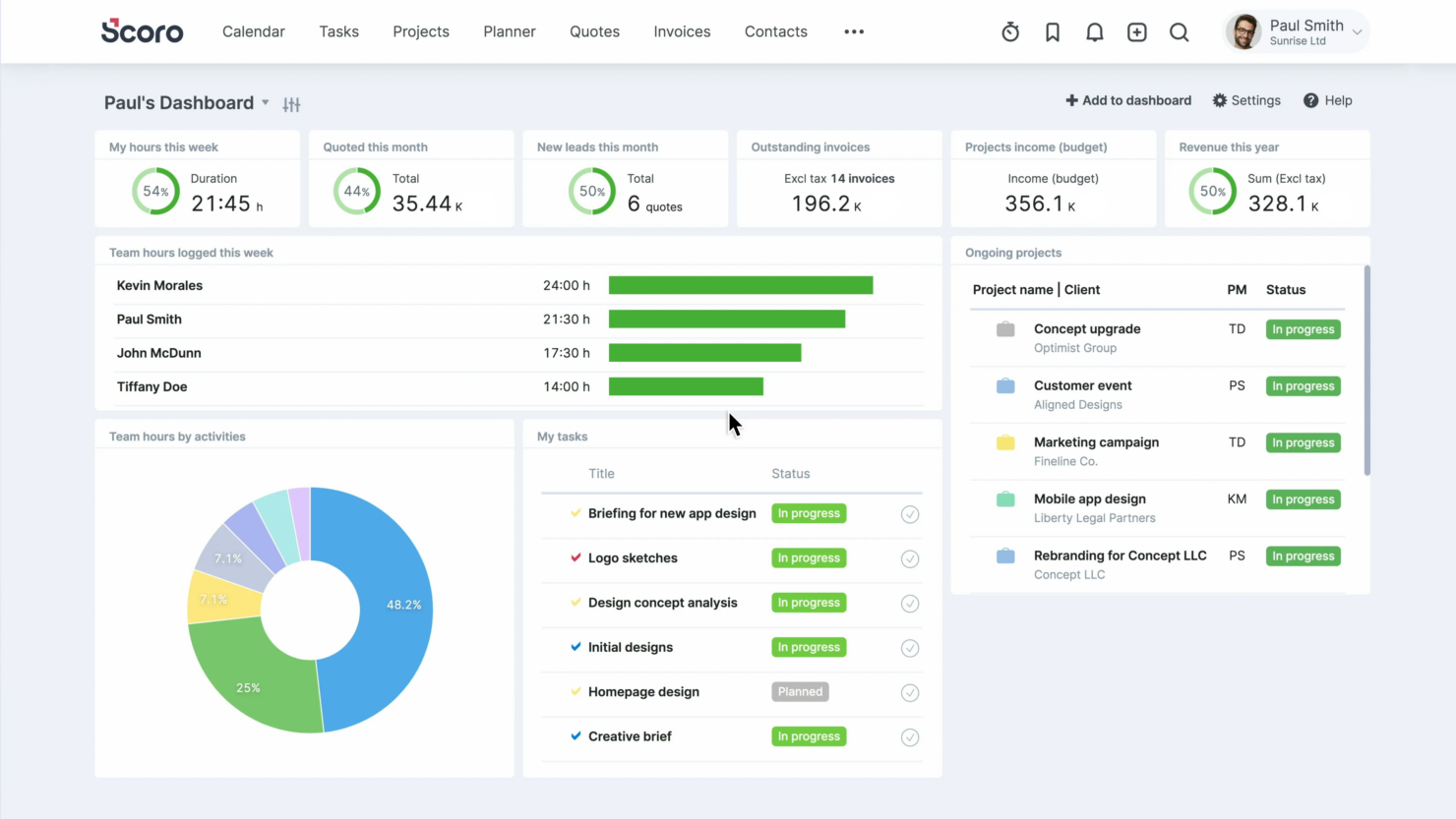
Scoro provides ready-to-use reports and customizable dashboards, which gives you a clear view of your team’s performance and project status metrics without digging for data.
Standout Features
Forecasting
Scoro has native forecasting capabilities that let you forecast revenue based on committed work and your sales pipeline, as well as predict cost burn and project profit margins while the project is still ongoing.
AI
Scoro has in-built AI solutions that automate workflows, access to insights, and report generation, plus flatten the adoption curve
Multi-Entity & Multi-Currency Support
Scoro enables you to run multiple company entities from one site. Each entity has its own default currency, financials, invoicing, and accounting connections, while sharing a common base currency.
Scoro Apps
Scoro has an extra selection of purpose-made apps for the processes that often run in spreadsheets or separate tools. These cover use cases such as client purchase orders, time-off management, RAID logs, and more.
Deep Accounting Integrations
Scoro's native finance integrations offer deep, configurable two-way syncs with Xero, QuickBooks, Sage Intacct, and Exact Online that automatically keep invoices, bills, payments, contacts,and project data in sync between Scoro and your accounting system of choice.

Ease of Use
Scoro is fairly user-friendly, though new users might find the interface a bit crowded. Admin users can help reduce mental overload by setting up a simplified interface for non-power users with the help of permission settings. Once you become familiar with the software, managing projects and tracking time becomes significantly easier. Customizable dashboards and shared calendars also help you simplify daily tasks.
Some of the advanced features do have a steeper learning curve and may take time to master, but Scoro's AI features can help you find data with natural language prompts, which can make adoption easier for all new users.
Onboarding
Scoro’s onboarding is thorough and scales with team size. Smaller teams can choose self-guided setup with tutorials, product tours, and guides, or add on-demand Q&A and email consultations. Larger teams receive hands-on workflow planning, site configuration, data migration, training, and custom onboarding for enterprise needs.
The initial setup can take time, but Scoro’s structured resources and responsive support make the learning curve easier to manage. Once configured, the platform’s broader feature set starts to deliver more value.
Customer Support
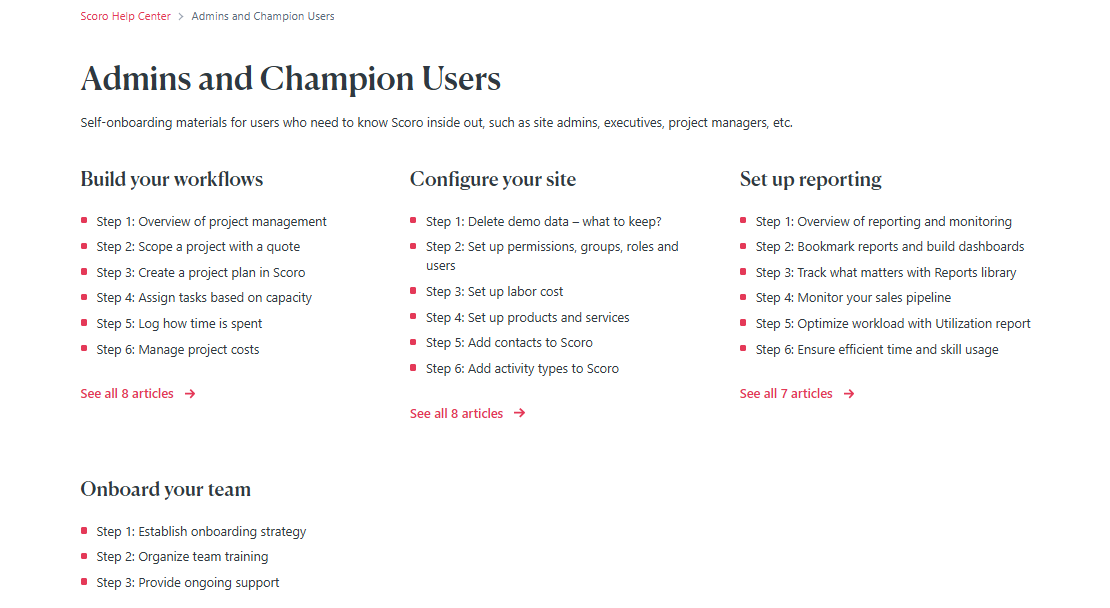
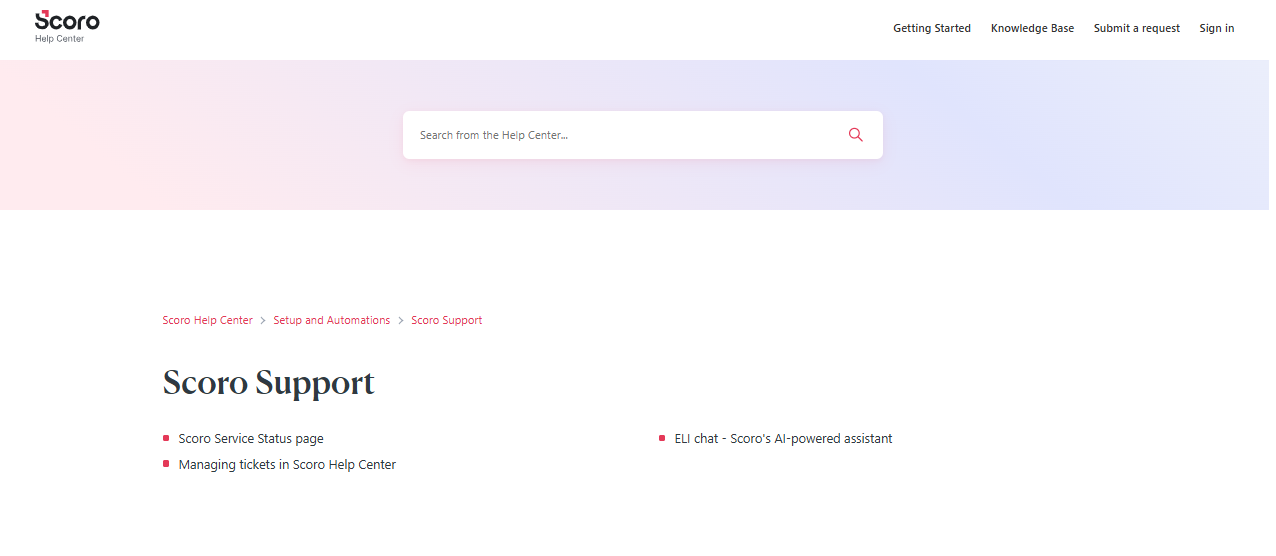
Scoro provides reliable customer support, including a responsive team that many users appreciate. Support is available via both email and chat with ELI, Scoro’s AI-powered assistant, and issues are typically resolved quickly. The help center is also extensive and offers answers to common questions and detailed guides.
Scoro makes sure you have the help you need to keep your projects moving forward. While some users would prefer faster response times, the overall quality of support is consistently praised.
Integrations
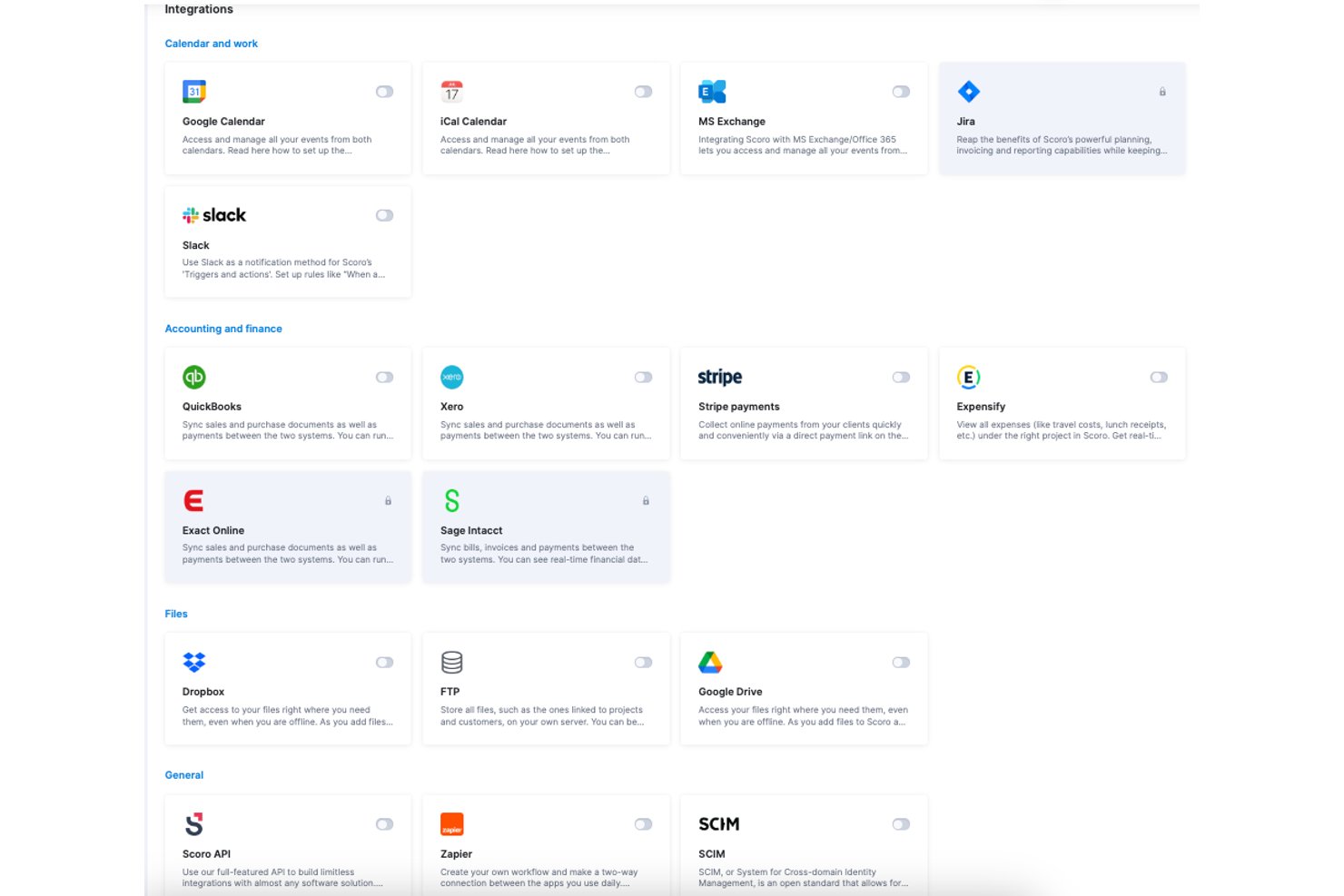
Scoro natively integrates with Xero, QuickBooks, Slack, HubSpot, Memtime, Sage Intacct, and Jira, among others, with additional options available through the Scoro Marketplace.
Scoro also provides an API for custom integrations and connects with third-party platforms like Zapier for extended workflows.
Value for Money
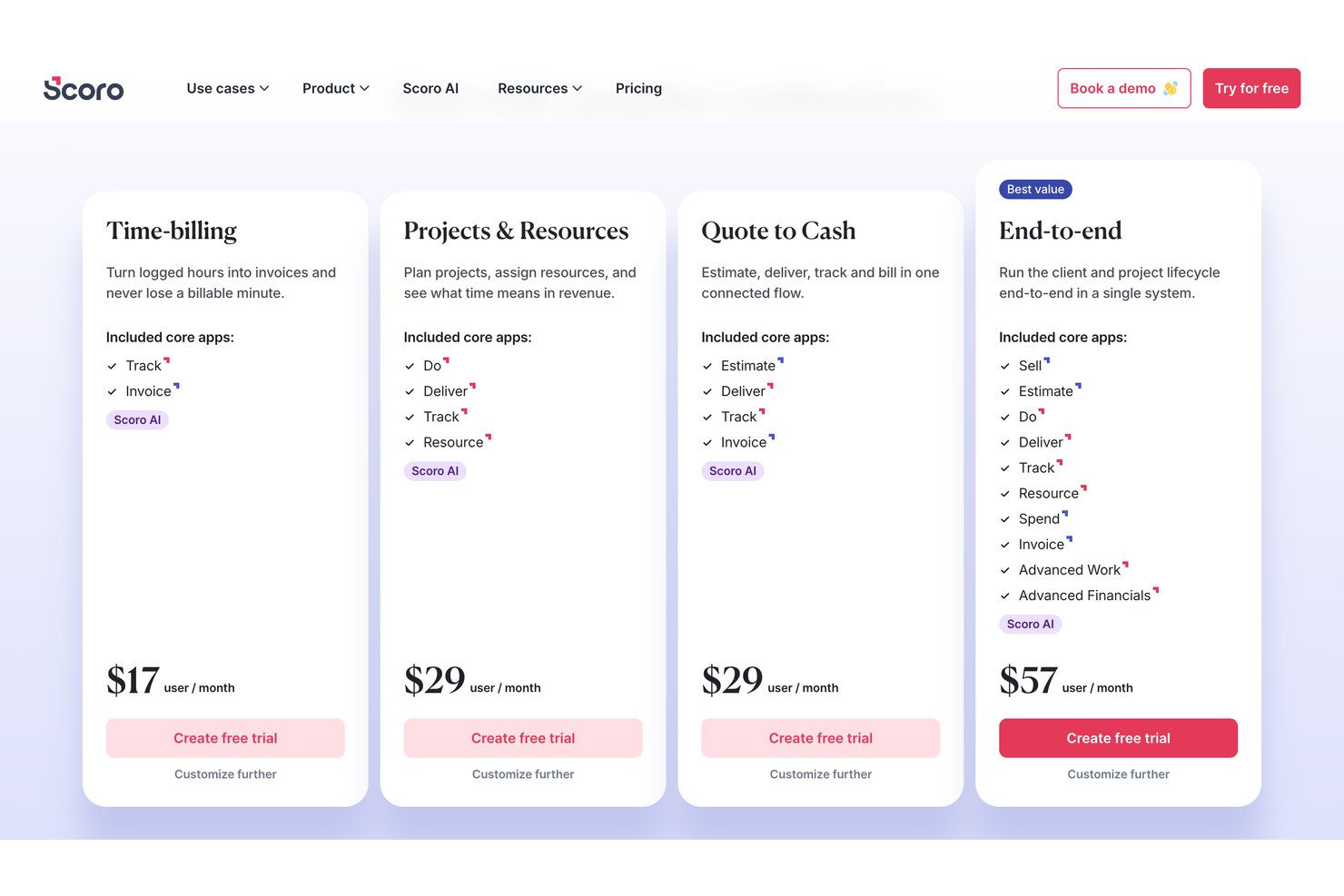
Scoro’s pricing is modular, built around core apps rather than fixed tiers, allowing you to shape a package that matches your actual workflow. You choose which apps you need, and the price is shaped by the chosen combination.
To make it easy, there are pre-built packages for their most popular combinations, and they start at $17/user/month.
Scoro Specs
- API
- Billing/Invoicing
- Budgeting
- CRM Integration
- Dashboards
- Data Export
- Data Import
- Document Management
- Expense Tracking
- External Integrations
- Financial Analysis
- Forecasting
- Gantt Charts
- Inventory Tracking
- Multi-Currency
- Multi-User
- Notifications
- Project Management
- Resource Management
- Scheduling
- Status Notifications
- Task Scheduling/Tracking
- Time Management
- Workflow Management
Scoro Customers








New Product Updates from Scoro

Scoro Adds Time Mobile App and ELI Improvements
Scoro’s latest update focuses on making time tracking more flexible and day-to-day work faster. The new Scoro Time mobile app supports on-the-go time logging, while ELI gains capabilities that help teams automate and manage work more efficiently. Highlights include:
- Scoro Time Mobile App: Log time, run timers, and manage daily tasks from iOS or Android.
- Offline Time Tracking: Cache time entries and running timers until the device reconnects.
- ELI File Attachments: Upload documents, spreadsheets, images, and other supported files directly in ELI chat.
- ELI Smart Filters: Create filtered list and report views using natural-language requests.
- Expanded ELI Automation: Let administrators configure automation rules where ELI acts on behalf of a selected user.
Visit Scoro’s official site for more details.
 for more details.
Scoro Adds Quote Timelines, ELI Automation, and Partial Invoicing
Scoro adds quote timelines, ELI trigger actions, partial invoicing by amount, and new integration options for QuickBooks, Exact Online, and BambooHR. These updates make it easier to plan projects earlier, automate routine actions, and manage billing and data sync. Highlights include:
- Quote Timelines: Lets users add start and end dates to quote line items and carry those timelines into project tasks and Gantt charts.
- ELI Trigger Actions: Lets ELI perform actions automatically when configured trigger conditions are met.
- Partial Invoicing by Amount: Lets users invoice a specific total or line-item amount instead of relying only on percentages.
- QuickBooks Expense Sync: Syncs expenses from Scoro to QuickBooks for more connected expense tracking.
- Exact Online Purchase Invoices: Adds more options for syncing purchase documents to Exact Online.
- BambooHR User Sync: Syncs BambooHR employees to Scoro as users.
Visit Scoro’s official site for more details.

Scoro Adds Revenue Models, Forecasting, and Sage Intacct Updates
Scoro adds Project Revenue Models, updated Forecasting Metrics, and Sage Intacct integration improvements to improve project financial tracking and accounting processes. These updates help teams manage revenue calculations, forecast project performance, and sync financial data more efficiently. Highlights include:
- Project Revenue Models: Track and calculate revenue using Fixed Fee, Time & Material Capped, and Time & Material Uncapped models.
- Forecasting Metrics: View updated revenue and profit forecasts based on project revenue models and contract terms.
- Sage Intacct Integration Updates: Sync expenses, credit bills, and inter-office billing data between Scoro and Sage Intacct.
Visit Scoro’s official site for more details.

Scoro Launches New Apps and Optimizes Work Management
Scoro introduces a suite of new apps and improves booking tools, task management, and integrations with platforms like Envoice, Xero, and Avalara. These updates enhance workflow efficiency by centralizing data, reducing manual work, and improving visibility across projects and finances. Highlights include:
- New Scoro Apps: Centralize workflows like project tracking, recruitment, and asset management within dedicated modules.
- Booking and Task Improvements: Manage schedules, split bookings, and update task timelines more efficiently.
- Finance Integrations: Sync expenses and automate cost tracking with Envoice, Xero, and Avalara integrations.
- Improved Project Planning: Manage phases, milestones, and team capacity with better visibility and controls.
- Dashboard and Reporting Updates: Track availability and performance with enhanced reporting and dashboard support.
Visit Scoro’s official site for more details.
Scoro FAQs
How does Scoro handle data security and compliance?
Can Scoro support remote team collaboration?
Is Scoro customizable to fit my business needs?
How often does Scoro update its software?
Does Scoro offer mobile access?
How does Scoro help with project management?
Can Scoro handle multiple projects simultaneously?
Scoro Company Overview & History
Fred Krieger founded Scoro in 2013 in Tallinn, Estonia. The company provides professional services automation software that brings together CRM, resourcing, project management, project tracking, billing, and reporting. Scoro focuses on serving professional and creative services firms, helping them manage projects, resources, and finances in one place.
Scoro operates from offices in London, New York, and Tallinn, with a team of 147 employees. Thousands of businesses in over 60 countries use Scoro. The company has earned a reputation for building an efficient and well-rounded solution for managing work.
Scoro Major Milestones
- 2016: Scoro launched version 1.0 of its mobile app for iOS and Android, giving users the ability to manage work on-the-go.
- 2017: Deloitte’s Technology Fast 50 ranked Scoro as one of the fastest-growing tech companies.
- 2018: Scoro earned a spot on the Inc. 5000 list of fastest-growing private companies in the U.S.
- 2019: G2 Awards named Scoro one of the Best Software Companies in EMEA.
- 2021: Scoro won the Employer of the Year award at the Business Brilliance Awards.
- 2022: The Global Business Tech Awards named Scoro as Tech Company of the Year.
- 2024: Scoro became one of top professional services automation software tools in Europe.
What's Next?
Want to connect with other digital project managers to share resources and best practices? Join our membership community and get access to 100+ templates, samples, and examples, and connect with 100s of other digital project managers in Slack.