



Microsoft Project vs. Asana: Vergleich & Expertenbewertungen für 2026



Microsoft Project ist darauf ausgelegt, komplexe Projekte und detaillierte Zeitpläne zu verwalten. Asana konzentriert sich auf Teamzusammenarbeit und Aufgabenmanagement mit einer intuitiveren Benutzeroberfläche.
Beide unterstützen Projekt-Workflows, jedoch wird Microsoft Project für fortschrittliche Terminplanung bevorzugt, während Asana bei Kommunikation und Aufgabenverfolgung punktet.
In diesem Artikel finden Sie einen ausführlichen Vergleich dieser Tools, einschließlich ihrer Funktionen, Vor- und Nachteile, Preise und mehr, damit Sie die beste Projektmanagement-Software für die Anforderungen Ihres Teams auswählen können.
Microsoft Project vs. Asana: An Overview
Microsoft Project




Asana


Warum Sie unseren Software-Empfehlungen vertrauen können
Unser Team testet und bewertet Software seit 2012. Als Projektmanager wissen wir selbst, wie schwierig – und wichtig – es ist, die richtige Software auszuwählen.
Für diesen Leitfaden haben wir Tools mithilfe von praktischen Tests und unabhängiger Recherche bewertet und dabei unsere Bewertungskriterien angewendet. Zudem greifen wir auf Erkenntnisse von Branchenvordenkern und praktizierenden Projektmanagement-Experten zurück.
Unsere Bewertungen spiegeln unser menschliches redaktionelles Urteilsvermögen wider, keine Verkaufsstrategie.
Expertenprüfer:
Microsoft Project vs. Asana Pricing Comparison
| Microsoft Project | Asana | |
|---|---|---|
| Free Trial | 30-day free trial | Free plan available |
| Pricing | From $10/user/month (billed annually) | From $10.99/user/month (billed annually) |
Die Preisgestaltung von Microsoft Project basiert auf einem Abonnementmodell, wobei die Kosten je nach gewähltem Paket und Funktionsumfang variieren. Nutzer können mit zusätzlichen Gebühren für erweiterte Funktionen oder Integrationsoptionen rechnen.
Auch Asana verwendet ein gestaffeltes Abonnementmodell und bietet eine kostenlose Version mit Basisfunktionen sowie kostenpflichtige Stufen für erweiterte Möglichkeiten. Für Premium-Erweiterungen können zusätzliche Kosten anfallen.
Um das passende Tool für Ihr Team auszuwählen, sollten Sie die benötigten Funktionen und deren Übereinstimmung mit der Preisstruktur bedenken. Achten Sie darauf, mögliche Zusatzkosten, die Ihr Budget beeinflussen könnten, mit einzukalkulieren.
Microsoft Project vs. Asana Feature Comparison
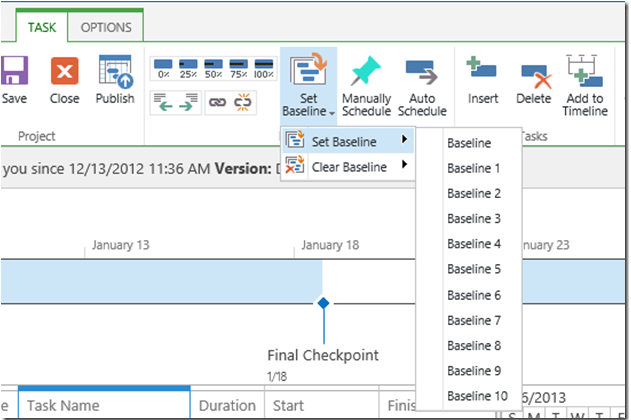
Mit der Zeitachsenansicht von Microsoft Project können Sie komplexe Projektpläne einfach verwalten und visualisieren, was es ideal für die detaillierte Planung von Bauprojekten macht.
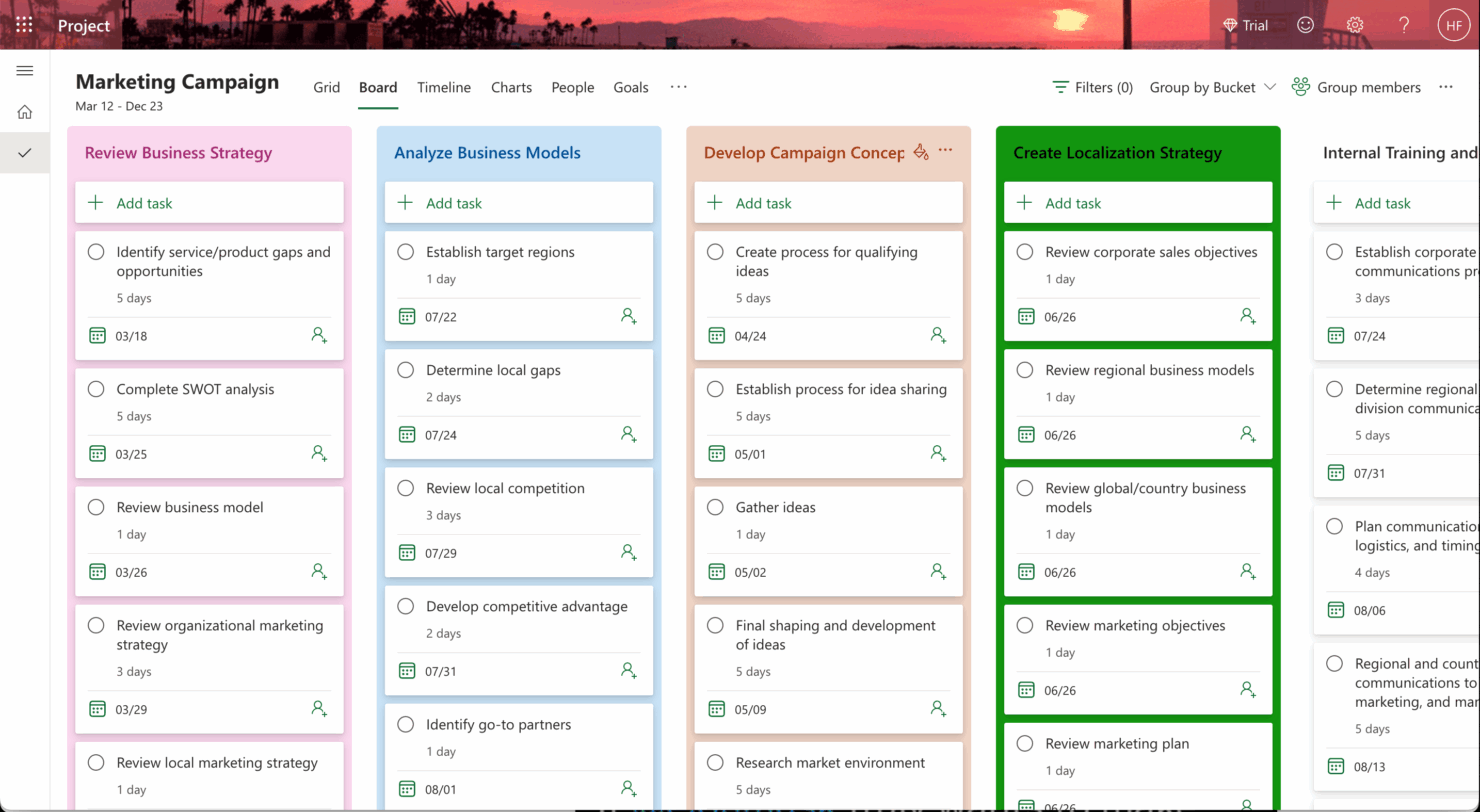
Asanas Aufgabenmanagement überzeugt in kollaborativen Umgebungen, sodass Ihr Team Aufgaben und Fristen nahtlos verfolgen kann – perfekt für Marketingkampagnen.
Während Microsoft Project mit präziser Detailplanung punktet, sorgt die intuitive Aufgabenverfolgung von Asana dafür, dass Ihr Team stets abgestimmt und kommunikationsstark bleibt.
| Microsoft Project | Asana | |
|---|---|---|
| API | ||
| Batch Permissions & Access | ||
| Budgeting | ||
| Calendar Management | ||
| Collaboration Support | ||
| Contact Management | ||
| Contact Sharing | ||
| Customer Management | ||
| Dashboard | ||
| Dashboards | ||
| Data Export | ||
| Data Import | ||
| Data Visualization | ||
| Dependency Tracking | ||
| Document Sharing | ||
| Expense Tracking | ||
| External Integrations | ||
| File Sharing | ||
| Gantt Charts | ||
| Kanban Boards | ||
| Multi-User | ||
| Notifications | ||
| Project Management | ||
| Resource Management | ||
| Scheduling | ||
| Task Scheduling/Tracking | ||
| Third-Party Plugins/Add-Ons | ||
| Time Management | ||
| Travel Management | ||
| Workflow Management |
Microsoft Project vs. Asana Integrationen
| Integration | Microsoft Project | Asana |
| Microsoft Teams | ✅ | ❌ |
| Power BI | ✅ | ❌ |
| SharePoint | ✅ | ❌ |
| Slack | ❌ | ✅ |
| Google Workspace | ❌ | ✅ |
| Salesforce | ✅ | ✅ |
| Dropbox | ❌ | ✅ |
| Trello | ❌ | ✅ |
| API | ✅ | ✅ |
| Zapier | ✅ | ✅ |
Microsoft Project lässt sich mit Power BI integrieren, um detaillierte Berichte zu erstellen – eine wertvolle Unterstützung für Projektleiter bei der Datenanalyse in Unternehmensumgebungen. Asana wiederum integriert sich mit Slack für die Echtzeit-Kommunikation im Team, was besonders bei dynamischer Produktentwicklung hilfreich ist.
Während Microsoft Project datenbasierte Entscheidungen unterstützt, hilft Asana Teams, vernetzt und reaktionsschnell zu bleiben.
Microsoft Project vs. Asana Sicherheit, Compliance & Zuverlässigkeit
| Faktor | Microsoft Project | Asana |
| Datenverschlüsselung | Microsoft Project verschlüsselt Daten sowohl bei der Übertragung als auch im Ruhezustand mithilfe von AES-256-Standards. | Asana schützt Daten mit AES-256-Verschlüsselung, um Privatsphäre und Schutz zu gewährleisten. |
| Regulatorische Compliance | Microsoft Project erfüllt die Anforderungen von DSGVO, HIPAA und anderen internationalen Standards. | Asana hält sich an die DSGVO und weitere internationale Compliance-Richtlinien. |
| Betriebszeit und Zuverlässigkeit | Microsoft Project bietet eine 99,9%ige Betriebszeitgarantie, unterstützt durch Microsofts globale Infrastruktur. | Asana bietet eine hohe Verfügbarkeit mit kontinuierlicher Überwachung und Support. |
Microsoft Project bietet starke Unterstützung bei Compliance-Fragen und eine garantierte Betriebszeit, während Asana Verschlüsselung und durchgehend hohe Zuverlässigkeit betont. Wenn Sie Sicherheit und Compliance bewerten, sollten Sie die regulatorischen Anforderungen Ihrer Branche berücksichtigen und prüfen, wie die Maßnahmen der jeweiligen Tools dazu passen.
Microsoft Project vs. Asana Benutzerfreundlichkeit
| Faktor | Microsoft Project | Asana |
| Benutzeroberfläche | Die Oberfläche von Microsoft Project ist leistungsfähig, kann für neue Nutzer jedoch aufgrund ihrer Komplexität überwältigend wirken. | Asana bietet eine übersichtliche, intuitive Benutzeroberfläche, die insbesondere für Einsteiger leicht zu bedienen ist. |
| Onboarding-Erlebnis | Microsoft Project erfordert eine längere Einarbeitung, bietet jedoch umfangreiche Trainingsressourcen. | Asana ermöglicht einen einfachen Einstieg mit interaktiven Tutorials. |
| Einrichtung | Die Einrichtung von Microsoft Project kann aufgrund der vielen fortschrittlichen Funktionen zeitaufwändig sein. | Mit Asana ist eine schnelle Einrichtung mit einfachen Projektvorlagen und einer leichten Anpassung möglich. |
Microsoft Project stellt aufgrund seiner Komplexität für Einsteiger eine Herausforderung dar, eignet sich jedoch hervorragend zur Verwaltung komplexer Projekte. Asana dagegen überzeugt durch eine einfache Bedienoberfläche, einen flachen Einstieg und erleichtert Teams eine schnelle Einführung sowie das effiziente Aufgabenmanagement.
Microsoft Project vs Asana: Pros & Cons
Microsoft Project
- You can manage complex project schedules with ease.
- It offers robust resource management tools.
- You get detailed reporting and analytics for better decision-making.
- It has a steep learning curve for new users.
- The interface can feel outdated compared to newer tools.
- It requires significant time investment for setup and maintenance.
Asana
- You can easily track tasks and deadlines using Asana's intuitive interface.
- Asana's collaboration tools help your team communicate effectively in real-time.
- There are extensive customization options so you can tailor workflows and views to your specific needs.
- The reporting capabilities are somewhat basic, which may not satisfy teams needing detailed analytics.
- It can feel overwhelming if your team is small or your projects are simple.
- You might find the notification system a bit excessive or distracting.
Best Use Cases for Microsoft Project and Asana
Microsoft Project
- Construction Firms You can manage timelines and resources effectively, ensuring project phases align perfectly.
- IT Departments You’ll find its detailed scheduling invaluable for managing multiple, overlapping projects.
- Government Agencies You can rely on its precise tracking and reporting to meet regulatory requirements.
- Engineering Teams You’ll benefit from its resource management capabilities to allocate manpower and materials efficiently.
- Large Enterprises You can handle complex project portfolios with advanced analytics and reporting tools.
- Project Managers You’ll appreciate its ability to plan and track intricate project details for successful execution.
Asana
- Creative agencies You can manage creative workflows and client projects with Asana’s visual boards and timeline features.
- Tech startups You can coordinate product development and team tasks using Asana’s real-time updates and goal-setting tools.
- Marketing teams You can plan campaigns and track progress with Asana’s clear timelines and task comments.
- Nonprofits Asana lets you manage volunteer tasks, events, and fundraising efforts with clear task assignments and timelines.
- Remote teams You can collaborate effectively with Asana’s real-time updates and communication features.
- Event planners You can organize events easily with Asana’s task management and timeline visualization features.
Wer sollte Microsoft Project nutzen und wer Asana?
Meiner Meinung nach eignet sich Microsoft Project besonders für Branchen, in denen eine detaillierte Planung und Ressourcenmanagement erforderlich sind, wie z. B. im Bauwesen oder in der Ingenieurbranche. Das Tool ist eine gute Wahl für Projektmanager, die fortschrittliche Terminierungsfunktionen benötigen und bereit sind, Zeit in die Einarbeitung zu investieren.
Dagegen ist Asana ideal für kreative Teams und Startups, die den Schwerpunkt auf Zusammenarbeit legen und ein leicht zu integrierendes Tool benötigen. Das benutzerfreundliche Design unterstützt eine einfache Aufgabenverwaltung und fördert die effektive Teamkommunikation.
Differences Between Microsoft Project and Asana
Nachfolgend finden Sie Details dazu, was diese Tools voneinander unterscheidet.
| Microsoft Project | Asana | |
|---|---|---|
| Automation | Microsoft Project offers automation through complex workflows and integrations. | Asana includes built-in automation for recurring tasks and workflows. |
| Integrations | Microsoft Project integrates well with Microsoft tools like Teams and Power BI. | Asana integrates easily with communication tools like Slack and productivity tools like Google Workspace. |
| Pricing | Microsoft Project uses a subscription model with different tiers for advanced features. | Asana offers a tiered subscription model with a free version for basic use. |
| Scheduling Tools | Microsoft Project excels in detailed scheduling and resource management. | Asana provides basic scheduling, focusing more on task management and team collaboration. |
| User Interface | Microsoft Project has a complex interface designed for detailed project management. | Asana’s interface is simple and intuitive, making it easy for teams to navigate. |
| Read Microsoft Project ReviewOpens new window | Read Asana ReviewOpens new window |
Similarities Between Microsoft Project and Asana
Nachdem Sie nun wissen, was sie unterscheidet, werfen wir einen Blick auf die Gemeinsamkeiten.
| Collaboration | Both Microsoft Project and Asana offers tools for team collaboration, with Microsoft Project integration with Teams, and Asana providing features like task comments. |
|---|---|
| Customizable Dashboards | Both offer customizable dashboards to visualize project data, with Microsoft Project providing detailed analytics and Asana offering a straightforward overview. |
| Integrations | Both integrate with third-party apps, with Microsoft Project connecting to Microsoft services and Asana working well with tools like Slack and Google Workspace. |
| Mobile Usability | Both have mobile apps that let you manage projects on the go, with Microsoft Project focusing on detailed project updates and Asana offering quick task management. |
| Task Management | Both platforms support task management, allowing you to assign tasks, set deadlines, and track progress, though Microsoft Project is more detailed, while Asana is user-friendly. |
| Read Microsoft Project ReviewOpens new window Read Asana ReviewOpens new window | |