

10 beste Slack-Alternativen für Team-Messaging im Jahr 2026

Die besten Slack-Alternativen im Überblick


Slack ist eine beliebte Wahl für die Teamkommunikation, passt aber nicht zu jedem Arbeitsablauf. Wenn Teams wachsen, vervielfachen sich die Kanäle, Nachrichten gehen unter und wichtige Entscheidungen können in schnelllebigen Diskussionen verloren gehen. Einige Organisationen benötigen außerdem mehr Struktur, eine bessere Projektübersicht, strengere Governance oder ein Tool, das über Chats hinaus eine fokussiertere Zusammenarbeit ermöglicht.
Aus meiner Erfahrung mit dem Testen von Plattformen für die Teamkommunikation lösen die besten Slack-Alternativen konkrete Probleme, anstatt einfach dieselbe Erfahrung nachzubilden. Deshalb habe ich eine Reihe von Optionen geprüft und dabei genau auf Funktionen wie asynchrone Kommunikation, Werkzeuge für die Zusammenarbeit, Integrationen, Sicherheitskontrollen und eine einfache Einführung geachtet.
In diesem Artikel findest du meine Top-Empfehlungen für Slack-Alternativen sowie klare Einblicke darin, worin die jeweilige Lösung besonders gut ist und für wen sie sich am besten eignet. Ziel ist es, dir bei der Auswahl einer Lösung zu helfen, die eine bessere Kommunikation und produktivere Teamarbeit unterstützt.
Was ist Slack?
Slack ist eine Software für Teamkommunikation und Zusammenarbeit, die für Gruppenmessaging, Dateifreigabe und mehr entwickelt wurde. Sie wird häufig von Fachleuten aus den Bereichen Technologie, Marketing und Projektmanagement genutzt, um Teams miteinander zu verbinden und Projekte auf Kurs zu halten. Kanäle, Direktnachrichten und App-Integrationen helfen dabei, Gespräche zu organisieren, Arbeitsabläufe zu vereinfachen und die Produktivität zu steigern. Insgesamt bietet Slack eine zentrale Anlaufstelle für die Kommunikations- und Zusammenarbeitsanforderungen deines Teams.
Zusammenfassung der besten Slack-Alternativen
Diese Vergleichstabelle fasst die Preisdetails meiner besten Slack-Alternativen zusammen, damit du die passende Lösung für dein Budget und deine geschäftlichen Anforderungen findest.
| Tool | Best For | Trial Info | Price | ||
|---|---|---|---|---|---|
| 1 | Am besten für einen unbegrenzten Nachrichtenverlauf geeignet | 7-tägige kostenlose Testversion + kostenloser Tarif + kostenlose Demo verfügbar | Ab $2.49/Platz/Monat (jährliche Abrechnung) | Website | |
| 2 | Am besten für private Teamnachrichten geeignet | Kostenlose Testversion + Demo verfügbar | Ab $6/Monat | Website | |
| 3 | Am besten für die Integration der Aufgabenverwaltung | Kostenloser Tarif + kostenlose Demo verfügbar | Ab $3/Benutzer/Monat (jährlich abgerechnet) | Website | |
| 4 | Am besten für Projektmanagement-Tools geeignet | 14-tägige kostenlose Testversion + kostenlose Demo verfügbar | Ab $45/Monat (jährlich abgerechnet) | Website | |
| 5 | Am besten für die Integration von Videokonferenzen | Kostenlose Testversion verfügbar | Ab $4.00/Nutzer/Monat (jährlich abgerechnet) | Website | |
| 6 | Am besten für sichere Kommunikation geeignet | Kostenloser Tarif + kostenlose Demo verfügbar | Preise auf Anfrage | Website | |
| 7 | Am besten für asynchrone Kommunikation geeignet | Kostenloser Tarif verfügbar | Ab $6/Nutzer/Monat (jährlich abgerechnet) | Website | |
| 8 | Am besten zur Organisation der Teamkommunikation geeignet | 5 kostenlose Lizenzen verfügbar | Ab $29/Nutzer/Monat | Website | |
| 9 | Am besten für die Kontrolle von On-Premises-Bereitstellungen | Kostenlose Demo verfügbar | Preis auf Anfrage | Website | |
| 10 | Am besten für multimodale Zusammenarbeit (Text, Sprache, Video) geeignet | Kostenloser Tarif verfügbar | Ab $2.99/Nutzer/Monat | Website |
Warum Sie unseren Software-Empfehlungen vertrauen können
Unser Team testet und bewertet Software seit 2012. Als Projektmanager wissen wir selbst, wie schwierig – und wichtig – es ist, die richtige Software auszuwählen.
Für diesen Leitfaden haben wir Tools mithilfe von praktischen Tests und unabhängiger Recherche bewertet und dabei unsere Bewertungskriterien angewendet. Zudem greifen wir auf Erkenntnisse von Branchenvordenkern und praktizierenden Projektmanagement-Experten zurück.
Unsere Bewertungen spiegeln unser menschliches redaktionelles Urteilsvermögen wider, keine Verkaufsstrategie.
Expertenprüfer:
Tests der besten Slack-Alternativen
Nachfolgend findest du meine ausführlichen Zusammenfassungen der besten Slack-Alternativen, die es in meine engere Auswahl geschafft haben. Meine Tests bieten einen detaillierten Überblick über die wichtigsten Funktionen, Vor- und Nachteile, Integrationen und idealen Einsatzmöglichkeiten jeder Lösung, damit du die beste Option für dich findest.
Pumble
Am besten für einen unbegrenzten Nachrichtenverlauf geeignet
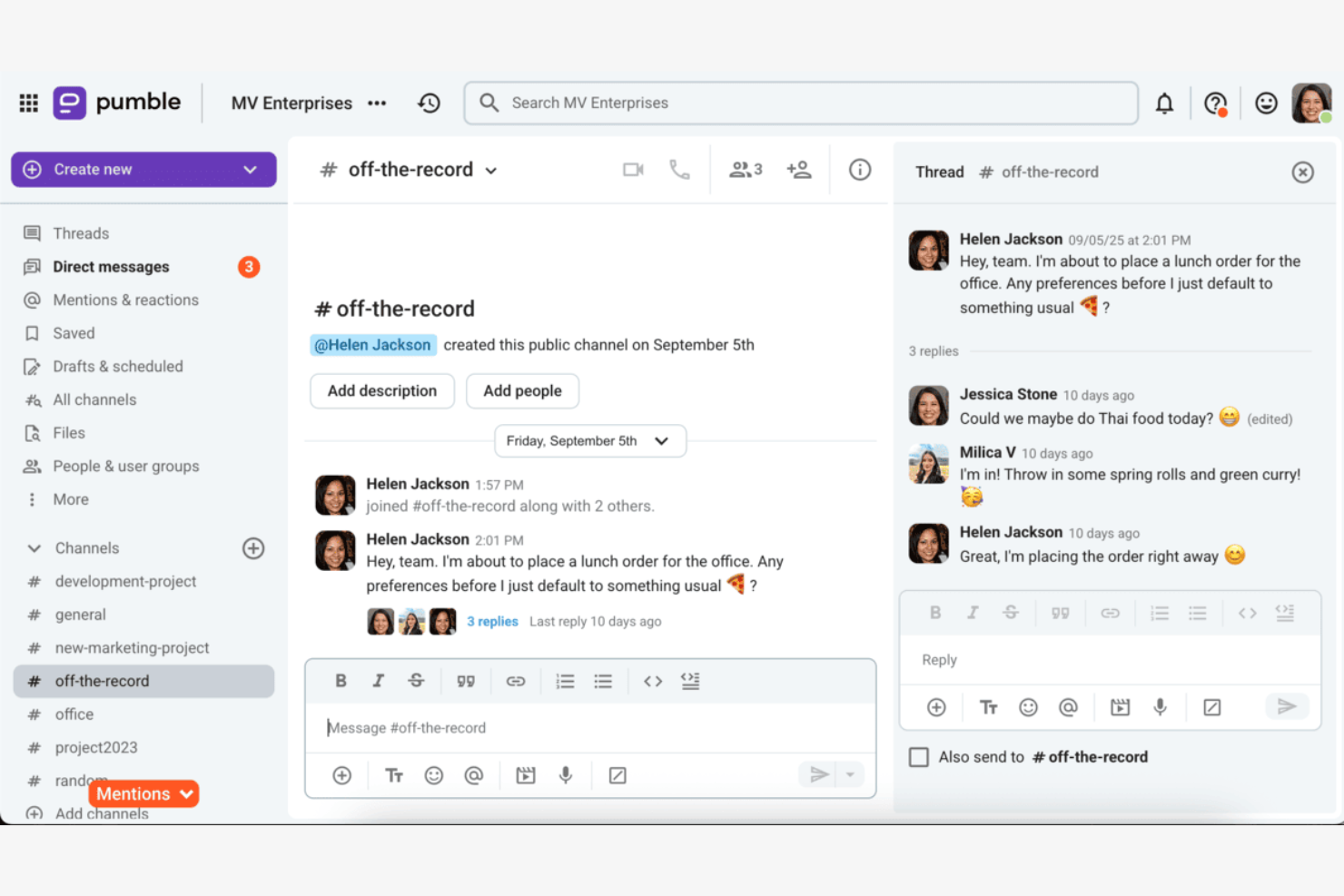
Pumble ist ein Teamkommunikationstool für kleine bis mittelgroße Unternehmen, die effiziente Nachrichtenübermittlung und Zusammenarbeit suchen. Es bietet eine Plattform, über die Teams sich vernetzen und Informationen austauschen können.
Warum es eine gute Slack-Alternative ist: Pumble bietet einen unbegrenzten Nachrichtenverlauf, sodass Ihr Team ohne Einschränkungen auf vergangene Unterhaltungen zugreifen kann. Diese Funktion stellt sicher, dass wichtige Informationen niemals verloren gehen. Mit seiner einfachen und intuitiven Benutzeroberfläche macht Pumble die Kommunikation unkompliziert und effizient. Die Plattform bietet außerdem Tools für die Zusammenarbeit wie Kanäle und Direktnachrichten, damit Ihr Team verbunden bleibt.
Besondere Funktionen und Integrationen:
Zu den Funktionen gehört die Dateifreigabe, mit der Ihr Team Dokumente und Ressourcen schnell austauschen kann. Die Benachrichtigungseinstellungen von Pumble helfen Ihnen, informiert zu bleiben, ohne mit Benachrichtigungen überflutet zu werden. Die Suchfunktion der Plattform erleichtert das Auffinden vergangener Nachrichten und Dateien.
Zu den Integrationen gehören Google Calendar, GitHub, Google Drive und weitere.
Pros and Cons
Pros:
- Unbegrenzter Nachrichtenverlauf
- Einfache und intuitive Benutzeroberfläche
- Einfache Suche nach Nachrichten und Dateien
Cons:
- Primär auf Kommunikation ausgerichtet
- Nicht ideal für komplexe Projekte
Brosix
Am besten für private Teamnachrichten geeignet
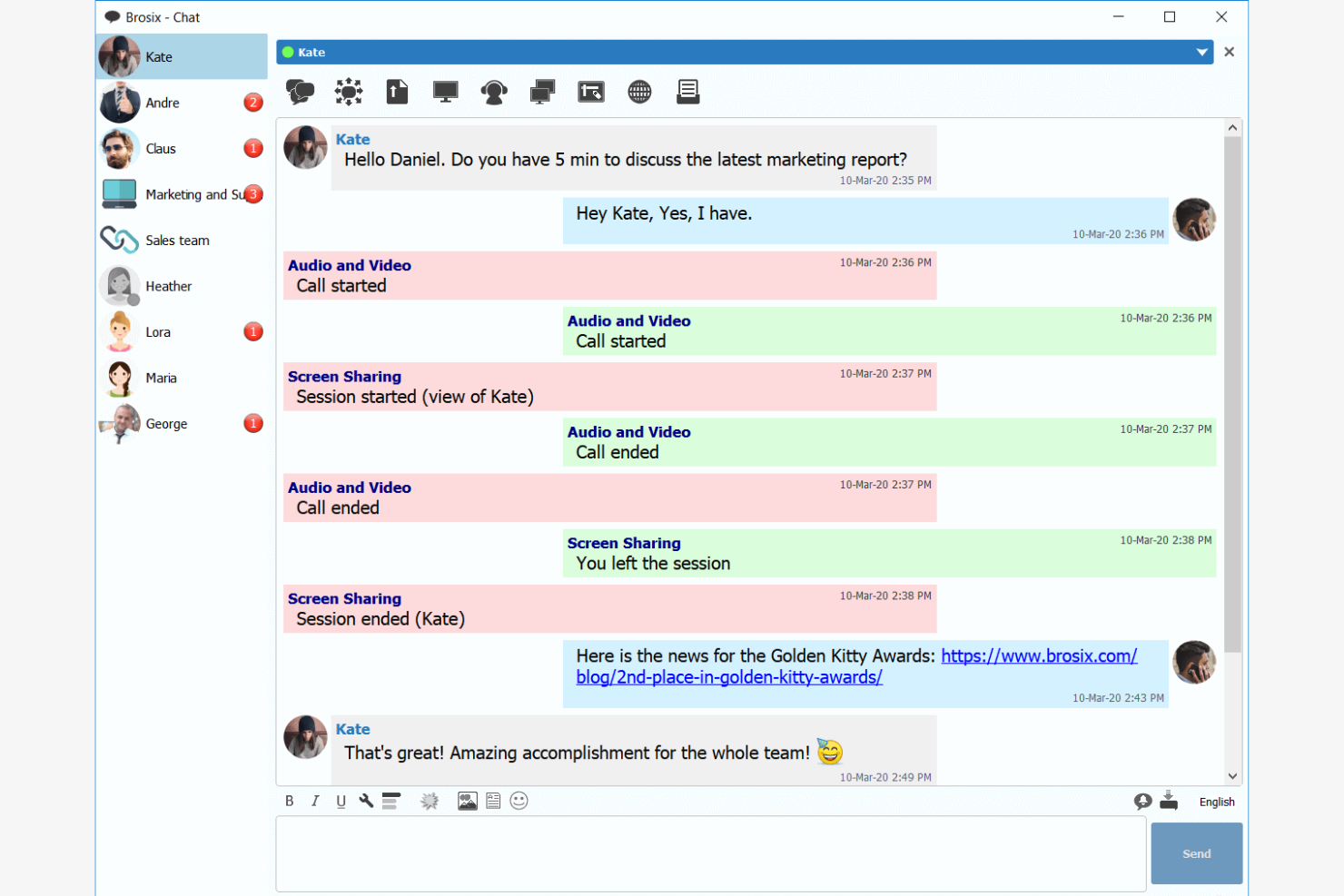
Brosix ist eine sichere Plattform für die Teamkommunikation, die für Unternehmen entwickelt wurde, die eine private Messaging-Lösung benötigen. Sie eignet sich ideal für Teams, die ihre interne Kommunikation verbessern möchten, ohne die Komplexität der IT-Verwaltung.
Warum es eine gute Slack-Alternative ist: Brosix bietet verschlüsselte Kommunikation und stellt sicher, dass die Unterhaltungen Ihrer Messaging-App für Ihr Team vertraulich bleiben. Die benutzerfreundliche Oberfläche erfordert nur minimale Einrichtung und ist daher für alle Teammitglieder zugänglich. Die webbasierte Matrix der Systemsteuerung ermöglicht eine einfache Verwaltung von Benutzern und Berechtigungen. Der Fokus von Brosix auf Datenschutz und Einfachheit macht es zu einer starken Alternative zu Slack für Teams, die eine sichere SaaS-Kommunikations-App benötigen.
Herausragende Funktionen und Integrationen:
Zu den Funktionen gehören einfaches Teilen von Dateien, Bildschirmfreigaben und eine webbasierte Systemsteuerung zur Benutzerverwaltung. Brosix bietet außerdem HIPAA-Konformität und stellt damit sicher, dass die Kommunikation Ihres Teams den Sicherheitsstandards der Branche entspricht. Die intuitive Benutzeroberfläche der Plattform ermöglicht eine schnelle Einarbeitung, ohne dass IT-Kenntnisse erforderlich sind.
Zu den Integrationen gehören Google Sheets, YouTube, Shopify, HubSpot und mehr.
Pros and Cons
Pros:
- Einfach zu bedienen dank einer vertrauten Benutzeroberfläche
- Hohe Sicherheit durch verschlüsselte Kommunikation
- Schnelle Einarbeitung und reaktionsschneller Kundensupport
Cons:
- Keine öffentlichen Chat-Funktionen
- Eingeschränkte erweiterte Funktionen im Vergleich zu größeren Plattformen

Chanty
Am besten für die Integration der Aufgabenverwaltung

Chanty ist eine Software für Teamkommunikation und Zusammenarbeit, die für Messaging, Videoanrufe und Aufgabenverwaltung entwickelt wurde. Zu den Hauptnutzern gehören Bereiche wie Gesundheitswesen, Einzelhandel, Marketing, Bildung und IT, wobei der Schwerpunkt auf der Verbesserung von Produktivität und Teamarbeit liegt.
Warum es eine gute Slack-Alternative ist: Chanty bietet Aufgabenverwaltung mit Kanban-Ansichten, sodass Ihr Team Aufgaben effizient organisieren und verfolgen kann. Die 4K-Videoanruffunktion sorgt für klare Kommunikation bei virtuellen Meetings. Mit unbegrenzten Gruppenchats und sicherem Dateiaustausch konzentriert sich Chanty auf die Erleichterung der internen Kommunikation. Die benutzerfreundliche Oberfläche der Plattform macht sie für Teams in verschiedenen Branchen zugänglich.
Herausragende Funktionen und Integrationen:
Zu den Funktionen gehören die Erstellung und Verwaltung von Aufgaben mit Kanban-Ansichten, die dabei helfen, Ihre Projekte organisiert zu halten. Chanty bietet außerdem einen sicheren Dateiaustausch, der gewährleistet, dass Ihre Daten geschützt bleiben. Die Plattform unterstützt unbegrenzte Gruppenchats, sodass Ihr Team ohne Einschränkungen zusammenarbeiten kann.
Zu den Integrationen gehören Zapier, Google Drive, Dropbox, Trello, Asana, GitHub, Bitbucket, Mailchimp, HubSpot und mehr.
Pros and Cons
Pros:
- Optionen für sicheren Dateiaustausch
- Benutzerfreundliche Oberfläche
- Für verschiedene Branchen geeignet
Cons:
- Grundlegende Anpassungsoptionen
- Primär auf die interne Nutzung ausgerichtet

ProofHub
Am besten für Projektmanagement-Tools geeignet

ProofHub ist eine Projektmanagement- und Kollaborationssoftware für Teams, die eine zentrale Plattform für Planung, Zusammenarbeit und Aufgabenverwaltung benötigen. Sie wird häufig von Projektmanagern, Kreativteams und Unternehmen genutzt, die ihren Arbeitsablauf verbessern möchten.
Warum es eine gute Slack-Alternative ist: ProofHub bietet Projektmanagement-Tools wie Aufgabenverwaltung, Zeiterfassung und Gantt-Diagramme, die in Slack nicht verfügbar sind. Mit den benutzerdefinierten Workflows kann Ihr Team Prozesse an spezifische Projektanforderungen anpassen. Die Chat-Funktion hält Ihre Kommunikation zentralisiert und verringert den Bedarf an mehreren Anwendungen. Der Fokus von ProofHub auf Projektmanagement macht es zu einer wertvollen Alternative für Teams, die ihre Tools konsolidieren möchten.
Hervorstechende Funktionen und Integrationen:
Zu den Funktionen gehören benutzerdefinierte Rollen, mit denen Sie Zugriffsebenen für Teammitglieder festlegen können. Mit der Funktion für Projektvorlagen sparen Sie Zeit, indem Sie erfolgreiche Projektstrukturen wiederverwenden. ProofHub stellt außerdem detaillierte Berichte zur Verfügung, um Fortschritt und Produktivität zu verfolgen.
Zu den Integrationen gehören Google Drive, Dropbox, OneDrive, Box, FreshBooks, QuickBooks, Google Calendar, iCal, Slack und weitere.
Pros and Cons
Pros:
- Benutzerdefinierte Workflows für maßgeschneiderte Prozesse
- Für vielfältige Branchen und Teams geeignet
- Detaillierte Berichte zu Fortschritt und Produktivität
Cons:
- Kann für kleine Teams komplex sein
- Begrenzter Fokus auf nicht projektbezogene Kommunikation

Am besten für die Integration von Videokonferenzen
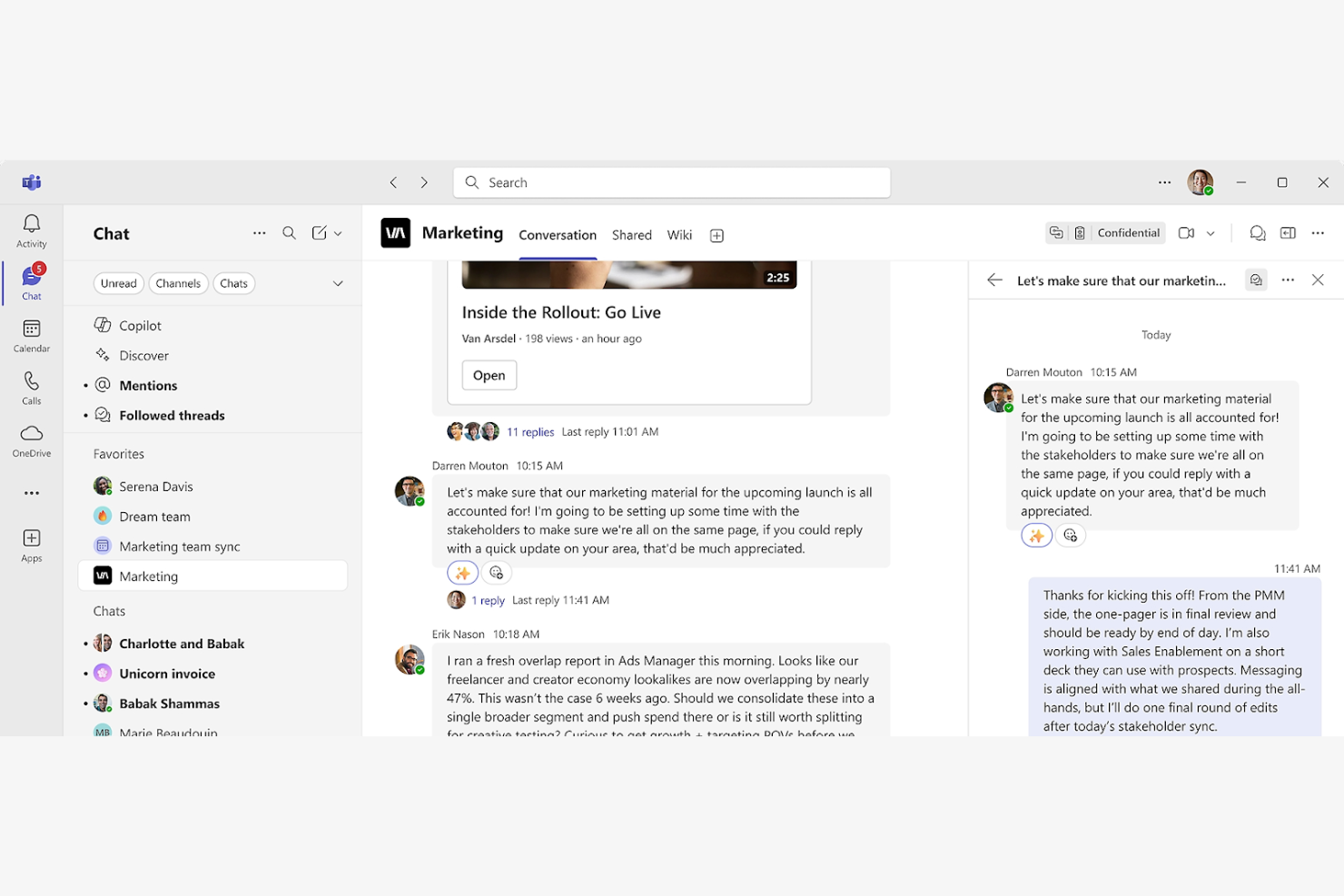
Microsoft Teams ist eine Kollaborationsplattform, die hauptsächlich von Unternehmen und Bildungseinrichtungen für Kommunikation und Teamarbeit genutzt wird. Sie ermöglicht Chats, Videokonferenzen und Dateifreigaben, um die Produktivität und Vernetzung innerhalb von Teams zu verbessern.
Warum es eine gute Slack-Alternative ist: Microsoft Teams bietet integrierte Videokonferenzen mit Funktionen wie Bildschirmfreigabe und Aufzeichnung von Besprechungen, die Slack nicht bietet. Die Plattform unterstützt die Zusammenarbeit durch eine Chat-Anwendung, Audioanrufe, freigegebene Dateien und die Bearbeitung in Echtzeit in Office-Anwendungen. Mit dem integrierten Kalender können Sie Besprechungen einfach planen und Teamaktivitäten im Blick behalten. Microsoft Teams bietet eine einheitliche Umgebung für Kommunikation und Projektmanagement und ist damit eine starke Wahl für große und kleine Unternehmen.
Herausragende Funktionen und Integrationen:
Zu den Funktionen gehören Tools zur Aufgabenverwaltung, die Ihrem Team helfen, die Arbeit effizient zu organisieren und zu priorisieren. Microsoft Teams bietet außerdem anpassbare Teamkanäle, um Gespräche fokussiert und übersichtlich zu halten. Die integrierte Funktion für digitale Tafeln der Plattform ermöglicht kreative Brainstorming-Sitzungen.
Zu den Integrationen gehören Microsoft 365, SharePoint, OneDrive, Power BI, GitHub, Trello, Asana, Zoom, Salesforce, Adobe Creative Cloud und mehr.
Pros and Cons
Pros:
- Unterstützt große Videokonferenzen
- Anpassbare Teamkanäle
- Integrierte Tools zur Aufgabenverwaltung
Cons:
- Starke Abhängigkeit vom Microsoft-Ökosystem
- Kann für kleine Teams überwältigend sein

Am besten für sichere Kommunikation geeignet
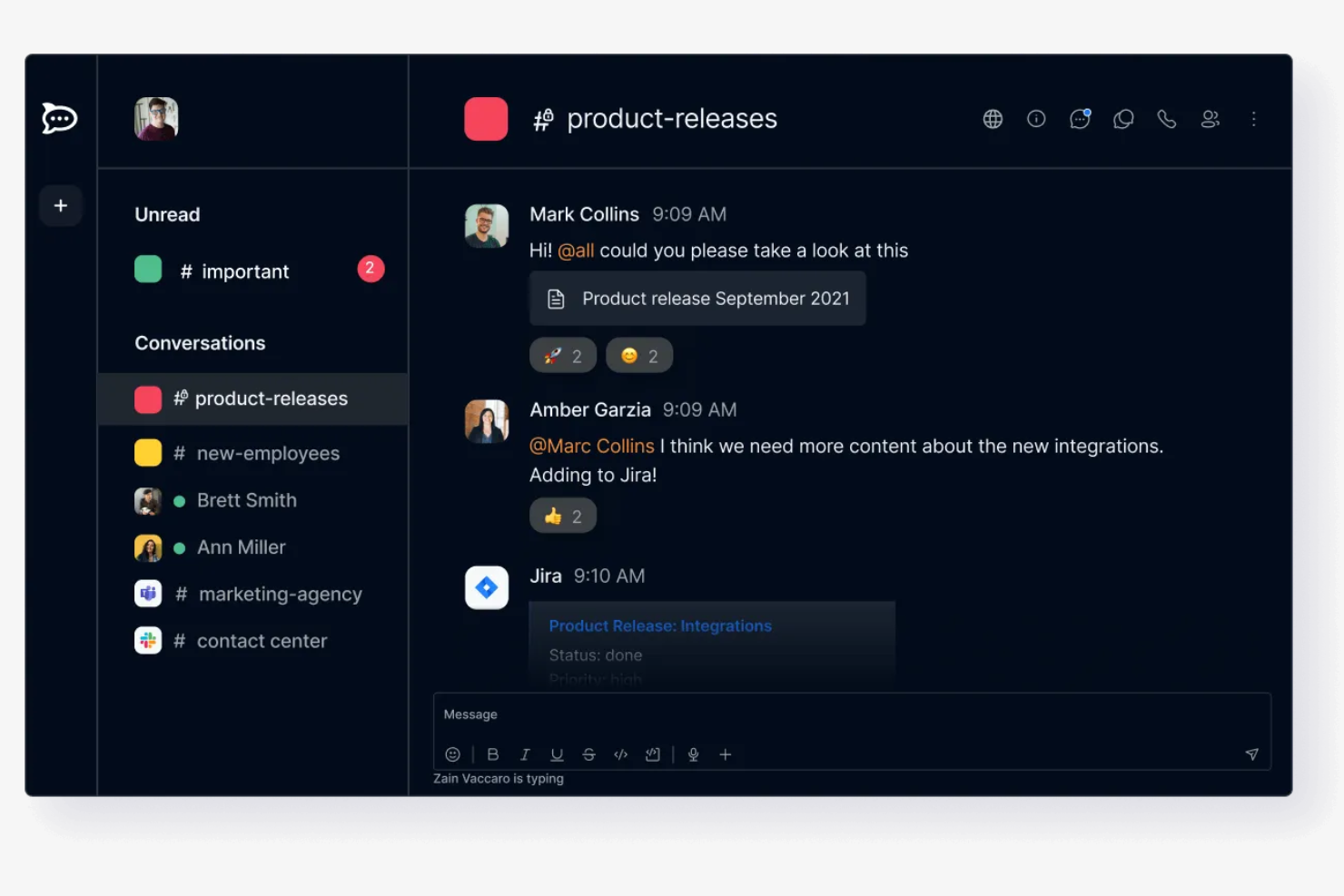
Rocket.Chat ist eine quelloffene Kommunikationsplattform für Unternehmen und Entwickler, die sichere Nachrichtenübermittlung und Zusammenarbeit benötigen. Sie richtet sich an Organisationen, denen Datenschutz und Datenkontrolle wichtig sind.
Warum es eine gute Slack-Alternative ist: Rocket.Chat bietet Optionen für das eigene Hosting und stellt dadurch sicher, dass Ihre Daten unter Ihrer Kontrolle bleiben – im Gegensatz zum cloudbasierten Ansatz von Slack. Es unterstützt E2EE in ausgewählten Räumen und bietet damit eine zusätzliche Sicherheitsebene für die Kommunikation Ihres Teams. Mit anpassbaren Berechtigungen können Sie den Zugriff verwalten und sicherstellen, dass nur autorisierte Benutzer vertrauliche Informationen sehen. Der Fokus von Rocket.Chat auf Sicherheit macht die Plattform ideal für Organisationen, die sich um den Datenschutz sorgen.
Herausragende Funktionen und Integrationen:
Zu den Funktionen gehört die Echtzeitübersetzung, mit der Ihr Team Sprachbarrieren überwinden kann. Rocket.Chat bietet außerdem eine funktionsreiche API, die es Entwicklern ermöglicht, maßgeschneiderte Lösungen zu entwickeln. Mit den Optionen zur Anpassung an die eigene Marke können Sie die Benutzeroberfläche an Ihr Corporate Design anpassen.
Zu den Integrationen gehören GitHub, GitLab, Jitsi, Google Drive, Dropbox, Zapier, Trello und weitere.
Pros and Cons
Pros:
- Hohe Datenkontrolle
- Anpassbare Berechtigungen und Zugriffskontrolle
- Geeignet für datenschutzbewusste Organisationen
Cons:
- Kann komplex einzurichten sein
- Nicht ideal für kleine Teams

Twist
Am besten für asynchrone Kommunikation geeignet

Twist ist ein Tool zur Teamkommunikation, das für Organisationen entwickelt wurde, die konzentriertes und durchdachtes Arbeiten priorisieren. Zu den wichtigsten Nutzern gehören Remote-Teams und Unternehmen, die Wert auf intensive Arbeit ohne ständige Unterbrechungen legen.
Warum es eine gute Slack-Alternative ist: Twist legt den Schwerpunkt auf asynchrone Kommunikation und ermöglicht es Ihrem Team, in seinem eigenen Tempo zu arbeiten, ohne den Druck sofortiger Antworten. Die Plattform organisiert Gespräche in Diskussionssträngen, wodurch Diskussionen leichter verfolgt und Informationen schneller gefunden werden können. Mit einer ablenkungsfreien Benutzeroberfläche hilft Twist Ihrem Team, sich auf Aufgaben zu konzentrieren, ohne durch ständige Benachrichtigungen gestört zu werden. Dieser Ansatz fördert eine ausgewogenere und produktivere Arbeitsumgebung.
Besondere Funktionen und Integrationen:
Zu den Funktionen gehört die Möglichkeit, Diskussionsstränge für organisierte Diskussionen zu erstellen und zu verwalten. Twist bietet außerdem einen ablenkungsfreien Modus, in dem sich Ihr Team ohne Unterbrechungen auf die Arbeit konzentrieren kann. Die Plattform stellt einen durchsuchbaren Verlauf bereit, sodass vergangene Gespräche und Informationen unkompliziert gefunden werden können.
Zu den Integrationen gehören Asana, Trello, GitHub, Zapier, Todoist, Google Calendar, Google Drive und mehr.
Pros and Cons
Pros:
- Asynchrones Kommunikationsmodell
- Organisation von Gesprächen in Diskussionssträngen
- Ablenkungsfreie Benutzeroberfläche
Cons:
- Einarbeitungszeit für neue Nutzer
- Keine integrierten Video- oder Audioanrufe

Clariti
Am besten zur Organisation der Teamkommunikation geeignet
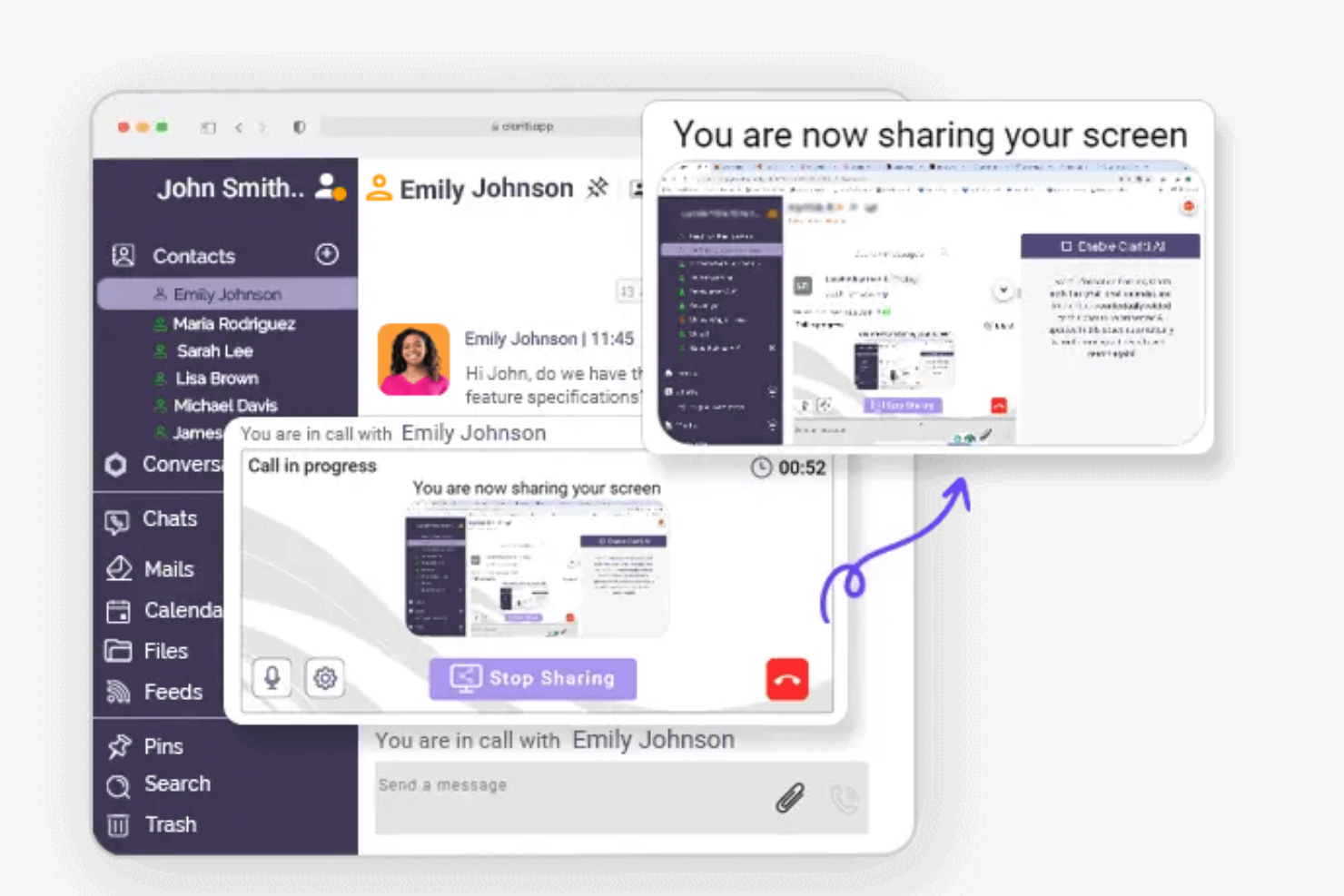
Clariti ist ein Kommunikations- und Kollaborationstool für Unternehmen, die ihre Gespräche und Aufgaben effizient organisieren möchten. Zu den Hauptnutzern gehören Teams, die einen einheitlichen Ansatz zur Verwaltung von E-Mails, Chats und Dokumenten an einem Ort benötigen.
Warum es eine gute Slack-Alternative ist: Clariti bietet die Möglichkeit, zusammengehörige E-Mails, Chats und Dokumente zu Diskussionssträngen zu verbinden, was Slack nicht ermöglicht. Diese Funktion hilft Ihrem Team, alle relevanten Informationen zusammenzuhalten, und reduziert die Zeit, die mit der Suche nach vergangenen Nachrichten verbracht wird. Clariti unterstützt außerdem Sprachanrufe und Bildschirmfreigabe und fördert so die Zusammenarbeit innerhalb Ihres Teams. Der Fokus auf Organisation und die Integration verschiedener Kommunikationsformen macht Clariti zu einem wertvollen Tool für Teams, die eine ganzheitliche Kommunikationslösung benötigen.
Herausragende Funktionen und Integrationen:
Funktionen umfassen die Möglichkeit, Gespräche und Inhalte in verbundenen Diskussionssträngen zu organisieren, sodass Ihr Team fokussiert bleibt und Unübersichtlichkeit reduziert wird. Die integrierte Sprachanruffunktion von Clariti stellt sicher, dass Sie verbal kommunizieren können, ohne die Plattform zu verlassen. Das Tool unterstützt außerdem die Bildschirmfreigabe, was die Zusammenarbeit und Präsentationen aus der Ferne erleichtert.
Integrationen umfassen Salesforce, Stripe, Tableau, Power BI und weitere.
Pros and Cons
Pros:
- Verbindet E-Mails, Chats und Dokumente
- Übersichtliche Kommunikationsorganisation
- Integrierte Sprachanrufe
Cons:
- Möglicherweise nicht für Anforderungen an Echtzeitkommunikation geeignet
- Begrenzte Anpassungsmöglichkeiten


Mattermost ist eine quelloffene Messaging-Plattform für Organisationen, die sichere und anpassbare Kommunikationslösungen benötigen. Zu den Hauptnutzern gehören IT-Fachkräfte, Entwickler und Teams, die Wert auf Datenschutz und Datenkontrolle legen.
Warum es eine gute Slack-Alternative ist: Mattermost bietet Optionen für das Selbsthosting und stellt so sicher, dass Ihre Daten unter Ihrer Kontrolle bleiben – anders als beim cloudbasierten Ansatz von Slack. Die Plattform unterstützt private Chats und Gruppenchats, sodass Ihr Team effektiv zusammenarbeiten kann. Sie unterstützt Selbsthosting und Sicherheitskontrollen für Unternehmen und stellt den Schutz Ihrer Kommunikation in den Mittelpunkt. Dank des quelloffenen Charakters lässt sie sich außerdem umfassend anpassen und dadurch auf die spezifischen Bedürfnisse Ihres Teams zuschneiden.
Herausragende Funktionen und Integrationen:
Zu den Funktionen gehören Unterhaltungen mit Threads, die dabei helfen, Diskussionen zu organisieren und Themen übersichtlich zu halten. Mattermost bietet außerdem Unterstützung für mehrere Sprachen, was für globale Teams von Vorteil ist. Die anpassbare Benutzeroberfläche ermöglicht es Ihnen, Erscheinungsbild und Bediengefühl an die Marke Ihrer Organisation anzupassen.
Zu den Integrationen gehören GitLab, Jira, Jenkins, GitHub, Zoom, Zendesk und weitere.
Pros and Cons
Pros:
- Hoher Grad an Anpassbarkeit
- Starker Fokus auf Sicherheit
- Geeignet für IT- und Entwicklerteams
Cons:
- Kann technisches Fachwissen erfordern
- Eingeschränkte Video- und Anruffunktionen, die häufig Integrationen von Drittanbietern erfordern

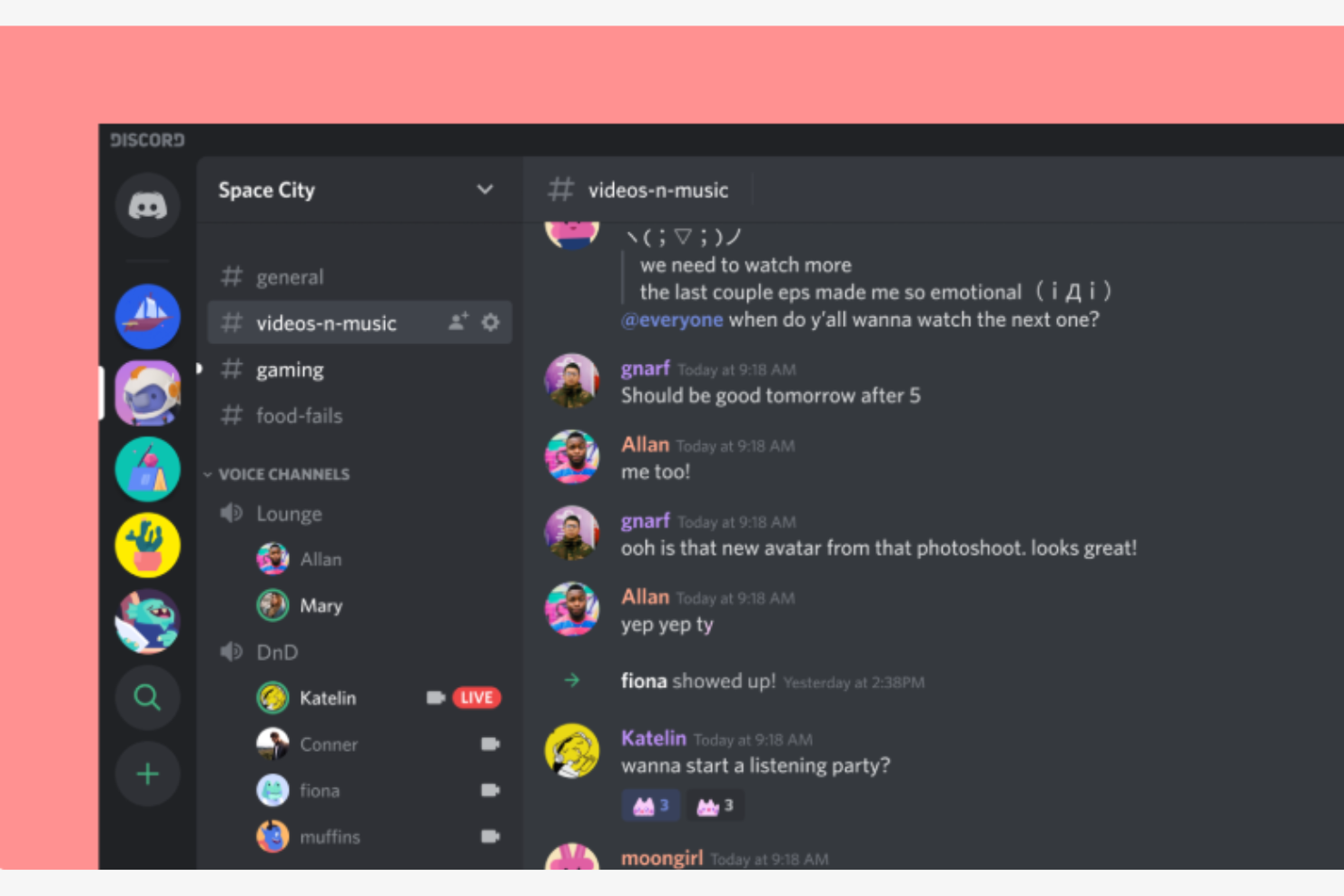
Discord ist eine Kommunikationsplattform, die von Gamern häufig für Sprach-, Video- und Textchats verwendet wird. Sie ist auch bei Fachleuten als Kommunikationszentrale beliebt und ermöglicht Interaktion und Zusammenarbeit in Echtzeit.
Warum es eine gute Slack-Alternative ist: Discord bietet Sprachkanäle für spontane Sprachkommunikation, was besonders für gemeinsame Arbeitssitzungen von Vorteil ist. Die anpassbare Serverstruktur der Plattform ermöglicht es Ihnen, eigene Bereiche für verschiedene Themen oder Gruppen zu erstellen. Mit hochwertigen Audio- und Videofunktionen sowie Funktionen zum Aufbau von Gemeinschaften, wie Rollen und Berechtigungen, unterstützt Discord außerdem eine organisierte und effiziente Gruppenverwaltung.
Hervorstechende Funktionen und Integrationen:
Zu den Funktionen gehört die Bildschirmfreigabe, mit der Sie Ihren Bildschirm oder Präsentationen mit Ihrem Team teilen können. Die Push-to-Talk-Funktion von Discord sorgt für eine klare und kontrollierte Sprachkommunikation. Die Plattform bietet außerdem Textkanäle für fokussierte Diskussionen und den Austausch von Informationen.
Zu den Integrationen gehören YouTube, Spotify, Twitch, Reddit, Twitter, PayPal, Steam, Nightbot, MEE6 und mehr.
Pros and Cons
Pros:
- Werkzeuge zum Aufbau von Gemeinschaften
- Spontane Sprachkommunikation
- Für Gemeinschaften außerhalb des Spielbereichs geeignet
Cons:
- Primär auf Spiele ausgerichtet
- Kann für geschäftliche Zwecke überwältigend sein und eine kurze Einarbeitungszeit erfordern
Weitere Slack-Alternativen
Hier sind einige weitere Slack-Alternativen, die es nicht in meine engere Auswahl geschafft haben, aber dennoch einen Blick wert sind:


Wie ich Slack-Alternativen bewerte
Ich bewerte Slack-Alternativen auf zwei Ebenen: die grundlegenden Kriterien, die jedes Tool erfüllen muss, um in die Liste aufgenommen zu werden, und die Unterscheidungsmerkmale, die für Teams bei der Verwaltung von Projekten über verschiedene Kanäle und Zeitzonen hinweg tatsächlich wichtig sind.
Kernfunktionen (Grundvoraussetzungen für diese Liste)
Bei der Auswahl der Tools für meine Liste bewerte ich jedes einzelne für jede unten aufgeführte Kernfunktion auf einer Skala von 0 (bietet diese Funktion nicht) bis 5 (zeichnet sich in diesem Bereich aus). Anschließend rechne ich die Gesamtpunktzahl des Tools in einen Prozentsatz um. Jedes Tool muss eine Mindestgesamtpunktzahl von 65 % erreichen, um für die Aufnahme berücksichtigt zu werden.
- Echtzeitnachrichten: Ich achte auf dauerhafte Kanäle, Gruppen-DMs und Gastzugang, damit Projektteams Unterhaltungen nach Arbeitsbereich, Kunde oder Sprint trennen können.
- Unterhaltungen in Threads: Threads verhindern, dass tägliche Statusbesprechungen, Blockaden und Design-Feedback in einem schnelllebigen Kanal untergehen. Ich prüfe, wie sichtbar und durchsuchbar Threads sind.
- Dateifreigabe und Suche: Ich bewerte, ob man ein Anforderungsdokument oder Mock-up in einen Kanal einfügen und es Wochen später über eine Volltext- oder gefilterte Suche tatsächlich wiederfinden kann.
- Sprach- und Videoanrufe: Kurze Besprechungen ersetzen die Abfolge aus „Können wir kurz telefonieren?“. Ich achte auf native Audio- und Videofunktionen mit Bildschirmfreigabe für spontane Abstimmungen und Sprint-Reviews.
- Integrationen von Projekttools: Wenn der Chat mit Tools wie Jira, Asana oder Monday verbunden ist, werden Statusaktualisierungen automatisch in die Kanäle übertragen. Ich prüfe, ob native Konnektoren vorhanden sind und wie umfangreich die API ist.
- Benachrichtigungen und Präsenz: Ich bewerte, wie detailliert die Benachrichtigungseinstellungen sind – ob man Kanäle während konzentrierter Arbeitsphasen stummschalten, benutzerdefinierte Status festlegen und Benachrichtigungsregeln pro Kanal konfigurieren kann.
Sobald ich eine Liste von Tools zusammengestellt habe, die diese Kriterien erfüllen, prüfe ich, wodurch sich die einzelnen Plattformen voneinander unterscheiden.
Unterscheidungsmerkmale (Wodurch sich Anbieter voneinander abheben)
So vergleiche ich die verschiedenen Anbieter:
Herausragende Funktionen
KI-gestützte Zusammenfassungen sind ein wichtiges Unterscheidungsmerkmal – ich achte auf Tools, mit denen ein PM die nächtlichen Aktivitäten in Kanälen nachholen kann, ohne Hunderte von Nachrichten durchzuscrollen. Auch die Workflow-Automatisierung ist wichtig, insbesondere die Möglichkeit, eine Chatnachricht in eine Aufgabe umzuwandeln oder eine Genehmigungssequenz auszulösen, ohne die Unterhaltung zu verlassen. Außerdem bewerte ich, ob eine Plattform native Projektmanagementfunktionen wie Aufgabenboards oder Zeitpläne umfasst, da dadurch ein komplettes Tool aus dem Tech-Stack entfernt werden kann.
Über die Funktionen hinaus
Die Preis- und Lizenzmodelle unterscheiden sich in dieser Kategorie stark. Daher prüfe ich, wie kostenlose Tarife mit Beschränkungen des Nachrichtenverlaufs und Gastzugängen umgehen – beides kann für Projektteams, die mit externen Auftragnehmern zusammenarbeiten, ein Ausschlusskriterium sein. Sicherheits- und Compliance-Zertifizierungen wie SOC 2 und ISO 27001 sind wichtig, wenn Ihre Projekte vertrauliche Ergebnisse umfassen. Ich bewerte außerdem die Skalierbarkeit, insbesondere ob ein Tool Strukturen mit mehreren Arbeitsbereichen und gemeinsam genutzte Kanäle unterstützt, da wachsende PMOs häufig nach Portfolios segmentieren müssen, ohne vollständig separate Instanzen einzurichten.
Warum nach einer Slack-Alternative suchen?
Slack ist zwar eine gute Lösung für Teamkommunikation und Zusammenarbeit, dennoch gibt es mehrere Gründe, warum manche Nutzer nach alternativen Lösungen suchen. Du könntest aus folgenden Gründen nach einer Slack-Alternative suchen:
- Du benötigst mehr Funktionen für die Zusammenarbeit
- Dein Team benötigt erweiterte Sicherheitsfunktionen
- Du möchtest eine bessere Integration mit vorhandenen CRM-Tools
- Dein Budget passt nicht zu den Preisen von Slacks kostenpflichtigem Tarif
- Dein Team benötigt Möglichkeiten für den Offline-Zugriff
Wenn irgendetwas davon auf Sie zutrifft, sind Sie hier genau richtig. Meine Liste enthält mehrere Optionen für Teamkommunikation und All-in-one-Software, die besser für Teams geeignet sind, die mit diesen Herausforderungen bei Slack konfrontiert sind und nach alternativen Lösungen suchen.
Die wichtigsten Funktionen von Slack
Hier sind einige der wichtigsten Funktionen von Slack, damit Sie vergleichen können, was alternative Lösungen bieten:
- Kanäle: Organisieren Sie die Kommunikation Ihres Teams, indem Sie eigene Bereiche für verschiedene Projekte, Aufgabenlisten oder Themen erstellen.
- Slack Connect: Arbeiten Sie sicher mit externen Partnern zusammen und ersetzen Sie die herkömmliche E-Mail-Kommunikation.
- Audio-/Video-Huddles: Veranstalten Sie schnelle Meetings in Echtzeit mit Ihrem Team über Audio- oder Videoanrufe.
- Workflow-Builder: Automatisieren Sie routinemäßige Aufgaben und Prozesse mit Bots, um Zeit zu sparen und den manuellen Arbeitsaufwand zu reduzieren.
- Integrationen: Verbinden Sie mehr als 2.600 Apps, um Dokumente und Workflows zu zentralisieren und die Produktivität zu steigern.
- Vorlagen: Nutzen Sie vorgefertigte Vorlagen für effizientes Projektmanagement und den Start von Aufgaben.
- Canvas: Erstellen Sie skalierbare Dokumente und arbeiten Sie in Echtzeit mit Ihrem Team zusammen.
- Unternehmenssicherheit: Schützen Sie Ihre Daten mit Sicherheitsfunktionen und Tools zur Einhaltung von Compliance-Anforderungen.
- Salesforce-Integration: Holen Sie Salesforce-Einblicke in Slack, um die Abstimmung im Team zu verbessern und Workflows zu beschleunigen.
Wie es weitergeht:
Wenn Sie gerade Teamkommunikations- und Zusammenarbeitssoftware recherchieren, wenden Sie sich an einen SoftwareSelect-Berater und erhalten Sie kostenlos Empfehlungen.
Sie füllen ein Formular aus und führen ein kurzes Gespräch, in dem Ihre individuellen Anforderungen besprochen werden. Anschließend erhalten Sie eine Auswahlliste von Software, die Sie prüfen können. Die Berater unterstützen Sie sogar während des gesamten Kaufprozesses, einschließlich der Preisverhandlungen.