

10 Alternativen zu Skype for Business für Team-Anrufe im Jahr 2026

Die besten Alternativen zu Skype for Business – Auswahlliste


Wenn Sie ein verteiltes oder hybrides Team leiten, hat Skype for Business wahrscheinlich einst eine zentrale Rolle dabei gespielt, wie Ihr Team kommuniziert hat. Seitdem hat Microsoft diese Funktionen in Microsoft Teams integriert und die Plattform zu einer umfassenderen Zentrale für Chats, Besprechungen und Zusammenarbeit ausgebaut.
Für viele Teams deckt Teams alles ab, was sie benötigen. Für andere bringt der Wechsel jedoch neue Herausforderungen mit sich – sei es durch zusätzliche Komplexität, sich überschneidende Funktionen, Bedenken hinsichtlich der Kosten oder Arbeitsabläufe, die nicht ganz zur Arbeitsweise des Teams passen. In solchen Fällen lohnt es sich zu prüfen, ob ein anderes Tool besser zu Ihren Kommunikationsanforderungen passt.
Ich habe eine Reihe von Alternativen zu Skype for Business getestet und bewertet, darunter Optionen für einfachere Videoanrufe, eine gezieltere Zusammenarbeit oder bestimmte geschäftliche Anwendungsfälle. In diesem Artikel stelle ich Ihnen die besten Alternativen vor, die Sie in Betracht ziehen sollten – damit Sie entscheiden können, ob Sie bei Teams bleiben oder ein Tool wählen, das die tatsächliche Arbeitsweise Ihres Teams besser unterstützt.
Was ist Skype for Business?
Skype for Business war eine Kommunikations- und Kollaborationsplattform für Unternehmen, die Teams dabei unterstützen sollte, sich über Videokonferenzen, Sofortnachrichten, Bildschirmfreigabe und Dateifreigabe zu verbinden. Sie wurde von Organisationen häufig eingesetzt, die sichere und zuverlässige Möglichkeiten benötigten, um über verschiedene Standorte hinweg mit Kollegen und Kunden zu kommunizieren.
Microsoft hat Skype for Business inzwischen eingestellt und seine Kernfunktionen in Microsoft Teams integriert, das nun als wichtigste Kommunikationsplattform für Unternehmen von Microsoft dient. Teams baut auf den Anruf- und Besprechungsfunktionen von Skype for Business auf und ergänzt diese um dauerhafte Chats, eine tiefere Integration in Microsoft 365 sowie umfassendere Werkzeuge für die Zusammenarbeit.
Vergleichstabelle der Alternativen zu Skype for Business
Die folgende Tabelle vergleicht die Preisinformationen meiner besten Alternativen zu Skype for Business.
| Tool | Best For | Trial Info | Price | ||
|---|---|---|---|---|---|
| 1 | Am besten für private Unternehmensnachrichten geeignet | Kostenlose Testversion + Demo verfügbar | Ab $6/Monat | Website | |
| 2 | Am besten für die Integration mit Google Workspace | Kostenlose Testversion verfügbar | Ab $9.20/Nutzer/Monat (jährlich abgerechnet) | Website | |
| 3 | Am besten geeignet für Aufgabenverwaltung | Kostenloser Tarif + kostenlose Demo verfügbar | Ab $3/Benutzer/Monat (jährlich abgerechnet) | Website | |
| 4 | Am besten für kostenlose weltweite Anrufe | Kostenlose Demo verfügbar | Kostenlos | Website | |
| 5 | Am besten für integrierte Geschäftslösungen | Kostenlose Testversion verfügbar | Ab $4.00/Benutzer/Monat (jährlich abgerechnet) | Website | |
| 6 | Am besten für Werkzeuge zur Geschäftskommunikation geeignet | Kostenlose Testversion + kostenlose Demo verfügbar | Ab 12 $/Organisator/Monat (jährliche Abrechnung) | Website | |
| 7 | Ideal für sichere Bereitstellungen | Kostenloser Tarif + kostenlose Demo verfügbar | Preise auf Anfrage | Website | |
| 8 | Am besten für umfassende Kommunikation | Kostenlose Demo verfügbar | Preise auf Anfrage | Website | |
| 9 | Am besten für einsatzkritische Umgebungen geeignet | Kostenlose Demo verfügbar | Preise auf Anfrage | Website | |
| 10 | Am besten für virtuelle Telefonsysteme geeignet | Kostenloser Tarif | Ab $39/Monat/10 Benutzer (jährlich abgerechnet) | Website |
Warum Sie unseren Software-Empfehlungen vertrauen können
Unser Team testet und bewertet Software seit 2012. Als Projektmanager wissen wir selbst, wie schwierig – und wichtig – es ist, die richtige Software auszuwählen.
Für diesen Leitfaden haben wir Tools mithilfe von praktischen Tests und unabhängiger Recherche bewertet und dabei unsere Bewertungskriterien angewendet. Zudem greifen wir auf Erkenntnisse von Branchenvordenkern und praktizierenden Projektmanagement-Experten zurück.
Unsere Bewertungen spiegeln unser menschliches redaktionelles Urteilsvermögen wider, keine Verkaufsstrategie.
Expertenprüfer:
Bewertungen der besten Alternativen zu Skype for Business
Nachfolgend finden Sie meine ausführlichen Zusammenfassungen der besten Skype-Alternativen, die es auf meine Auswahlliste geschafft haben. Meine Bewertungen bieten einen detaillierten Überblick über die wichtigsten Funktionen, Vor- und Nachteile, Integrationen und idealen Anwendungsfälle jedes Tools, damit Sie die beste Lösung für sich finden.

Brosix
Am besten für private Unternehmensnachrichten geeignet

Brosix ist eine Software für Sofortnachrichten für Unternehmen, die Wert auf sichere und private Kommunikation legen. Sie eignet sich ideal für Teams in Branchen wie Finanzen, Gesundheitswesen und Bildung, die verschlüsselte Nachrichten und Zusammenarbeit benötigen.
Warum Brosix eine gute Skype-Alternative ist: Brosix bietet private Unternehmensnachrichten mit Ende-zu-Ende-Verschlüsselung und stellt so sicher, dass Ihre Kommunikation vertraulich bleibt. Sie können ein geschlossenes Netzwerk für Ihr Team erstellen und dadurch die Sicherheit erhöhen. Das Tool bietet Chaträume für Gruppendiskussionen und ermöglicht so eine effektive Zusammenarbeit im Team. Außerdem sorgt die Dateiübertragungsfunktion dafür, dass Ihre Dokumente sicher innerhalb des Netzwerks geteilt werden.
Besondere Funktionen & Integrationen:
Zu den Funktionen gehört ein Werkzeug für ein digitales Whiteboard, mit dem Ihr Team Ideen visuell sammeln kann. Brosix bietet außerdem eine Bildschirmfreigabefunktion, die die Zusammenarbeit an Projekten erleichtert. Die Software umfasst ein Werkzeug zum gemeinsamen Surfen, mit dem Sie Teammitglieder oder Kunden in Echtzeit unterstützen können.
Zu den Integrationen gehören Google Drive, Dropbox, Facebook, Shopify, Slack, Microsoft Teams, Salesforce, HubSpot und GitHub.
Pros and Cons
Pros:
- Starke Verschlüsselung
- Gemeinsames Browsen in Echtzeit
- Sicheres Teilen von Dateien
Cons:
- Begrenzte Anpassungsmöglichkeiten
- Einfache Benutzeroberfläche

Am besten für die Integration mit Google Workspace

Google Meet ist ein Videokonferenztool für Unternehmen, Bildungseinrichtungen und Einzelpersonen, die zuverlässige Online-Meetings benötigen. Es ermöglicht Videoanrufe, Webinare und virtuelle Klassenzimmer und verbessert dadurch die Kommunikation und Zusammenarbeit.
Warum Google Meet eine gute Skype-Alternative ist: Google Meet lässt sich nahtlos in Google Workspace integrieren und ist daher praktisch für alle, die bereits Google-Dienste nutzen. Es bietet während Meetings Untertitel in Echtzeit, wodurch die Zugänglichkeit für alle Teilnehmenden verbessert wird. Sie können Meetings direkt über Google Kalender planen, was den Prozess für Ihr Team vereinfacht. Außerdem unterstützt Google Meet umfangreiche Meetings mit bis zu 250 Teilnehmenden.
Besondere Funktionen & Integrationen:
Funktionen umfassen eine Geräuschunterdrückung, die Hintergrundgeräusche während Anrufen reduziert und dadurch die Audioqualität verbessert. Die Plattform bietet einen Modus für schlechte Lichtverhältnisse, der Ihr Video automatisch anpasst, damit Sie auch bei schwacher Beleuchtung gut sichtbar sind. Außerdem bietet sie Aufzeichnungen von Meetings, die Sie in Google Drive speichern können, sodass Sie sie problemlos mit abwesenden Personen teilen können.
Integrationen umfassen Google Kalender, Google Drive, Gmail, Microsoft Outlook, Microsoft Office, Slack, Trello, Zoom, Cisco Webex, Salesforce und mehr.
Pros and Cons
Pros:
- Einfache Integration in Google Workspace
- Funktion zur Geräuschunterdrückung
- Untertitel in Echtzeit verfügbar
Cons:
- Keine Räume für Kleingruppen
- Begrenzte Kontrolle über Teilnehmende

Chanty
Am besten geeignet für Aufgabenverwaltung

Chanty ist ein Tool für Teamkommunikation und Zusammenarbeit, das für Branchen wie Gesundheitswesen, Einzelhandel, Marketing, Bildungswesen und Logistik entwickelt wurde. Es richtet sich hauptsächlich an Teams, die effiziente Nachrichtenübermittlung, Videoanrufe und Funktionen zur Aufgabenverwaltung benötigen.
Warum Chanty eine gute Skype-Alternative ist: Chanty zeichnet sich durch seine Aufgabenverwaltung aus und bietet Funktionen wie Kanban-Boards und die direkte Erstellung von Aufgaben aus dem Chat. Im Gegensatz zu Skype unterstützt es 4K-Videokonferenzen und Audioanrufe und verbessert dadurch die Kommunikationsqualität. Die Bildschirmfreigabe ermöglicht Ihrem Team die visuelle Zusammenarbeit, und die Integration verschiedener Apps unterstützt Arbeitsabläufe. Diese Funktionen machen Chanty zu einer funktionsreichen Wahl für Teams, die mehr als nur Kommunikation benötigen.
Hervorstechende Funktionen & Integrationen:
Zu den Funktionen gehören Aufgabenverwaltung mit Kanban-Ansicht, sicheres Teilen von Dateien und Audionachrichten. Sie können Aufgaben direkt aus dem Chat erstellen, wodurch sich Diskussionen leicht in umsetzbare Aufgaben verwandeln lassen. Chanty legt außerdem großen Wert auf Datensicherheit und gewährleistet die Einhaltung von Standards wie ISO 27001 und DSGVO.
Zu den Integrationen gehören Trello, Asana, Google Drive, Dropbox, GitHub, Zapier, Mailchimp, Giphy, HubSpot und weitere.
Pros and Cons
Pros:
- Unterstützung für 4K-Videoanrufe
- Benutzerfreundliche Oberfläche
- Von überall zugänglich
Cons:
- Der kostenlose Tarif bietet nur sehr grundlegende Funktionen
- Wenige Anpassungsmöglichkeiten

Viber
Am besten für kostenlose weltweite Anrufe
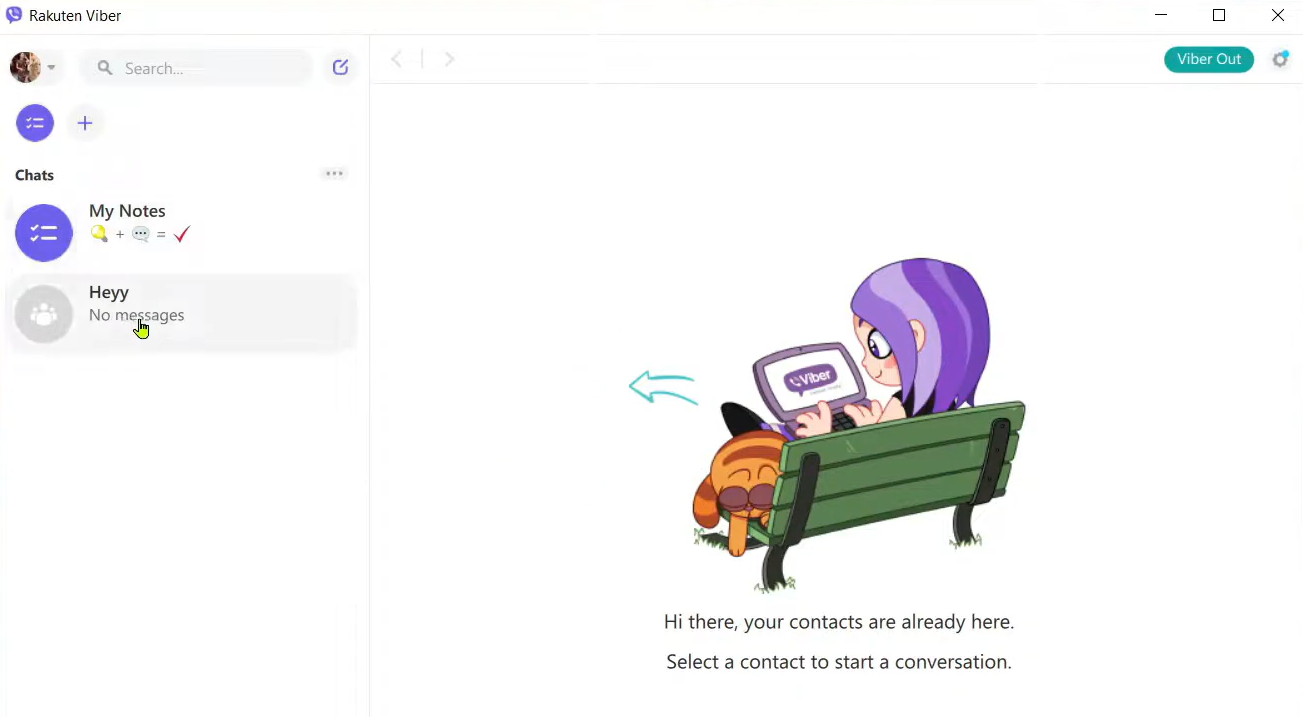
Viber ist eine Kommunikations-App, die Privatpersonen und Unternehmen für Nachrichten sowie Sprach- und Videokommunikation nutzen. Sie richtet sich an Nutzer, die weltweit eine zuverlässige und kostengünstige Kommunikation mit Freunden, Familie und Kollegen benötigen.
Warum Viber eine gute Skype-Alternative ist: Viber bietet kostenlose weltweite Anrufe und ist daher eine attraktive Wahl für alle, die häufig international kommunizieren. Sie können Text-, Foto- und Videonachrichten senden, wodurch sich Ihre Interaktionsmöglichkeiten verbessern. Mit hochwertigen Sprach- und Videoanrufen sorgt Viber für eine klare Kommunikation. Außerdem unterstützt die App Gruppenchats, sodass Sie gleichzeitig mit mehreren Personen in Kontakt bleiben können.
Besondere Funktionen & Integrationen:
Zu den Funktionen gehört die Möglichkeit, Communities zu erstellen, wodurch Sie mit großen Personengruppen zu gemeinsamen Interessen in Kontakt treten können. Viber bietet außerdem sich selbst löschende Nachrichten und damit eine zusätzliche Ebene des Datenschutzes für Ihre Kommunikation. Sie können den Sticker-Markt der App nutzen, um Ihre Nachrichten unterhaltsamer und persönlicher zu gestalten.
Zu den Integrationen gehören Facebook, Twitter, YouTube, Spotify, Giphy, Google Maps, Dropbox, Evernote, Slack, Microsoft Teams und weitere.
Pros and Cons
Pros:
- Hochwertige Sprachanrufe
- Unterstützt große Gruppenchats
- Ansprechende Communities mit zielgerichteten Nachrichten
Cons:
- Keine Desktop-App-Funktionen
- Erfordert eine Internetverbindung

Am besten für integrierte Geschäftslösungen
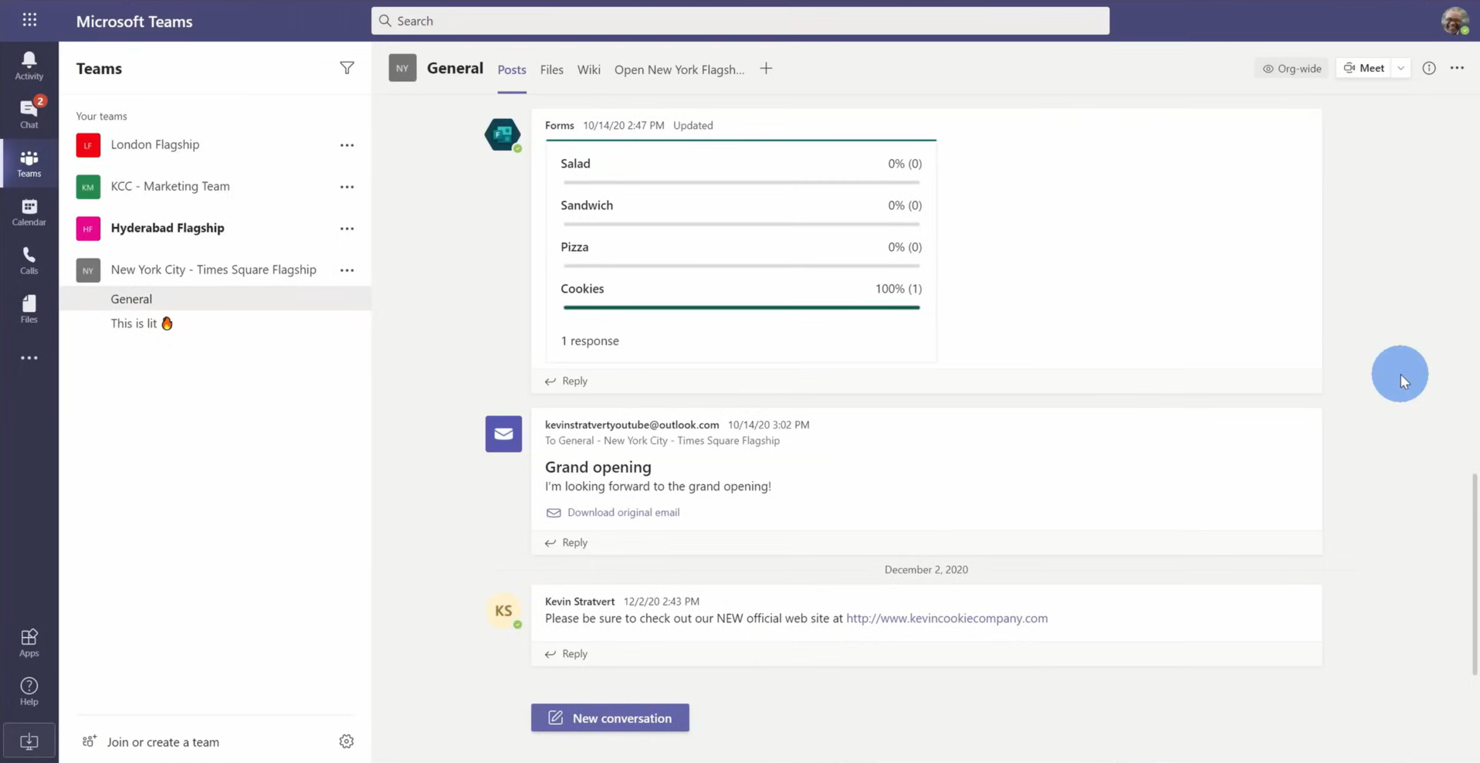
Microsoft Teams ist eine Kollaborationsplattform für Unternehmen und Organisationen, die integrierte Kommunikations- und Produktivitätstools benötigen. Sie unterstützt Chats, Videokonferenzen und Dateifreigaben, um die Zusammenarbeit im Team zu stärken.
Warum Microsoft Teams eine gute Skype-Alternative ist: Microsoft Teams bietet integrierte Geschäftslösungen mit Funktionen wie gemeinsamen Arbeitsbereichen und gemeinsamer Dateibearbeitung. Sie können Videokonferenzen mit bis zu 300 Teilnehmern durchführen und so die Interaktion in großen Teams erleichtern. Die Plattform ermöglicht die Bearbeitung von Dokumenten in Echtzeit, sodass Ihr Team stets auf dem gleichen Stand bleibt. Darüber hinaus helfen Ihnen die Funktionen zur Aufgabenverwaltung, Projekte effizient zu organisieren und zu verfolgen.
Herausragende Funktionen & Integrationen:
Zu den Funktionen gehört ein Whiteboard-Tool, mit dem Ihr Team gemeinsam Ideen entwickeln und visualisieren kann. Microsoft Teams bietet außerdem die Transkription von Besprechungen, die eine schriftliche Aufzeichnung der Diskussionen zur einfachen Bezugnahme bereitstellt. Die Plattform umfasst einen integrierten Kalender, mit dem Sie Besprechungen effektiv planen und verwalten können.
Zu den Integrationen gehören Microsoft Office 365, SharePoint, OneDrive, Power BI, Trello, Zoom, Salesforce, Asana und weitere.
Pros and Cons
Pros:
- Integriert in Microsoft Office
- Integrierte Aufgabenverwaltung
- Transkription von Besprechungen verfügbar
Cons:
- Erfordert ein Microsoft 365-Abonnement
- Gelegentliche Leistungsprobleme

Am besten für Werkzeuge zur Geschäftskommunikation geeignet
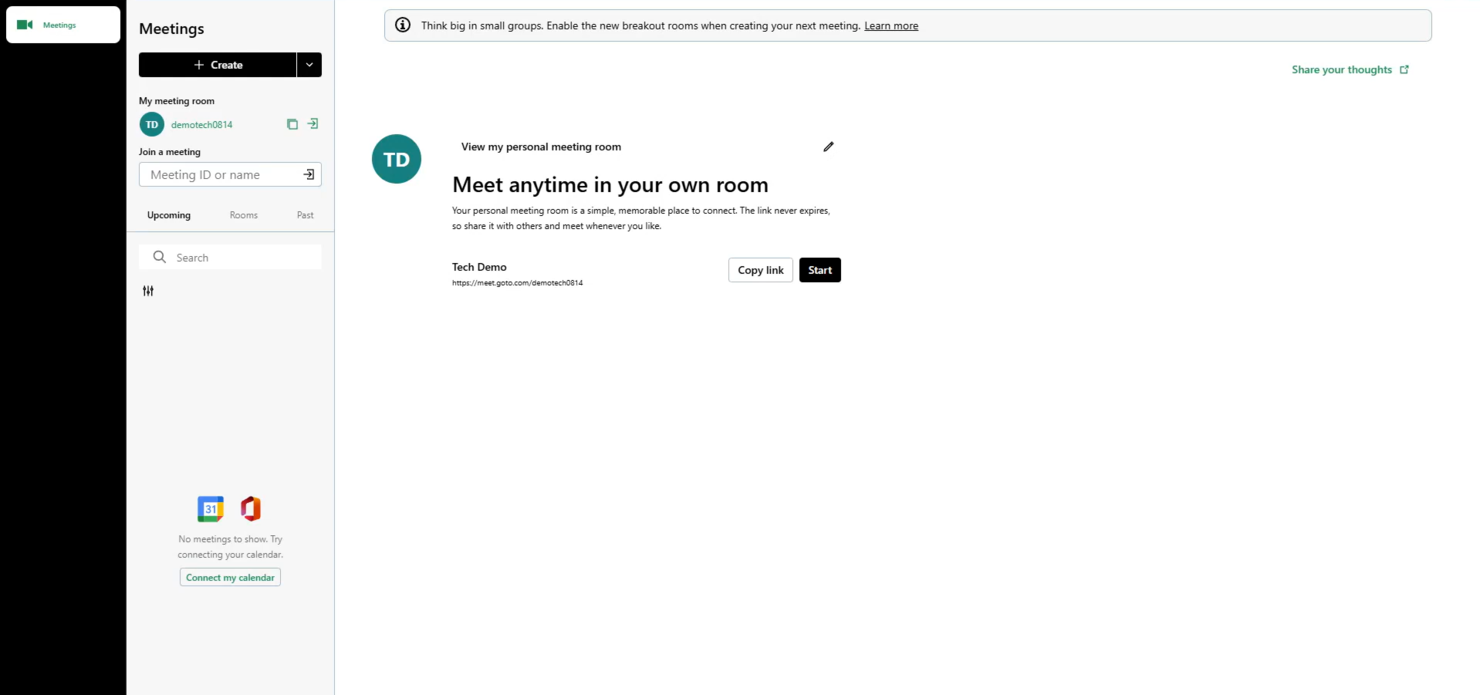
GoTo Meeting ist eine Anwendung für Webkonferenzen für Fachleute und Unternehmen, die zuverlässige Lösungen für Online-Meetings benötigen. Es ermöglicht Videokonferenzen, Bildschirmfreigabe und Zusammenarbeit für Teams an verschiedenen Standorten sowie für Kunden.
Warum GoTo Meeting eine gute Skype-Alternative ist: GoTo Meeting bietet Werkzeuge für die Geschäftskommunikation, die virtuelle Meetings mit Funktionen wie hochauflösenden Videokonferenzen und kristallklarem Ton verbessern. Die Plattform unterstützt bis zu 250 Teilnehmer und eignet sich damit für große Meetings. Sie können Sitzungen zur späteren Bezugnahme aufzeichnen und so sicherstellen, dass wichtige Details nicht übersehen werden. Außerdem hält die mobile Anwendung Ihr Team auch unterwegs in Verbindung.
Hervorstechende Funktionen und Integrationen:
Zu den Funktionen gehört eine Funktion zum Sperren von Meetings, die verhindert, dass nicht eingeladene Teilnehmer beitreten, und so für eine zusätzliche Sicherheitsebene sorgt. GoTo Meeting bietet Zeichenwerkzeuge, mit denen Sie während Präsentationen freigegebene Bildschirme kommentieren können. Die Plattform stellt außerdem benutzerdefinierte Meeting-Links bereit, wodurch sich Teilnehmer einfach einladen lassen.
Zu den Integrationen gehören Microsoft Office 365, Slack, Salesforce, Google Kalender, HubSpot, Microsoft Teams, Zoho CRM, Zendesk und mehr.
Pros and Cons
Pros:
- Mobile Anwendung verfügbar
- Hochauflösendes Audio und Video
- Sichere Funktion zum Sperren von Meetings
Cons:
- Kann ressourcenintensiv sein
- Grundlegende Anpassungsoptionen

Ideal für sichere Bereitstellungen

Rocket.Chat ist eine Kommunikationsplattform für Unternehmen und Organisationen, bei denen Datenschutz und Sicherheit im Mittelpunkt stehen. Sie eignet sich ideal für Teams in Branchen, die sichere Kommunikation benötigen, etwa im Gesundheitswesen, im Finanzsektor und in Behörden.
Warum Rocket.Chat eine gute Skype-Alternative ist: Rocket.Chat ermöglicht sichere Bereitstellungen mit Hosting vor Ort und gibt Ihnen dadurch die vollständige Kontrolle über Ihre Daten. Dank der Ende-zu-Ende-Verschlüsselung bleiben die Gespräche Ihres Teams privat. Die Plattform unterstützt eine unbegrenzte Anzahl von Benutzern und ist dadurch für größere Organisationen skalierbar. Darüber hinaus stellen anpassbare Benutzerrollen und Berechtigungen sicher, dass Ihr Team über die jeweils angemessene Zugriffsebene verfügt.
Herausragende Funktionen & Integrationen:
Funktionen umfassen Live-Chat-Unterstützung, mit der Sie in Echtzeit mit Kunden kommunizieren können. Rocket.Chat bietet außerdem eine Option zur Nutzung mit eigener Marke, mit der Sie die Plattform als Ihre eigene kennzeichnen können. Die Plattform ermöglicht eine Echtzeitübersetzung und stellt dadurch sicher, dass Sprachbarrieren die Kommunikation nicht beeinträchtigen.
Integrationen umfassen GitHub, GitLab, Zapier, Google Drive, Dropbox Paper, Trello, Slack, Microsoft Teams Bridge und mehr.
Pros and Cons
Pros:
- Starke Kontrollen zum Datenschutz
- Anpassbare Benutzerberechtigungen
- Option zur Nutzung mit eigener Marke
Cons:
- Komplexe Ersteinrichtung
- Erfordert technisches Wissen

Am besten für umfassende Kommunikation
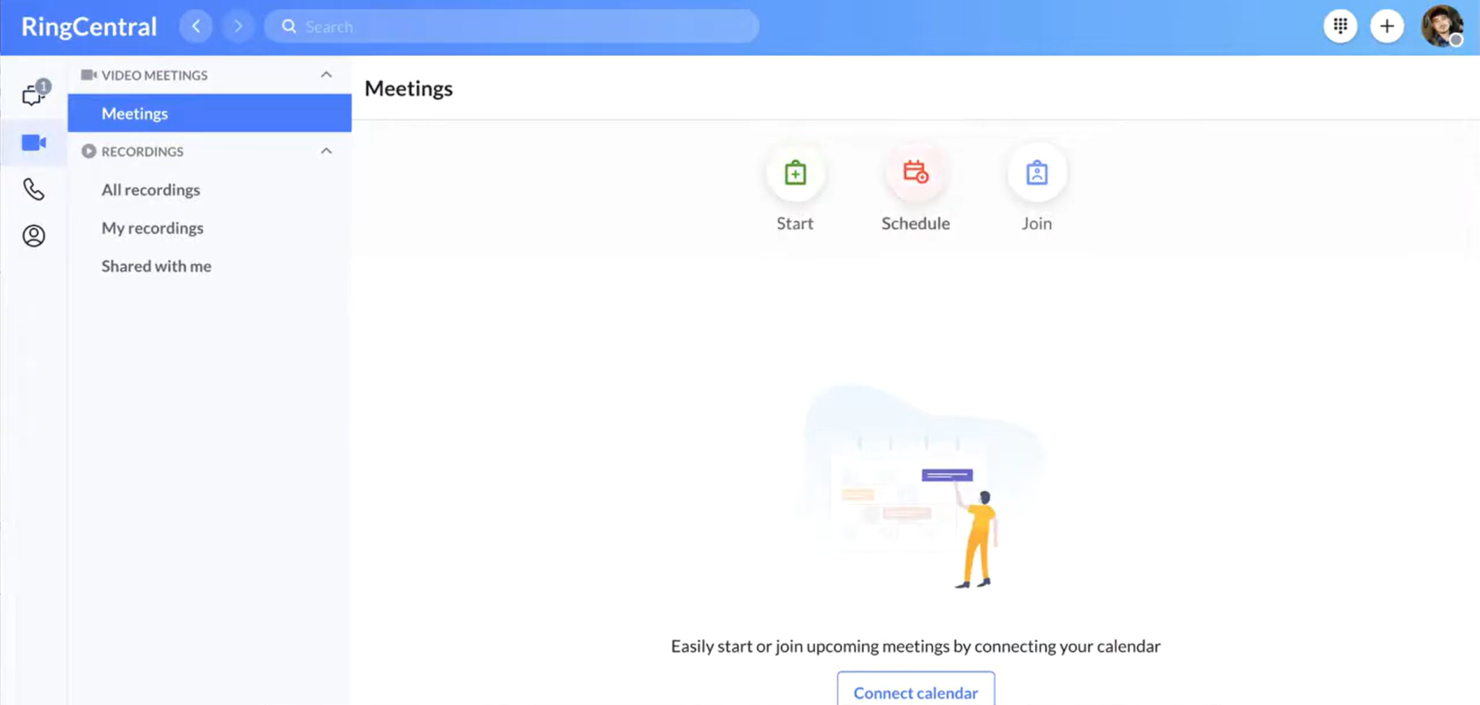
RingCentral ist eine cloudbasierte Kommunikationsplattform für Unternehmen, die eine integrierte Lösung für Sprachkommunikation, Video und Messaging benötigen. Sie unterstützt Remote-Arbeitskräfte und hilft Teams, von überall aus effektiv zusammenzuarbeiten.
Warum RingCentral eine gute Skype-Alternative ist: RingCentral bietet eine Komplettlösung für die Kommunikation, die Telefonie, Videokonferenzen und Team-Messaging miteinander verbindet. Die Plattform ermöglicht hochauflösende Videokonferenzen, wodurch sich die Qualität virtueller Meetings verbessert. Sie unterstützt Funktionen zur Anrufverwaltung wie Anrufweiterleitung und automatische Vermittlung und stellt so sicher, dass Ihr Team verbunden bleibt. Darüber hinaus bieten die Analyse- und Berichtstools Einblicke in Kommunikationsmuster.
Herausragende Funktionen & Integrationen:
Zu den Funktionen gehört eine mobile App, mit der Ihr Team auch unterwegs verbunden bleiben kann. RingCentral bietet eine Voicemail-zu-E-Mail-Funktion, sodass Sie jederzeit auf Nachrichten zugreifen können. Die Plattform stellt Tools für die Teamzusammenarbeit bereit, darunter Aufgabenverteilung und gemeinsam genutzte Kalender, um die Produktivität zu steigern.
Zu den Integrationen gehören Microsoft Teams, Salesforce, Google Workspace, Zendesk und weitere.
Pros and Cons
Pros:
- Klare hochauflösende Videoanrufe
- Unterstützt Remote-Arbeitskräfte
- Umfasst Analyse- und Berichtstools
Cons:
- Kann komplex einzurichten sein
- Begrenzte Anpassungsmöglichkeiten

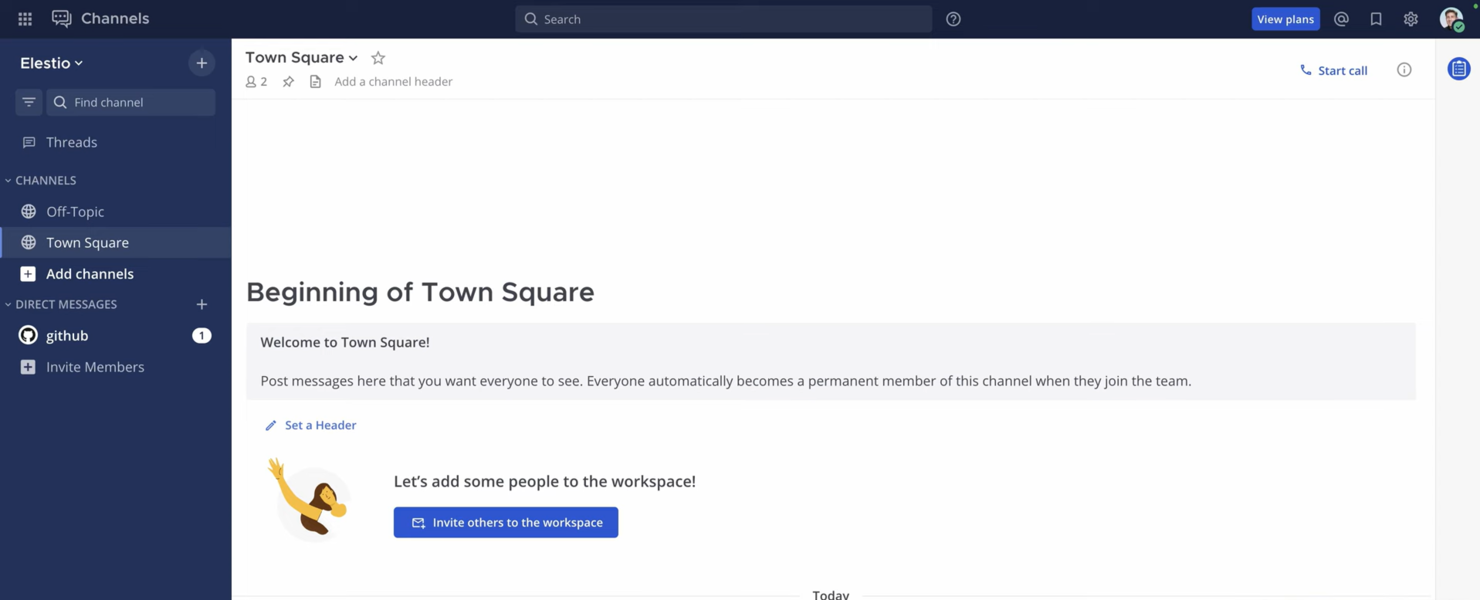
Mattermost ist eine Open-Source-Messagingplattform, die für Teams entwickelt wurde, die sichere und skalierbare Kommunikationslösungen benötigen. Sie ist in Branchen wie Technologie, Gesundheitswesen und Behörden beliebt, in denen der Datenschutz von größter Bedeutung ist.
Warum Mattermost eine gute Skype-Alternative ist: Mattermost bietet Unterstützung für einsatzkritische Umgebungen mit Optionen für die selbstgehostete Bereitstellung, sodass Sie die vollständige Kontrolle über Ihre Daten behalten. Die Plattform unterstützt eine Ende-zu-Ende-Verschlüsselung, wodurch die Unterhaltungen Ihres Teams sicher bleiben. Dank der anpassbaren Benutzeroberfläche können Sie die Plattform an die Anforderungen Ihrer Organisation anpassen. Darüber hinaus unterstützt die Plattform die Einhaltung von Branchenstandards, einschließlich HIPAA, und eignet sich damit für regulierte Branchen.
Herausragende Funktionen & Integrationen:
Funktionen umfassen Nachrichten mit Threads, die Ihnen helfen, Unterhaltungen übersichtlich zu halten. Mattermost bietet außerdem Dateifreigabe mit unbegrenztem Speicherplatz, sodass Ihr Team effizient zusammenarbeiten kann. Die Plattform stellt eine erweiterte Suchfunktion bereit, mit der Sie relevante Informationen und Unterhaltungen schnell finden können.
Integrationen umfassen Jira, GitHub, GitLab, Jenkins, Zoom, Cisco Syslog, Slack, Google Drive, Microsoft Teams, Trello und mehr.
Pros and Cons
Pros:
- Selbstgehostete Bereitstellung
- Anpassbare Benutzeroberfläche
- Unterstützt die Einhaltung von Branchenvorschriften
Cons:
- Erfordert technisches Fachwissen
- Kann komplex einzurichten sein


Zadarma ist ein virtuelles Telefonsystem, das auf kleine Unternehmen, Mitarbeiter im Homeoffice, Callcenter und Großunternehmen zugeschnitten ist. Es bietet Sprachanrufe über das Internet (VoIP), virtuelle Telefonnummern und ein multifunktionales Kundenbeziehungsmanagementsystem (CRM), um die Kommunikation und Geschäftsabläufe zu stärken.
Warum Zadarma eine gute Skype-Alternative ist: Zadarma bietet ein virtuelles Telefonsystem mit Anruffunktionen wie einer Cloud-Telefonanlage und SIP-Trunk, die in Skype nicht verfügbar sind. Ihr Team kann damit schnell und kostenlos ein virtuelles Büro einrichten. Mit Anrufverfolgung und Sprachanalyse können Sie Einblicke in Ihre Kommunikationsprozesse gewinnen. Darüber hinaus bieten die Videokonferenzfunktionen eine umfassende Kommunikationslösung für Ihr Unternehmen.
Herausragende Funktionen & Integrationen:
Zu den Funktionen gehören ein multifunktionales CRM zur Verwaltung von Kundenprofilen, Sprachanalyse zur Überwachung von Anrufen und ein Anrufverfolgungssystem zur Bewertung der Teamleistung. Sie können außerdem direkt über Ihren Browser telefonieren, was den Benutzerzugriff vereinfacht. Die Plattform unterstützt sowohl Videokonferenzen als auch SMS-Dienste und erhöht dadurch die Flexibilität der Kommunikation.
Zu den Integrationen gehören Zoho CRM, Slack, Zendesk, Salesforce, HubSpot, Microsoft Teams und weitere.
Pros and Cons
Pros:
- Detaillierte Anrufverfolgung
- Leistungsstarke Sprachanalyse
- Direkte Anrufe über den Browser
Cons:
- Keine Tools für große Unternehmen
- Begrenzte Unterstützung für Drittanbieter-Apps
Weitere Alternativen zu Skype for Business
Hier sind einige weitere Skype-Alternativen, die es nicht auf meine Auswahlliste geschafft haben, aber dennoch einen Blick wert sind:


Wie ich Alternativen zu Skype for Business bewerte
Ich teile meine Bewertung in zwei Ebenen auf: die grundlegenden Funktionen, die jedes Werkzeug bieten muss – etwa Gruppenvideo, dauerhaften Chat und VoIP – sowie die Unterscheidungsmerkmale, die gute von herausragenden Lösungen abheben.
Grundlegende Funktionen (Mindestanforderungen für diese Liste)
Bei der Auswahl der Werkzeuge für meine Liste bewerte ich jedes einzelne auf einer Skala von 0 (bietet die Funktion nicht) bis 5 (zeichnet sich in diesem Bereich aus) für jede der unten aufgeführten grundlegenden Funktionen. Anschließend rechne ich die Gesamtpunktzahl des Werkzeugs in einen Prozentsatz um. Jedes Werkzeug muss eine Mindestgesamtpunktzahl von 75 % erreichen, um für die Aufnahme berücksichtigt zu werden.
- Videokonferenzen: Ich bewerte die Kapazität für Gruppenvideos, die Bildschirmfreigabe und die Aufzeichnung – Funktionen, auf die Projektteams bei Sprint-Reviews, Kundendemonstrationen und Präsentationen für Beteiligte angewiesen sind.
- Sofortnachrichten: Ein dauerhafter Einzel- und Gruppenchat mit Antworten in Threads, Dateifreigabe und durchsuchbarem Verlauf ist wichtig, wenn Ihr Team eine vor Wochen getroffene Entscheidung zurückverfolgen muss.
- VoIP & Audioanrufe: Ich prüfe, ob eine Plattform internetbasierte Sprachanrufe und optional die Einwahl über das öffentliche Telefonnetz (PSTN) unterstützt, da verteilte Teams häufig schnell einen Anruf benötigen, statt eine geplante Besprechung abzuhalten.
- Teamkanäle & Arbeitsbereiche: Nach Projekten, Kunden oder Arbeitsabläufen organisierte Kanäle sorgen dafür, dass Gespräche auffindbar bleiben – ich prüfe, wie die einzelnen Werkzeuge Berechtigungen, den Gastzugriff und die Kanalstruktur handhaben.
- Integrationen von Drittanbietern: Ich achte auf integrierte Verbindungen zu Werkzeugen wie Jira, Asana, Monday.com und Trello sowie auf offene APIs, mit denen Teams benutzerdefinierte Arbeitsabläufe zwischen ihrer Projektmanagement-Werkzeuglandschaft und ihrer Kommunikationsplattform erstellen können.
- Plattformübergreifende Verfügbarkeit: Der Zugriff über Desktop, Mobilgeräte und Web mit einheitlichem Funktionsumfang ist etwas, worauf ich achte, da Hybridteams im Laufe des Tages zwischen verschiedenen Geräten wechseln.
Sobald ich eine Liste von Werkzeugen habe, die diese Kriterien erfüllen, prüfe ich, wodurch sich die einzelnen Plattformen auszeichnen.
Unterscheidungsmerkmale (Was Anbieter voneinander abhebt)
So vergleiche ich die verschiedenen Anbieter miteinander:
Herausragende Funktionen
Besprechungsassistenten mit KI-Unterstützung sind ein wichtiges Unterscheidungsmerkmal. Ich suche nach Werkzeugen, die automatisch Zusammenfassungen erstellen und Aufgaben ableiten, damit Projektmanager nach jedem täglichen Teamtreffen oder Kundengespräch keine manuellen Notizen mehr anfertigen müssen. Auch der Gast- und externe Zugriff ist wichtig. Agenturteams und projektverantwortliche Mitarbeiter mit Kundenkontakt müssen Beteiligte in Kanäle oder Besprechungen einbinden können, ohne sie zu einem kostenpflichtigen Lizenzabschluss zu zwingen. Außerdem bewerte ich, ob eine Plattform eine integrierte Aufgabenzuweisung bietet, denn weniger Kontextwechsel zwischen dem Kommunikationswerkzeug und dem Projektmanagement-Board bedeuten, dass weniger Aufgaben untergehen.
Mehr als nur Funktionen
Sicherheits- und Compliance-Zertifizierungen wie SOC 2 und ISO 27001 sollten geprüft werden, insbesondere wenn Ihre Projekte sensible Kundendaten oder regulierte Branchen betreffen. Die Unterstützung bei der Migration ist ein weiterer Faktor, den ich genau bewerte – Teams, die von Skype for Business wechseln, benötigen klare Werkzeuge oder eine begleitete Einarbeitung, um Ausfallzeiten während des Wechsels zu vermeiden. Ich berücksichtige außerdem, wie gut eine Plattform skaliert, denn ein Werkzeug, das für ein zehnköpfiges Projektteam funktioniert, aber bei 500 gleichzeitig an einer Besprechung teilnehmenden Personen in die Knie geht, wird eine wachsende PMO nicht lange unterstützen.
Warum nach einer Alternative zu Skype for Business suchen?
Obwohl Skype for Business – und inzwischen Microsoft Teams – eine gute Wahl für die Unternehmenskommunikation sein kann, gibt es mehrere Gründe, warum einige Teams weiterhin nach alternativen Lösungen suchen. Eine Alternative zu Skype for Business könnte für Sie interessant sein, wenn:
- Sie benötigen eine bessere Integration mit Tools außerhalb des Microsoft-Ökosystems
- Ihr Team wünscht sich fortschrittlichere oder flexiblere Sicherheitskontrollen
- Sie suchen nach verbesserter Gesprächsqualität oder Zuverlässigkeit
- Ihr Unternehmen benötigt eine besser skalierbare oder schlankere Kommunikationslösung
- Sie benötigen mehr Anpassungsmöglichkeiten oder eine einfachere Einrichtung
- Ihr Team benötigt gezieltere Funktionen für die Zusammenarbeit
Wenn Ihnen eines davon bekannt vorkommt, sind Sie hier genau richtig. Diese Liste enthält mehrere Kommunikationslösungen für Unternehmen, die möglicherweise besser zu Teams passen, die Microsoft Teams entwachsen sind, und die sich idealerweise besser an ihre Arbeitsweise anpassen.
Funktionen
Die Kernfunktionen von Skype for Business – jetzt über Microsoft Teams bereitgestellt – bilden den Maßstab für das, was viele Teams von modernen Kommunikationstools erwarten. Nutzen Sie diese Funktionen, um zu vergleichen, was alternative Lösungen bieten:
- Videoanrufe: Verbinden Sie sich persönlich mit Ihrem Team oder Ihren Kunden
- Bildschirmfreigabe: Teilen Sie Ihren Bildschirm, um in Echtzeit gemeinsam an Projekten zu arbeiten
- Dateifreigabe: Senden und empfangen Sie während Besprechungen und Chats Dokumente
- Live-Untertitel: Zeigen Sie in Echtzeit Untertitel in mehreren Sprachen an, um die Barrierefreiheit zu verbessern
Besprechungslinks: Teilen Sie Besprechungslinks mit Teilnehmern auf jedem Gerät - Hintergrundeffekte: Passen Sie Hintergründe an verschiedene Besprechungssituationen an
- Chat-Anpassung: Personalisieren Sie Chat-Ansichten und Designs
- Werkzeuge für die Zusammenarbeit: Teilen Sie Inhalte und arbeiten Sie während Anrufen und Besprechungen gemeinsam