

Die 10 besten Jobber-Alternativen für Dienstleistungsunternehmen im Jahr 2026

10 Auswahlliste der besten Jobber-Alternativen
- 4. Workiz


Die Verwaltung eines Außendienstunternehmens kann mit ganz eigenen Herausforderungen verbunden sein. Als Geschäftsinhaber stellen Sie möglicherweise fest, dass Jobber nicht all Ihre Anforderungen erfüllt – sei es, weil Sie fortschrittlichere Funktionen und eine bessere Skalierbarkeit benötigen oder weil Sie bestimmte Branchenanforderungen erfüllen müssen. Hier kann es einen entscheidenden Unterschied machen, Alternativen zu prüfen.
Meiner Erfahrung nach benötigen Dienstleistungsunternehmen Verwaltungssoftware, die Geschäftsabläufe vereinfacht, die Zusammenarbeit im Team verbessert und die Kundenzufriedenheit steigert. Ich helfe Ihnen dabei, die passende Lösung für Ihr Unternehmen zu finden.
Ich stelle Ihnen meine bevorzugten Jobber-Alternativen vor und konzentriere mich darauf, worin jedes Werkzeug besonders gut ist. Dieser Leitfaden soll Ihnen unvoreingenommene Einblicke bieten und Ihnen die Auswahl einer Lösung erleichtern, die zu Ihren individuellen Zielen passt.
Was ist Jobber?
Jobber ist eine Software für das Außendienstmanagement, die kleinen und mittelgroßen Dienstleistungsunternehmen bei der Verwaltung ihrer Abläufe hilft. Sie wird häufig von Fachleuten wie Landschaftsgärtnern, Reinigungsunternehmen und Auftragnehmern eingesetzt und bietet ihnen Werkzeuge zur Organisation von Aufträgen, Kommunikation mit Kunden und effizienten Abwicklung der Abrechnung. Funktionen für Terminplanung, Rechnungsstellung und Kundenverwaltung helfen Unternehmen, den Überblick zu behalten und die Kundenzufriedenheit zu verbessern. Insgesamt bietet Jobber einen Mehrwert, indem es alltägliche Abläufe vereinfacht und die Erbringung von Dienstleistungen unterstützt.
Vergleichstabelle der Jobber-Alternativen
Die folgende Tabelle vergleicht die Preisdetails meiner besten Jobber-Alternativen.
| Tool | Best For | Trial Info | Price | ||
|---|---|---|---|---|---|
| 1 | Am besten geeignet für Einzelunternehmer und kleine Teams mit begrenztem Budget | 7-tägige kostenlose Testversion | Ab 15 $/Monat (jährliche Abrechnung) | Website | |
| 2 | Am besten für KI-gestützte Auftragsbuchung und Disposition | Kostenlose Demo verfügbar | Preis auf Anfrage | Website | |
| 3 | Am besten für gewerbliche Serviceverträge und SLAs geeignet | Kostenlose Demo verfügbar | Preise auf Anfrage | Website | |
| 4 | 7-tägige kostenlose Testversion verfügbar | Preise auf Anfrage | Website | ||
| 5 | Am besten geeignet für HVAC- und Sanitärbetriebe jeder Größe | Kostenlose Demo verfügbar | Preise auf Anfrage | Website | |
| 6 | Am besten für anlagenzentrierte Serviceabläufe | Kostenlose Demo verfügbar | Preis auf Anfrage | Website | |
| 7 | Am besten für mit QuickBooks verbundene Arbeitsabläufe im Handwerk | Kostenlose Demo verfügbar | Preis auf Anfrage | Website | |
| 8 | Am besten geeignet für Pauschalpreise mit unbegrenzten Nutzern | Kostenlose Demo verfügbar | Ab $245/Monat | Website | |
| 9 | Am besten für Handwerksbetriebe mit auftragsvolumenbasierter Preisgestaltung | 14-tägige kostenlose Testversion + kostenloser Tarif + kostenlose Demo verfügbar | Ab $29/Monat | Website | |
| 10 | Am besten für unternehmensweiten Außendienst mit nativer CRM-Integration | Nicht verfügbar | Ab $80/Benutzer/Monat | Website |
Warum Sie unseren Software-Empfehlungen vertrauen können
Unser Team testet und bewertet Software seit 2012. Als Projektmanager wissen wir selbst, wie schwierig – und wichtig – es ist, die richtige Software auszuwählen.
Für diesen Leitfaden haben wir Tools mithilfe von praktischen Tests und unabhängiger Recherche bewertet und dabei unsere Bewertungskriterien angewendet. Zudem greifen wir auf Erkenntnisse von Branchenvordenkern und praktizierenden Projektmanagement-Experten zurück.
Unsere Bewertungen spiegeln unser menschliches redaktionelles Urteilsvermögen wider, keine Verkaufsstrategie.
Expertenprüfer:
Bewertungen der besten Jobber-Alternativen
Nachfolgend finden Sie meine ausführlichen Zusammenfassungen der besten Jobber-Alternativen, die es in meine Auswahlliste geschafft haben. Meine Bewertungen bieten einen detaillierten Einblick in die wichtigsten Funktionen, Vor- und Nachteile, Integrationen und idealen Einsatzmöglichkeiten jedes Werkzeugs, damit Sie die beste Lösung für sich finden.

Tofu
Am besten geeignet für Einzelunternehmer und kleine Teams mit begrenztem Budget
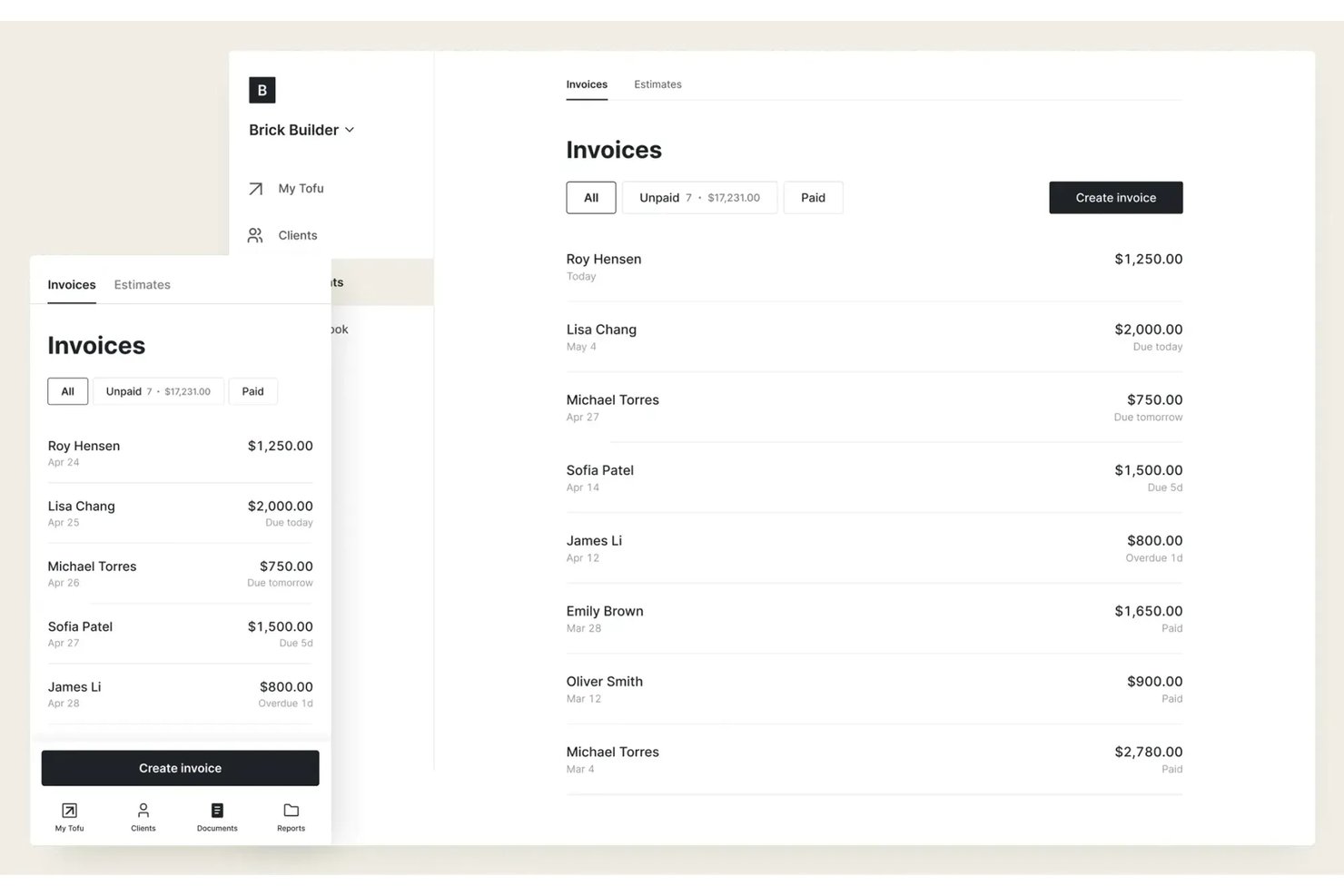
Tofu ist eine Plattform für das Management von Außendienstleistungen, die für Freiberufler, Einzelunternehmer und schlanke Teams entwickelt wurde, die eine erschwingliche, unkomplizierte Planung, Disposition und Auftragsverfolgung ohne zusätzliche Funktionsschichten oder Verwaltungsaufwand benötigen.
Für wen ist Tofu am besten geeignet?
Einzelunternehmer und kleine Teams, die eine einfache und kostengünstige Planung von Außendienstleistungen sowie Auftragsverfolgung ohne unnötige Komplexität wünschen.
Warum Tofu eine gute Jobber-Alternative ist
Ich habe Tofu für meine Auswahlliste ausgewählt, weil die Plattform das Management von Außendienstleistungen auf das reduziert, was Einzelunternehmer und kleine Teams tatsächlich benötigen: eine erschwingliche Auftragsplanung, Disposition und Auftragsverfolgung in Echtzeit. Ich schätze, dass Tofu Komplexität vermeidet und mir ermöglicht, Aufträge, Kunden und Teammitglieder zu verfolgen, ohne mich durch zusätzliche Module oder Funktionen arbeiten zu müssen.
Die wichtigsten Funktionen von Tofu
- Verwaltung der Kundendatenbank: Kontaktdaten, Auftragshistorie und Präferenzen von Kunden an einem Ort speichern und organisieren.
- Auftragsnotizen und Anhänge: Notizen hinzufügen und Fotos oder Dateien zu jedem Auftrag hochladen, damit sie im Außendienst schnell zur Hand sind.
- Automatisierte Auftragserinnerungen: Automatische Erinnerungen einrichten, um Sie oder Ihr Team über bevorstehende Aufträge oder Fristen zu benachrichtigen.
- Für Mobilgeräte optimierte Benutzeroberfläche: Zeitpläne, Auftragsinformationen und Aktualisierungen von jedem Smartphone oder Tablet aus abrufen.
Tofu-Integrationen
Native Integrationen sind nicht eindeutig dokumentiert. Tofu bietet eine API für individuelle Integrationen.
Pros and Cons
Pros:
- Einfache Planung für Einzelunternehmer und kleine Teams
- Auftragsnotizen und Fotoanhänge über Mobilgeräte
- Keine unnötigen Funktionen überladen die Benutzeroberfläche
Cons:
- Keine integrierten Tools für die Kundenkommunikation
- Für individuelle Integrationen muss die API verwendet werden

Am besten für KI-gestützte Auftragsbuchung und Disposition
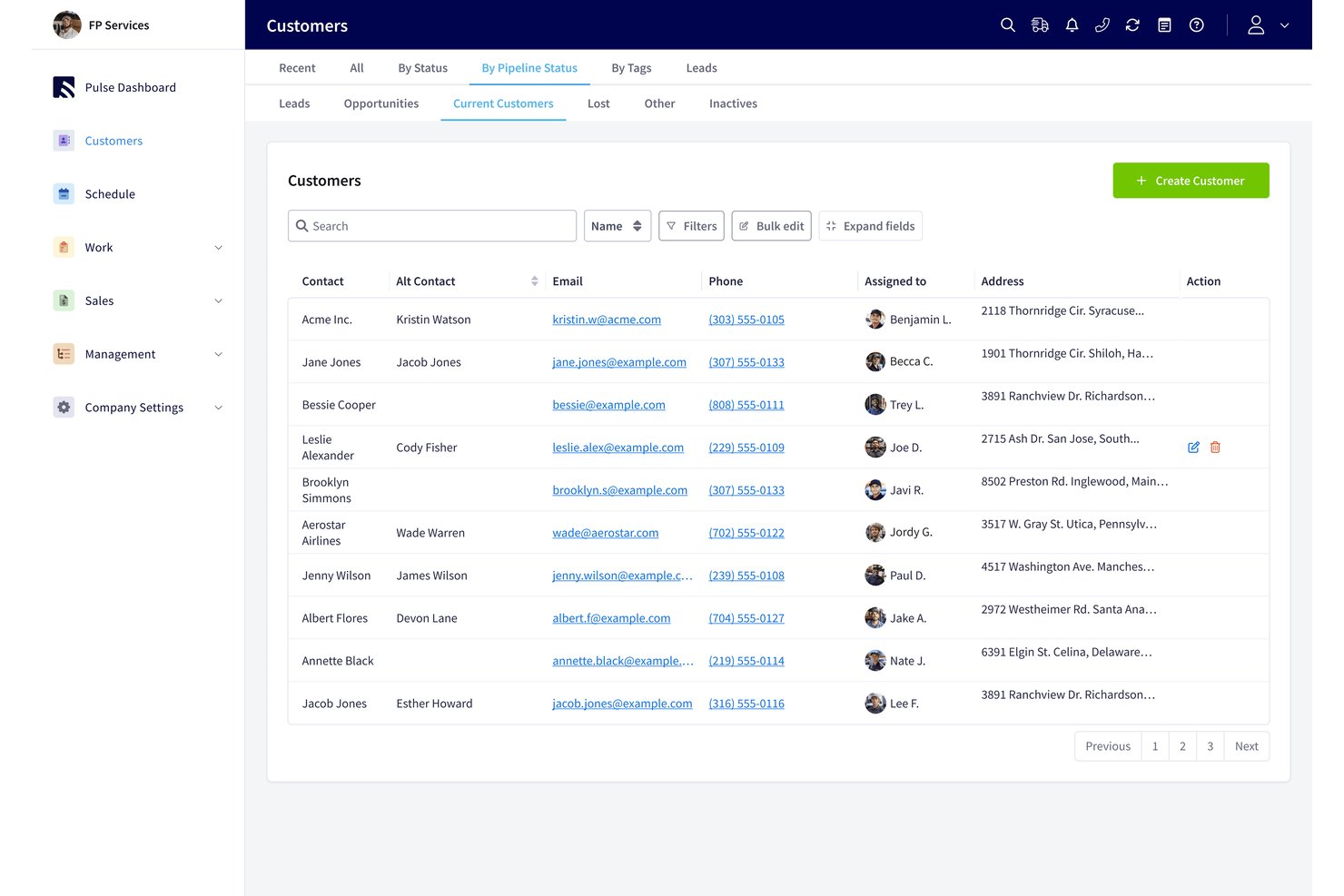
FieldPulse ist eine Software für das Management von Außendiensteinsätzen für Auftragnehmer, die Kundenanfragen, Kostenvoranschläge, Rechnungen und Außendienstteams verwalten müssen (am besten für KI-gestützte Auftragsbuchung und Disposition).
Für wen ist FieldPulse am besten geeignet?
FieldPulse eignet sich für Außendienstunternehmen, deren Büroteams eingehende Kundenanfragen in geplante Aufträge für Techniker umwandeln müssen.
Warum ich FieldPulse ausgewählt habe
Ich habe FieldPulse als Jobber-Alternative ausgewählt, weil die KI-gestützte Auftragsbuchung und Disposition dabei hilft, verpasste Anrufe in geplante Aufträge umzuwandeln. Operator AI beantwortet eingehende Anrufe, prüft die Abdeckung des Servicegebiets und die Verfügbarkeit von Terminen und erstellt anschließend Aufträge im FieldPulse-Zeitplan. So kann beispielsweise eine Sanitäranfrage aufgenommen und gebucht werden, ohne dass die Büromitarbeiter den Anruf manuell erfassen müssen.
Wichtige Funktionen von FieldPulse
- Kostenvoranschläge und Rechnungen: Angebote erstellen, genehmigte Kostenvoranschläge in Rechnungen umwandeln und Zahlungen akzeptieren.
- Verwaltung von Arbeitsaufträgen: Arbeitsaufträge für Außendienstaufträge erstellen und verwalten.
- Bestandsverwaltung: Bestände als Teil der Serviceabläufe verfolgen.
- Kundenverwaltung: Kundendaten und Kommunikationsdetails an einem Ort aufbewahren.
FieldPulse-Integrationen
FieldPulse dokumentiert native Integrationen mit QuickBooks Online zur Synchronisierung von Geschäftsdaten und mit Google Calendar zur einseitigen Synchronisierung von Aufträgen. Außerdem lässt es sich mit Zapier verbinden und bietet eine API für benutzerdefinierte Integrationen.
Pros and Cons
Pros:
- Operator AI bucht eingehende Anrufe direkt
- Die Drag-and-Drop-Planung sorgt für mehr Klarheit bei der Disposition von Technikern
- Kostenvoranschläge lassen sich mit weniger erneuter Dateneingabe in Rechnungen umwandeln
Cons:
- Bei der Disposition fehlt eine automatische Routenoptimierung
- Die mobile App kann bei schwacher Netzabdeckung fehlerhaft funktionieren

Am besten für gewerbliche Serviceverträge und SLAs geeignet
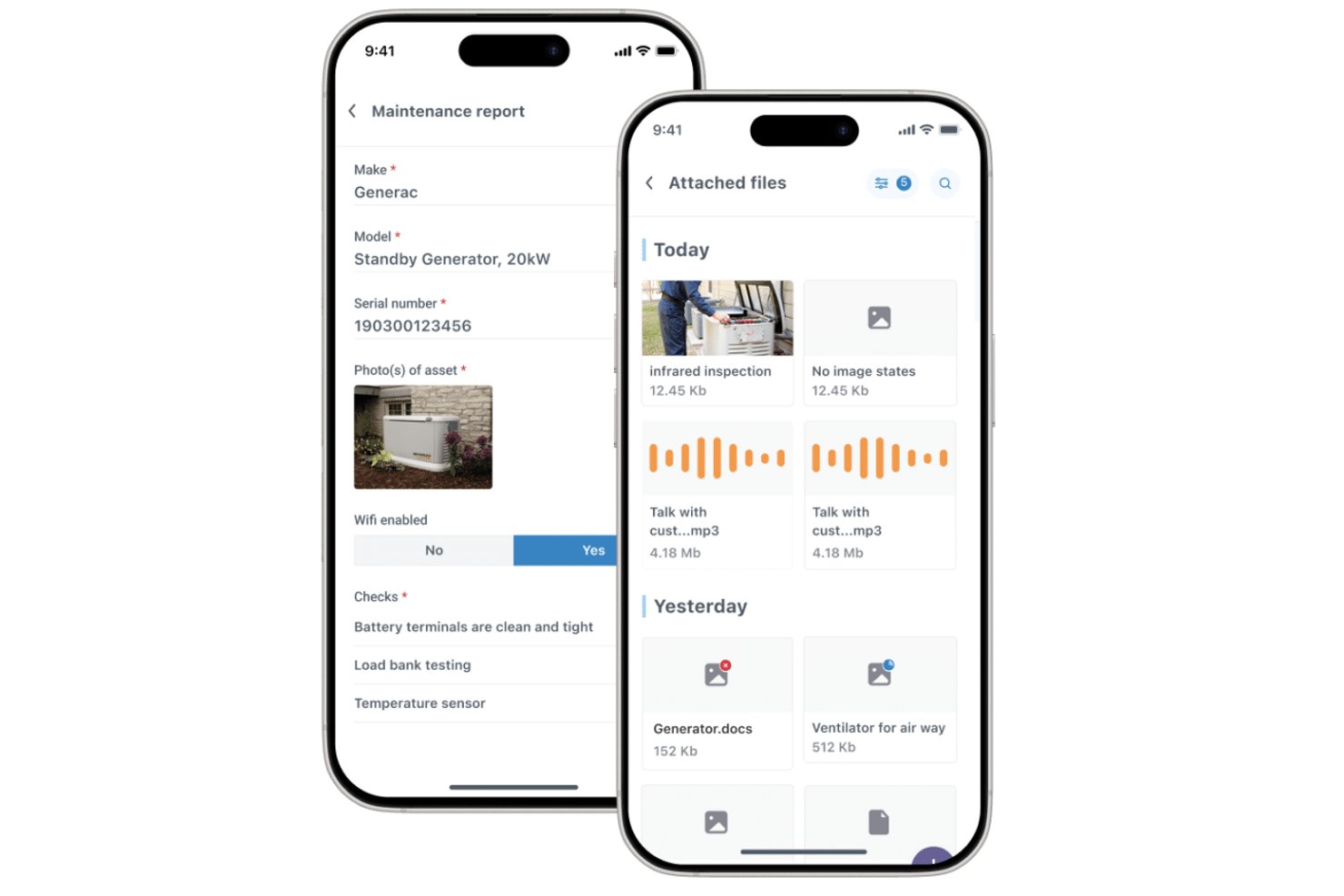
Commusoft ist eine Software für das Servicemanagement im Außendienst, die für Serviceunternehmen Kundenakten, Auftragsplanung, Technikerabläufe und Abrechnung miteinander verbindet, damit Teams die Arbeit von der Buchung bis zum Abschluss koordinieren können.
Für wen ist Commusoft am besten geeignet?
Commusoft eignet sich für Serviceunternehmen, die wiederkehrende gewerbliche Wartungen, den Einsatz von Technikern und Service-Level-Verpflichtungen verwalten.
Warum ich Commusoft ausgewählt habe
Ich habe Commusoft als Jobber-Alternative ausgewählt, weil es sich am besten für gewerbliche Serviceverträge und SLAs eignet. Die Software priorisiert Vertragsaufträge und erfasst Reaktionszeiten mit SLA-Zeitmessern. Wiederkehrende Zeitpläne für vorbeugende Wartungen erzeugen außerdem Arbeitsaufträge für mehrere Anlagen, sodass ich monatliche Besuche und jährliche Inspektionen planmäßig durchführen kann.
Die wichtigsten Funktionen von Commusoft
- Kundenportal: Kunden können den Status und Verlauf von Aufträgen einsehen, Angebote annehmen und Rechnungen bezahlen.
- Offline-Mobile-App: Techniker können auf Auftragsverläufe zugreifen und digitale Formulare ohne Verbindung ausfüllen.
- Bestandsverwaltung: Bestände in Lagern und Servicefahrzeugen mit Mindestbeständen verfolgen.
- Abrechnung im Außendienst: Nach Abschluss eines Auftrags Rechnungen im Büro oder im Außendienst erstellen.
Integrationen von Commusoft
Commusoft führt Integrationen mit QuickBooks Online, Xero, Stripe, HubSpot, Gmail, Outlook Mail, Google Calendar, GoCardless, Sage Accounting und Zapier auf; außerdem stellt die Software eine API für individuelle Integrationen bereit.
Pros and Cons
Pros:
- Vertragsabläufe planen wiederkehrende Anlagenbesuche
- SLA-Zeitmesser erfassen Reaktionsverpflichtungen
- Auftragsverläufe verknüpfen Angebote, Arbeiten und Abrechnung
Cons:
- Die Ersteinrichtung zur Konfiguration nimmt Zeit in Anspruch
- Die Mobile-App kann verzögert reagieren oder langsam synchronisieren

Workiz
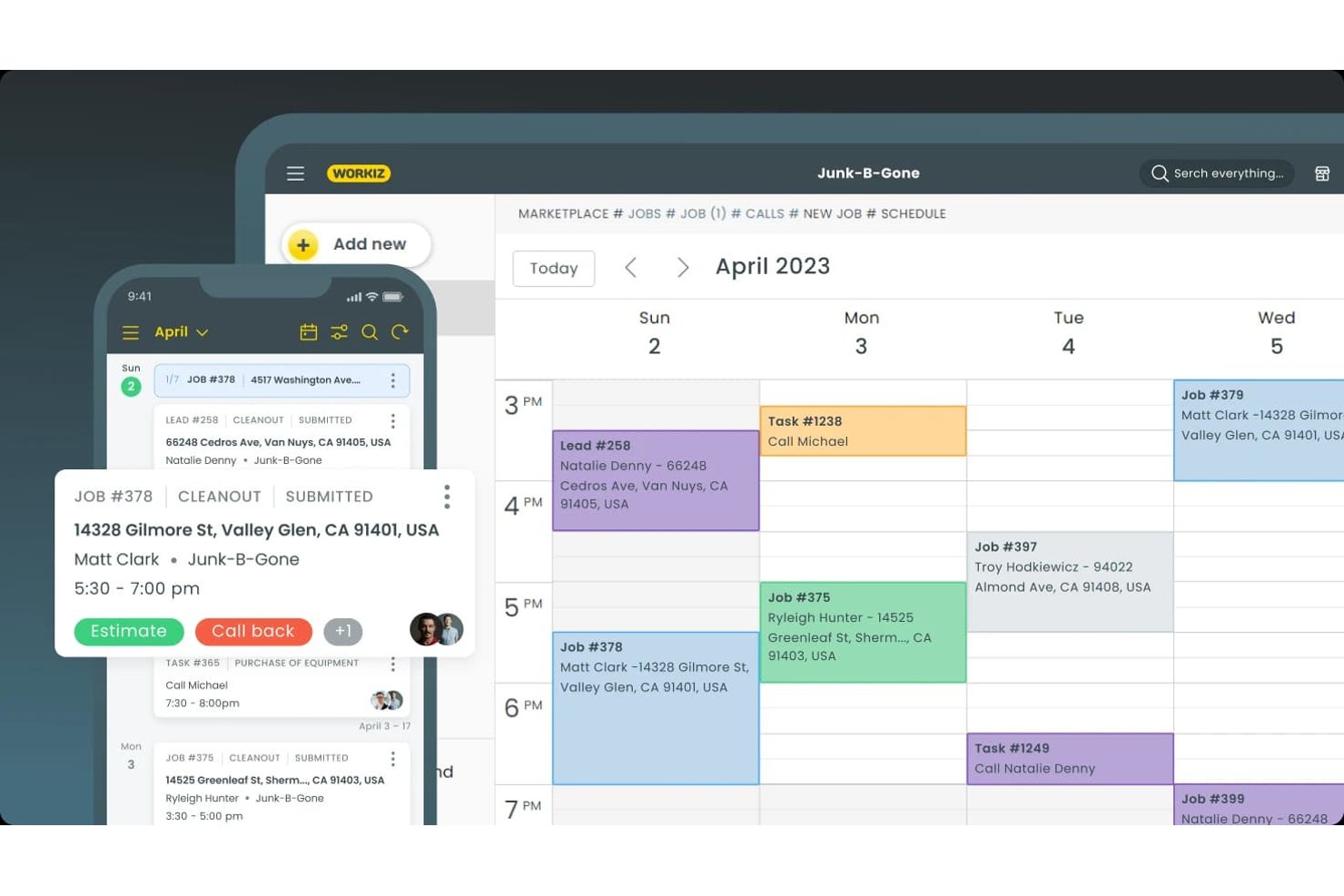
Workiz ist eine Plattform zur Verwaltung von Außendienstleistungen für Dienstleistungsunternehmen, die Kundendatensätze, Auftragskoordination, Kostenvoranschläge und Rechnungsstellung an einem Ort zusammenführt und damit eine Option für Teams ist, die Alternativen zu Jobber vergleichen.
Für wen ist Workiz am besten geeignet?
Workiz eignet sich für Inhaber von Unternehmen für Dienstleistungen rund ums Haus und Dispositionsteams, die Leads erfassen und die Zeitpläne von Technikern koordinieren müssen.
Warum ich Workiz ausgewählt habe
Ich habe Workiz als Jobber-Alternative ausgewählt, weil es sich am besten für KI-gestützte Terminplanung und Lead-Erfassung eignet. Die KI beantwortet rund um die Uhr Anrufe, Textnachrichten und E-Mails und kann Aufträge direkt im Kalender buchen. Außerdem wandelt sie eingehende E-Mails und Textnachrichten in Aufträge um und hilft Disponenten dabei, neue Anfragen in der Planungsliste zu halten.
Wichtige Funktionen von Workiz
- Kundenportal: Kunden können Kostenvoranschläge prüfen und unterschreiben, Aufträge genehmigen und Rechnungen bezahlen.
- Kunden-CRM: Kundenhistorie, Rechnungen, Servicepläne und Kommunikation in einem Datensatz speichern.
- Servicepläne: Wiederkehrende Dienstleistungen einrichten und bevorstehende Besuche sowie die Zahlungshistorie verfolgen.
- Mobile App: Techniker können Auftragsdetails anzeigen, Status aktualisieren, Notizen oder Fotos hinzufügen und Kunden Rechnungen stellen.
Integrationen von Workiz
Das Integrationsverzeichnis von Workiz führt QuickBooks, Google Calendar, Reserve with Google, Yelp, Thumbtack, Angi Leads, CompanyCam und Mailchimp sowie Zapier auf. Außerdem bietet es eine Entwickler-API für benutzerdefinierte Integrationen.
Pros and Cons
Pros:
- KI beantwortet Anrufe und bucht Aufträge
- Der Dispositionskalender weist Technikern visuell Aufträge zu
- Kundendatensätze führen Anrufe, Textnachrichten und Aufträge zusammen
Cons:
- Berichten zufolge brechen Telefonanrufe ab oder schlagen fehl
- Der KI-Assistent enttäuscht einige Rezensenten

Am besten geeignet für HVAC- und Sanitärbetriebe jeder Größe
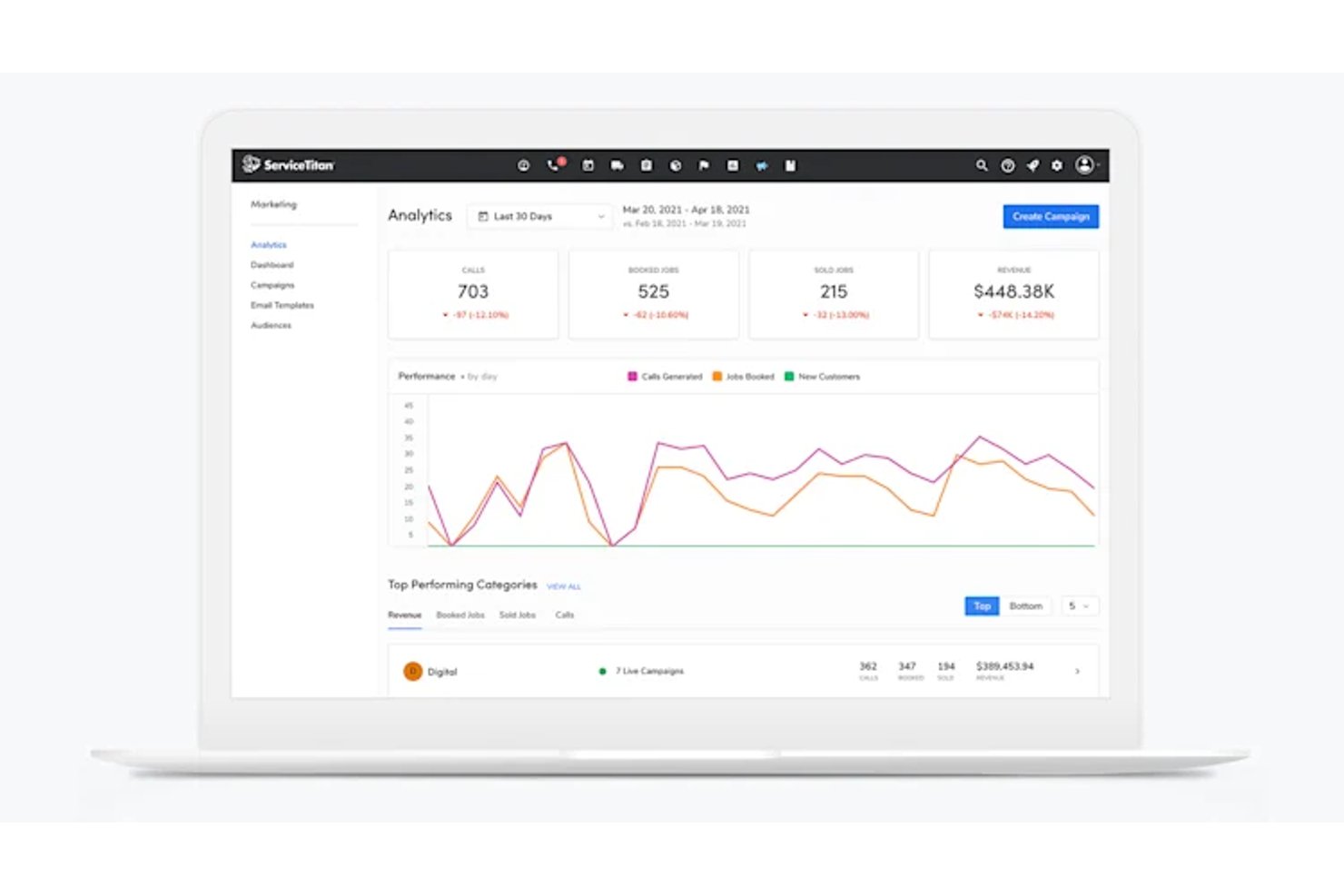
ServiceTitan ist eine Software für das Management von Außendienstleistungen, die für HVAC- und Sanitärbetriebe jeder Größe entwickelt wurde und wachsenden Serviceunternehmen dabei hilft, Disposition, Terminplanung, Kundendaten und Außendienstabläufe zu koordinieren.
Für wen ist ServiceTitan am besten geeignet?
ServiceTitan eignet sich für Betriebsleiter etablierter HVAC- und Sanitärbetriebe, die Disposition, Außendienstteams und Kundenaufträge in einem wachsenden Servicebetrieb koordinieren.
Warum ich ServiceTitan ausgewählt habe
Ich habe ServiceTitan als Alternative zu Jobber für HVAC- und Sanitärbetriebe ausgewählt, die große Außendienstteams koordinieren. Mir gefällt, wie die Dispositionsübersicht dem Büropersonal dabei hilft, Aufträge Technikern zuzuweisen und deren Bearbeitung zu verfolgen, während Kunden- und Gerätedaten den Teams bereits vor ihrer Ankunft die Servicehistorie bereitstellen. Das ist hilfreich, wenn sich neben planmäßigen Wartungen für mehrere Teams auch eine dringende Reparatur ergibt.
Wichtige Funktionen von ServiceTitan
- Mobile Auftragsformulare: Techniker füllen digitale Formulare aus und erfassen Fotos der Aufträge direkt vor Ort.
- Mobile Zahlungen: Techniker verarbeiten Zahlungen und versenden Rechnungen über die mobile App.
- Berichtsdashboards: Teams verfolgen Umsatz, Trends und Technikerkennzahlen in anpassbaren Dashboards.
- Einkauf und Bestandsverwaltung: Teams verwalten Bestellungen und Bestände innerhalb der Plattform.
ServiceTitan-Integrationen
ServiceTitan bietet Buchhaltungsintegrationen mit QuickBooks Desktop, QuickBooks Online, Sage Intacct und Xero sowie Lieferantenintegrationen mit Ferguson und Lennox über seinen Partnermarktplatz. Außerdem lässt es sich mit Zapier verbinden und stellt APIs für individuelle Integrationen bereit.
Pros and Cons
Pros:
- Die Disposition koordiniert große Technikerteams und Aufträge
- Kunden- und Gerätehistorien liefern Informationen für Außendiensteinsätze
- Dashboards verfolgen die Leistung der Techniker und Geschäftskennzahlen
Cons:
- Einrichtung und Schulung beanspruchen viel Zeit der Mitarbeitenden
- Fehler und Verzögerungen in der mobilen App beeinträchtigen die Arbeit vor Ort

Am besten für anlagenzentrierte Serviceabläufe
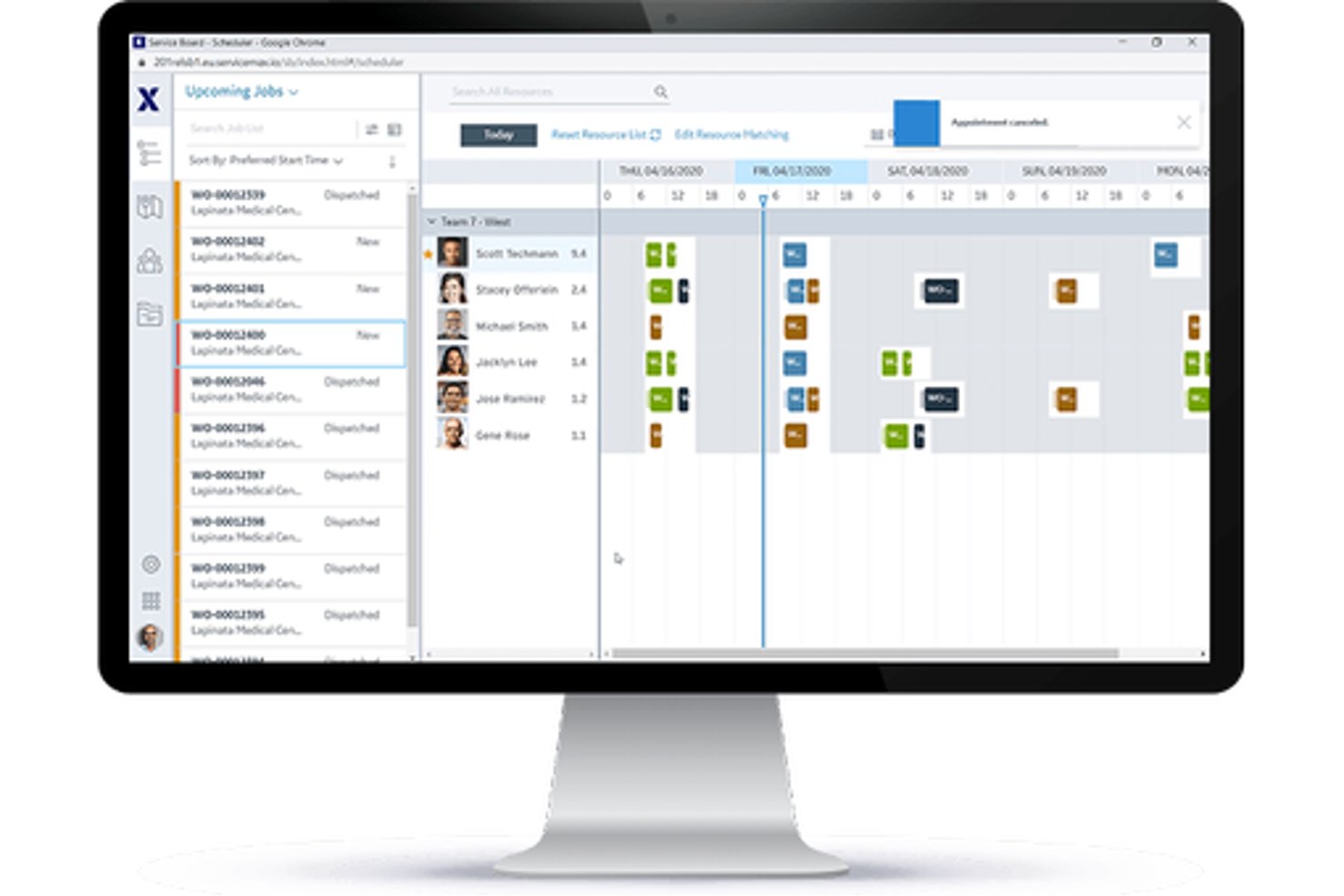
Für Hersteller und Serviceorganisationen, die im Außendienst eingesetzte Geräte verwalten, ist ServiceMax eine Plattform für das Außendienstmanagement, die Arbeitsaufträge, den Einsatz von Technikern und die Wartung über den gesamten Lebenszyklus der Anlagen hinweg koordiniert.
Für wen ist ServiceMax am besten geeignet?
ServiceMax eignet sich für Verantwortliche im Außendienst bei Geräteherstellern und anlagenintensiven Unternehmen, die installierte Geräte nachverfolgen und laufende Serviceleistungen verwalten müssen.
Warum ich ServiceMax ausgewählt habe
Ich habe ServiceMax als beste Lösung für die Anlagenverwaltung ausgewählt, weil es Außendienstteams einen anlagenbezogenen Kontext bietet, der bei der Bewertung von Alternativen zu Jobber hilfreich ist. Datensätze der installierten Basis verknüpfen Geräte mit Stücklisten, Unterkomponenten, Servicehistorien und Vertragsabdeckung, sodass Techniker vor einer Reparatur die Konfiguration eines Industrieaggregats prüfen können. Wartungspläne können Arbeitsaufträge auf Grundlage von Zeit, Häufigkeit, Zustand oder IoT-Daten auslösen.
Die wichtigsten Funktionen von ServiceMax
- Terminoptimierung: Weist Arbeiten anhand der Fähigkeiten, des Standorts und der Verfügbarkeit von Technikern sowie der Anforderungen des Auftrags zu.
- Mobile Techniker-App: ServiceMax Go unterstützt Arbeitsaufträge, Datenerfassung, Unterschriften und Bestandsverwaltung online oder offline.
- Teileverwaltung: Verfolgt Ersatzteile in den Fahrzeugen von Technikern und in Depots.
- Kunden-Self-Service: ServiceMax Engage unterstützt die Terminplanung und Serviceaktualisierungen.
ServiceMax-Integrationen
ServiceMax dokumentiert Integrationen mit Salesforce CRM, SAP und ThingWorx für Unternehmens- und IoT-Daten. Außerdem bietet es APIs und Integrationsframeworks für individuelle Verbindungen.
Pros and Cons
Pros:
- Anlagenverknüpfte Historien helfen bei der Reparatur komplexer Geräte
- Offline-Arbeitsabläufe auf Mobilgeräten unterstützen Außendiensttechniker
- Mit Zeitstempeln versehene Arbeitsaufzeichnungen unterstützen Prüfpfade
Cons:
- Die komplexe Konfiguration kann die erstmalige Einführung verlangsamen
- Die Einsatzplanungsansichten können langsam und umständlich wirken

Am besten für mit QuickBooks verbundene Arbeitsabläufe im Handwerk
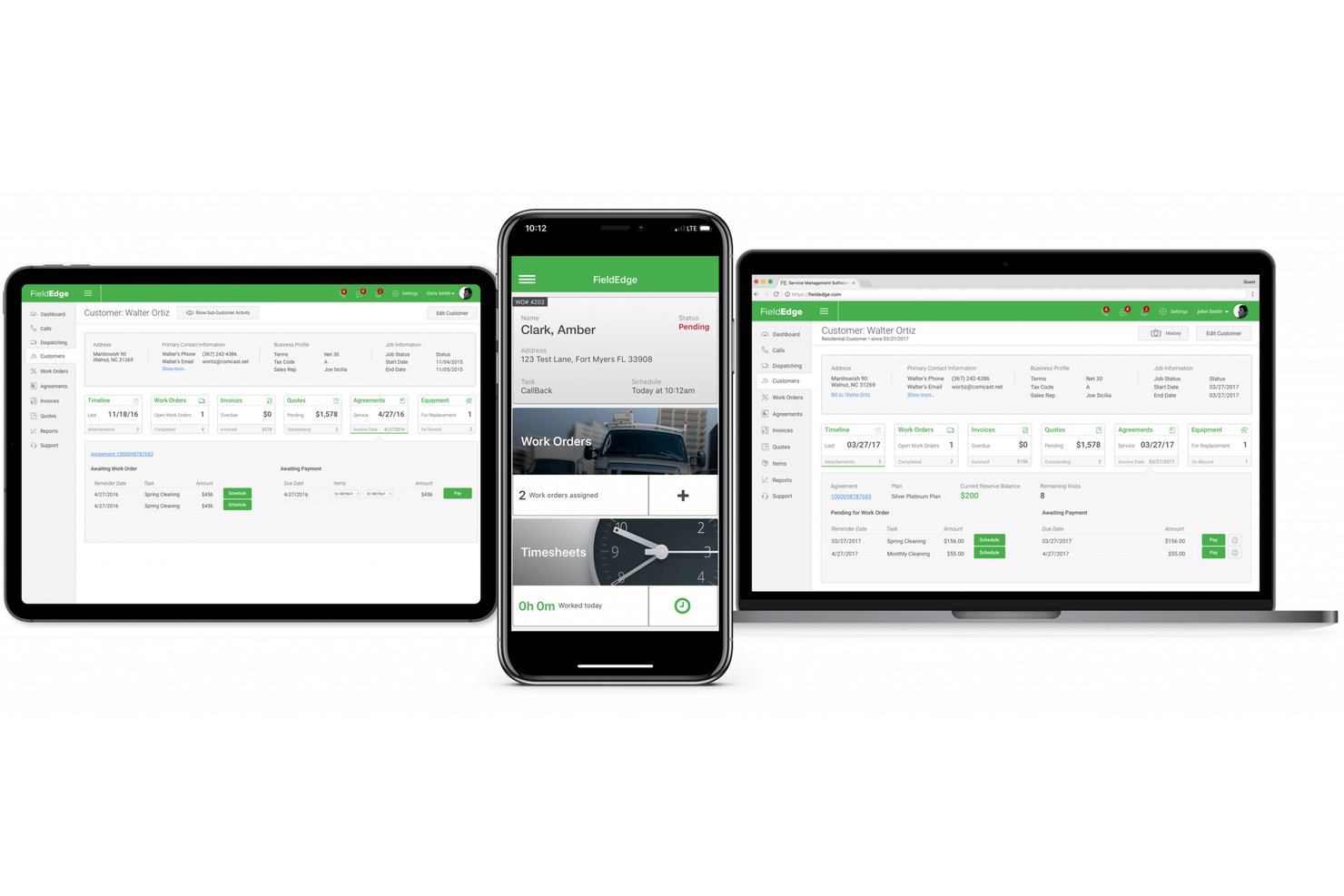
FieldEdge ist eine Software zur Verwaltung von Außendiensteinsätzen für Heizungs-, Sanitär- und Elektrofachbetriebe, die Teams bei der Koordination von Technikereinsätzen, Disposition, Kundendaten und Serviceaufträgen unterstützt.
Für wen ist FieldEdge am besten geeignet?
FieldEdge eignet sich für Heizungs-, Sanitär- und Elektrofachbetriebe, die Außendienstarbeiten mit QuickBooks verbundenen Arbeitsabläufen im Handwerk koordinieren müssen.
Warum ich FieldEdge ausgewählt habe
Ich habe FieldEdge als Jobber-Alternative ausgewählt, weil die mit QuickBooks verbundenen Arbeitsabläufe im Handwerk für Heizungs-, Sanitär- und Elektrofachbetriebe geeignet sind. Mir gefällt, dass Teams Technikereinsätze und Disposition zusammen mit Kundendaten und Serviceaufträgen koordinieren können, sodass die Außendiensttätigkeiten mit ihren betrieblichen Abläufen verbunden bleiben.
Wichtige Funktionen von FieldEdge
- Festpreislisten: Ermöglichen Technikern den mobilen Zugriff auf Preise für Service und Reparaturen.
- Rechnungsstellung und Zahlungen: Rechnungen vor Ort erstellen, per E-Mail versenden oder ausdrucken sowie Kartenzahlungen oder geteilte Zahlungen akzeptieren.
- Verwaltung von Servicevereinbarungen: Verlängerungen, Abrechnungszyklen und geplante Besuche verfolgen.
- Leistungs-Dashboards: Die Rentabilität von Aufträgen, den durchschnittlichen Auftragswert und den Umsatz der Techniker überprüfen.
FieldEdge-Integrationen
FieldEdge bietet eine QuickBooks-Echtzeitintegration sowie Partnerintegrationen mit FleetSharp, Dispatch, Mailchimp, To Your Success, Sales Builder Pro, Ply und Free2Grow. Die API ermöglicht den Zugriff auf integrierte Partner.
Pros and Cons
Pros:
- Das Dispositionsboard schafft Klarheit über den Status der Techniker
- Rechnungsstellung vor Ort hält Aufträge am Laufen
- Servicevereinbarungen verfolgen wiederkehrende Besuche
Cons:
- Die mobile Synchronisierung verzögert sich bei schwachem Empfang
- Die Berichte bieten nur begrenzte Möglichkeiten zur KPI-Anpassung

Am besten geeignet für Pauschalpreise mit unbegrenzten Nutzern
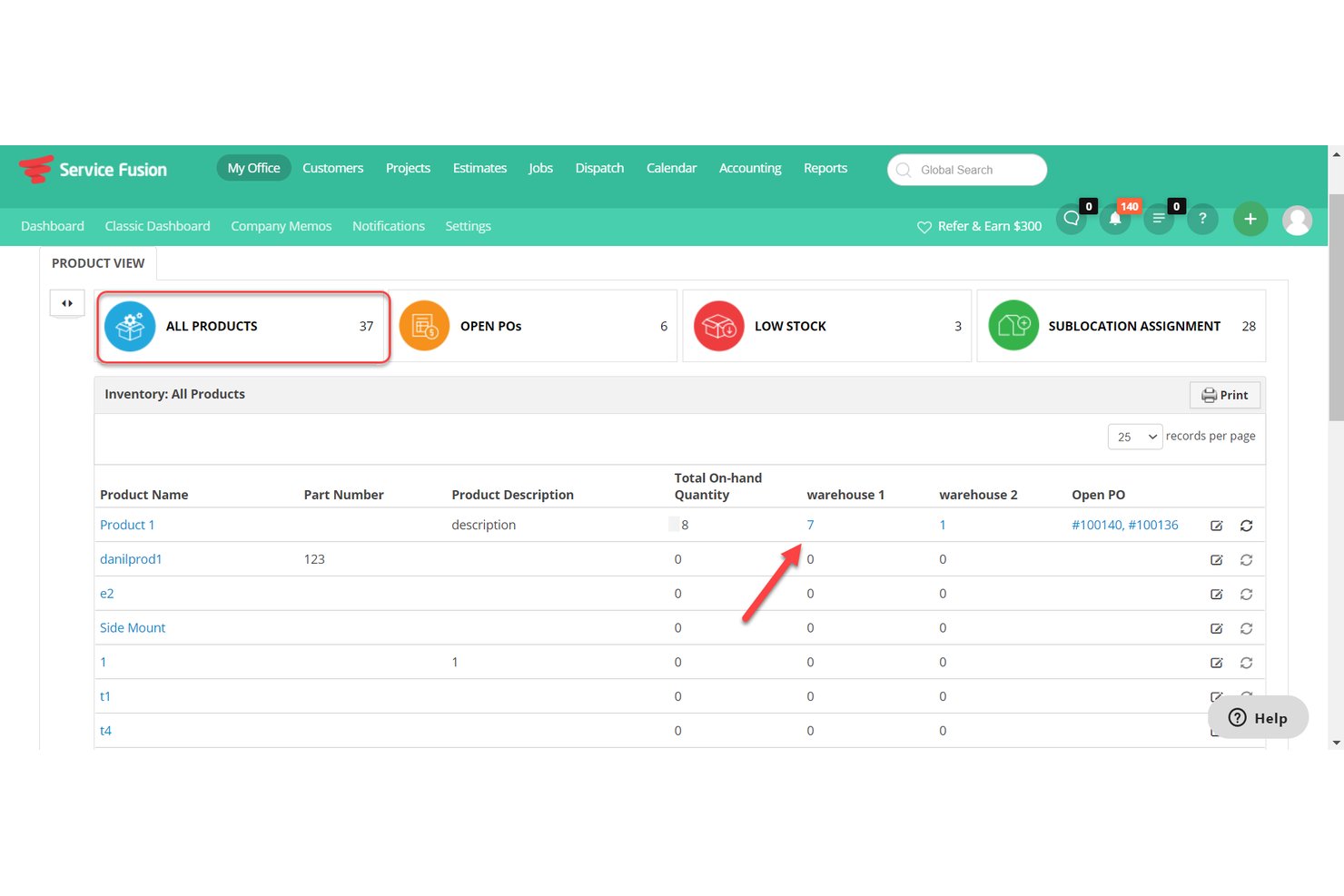
Service Fusion ist eine Software zur Verwaltung von Außendienstleistungen für Dienstleistungsunternehmen im Privat- und Gewerbebereich. Sie vereint Terminplanung, Disposition, Kundendaten, Kostenvoranschläge und Rechnungsstellung, damit Teams Techniker koordinieren und Aufträge voranbringen können.
Für wen ist Service Fusion am besten geeignet?
Service Fusion eignet sich für Dienstleistungsunternehmen im Privat- und Gewerbebereich, die Techniker koordinieren, Aufträge disponieren und Kundenaufträge in einem System verwalten müssen.
Warum ich Service Fusion ausgewählt habe
Ich habe Service Fusion als Alternative zu Jobber ausgewählt, weil die für unbegrenzte Nutzer am besten geeignete Pauschalpreisgestaltung es Dienstleistungsunternehmen ermöglicht, Disponenten und Außendiensttechniker ohne Gebühren pro Nutzer in ein System einzubinden. Mir gefällt, dass Teams die Disposition koordinieren können, während Kundendaten, Kostenvoranschläge und Rechnungen mit jedem Auftrag verknüpft bleiben.
Wichtige Funktionen von Service Fusion
- Mobile App für Techniker: Techniker können Aufträge über ihre Smartphones anzeigen und verwalten.
- GPS-Flottenverfolgung: Fahrzeugstandorte, Fahrten, Entfernungen, Leerlaufzeiten und Fahrverhalten anzeigen.
- QuickBooks-Integration: Rechnungsdaten mit QuickBooks Online oder QuickBooks Desktop synchronisieren.
- Benachrichtigungen per SMS: Kunden über geplante Aufträge und Aktualisierungen zu Technikern benachrichtigen.
Service Fusion-Integrationen
Service Fusion bietet native Integrationen mit QuickBooks Online und QuickBooks Desktop und lässt sich mit Zapier verbinden. Die im Pro-Tarif verfügbare API unterstützt benutzerdefinierte Integrationen.
Pros and Cons
Pros:
- Die Disposition verknüpft Zeitpläne mit Live-GPS-Standorten
- Kostenvoranschläge im Außendienst werden direkt in Arbeitsaufträge umgewandelt
- Servicevereinbarungen unterstützen wiederkehrende Abrechnungen und Verlängerungen
Cons:
- Auf Mobilgeräten erstellte Rechnungen müssen möglicherweise auf dem Desktop erneut gespeichert werden
- Berichte bieten nur unzureichende Einblicke in aktive Wartungspläne

Am besten für Handwerksbetriebe mit auftragsvolumenbasierter Preisgestaltung
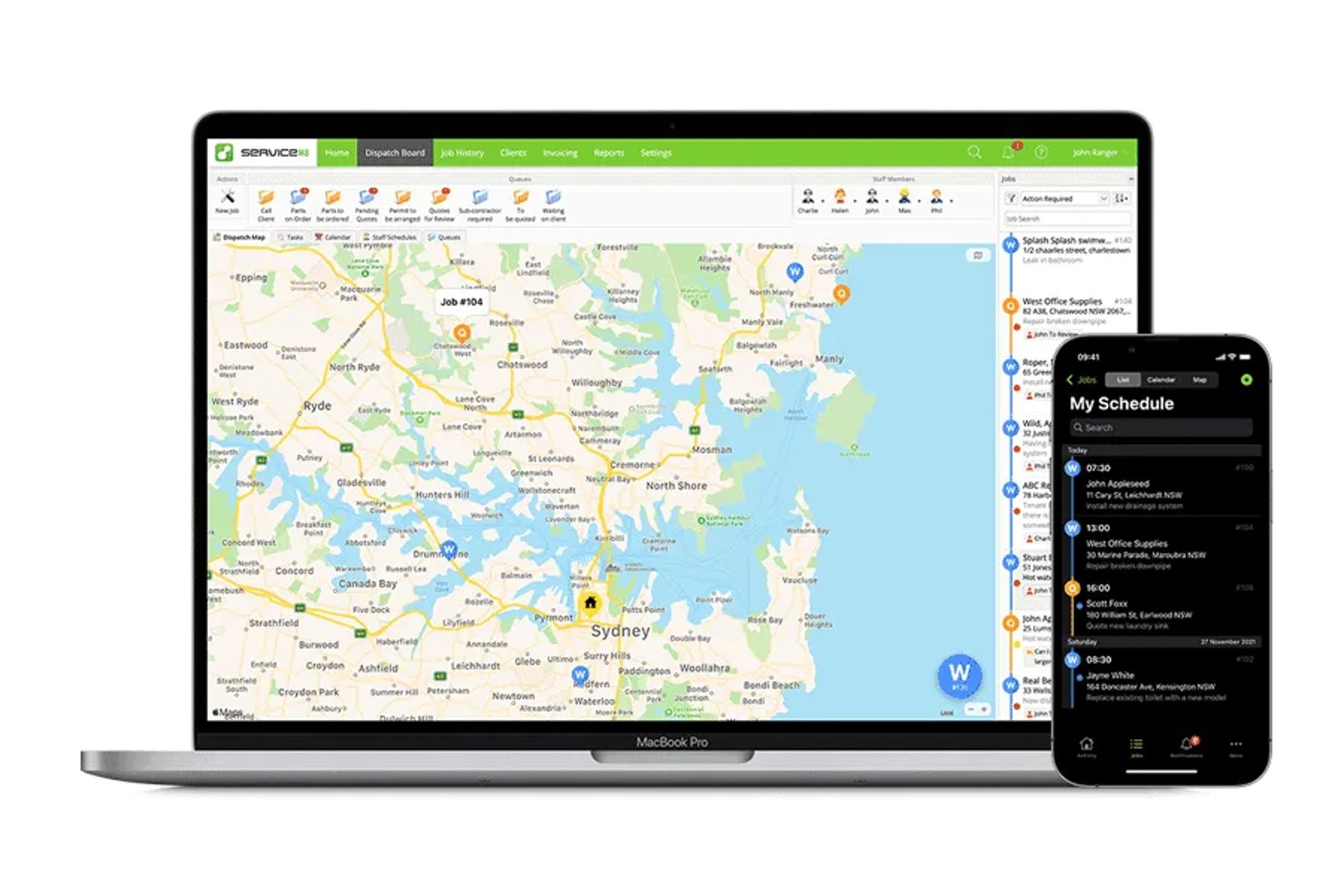
ServiceM8 ist eine mobil ausgerichtete App zur Verwaltung von Außendienstleistungen für Handwerksbetriebe, die Aufträge organisieren, Arbeiten planen sowie Kundenprofile, Angebote und Rechnungen verwalten müssen.
Für wen ist ServiceM8 am besten geeignet?
ServiceM8 eignet sich für Handwerksbetriebe mit wechselnder Auslastung, die eine Softwarepreisgestaltung wünschen, die an die Anzahl der bearbeiteten Aufträge gekoppelt ist.
Warum ich ServiceM8 ausgewählt habe
Ich habe ServiceM8 als Jobber-Alternative ausgewählt, weil der Fokus auf „Am besten für Handwerksbetriebe mit auftragsvolumenbasierter Preisgestaltung“ liegt. Die auf dem Auftragsvolumen basierende Preisgestaltung eignet sich für Handwerksbetriebe mit schwankender Anzahl an Serviceeinsätzen, während Auftragsplanung, Angebote und Rechnungen dabei helfen, Arbeiten von der Buchung bis zur Abrechnung nachzuverfolgen.
Wichtige Funktionen von ServiceM8
- Aufgabenchecklisten: Fügen Sie Auftragsdatensätzen Aufgaben und Anforderungen hinzu, die das Personal erledigen soll.
- GPS-Ortung des Personals: Sehen Sie die Standorte des Personals und den Reiseverlauf während des Arbeitstags ein.
- Benutzerdefinierte Formulare: Erstellen Sie PDF-Formulare mit Fotos, Multiple-Choice-Fragen und Unterschriftsfeldern.
- Anlagenprofile: Speichern Sie Gerätedetails nach Kunde und Standort und greifen Sie anschließend auf die Servicehistorie zu.
Integrationen von ServiceM8
ServiceM8 dokumentiert Integrationen mit Xero, MYOB, QuickBooks Online, Mailchimp, Deputy, Workato und Zapier. Außerdem bietet es eine offene API und ein SDK für benutzerdefinierte Verbindungen.
Pros and Cons
Pros:
- Auftragsfotos und Notizen bleiben zusammen
- GPS-Ortung des Personals hilft Disponenten, Bewegungen im Außendienst nachzuverfolgen
- PDF-Formulare erfassen Unterschriften und Standortdetails
Cons:
- Steuerungsmöglichkeiten für die Personalverfügbarkeit schränken die bedarfsgesteuerte Disposition ein
- Erinnerungen zur Rechnungsnachverfolgung bieten nur begrenzte Planungsmöglichkeiten

Am besten für unternehmensweiten Außendienst mit nativer CRM-Integration
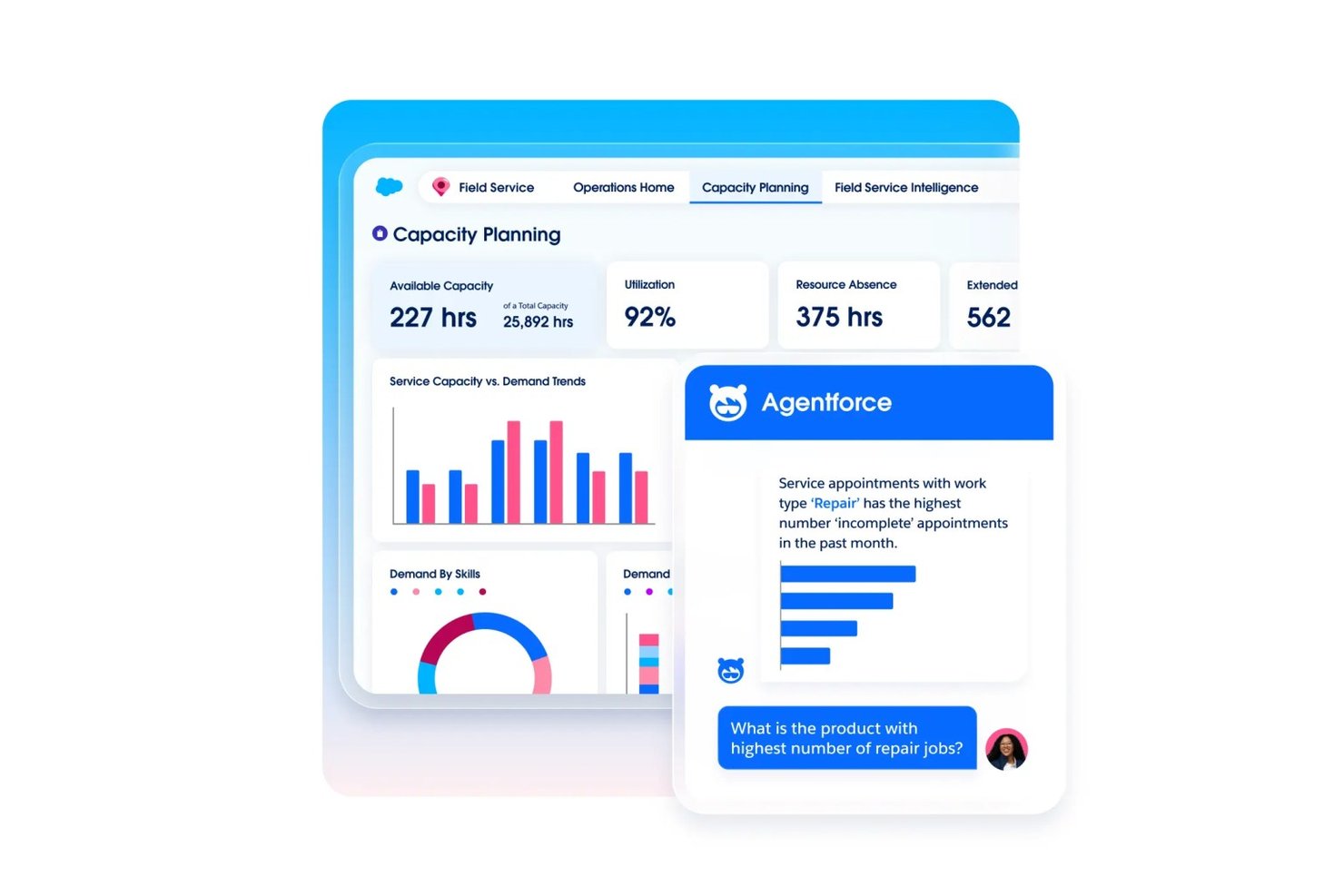
Agentforce Field Service unterstützt größere Serviceteams dabei, Arbeitsaufträge, Technikerpläne und Kundendatensätze in Salesforce zu koordinieren, und erleichtert so die Verwaltung komplexer Außendienstabläufe als Alternative zu Jobber.
Für wen eignet sich Agentforce Field Service am besten?
Unternehmen auf Salesforce-Basis mit verteilten Technikerteams und komplexen Außendiensteinsätzen sind besonders gut für Agentforce Field Service geeignet.
Warum ich Agentforce Field Service ausgewählt habe
Ich habe Agentforce Field Service als „Am besten für unternehmensweiten Außendienst mit nativer CRM-Integration“ ausgewählt, weil es Außendienstarbeiten mit Salesforce-Kundendatensätzen verbindet. Mir gefällt, wie Teams Arbeitsaufträge und Technikerpläne zusammen mit Kundeninformationen koordinieren können, sodass Disponenten bei der Zuweisung von Servicebesuchen die Auftragsdetails prüfen können.
Wichtige Funktionen von Agentforce Field Service
- Mobile App mit Offline-Modus: Greifen Sie auf Android- und iOS-Geräten auch ohne Verbindung auf Datensätze zu.
- Dynamische Formulare und Workflows: Konfigurieren Sie Formulare und Workflows mit wenig oder ganz ohne Programmieraufwand für Außendienstaufgaben.
- Pläne für vorbeugende Wartung: Lösen Sie Wartungsarbeiten basierend auf der Nutzung, dem Zustand oder Schwellenwerten von Anlagen aus.
- Visueller Fernassistent: Nutzen Sie Echtzeitvideo, um Kunden bei der Fehlerbehebung anzuleiten.
Integrationen von Agentforce Field Service
Agentforce Field Service basiert auf der Salesforce-Plattform und verbindet Außendienstabläufe mit Kunden- und Anlagendaten in Salesforce; der Plan Field Service Plus umfasst Service Cloud und Sales Cloud. Für benutzerdefinierte Integrationen ist eine Field Service REST-API verfügbar.
Pros and Cons
Pros:
- Die Offline-App unterstützt Außendienstmitarbeiter ohne Verbindung
- Die kompetenzbasierte Einsatzplanung berücksichtigt die Verfügbarkeit der Techniker
- Arbeitsaufträge sind mit Kundendatensätzen verknüpft
Cons:
- Die Implementierung kann umfassende Salesforce-Kenntnisse erfordern
- Abstürze der Techniker-App können Außendienstabläufe unterbrechen
Weitere Jobber-Alternativen
Hier finden Sie einige weitere Jobber-Alternativen, die es zwar nicht in meine Auswahlliste geschafft haben, die Sie sich aber dennoch ansehen sollten:
- Service Autopilot
Am besten für wiederkehrende Arbeitsabläufe bei Rasenpflege-Routen
- Housecall Pro
Am besten für die integrierte Erfassung von Karten- und ACH-Zahlungen
- Arrivy
Am besten für KI-gestützte Planungs- und Routingprozesse geeignet
- OneCrew
Am besten für die Kostenkalkulation von Pflaster- und Betonarbeiten geeignet
- Tradify
Am besten geeignet für die Angebotserstellung im Handwerk und die Auftragsverfolgung
- Salesforce Field Service
Am besten für KI-native Außendienstprozesse auf Unternehmensebene
- Workever
Ideal für wachsende Außendienstteams mit 5–50 Mitarbeitenden
- GorillaDesk
Am besten für routenbasierte Außendienstteams zur Schädlingsbekämpfung


Wie ich Alternativen zu Jobber bewerte
Ich teile meine Bewertung in drei Bereiche auf. Zuerst – und mit der höchsten Gewichtung – prüfe ich, ob ein Tool Aufträge planen und zuweisen sowie mit diesen Aufträgen verknüpfte Angebote und Rechnungen erstellen kann. Zweitens achte ich auf besondere Funktionen wie die Automatisierung wiederkehrender Aufträge oder Portale zur Selbstbedienung für Kunden. Drittens berücksichtige ich die Preisstruktur und die Unterstützung bei der Einführung, insbesondere bei Außendienstteams mit unterschiedlicher technischer Affinität.
Grundlegende Funktionen (Voraussetzungen für diese Liste)
Bei der Auswahl der Tools für meine Liste bewerte ich jedes einzelne für jede unten aufgeführte Kernfunktion auf einer Skala von 0 (bietet die Funktion nicht an) bis 5 (ist in diesem Bereich hervorragend). Anschließend wandle ich die Gesamtpunktzahl in einen Prozentsatz um, um die Eignung des jeweiligen Tools insgesamt besser einschätzen zu können, wobei Funktionen, die ich als unverzichtbar eingestuft habe, stärker gewichtet werden.
- Auftragsplanung & Disposition (unverzichtbar): Ich achte auf Auftragszuweisung, Kalenderplanung und Umplanung, die Disponenten dabei helfen, die Verfügbarkeit der Teams und wechselnde Kundenanforderungen zu koordinieren.
- Angebote & Rechnungen (unverzichtbar): Ich prüfe, ob Angebote mit Auftragsdatensätzen verknüpft und in Rechnungen umgewandelt werden können, einschließlich klarer Genehmigungsschritte und Zahlungsverfolgung.
- Kundenverwaltung: Ich prüfe, ob Kundenprofile Servicehistorie, Auftragsnotizen und Kommunikation miteinander verknüpfen, damit das Büropersonal sich auf wiederkehrende Einsätze vorbereiten kann.
- Zahlungsabwicklung: Ich achte auf Möglichkeiten, Zahlungen für Rechnungen einzuziehen oder zu erfassen und bezahlte sowie ausstehende Beträge nachzuverfolgen.
- Mobiler Zugriff im Außendienst: Ich berücksichtige, ob Techniker Aufträge einsehen, Status aktualisieren und unterwegs Notizen oder Fotos hinzufügen können.
- Routen- & Teamverfolgung: Ich bewerte Kartenansichten, die Anzeige von Technikerstandorten und die Routenplanung für Teams, die mehrere Aufträge an einem Tag bearbeiten.
Sobald ich eine Liste von Tools zusammengestellt habe, die die Kriterien erfüllen, prüfe ich, wodurch sich die einzelnen Plattformen voneinander unterscheiden.
Unterscheidungsmerkmale (Was Anbieter voneinander abhebt)
So vergleiche ich verschiedene Anbieter miteinander:
Besondere Funktionen
Ich achte auf die Automatisierung wiederkehrender Aufträge, durch die Folgeeinsätze, Rechnungen und Erinnerungen ohne manuelle Neueingabe erstellt werden. Ein Gartenpflege-Team mit Dutzenden wöchentlichen Kundenkonten ist darauf angewiesen, dass dieser Ablauf selbstständig funktioniert. Auch Portale zur Selbstbedienung für Kunden sind wichtig, denn wenn Kunden Angebote genehmigen und online bezahlen können, verringert sich der Abstimmungsaufwand für das Büropersonal. Außerdem bewerte ich die an Auftragsdatensätze gekoppelte Zeiterfassung, damit sich geschätzter Arbeitsaufwand und tatsächlich geleistete Stunden vergleichen lassen und Rentabilitätslücken erkannt werden können, bevor sie sich zu Mustern entwickeln.
Über die Funktionen hinaus
Ich prüfe, ob ein Tool zu einem bestimmten Gewerbe passt oder versucht, jede Branche abzudecken. Ein Heizungs-, Lüftungs- und Klimatechnikunternehmen benötigt Arbeitsabläufe zur Geräteverfolgung, die eine allgemeine Plattform standardmäßig nicht anbietet, während ein Reinigungsdienst von Vorlagen profitiert, die auf wiederkehrende Besuchsmuster zugeschnitten sind. Die Preisstruktur ist ebenso wichtig – Kosten pro Benutzer summieren sich schnell, wenn saisonale Teams erweitert werden. Daher vergleiche ich Pauschal- und Stufenmodelle direkt miteinander. Außerdem prüfe ich die Integrationstiefe mit Buchhaltungstools wie QuickBooks und Xero, da fehlende Verbindungen für das Büropersonal eine doppelte Dateneingabe bedeuten.
Warum nach einer Jobber-Alternative suchen?
Obwohl Jobber eine gute Wahl für eine Software zur Dienstleistungsverwaltung ist, gibt es mehrere Gründe, warum einige Nutzer nach alternativen Lösungen suchen. Sie könnten nach einer Jobber-Alternative suchen, weil …
- Sie fortschrittlichere Berichtsfunktionen benötigen
- Ihr Team branchenspezifische Werkzeuge benötigt
- Sie eine bessere Skalierbarkeit für Ihr Wachstum wünschen
- Sie flexiblere Preispläne benötigen
- Ihr Team erweiterte Anpassungsmöglichkeiten benötigt
Wenn Sie sich darin wiedererkennen, sind Sie hier genau richtig. Meine Liste enthält mehrere Optionen für Software zur Dienstleistungsverwaltung, die besser für Teams geeignet sind, die mit diesen Herausforderungen bei Jobber konfrontiert sind.
Wichtige Funktionen von Jobber
Hier sind einige der wichtigsten Funktionen von Jobber, damit Sie sie mit dem Angebot alternativer Lösungen vergleichen können:
- Terminplanung und Disposition: Weisen Sie Ihrem Team ganz einfach Aufträge zu und verwalten Sie Termine.
- Rechnungsstellung und Zahlungen: Erstellen Sie Rechnungen und wickeln Sie Zahlungen effizient ab.
- Kundenverwaltung: Führen Sie detaillierte Aufzeichnungen über Kundeninteraktionen und die Kundenhistorie.
- Mobile Anwendung: Greifen Sie von überall auf Auftragsdetails und Aktualisierungen zu.
- Angebotserstellung: Erstellen und versenden Sie schnell professionelle Angebote an Kunden.
- Zeiterfassung: Überwachen Sie Arbeitszeiten und Auftragsdauer für eine präzise Abrechnung.
- Auftragsverwaltung: Verfolgen Sie den Auftragsfortschritt und Aktualisierungen in Echtzeit.
- Berichterstattung: Gewinnen Sie mithilfe anpassbarer Berichte Erkenntnisse über die Unternehmensleistung.
- Online-Buchung: Ermöglichen Sie Kunden, Dienstleistungen direkt über Ihre Website zu buchen.