


Bentley ProjectWise Review 2026: Pros, Cons, Features, Price



Bentley ProjectWise is BIM project management software for teams coordinating design data across complex infrastructure projects. I’d choose it over Autodesk Construction Cloud when your priority is controlled collaboration around large, multidisciplinary engineering projects.
Bentley ProjectWise Evaluation Summary
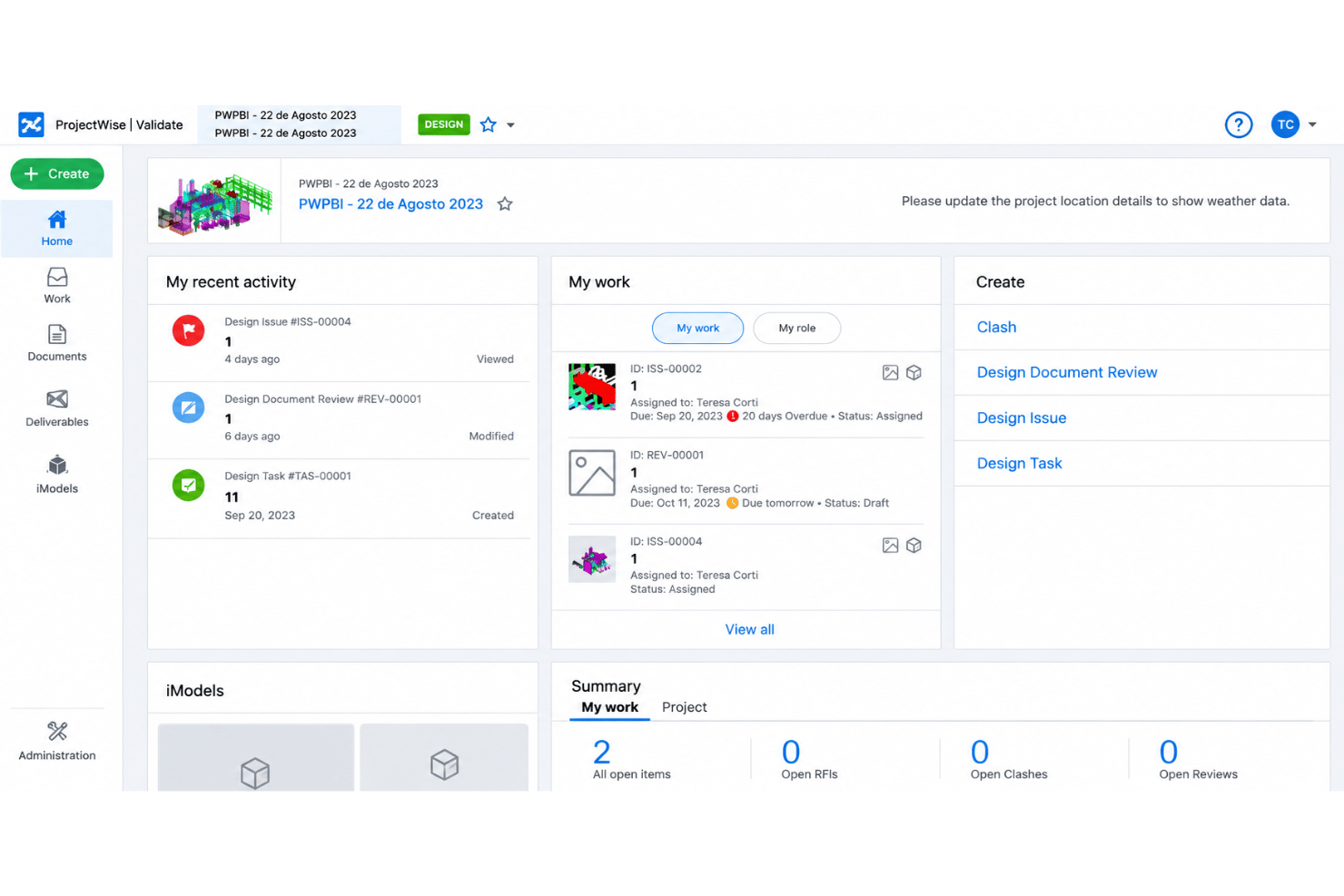
- From $312/user/year (billed annually)
- Free trial available
Why Trust Our Software Recommendations
Our team has been testing and reviewing software since 2012. As project managers ourselves, we know how difficult—and important—it is to choose the right software.
For this guide, we evaluated tools using hands-on testing and independent research, scoring tools using our selection criteria. We also draw on insights from industry thought leaders and practicing project management experts.
Our reviews reflect our human editorial judgment, not a sales pitch.
Expert reviewers:
Bentley ProjectWise Overview
ProjectWise is my choice for infrastructure teams coordinating large, multidisciplinary BIM projects, where managed work-in-progress, reference files, and design-application connections matter. It handles 2D, 3D, and 4D models, supports more than 50 file formats, and offers browser and mobile access, including offline use. Compared with lighter project platforms, it offers deeper engineering controls, though its dense interface and setup requirements can be challenging for smaller teams. Bentley’s learning resources help, but onboarding still takes planning. I’d select it when project complexity justifies the additional configuration and learning curve.
pros
-
Centralized version control protects multidisciplinary project drawings and documents.
-
Reviewers praise secure sharing, permissions, and auditable revision workflows.
-
Federated model checks and 2D/3D reviews suit infrastructure coordination.
cons
-
Users report slow uploads, downloads, and opening large design files.
-
Workflow setup and access controls can require specialist administration and training.
-
Reviewers report inconsistent Revit and Civil 3D performance.
-

Celoxis
Visit WebsiteThis rating combines scores from multiple user review sites to reflect overall customer sentiment about the product.4.5 -
Accelo
Visit WebsiteThis rating combines scores from multiple user review sites to reflect overall customer sentiment about the product.4.4 -
Wrike
Visit WebsiteThis rating combines scores from multiple user review sites to reflect overall customer sentiment about the product.4.3





Our Review Methodology
How We Test & Score Tools
We’ve spent years building, refining, and improving our software testing and scoring system. The rubric is designed to capture the nuances of software selection and what makes a tool effective, focusing on critical aspects of the decision-making process.
Below, you can see exactly how our testing and scoring works across seven criteria. It allows us to provide an unbiased evaluation of the software based on core functionality, standout features, ease of use, onboarding, customer support, integrations, customer reviews, and value for money.
Core Functionality (25% of final scoring)
The starting point of our evaluation is always the core functionality of the tool. Does it have the basic features and functions that a user would expect to see? Are any of those core features locked to higher-tiered pricing plans? At its core, we expect a tool to stand up against the baseline capabilities of its competitors.
Standout Features (25% of final scoring)
Next, we evaluate uncommon standout features that go above and beyond the core functionality typically found in tools of its kind. A high score reflects specialized or unique features that make the product faster, more efficient, or offer additional value to the user.
We also evaluate how easy it is to integrate with other tools typically found in the tech stack to expand the functionality and utility of the software. Tools offering plentiful native integrations, 3rd party connections, and API access to build custom integrations score best.
Ease of Use (10% of final scoring)
We consider how quick and easy it is to execute the tasks defined in the core functionality using the tool. High scoring software is well designed, intuitive to use, offers mobile apps, provides templates, and makes relatively complex tasks seem simple.
Onboarding (10% of final scoring)
We know how important rapid team adoption is for a new platform, so we evaluate how easy it is to learn and use a tool with minimal training. We evaluate how quickly a team member can get set up and start using the tool with no experience. High scoring solutions indicate little or no support is required.
Customer Support (10% of final scoring)
We review how quick and easy it is to get unstuck and find help by phone, live chat, or knowledge base. Tools and companies that provide real-time support score best, while chatbots score worst.
Customer Reviews (10% of final scoring)
Beyond our own testing and evaluation, we consider the net promoter score from current and past customers. We review their likelihood, given the option, to choose the tool again for the core functionality. A high scoring software reflects a high net promoter score from current or past customers.
Value for Money (10% of final scoring)
Lastly, in consideration of all the other criteria, we review the average price of entry level plans against the core features and consider the value of the other evaluation criteria. Software that delivers more, for less, will score higher.
Core Features
Centralized Document and Model Management
ProjectWise stores project documents and models in a shared environment and supports more than 50 file formats. Your team can find current drawings and PDFs alongside model files instead of relying on scattered copies.
Work-In-Progress and Version Control
ProjectWise manages design work in progress, versions, and changes while designers work in their preferred applications. You can trace revisions and approvals when several disciplines update drawings for the same project.
Configurable Workflows and Approvals
Administrators can assign documents to workflows with defined states, permissions, and approval steps. For example, a drawing can move from review to approved status, with access controlled at each stage.
Reference File and Workspace Management
ProjectWise manages reference files and project workspaces alongside engineering work in progress. This helps teams keep shared design references and project-specific settings organized as files change.
2D, 3D, and 4D Design Reviews
Teams can review and mark up 2D, 3D, and 4D designs, including constructibility reviews. Reviewers can flag a drawing or model issue before it carries into later project work.
Federated Model Clash Detection
ProjectWise can federate models from multiple disciplines and analyze them for clashes. Teams can identify conflicts, such as overlapping design elements, before construction.
Ease of Use
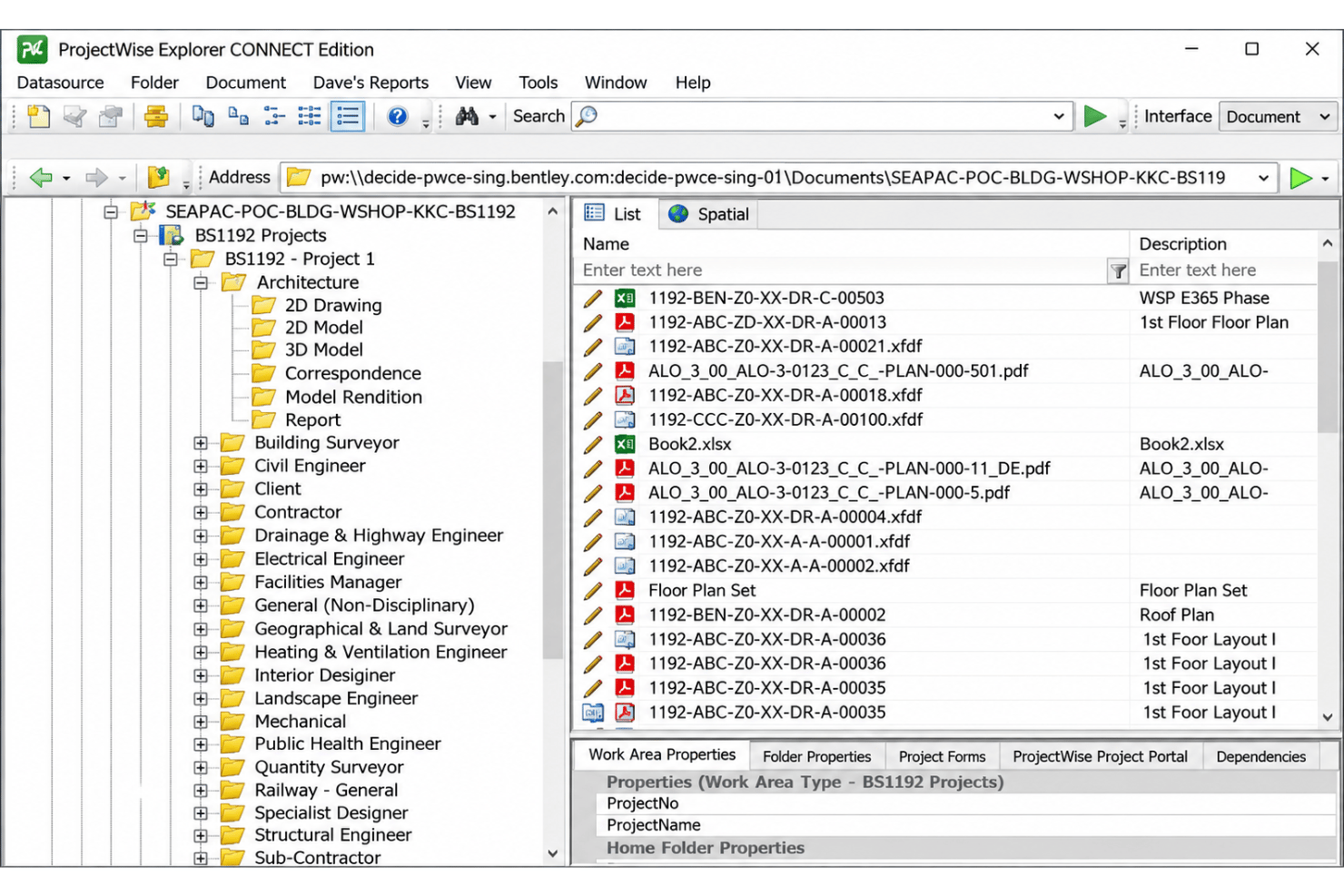
ProjectWise is harder to learn than lighter BIM project management tools, and its dense interface, workflow setup, and access controls can require specialist administration and training. Reviewers also report slow file transfers and inconsistent Revit and Civil 3D performance, which can make routine work frustrating. Its version control, approval workflows, and support for more than 50 file formats justify the complexity on large infrastructure projects, but smaller teams may find onboarding demands outweigh the benefits.
Integrations
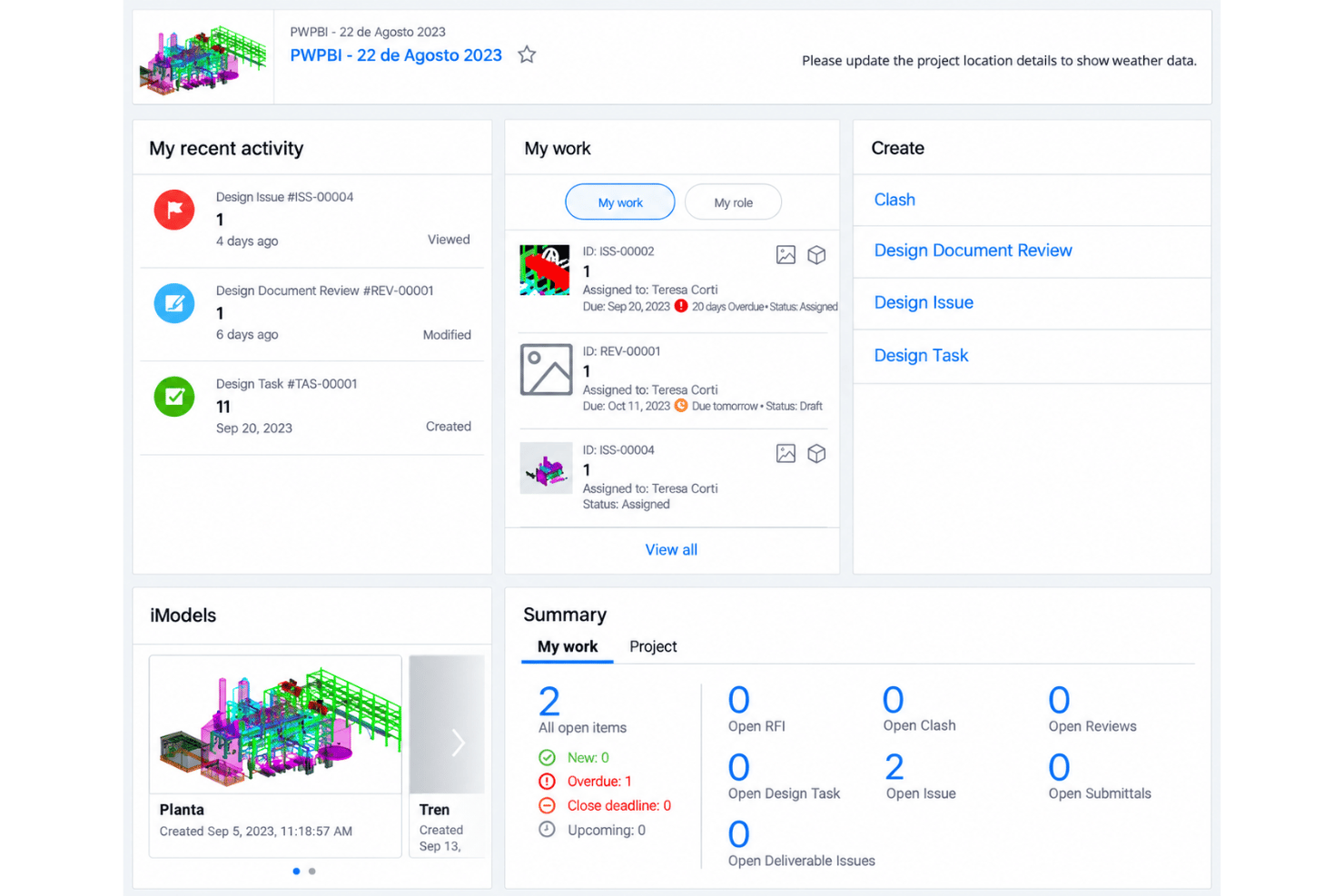
Bentley ProjectWise integrates with MicroStation, AutoCAD, Civil 3D, Revit, and Microsoft Office, among others.
Bentley ProjectWise also provides a REST API through Web Services Gateway and a ProjectWise SDK for custom integrations. It supports third-party workflow automation through a Microsoft Power Automate connector, currently in preview.
Bentley ProjectWise Specs
- API
- Batch Permissions & Access
- Budgeting
- Calendar Management
- Collaboration Support
- Contact Management
- Contact Sharing
- Customer Management
- Dashboard
- Dashboards
- Data Export
- Data Import
- Data Visualization
- Dependency Tracking
- Document Sharing
- Expense Tracking
- External Integrations
- File Sharing
- Gantt Charts
- Kanban Boards
- Multi-User
- Notifications
- Project Management
- Resource Management
- Scheduling
- Task Scheduling/Tracking
- Third-Party Plugins/Add-Ons
- Time Management
- Travel Management
- Workflow Management



