

Creatio AI Studio mod Microsoft Copilot Studio: Sammenligning og anmeldelser for 2026



As AI agents take on more routine and process-driven work, teams need tools that make it easier to build automation without adding another layer of complexity. The challenge is finding the right balance between accessibility, integration depth, and control.
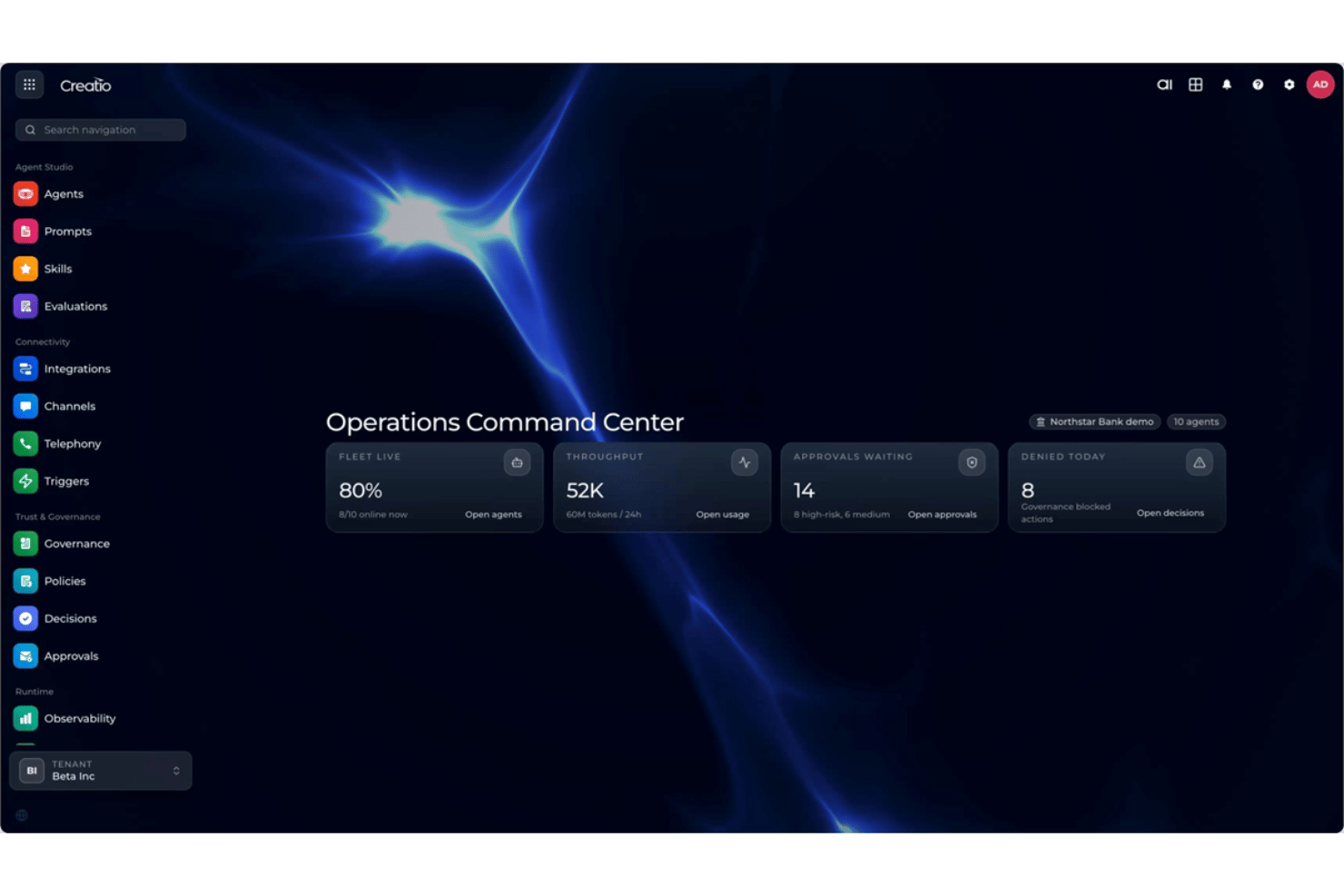
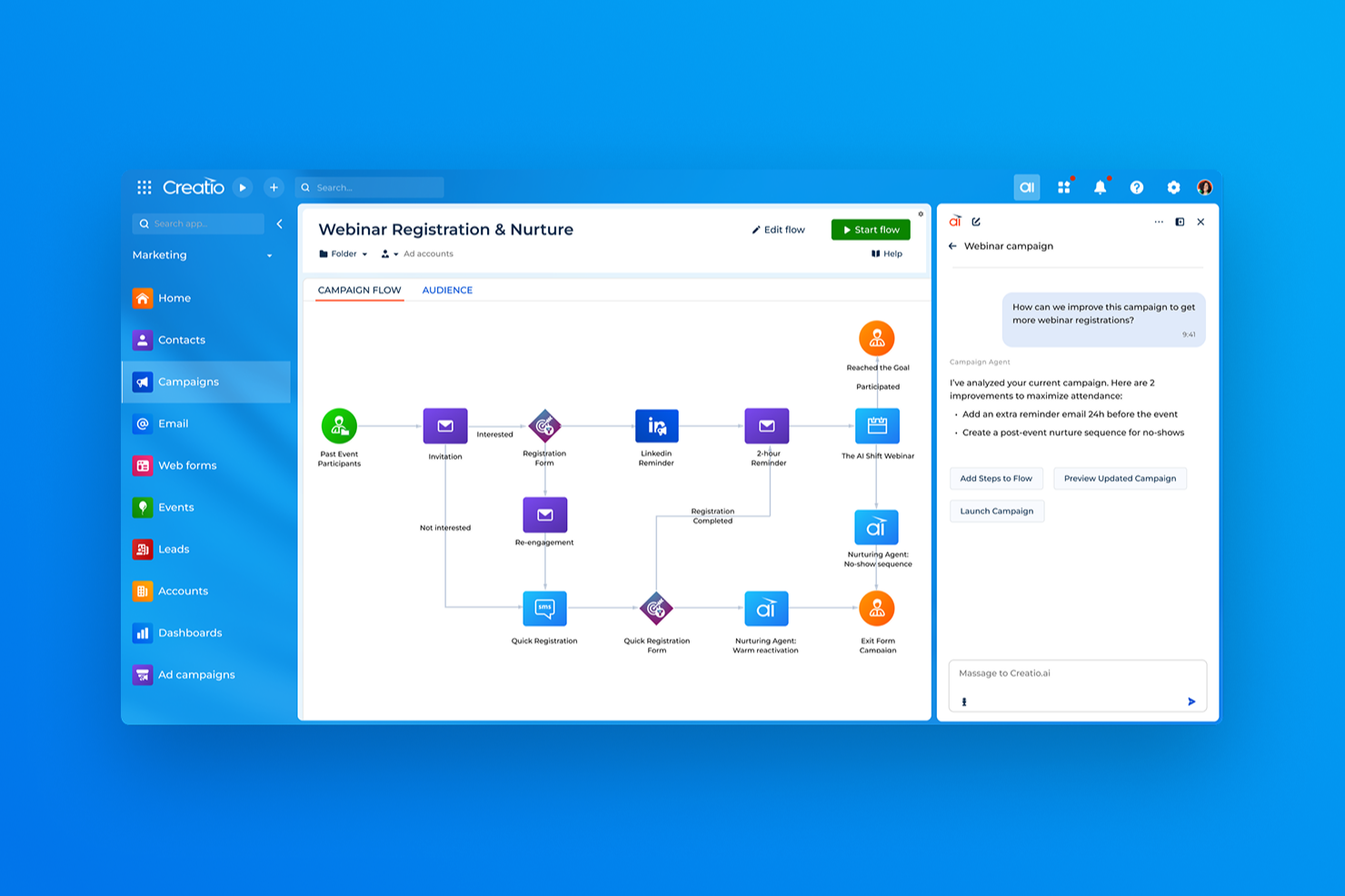
Creatio AI Studio and Microsoft Copilot Studio are AI productivity tools for building and managing AI agents and workflows. Creatio combines AI Twin’s conversational agent creation with no-code and coded development, open model support, human-led and agentic workflows, and centralized lifecycle governance, while Copilot Studio focuses on low-code building within the Microsoft ecosystem.
In this comparison, I assess which tool is the better fit for your team, workflows, and automation needs.
Creatio AI Studio vs. Microsoft Copilot Studio: An Overview
Creatio AI Studio


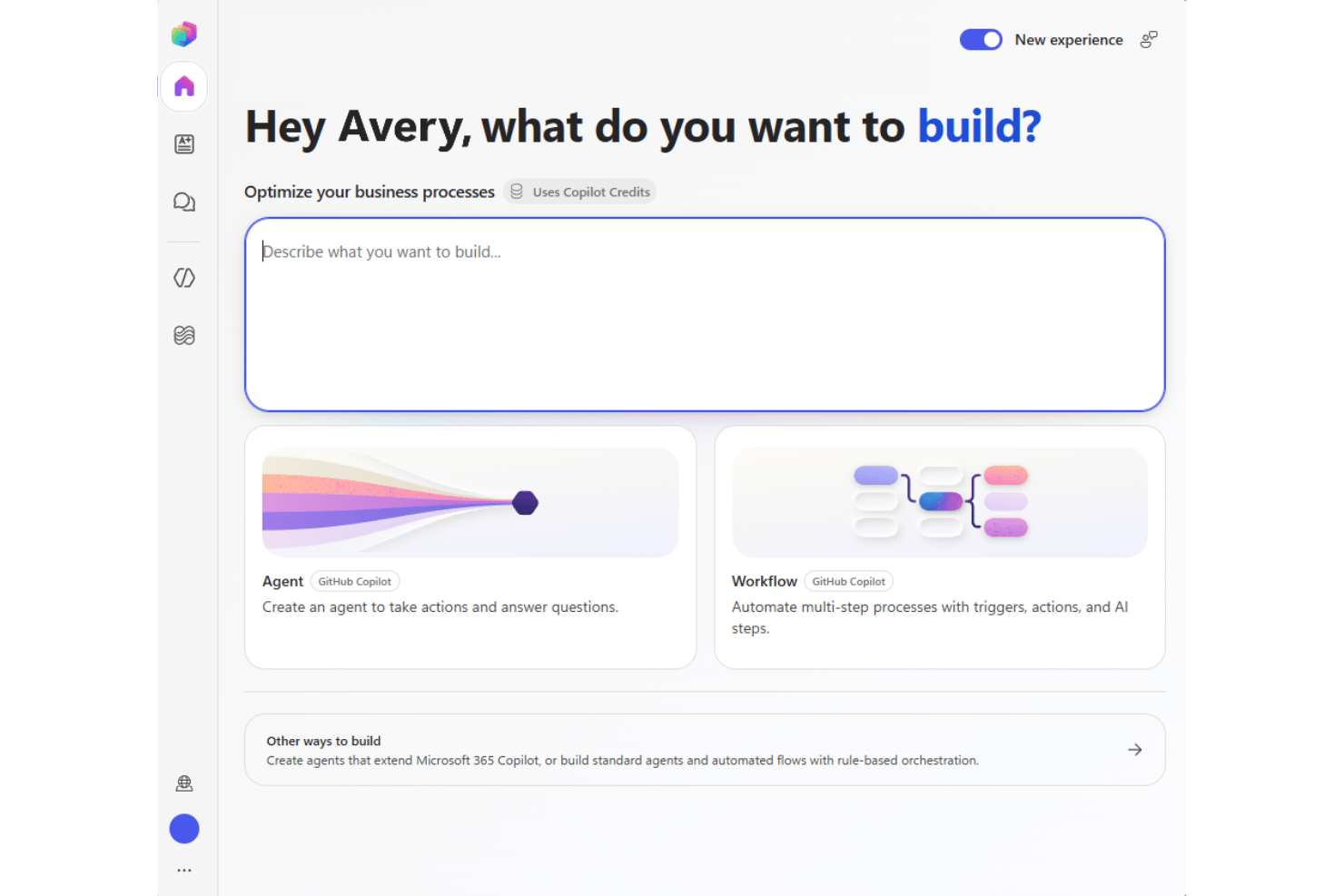
Microsoft Copilot Studio
Why Trust Our Software Recommendations
Our team has been testing and reviewing software since 2012. As project managers ourselves, we know how difficult—and important—it is to choose the right software.
For this guide, we evaluated tools using hands-on testing and independent research, scoring tools using our selection criteria. We also draw on insights from industry thought leaders and practicing project management experts.
Our reviews reflect our human editorial judgment, not a sales pitch.
Expert reviewers:
Creatio AI Studio vs. Microsoft Copilot Studio Pricing Comparison
| Creatio AI Studio | Microsoft Copilot Studio | |
|---|---|---|
| Free Trial | Free demo available | Not available |
| Pricing | $40/user/month | From $30/user/month (billed annually) |
Creatio AI Studio vs. Microsoft Copilot Studio: priser og skjulte omkostninger
Creatio AI Studio kombinerer platformpriser pr. bruger med separate AI-pakker baseret på AI Credits og valgfri supportniveauer, mens Unlimited-modellen understøtter bredere skalering på tværs af organisationen. Microsoft Copilot Studio bruger derimod Copilot Credits gennem forudbetalt betaling eller betaling efter forbrug, så omkostningerne kan variere afhængigt af agentaktivitet og opgavernes kompleksitet.
For at vælge den rigtige leverandør bør du overveje, hvor forudsigelige omkostningerne skal være, og hvor intensivt dine agenter vil blive brugt. Jeg hælder til Creatio, hvis du foretrækker en veldefineret platform- og AI-pakkestruktur, mens Copilot Studio tilbyder større forbrugsbaseret fleksibilitet for organisationer, der allerede arbejder inden for Microsoft-økosystemet.
Creatio AI Studio vs. Microsoft Copilot Studio Feature Comparison
| Creatio AI Studio | Microsoft Copilot Studio | |
|---|---|---|
| API | ||
| Access Management | ||
| Data Export | ||
| Data Import | ||
| Document Management | ||
| External Integrations | ||
| Form Builder | ||
| Multi-User | ||
| Notifications | ||
| Process Modeling | ||
| Workflow Management |
Creatio AI Studio vs. Microsoft Copilot Studio: integrationer
| Integration | Creatio AI Studio | Microsoft Copilot Studio |
|---|---|---|
| Microsoft 365 | ✅ | ✅ |
| Sage | ✅ | ❌ |
| Google Workspace | ✅ | ✅ |
| Slack | ✅ | ✅ |
| Microsoft Teams | ✅ | ✅ |
| SAP | ✅ | ✅ |
| ✅ | ✅ | |
| Hootsuite | ✅ | ❌ |
| API | ✅ | ✅ |
| Zapier | ✅ | ✅ |
Både Creatio AI Studio og Microsoft Copilot Studio tilbyder omfattende integrationsøkosystemer, der forbinder agenter med forretningssystemer og arbejdsgange. Creatio lægger vægt på åben forbindelse på tværs af platforme gennem Marketplace, API'er, webhooks og MCP, mens Copilot Studio drager fordel af Microsofts omfattende økosystem af forbindelser og tætte integration med Microsofts tjenester. Samlet set passer Creatio godt til teams, der arbejder på tværs af en blandet teknologistak, mens Copilot Studio naturligt passer ind i Microsoft-centrerede miljøer.
Creatio AI Studio vs. Microsoft Copilot Studio-sikkerhed, compliance \u0026 pålidelighed
| Faktor | Creatio AI Studio | Microsoft Copilot Studio |
|---|---|---|
| Databeskyttelse | Understøtter AWS- og Azure-regioner, muligheder for dataopbevaring, lokal installation, fuldt kundeejerskab af data samt adskillelse fra træning af delte modeller. | Understøtter geografisk dataopbevaring og databeskyttelsesfunktioner på tværs af Microsofts cloudinfrastruktur. |
| Kryptering & revision | Anvender kryptering og revisionslogning på tværs af administrativ aktivitet, datadrift og agentudførelse for at understøtte sporbarhed. | Krypterer data i hvile og under overførsel og leverer logning gennem Microsofts cloudbaserede sikkerhedsramme. |
| Pålidelighed | Leverer SLA'er for virksomhedsskyen, AI-observabilitet, udførelseshistorik, politikovervågning, godkendelser, eskaleringskontroller og livscyklusstyring. | Anvender Microsoft Azure-infrastruktur og regional redundans for at understøtte tilgængelighed og robusthed. |
| Lovgivningsmæssig compliance | Opretholder SOC 2 Type II- og ISO/IEC 27001-certificeringer med kontroller, der understøtter GDPR-krav og regulerede arbejdsgange. | Understøtter en bred compliance-portefølje, herunder SOC-, ISO-, GDPR-, HIPAA- og FedRAMP-rammer. |
| Adgang & AI-styring | Understøtter SAML 2.0 SSO, MFA, detaljeret RBAC, politikker på organisations- og agentniveau, værktøjsgodkendelser, datamaskering, bekræftelser og kontroller med menneskelig involvering. | Anvender Microsoft Entra ID, RBAC, godkendelseskontroller og Power Platform-styring til håndtering af agentadgang og -aktivitet. |
Overordnet lægger Creatio AI Studio vægt på detaljerede adgangskontroller, revisionsspor, fleksibel implementering samt en ramme for AI-tillid og -styring, der udvider sikkerhedskontrollerne til agentaktivitet. Microsoft Copilot Studio bygger på Microsofts bredere økosystem for cloudbaseret sikkerhed og compliance. Begge løsninger giver et stærkt virksomhedsgrundlag, men de anvender forskellige platformarkitekturer til styring.
Creatio AI Studio vs. Microsoft Copilot Studio – brugervenlighed
| Faktor | Creatio AI Studio | Microsoft Copilot Studio |
|---|---|---|
| Brugerflade | Kombinerer AI Twins' samtalebaserede agentoprettelse med visuelle værktøjer uden kode til opbygning og administration af agenter, mens SDK'er til kodning understøtter mere avancerede krav. | Anvender en velkendt Microsoft-brugerflade med guidede værktøjer til opbygning og administration af agenter. |
| Introduktion | Følger typisk en guidet implementering baseret på arbejdsgange, integrationer, data og implementeringsomfang. | Tilbyder guidet opsætning, skabeloner, dokumentation og Microsofts læringsressourcer. |
| Opsætningsproces | Understøtter fleksibel konfiguration, men mere komplekse implementeringer kan omfatte integrationer, migrering, test og planlægning af udrulning. | Opretter tæt forbindelse til Microsoft-tjenester og virksomhedsdata, selvom bredere opsætninger stadig kan kræve konfiguration. |
| Læringskurve | Værktøjer uden kode sænker barriererne for at opbygge agenter, mens avancerede implementeringer kan drage fordel af specialister eller certificerede partnere. | Værktøjer med lav kode er lette at gå til, især for Microsoft-brugere, men mere avanceret automatisering kan kræve kendskab til Power Platform. |
| Kundesupport | Tilbyder support via e-mail og regionale telefonnumre samt Creatio Academy, selvbetjeningsressourcer og et globalt partnerøkosystem. | Tilbyder Microsoft-dokumentation, træningsressourcer, fællesskabssupport og supportmuligheder baseret på abonnementet. |
Med hensyn til brugervenlighed giver Creatio AI Studio forretnings- og tekniske teams flere veje til at oprette agenter – fra den samtalebaserede AI Twins-oplevelse og visuelle værktøjer uden kode til SDK'er til kodning. Microsoft Copilot Studio drager fordel af et velkendt miljø for teams, der allerede bruger Microsoft 365 og Power Platform. Creatio kan passe til teams, der ønsker større fleksibilitet i måden, agenter opbygges og konfigureres på, mens Copilot Studio kan føles mere naturligt i en Microsoft-centreret teknologistak.
Creatio AI Studio vs Microsoft Copilot Studio: Pros & Cons
Creatio AI Studio
- No-code agent designer lets teams build and deploy AI agents with less developer support
- Supports no-code and coding-based agents, giving technical and business teams more flexibility
- Built-in governance covers policies, approvals, audit trails, and human review of agent actions
- Advanced implementations may require significant configuration and integration work
- Administrators may need time to learn its broader no-code and agent management capabilities
- Its enterprise-focused feature set may be excessive for teams that only need simple AI automation
Microsoft Copilot Studio
- Connects securely to Microsoft 365 and business data.
- Built-in governance and access controls for enterprise compliance.
- Visual builder simplifies creating conversational AI agents.
- Limited customization outside Microsoft tools and connectors.
- Lacks advanced model fine-tuning options found elsewhere.
- Some features require higher-tier Microsoft 365 licenses.
Best Use Cases for Creatio AI Studio and Microsoft Copilot Studio
Creatio AI Studio
- Banking and Financial Services Creatio supports banking, credit union, insurance, and mortgage organizations with configurable AI and workflow automation for complex, regulated processes.
- Manufacturing and Distribution Manufacturing and distribution teams can use AI agents and automated workflows across operational, service, and customer-facing processes.
- Healthcare and Life Sciences Healthcare, pharma, and life sciences organizations can use configurable workflows, integrations, and governance controls across data-intensive processes.
- Telecommunications and Utilities Telecom, energy, and utility companies can automate high-volume operational and service workflows while maintaining centralized control over AI agents.
- Retail and CPG Retail and consumer goods teams can use AI-driven workflows to automate processes across customer operations, sales, and other cross-functional activities.
- High Tech and Business Services High-tech and business services organizations with complex, changing processes can use Creatio’s no-code tools and integrations to build and adapt AI-driven workflows.
Microsoft Copilot Studio
- Large Enterprises Integrated security, compliance, and scalability features suit organizations with complex oversight needs.
- IT Departments Tight links to Microsoft Azure and Power Platform simplify workflow automation and bot management for in-house IT teams.
- Human Resources HR teams benefit from ready-to-deploy chatbots for onboarding, policy guidance, and employee support with ties to Microsoft 365.
- Healthcare Providers Built-in security and compliance controls help healthcare organizations automate patient communication while protecting sensitive data.
- Education Institutions Easy deployment inside Microsoft Teams streamlines faculty and student interactions for schools already running on Microsoft platforms.
- Customer Service Ability to build AI agents for support and integrate directly with Dynamics 365 makes it attractive for service teams.
Hvem bør bruge Creatio AI Studio, og hvem bør bruge Microsoft Copilot Studio?
Hvis du leder efter et AI-produktivitetsværktøj, der samler forretningsbrugere, tekniske teams og AI-agenter i det samme arbejdsgangsmiljø, er Creatio AI Studio sandsynligvis et godt valg. Det egner sig til mellemstore og store organisationer, der har brug for AI Twin og agentoprettelse uden kode, kodede agenter, flere AI-modeller, åbne integrationer, engagement på tværs af kanaler, centraliseret styring og menneskeligt tilsyn på tværs af komplekse forretningsprocesser.
Hvis din organisation derimod allerede er stærkt afhængig af Microsoft 365, Dynamics 365, Azure eller Power Platform, kan Microsoft Copilot Studio opfylde dine behov. Det egner sig til store virksomheder, IT-afdelinger, HR, sundhedssektoren, uddannelsesinstitutioner og kundeserviceteams, der ønsker at automatisere arbejdsgange, understøtte selvbetjening og implementere agenter på tværs af velkendte Microsoft-kanaler og forretningssystemer.
Differences Between Creatio AI Studio and Microsoft Copilot Studio
| Creatio AI Studio | Microsoft Copilot Studio | |
|---|---|---|
| AI Model Flexibility | Supports OpenAI, Google, Anthropic, and other model strategies through an open architecture without tying teams to one provider. | Supports selectable AI models within Microsoft’s governed Copilot Studio framework, with availability varying by region and model status. |
| Deployment Options | Supports multiple AWS and Azure regions as well as on-premises deployment for organizations needing more hosting flexibility. | Runs as a cloud service within Microsoft’s Azure and Power Platform infrastructure. |
| Ecosystem Orientation | Designed to orchestrate agents and workflows across varied enterprise systems without requiring a Creatio-first stack. | Fits most naturally into organizations centered on Microsoft 365, Power Platform, Dynamics 365, and Azure. |
| Platform Scope | Combines AI Twin, AI Studio, workflow automation, no-code application development, CRM, and human-led business processes in one platform. | Centers on agent and workflow development within Microsoft Copilot, Power Platform, and related Microsoft services. |
| Pricing and Scaling | Combines platform access with separate AI packages and AI Credits, with Unlimited supporting broader organization-wide scaling. | Uses Copilot Credits through prepaid or pay-as-you-go billing, so costs scale with agent activity and task complexity. |
| Visit Creatio AI StudioOpens new window | Read Microsoft Copilot Studio ReviewOpens new window |
Similarities Between Creatio AI Studio and Microsoft Copilot Studio
| Business Data Grounding | Both allow agents to use organizational data and business context so responses and actions are tied to real operational information. |
|---|---|
| Governance Controls | Both provide policies, permissions, and administrative controls for managing how agents access data and execute business actions. |
| Monitoring and Evaluation | Both give teams tools to test, monitor, and evaluate agent activity so they can identify issues and improve performance over time. |
| No-Code Agent Building | Both provide visual and natural-language tools that make agent creation accessible without requiring users to code every workflow from scratch. |
| Workflow Automation | Both let teams create AI-driven workflows that handle routine tasks, trigger actions, and execute multi-step business processes. |
| Visit Creatio AI StudioOpens new window Read Microsoft Copilot Studio ReviewOpens new window | |