

Küçük İşletmeler İçin En İyi 10 Dijital Varlık Yönetimi Aracı

Küçük İşletmeler için En İyi Dijital Varlık Yönetimi Yazılımları Kısa Listesi


Dijital dosyaları depolamak ve paylaşmak, özellikle ekibiniz müşteri varlıklarını, yaratıcı içerikleri ve sıkı teslim tarihlerini yönetiyorsa, karmaşık bir hâl alabilir. Bir dosyanın doğru sürümünü bulmak için zaman kaybettiyseniz, bunun ne kadar can sıkıcı olduğunu bilirsiniz.
Dijital varlık yönetimi (DAM) yazılımı, dosyaları düzenli ve kolay erişilebilir tutar. Bu, dağınık sistemlerle uğraşacak fazladan zamanı olmayan küçük işletmeler için özellikle faydalıdır.
Bu makalede, düzenli kalmanıza, zaman kazanmanıza ve projeleri ilerletmenize yardımcı olan özelliklere odaklanarak küçük ekipler için en iyi DAM araçlarını ele alacağım.
Why Trust Our Software Recommendations
Our team has been testing and reviewing software since 2012. As project managers ourselves, we know how difficult—and important—it is to choose the right software.
For this guide, we evaluated tools using hands-on testing and independent research, scoring tools using our selection criteria. We also draw on insights from industry thought leaders and practicing project management experts.
Our reviews reflect our human editorial judgment, not a sales pitch.
Expert reviewers:
Küçük İşletmeler için Dijital Varlık Yönetimi Yazılımları Karşılaştırma Tablosu
Bu karşılaştırma tablosu, küçük işletmeler için en iyi DAM yazılımı seçimlerimdeki fiyatlandırma ayrıntılarını özetlemektedir:
| Tool | Starting Price | Website | |
|---|---|---|---|
| Best for asset collaboration | 4.7 out of 5 | $100/month 7-day free trial + free demo available | Website |
| Best for customizable branded portals | 4.6 out of 5 | Pricing upon request Free demo available | Website |
| Best for dynamic search filters | 4.8 out of 5 | $99/month Free plan + 14-day free trial + demo available | Website |
| Best for smart asset search | 4.6 out of 5 | $900/month Free plan + demo available | Book Demo |
| Best for granular user access control | 4.8 out of 5 | $250/month Free plan + free trial available | Website |
| Best for custom branding features | 4.7 out of 5 | $29/month 30-day free trial available | Website |
| Best for teams without per-seat fees | 5.0 out of 5 | $109/month 14-day free trial + free demo available | Website |
| Best for creative content | 4.9 out of 5 | Pricing upon request Free demo available | Website |
| Best for marketing operations | 4.5 out of 5 | $567/month Free demo available | Website |
| Best for asset distribution | 4.5 out of 5 | $300/user/month Free trial + demo available | Website |
Küçük İşletmeler için En İyi Dijital Varlık Yönetimi Yazılımları İncelemeleri
Aşağıda, kısa listeme giren küçük işletmeler için en iyi DAM yazılımlarının ayrıntılı özetlerini bulabilirsiniz. İncelemelerim, sizin için en iyi seçeneği bulmanıza yardımcı olmak amacıyla her aracın temel özelliklerine, artılarına \u0026 eksilerine, entegrasyonlarına ve ideal kullanım alanlarına ayrıntılı bir bakış sunmaktadır.

Pics.io
Best for asset collaboration

Pics.io is a digital asset management platform for small businesses that organizes, stores, and centralizes images, videos, and creative files in the cloud.
Who Is Pics.io Best For?
Pics.io is a good fit for small creative and marketing teams that need a shared space to store, organize, and manage visual assets together.
Why I Picked Pics.io
I picked Pics.io as one of the best tools because of how well it handles collaboration across creative teams working on shared assets. I particularly like the inline commenting on images and videos—comments are time-stamped, and you can even pin them to specific timecodes in a video, which makes feedback loops between designers, editors, and stakeholders much tighter. My team also uses the version control feature to approve or reject file versions directly in the platform, so there's no need to chase down feedback over email. The role-based permissions let you control exactly who can view, edit, or share each asset, which keeps external contractors and freelancers in their lane without locking them out entirely.
Pics.io Key Features
- Custom metadata fields: Create your own metadata fields beyond default options to match your team's specific workflows and terminology.
- AI auto-tagging: Automatically generate keywords and tags for uploaded assets, including facial recognition across image libraries.
- Saved searches: Save frequently used search queries and filter combinations so your team can pull up recurring asset sets instantly.
- Expiring share links: Set expiration dates on shared asset links to control how long external partners or clients can access your files.
Pics.io Integrations
Pics.io offers native integrations with Google Drive, Amazon S3, and Adobe Creative Cloud. An API is available for custom integrations.
Pros and Cons
Pros:
- Extensive integration options with popular tools and services
- Comprehensive version control for asset management
- Intuitive interface for easy navigation and use
Cons:
- The learning curve for advanced features may require additional training
- Minimum user requirements
New Product Updates from Pics.io
Pics.io Adds Filtered Audit Trail CSV Exports
Pics.io now lets you export Audit Trail logs to CSV and apply filters before exporting, making it easier to analyze and share activity history. For more information, visit Pics.io's official site.
 .

Best for customizable branded portals

MediaValet is a digital asset management platform for small businesses that lets you organize, store, search, and share digital files in a centralized cloud library.
Who Is MediaValet Best For?
MediaValet is a good fit for marketing and creative teams in small businesses that need a centralized place to manage and distribute brand assets.
Why I Picked MediaValet
MediaValet earns its spot on my shortlist because of its Experience Portals feature, which lets small business marketing teams build fully branded asset-sharing spaces with custom colors, typography, and media. I like that these portals aren't just static pages—they use a flexible CMS so you can push real-time updates to brand content without rebuilding anything. You can also set granular permissions per portal, so external partners get access to the assets they need while sensitive files stay locked down. The self-serve access model means your creative team spends less time fielding asset requests and more time on actual work.
MediaValet Key Features
- AI-powered metadata tagging: Automatically generate descriptive tags for assets using AI, including object detection, color recognition, and face recognition to improve searchability.
- Advanced search with custom attributes: Filter assets by file type, status, document text, rating, and custom tags, with the option to save and share search views across your team.
- Asset proofing: Review and annotate assets directly in the platform to move files through an approval workflow without switching tools.
- Templating: Customize locked, on-brand templates (powered by Marq) directly from the DAM without needing to involve the design team.
MediaValet Integrations
MediaValet offers native integrations with Adobe Creative Cloud, Microsoft 365, WordPress, Drupal, and Hootsuite. An API is available for custom integrations.
Pros and Cons
Pros:
- Robust search capabilities allow for quick location of assets
- Advanced security features ensure assets remain protected
- Mobile access allows for asset management on the go
Cons:
- Potential learning curve for new users
- Limited options for customizing the user interface

Best for dynamic search filters

Stockpress is a digital asset management platform for small businesses that organizes, stores, and shares files with customizable permissions and advanced search capabilities.
Who Is Stockpress Best For?
Stockpress is a good fit for small creative and marketing teams that need a straightforward way to store, organize, and share brand assets.
Why I Picked Stockpress
Stockpress earns its spot on my shortlist because of how well its dynamic filters work for teams that manage large, mixed-format asset libraries. You can filter files by orientation, file extension, owner, tag, status, and more—all at once—which means finding a specific approved PNG from last quarter's campaign takes seconds, not a scroll through endless folders. I also like the Smart Collections feature, which lets you build collections dynamically using saved search terms and tags, so your most-used asset groups stay current without any manual upkeep. Pinned searches also let you save and repeat complex filter combinations.
Stockpress Key Features
- AI tagging: Tags uploaded images with up to 90% accuracy, reducing manual metadata work across large asset libraries.
- File versioning: Upload new file versions directly into existing ones, creating a version stack so your team always knows which file is current.
- Guest uploads: Generate public upload pages so external contributors can add files directly to specific collections in your workspace.
- File annotations: Add comments to specific areas on any file type, including video, for precise feedback during review cycles.
Stockpress Integrations
Stockpress offers native integrations with Adobe Creative Cloud, Google Drive, Dropbox, and Slack. An API is available for custom integrations.
Pros and Cons
Pros:
- Can create custom collections for assets
- Good AI tagging features
- Manages large asset volumes
Cons:
- File migration support limited to enterprise plan
- Could offer more integrations

Air
Best for smart asset search

Air is a digital asset management platform for small businesses that offers AI-powered search, visual organization, version control, and team collaboration tools for managing creative files.
Who Is Air Best For?
Air is a good fit for small creative teams—like marketing, design, and content teams—that manage large libraries of visual assets and need a faster way to find and share files.
Why I Picked Air
Air earns its spot on my shortlist because of how well its AI-powered search handles large libraries of visual content. I can search by color, subject, or even text within an image—without manually tagging a single file. Air's automatic tagging does the heavy lifting, so my team can locate a specific product photo or campaign asset in seconds rather than digging through folders. I also like that search results surface in a visual grid, making it easy to scan and confirm you've found the right file at a glance.
Air Key Features
- Reviews and approvals: Leave comments, annotate, and approve assets directly within Air without switching to a separate tool.
- Version control: Track changes across asset iterations so your team always knows which file is the most current, approved version.
- Share links: Share collections of assets with external stakeholders via a single link, with no account required to view.
- Video and audio transcription: Automatically transcribe spoken content in video and audio files, making them searchable by what's said.
Air Integrations
Air offers native integrations with Slack, Adobe Creative Cloud, Zapier, and Canva. An API is available for custom integrations.
Pros and Cons
Pros:
- Good for approval and feedback features
- Supports various file formats
- Facilitates easy sharing of visual assets
Cons:
- Lacks a dedicated mobile app
- Not ideal for non-visual digital assets
New Product Updates from Air
Air Introduces Workspace Agent Automations
Air adds scheduled automations, reusable skills, and run history tracking to its workspace agent. These features help teams automate recurring tasks and manage workflows without manual intervention. For more information, visit Air’s official site.
 .
Best for granular user access control

Tagbox.io is a digital asset management platform designed for small teams that need organized file storage, fast search, and structured access controls for managing brand assets.
Who Is Tagbox.io Best For?
Tagbox.io is a strong fit for small marketing and creative teams that need a centralized, searchable hub for storing and sharing visual assets without a complex enterprise setup. Most AI features are available on all plans.
Why I Picked Tagbox.io
I picked Tagbox.io because its permission controls are flexible without being overly complicated. You can assign access at the collection level, making it easy to give team members or external collaborators access only to what they need. Combined with natural-language search, it helps small teams stay organized without spending hours manually labelling files.
Tagbox.io Key Features
- Natural-language search: Combine keyword queries with filters for collections, people, and metadata fields.
- Guest access controls: Allow external collaborators to view or download assets without full platform access.
- Ease of use: Features a clean, intuitive interface, making it easy for small teams to organize, find, and share assets.
Tagbox.io Integrations
Connect Tagbox.io through Tagbox Desktop (drag-and-drop into any app), Zapier, Make, and a REST API. Custom workflows are available for Enterprise.
Pros and Cons
Pros:
- Simple interface suited for small teams
- AI-powered search reduces manual tagging work
- Granular collection-level permission controls
Cons:
- Limited native integrations beyond core storage and communication tools

Filecamp
Best for custom branding features

Filecamp is a digital asset management platform for small businesses that need centralized file storage, branded client portals, and customizable user permissions.
Who Is Filecamp Best For?
Filecamp suits small creative and marketing teams that need a straightforward way to store, organize, and share brand assets with clients or collaborators.
Why I Picked Filecamp
Filecamp earns its spot on my shortlist because it's one of the few DAM tools that includes unlimited users across all plans, which makes a real difference when you're a small team watching every line of your budget. I like that you're not penalized for growing your team or bringing in clients and collaborators. The custom branding features let you apply your logo, colors, and a custom URL to your asset portal, so clients see your brand rather than a third-party tool. On top of that, auto-tagging uses image analysis to tag assets automatically, which cuts down the manual work of organizing a growing file library.
Filecamp Key Features
- Collections: Group files from across multiple folders into a single collection for easier sharing and collaboration with external partners.
- Online proofing and approvals: Add comments, labels, and approval statuses directly to files to manage review cycles without leaving the platform.
- Version control: Store and access previous versions of a file so your team can track changes and roll back when needed.
- Request file links: Generate upload links that let anyone send files directly into your Filecamp account, even without a user login.
Filecamp Integrations
Native integrations are not clearly documented. Filecamp offers an API for custom integrations.
Pros and Cons
Pros:
- Advanced file sharing and online proofing
- Customizable branding options
- Flat-rate pricing with unlimited users
Cons:
- May struggle to upload and retrieve larger files
- Extra charges for additional storage
New Product Updates from Filecamp
Filecamp Adds Analytics, AI Thumbnails, and CDN Embed Links
Filecamp adds Analytics, AI-powered thumbnails, and CDN-backed Embed links. These updates give teams more visibility into asset usage, improve thumbnail presentation, and make embedded images easier to manage. For more information, visit Filecamp’s official site.
 .

Dash
Best for teams without per-seat fees
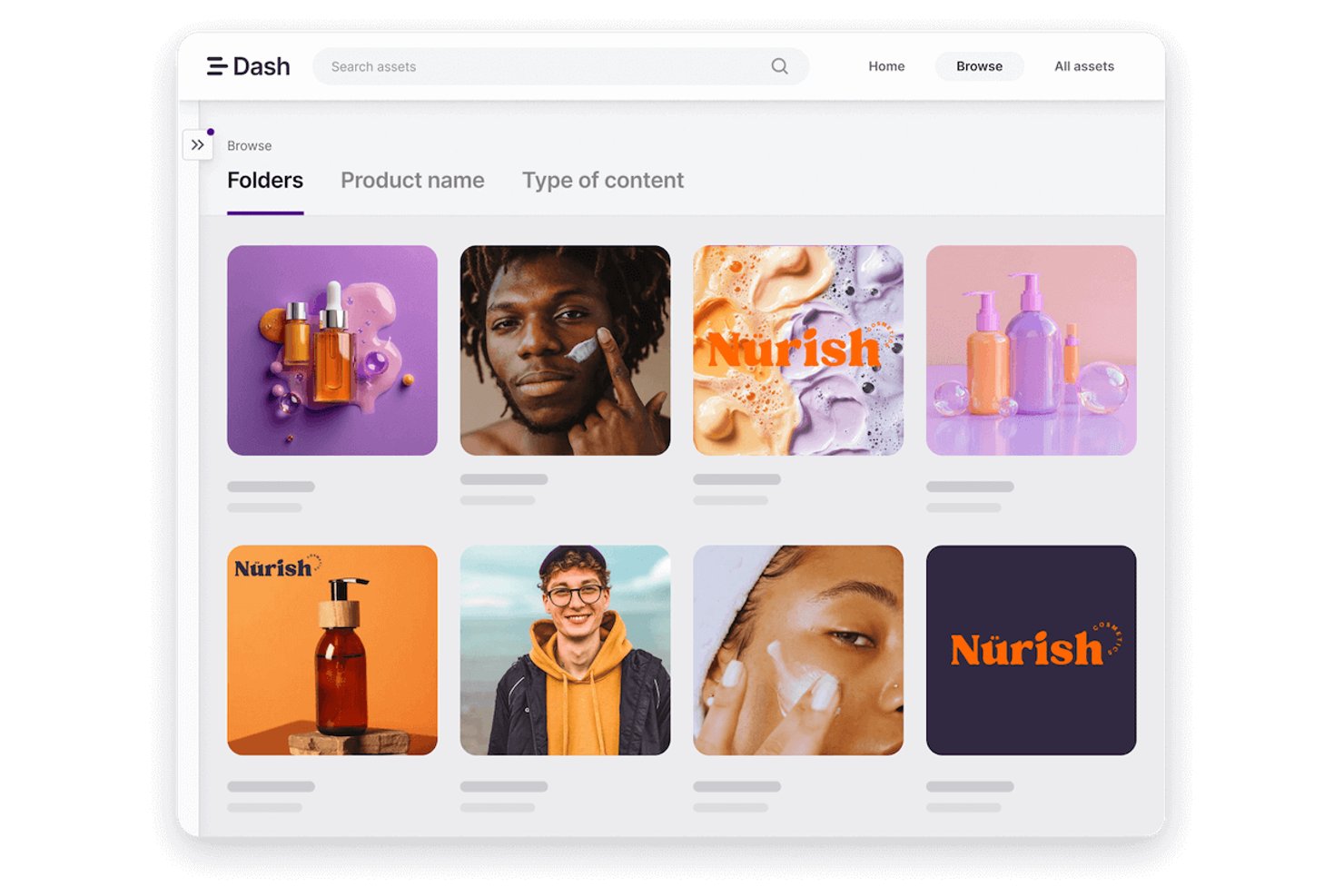
Dash is a digital asset management platform that lets teams store, organize, search, tag, and share brand and marketing assets from a central library.
Who Is Dash Best For?
Dash is a strong fit for small marketing and brand teams that need a central home for their creative assets without paying per seat.
Why I Picked Dash
Dash earns its spot on my shortlist because it's built around flat-rate, per-account pricing, so adding your whole team, your agency, and your seasonal contractors never triggers a bigger bill. I particularly like how branded portals let you give retailers or press contacts self-service access to exactly the assets you've approved, without a shared login or a zip file over email. Version uploads are another standout: when you replace an asset, every existing share link automatically serves the new version, so outdated files stop circulating on their own.
Dash Key Features
- AI search: Find assets using natural-language descriptions instead of relying on exact tag or file name matches.
- Custom fields and tags: Attach metadata like SKU, campaign name, or product type to assets so your team can filter and locate files using your own terminology.
- Upload approval workflow: Require admin sign-off on contributor submissions before assets go live in the library.
- Expiry and release date fields: Set date-based controls on assets to flag when files should no longer be used or aren't yet approved for distribution.
Dash Integrations
Dash offers 14 documented native integrations, including Shopify, WordPress, WooCommerce, Figma, Canva, Adobe Creative Suite, Google Workspace, Klaviyo, Dropbox, and Google Drive. It also provides a REST API for custom integrations and supports Zapier.
Pros and Cons
Pros:
- Previous versions stay grouped with assets
- Partners can access approved files easily
- Assets stay organized in one library
Cons:
- Portal activity insights are limited
- AI-generated tags can be inaccurate

Best for creative content

PhotoShelter is a digital asset management platform designed for small businesses that need to organize, store, and collaborate on creative files like images and videos.
Who Is PhotoShelter Best For?
PhotoShelter is a good fit for small creative teams—like marketing, design, or photography studios—that need a central place to manage and share visual assets.
Why I Picked PhotoShelter
PhotoShelter earns its spot as one of the best on my shortlist because of how well it handles creative content at every stage of the workflow. I particularly like the AI-powered auto-tagging and visual search, which means my team can find the right image or video in seconds rather than digging through folders manually. The real-time content distribution feature is also a standout for creative teams—once assets are approved, you can push them directly to stakeholders or social channels without jumping between tools. The built-in analytics show which assets are being used and what stakeholders search for, so I can make smarter decisions about which content to prioritize.
PhotoShelter Key Features
- Version control: Track changes to assets over time and restore previous versions of files directly within your library.
- Custom permissions and access controls: Set granular access levels for individual users or groups to control who can view, download, or share specific assets.
- Video management: Upload, organize, and distribute video files alongside image assets within a single centralized library.
- User-generated content (UGC) management: Collect and manage real photos and videos submitted by your audience, then store them alongside your own brand assets.
PhotoShelter Integrations
Integrations include WordPress, Adobe Creative Cloud, Canva, SketchUp, Drupal, Content Hub, and Dropbox.
Pros and Cons
Pros:
- User-friendly interface
- Customizable metadata fields
- Advanced search and version control features
Cons:
- Performance issues with larger asset libraries and bulk operations
- Limited integration options

Best for marketing operations

IntelligenceBank is a digital asset management platform designed for small businesses that need centralized asset storage, brand management, and workflow automation features.
Who Is IntelligenceBank Best For?
IntelligenceBank is a good fit for small marketing teams that need to manage brand assets, creative approvals, and content distribution in one place.
Why I Picked IntelligenceBank
I've included IntelligenceBank in my top picks because it covers the full marketing operations workflow in a single platform—from creative briefs and task allocation to proofing, approvals, and asset distribution. What I particularly like is the marketing work management module, which lets you build custom approval workflows and track every step from brief to final sign-off using Kanban boards and marketing calendars. I also find the AI-powered compliance detection genuinely useful—it automatically flags brand and legal risks in content before it goes live, which removes a lot of back-and-forth between marketing and legal teams.
IntelligenceBank Key Features
- Version control: View, compare, and revert to previous versions of any asset directly within the platform.
- Role-based access controls: Set user permissions to manage who can view, edit, or share specific assets and folders.
- AI metadata tagging: Automatically generate metadata tags for images and videos to make assets searchable without manual input.
- Asset usage reporting: Track where and when assets have been used with configurable reporting dashboards.
IntelligenceBank Integrations
IntelligenceBank offers native integrations with Adobe Creative Cloud, Microsoft 365, Google Workspace, Drupal, WordPress, and Salesforce. An API is available for custom integrations.
Pros and Cons
Pros:
- Strong compliance and brand management features
- A comprehensive set of marketing operations tools
- Customizable workflows tailored for marketing
Cons:
- Minimum seat requirements
- Annual billing may not be preferred by all businesses

Image Relay
Best for asset distribution

Image Relay is a digital asset management platform for small businesses that centralizes file storage, organizes digital content, and supports branded asset sharing and distribution.
Who Is Image Relay Best For?
Image Relay is a good fit for small marketing and creative teams that need a central place to store, organize, and share brand assets with external partners or clients.
Why I Picked Image Relay
I picked Image Relay as one of the best tools because it accelerates delivery of assets to the right people. The Marketing Delivery feature lets my team build branded, shareable collections of files that external partners, retailers, or clients can access without needing a login. I also like the branded portal functionality, which means distributors and resellers get a white-labeled hub stocked with the latest approved assets. Controlled, on-brand distribution like this is hard to replicate with a generic file-sharing tool.
Image Relay Key Features
- AI-powered search and tagging: Automatically organizes and tags assets so your team can find files without manually entering metadata.
- Approval workflow: Routes assets through a centralized review and proofing process before they're finalized or shared.
- Customizable brand portals: Creates dedicated, branded hubs where internal teams and external partners can access approved assets.
- Product information management: Connects product data—like SKUs, specs, and descriptions—directly to their associated digital assets in one place.
Image Relay Integrations
Image Relay offers native integrations with Adobe Creative Cloud, Microsoft 365, Shopify, WordPress, and Drupal. An API is available for custom integrations.
Pros and Cons
Pros:
- User-friendly interface and robust search functionality
- Customizable metadata fields for tailored asset management
- Efficient asset distribution with dynamic share links and automatic updates
Cons:
- Requires exploration to fully leverage the platform's capabilities
- Higher starting price point compared to some other DAM offerings
Küçük İşletmeler için Diğer Dijital Varlık Yönetimi Yazılımları
Küçük işletmeler için kısa listeme giremeyen ancak yine de göz atmaya değer bazı ek DAM yazılımı seçenekleri şunlardır:
- Pimcore
For data management
- Canto
For asset organization
- Lingo
For centralized asset organization
- Asset Bank
For brand management
- Mailchimp
Asset management in a marketing platform
- Guru
For verified brand assets
- Adobe Experience Manager
For personalized experiences
- Extensis Portfolio
For asset utilization
- Daminion
For diverse media formats
- Cloudinary
For media optimization
- Plytix
For product digital assets
- Brandfolder
For AI-driven asset tagging
- Connecter Suite
For minimal setup
- Smartsheet
For project collaboration
- Box
For cloud content management


How I Evaluate Digital Asset Management Software for Small Business
I evaluate these tools across two layers: the core capabilities any small team needs to stop emailing files and digging through folders, and the differentiators that signal a better long-term fit.
Core Functionality (Table Stakes For This List)
When I'm selecting tools for my list, I rank each one on a scale from 0 (does not offer the functionality) to 5 (excels in this area) for each core functionality listed below. Then, I calculate the tool's total score into a percentage. Each tool needs to achieve a minimum total score of 65% to be considered for inclusion.
- Centralized Asset Library: I check whether a tool lets small teams store, organize, and preview files like PSDs, videos, and brand templates in one searchable location.
- Metadata & Tagging: Tagging and custom metadata fields matter because they determine how fast you can find a specific asset across dozens of project folders.
- Version Control: I look for automatic version history and rollback, so your team can track revisions on a deliverable without renaming files or losing prior work.
- Permissions & Access Control: Small teams often loop in freelancers or clients, so I evaluate how each tool handles user roles, folder permissions, and guest access.
- Sharing & Collaboration: I consider whether you can share assets via branded links, set expiration dates, and collect feedback through comments or annotations in one place.
- Project Tool Integrations: A DAM that connects to tools like Asana, Trello, Slack, or Adobe Creative Cloud fits into your existing workflow instead of creating another silo.
Once I have a list of tools that meet the criteria, I consider what sets each platform apart.
Differentiating Factors (What Sets Vendors Apart)
Here's how I compare and contrast different vendors:
Standout Features
AI-powered search is a big one—I look for tools that auto-tag uploads and let you find assets by describing what's in them, not just by file name. Creative approval workflows also earn extra points when they include annotations, status routing, and notifications that keep deliverables moving without side conversations. Brand portals matter too, especially for teams sharing approved assets with clients or partners through a curated, branded experience instead of raw folder links.
Beyond Features
Pricing structure matters a lot for small teams. I look at whether a vendor offers transparent, per-user or storage-based tiers without forcing you into enterprise contracts. Implementation speed is another factor I weigh—small businesses rarely have a dedicated admin, so self-serve onboarding, migration tools, and solid documentation go a long way. I also evaluate storage and performance, especially how well a platform handles large creative files like RAW images or video edits without lag or surprise overage fees.
Küçük İşletmeler için Dijital Varlık Yönetimi Yazılımı Nasıl Seçilir?
Uzun özellik listeleri ve karmaşık fiyatlandırma yapıları arasında kaybolmak kolaydır. Size özel yazılım seçim sürecinizi yürütürken odaklanmanıza yardımcı olmak için göz önünde bulundurmanız gereken faktörleri içeren bir kontrol listesi hazırladım:
| Faktör | Göz önünde bulundurulması gerekenler |
| Ölçeklenebilirlik | Büyük bir yükseltme gerektirmeden kullanıcı, depolama alanı veya özellik ekleyerek işletmenizle birlikte büyüyebilen bir araç arayın. |
| Entegrasyonlar | Yazılımın, ekibinizin proje yönetimi, tasarım veya bulut depolama uygulamaları gibi hâlihazırda kullandığı araçlara bağlandığından emin olun. |
| Özelleştirilebilirlik | Yazılım, iş akışlarınıza uyacak şekilde klasör yapılarını, meta veri alanlarını ve kullanıcı rollerini ayarlamanıza olanak tanımalıdır. |
| Kullanım Kolaylığı | Ekibinizin öğrenme süreci yaşamadan kullanmaya başlayabilmesi için sade bir arayüze ve kolay gezinme özelliklerine sahip bir araç seçin. |
| Bütçe | Ekip büyüklüğünüze ve ihtiyaçlarınıza uygun yazılım fiyatlandırmasını bulun. Depolama aşımı veya özellik eklentileri gibi gizli maliyetlere dikkat edin. |
| Güvenlik Önlemleri | Hassas veya müşteriye sunulan varlıkları korumak için aracın kullanıcı izinleri, şifreleme ve denetim günlükleri sunduğundan emin olun. |
| Dosya Aranabilirliği | Ekibinizin varlıkları hızlıca bulmasına yardımcı olmak için araç güçlü arama filtreleri, etiketleme ve meta veri özellikleri sunmalıdır. |
| İş Birliği | Ekibinizin varlıklar üzerinde birlikte çalışmasına yardımcı olabilecek paylaşılan bağlantılar, inceleme araçları veya onay iş akışları gibi özellikleri kontrol edin. |
Küçük İşletmeler için Dijital Varlık Yönetimi Yazılımı Trendleri
Araştırmamda farklı DAM yazılımı sağlayıcılarından sayısız ürün güncellemesi, basın bülteni ve sürüm günlüğü derledim. Takip ettiğim yeni trendlerden bazıları şunlar:
- Yapay zekâ ile etiketleme ve görsel arama: Artık daha fazla araç, görselleri ve videoları otomatik olarak etiketlemek veya kullanıcıların referans bir görsel yükleyerek arama yapmasını sağlamak için yapay zekâ kullanıyor. Bu, serbest çalışan fotoğrafçılar veya pazarlamacılar gibi ekiplerin görselleri düzenlemek ve bulmak için harcadığı zamanı azaltmasına yardımcı oluyor.
- Hak yönetimi araçları: Küçük işletmelere yönelik DAM çözümleri, lisans koşullarını ve kullanım haklarını takip etmeye yönelik araçları bünyelerine katmaya başladı. Bu, ekiplerin stok görselleri, videoları veya yaratıcı içerikleri yeniden kullanırken telif hakkı sorunlarından kaçınmasına yardımcı oluyor. Bu özellik, özellikle e-ticaret için DAM yazılımı kullanan küçük işletmeler için oldukça faydalı.
- İş birliğine dayalı geri bildirim özellikleri: Platformlar, ekiplerin harici uygulamalar kullanmadan dosyaları inceleyebilmesi için yerleşik işaretleme, yorum ve onay araçları ekliyor. Bu, yaratıcı incelemeler veya müşteri onayları sırasında her şeyin tek bir yerde tutulmasını sağlıyor.
- Basit yayınlama araçları: Bazı sağlayıcılar, varlıkları doğrudan web sitelerine, sosyal medya gönderilerine veya e-posta kampanyalarına göndermek için basit yayınlama araçları ekliyor. Bu, birden fazla platformda içerik yöneten ekiplerin iş akışını kısaltıyor.
- Sürdürülebilirlik ölçümleri: Artık birkaç araç dijital karbon ayak izini takip ediyor veya depolama israfını azaltmanın yollarını öneriyor. Bu alan niş olsa da varlık yönetimini sürdürülebilirlik hedefleriyle uyumlu hâle getirmek isteyen küçük ekipler için faydalı.
Küçük İşletmeler İçin Dijital Varlık Yönetimi Yazılımı Nedir?
Küçük işletmeler için dijital varlık yönetimi yazılımı, ekiplerin dijital dosyaları merkezi bir konumdan depolamasına, düzenlemesine, bulmasına ve paylaşmasına yardımcı olan bir araçtır. Bu araçlar genellikle görsel veya markalı içeriklere hızlı erişim ihtiyacı duyan pazarlamacılar, tasarımcılar, içerik ekipleri ve küçük işletme sahipleri tarafından kullanılır. Ekibiniz düzenli olarak video varlıklarıyla ilgileniyorsa oynatma, düzenleme ve dosya paylaşma özelliklerini destekleyen bir video için dijital varlık yönetimi yazılımı seçmeyi düşünün.
Etiketleme, izin denetimleri ve sürüm takibi, ekiplerin düzenli kalmasına, zamandan tasarruf etmesine ve herkesin doğru dosyaları kullandığından emin olmasına yardımcı olur. Genel olarak bu araçlar, küçük ekiplerin dijital içeriklerini kontrol altında tutmasını ve kolayca kullanmasını sağlar.
Küçük İşletmeler İçin Dijital Varlık Yönetimi Yazılımının Özellikleri
Küçük işletmeler için dijital varlık yönetimi yazılımı seçerken aşağıdaki temel özelliklere dikkat edin:
- Bulut erişimi: Ekibinizin dosyalara her yerden erişmesini sağlar; bu, bazı ekip üyeleri uzaktan çalışıyorsa faydalıdır.
- Merkezi dosya kitaplığı: Tüm dijital varlıklarınızı tek bir yerde depolar; böylece ekibiniz dosyaları kolayca bulup erişebilir.
- Üst veri etiketleme: Dosyaları özel etiketlerle adlandırmanıza olanak tanır ve varlıklar arasında arama yapmayı ve sıralamayı kolaylaştırır.
- Sürüm denetimi: Varlıklarda yapılan düzenlemeleri ve güncellemeleri takip eder; böylece herkes en güncel dosyayla çalışır.
- Kullanıcı izinleri: Varlıkları kimlerin görüntüleyebileceğini, düzenleyebileceğini veya paylaşabileceğini denetlemenizi sağlar. Bu özellik, farklı rollere sahip küçük ekiplerde özellikle kullanışlıdır.
- Arama filtreleri: Dosya türü, tarih, etiket veya yükleyen kişi gibi filtreleri kullanarak belirli dosyaları hızlıca bulmanıza yardımcı olur.
- Önizleme ve oynatma araçları: Kullanıcıların görselleri, videoları veya belgeleri indirmeden görüntülemesine olanak tanır.
- Paylaşılan bağlantılar ve indirmeler: Varlıkları ekibiniz dışındaki müşterilere veya iş ortaklarına göndermeyi kolaylaştırır.
- Onay iş akışları: Ekip üyelerinin varlıkları kullanıma sunulmadan önce inceleyip onaylamasına olanak tanıyarak küçük işletmelerde iş birliğini destekler.
- Dosya kullanım takibi: Hangi varlıkları kimin, nasıl kullandığını göstererek hangi varlıkların kullanıldığını veya göz ardı edildiğini anlamanıza yardımcı olur.
Küçük İşletmeler İçin Dijital Varlık Yönetimi Yazılımının Faydaları
Küçük işletmeler için dijital varlık yönetimi yazılımını uygulamaya almak, ekibiniz ve işletmeniz için çeşitli faydalar sağlayabilir. Yararlanabileceğiniz bazı avantajlar şunlardır:
- Daha kolay uzaktan çalışma: Bulut erişimi, ekibinizin evde veya hareket hâlindeyken dosyalarına her yerden ulaşmasını sağlar.
- Daha hızlı dosya erişimi: Etiketleme, filtreler ve arama araçları, ekibinizin klasörleri tek tek incelemeden ihtiyaç duyduğu şeyi bulmasına yardımcı olur.
- Daha iyi sürüm denetimi: Sürüm takibi, herkesin en güncel dosyayı kullanmasını sağlayarak karışıklığı veya hataları önler.
- Gelişmiş ekip iş birliği: Paylaşılan bağlantılar, izinler ve onay araçları, küçük ekiplerin birlikte çalışmasını kolaylaştırır.
- Daha güvenli paylaşım: Kullanıcı izinleri ve erişim ayarları, her dosyayı kimlerin görüntüleyip indireceğini kontrol etmenizi sağlar.
- Zaman tasarrufu: Merkezi bir kütüphane ve iyi bir düzen, kaybolan dosyaları aramak, yeniden oluşturmak veya değiştirmek için harcanan zamanı azaltır.
- Daha net varlık kullanımı: Takip araçları, varlıkların nasıl kullanıldığını göstererek hangilerini saklayacağınıza veya güncelleyeceğinize karar vermenize yardımcı olur.
Daha fazlasını okuyun: Etkinlikleri yönetebilen bir DAM aracı mı arıyorsunuz? En iyi etkinlikler için dijital varlık yönetimi araçları listemize göz atın.
Küçük İşletmeler için Dijital Varlık Yönetimi Yazılımının Maliyetleri ve Fiyatlandırması
DAM yazılımına yeni başlayanlar için çeşitli plan seçeneklerini ve bunlarla ilişkili maliyetleri anlamak, hem operasyonel ihtiyaçlara hem de bütçe kısıtlamalarına uygun, bilinçli bir karar vermenin anahtarıdır. Aşağıda, küçük işletmeler için DAM yazılımının çeşitli planlarını ve fiyatlarını gösteren bir tablo yer almaktadır.
Küçük İşletmeler için Dijital Varlık Yönetimi Yazılımı Plan Karşılaştırma Tablosu
| Plan Türü | Ortalama Fiyat | Yaygın Özellikler |
| Ücretsiz Seçenek | $0 | Temel varlık yönetimi, sınırlı depolama ve topluluk desteği |
| Başlangıç Düzeyi | $0 - $25/ay | Varlık kategorilendirme, temel dosya yönetimi, sınırlı kullanıcı erişimi ve temel arama/filtreleme özellikleri |
| Orta Düzey | $25 - $500/ay | Gelişmiş varlık denetimi, daha yüksek depolama kapasitesi, ek kullanıcı lisansları ve gelişmiş arama/filtreleme |
| Üst Düzey | $500+/ay | Eksiksiz varlık kütüphanesi, gelişmiş meta veri yönetimi, entegrasyon özellikleri ve kapsamlı analizler |
Küçük işletmeler, kendi özel gereksinimleri için en iyi değeri sunan çözümü seçtiklerinden emin olmak amacıyla, destek ve entegrasyon için alınabilecek gizli ücretler veya ek maliyetler de dâhil olmak üzere toplam sahip olma maliyetini dikkatle değerlendirmelidir. Örneğin, ekibinizde kaç kişinin yazılıma erişmesi gerektiğini görmek için hızlı bir çalışan sayımı yapmalısınız. Pics.io gibi birçok DAM sağlayıcısı kullanıcı başına ücret alır; bu nedenle bu hesaplama, maliyetin ne kadar yüksek olabileceğini anlamanıza yardımcı olur.
Bir diğer seçenek, varlıkları bütçeyi zorlamadan düzenlemeye, böyle bir aracın stratejilerine ne kadar uyduğunu test etmeye ve ücretli bir araca yatırım yapıp yapmayacaklarına karar vermeye yardımcı olabilecek bir açık kaynaklı dijital varlık yönetimi yazılımı veya ücretsiz bir dijital varlık yönetimi yazılımı kullanmaktır.
Doğru yazılımla küçük işletmeler, gelişmiş varlık düzenleme, kolaylaştırılmış iş akışları ve güçlendirilmiş iş birliği sayesinde yatırımlarından önemli getiriler elde edebilir.
Küçük İşletmeler için Dijital Varlık Yönetimi Yazılımı SSS
Dijital varlık yönetimi yazılımı bulut depolama hizmetlerinden nasıl farklıdır?
Hem dijital varlık yönetimi yazılımı hem de bulut depolama hizmetleri depolama çözümleri sunsa da DAM yazılımı, dijital varlıkları yönetmeye yönelik daha gelişmiş özellikler sunar. Temel bulut depolamanın aksine, DAM sistemleri varlıkları kategorilere ayırma ve etiketleme, meta verileri kullanarak içerik arama, iş akışlarını otomatikleştirme ve diğer iş sistemleriyle entegre olma araçlarını içerir. Bulut depolama çoğu zaman yalnızca dosyaları depolamak için bir yerdir; DAM ise dijital varlıkların yaşam döngüsünü yönetmeye yönelik kapsamlı bir çözümdür. Birçok DAM platformu ayrıca macOS için optimize edilmiş özel Mac uyumlu uygulamalar veya web tabanlı arayüzler sunarak Apple ortamlarında sorunsuz varlık yönetimi sağlar.
Açık kaynaklı dijital varlık yönetimi yazılımı küçük işletmeler için uygun bir seçenek midir?
Açık kaynaklı dijital varlık yönetimi yazılımı, özellikle bütçeleri sınırlı veya belirli özelleştirme ihtiyaçları olan küçük işletmeler için uygun bir seçenek olabilir. Açık kaynaklı DAM çözümleri genellikle daha fazla esneklik sağlar ve benzersiz iş gereksinimlerine uyacak şekilde uyarlanabilir. Ancak yazılımı yönetmek ve bakımını yapmak için teknik uzmanlık gerekebileceğini ve mevcut topluluk veya ticari desteğin düzeyini göz önünde bulundurmak önemlidir.
Dijital varlık yönetimi yazılımı ekip üyeleri arasındaki iş birliğini nasıl geliştirir?
DAM platformları, ekip üyelerinin dijital varlıklara gerçek zamanlı olarak erişip bunları paylaşabileceği merkezi bir platform sağlayarak iş birliğini geliştirir. Sürüm kontrolü, yorum yapma ve onay iş akışları gibi özellikler iletişimi kolaylaştırır ve herkesin en güncel dosyalarla çalışmasını sağlar. Bu, hata ve iş tekrarına ilişkin riski azaltarak ortak projeleri daha verimli hâle getirir.