

2026’da İncelenen En İyi 10 Yapay Zekâ Kurumsal Kaynak Planlama Yazılımı

En İyi Yapay Zekâ Kurumsal Kaynak Planlama Yazılımları Kısa Listesi


Yapay zekâ kurumsal kaynak planlama (ERP) yazılımı, geleneksel bir ERP sisteminin yaptığı her şeyi — kaynakları izlemek, iş akışlarını yönetmek ve işletme verilerini depolamak — daha hızlı, daha uyarlanabilir ve içgörülerle yönlendirilen bir hâle getirir. Manuel girdilere ve statik kurallara dayanan eski sistemlerin aksine, yapay zekâ özellikli ERP sistemleri verilerinizden öğrenir, anormallikleri tespit eder ve sonraki adımları otomatik olarak önerir.
Operasyon liderleri ve proje yöneticileri için bu, nelerin yolunda gittiği, nelerin risk altında olduğu ve dikkatinizi nereye yönlendirmeniz gerektiği konusunda daha iyi görünürlük anlamına gelir. Yapay zekâ ERP araçları talebi öngörebilir, verimsizlikleri işaretleyebilir ve tekrarlayan görevleri otomatikleştirebilir; böylece ekiplerin tepkisel olmak yerine proaktif kalmasına yardımcı olur.
Size sundukları özellikleri tarafsız bir şekilde göstermek için önde gelen yapay zekâ ERP çözümlerini bağımsız olarak test edip inceledim. Bu makalede, en iyi seçimlerimi paylaşacak; her birini benzersiz kılan özellikleri ve büyüyen işletmeleri ve büyük ölçekli kuruluşları nasıl destekleyebileceklerini vurgulayacağım.
Why Trust Our Software Recommendations
Our team has been testing and reviewing software since 2012. As project managers ourselves, we know how difficult—and important—it is to choose the right software.
For this guide, we evaluated tools using hands-on testing and independent research, scoring tools using our selection criteria. We also draw on insights from industry thought leaders and practicing project management experts.
Our reviews reflect our human editorial judgment, not a sales pitch.
Expert reviewers:
Yapay Zekâ Kurumsal Kaynak Planlama Yazılımları Karşılaştırma Tablosu
Bu karşılaştırma tablosu, en iyi yapay zekâ kurumsal kaynak planlama yazılımı seçimlerimin fiyatlandırma ayrıntılarını özetlemektedir:
Score legend (out of 5)
- Excellent 4.5–5
- Good 4–4.4
- Average 3–3.9
- Below average 2–2.9
- Poor 1–1.9
| Tool | Starting Price | Website | |||||||
|---|---|---|---|---|---|---|---|---|---|
|
Best with AI-powered scenario planning |
2.2
out of 5
|
1 | 2 | 2 | 2 | 3 | 3 |
$9/user/month Free plan + 14-day free trial available |
Book Demo |
|
Best for AI-driven task automation |
2.0
out of 5
|
1 | 2 | 2 | 2 | 2 | 3 |
$10/user/month Free plan + 14-day trial available |
Book Demo |
|
Best for real-time project tracking |
1.7
out of 5
|
1 | 2 | 1 | 1 | 2 | 3 |
$10/user/month 14-day free trial |
Website |
|
Best for advanced financial task automation |
—
|
4 | 3 | 4 | 3 | — | 3 |
Pricing upon request Free demo available |
Website |
|
Best for mid-sized businesses |
3.2
out of 5
|
2 | 4 | 3 | 3 | 3 | 4 |
$2,185/month Free demo available |
Website |
|
Best for human resources management |
3.5
out of 5
|
3 | 4 | 3 | 4 | 3 | 4 |
Pricing upon request Free demo available |
Website |
|
Best for finance-led multi-entity businesses |
3.2
out of 5
|
3 | 4 | 3 | 3 | 3 | 3 |
Pricing upon request Free demo available |
Website |
|
Best for reviewable AI-driven ERP actions |
3.3
out of 5
|
4 | 3 | 4 | 2 | 3 | 4 |
Pricing upon request Free demo available |
Website |
|
Best for turning order emails into delivery dates |
3.5
out of 5
|
4 | 4 | 4 | 2 | 3 | 4 |
$80/user/month 30-day free trial |
Website |
|
Best for AI-assisted close investigations |
3.3
out of 5
|
3 | 3 | 4 | 4 | 3 | 3 |
$625/user/month Free demo available |
Website |
En İyi Yapay Zekâ Kurumsal Kaynak Planlama Yazılımı İncelemeleri
Kısa listeme giren en iyi yapay zekâ kurumsal kaynak planlama yazılımlarının ayrıntılı özetlerini aşağıda bulabilirsiniz. İncelemelerim, sizin için en iyi seçeneği bulmanıza yardımcı olmak amacıyla her aracın temel özelliklerine, artılarına & eksilerine, entegrasyonlarına ve ideal kullanım alanlarına ayrıntılı bir bakış sunuyor.

Best with AI-powered scenario planning
monday AI Workspace is an AI-powered work management platform that connects project planning, resource allocation, cross-departmental workflow automation, and real-time portfolio reporting through a suite of native AI agents and tools.
Who Is monday AI Workspace Best For?
It's a strong fit for PMO directors and portfolio managers at mid-to-large enterprises running cross-functional projects across multiple teams and departments.
Why I Picked monday AI Workspace
monday AI Workspace earns its spot on my shortlist because of how it handles scenario planning at the portfolio level. I use the AI agent builder to model competing resource allocation scenarios across active projects, and Sidekick surfaces dependency conflicts before they become timeline risks. What I find genuinely useful is that this happens in the same workspace where my team tracks execution, so scenario outputs feed directly into live dashboards.
monday AI Workspace Key Features
- AI-powered workflow automation: Create automated project workflows using AI agents to handle routing, approvals, and status updates.
- Native portfolio dashboards: Visualize project data in live dashboards with customizable, filterable widgets across multiple boards.
- Resource utilization tracking: Monitor team workload and allocations by project, skill, and availability from a unified view.
- Enterprise-grade security compliance: Supports GDPR and data residency requirements, plus role-based access controls for sensitive project data.
monday AI Workspace Integrations
monday AI Workspace offers hundreds of native integrations and marketplace apps, including Slack, Salesforce, HubSpot, Google Workspace, Microsoft 365, Jira, GitHub, Dropbox, Zoom, and Asana. It also supports Zapier and provides an API for custom integrations.
Pros and Cons
Pros:
- Real-time dashboards span multiple project boards simultaneously
- Native AI agents automate complex approval workflows
- AI scenario planning across entire project portfolios
Cons:
- AI features restricted to higher-tier plans
- Limited native ERP financial and procurement modules
New Product Updates from monday AI Workspace
monday AI Workspace Adds Human Approval Routing
monday AI Workspace adds a human-in-the-loop approval block to AI Workflows, sending approval requests and routing workflow paths based on responses. For more information, visit monday AI Workspace's official site.
 .

Wrike
Best for AI-driven task automation
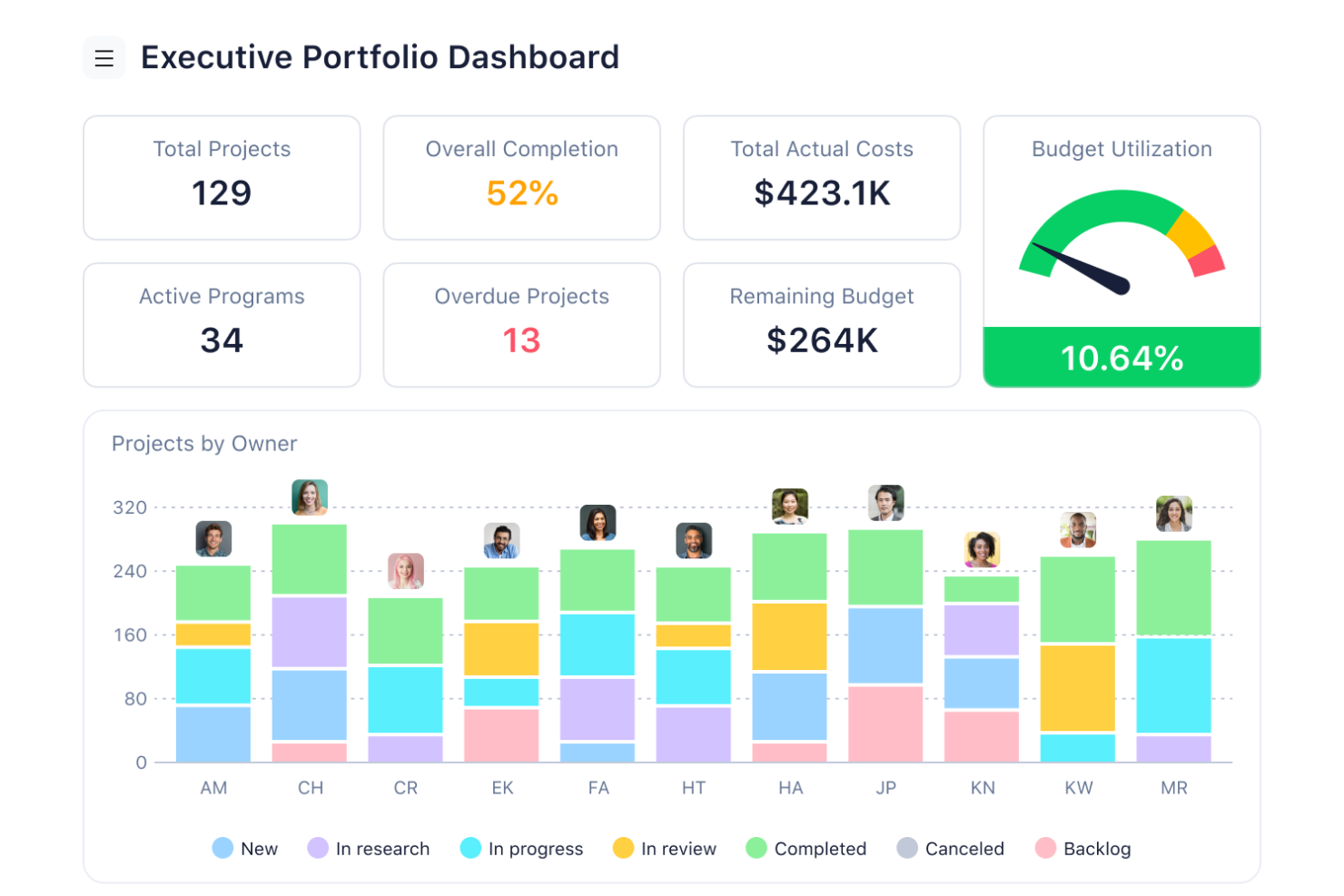
For businesses seeking an AI enterprise resource planning solution, Wrike emerges as a compelling choice. It caters to diverse industries, including marketing, creative, and project management sectors, by enhancing workflow efficiency and collaboration. Wrike automates mundane tasks, allowing your team to focus on strategic initiatives and drive impactful results. Its AI-powered capabilities and seamless integration with over 400 applications make Wrike an ideal partner for organizations looking to streamline processes and foster growth.
Why I Picked Wrike
I picked Wrike because its AI-driven features significantly enhance enterprise resource planning capabilities. Wrike's Work Intelligence automates repetitive tasks and provides data-driven insights, allowing your team to focus on high-value work. The customizable AI agents streamline workflows by predicting outcomes and minimizing manual interventions. Additionally, Wrike's seamless integration with AI assistants like Microsoft Copilot facilitates collaboration and project prioritization, making it an invaluable tool for businesses.
Wrike Key Features
In addition to its AI-driven capabilities, Wrike offers several other features that enhance its utility as an AI enterprise resource planning tool.
- Workflow Automation: Automates recurring tasks and integrates with over 400 applications, enhancing productivity.
- Resource and Capacity Planning: Offers tools for effective resource management.
- Work Management Tools: Includes Gantt charts, real-time reporting, and project portfolio management for comprehensive visibility.
- Collaboration Tools: Facilitates teamwork and communication with shareable dashboards and enhanced project tracking.
Wrike Integrations
Integrations include Microsoft Teams, Google Drive, Dropbox, Salesforce, Slack, Box, OneDrive, Adobe Creative Cloud, GitHub, and Jira.
Pros and Cons
Pros:
- Extensive integrations across business tools
- Strong resource and capacity planning
- AI automates enterprise workflows
Cons:
- Interface complexity for new users
- Advanced AI features cost more
New Product Updates from Wrike

Wrike Redesigns Workspace Search With New Filters
Wrike introduces a redesigned Workspace Search interface with recent search shortcuts, item type and location filters, and parent-task context. These updates help users find relevant work items and navigate search results efficiently. For more information, visit Wrike’s official site.
 .

Celoxis
Best for real-time project tracking
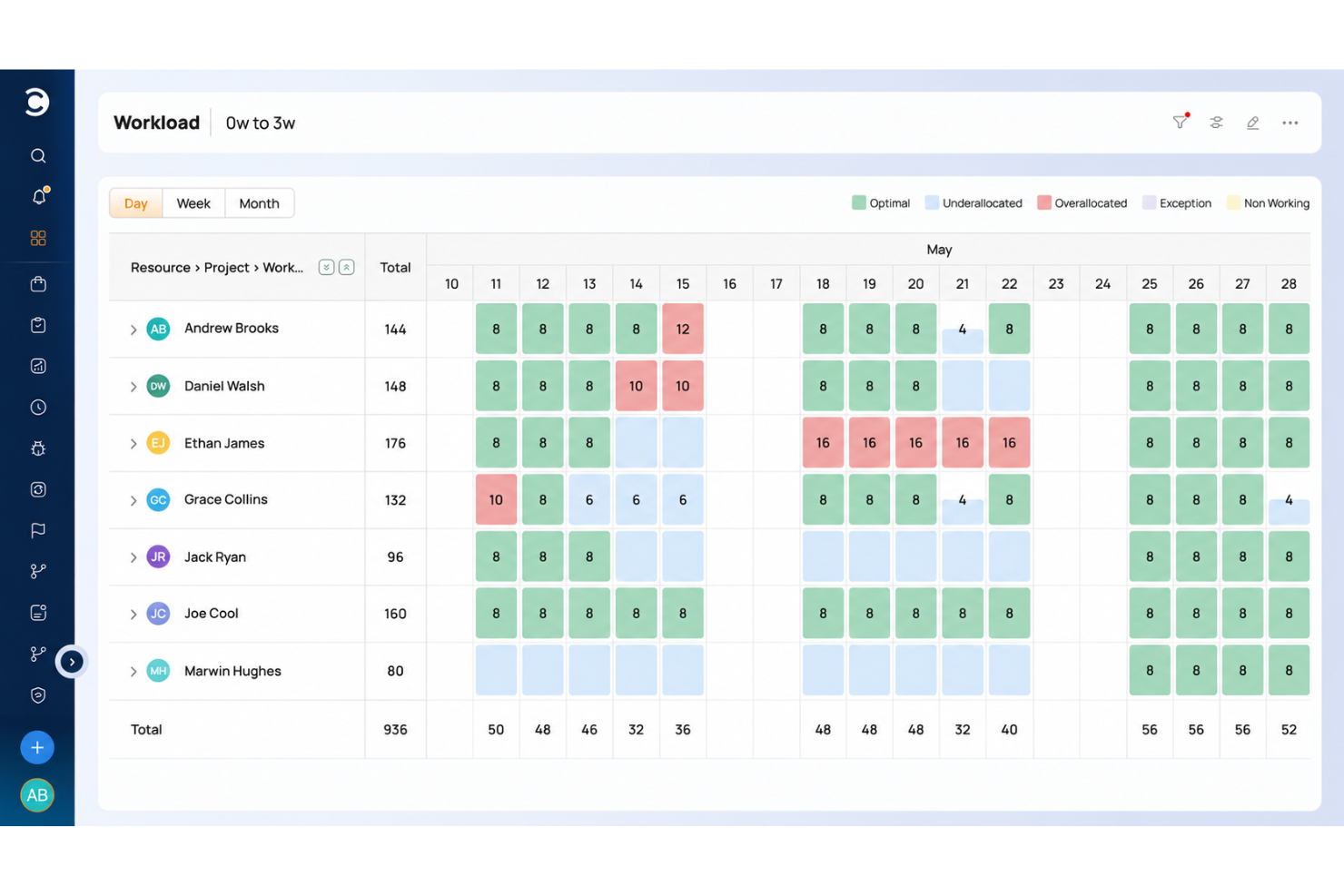
Celoxis is a project portfolio management platform with Gantt charts, resource planning, time tracking, project accounting, and real-time dashboards.
Who Is Celoxis Best For?
Celoxis is a good fit for mid-size to large organizations that manage multiple concurrent projects across cross-functional teams and need visibility into schedules, resources, and project finances in one platform.
Why I Picked Celoxis
Celoxis is one of my top picks because I love how its real-time project tracking actually eliminates the need for manual status updates. The platform rolls up task-level progress automatically, so when a team member updates their work, I can see the impact on the overall project health immediately, without chasing anyone down. I also use the baseline comparison feature to track planned vs. actual progress side by side, which makes it easy to flag slippage early and have an informed conversation with stakeholders.
Celoxis Key Features
- Resource workload management: View team capacity across projects and reassign tasks directly from the workload chart to avoid over-allocation.
- Project budget tracking: Set budgets at the project or task level and monitor actual spend against forecasts in real time.
- Custom dashboards: Build role-specific dashboards with widgets that surface the metrics most relevant to your team or stakeholders.
- Workflow automation: Create custom workflow apps with conditional logic to automate approvals, status changes, and task assignments.
Celoxis Integrations
Celoxis offers native integrations with Google Drive, Microsoft Excel, Microsoft Project, Salesforce, Jira, Zendesk, Slack, QuickBooks Online, and more. It also connects with Zapier, and an API is available for custom integrations.
Pros and Cons
Pros:
- Skill-based resource allocation built in
- On-premise deployment option available
- Detailed portfolio dashboards replace BI tools
Cons:
- Complex template setup slows onboarding
- Mobile app lacks full desktop functionality

Best for advanced financial task automation
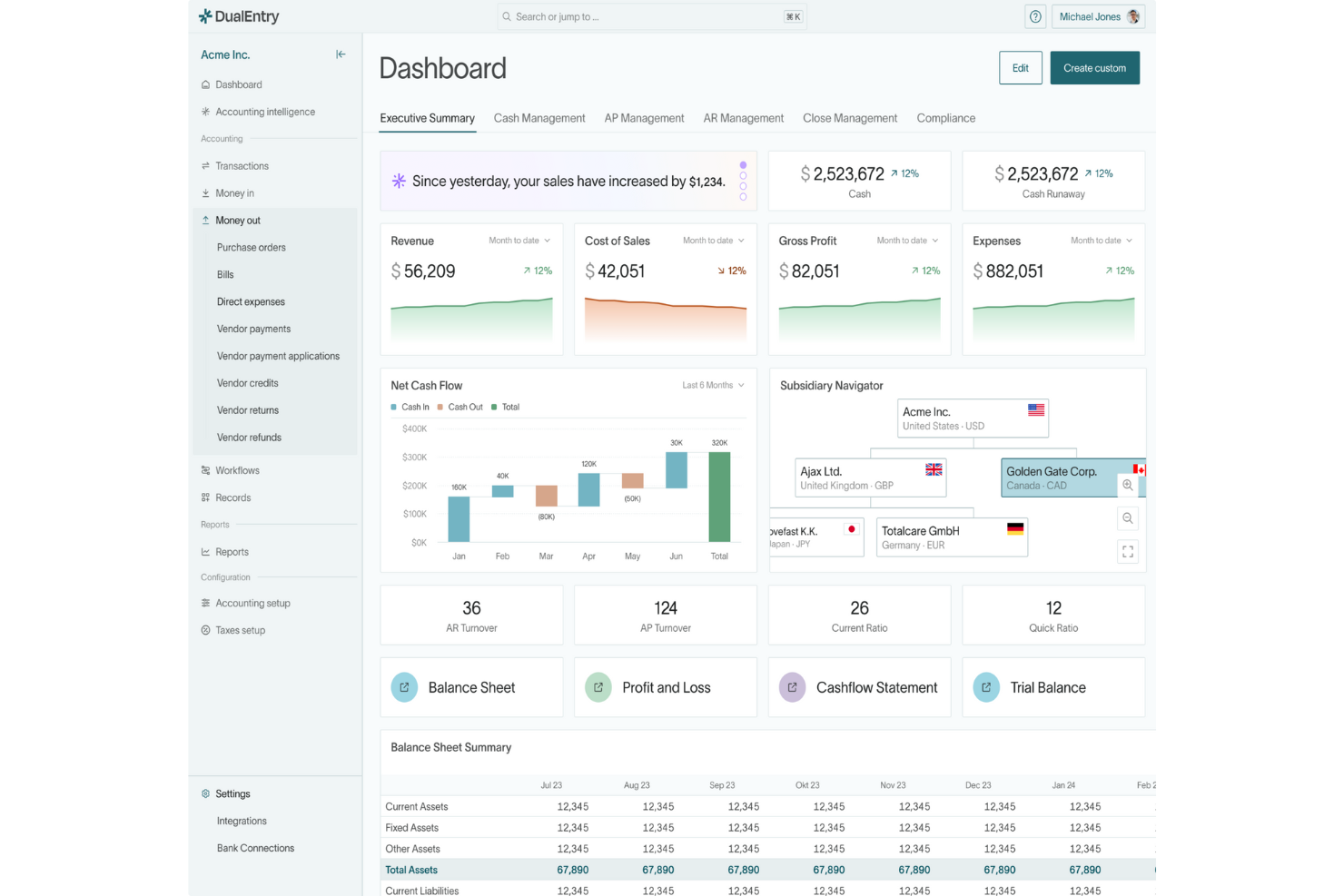
DualEntry is an AI-driven enterprise resource planning software designed to transform how finance teams manage their operations. Catering to businesses with complex financial needs, such as those experiencing rapid growth or dealing with multi-entity and multi-currency transactions, DualEntry offers an array of features that enhance financial management. It promises to address the challenges of financial accuracy and efficiency by automating routine tasks and providing real-time insights, making it an ideal solution for modern finance teams looking to streamline their processes.
Why I Picked DualEntry
I picked DualEntry for its standout ability to automate complex financial tasks, a crucial feature for any AI ERP software. Its AI-driven revenue recognition and flux analysis are particularly valuable, providing real-time insights that can significantly enhance decision-making. The platform's ability to handle multi-entity and multi-currency accounting without compromising on accuracy is another reason why it's a strong contender. These features, combined with its focus on automation, make DualEntry a compelling choice for businesses seeking to optimize their financial operations.
DualEntry Key Features
In addition to advanced financial task automation, DualEntry offers:
- OCR Technology: This feature enables automated document processing, reducing manual entry errors and speeding up data input.
- Transaction Categorization: AI-driven categorization helps in organizing transactions efficiently, ensuring smooth financial reporting.
- Automated Intercompany Transactions: Simplifies the management of transactions between subsidiaries, improving financial consolidation.
- Real-Time Risk Assessment: Provides continuous monitoring and assessment of financial risks, allowing for proactive management.
DualEntry Integrations
Integrations include live connections with over 13,000 banks and an open API for custom integrations.
Pros and Cons
Pros:
- Quick setup and migration process, minimizing downtime
- Ensures data security with compliance to industry standards
- Supports multi-entity and multi-currency accounting effectively
Cons:
- Integration with some third-party apps might be cumbersome
- Limited customization options for specific business needs

Best for mid-sized businesses
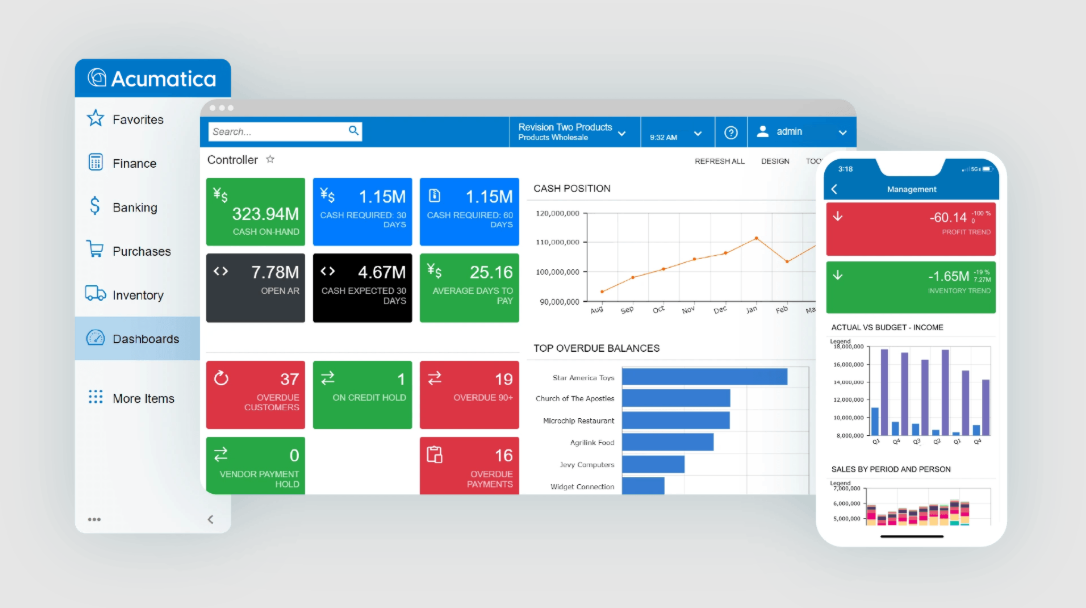
Acumatica is a cloud-based ERP solution that leverages AI and automation to give mid-sized businesses real-time visibility and control across finance, projects, and operations. It’s designed for organizations that need flexibility, scalability, and data-driven insights to support ongoing growth.
Why I picked Acumatica: Acumatica stands out for its adaptability and intelligent automation features that simplify complex financial and operational processes. Its AI-powered tools enable faster reporting, anomaly detection, and forecasting assistance. The project accounting module provides deep visibility into costs and resource allocation, while cloud-based access ensures smooth collaboration from anywhere. For mid-sized businesses looking for enterprise-grade capabilities without heavy infrastructure, Acumatica delivers an Agile, modern ERP experience.
Standout features & integrations:
Features include AI-enhanced financial management that automates reconciliation and compliance, real-time analytics for performance tracking, and predictive inventory management that optimizes supply chain operations. The customer management module helps you maintain strong client relationships, while its real-time analytics feature provides insights into business performance, aiding strategic decision-making. The inventory management system supports efficient stock control and logistics.
Integrations include Salesforce, Microsoft Office 365, Adobe Sign, Avalara, HubSpot, Shopify, Adobe Commerce, BigCommerce, Docusign, and PayPal.
Pros and Cons
Pros:
- Flexible cloud-based access
- Strong project accounting tools
- Scalable for growing businesses
Cons:
- Occasional learning curve for automation setup
- Predictive insights can vary in accuracy with limited data

Workday
Best for human resources management
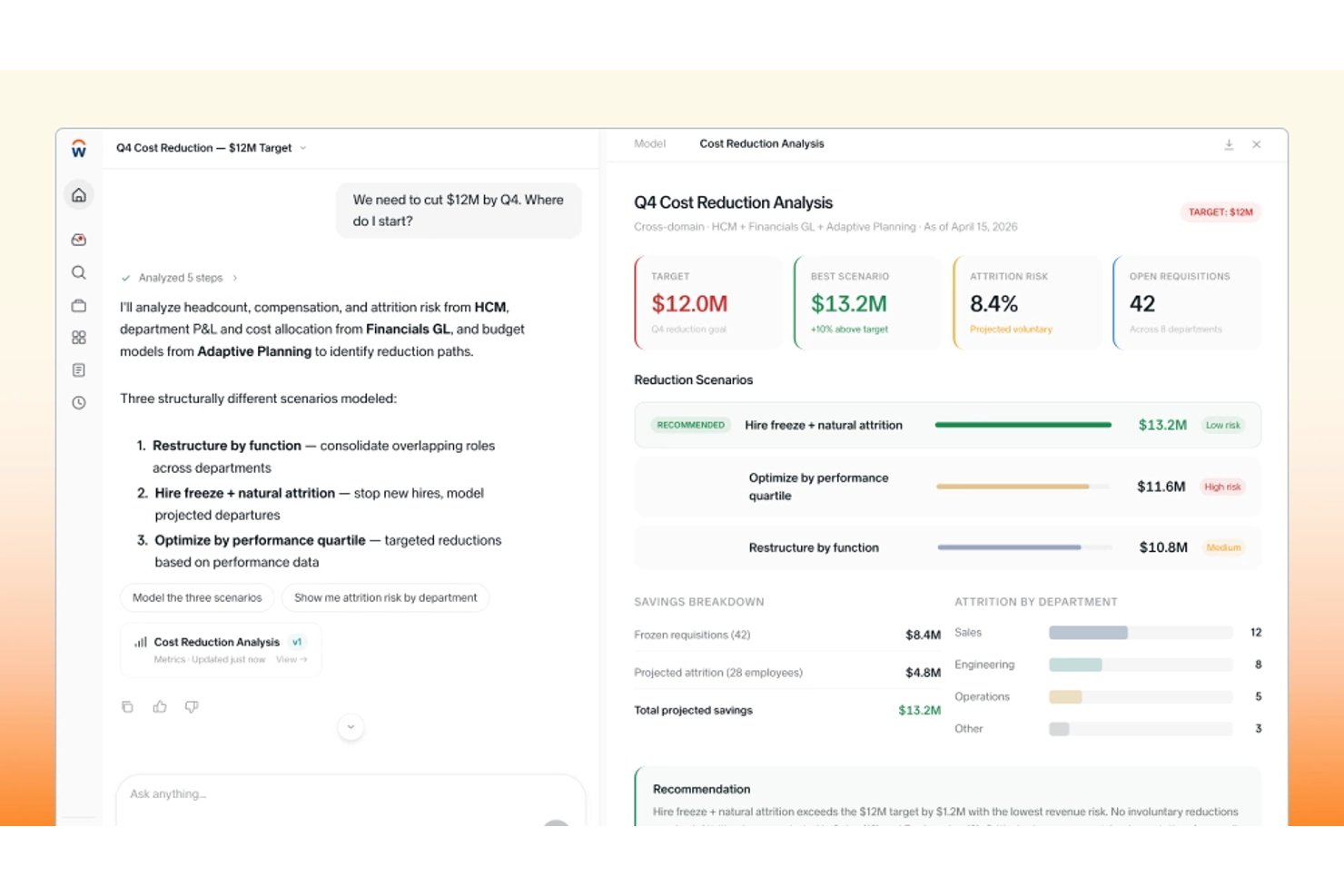
Workday is a cloud-native ERP platform that unifies finance, HR, procurement, and operations on a single data model, with embedded AI agents for forecasting, anomaly detection, and natural-language reporting.
Who Is Workday Best For?
Workday suits large enterprises in services-heavy industries—like professional services, government, and education—that need finance, HR, and operations unified on a single platform.
Why I Picked Workday
I've included Workday in my top picks because its HR capabilities are genuinely central to how the whole platform works, not bolted on as an afterthought. Workforce Insights uses AI to surface turnover risk and reskilling opportunities directly within the same data model that drives finance and procurement. I also like that the BP Optimize Agent analyzes HR-adjacent business processes to identify bottlenecks and recommend changes, so your people operations and your broader ERP aren't running on separate logic.
Workday Key Features
- Decision Intelligence: An AI-powered analytical workspace that lets you investigate variances, run scenario comparisons, and reforecast from drivers using Adaptive Planning data and uploaded files.
- Transaction outlier detection: Machine learning flags out-of-pattern transactions—like duplicate vendor invoices—for human review and investigation.
- BP Optimize Agent: Analyzes your Workday business-process execution data monthly to surface bottlenecks, anomalous patterns, and root causes, then generates tailored optimization recommendations.
- Workday Orchestrate: A low-code integration layer that supports real-time system connections, batch data processing, event-driven actions, and data transformation across your enterprise.
Workday Integrations
Workday offers marketplace integrations with Salesforce CPQ, Rootstock, and GoodTime. Its APIs, Workday Orchestrate, and Workday Build support custom apps, data sync, event-driven workflows, and other integrations.
Pros and Cons
Pros:
- Models finance scenarios with driver-based reforecasting
- Forecasts cash and flags transaction anomalies
- Unifies finance, HR, and operations data
Cons:
- Users report mediocre finance performance
- Finance implementation can take a long year

Best for finance-led multi-entity businesses
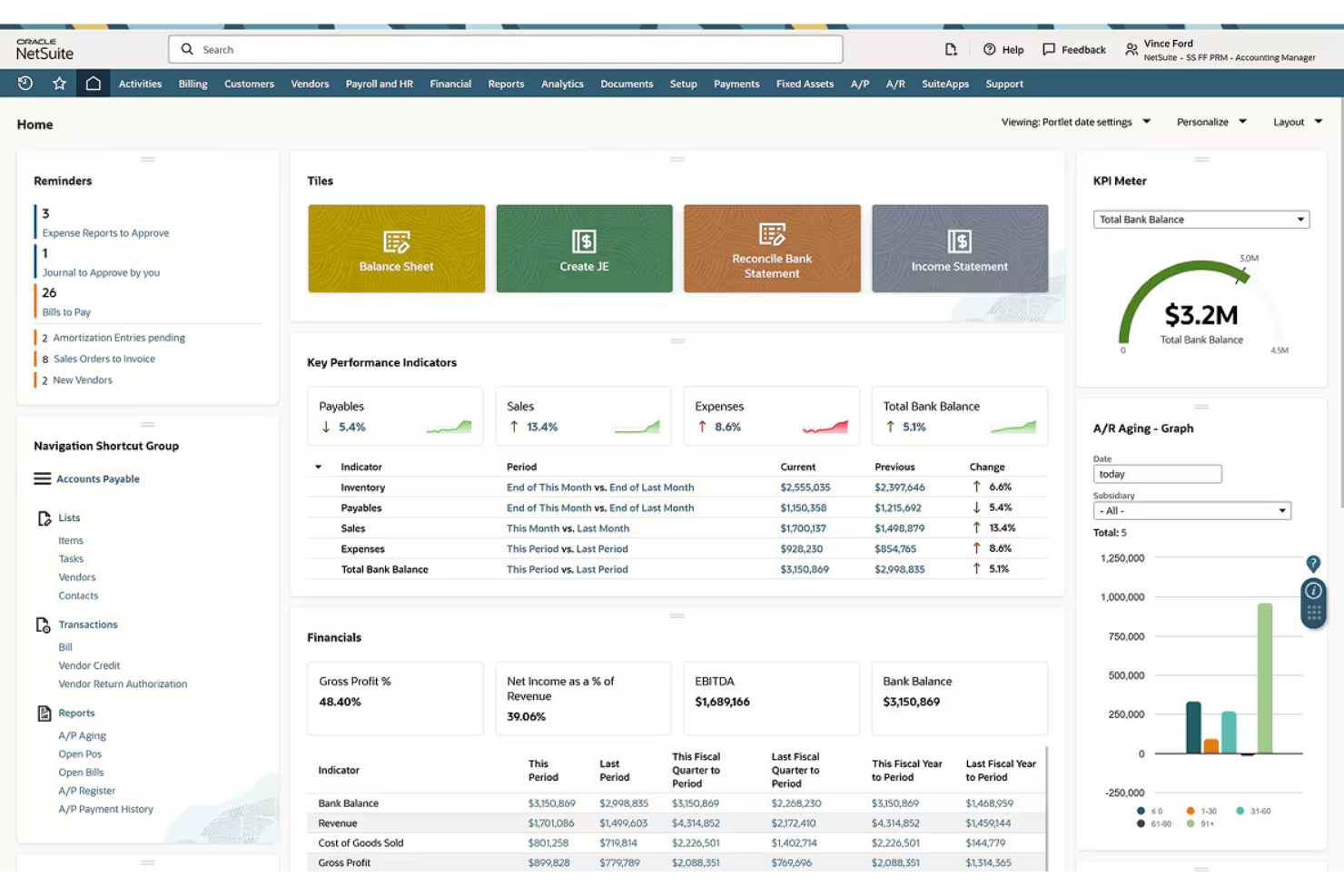
Oracle NetSuite is a cloud-based ERP platform from Oracle that unifies financial management, inventory, order management, supply chain, procurement, and AI-driven forecasting and anomaly detection across multi-entity business operations.
Who Is Oracle NetSuite Best For?
Oracle NetSuite is a strong fit for mid-market and enterprise businesses managing multiple entities, subsidiaries, or geographies that need finance-led operations unified in a single cloud platform.
Why I Picked Oracle NetSuite
I picked Oracle NetSuite as one of the best because it's built from the ground up for businesses running multiple entities, subsidiaries, or geographies under one financial umbrella. NetSuite OneWorld handles multi-currency consolidation, subsidiary-level reporting, and cross-entity financial close in a single system, which is exactly what finance teams need without stitching together separate tools. I also like that Exception Management uses AI to continuously scan financial data and flag anomalies before they compound across entities.
Oracle NetSuite Key Features
- Bill Capture: Uses AI-based OCR to extract key values from vendor bill files, reducing manual invoice data entry.
- Inventory Optimization: Calculates safety stock, reorder points, and preferred stock levels from demand and lead-time history at the item-location level.
- NetSuite OneWorld: Manages multiple currencies, tax rules, geographies, and subsidiaries with consolidated financial reporting across entities.
- AI Connector Service: Lets an external AI client query NetSuite data in natural language, run saved searches, and execute SuiteQL queries.
Oracle NetSuite Integrations
Oracle NetSuite offers native connectors for Salesforce, Shopify, BigCommerce, Adobe Commerce, WooCommerce, Amazon Seller Central, Shopify POS, and ADP Workforce Now, plus marketplace integrations through SuiteApp.com. It supports REST, SOAP, CSV, ODBC/JDBC, and .NET interfaces for custom integrations.
Pros and Cons
Pros:
- AI flags financial anomalies and suggests actions
- Consolidated multi-entity reporting reduces reconciliation work
- Reviewers value shared finance and inventory visibility
Cons:
- AI forecasting requires separate planning modules
- Implementations can demand extensive configuration and planning

SYSPRO
Best for reviewable AI-driven ERP actions
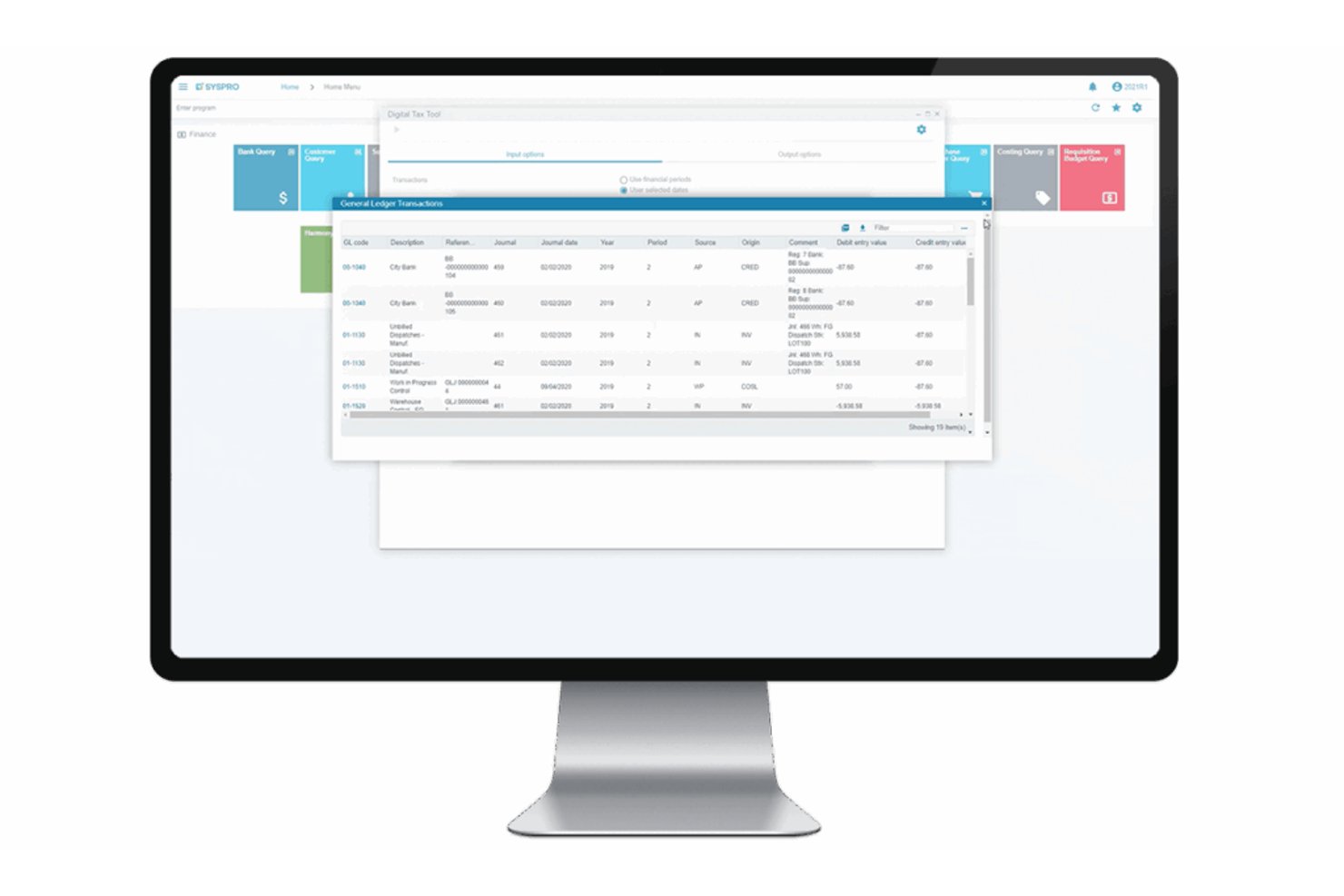
SYSPRO is an industry-specific ERP platform built for manufacturing and distribution that covers finance, supply chain, inventory planning, and production management, with an AI layer that includes the Torque automation platform and machine learning-based forecasting.
Who Is SYSPRO Best For?
SYSPRO is a strong fit for mid-market manufacturers and distributors that want AI-driven automation with a clear audit trail of every action taken.
Why I Picked SYSPRO
I picked SYSPRO as one of the best because its Torque platform does something I find genuinely useful: every AI-driven action, from calculating replenishment quantities to processing AP invoices, logs its reasoning steps and source traces so you can see exactly why a decision was made before it posts. I like that Torque workflows can include an approval or preview step, pausing execution until a human signs off. That audit-first design is what makes the "reviewable AI-driven ERP actions" USP real, not just a tagline.
SYSPRO Key Features
- Machine learning forecasting: Trains predictive models on your own ERP data to forecast purchase-order lateness, supplier performance, invoice payment timing, and stock-code profitability.
- Inventory Optimization what-if modeling: Lets you compare suggested minimum and maximum stock levels by item and warehouse, adjust modeling options, and recalculate before committing changes to MRP.
- AI-powered document services: Extracts and validates data from invoices and purchase-order PDFs, performs three-way matching, and converts purchase orders into digital sales orders automatically.
- Engineering Change Control workflows: Routes product-design change orders to assigned engineering users through configurable workflow steps, tracking decisions at each stage.
SYSPRO Integrations
SYSPRO offers marketplace integrations including TRAILD, Credit Hound, Smrtr, System1A, Zap, GeoRep, and WMS Connect. Its e.net XML API, OData, WCF services, and SDK support custom integrations with third-party applications and data platforms.
Pros and Cons
Pros:
- Connected finance, inventory, and production data
- Torque traces reasoning before actions post
- Manufacturing-focused MRP guides replenishment
Cons:
- Standard reports often need custom SQL or spreadsheets
- Anomaly detection covers limited order-line cases

Best for turning order emails into delivery dates
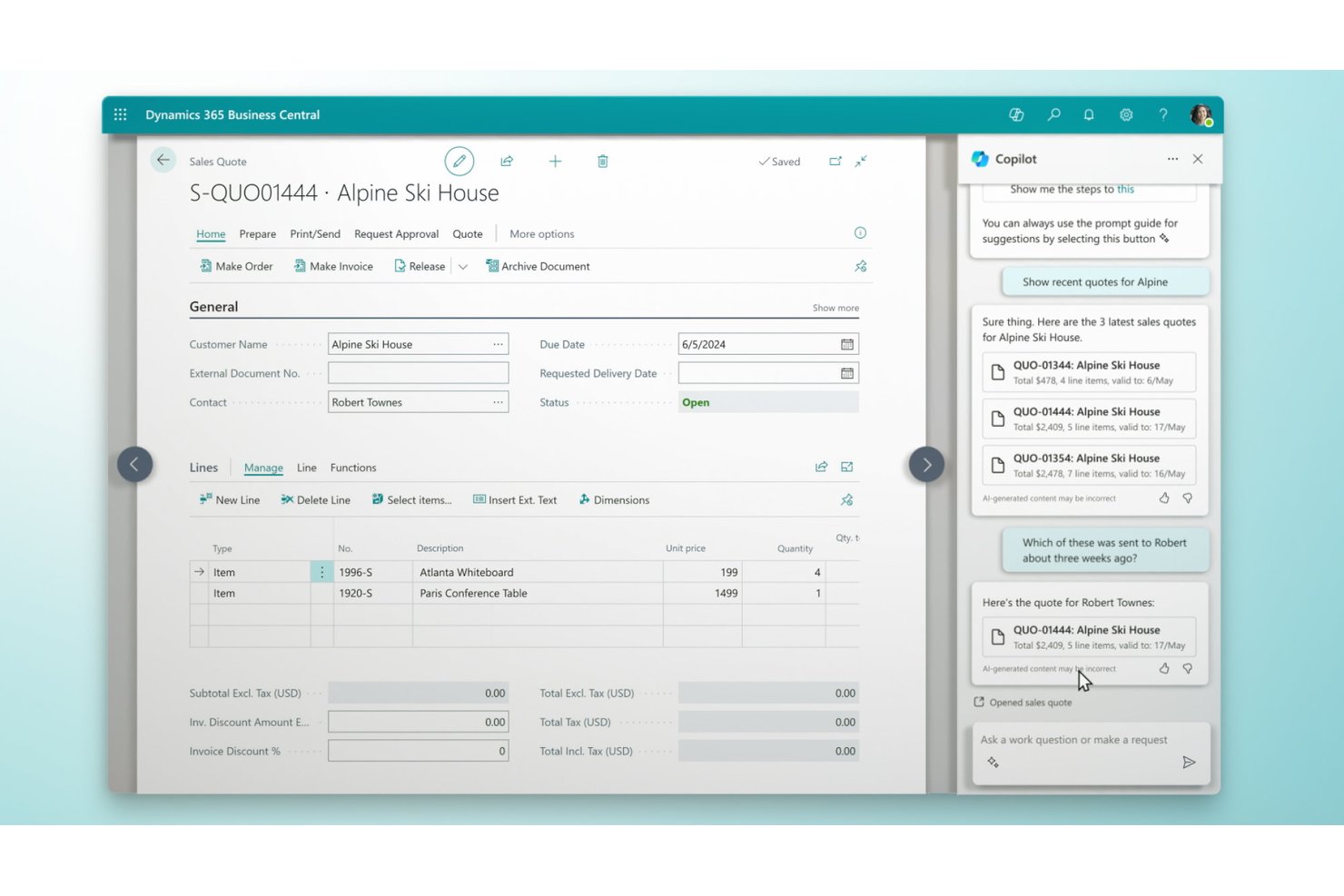
Microsoft Dynamics 365 Business Central is an AI-powered ERP for small and midsize businesses that connects finance, sales, inventory, purchasing, and operations in a single platform, with built-in Copilot agents for invoice processing, order management, and cash-flow forecasting.
Who Is Microsoft Dynamics 365 Business Central Best For?
Finance-led small and midsize businesses that live inside the Microsoft ecosystem will get the most out of Business Central.
Why I Picked Microsoft Dynamics 365 Business Central
I've included Microsoft Dynamics 365 Business Central in my top picks because its Sales Order Agent does something genuinely useful: it reads incoming order emails, checks inventory availability, and uses capable-to-promise logic to calculate a real delivery date before a human ever touches the request. I also like that the Payables Agent handles the other side of that transaction, pulling vendor invoices out of a designated mailbox and matching them to purchase orders for review. Both agents sit inside a connected finance and operations platform, so the delivery date or invoice match already has the context of live inventory, purchasing, and cash-flow data behind it.
Microsoft Dynamics 365 Business Central Key Features
- AI cash-flow forecasting: Uses Azure AI to generate cash-flow projections from historical receivables, payables, and tax data.
- Sales and inventory forecasting: Predicts potential sales and stock-outs from historical data and can suggest replenishment orders.
- Late-payment prediction: Identifies invoices likely to be paid late so you can adjust payment terms or follow-up timing proactively.
- Multi-currency and consolidation support: Manages multiple currencies, exchange rates, intercompany transactions, and tax regulations across global entities.
Microsoft Dynamics 365 Business Central Integrations
Business Central offers native integrations across the Microsoft ecosystem, including Microsoft 365, Power Automate, Power BI, Dynamics 365 Sales, Customer Service, Field Service, and Shopify. It also supports REST APIs and webhooks, plus thousands of AppSource marketplace add-ons.
Pros and Cons
Pros:
- Connected workflows reduce repetitive transaction entry
- Invoice drafts can match purchase-order lines
- Email orders get capacity-aware delivery dates
Cons:
- Large-list pages can load slowly
- Inventory forecasts aggregate across locations

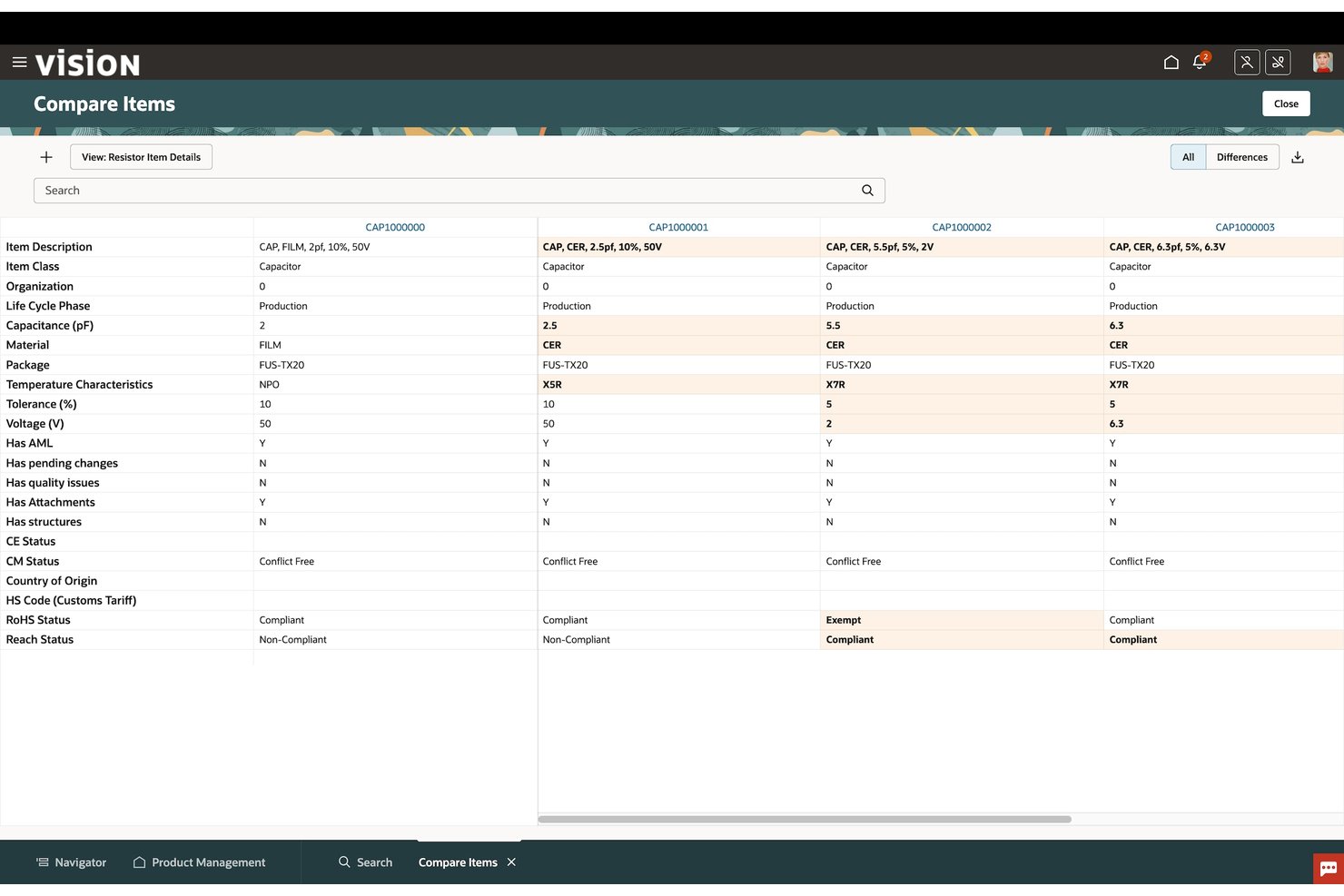
Oracle Fusion Cloud ERP is a cloud-based ERP suite from Oracle that connects financial management, procurement, and project management on a unified platform with embedded AI agents for automating transactional workflows, anomaly detection, and predictive forecasting.
Who Is Oracle Fusion Cloud ERP Best For?
Oracle Fusion Cloud ERP is a strong fit for large enterprises with complex financial operations that need AI-driven automation across finance, procurement, and project management in one platform.
Why I Picked Oracle Fusion Cloud ERP
Oracle Fusion Cloud ERP earns its spot on my shortlist because of how its Ledger Agent handles close investigations. Rather than manually hunting through journals and subledger details, I can ask it a plain-language question and get a contextual explanation of the variance, along with suggested next steps. Layered on top are 300+ risk algorithms that continuously scan transactions for anomalies, so issues surface before they become close-day scrambles.
Oracle Fusion Cloud ERP Key Features
- Payables Agent: Ingests invoices from multiple sources and formats, applies policy and control checks, and routes them toward payment readiness automatically.
- Predictive cash forecasting: Uses AI and real-time data to generate short- and medium-term cash forecasts to support treasury decisions.
- Revenue recognition automation: Automates invoicing, billing, and revenue recognition calculations for compliance with IFRS 15 and ASC 606.
- Supplier risk monitoring: Tracks and evaluates suppliers across financial, compliance, environmental, governance, and cybersecurity risk attributes from a central workspace.
Oracle Fusion Cloud ERP Integrations
Oracle Fusion Cloud ERP offers native integrations with J.P. Morgan, HSBC, PNC Bank, Avalara, and Thomson Reuters ONESOURCE. Its REST API supports custom inbound and outbound integrations, job-status details, and completion callbacks.
Pros and Cons
Pros:
- Predictive cash forecasts support treasury planning
- Agents reduce repetitive invoice and cash work
- Connected finance workflows support close visibility
Cons:
- Implementation, training, and quarterly testing demand effort
- Custom reports can require technical skills
Diğer Yapay Zekâ Kurumsal Kaynak Planlama Yazılımları
Kısa listeme giremeyen, ancak yine de göz atmaya değer bazı ek yapay zekâ kurumsal kaynak planlama yazılımı seçenekleri şunlardır:
-
Rillet
For small teams
-
Priority
For tracing supply risks to finances
-
Sage Intacct
For multi-entity financial reporting
-
SAP S/4HANA
For large enterprises
-
Workday Financial Management
For finance with workforce context
-
Epicor Kinetic
For manufacturing businesses
-
Infor CloudSuite
For industry-specific needs
-
Microsoft Dynamics 365 Finance
For cash-flow and payment forecasting
-
Deltek Costpoint
For GovCon capture-to-project accounting


How I Evaluate AI Enterprise Resource Planning Software
To make this list, a tool’s AI must support enterprise planning, like forecasting inventory and flagging financial anomalies. From there, I evaluate three things. Core functionality carries the most weight, like integrating finance and operations data and managing workflows. Then I look at standout features, like scenario modeling, and factors beyond features, like how long implementation takes.
Core Functionality (Table Stakes For This List)
When I'm selecting tools for my list, I score each one on a scale from 0 (does not offer the functionality) to 5 (excels in this area) for each core functionality listed below. I then convert the total into a percentage to help assess each tool's overall fit, with extra weight on any functionalities I’ve deemed essential.
- AI-Driven Forecasting (Essential): I look for machine-learning forecasts based on historical and current data across finance and inventory, with scenarios for shifts in demand.
- Unified Data Integration (Essential): I assess whether finance, supply chain, HR, and sales share current records, so project or order changes don’t require duplicate updates.
- Intelligent Automation: I check for AI-assisted invoice matching, reconciliation, and order processing, including how the platform routes exceptions.
- Anomaly Detection: I look for contextual AI flags across financial and operational records, such as unusual spending or inventory movements, beyond threshold alerts.
- Natural Language Reporting: I consider whether teams can ask plain-language questions and generate useful cross-functional reports without building each query.
- Adaptive Recommendations: I evaluate whether recommendations adjust to changing conditions, such as revised reorder points or budget allocations, and show supporting data.
Once I have a list of tools that meet the criteria, I consider what sets each platform apart.
Differentiating Factors (What Sets Vendors Apart)
Here's how I compare and contrast different vendors:
Standout Features
I look for scenario and what-if modeling that lets PMOs simulate budget cuts or resource shifts and see projected impacts across active projects before committing to a change. Embedded project financials matter just as much—I check whether project accounting ties directly to the general ledger so you get real-time profitability per client without reconciling spreadsheets. I also evaluate how each platform handles change management tracking, since automatic flags for scope or budget deviations, routed through configurable approvals, save PMs from chasing updates manually.
Beyond Features
I check how each platform integrates with existing PM tools like Jira or Asana—native connectors sync resource and capacity data faster than middleware workarounds. Implementation complexity matters too: a phased rollout with pre-built templates can cut months off deployment compared to a full big-bang migration. I also evaluate whether AI model decisions are explainable, since finance teams need audit-ready reasoning behind forecast-driven budget calls, not just a number.
Yapay Zekâ Kurumsal Kaynak Planlama Yazılımı Nasıl Seçilir?
Uzun özellik listeleri ve karmaşık fiyatlandırma yapılarına takılıp kalmak kolaydır. Kendinize özgü yazılım seçim sürecinizi yürütürken odağınızı korumanıza yardımcı olmak için göz önünde bulundurmanız gereken faktörleri içeren bir kontrol listesi hazırladım:
| Faktör | Dikkate Alınması Gerekenler |
|---|---|
| Ölçeklenebilirlik | Yazılım işletmenizle birlikte büyüyebilir mi? Şirketiniz genişledikçe artan kullanıcı, veri ve işlem sayısını karşılayabilecek ölçeklenebilir çözümler arayın. |
| Entegrasyonlar | Mevcut araçlarınıza bağlanabiliyor mu? Veri silolarını ve süreç verimsizliklerini önlemek için CRM, İK ve finans yazılımları gibi mevcut sistemlerinizle uyumluluğundan emin olun. |
| Özelleştirilebilirlik | İş akışlarınıza uyacak şekilde uyarlayabilir misiniz? Aracın, ekibinizin özel ihtiyaçlarına uyacak gösterge tabloları, raporlar ve süreçler için özelleştirme seçenekleri sunup sunmadığını değerlendirin. |
| Kullanım kolaylığı | Arayüz sezgisel mi? Öğrenme eğrisini ve ekibinizin kapsamlı bir eğitim almadan yazılımı kolayca benimseyip kullanıp kullanamayacağını göz önünde bulundurun. |
| Uygulama ve işe alıştırma | Kurulum ne kadar sürecek? Sorunsuz bir geçiş sağlamak için ortalama işe alıştırma süresini ve eğitim ile destek gibi mevcut kaynakları sorun. |
| Maliyet | Gizli ücretler var mı? Kurulum ücretleri, bakım ve olası yükseltme maliyetleri de dâhil olmak üzere toplam sahip olma maliyetini anlamak için yalnızca başlangıç fiyatına bakmayın. |
| Güvenlik önlemleri | Verileriniz nasıl korunuyor? Sektör standartlarına uygunluğu kontrol edin ve veri şifreleme, yedekleme protokolleri ve kullanıcı erişim kontrolleri hakkında bilgi alın. |
| Destek erişilebilirliği | Ne zaman yardım alabilirsiniz? İhtiyaç duyduğunuzda yardım alabilmenizi sağlamak için çalışma saatleri ve telefon, sohbet veya e-posta gibi kanallar dâhil olmak üzere müşteri desteğinin erişilebilirliğini doğrulayın. |
Yapay Zekâ Kurumsal Kaynak Planlama Yazılımı Nedir?
Yapay zekâ kurumsal kaynak planlama (ERP) yazılımı; finans, İK, tedarik zinciri ve operasyonlar gibi temel işletme işlevlerini entegre edip otomatikleştiren bir sistemdir. Verileri merkezileştirmek ve departmanlar arasındaki karar alma süreçlerini kolaylaştırmak için proje yöneticileri, CFO'lar ve operasyon ekipleri gibi liderler tarafından kullanılır.
Geleneksel ERP sistemleri veri toplama ve süreç yönetimine odaklanırken yapay zekâ ERP yazılımı bu sürece zekâ katar. Örüntüleri belirlemek, sonuçları öngörmek ve eylemleri otomatik olarak önermek için makine öğrenimi ve tahmine dayalı analizden yararlanır. Yapay zekâ araçları size yalnızca neler olduğunu göstermek yerine bunun neden olduğunu ve bundan sonra ne yapmanız gerektiğini de söyleyebilir.
Gerçek zamanlı analiz, anormallik tespiti, süreç otomasyonu ve doğal dilde raporlama gibi yapay zekâ destekli özellikler, işletmelerin tepkisel yönetimden proaktif optimizasyona geçmesine yardımcı olur. Bunun sonucunda üretkenliği artıran, manuel çalışmayı azaltan ve stratejik büyümeyi destekleyen daha akıllı, daha hızlı ve daha uyarlanabilir bir ERP deneyimi ortaya çıkar.
Özellikler
Yapay zekâ kurumsal kaynak planlama yazılımını seçerken aşağıdaki temel özelliklere dikkat edin:
- Finansal yönetim: Doğruluğu artırmak ve zamandan tasarruf etmek için faturalandırma ve raporlama gibi muhasebe görevlerini otomatikleştirir.
- Envanter kontrolü: Stok yetersizliklerini önlemek ve israfı azaltmak için stok seviyelerini ve lojistiği yönetir.
- Gerçek zamanlı analiz: Stratejik karar alma süreçlerine yardımcı olmak için işletme performansına ilişkin güncel içgörüler sunar.
- Özelleştirilebilir gösterge tabloları: Kullanıcıların, görevleriyle en ilgili noktalara odaklanmak için veri görünümlerini uyarlamasına olanak tanır.
- Tedarik zinciri yönetimi: Verimli operasyonları sürdürmek için mal ve malzeme akışını optimize eder.
- İnsan kaynakları yönetimi: Bordro ve çalışan kayıtlarının yönetimi gibi İK süreçlerini destekler.
- Otomatik raporlama: Verilerin zamanında ve doğru şekilde dağıtılmasını sağlamak için raporları otomatik olarak oluşturur.
- Proje yönetimi: Projelerin planlanan şekilde ve bütçe dâhilinde ilerlemesini sağlamak için görevlerin planlanmasına, yürütülmesine ve izlenmesine yardımcı olur.
- Müşteri ilişkileri yönetimi: Müşteri etkileşimlerinin yönetimini geliştirir ve hizmet sunumunu iyileştirir.
- Güvenlik önlemleri: Uyumluluğu ve güveni korumak için hassas verileri şifreleme ve erişim kontrolleri aracılığıyla korur.
Faydalar
Yapay zekâ kurumsal kaynak planlama yazılımını uygulamak, ekibiniz ve işletmeniz için çeşitli faydalar sağlar. Yararlanabileceğiniz birkaç fayda şunlardır:
- Geliştirilmiş verimlilik: Faturalandırma ve raporlama gibi rutin görevleri otomatikleştirerek ekibinizin daha stratejik faaliyetlere odaklanmasını sağlar.
- Daha iyi karar alma: İşletme performansına ilişkin içgörüler sunan gerçek zamanlı analizler sağlayarak bilinçli seçimler yapmanıza yardımcı olur.
- Geliştirilmiş iş birliği: Entegre veriler ve özelleştirilebilir panolar aracılığıyla departmanlar arası iletişimi destekler.
- Maliyet tasarrufu: Stok kontrolü ve tedarik zinciri yönetimi gibi özellikler aracılığıyla israfı azaltır ve kaynak kullanımını optimize eder.
- Ölçeklenebilirlik: İhtiyaçlarınız geliştikçe artan kullanıcı ve veri sayısına uyum sağlayarak işletmenizle birlikte büyür.
- Veri güvenliği: Hassas bilgileri şifreleme ve erişim denetimleriyle koruyarak uyumluluk ve gönül rahatlığı sağlar.
- Müşteri memnuniyeti: Etkili müşteri ilişkileri yönetimi aracılığıyla müşteri etkileşimlerini ve hizmet sunumunu iyileştirir.
Maliyetler ve Fiyatlandırma
Yapay zekâ destekli kurumsal kaynak planlama yazılımını seçmek, mevcut çeşitli fiyatlandırma modellerinin ve planların anlaşılmasını gerektirir. Maliyetler özelliklere, ekip büyüklüğüne, eklentilere ve diğer unsurlara göre değişir.
Aşağıdaki tablo, yapay zekâ destekli kurumsal kaynak planlama yazılımı çözümlerinde yaygın planları, bunların ortalama fiyatlarını ve genellikle sunulan özellikleri özetlemektedir:
Yapay Zekâ Destekli Kurumsal Kaynak Planlama Yazılımı İçin Plan Karşılaştırma Tablosu
| Plan Türü | Ortalama Fiyat | Yaygın Özellikler |
|---|---|---|
| Ücretsiz Plan | $0 | Temel finansal yönetim, sınırlı raporlama ve temel müşteri yönetimi. |
| Kişisel Plan | $10-$30/kullanıcı/ay | Gelişmiş finansal yönetim, iyileştirilmiş raporlama, temel stok kontrolü ve e-posta desteği. |
| İşletme Planı | $25-$210/kullanıcı/ay | Kapsamlı raporlama, tedarik zinciri yönetimi, proje yönetimi ve müşteri desteği. |
| Kurumsal Plan | $200+/kullanıcı/ay | Tüm özellikleri içeren kapsamlı paket, gelişmiş analizler, özel entegrasyonlar, tahsis edilmiş destek ve eğitim. |
Yapay Zekâ Kurumsal Kaynak Planlama Yazılımı SSS
Yapay zekâ kurumsal kaynak planlama yazılımı hakkında sık sorulan soruların bazı yanıtlarını burada bulabilirsiniz:
ERP uygulamasının en büyük 5 zorluğu nelerdir?
Yaygın zorluklar arasında yüksek maliyetler, karmaşık veri geçişi, değişime direnç, sınırlı eğitim ve entegrasyon sorunları yer alır. Yapay zekâ ERP’sinde, makine öğrenimi için yüksek kaliteli veriler sağlama ve iş akışlarını otomasyonu içerecek şekilde uyarlama gibi ek engellerle karşılaşabilirsiniz. Dikkatli planlama yapmak ve ekibinizi sürece erken dâhil etmek bu engelleri aşmayı kolaylaştırabilir ve uygulamanızın sorunsuz ilerlemesine yardımcı olabilir.
Yapay zekâ, ERP'de tedarik zinciri yönetimini nasıl geliştirir?
ERP yapay zekâ çözümleri; talep tahmini, stok seviyelerini optimize etme ve tedarikçi iş birliğini geliştirme yoluyla tedarik zinciri yönetimini iyileştirebilir. Bu özellikler daha düşük maliyet, daha iyi nakit akışı ve verimli kaynak tahsisi sağlar. Ekibiniz daha doğru tahminlerden ve verimli lojistik operasyonlarından yararlanır.
Yapay zekâ ERP sistemleri belirli iş ihtiyaçlarına uyacak şekilde özelleştirilebilir mi?
Evet, yapay zekâ ERP sistemleri özelleştirme için tasarlanmıştır. Modülleri, algoritmaları, iş akışlarını, gösterge tablolarını ve raporları kuruluşunuzun kendine özgü iş süreçlerine uyacak şekilde düzenleyebilirsiniz. Bu esneklik, yazılımı ekibiniz için daha değerli hâle getirir ve proje hedeflerinize ulaşmanıza yardımcı olur.
Yapay zekâ ERP sistemleri için güvenlik açısından nelere dikkat edilmelidir?
Yapay zekâ destekli ERP sistemleri veri şifreleme, sıkı erişim denetimleri ve düzenli güvenlik açığı kontrolleri gibi güçlü güvenlik önlemlerine ihtiyaç duyar. Yapay zekâ özelliklerinin daha fazla veri türü kullanabileceğini ve bunun da gizlilik gereksinimlerini artırdığını unutmayın. Güvenlik denetimleri oluşturmak ve tüm uyumluluk kurallarına uyduğunuzdan emin olmak için tedarikçinizle birlikte çalışın.
Yapay zekâ ERP sistemini uyguladıktan sonra yatırım getirisini nasıl ölçebilirim?
Uygulama sonrasında proje teslim sürelerini, hata azalmasını, kaynak kullanımını ve maliyet tasarruflarını takip ederek yatırım getirisini ölçün. Bu ölçümleri uygulama öncesi sonuçlarla karşılaştırmak için ERP platformunuzda yerleşik analiz araçlarını kullanın. Ekip verimliliğinde artış ve proje gecikmelerinde azalma olup olmadığına bakın.
Yapay zekâ ERP yazılımı hangi sürekli bakımları gerektirir?
Hem geleneksel ERP sistemlerinin hem de yapay zekâ özellikleriyle geliştirilmiş sistemlerin etkili kalabilmesi için düzenli bakıma ihtiyacı vardır. Buna rutin güncellemeler, güvenlik yamalarının uygulanması ve sistem durumu kontrolleri dâhildir. Yapay zekâ destekli platformlarda, doğal dil işleme doğruluğu, insan hatası ve geçmiş verilerdeki olası önyargılar gibi etkenleri ele almak için yapay zekâ modelinin belirli aralıklarla yeniden eğitilmesini planlamak da önemlidir.
Buna ek olarak, performansı ve güvenilirliği güvence altına almak için sürekli yazılım optimizasyonları planlayın. Sürekli destek almak için ERP tedarikçinizle yakın iş birliği yapın ve ekibinizin kullanıma sunulan yeni özellikleri, geliştirmeleri ve sistem iyileştirmelerini incelemesi için zaman ayırın.