


Workflowy Review: Pros, Cons, Features & Pricing



WorkFlowy is a task management software built around a single, infinitely nested outline. It's worth considering if you want to capture tasks, notes, and project structures in one place without juggling multiple views or complex setup. If you've tried Notion and found yourself spending more time configuring workspaces than actually working, WorkFlowy's outliner-first approach is a faster, leaner alternative where you can get quickly organized rather than building out a whole system from scratch.
WorkFlowy Evaluation Summary

- starts from $4.99/user/month (billed annually).
Why Trust Our Software Recommendations
Our team has been testing and reviewing software since 2012. As project managers ourselves, we know how difficult—and important—it is to choose the right software.
For this guide, we evaluated tools using hands-on testing and independent research, scoring tools using our selection criteria. We also draw on insights from industry thought leaders and practicing project management experts.
Our reviews reflect our human editorial judgment, not a sales pitch.
Expert reviewers:
WorkFlowy Overview
In my opinion, Workflowy stands out as a task management software due to its simplicity and flexibility, making it a great choice for individuals and small teams who need a straightforward tool to organize tasks and ideas.
While it lacks some advanced features found in more complex tools, its minimalist approach ensures users can focus on their work without distractions. Workflowy excels in environments where clarity and simplicity are valued over extensive functionality, making it less suitable for large enterprises but ideal for personal work, creative professionals, freelancers, and small teams.
pros
-
You can easily organize tasks using Kanban views.
-
It offers a distraction-free interface that helps you focus on your tasks.
-
You can create templates out of your notes.
cons
-
It lacks advanced features that larger teams might need for complex projects.
-
You might find its minimalist design too basic if you're used to more robust tools.
-
Lacks built-in time tracking or detailed reporting features.
Is WorkFlowy Right For Your Needs?
Who Would be a Good Fit for WorkFlowy?
Workflowy is perfect for creative professionals, freelancers, and small teams who need a simple, flexible tool to organize their thoughts and projects. Its outline-based format helps you focus without distractions, making it ideal for writers drafting content or project managers planning tasks. If you value clarity and need a tool that adapts to your workflow without overwhelming you with features, Workflowy is a great choice.
-
Freelance Writers
Workflowy's clean interface and outline format help you organize ideas and structure your writing seamlessly.
-
Small Creative Teams
Your team can brainstorm and track project progress effortlessly with Workflowy’s flexible structure.
-
Project Planners
Use Workflowy to map out tasks and timelines clearly without unnecessary complexity.
-
Educators
You can organize lesson plans and track assignments with Workflowy's simple yet effective layout.
-
Startup Entrepreneurs
Workflowy helps you keep track of ideas and tasks as you build your business from the ground up.
-
Personal Task Management
If you need a straightforward tool to manage daily tasks and personal projects, Workflowy fits the bill, as global search and tags will help you create a divide between personal and work stuff.
Who Would be a Bad Fit for WorkFlowy?
Large enterprises and teams that require extensive project management features won't find Workflowy suitable. As a note-taking app, it lacks advanced capabilities like time tracking, detailed reporting, and complex task dependencies that bigger organizations often need.
If your work involves managing multiple large-scale projects with intricate workflows, Workflowy's simplicity might not meet your needs.
-
Large Corporations
Workflowy doesn’t offer the advanced project management features that big businesses rely on.
-
Project Managers
If your role requires complex task dependencies and detailed reporting, Workflowy’s basic structure won’t suffice.
-
Software Development Teams
Workflowy lacks the integrations and features needed for tracking software development cycles.
-
Marketing Departments
For managing multiple campaigns with complex workflows, Workflowy’s simplicity might be a limitation.
-
Event Planners
Without robust scheduling and resource management tools, Workflowy isn’t ideal for event planning.
-
Financial Analysts
Workflowy doesn’t provide the detailed data analysis and reporting features that financial work demands.
Our Review Methodology
How We Test & Score Tools
We’ve spent years building, refining, and improving our software testing and scoring system. The rubric is designed to capture the nuances of software selection and what makes a tool effective, focusing on critical aspects of the decision-making process.
Below, you can see exactly how our testing and scoring works across seven criteria. It allows us to provide an unbiased evaluation of the software based on core functionality, standout features, ease of use, onboarding, customer support, integrations, customer reviews, and value for money.
Core Functionality (25% of final scoring)
The starting point of our evaluation is always the core functionality of the tool. Does it have the basic features and functions that a user would expect to see? Are any of those core features locked to higher-tiered pricing plans? At its core, we expect a tool to stand up against the baseline capabilities of its competitors.
Standout Features (25% of final scoring)
Next, we evaluate uncommon standout features that go above and beyond the core functionality typically found in tools of its kind. A high score reflects specialized or unique features that make the product faster, more efficient, or offer additional value to the user.
We also evaluate how easy it is to integrate with other tools typically found in the tech stack to expand the functionality and utility of the software. Tools offering plentiful native integrations, 3rd party connections, and API access to build custom integrations score best.
Ease of Use (10% of final scoring)
We consider how quick and easy it is to execute the tasks defined in the core functionality using the tool. High scoring software is well designed, intuitive to use, offers mobile apps, provides templates, and makes relatively complex tasks seem simple.
Onboarding (10% of final scoring)
We know how important rapid team adoption is for a new platform, so we evaluate how easy it is to learn and use a tool with minimal training. We evaluate how quickly a team member can get set up and start using the tool with no experience. High scoring solutions indicate little or no support is required.
Customer Support (10% of final scoring)
We review how quick and easy it is to get unstuck and find help by phone, live chat, or knowledge base. Tools and companies that provide real-time support score best, while chatbots score worst.
Customer Reviews (10% of final scoring)
Beyond our own testing and evaluation, we consider the net promoter score from current and past customers. We review their likelihood, given the option, to choose the tool again for the core functionality. A high scoring software reflects a high net promoter score from current or past customers.
Value for Money (10% of final scoring)
Lastly, in consideration of all the other criteria, we review the average price of entry level plans against the core features and consider the value of the other evaluation criteria. Software that delivers more, for less, will score higher.
Core Features
Outline-Based Organization: Workflowy uses a simple, outline format to help you organize tasks and ideas. This structure lets you visualize your projects clearly and adjust them as needed.
Infinite Nesting: You can nest tasks infinitely, allowing you to break down projects into manageable parts. This flexibility helps you maintain focus on both the big picture and the small details.
Tagging System: Workflowy’s tagging feature lets you categorize tasks and ideas with ease. It helps you quickly locate and manage related items across your projects.
Search Functionality: The global search tool allows you to find any task or note quickly. It’s perfect for when you need to recall specific details without scrolling through endless lists.
Collaboration Options: You can share your outlines with team members or anyone outside your organization to collaborate efficiently. This feature keeps everyone on the same page and enhances teamwork. The best part is that they don’t even need a Workflowy account to edit and collaborate.
Cross-Platform Access: Workflowy is accessible on various devices, ensuring your tasks are always within reach. You can switch between your phone, tablet, and computer seamlessly.

Standout Features
Zoom Functionality: You can zoom in on specific tasks or projects to focus without distraction. This feature lets you concentrate on the task at hand while keeping the rest of your workload tucked away.
Infinite Kanban boards: Workflowy lets you turn any list into a Kanban-style board that can be infinitely nested, just like their notes. This feature adds an extra dimension to this tool, allowing it to be useful to small companies handling basic project management.
Ease of Use
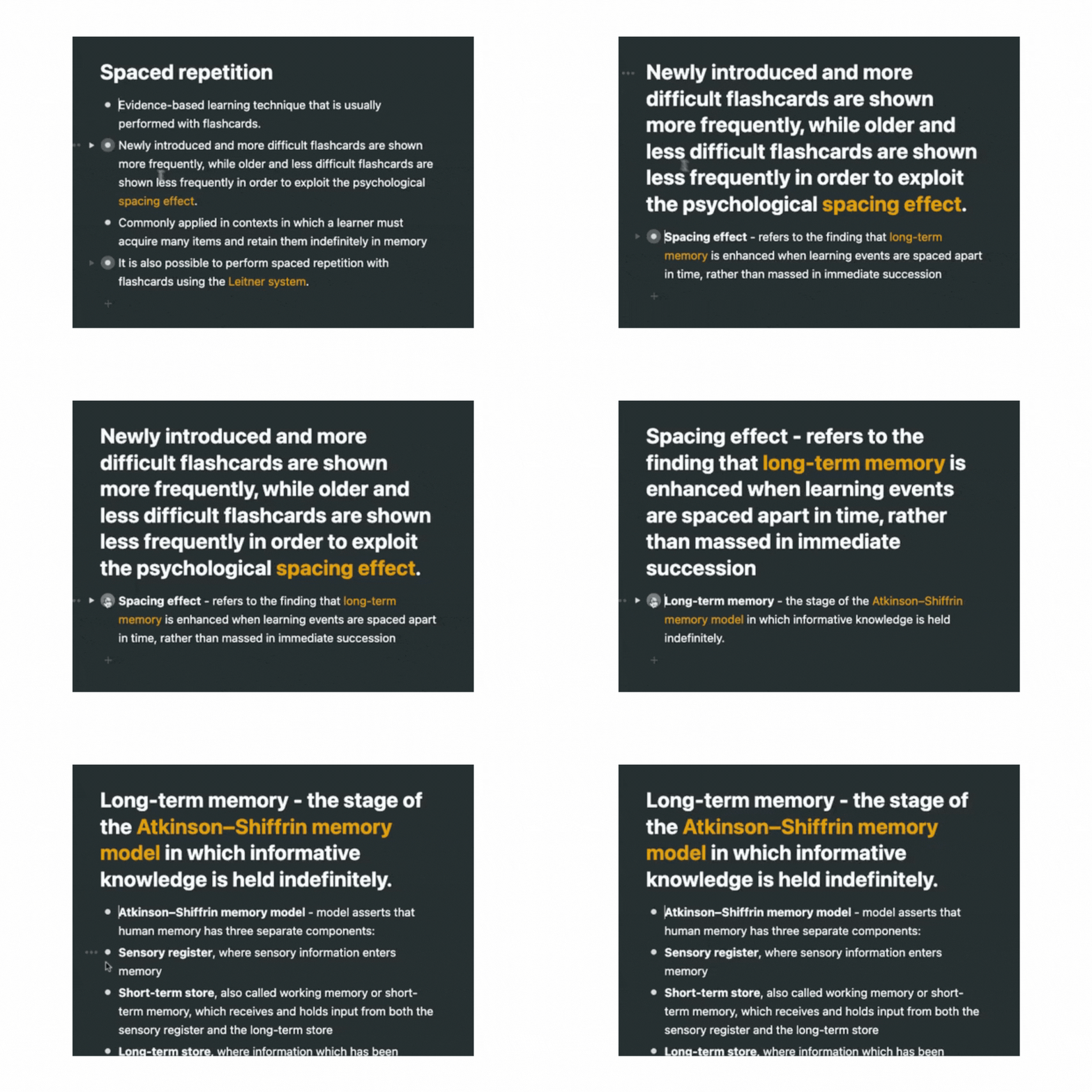
Workflowy scores high on ease of use due to its clean, intuitive interface that requires minimal learning time and the ability to create templates from anything. You can quickly organize tasks using its outline format, which feels natural and straightforward. The ability to zoom in on specific tasks helps you focus without getting lost in details.
Its tagging system and search functionality make managing and locating tasks effortless. For those who value simplicity and clarity in their task management, Workflowy delivers a user-friendly experience.

Onboarding
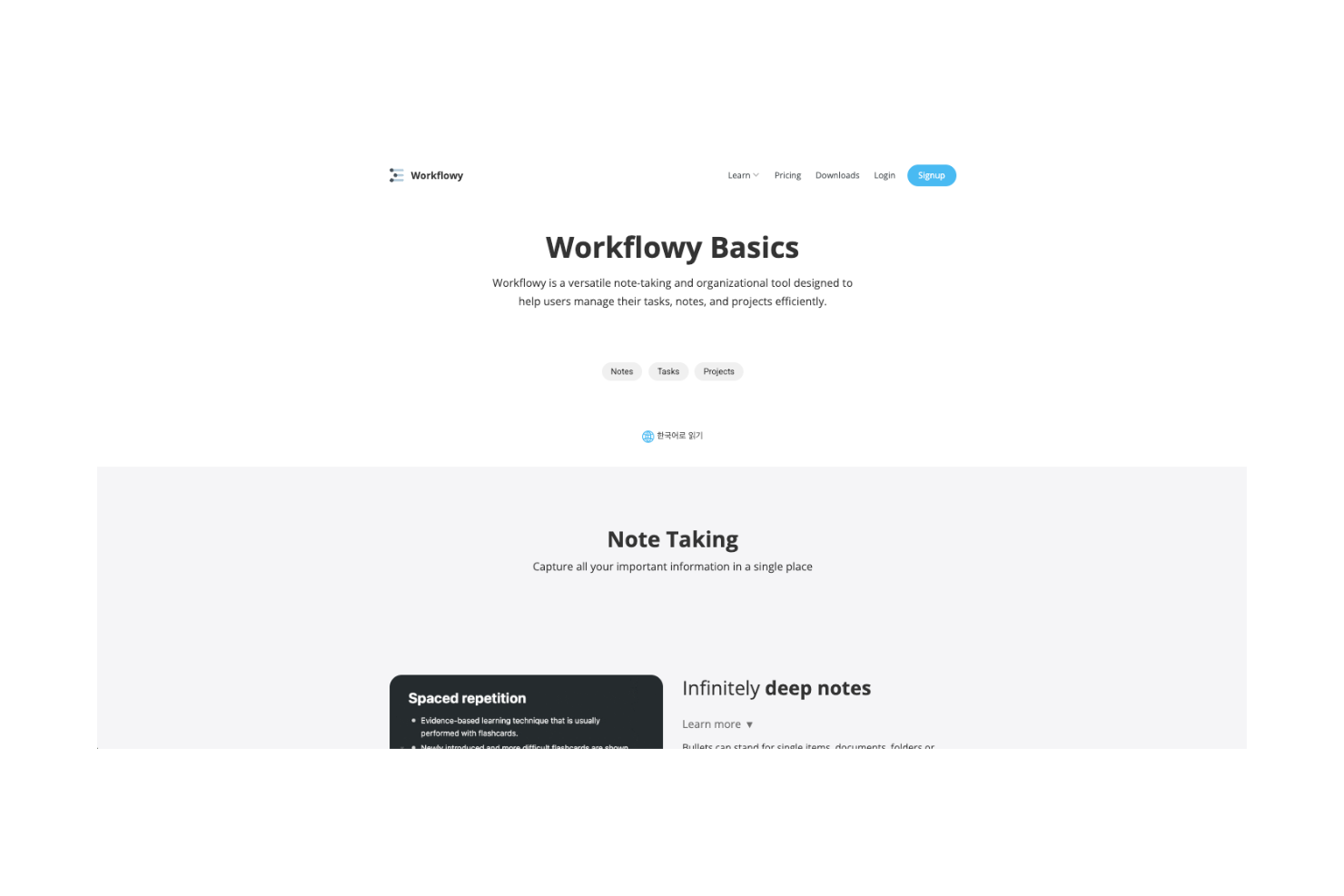
Workflowy's onboarding experience is straightforward but might feel sparse for some users. With minimal guidance, you can quickly grasp its outline-based structure. However, it lacks detailed tutorials and in-depth resources, which could delay mastery for those unfamiliar with such tools.
The simplicity of the interface works in your favor, but additional support materials would enhance the onboarding process. Overall, you’ll find it easy to start but may need to explore on your own to fully leverage its potential.
Customer Support
Workflowy's customer support is adequate but not exceptional, offering basic assistance through email and an online help center. Response times are generally satisfactory, but the lack of live chat or phone support might frustrate users with urgent issues.
The available resources cover common queries, yet they could benefit from more comprehensive guides and community engagement. While you’ll find answers to most questions, more robust support options would enhance the overall user experience. Workflowy integrates natively with Google Tasks, Todoist, email text snippets, and Apple Shortcuts.
Workflowy also connects with third-party integration tools like Zapier and provides an API for integrating other applications.

Value for Money
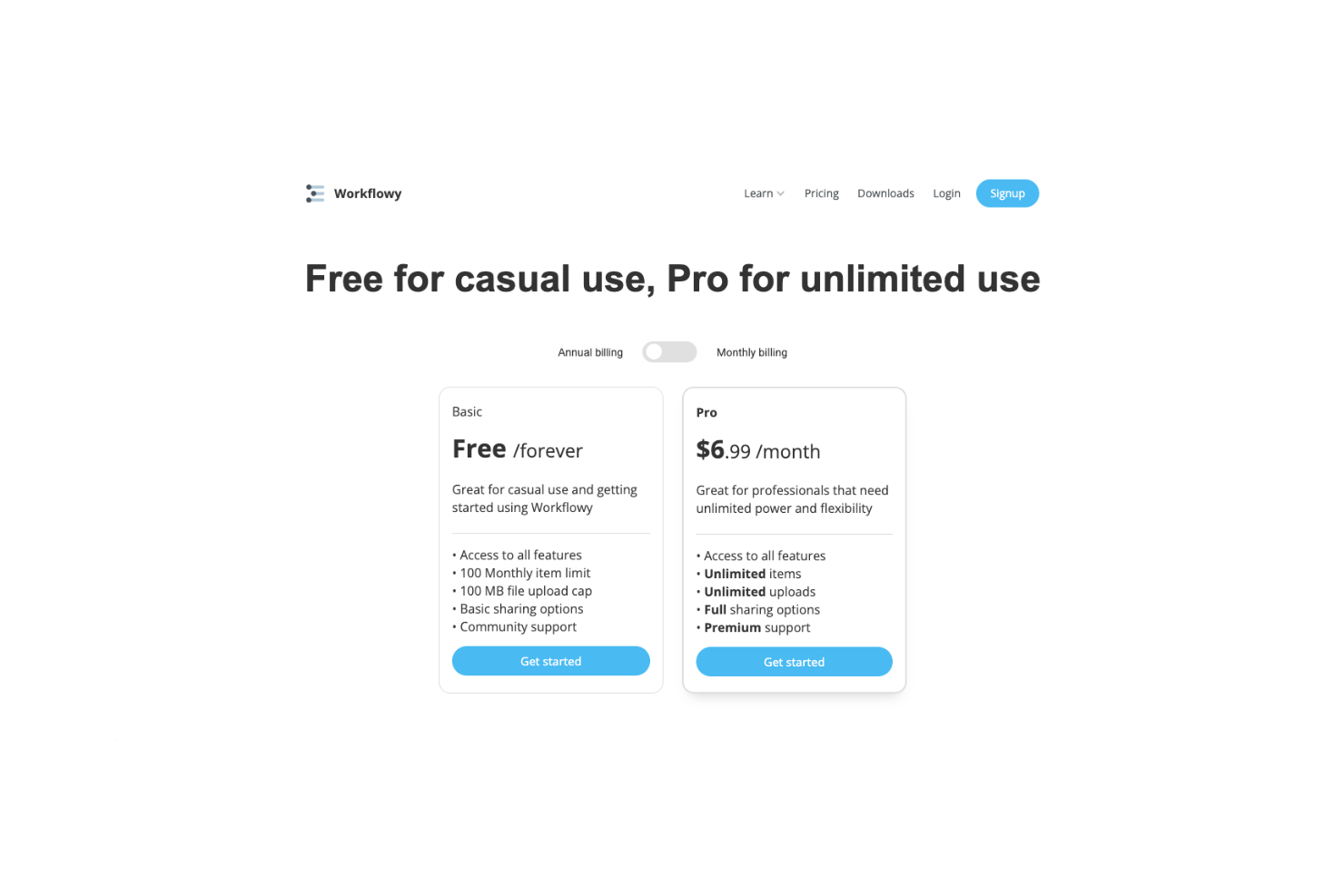
Workflowy pricing offers solid value, especially for individuals and small teams who appreciate simplicity over complex features. Its free plan is generous, while the paid tier unlocks more storage and advanced features, which justifies the cost. Users find Workflowy's pricing competitive compared to other task management tools.
- Free Plan: Basic features with limited storage.
- Pro Plan: Unlimited storage, premium features, and priority support
WorkFlowy Specs
- API
- Calendar Management
- Contact Management
- Dashboard
- Data Export
- Data Import
- External Integrations
- Notifications
- Scheduling
WorkFlowy FAQs
Can Workflowy handle large projects?
How does Workflowy support collaboration among team members?
Is Workflowy suitable for managing personal tasks?
How secure is my data in Workflowy?
Can Workflowy be used offline?
Does Workflowy support recurring tasks?
How customizable is the Workflowy interface?
How does Workflowy handle data backups?
WorkFlowy Company Overview & History
Workflowy is a productivity tool developed by Workflowy, Inc., founded by Mike Turitzin and Jesse Patel on August 2, 2010, as part of Y Combinator.
The company, based in San Francisco, focuses on providing a streamlined way for individuals and teams to organize their thoughts and tasks. It's known for its minimalist design and ease of use, making it a favorite for note-taking and project management. Workflowy operates on a freemium model and continues to evolve, enhancing user experience and productivity.
Workflowy Major Milestones
- 2010: Workflowy was founded by Mike Turitzin and Jesse Patel.
- 2010: The product was launched as part of Y Combinator.
- 2016: Reached a significant user milestone with 1,000,000 registered users.
- 2024: Reported a revenue of $1.1M with a team of ten people.