



Vaiz vs. Asana: Comparison and Expert Reviews for 2026



If you’re juggling tasks in one app, docs in another, and updates scattered across messages, it can feel like you’re spending more time managing work than actually doing it. That’s where project management software like Vaiz and Asana come in—but they take very different approaches. One aims to bring everything into a single workspace, while the other leans on a more traditional task management system. The question is: which one actually reduces your workload instead of adding to it?
In this guide, you’ll get a side-by-side look at both platforms, so you can confidently pick the project management software that matches your team’s pace, priorities, and ambitions.
Vaiz vs. Asana: An Overview
Asana

Why Trust Our Software Recommendations
Our team has been testing and reviewing software since 2012. As project managers ourselves, we know how difficult—and important—it is to choose the right software.
For this guide, we evaluated tools using hands-on testing and independent research, scoring tools using our selection criteria. We also draw on insights from industry thought leaders and practicing project management experts.
Our reviews reflect our human editorial judgment, not a sales pitch.
Expert reviewers:
Vaiz vs. Asana Pricing Comparison
| Vaiz | Asana | |
|---|---|---|
| Free Trial | Free plan + 30-day free trial available | Free plan available |
| Pricing | $5/user/month (billed annually) | From $10.99/user/month (billed annually) |
Vaiz vs. Asana Pricing & Hidden Costs
Vaiz uses a tiered pricing model with a free plan (up to 10 users) and paid plans that scale by user count and feature access. Core work management features are available early, but higher tiers unlock key capabilities like unlimited automations, AI assistance, and expanded storage. Some costs are less transparent—such as additional storage pricing and final plan details—which require contacting sales. Since billing is managed per workspace (Space), costs can increase if you operate multiple workspaces.
Asana also offers a free plan for individuals and small teams, with paid tiers (Starter, Advanced, Enterprise) unlocking features like timeline views, advanced automation, reporting, and admin controls. Unlike Vaiz, Asana’s pricing is more standardized and self-serve, but costs can scale quickly as you add users or upgrade for advanced features like portfolios, workload management, or enterprise-grade security and support.
When comparing the two, it’s important to look beyond headline pricing. Map your must-have features against each tier, test the product where possible, and involve finance or IT stakeholders early to avoid unexpected costs as your usage scales.
Vaiz vs. Asana Feature Comparison
Vaiz and Asana overlap in core project management capabilities like task tracking, multiple project views (including Kanban and timeline-style planning), and team collaboration features such as assignments, due dates, and progress visibility. Both tools are designed to help you organize work, manage workflows, and keep your team aligned without relying on spreadsheets or manual updates.
Overall, Vaiz’s standout capabilities center on its all-in-one approach—combining tasks and documentation in a single workspace with a rich, block-based editor that works inside both. Asana, by contrast, stands out for its mature project tracking at scale, with advanced reporting, portfolio management, and a wider range of native integrations.
| Vaiz | Asana | |
|---|---|---|
| API | ||
| Batch Permissions & Access | ||
| Budgeting | ||
| Calendar Management | ||
| Collaboration Support | ||
| Contact Management | ||
| Contact Sharing | ||
| Customer Management | ||
| Dashboard | ||
| Dashboards | ||
| Data Export | ||
| Data Import | ||
| Data Visualization | ||
| Dependency Tracking | ||
| Document Sharing | ||
| Expense Tracking | ||
| External Integrations | ||
| File Sharing | ||
| Gantt Charts | ||
| Kanban Boards | ||
| Multi-User | ||
| Notifications | ||
| Project Management | ||
| Resource Management | ||
| Scheduling | ||
| Task Scheduling/Tracking | ||
| Third-Party Plugins/Add-Ons | ||
| Time Management | ||
| Travel Management | ||
| Workflow Management |
Vaiz vs. Asana Integrations
| Integration | Vaiz | Asana |
| Slack | ✅ | ✅ |
| Google Drive | ❌(via Zapier) | ✅ |
| Microsoft Teams | ❌(via Zapier) | ✅ |
| Jira | ❌(via Zapier)1 | ✅ |
| Salesforce | ❌(via Zapier) | ✅ |
| Trello | ❌(via Zapier)1 | ✅ |
| Dropbox | ❌(via Zapier) | ✅ |
| GitHub | ❌(native coming soon) | ✅ |
| HubSpot | ❌(via Zapier) | ✅ |
| Zendesk | ❌(via Zapier) | ✅ |
| API | ✅ | ✅ |
| Zapier | ✅ | ✅ |
1. Beyond the Zapier integration, Vaiz supports direct import from these tools. Users can migrate projects into Vaiz natively without needing Zapier.
Vaiz and Asana differ significantly when it comes to integrations. While both support Slack, API access, and Zapier (which allows indirect connections to many of the same tools), Asana offers a much broader range of native integrations, including Google Drive, Microsoft Teams, Salesforce, and Zendesk. Vaiz’s native integration ecosystem is still limited today, though it is actively expanding based on its roadmap.
In practice, this means Asana is better suited if your team relies heavily on built-in integrations across multiple tools. Vaiz can still connect to many of the same apps through Zapier or custom API workflows, but it may require more setup and technical effort until its native integration library matures.
Vaiz vs. Asana Security, Compliance & Reliability
| Factor | Vaiz | Asana |
| Data Encryption | Encrypts data at rest and in transit using industry-standard protocols. | Uses TLS 1.2+ for data in transit and AES-256 for data at rest. |
| Regulatory Compliance | Offers GDPR compliance and customizable data retention policies. | Complies with GDPR, SOC 2 Type II, and offers audit logs. |
| Access Controls | Provides role-based access and granular permissions at the workspace/project level. | Supports SSO, SCIM provisioning, and advanced admin controls. |
| Uptime Guarantee | No clear public SLA, but provides a status page. | Offers enterprise-grade reliability with uptime commitments and status updates. |
Both Vaiz and Asana deliver strong security and compliance, but Asana stands out with broader certifications and more advanced admin controls. For most teams, Vaiz’s security features will cover standard operational needs, but organizations with strict compliance or procurement requirements may find Asana better aligned with their expectations.
Vaiz vs. Asana Ease of Use
| Factor | Vaiz | Asana |
| User Interface | Clean, modern interface with boards, docs, and multiple views in one workspace. | Clean, intuitive layout with color-coded projects and multiple views. |
| Onboarding | Provides tutorials and help center resources; some users report a learning curve. | Strong onboarding with guided setup, templates, and in-app tips. |
| Task Setup | Supports templates, custom fields, subtasks, and flexible task structures. | Fast task creation with templates, automation, and keyboard shortcuts. |
| Support Resources | Help center, tutorials, and chat/email support (availability may vary). | Extensive help center, academy, webinars, and support options. |
Asana is generally easier to pick up for new users, thanks to its polished interface, strong onboarding flows, and widely familiar task management patterns. Vaiz, while modern and flexible, can feel more complex at first because it combines tasks, documents, and advanced features in a single workspace.
Overall, Vaiz’s strength lies in its flexibility and all-in-one structure, which gives you more control once you’re set up. Asana, on the other hand, is better suited if you want a tool your team can adopt quickly with minimal training and friction.
Vaiz vs Asana: Pros & Cons
Vaiz
- Combines tasks, documents, and planning in one workspace.
- Offers a built-in AI assistant for documentation and task support.
- Advanced task management with dependencies and custom fields.
- Currently lacks enterprise-level controls, like SSO and granular security policies.
- Limited native integrations compared to more established competitors.
- Full-featured mobile app experience is currently limited.
Asana
- You can easily track tasks and deadlines using Asana's intuitive interface.
- Asana's collaboration tools help your team communicate effectively in real-time.
- There are extensive customization options so you can tailor workflows and views to your specific needs.
- The reporting capabilities are somewhat basic, which may not satisfy teams needing detailed analytics.
- It can feel overwhelming if your team is small or your projects are simple.
- You might find the notification system a bit excessive or distracting.
Best Use Cases for Vaiz and Asana
Vaiz
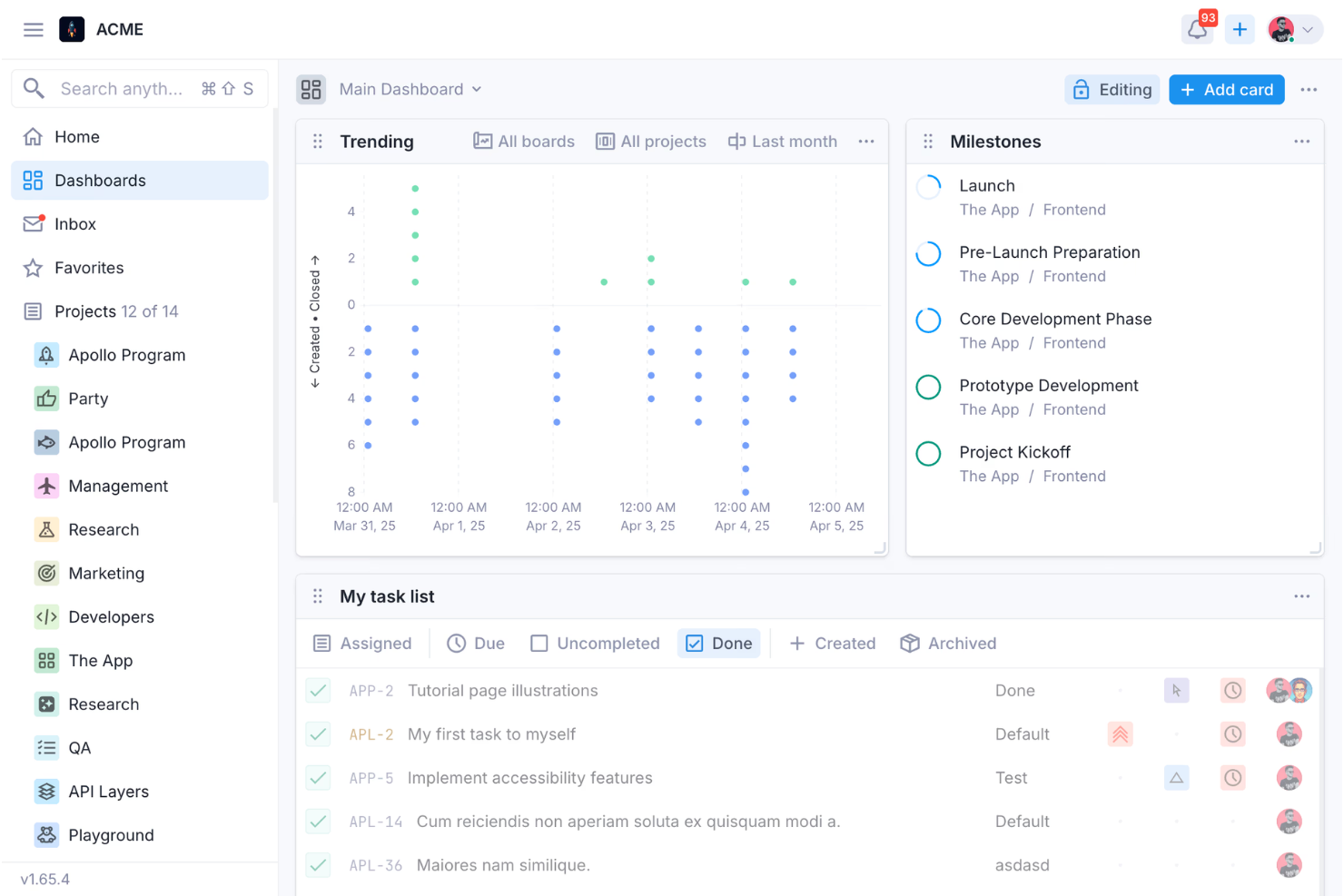
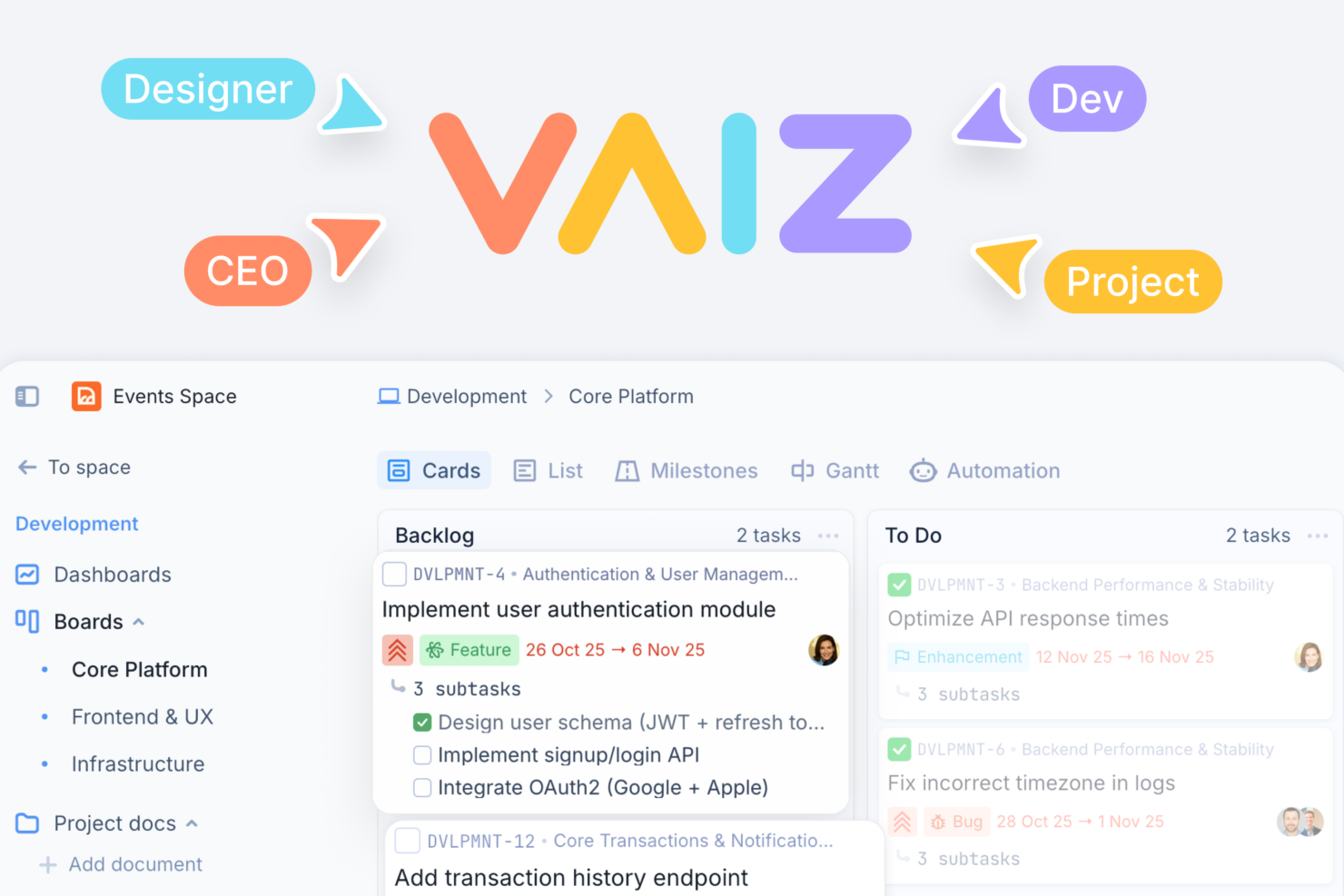


- Product & Engineering Teams Dependencies, Gantt views, and detailed task structures support complex builds and coordinated releases.
- Marketing Teams Campaign planning, content documentation, and dashboards improve execution visibility across channels and stakeholders.
- Operations Teams Custom fields, workflows, and automation streamline repeatable internal processes and reduce manual coordination work.
- Cross-Functional Teams Shared workspace keeps tasks, docs, and updates aligned across departments working toward shared goals.
- Agencies & Client Work Multiple spaces and permission controls help separate and manage client projects with clear boundaries.
- Technical/Developer-Oriented Teams API access and automation support custom workflows, integrations, and more advanced technical use cases.
Asana
- Creative agencies You can manage creative workflows and client projects with Asana’s visual boards and timeline features.
- Tech startups You can coordinate product development and team tasks using Asana’s real-time updates and goal-setting tools.
- Marketing teams You can plan campaigns and track progress with Asana’s clear timelines and task comments.
- Nonprofits Asana lets you manage volunteer tasks, events, and fundraising efforts with clear task assignments and timelines.
- Remote teams You can collaborate effectively with Asana’s real-time updates and communication features.
- Event planners You can organize events easily with Asana’s task management and timeline visualization features.
Who Should Use Vaiz, and Who Should Use Asana?
If you’re looking for a unified workspace where your tasks, documentation, and workflows stay connected, Vaiz offers a compelling choice. It’s especially well-suited for cross-functional teams that want more structure than simple task tracking, with built-in docs, automation, and flexible workflows all in one place. While it may take a bit more time to get fully set up, that added depth can pay off as your processes grow more complex.
Asana is a strong option if you prefer a familiar, easy-to-adopt project management tool with a wide range of integrations. It works well for teams that prioritize quick onboarding and standardized workflows across multiple tools. Additionally, if your organization has stricter compliance needs, Asana will likely be the safer option.
Differences Between Vaiz and Asana
| Vaiz | Asana | |
|---|---|---|
| AI Capabilities | Built-in AI assistant for planning, writing, and task generation. | AI features exist (AI Studio, automation), but more workflow-focused than doc-centric. |
| Documentation | Built-in docs with a rich editor integrated directly into tasks. | Basic task descriptions; relies on integrations (e.g., Google Docs) for full documentation. |
| Integrations | Limited native integrations (Slack, Zapier). Plans to add more in the future. | Extensive native integrations (200+ apps including Google, Microsoft, Jira). |
| Mobile Usability | Responsive mobile web; native apps still evolving. | Mature mobile apps with full functionality. |
| Reporting & Analytics | Basic dashboards with growing analytics capabilities. | Advanced reporting, goals, and portfolio tracking features. |
| Visit VaizOpens new window | Read Asana ReviewOpens new window |
Similarities Between Vaiz and Asana
| API Access | Both provide API access for custom integrations and workflows. |
|---|---|
| Automation | Both include automation features to reduce manual work through triggers and actions. |
| Collaboration Tools | Each platform supports team collaboration with comments, mentions, and file sharing directly in tasks. |
| Task Management | Both let you create, assign, and track tasks with due dates, priorities, and attachments for easy follow-up. |
| Template Library | Both offer templates to help teams quickly set up projects and workflows. |
| Visit VaizOpens new window Read Asana ReviewOpens new window | |