



Zenhub vs. Teamwork.com: Comparison and Expert Reviews for 2026



If juggling shifting priorities and cross-team communication has you searching for an upgrade, you’re not alone. Choosing between Zenhub and Teamwork.com can feel tricky—both promise to organize your work, but each takes a different approach and supports different types of teams. Before you invest time and budget, it helps to see how these options stack up as project management software.
In this article, you’ll get a clear side-by-side comparison of Zenhub and Teamwork.com. I’ll break down their pros and cons, review typical use cases, share pricing details, and flag security and usability differences to help you find your perfect fit.
Zenhub vs. Teamwork.com: An Overview
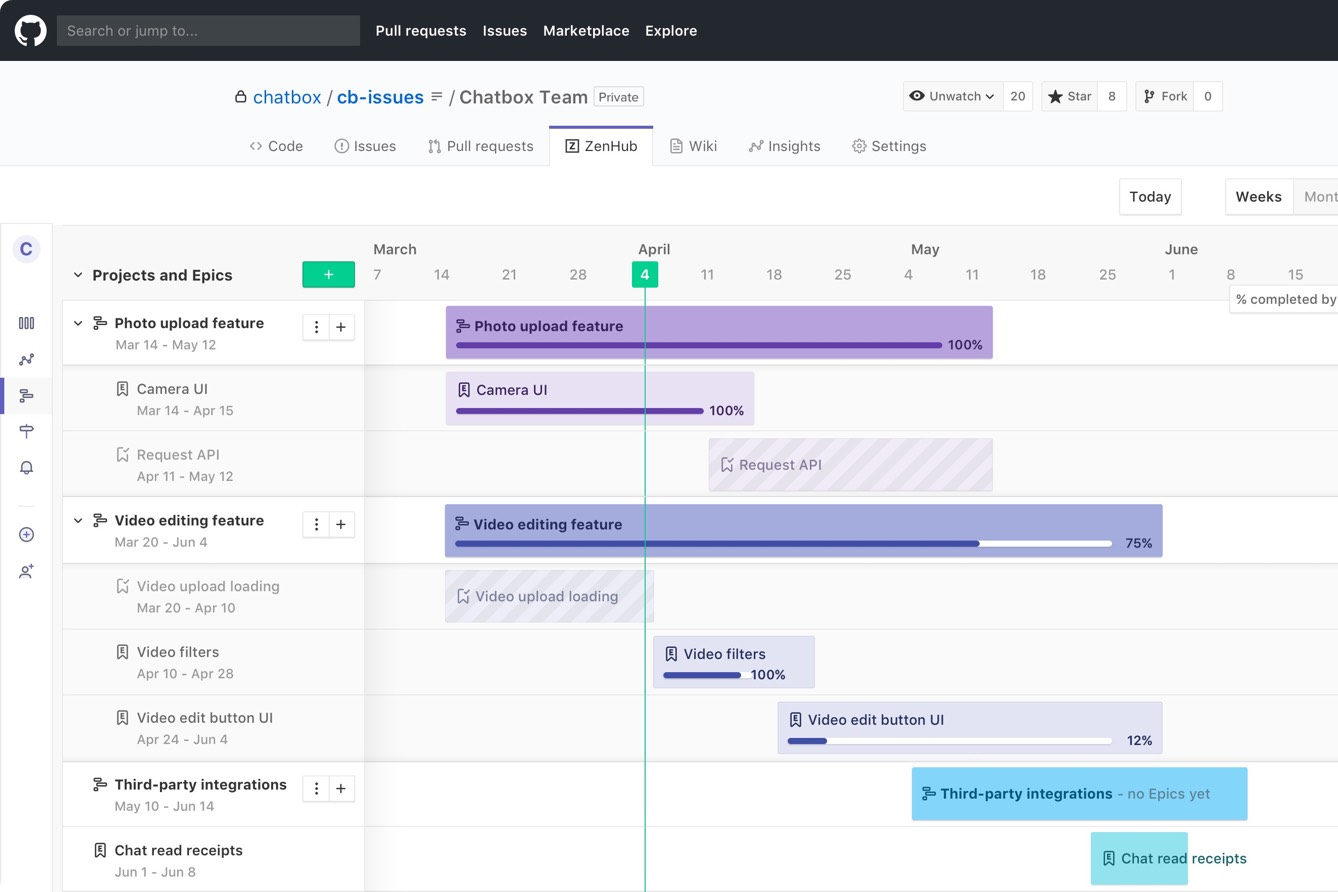
Zenhub

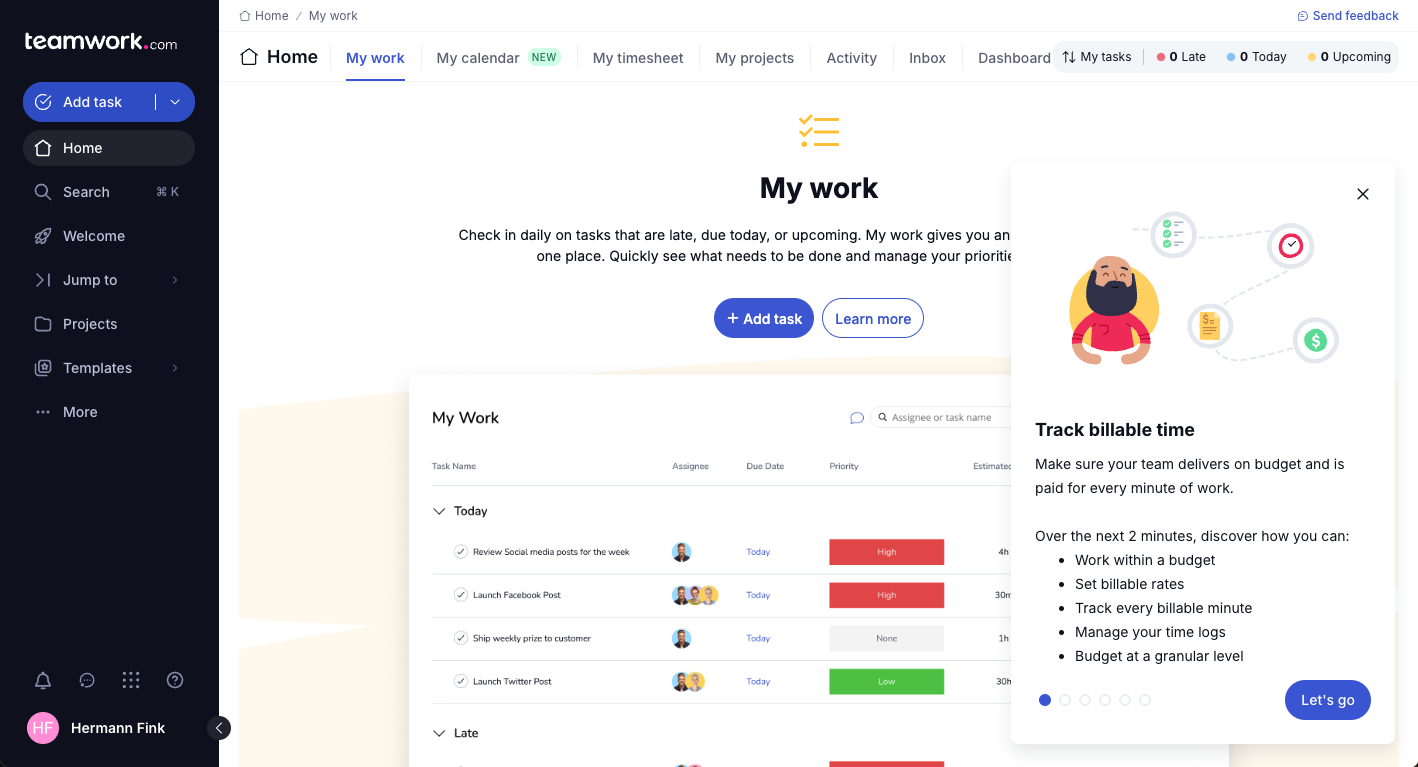
Teamwork.com


Why Trust Our Software Recommendations
Our team has been testing and reviewing software since 2012. As project managers ourselves, we know how difficult—and important—it is to choose the right software.
For this guide, we evaluated tools using hands-on testing and independent research, scoring tools using our selection criteria. We also draw on insights from industry thought leaders and practicing project management experts.
Our reviews reflect our human editorial judgment, not a sales pitch.
Expert reviewers:
Zenhub vs. Teamwork.com Pricing Comparison
| Zenhub | Teamwork.com | |
|---|---|---|
| Free Trial | Free plan + 14-day free trial + free demo available | Free plan + 14-day free trial available |
| Pricing | From $4.99/user/month (billed annually) | From $9.99/user/month (billed annually) |
Zenhub vs. Teamwork.com Pricing & Hidden Costs
Zenhub uses tiered plans based on the features and number of users, with separate options for enterprise teams. A free option is available for one team workspace and up to 50 users. Teamwork.com offers a similar tiered model with several plan levels, but watch for costs tied to adding premium features, integrations, or advanced permissions. Both platforms may also charge extra for onboarding or priority support, depending on your contract.
To pick the right vendor, dig into what’s included in each plan and match that to your real-world needs. I recommend making a list of must-have features, user counts, and possible integrations, then checking how easily you could scale up—or cut down—if your situation changes. Also, always factor in onboarding and long-term support, since unexpected costs here can add up quickly.
Zenhub vs. Teamwork.com Feature Comparison
Both Zenhub and Teamwork.com give you task tracking, project boards, team collaboration tools, and customizable workflows. They include built-in reporting, notifications, and integration options to help keep your projects on track. You’ll also find support for managing dependencies and tracking progress in real time.
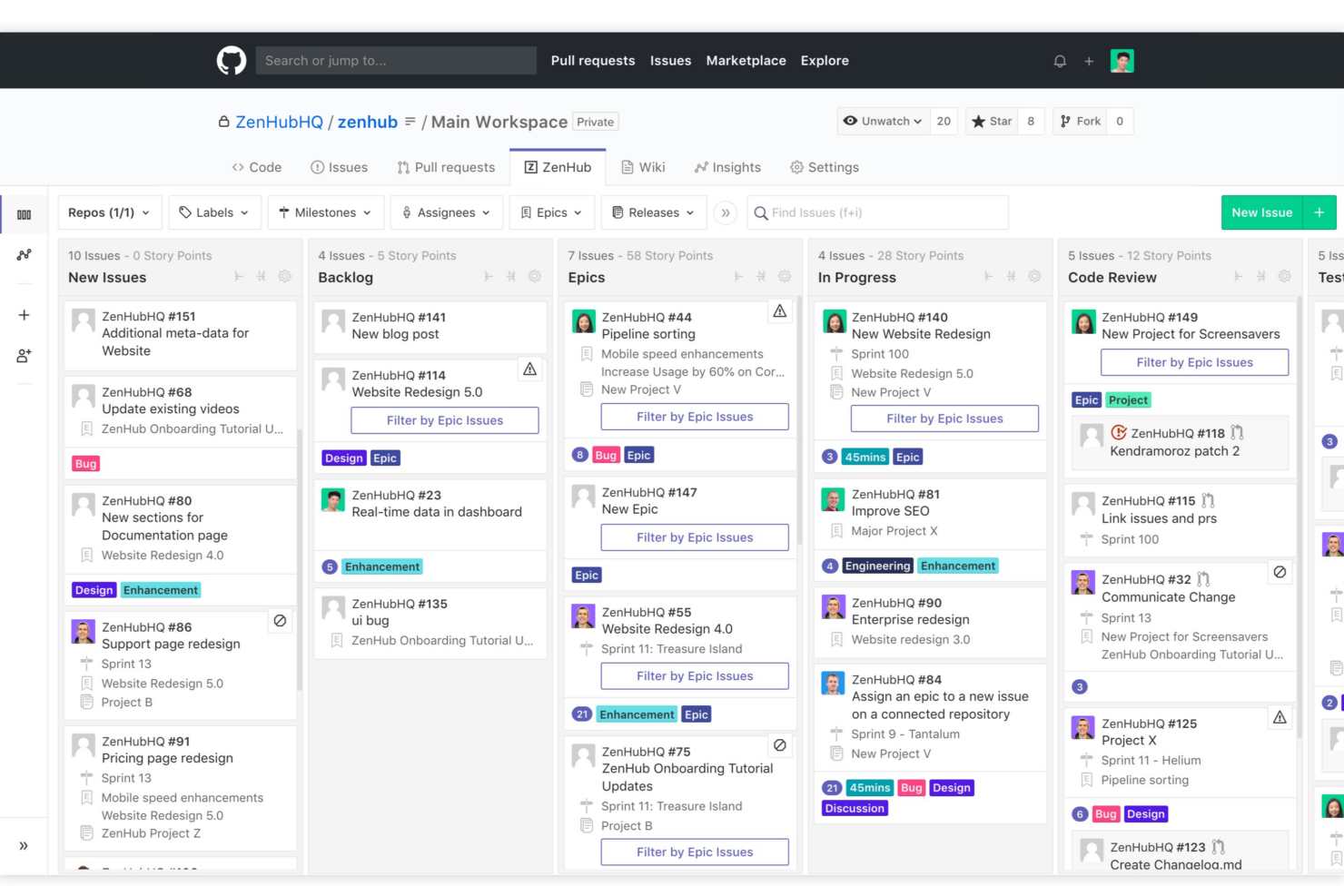
Where these tools really differ is in their focus: Zenhub stands out with deep GitHub integration, making it a favorite for developer-centric teams who want project management baked into their code workflow. Teamwork.com, on the other hand, sets itself apart with powerful client collaboration features, built-in time tracking, and billing—making it handy for agencies and service teams handling multiple client projects.
| Zenhub | Teamwork.com | |
|---|---|---|
| API | ||
| Batch Permissions & Access | ||
| Budgeting | ||
| Calendar Management | ||
| Collaboration Support | ||
| Contact Management | ||
| Contact Sharing | ||
| Customer Management | ||
| Dashboard | ||
| Dashboards | ||
| Data Export | ||
| Data Import | ||
| Data Visualization | ||
| Dependency Tracking | ||
| Document Sharing | ||
| Expense Tracking | ||
| External Integrations | ||
| File Sharing | ||
| Gantt Charts | ||
| Kanban Boards | ||
| Multi-User | ||
| Notifications | ||
| Project Management | ||
| Resource Management | ||
| Scheduling | ||
| Task Scheduling/Tracking | ||
| Third-Party Plugins/Add-Ons | ||
| Time Management | ||
| Travel Management | ||
| Workflow Management |
Zenhub vs. Teamwork.com Integrations
| Integration | Zenhub | Teamwork.com |
|---|---|---|
| GitHub | ✅ | ❌ |
| Slack | ❌ | ✅ |
| Google Drive | ❌ | ✅ |
| Microsoft Teams | ❌ | ✅ |
| Jira | ❌ | ✅ |
| HubSpot | ❌ | ✅ |
| Dropbox | ❌ | ✅ |
| OneDrive | ❌ | ✅ |
| API | ✅ | ✅ |
| Zapier | ❌ | ✅ |
Teamwork.com stands out with a broader set of native integration options—including file storage, marketing, and automation platforms. On the other hand, Zenhub’s only true native integration is with GitHub (because it’s designed to work within the GitHub interface). That said, both tools offer APIs, so you can build custom connections with a little more upfront work. Teamwork has the additional advantage of a Zapier connection, allowing you to connect with thousands of other apps without custom code setup.
Zenhub vs. Teamwork.com Security, Compliance & Reliability
| Factor | Zenhub | Teamwork.com |
|---|---|---|
| Data Encryption | Uses TLS encryption for data in transit and at rest. | Applies encryption in transit and at rest, including on mobile apps. |
| Regulatory Compliance | Supports GDPR, Privacy Shield, and SOC 2 readiness. | Meets GDPR, SOC 2, and ISO 27001 compliance requirements. |
| Uptime | Provides a high uptime SLA for enterprise customers. | Publishes uptime metrics and maintains high uptime targets. |
| Access Controls | Role-based access, SSO, and team-level permissions. | Offers SSO, 2FA, and fine-grained user permission management. |
| Data Residency | Data hosted in North America, with some regional control options. | Allows selection of regional data centers for compliance needs. |
Teamwork.com takes the edge for security and compliance by offering more granular controls and regional data options, while Zenhub reliably covers core standards for smaller teams. I think Zenhub is a strong fit for teams prioritizing GitHub-centric security, but Teamwork.com shines when you need advanced compliance or strict data residency.
Zenhub vs. Teamwork.com Ease of Use
| Factor | Zenhub | Teamwork.com |
|---|---|---|
| User Interface | Clean, minimal UI designed for developers inside GitHub. | Modern interface with visual dashboards and easy navigation. |
| Onboarding | Fast for GitHub users, but less intuitive for non-technical teams. | Offers walkthroughs, templates, and more guided onboarding. |
| Task Management | Streamlined for agile workflows and coding tasks. | Flexible task lists, subtasks, and recurring task automation. |
| Support | In-app guides and email support; limited live chat. | 24/7 live chat, detailed help center, and community forums. |
| Customization | Board customization closely tied to GitHub repo structure. | Highly configurable workspaces for different project types. |
Teamwork.com feels more approachable for new and mixed-skill teams, while Zenhub is the most natural for developers already working within GitHub. I think Zenhub’s embedded workflow speeds up code-focused teams, but Teamwork.com stands out for its versatile setup and strong onboarding for varied users. Overall, if your team is the intended audience for each platform (professional service teams for Teamwork.com or software developers for Zenhub), you’ll find each platform rather intuitive.
Zenhub vs Teamwork.com: Pros & Cons
Zenhub
- Direct integration into GitHub repository interface
- Automated issue tracking and workflow management
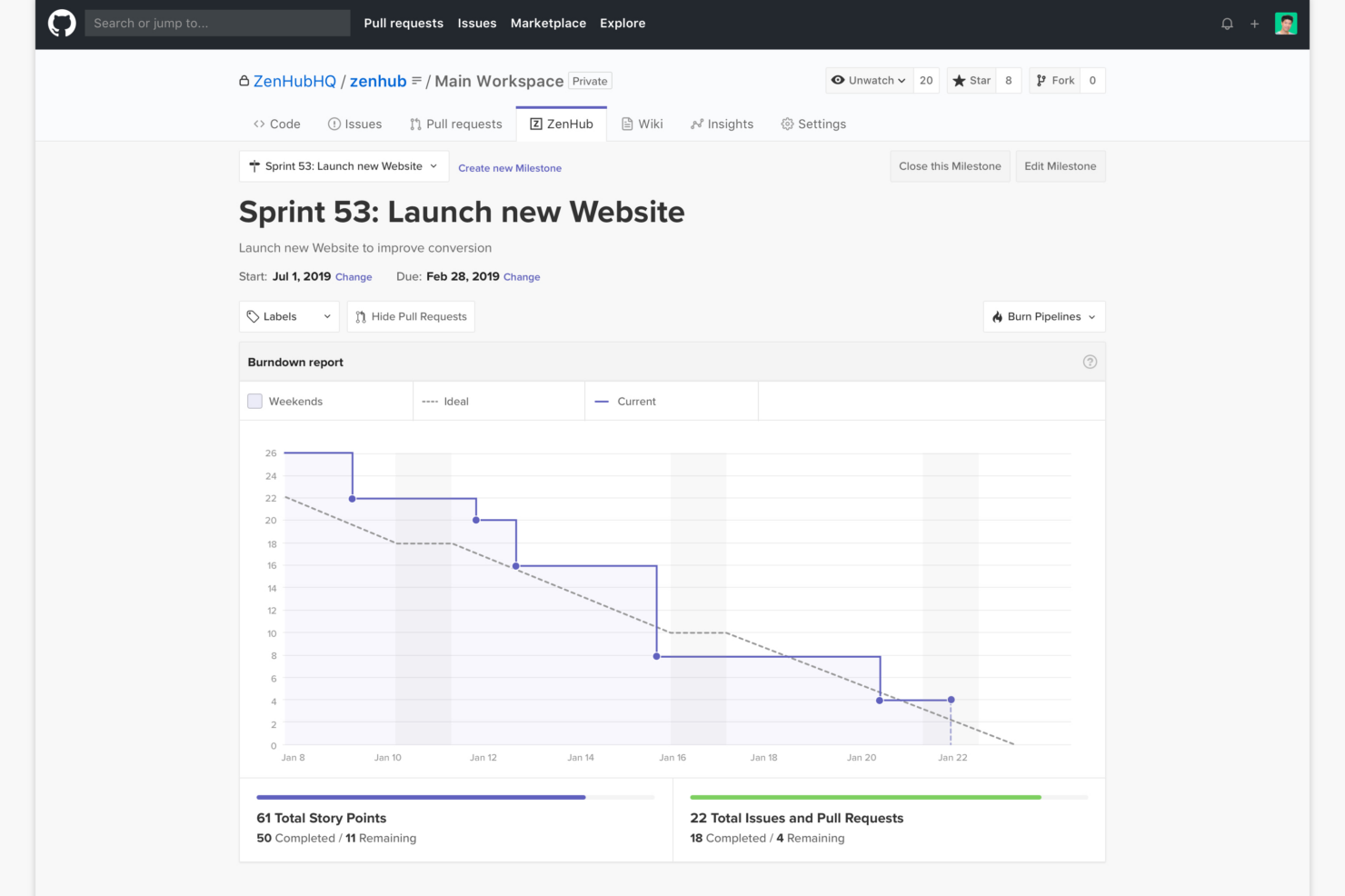
- Sprint planning and agile reporting within GitHub
- Limited functionality for non-developer stakeholders
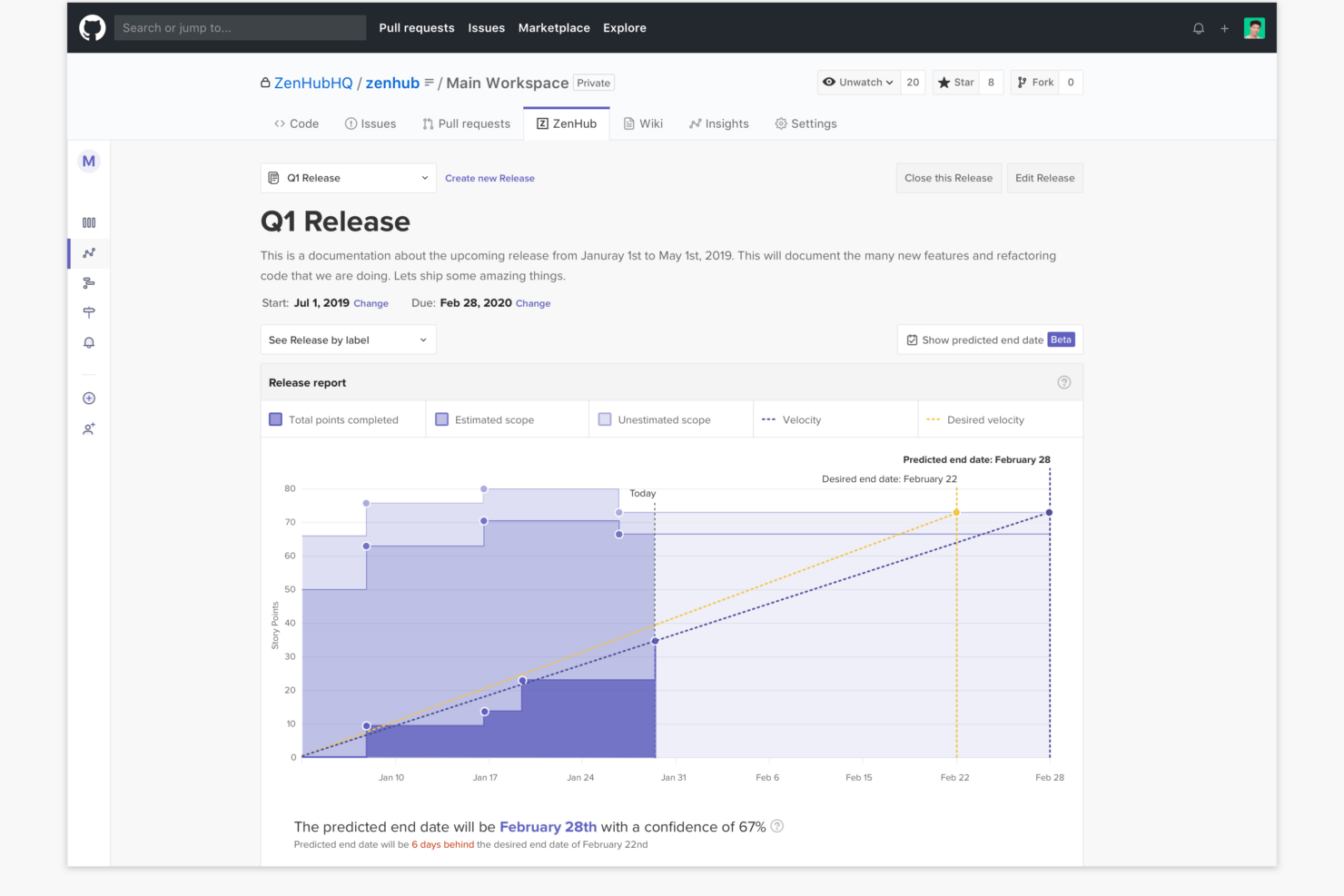
- Advanced reporting features require higher-tier plans
- Kanban boards feel basic compared to some competitors
Teamwork.com
- You can manage workloads and resources effectively with its robust features.
- Teamwork's collaboration tools, like chat and message boards, keep your team connected.
- The platform's Academy offers useful videos to help you use it effectively.
- You might find the interface overwhelming with its many features.
- Some users feel the mobile app could be more intuitive.
- The learning curve can be steep for new users without prior experience.
Best Use Cases for Zenhub and Teamwork.com
Zenhub
- Agile Engineering Teams Zenhub’s built-in sprints, automation, and agile boards map directly to engineering workflows inside GitHub.
- Product Management Epics, milestones, and real-time roadmaps help product managers keep complex deliverables organized and visible to developers.
- Tech Startups Quick onboarding and low internal process overhead let lean startup teams manage feature delivery and bug fixes directly from GitHub.
- Open Source Projects Native GitHub experience enables seamless contribution management, issue triage, and community collaboration without external tools.
- Remote Development Teams All project tracking within GitHub helps distributed developers stay aligned with async workflows and shared dashboards.
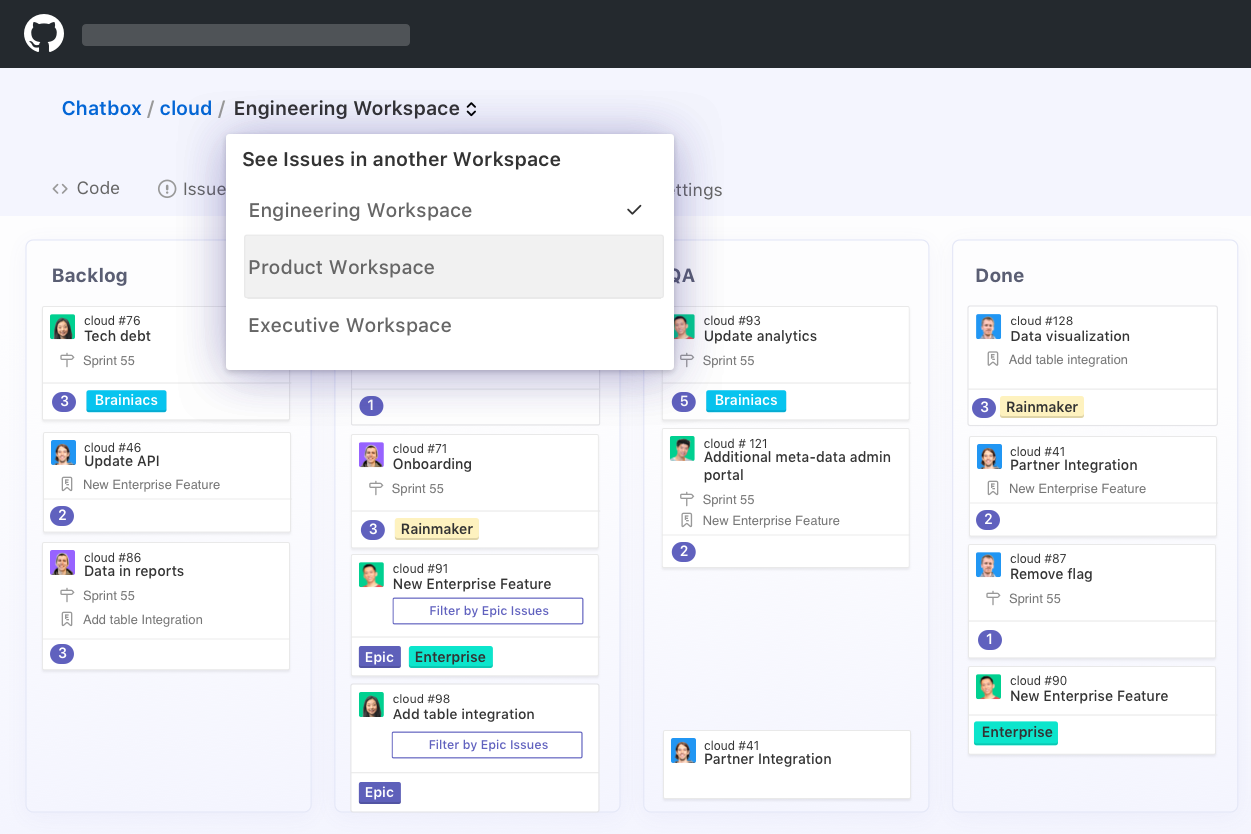
- SaaS Companies Teams juggling multiple repositories and microservices benefit from Zenhub’s workspace-centric organization and reporting.
Teamwork.com
- Creative Agencies Teamwork.com supports your agency with tools for managing client projects and tracking billable hours.
- Remote Teams Use Teamwork to stay connected with your team through its communication and collaboration features.
- Marketing Departments Manage your marketing campaigns with task lists, calendars, and resource allocation.
- Consulting Firms Track time and manage multiple client projects efficiently with Teamwork’s time tracking capabilities.
- Event Planning Organize events with ease using project timelines and task dependencies.
- Product Development Coordinate product launches with detailed task management and team collaboration features.
Who Should Use Zenhub, and Who Should Use Teamwork.com?
Zenhub is ideal for software development teams that already work in GitHub and want a project management tool that fits seamlessly into their existing workflow. From my perspective, it’s best suited for agile teams managing sprints, issues, and pull requests without leaving their dev environment. If your work is deeply technical and centered around code, Zenhub will feel intuitive—but it’s not built for non-technical teams.
Teamwork.com, on the other hand, is a strong choice for agencies, client-service businesses, and cross-functional teams that need more than just task tracking. I’ve found it particularly useful for managing client projects, tracking time, handling budgets, and maintaining visibility into profitability. If your work involves clients, billable hours, or broader business operations, Teamwork.com is the more practical and flexible option.
Differences Between Zenhub and Teamwork.com
| Zenhub | Teamwork.com | |
|---|---|---|
| Automation | Automates GitHub issue tracking and sprint planning. | Automates tasks, notifications, and project workflows across teams. |
| Client Management | Lacks built-in client collaboration or billing tools. | Offers strong client portals, billing, and time tracking features. |
| Customization | Board setup mirrors GitHub repo structure. | Highly customizable workspaces for diverse project types. |
| GitHub Integration | Deep integration—runs directly inside GitHub for dev teams. | No GitHub integration, focuses on standalone and broad team access. |
| Time Tracking | No native time tracking—relies on GitHub activity and integrations. | Built-in time tracking with billable hours, timesheets, and invoicing support. |
| Read Zenhub ReviewOpens new window | Read Teamwork.com ReviewOpens new window |
Similarities Between Zenhub and Teamwork.com
| Collaboration Tools | Real-time commenting, tagging, and notifications make collaboration easy regardless of team size or location in both platforms. |
|---|---|
| Notifications & Alerts | Both offer customizable notifications and alerts to keep team members updated on task changes, deadlines, and project activity in real time. |
| Project Boards | Both provide visual project boards and kanban-style workflow management—Zenhub inside GitHub, Teamwork.com in its own dashboard. |
| Reporting & Analytics | Both have built-in reporting and analytics to track progress, identify bottlenecks, and showcase project status to stakeholders. |
| Task Tracking | Each tool offers task creation, assignment, status updates, and due dates to keep teams organized and accountable. |
| Read Zenhub ReviewOpens new window Read Teamwork.com ReviewOpens new window | |