

Smartsheet Review 2026: Features & Expert Opinion


Smartsheet is an AI-powered work management platform that helps teams plan, track, and manage work in a flexible spreadsheet-like interface. It’s a good fit for teams that require cross-functional coordination, such as operations, marketing, and PMO teams in industries like construction, healthcare, and IT. Smartsheet gives you a clear, customizable view of your work so you can keep projects moving without confusion or delays.
In this article, I’ll walk you through Smartsheet’s features, pros and cons, pricing, and where it works best—and where it doesn’t. If you’re trying to keep your projects organized and your team aligned, this’ll help you decide if Smartsheet’s right for your workflow.
Smartsheet Evaluation Summary

- From $9/member/month (billed annually)
- Free trial + free demo available
Why You Can Trust Us
Smartsheet Overview
In my opinion, Smartsheet does a solid job as a project management software, especially for teams that like the familiarity of spreadsheets but need more structure and automation. It’s not the flashiest tool, but it delivers steady value with strong dashboards, flexible workflows, and solid reporting. It outperforms many tools when it comes to managing multiple, complex projects at scale, but it can feel clunky compared to lighter options.
Onboarding takes effort, and non-technical users might feel overwhelmed at first. That said, once it’s up and running, it’s a powerhouse for operations, marketing, and PMO teams that manage deadlines and dependencies across departments. If you’re judging tools based on control, visibility, and scalability, Smartsheet is a smart pick.

pros
-
Gives your team a lot of flexibility with how you set up sheets, dashboards, and workflows
-
Proofing and approval tools can help you better collaborate with your team
-
Handles complex projects and cross-team coordination better than most tools
cons
-
It takes time to set up and isn’t very intuitive for new users
-
Interactive spreadsheets don’t automatically sync changes
-
You can’t easily build simple task lists without doing extra setup
Is Smartsheet Right For Your Needs?
Who Would be a Good Fit for Smartsheet?
Smartsheet works best for teams that manage complex projects with lots of moving parts, like operations, marketing, or PMO teams. If you’re tracking dependencies, deadlines, approvals, and deliverables across multiple people or departments, Smartsheet gives you the structure and visibility to keep things on track. It’s also a great tool if your team likes spreadsheets but needs more automation, reporting, and control.
-
Marketing Teams
You can manage campaign timelines, creative approvals, and content calendars in one place using built-in forms, reminders, and dashboards.
-
Construction Projects
Smartsheet is great for tracking tasks, permits, and inspections across vendors and crews using Gantt charts and status columns.
-
PMO Departments
You get a clear portfolio view of all your projects, timelines, and risks with built-in reports and resource views.
-
Healthcare Operations
Smartsheet helps you track compliance tasks, training, and onboarding with audit-ready logs and approval workflows.
-
IT Teams
Smartsheet is useful for managing system rollouts, support requests, and change logs with forms, automations, and sheet linking.
-
Mid-Sized & Enterprise-Level Companies
You get enough structure to handle complex operations and scale without needing a full custom solution.
Who Would be a Bad Fit for Smartsheet?
If your team runs simple, repeatable projects or just wants a fast way to assign tasks, Smartsheet might feel like overkill. It’s not built for teams that want plug-and-play simplicity or don’t have time to configure sheets and workflows. Creative teams, freelancers, or very small teams might feel bogged down by the setup and learning curve.
-
Freelance Creatives
Smartsheet requires too much setup just to manage a few tasks or share updates with clients.
-
Small Startups
You probably won’t need Smartsheet’s structure or reporting if your team’s still figuring out basic processes.
-
Sales Teams
Smartsheet isn't built for CRM work—tracking leads, calls, and deal stages feels clunky and inefficient.
-
Agencies
If you manage fast-turn client projects, Smartsheet may slow you down with too much structure and not enough speed.
-
Retail Stores
You won’t find much value in Smartsheet for day-to-day store ops or inventory tracking.
-
HR Teams
Smartsheet lacks people-first features, which makes it not the best fit for managing hiring pipelines or employee engagement.
Our Review Methodology
How We Test & Score Tools
We’ve spent years building, refining, and improving our software testing and scoring system. The rubric is designed to capture the nuances of software selection and what makes a tool effective, focusing on critical aspects of the decision-making process.
Below, you can see exactly how our testing and scoring works across seven criteria. It allows us to provide an unbiased evaluation of the software based on core functionality, standout features, ease of use, onboarding, customer support, integrations, customer reviews, and value for money.
Core Functionality (25% of final scoring)
The starting point of our evaluation is always the core functionality of the tool. Does it have the basic features and functions that a user would expect to see? Are any of those core features locked to higher-tiered pricing plans? At its core, we expect a tool to stand up against the baseline capabilities of its competitors.
Standout Features (25% of final scoring)
Next, we evaluate uncommon standout features that go above and beyond the core functionality typically found in tools of its kind. A high score reflects specialized or unique features that make the product faster, more efficient, or offer additional value to the user.
We also evaluate how easy it is to integrate with other tools typically found in the tech stack to expand the functionality and utility of the software. Tools offering plentiful native integrations, 3rd party connections, and API access to build custom integrations score best.
Ease of Use (10% of final scoring)
We consider how quick and easy it is to execute the tasks defined in the core functionality using the tool. High scoring software is well designed, intuitive to use, offers mobile apps, provides templates, and makes relatively complex tasks seem simple.
Onboarding (10% of final scoring)
We know how important rapid team adoption is for a new platform, so we evaluate how easy it is to learn and use a tool with minimal training. We evaluate how quickly a team member can get set up and start using the tool with no experience. High scoring solutions indicate little or no support is required.
Customer Support (10% of final scoring)
We review how quick and easy it is to get unstuck and find help by phone, live chat, or knowledge base. Tools and companies that provide real-time support score best, while chatbots score worst.
Customer Reviews (10% of final scoring)
Beyond our own testing and evaluation, we consider the net promoter score from current and past customers. We review their likelihood, given the option, to choose the tool again for the core functionality. A high scoring software reflects a high net promoter score from current or past customers.
Value for Money (10% of final scoring)
Lastly, in consideration of all the other criteria, we review the average price of entry level plans against the core features and consider the value of the other evaluation criteria. Software that delivers more, for less, will score higher.
New Product Updates from Smartsheet

Smartsheet Adds Direct Data Import to Existing Sheets
Smartsheet introduces direct file import to existing sheets in table view, allowing you to upload CSV, XLS, and XLSX files and map column types during import. These updates simplify data entry, eliminate manual copy-and-paste, and improve workflow efficiency when adding large datasets. Highlights include:
- Direct CSV, XLS, and XLSX Imports: Users can now quickly import these file types directly into existing sheets.
- Improved User Efficiency: With a maximum file size of 50MB, 20,000 rows, or 400 columns, larger datasets are now easily manageable.
- Customizable Column Types: During import, users can set column types, enhancing flexibility and ensuring data integrity.
Visit Smartsheet's official site for more details.
 for more details.
Smartsheet Introduces Seamless Seat Request for Elevated Access
Smartsheet has introduced a new Seat Request feature that enhances user experience by providing an efficient way to request elevated access. This update comes with two streamlined approval workflows. Here are the details of the update:
- Native Seat Request: This is a built-in option for requesting elevated access, offering users a simple and direct workflow.
- Custom Redirect: This feature allows for a customizable approval process to fit organizational needs.
- No Additional Cost: Both workflows are available to users on existing plans without any extra charges.
- Admin Decision Period: System Admins are provided a 14-day window to select their preferred workflow in the Admin Center, ensuring they can tailor the system to their operational requirements.
Visit Smartsheet's official site for more details.
Smartsheet Introduces Hierarchical Path API Endpoints
Smartsheet has released new Hierarchical Path API endpoints to enhance developer productivity. These endpoints allow querying of hierarchical path information without the need to iterate through entire workspaces. This update greatly improves efficiency for developers working in large-scale environments. Highlights include:
- Dedicated API Endpoints: These new endpoints allow developers to query hierarchical paths directly, eliminating unnecessary API calls and streamlining the workflow.
- Improved Efficiency: By reducing the number of API calls necessary, these endpoints save developers time and computational resources.
- Enhanced Scalability: The ability to query large-scale hierarchical data without iterating through entire workspaces improves scalability for extensive environments.
Visit Smartsheet's official site for more details.

Smartsheet Adds Attachments to Conversations In New Views
Smartsheet introduces Attachments in Conversations in New Views, allowing you to attach files from your computer or add URLs directly to comments. This update improves collaboration, adds context to discussions, and helps teams move work forward faster with better information sharing. Here are the details of the update:
- Upload Attachments from Computer: Users can directly upload necessary files from their computers into conversations, enriching the collaboration experience.
- Add Attachments via URL: Allows seamless inclusion of web-based resources by pasting URLs, broadening the scope of accessible content.
Visit Smartsheet's official site for more details.

Smartsheet Adds Provisional Member Settings for User and Budget Control
Smartsheet is implementing a new feature allowing organizations enhanced control over users and budgets. System Administrators can set Provisional Member defaults to automatically transition to Viewer or Guest seats or auto-upgrade to paid Member seats after the trial period, improving budget predictability and management control. Here are the details of the update:
- Provisional Member Settings: Administrators can now define defaults that automatically downgrade free-trial users to Viewer or Guest seats.
- Automatic Upgrades: The choice to automatically elevate a trial user to a paid Member seat ensures smooth transitions and improved budget management.
Visit Smartsheet's official site for more details.
Core Features
Sheets
Smartsheet’s Sheets give you a spreadsheet-style way to organize work, assign owners, set due dates, and track progress in one place.
Calendar View
Calendar View displays tasks and deadlines in a calendar format, helping teams quickly see what’s due and plan upcoming work more easily.
Gantt View + Dependencies
Gantt View lets you map tasks across a timeline, while dependencies help you connect work steps so your schedule adjusts when timelines shift.
Automation Workflows
Smartsheet automation helps reduce manual follow-ups by triggering alerts, approvals, and status updates based on changes in your sheet.
Board View
This Kanban-style layout helps you organize tasks by status, making it easy to track what’s next, what’s in progress, and what’s done.
Dashboards + Reports
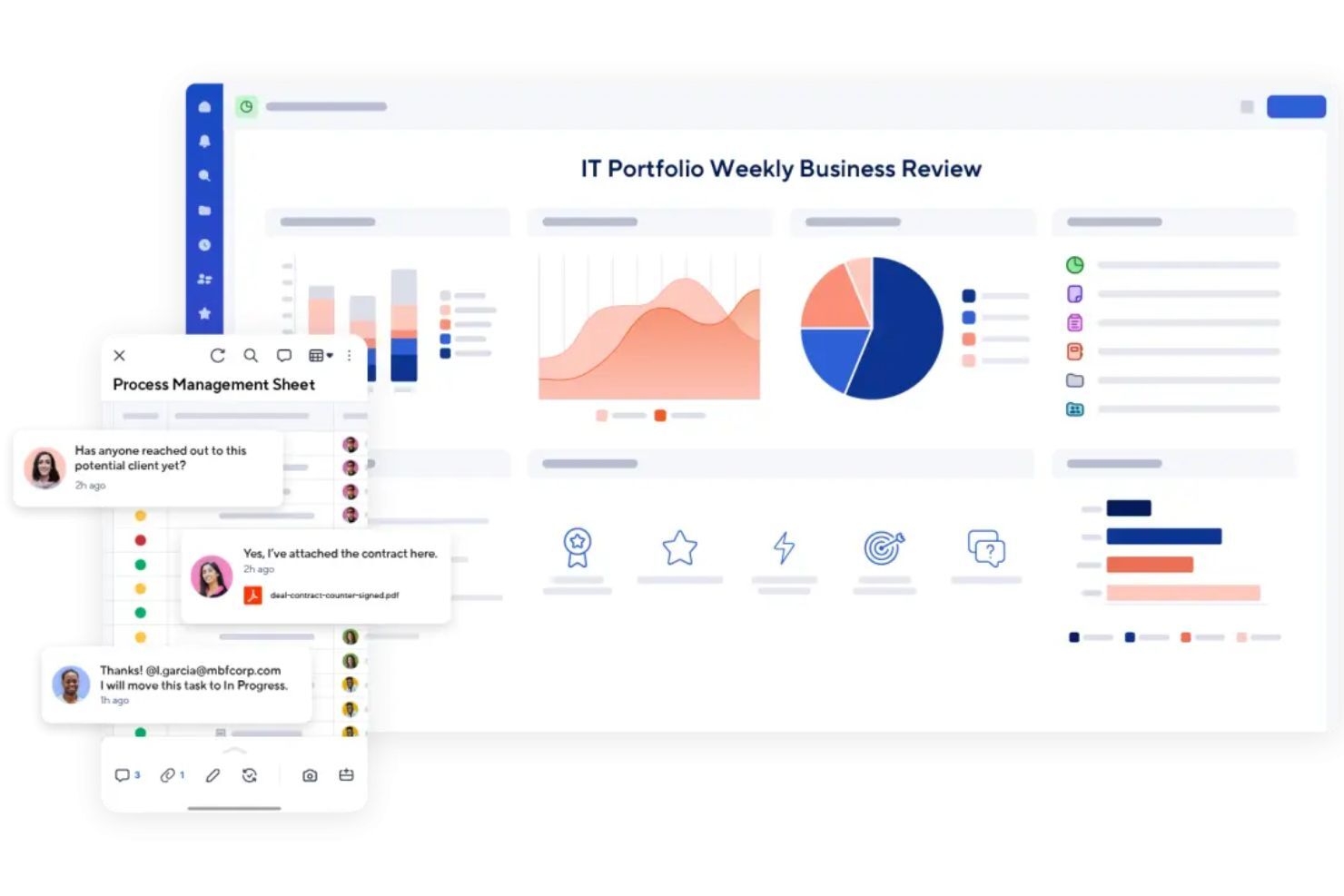
Dashboards and reports help you track project health in real time and share progress with stakeholders without building manual status updates.

Standout Features
Control Center
Control Center helps you standardize and manage multiple projects at once by rolling out consistent templates, tracking progress across initiatives, and reducing manual setup work.
Dynamic View
Dynamic View lets you share only the right tasks and updates with specific users, making collaboration easier while protecting the rest of your sheet from unwanted edits.
Ease of Use
Smartsheet is fairly easy to pick up, especially if you’re already comfortable using spreadsheets. The layout feels familiar, and it’s simple to create a sheet, assign tasks, and track deadlines.
Where it gets harder is when you start building more advanced setups like automations, dashboards, formulas, and reporting across multiple sheets. It’s powerful, but it can take time to learn how to structure things properly so your workspace doesn’t get messy.
Overall, it’s user-friendly for teams that like a spreadsheet-style workflow, but it may feel less intuitive if you’re not familiar with that format and if you prefer a more modern, visual project management tool.
Onboarding
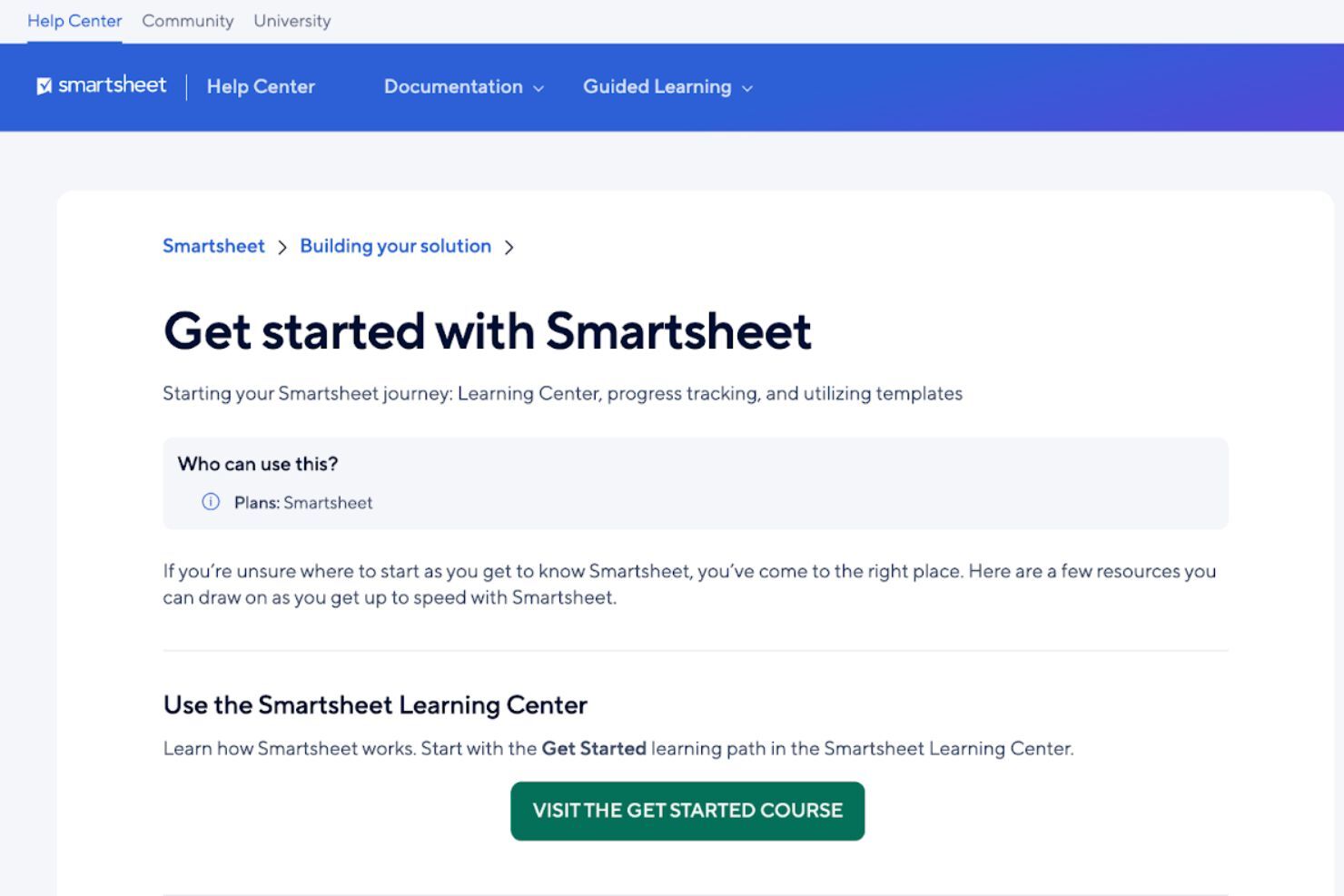
Smartsheet onboarding is mostly self-guided, with plenty of structured resources to help new users ramp up quickly.
New teams can follow Smartsheet’s Getting Started checklist and learning paths to understand the basics, then build from templates and examples as their workflows get more advanced. Smartsheet also offers onboarding webinar sessions for users who prefer a guided walkthrough of the platform’s core capabilities.
Customer Support
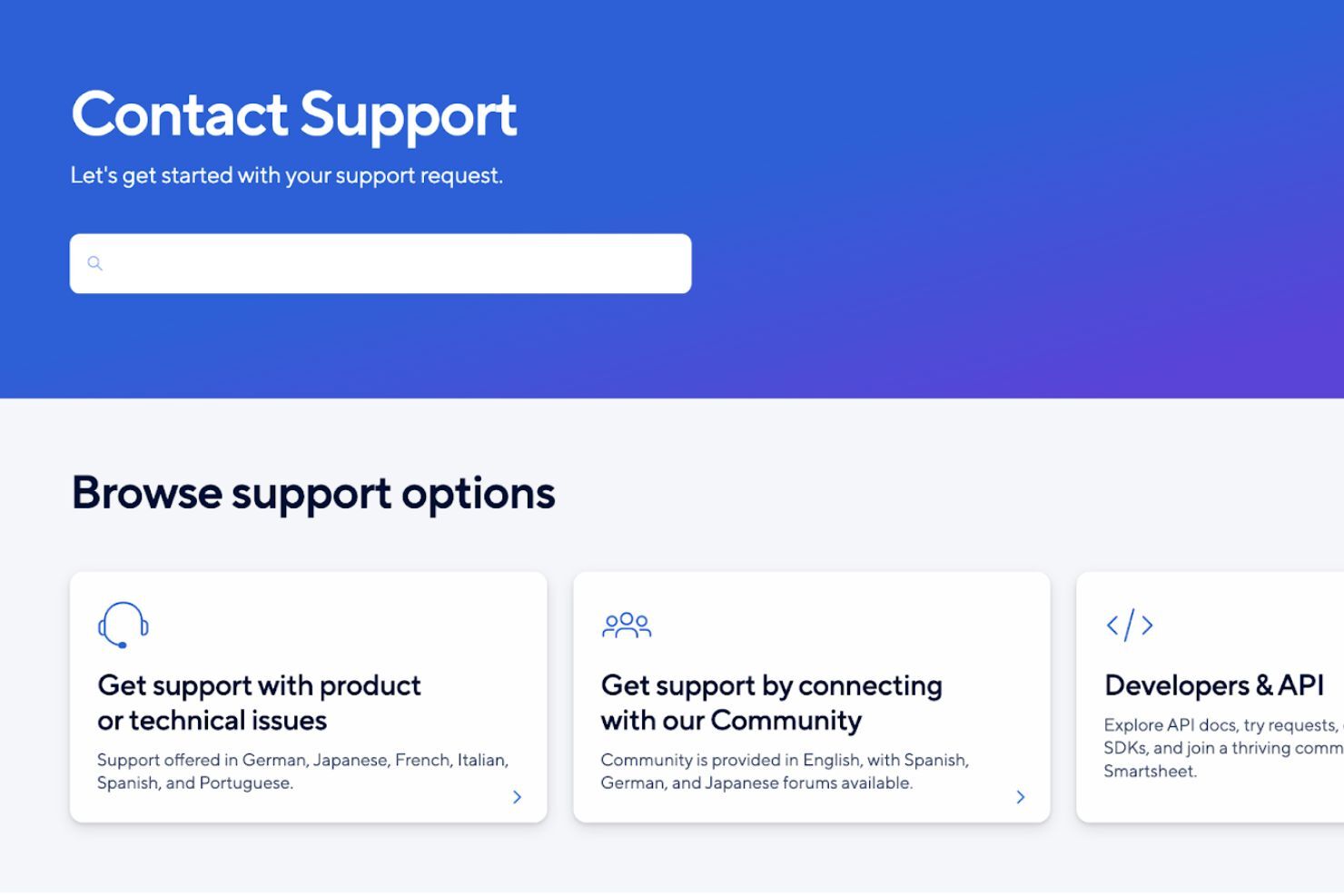
Smartsheet offers customer support through its Contact Support page, where you can get directed to the right help option based on what you need. Live support is available through multiple channels (tickets, the Smartsheet Community, and in-app chat), though some options are restricted to higher-tiers, like 24/7 global phone support, 24/7 live agent support via in-app chat, and Pro Desk guided coaching sessions.
If you prefer self-serve support, you can also rely on Smartsheet’s Help Center documentation and guided learning resources to troubleshoot issues, learn features, and set up workflows without needing to contact support directly.
Integrations
Integrations include Jira, Power BI, Salesforce, ServiceNow, Workday, Make, Google Calendar, Slack, and Microsoft Teams.
An API is available for building custom integrations, which is helpful if you need Smartsheet to sync with internal systems or support more advanced workflows.

Value for Money
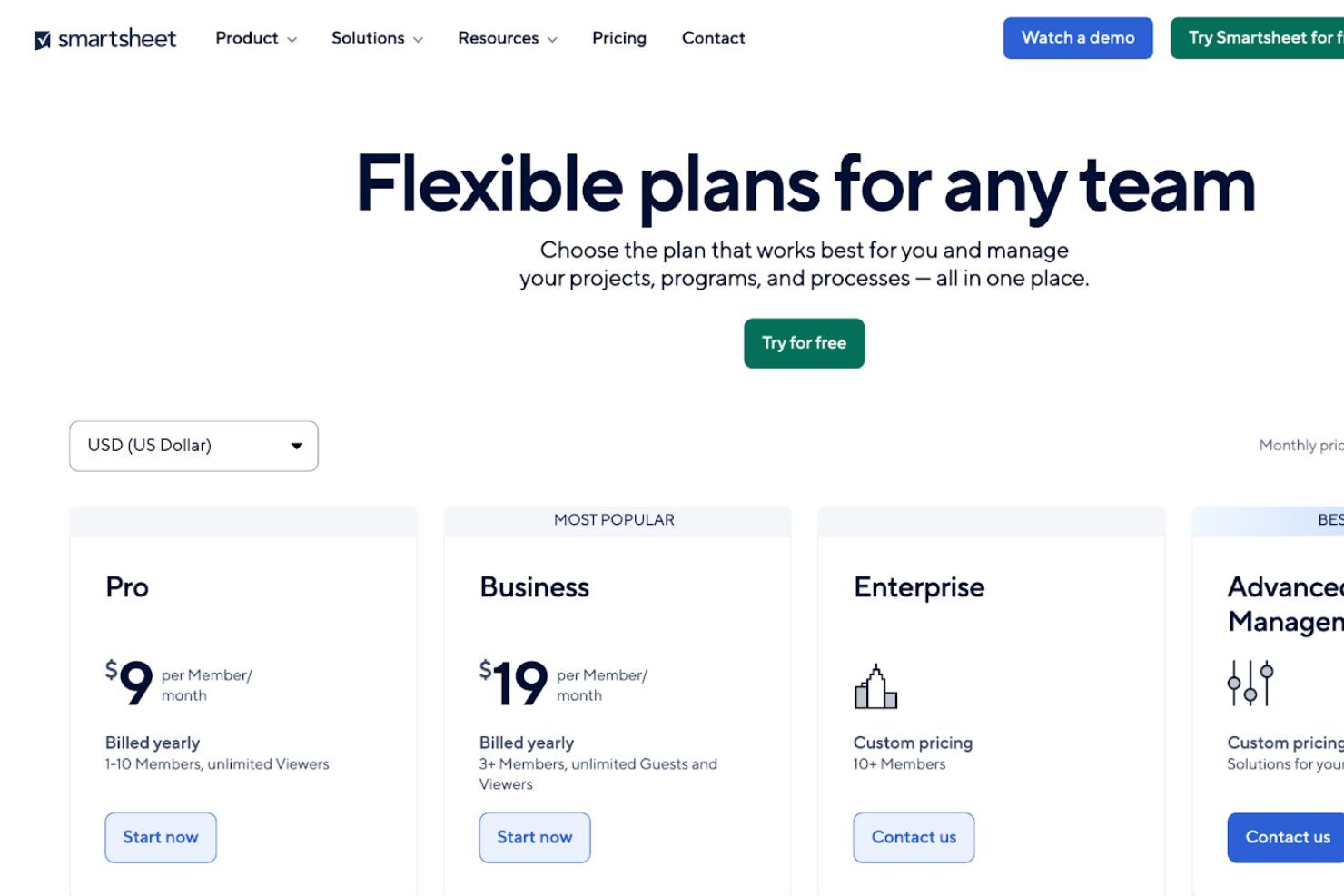
Smartsheet uses a tiered subscription model with plans built for different team sizes and workflow complexity.
- Pro: Basic work tracking for individuals and small teams.
- Business: More workflow tools for growing teams and projects.
- Enterprise: Advanced security, admin, and governance controls.
- Advanced Work Management: Premium tools for portfolio-level work management.
Plans include core views like Gantt, board, and calendar, plus tools like forms, reports, and automations. Higher tiers add stronger security, admin controls, and premium apps like Control Center and Dynamic View.
Smartsheet Specs
- API
- Batch Permissions & Access
- Budgeting
- Calendar Management
- Collaboration Support
- Contact Management
- Contact Sharing
- Customer Management
- Dashboard
- Dashboards
- Data Export
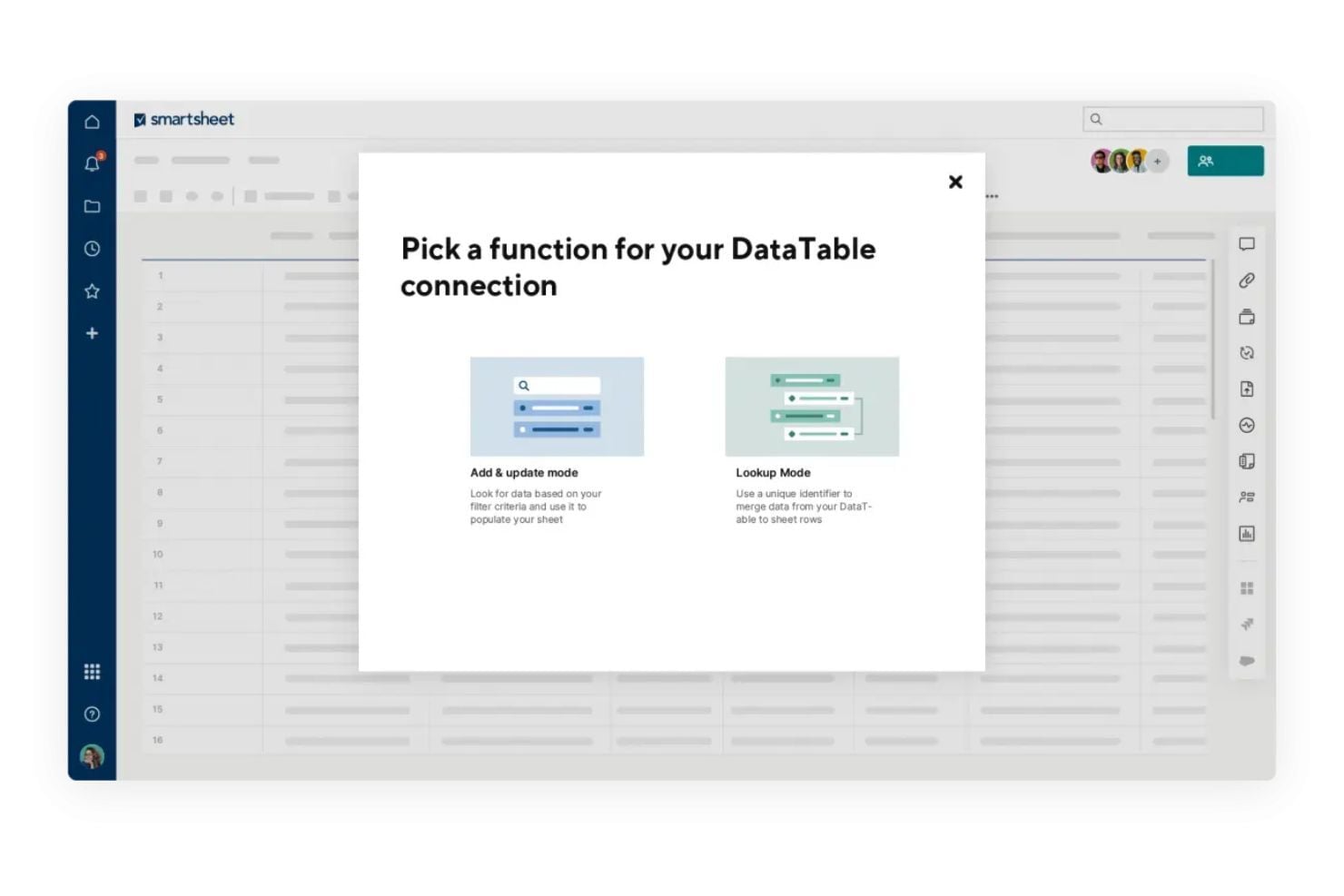
- Data Import
- Data Visualization
- Dependency Tracking
- Document Sharing
- Expense Tracking
- External Integrations
- File Sharing
- Gantt Charts
- Kanban Boards
- Multi-User
- Notifications
- Project Management
- Resource Management
- Scheduling
- Task Scheduling/Tracking
- Third-Party Plugins/Add-Ons
- Time Management
- Travel Management
- Workflow Management
Smartsheet FAQs
Is Smartsheet easy for non-technical team members to use?
What happens if someone accidentally deletes data?
Can Smartsheet handle complex projects with multiple teams?
How does Smartsheet support collaboration?
Can I automate repetitive tasks in Smartsheet?
Is Smartsheet secure and compliant?
Can I track project performance in real time?
How does Smartsheet handle document sharing and storage?
Smartsheet Company Overview & History
Smartsheet Inc. is a publicly traded company based in Bellevue, Washington, with more than 3,000 employees. It launched its project management platform in 2006 and has grown to serve large organizations like Cisco, Netflix, and PayPal. Smartsheet focuses on enterprise work management and is known for its flexible, spreadsheet-style interface. The company trades on the NYSE under the ticker symbol SMAR.
Smartsheet Major Milestones
- 2005: Smartsheet Inc. was founded in Bellevue, Washington.
- 2006: First version of Smartsheet launched to the public.
- 2017: Reached over $100M in annualized recurring revenue.
- 2018: Went public on the NYSE under the ticker symbol SMAR.
- 2020: Acquired Brandfolder, a digital asset management platform.
- 2025: Acquired by Vista Equity Partners and Blackstone for $8.4 billion.
What’s Next?
Want to connect with other digital project managers to share resources and best practices? Join our membership community to access 100+ templates, samples, and Slack groups with 100s of peers.