



Runn Vs. Kantata: Comparison and Expert Reviews for 2026



As teams grow, balancing capacity, project demand, and staffing decisions becomes increasingly difficult. The right resource management software can provide the visibility needed to understand workloads, forecast future needs, and determine whether your team has the capacity to take on new work.
You’re probably searching for resource management and capacity planning software that fits your workflow and helps you get ahead of the chaos—here’s a helpful link if you want an overview of resource management software. But should you choose Runn or Kantata? Each has a different approach to visibility, planning, and reporting.
In this article, I’ll compare both tools head-to-head, diving into their pros, cons, best-fit situations, pricing, security, and day-to-day usability—so you’ll get clear answers and the confidence to choose the right fit for your team.
Runn vs. Kantata: An Overview
Runn
Kantata

Why Trust Our Software Recommendations
Our team has been testing and reviewing software since 2012. As project managers ourselves, we know how difficult—and important—it is to choose the right software.
For this guide, we evaluated tools using hands-on testing and independent research, scoring tools using our selection criteria. We also draw on insights from industry thought leaders and practicing project management experts.
Our reviews reflect our human editorial judgment, not a sales pitch.
Expert reviewers:
Runn vs. Kantata Pricing Comparison
| Runn | Kantata | |
|---|---|---|
| Free Trial | 30-day free trial | Free demo available |
| Pricing | From $7/user/month (billed annually) | Pricing upon request |
Runn Vs. Kantata Pricing & Hidden Costs
Runn uses a tiered subscription model based on the number of resource seats, with features varying by plan. They offer extra charges for premium support. Kantata’s pricing is less transparent and often requires a custom quote, with potential add-on fees for integrations, implementation, or expanded reporting. Both may introduce extra costs if your needs grow or if you want additional services such as implementation.
To pick the right pricing structure, dig beyond the headline numbers. Map out your expected team size, must-have features, and likely growth over the next year. Ask vendors for a complete breakdown of costs for onboarding, support, and integrations—then compare the total estimated costs for your real-world scenario, not just what’s listed on their site.
Runn vs. Kantata Feature Comparison
| Runn | Kantata | |
|---|---|---|
| API | ||
| Budgeting | ||
| Data Export | ||
| Data Import | ||
| Document Management | ||
| Expense Tracking | ||
| External Integrations | ||
| Forecasting | ||
| Inventory Tracking | ||
| Multi-Currency | ||
| Multi-User | ||
| Notifications | ||
| Project Management | ||
| Resource Management | ||
| Scheduling | ||
| Workflow Management |
Runn Vs. Kantata Integrations
| Integration | Runn | Kantata |
|---|---|---|
| Google Calendar | ❌ | ✅ |
| Microsoft Teams | ❌ | ✅ |
| Jira | ✅ | ✅ |
| Slack | ❌ | ✅ |
| Pipedrive | ❌ | ❌ |
| n8n | ✅ | ✅ |
| HubSpot | ✅ | ✅ |
| QuickBooks | ❌ | ✅ |
| API | ✅ | ✅ |
| Zapier | ✅ | ✅ |
Both Runn and Kantata integrate with popular CRM platforms and core business tools, helping teams connect project and customer data across their tech stacks. Runn offers a focused set of native integrations, API access, and additional connections through Zapier and n8n. Kantata, however, provides a broader range of prebuilt connectors, including accounting platforms like QuickBooks and Xero, giving finance teams more flexibility for billing and financial workflows. Both support custom integrations through their APIs, so the better choice depends on your existing tools and workflow needs.
Runn Vs. Kantata Security, Compliance & Reliability
| Factor | Runn | Kantata |
|---|---|---|
| Data Encryption | Runn encrypts data in transit using TLS 1.2+ and at rest using AES-256. | Provides advanced data encryption and regular vulnerability scans. |
| Regulatory Compliance | Runn is SOC 2 Type II certified and supports compliance with GDPR, CCPA/CPRA, and applicable user data requests. | Offers GDPR and SOC 2 Type II compliance along with audit reporting. |
| Uptime | Runn’s security information supports continuous monitoring, backups, recovery measures, and incident response. | Promises 99.9% uptime and automated redundancy. |
| Access Controls | Customizable roles and permissions for access management. | Offers granular user controls and SSO options. |
Kantata and Runn both provide strong security and compliance features suitable for most organizations. Runn only narrowly edges ahead thanks to its CCPA compliance, making it a slightly better choice for organizations with California-specific privacy requirements, though either platform offers a solid foundation for protecting sensitive business data.
Runn Vs. Kantata Ease of Use
| Factor | Runn | Kantata |
|---|---|---|
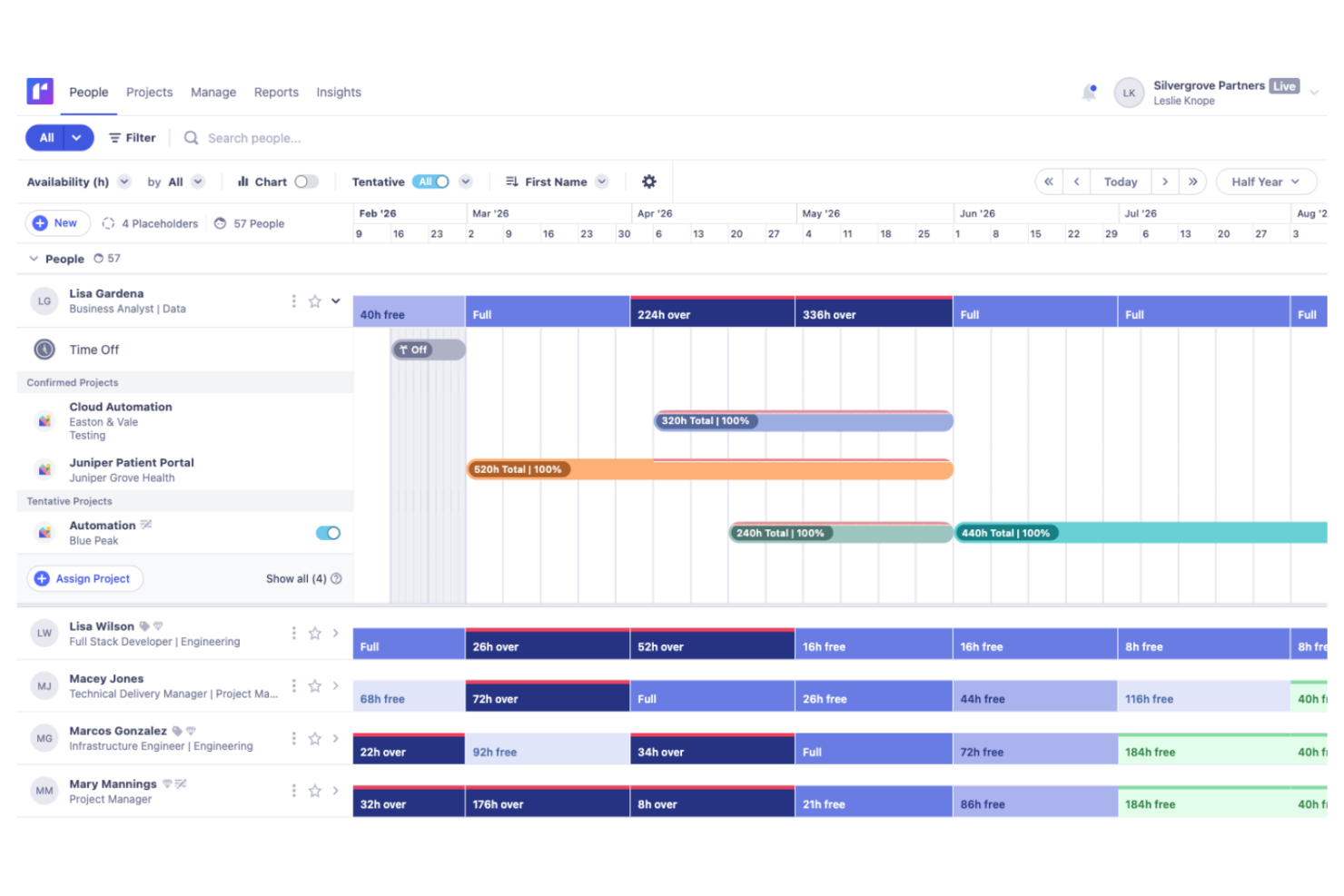
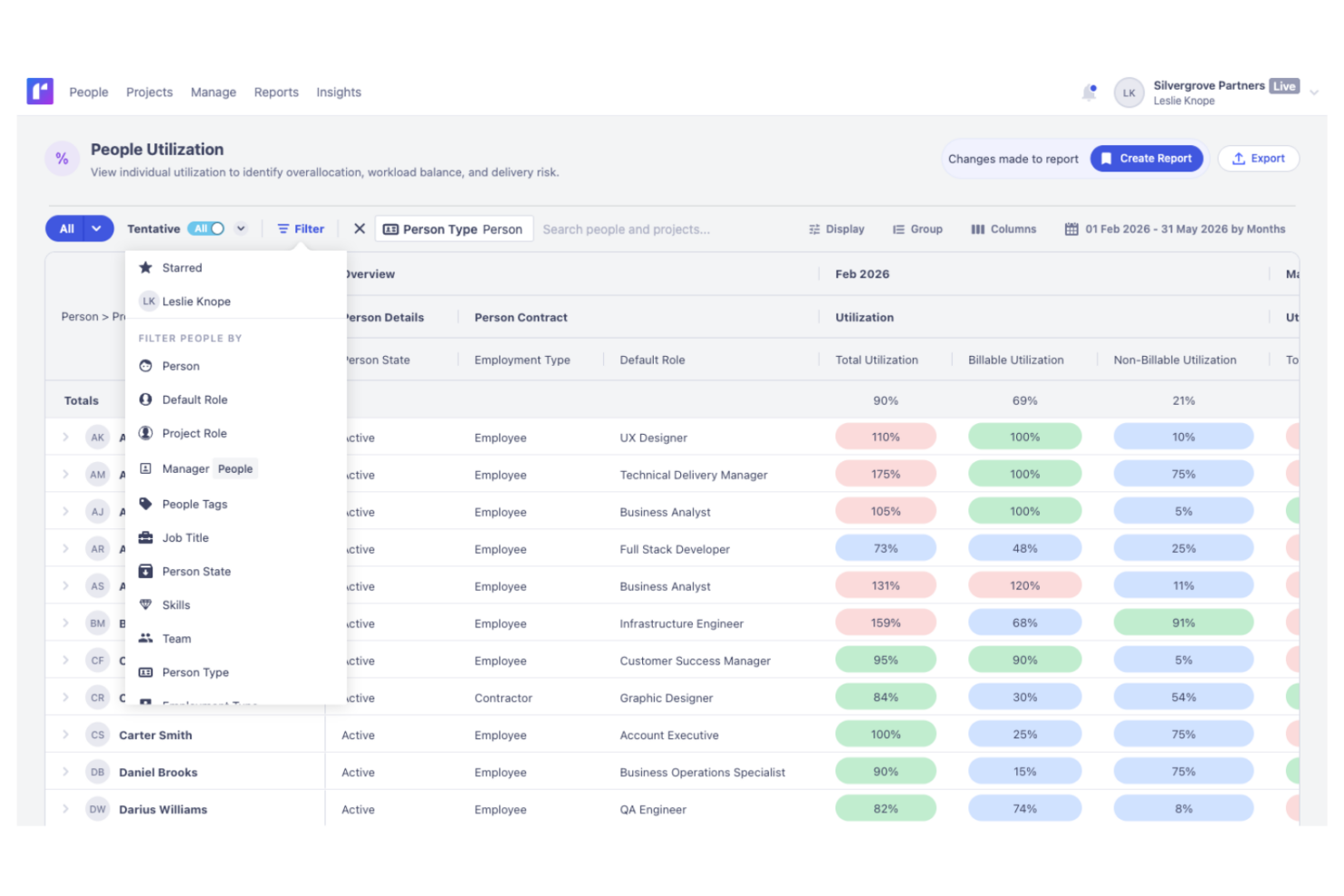
| User Interface | Clean and intuitive timeline with drag-and-drop simplicity. | More feature-rich interface geared toward advanced users. |
| Onboarding | Quick setup and lightweight onboarding materials. | Guided onboarding but steeper learning curve. |
| Customization | Custom fields and layouts for the essentials. | Deeper customization for process-heavy teams. |
| Support Access | Responsive chat and email support with clear documentation. | Dedicated support teams and training resources. |
Runn is easier for most teams to get up and running, while Kantata shines for those who want more control and can handle extra complexity. I’d pick Runn if you want simplicity and speed, but Kantata if your workflows demand detailed customization and you’re willing to plan for some training.
Runn vs Kantata: Pros & Cons
Runn
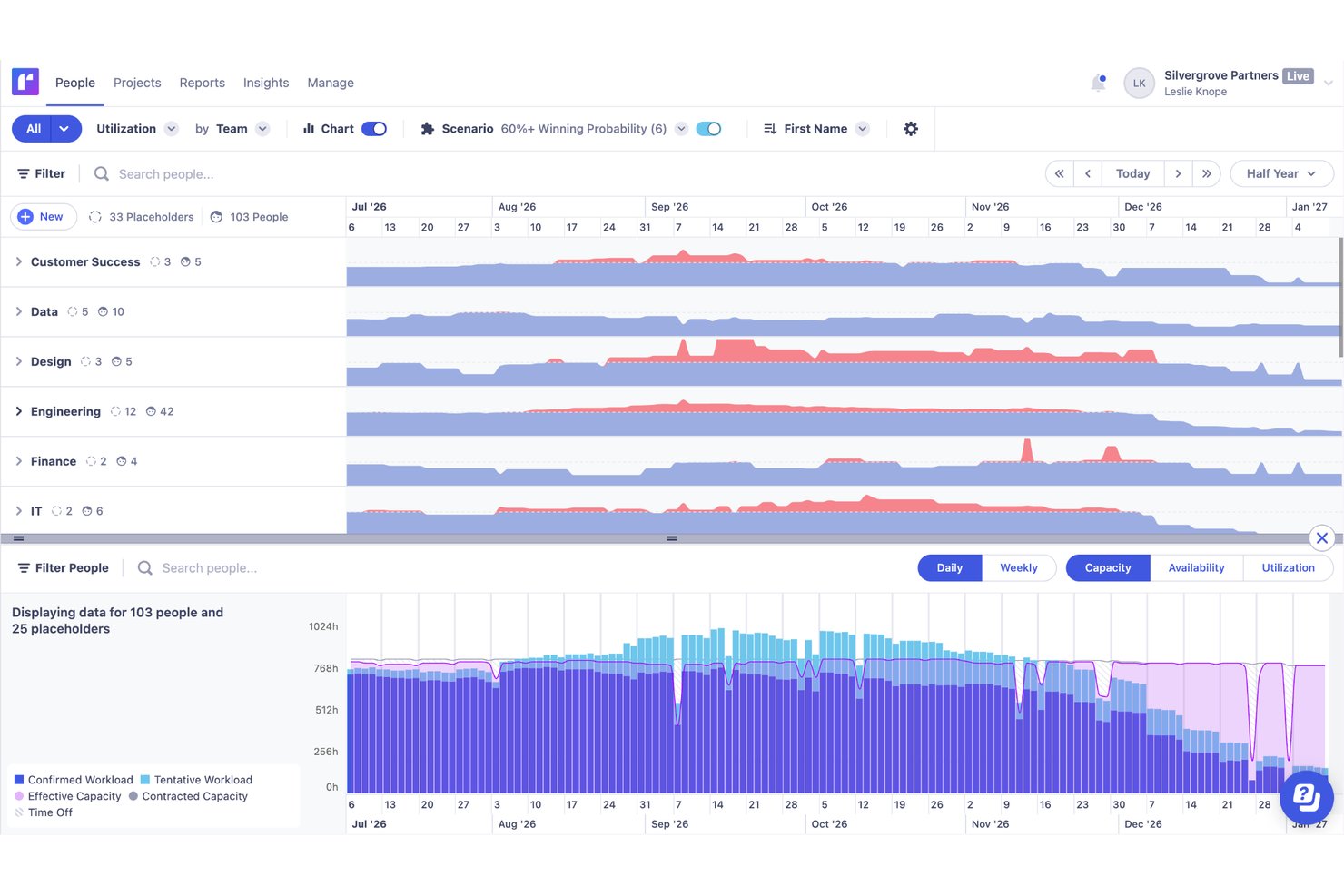
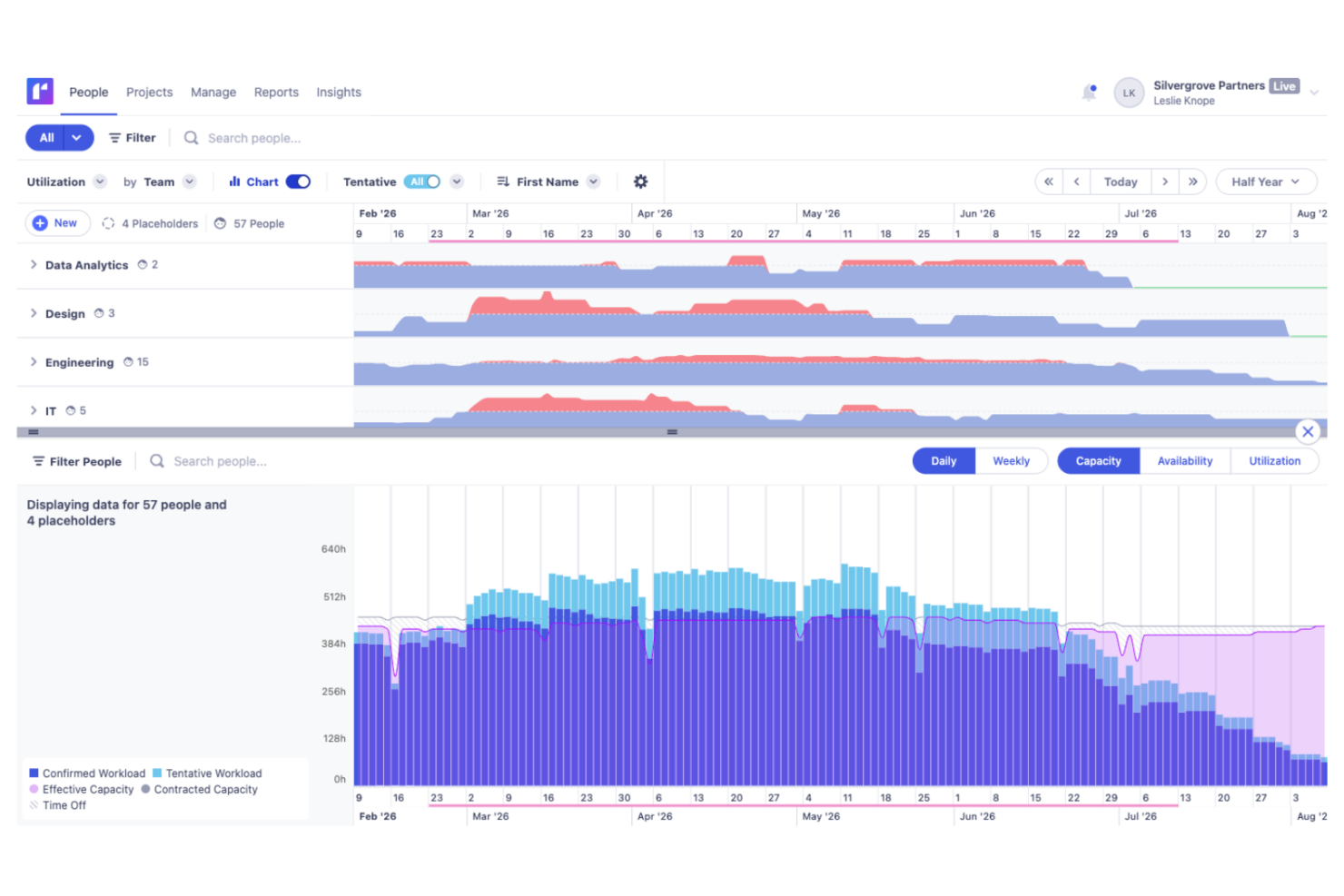
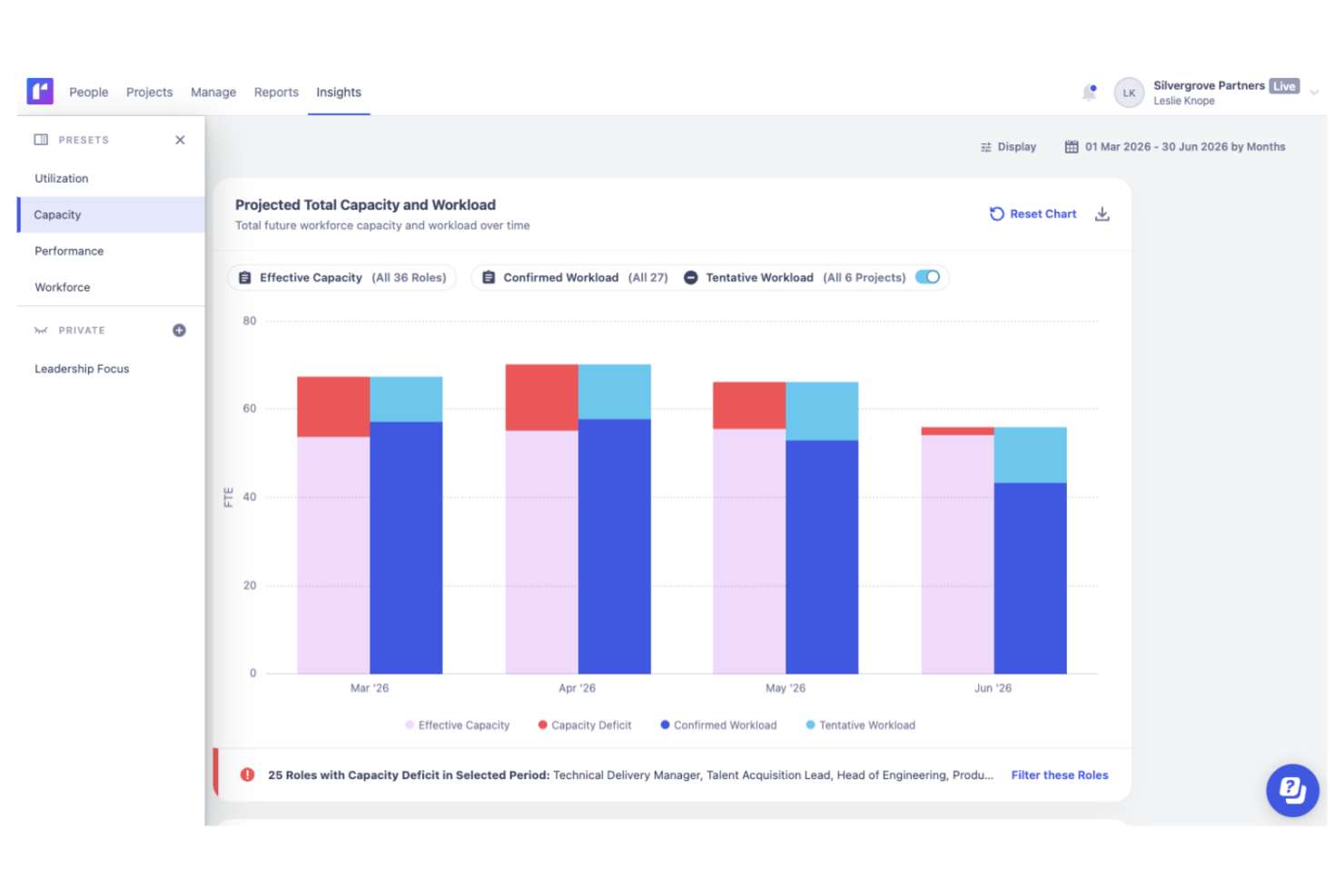
- Accurate forecasting tools provide insights into project health and resource needs, and help make informed decisions about future projects.
- Custom tags and fields make it easier to structure your data and make faster decisions.
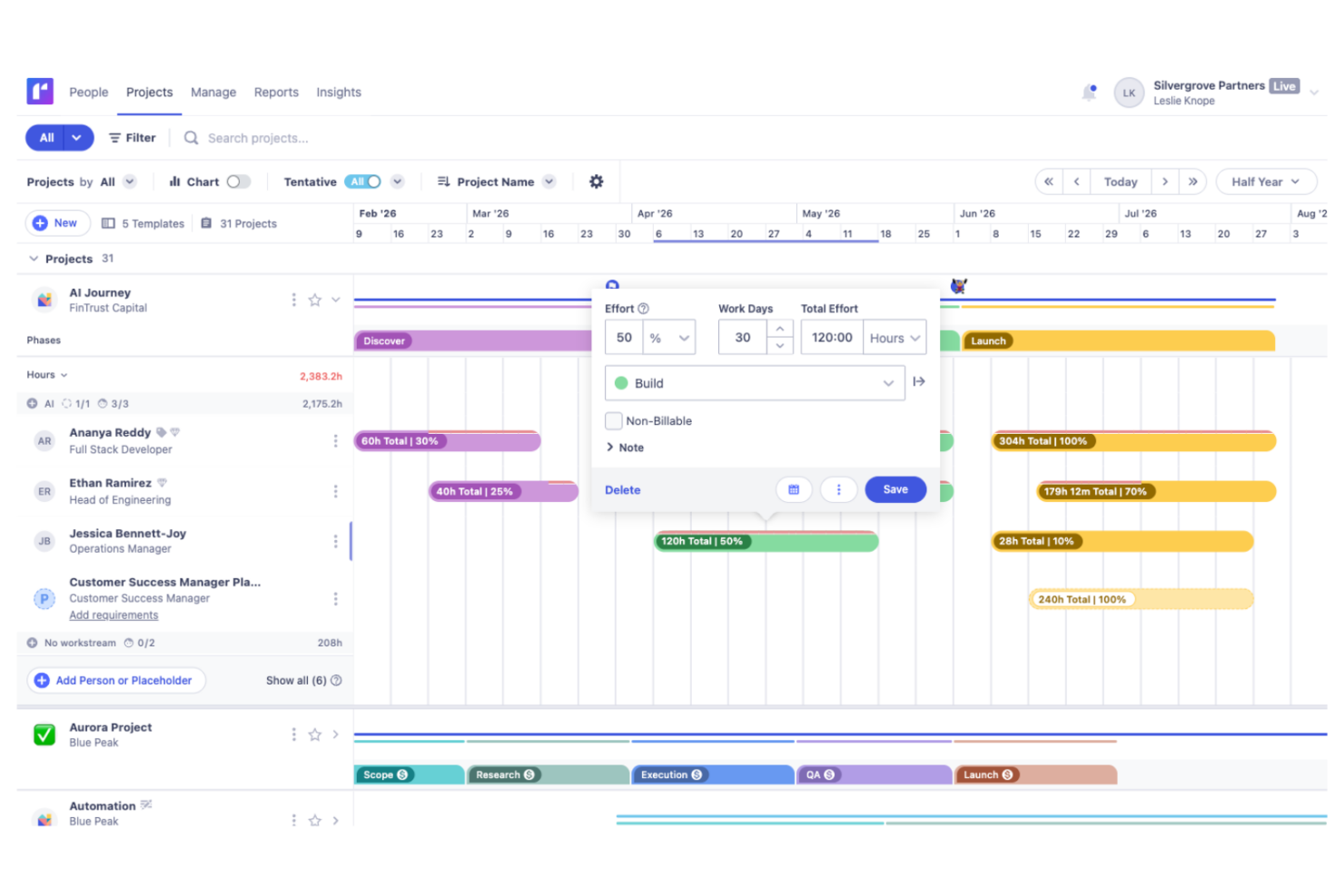
- Reusable project templates reduce manual setup and help maintain consistency across recurring projects.
- Teams with highly complex permission requirements should review whether Runn’s role-based permissions meet their needs
- You may experience issues with managing over 1000 resources.
- Timesheet functionality isn't as robust as dedicated timesheet solutions.
Kantata
- Kantata's task management is intuitive, making it easy for your team to keep projects on track.
- Resource planning features help you allocate team members effectively and avoid burnout.
- The platform improves collaboration with real-time updates and visibility across projects.
- Some users find the interface needs time to get used to, which may slow initial productivity.
- Advanced features might be overwhelming for smaller teams or those new to project management tools.
- Reporting capabilities could be more customizable to fit diverse project needs.
Best Use Cases for Runn and Kantata
Runn
- IT Solutions Runn's project forecasting and capacity planning features are tailored for IT teams and help you manage resources effectively.
- Software Delivery The intuitive timeline view helps with planning sprints and managing project phases seamlessly.
- Digital Transformation Agencies Runn helps manage specialist workloads, plan future projects, and allocate resources more effectively across client engagements.
- Consulting firms With Runn, you can quickly adapt to changing client needs through its flexible scheduling.
- Marketing teams Its visual timelines help you coordinate campaigns and track deliverables efficiently.
- Cross-functional teams The skills management feature helps you assign tasks based on expertise and improve collaboration across departments.
Kantata
- Consulting firms Kantata helps you manage multiple client engagements with its comprehensive project tracking and billing features.
- Marketing agencies It supports you with resource planning and time tracking, which are essential for managing creative projects effectively.
- IT services Kantata's detailed project financials and billing capabilities make it a strong choice for IT project management.
- Finance departments Kantata's billing and financial tracking features help you maintain oversight on project profitability.
- HR departments With its resource planning capabilities, Kantata helps you effectively manage and allocate your team’s workload.
Who Should Use Runn, And Who Should Use Kantata?
Runn works well for technical teams that need to plan people across several active projects, especially custom software firms, IT solutions providers, product companies, and engineering groups dealing with shared capacity and shifting priorities. Kantata is better suited to larger professional services teams that need more extensive operational controls, deeper reporting, and broader enterprise functionality.
Differences Between Runn and Kantata
| Runn | Kantata | |
|---|---|---|
| Compliance & Security | Covers basics like GDPR with clear settings. | Adds SOC 2, audit trails, and more granular permissions. |
| Financial Integrations | Limited connections to financial tools. | Strong links to Xero and QuickBooks for invoicing. |
| Interface Simplicity | Simple, visual timeline and scheduling tools. | Feature-rich with nested menus and advanced options. |
| Pricing Model | Transparent, per-user subscription pricing. | Quote-based, often custom packages with add-ons. |
| Visit RunnOpens new window | Read Kantata ReviewOpens new window |
Similarities Between Runn and Kantata
| API Access | Both provide open APIs, so you can extend, integrate, or customize using your own workflows and systems. |
|---|---|
| Custom Reporting | Both platforms allow you to build custom reports and dashboards based on real-time data. |
| Forecasting Tools | Each offers forecasting for resource usage and project capacity, helping you plan ahead and avoid conflicts. |
| Resource Scheduling | Both let you allocate, reassign, and track people across multiple projects with visual workload indicators. |
| Role-Based Access | You can set roles and permissions to control what each user can view and edit inside both Runn and Kantata. |
| Visit RunnOpens new window Read Kantata ReviewOpens new window | |