





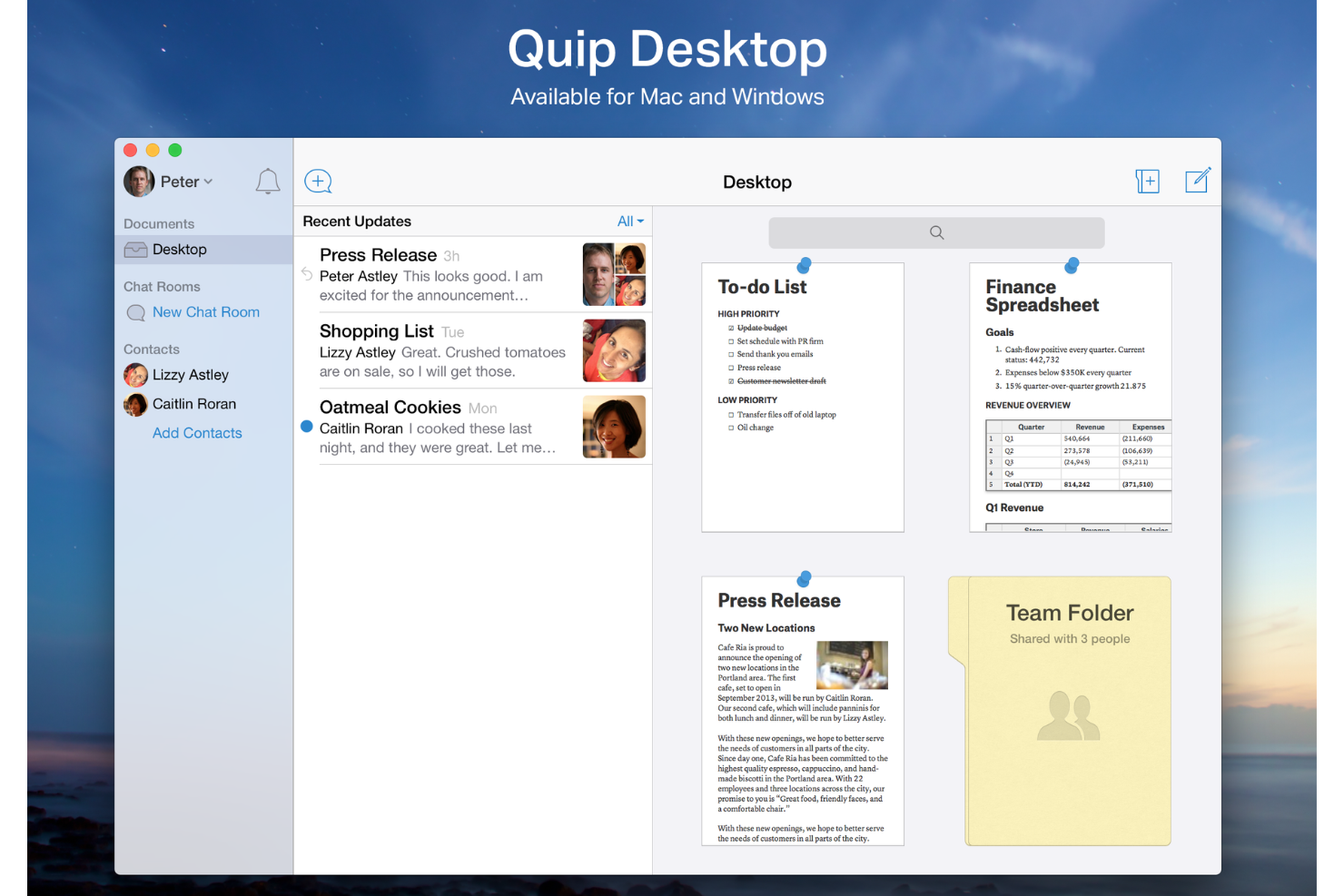
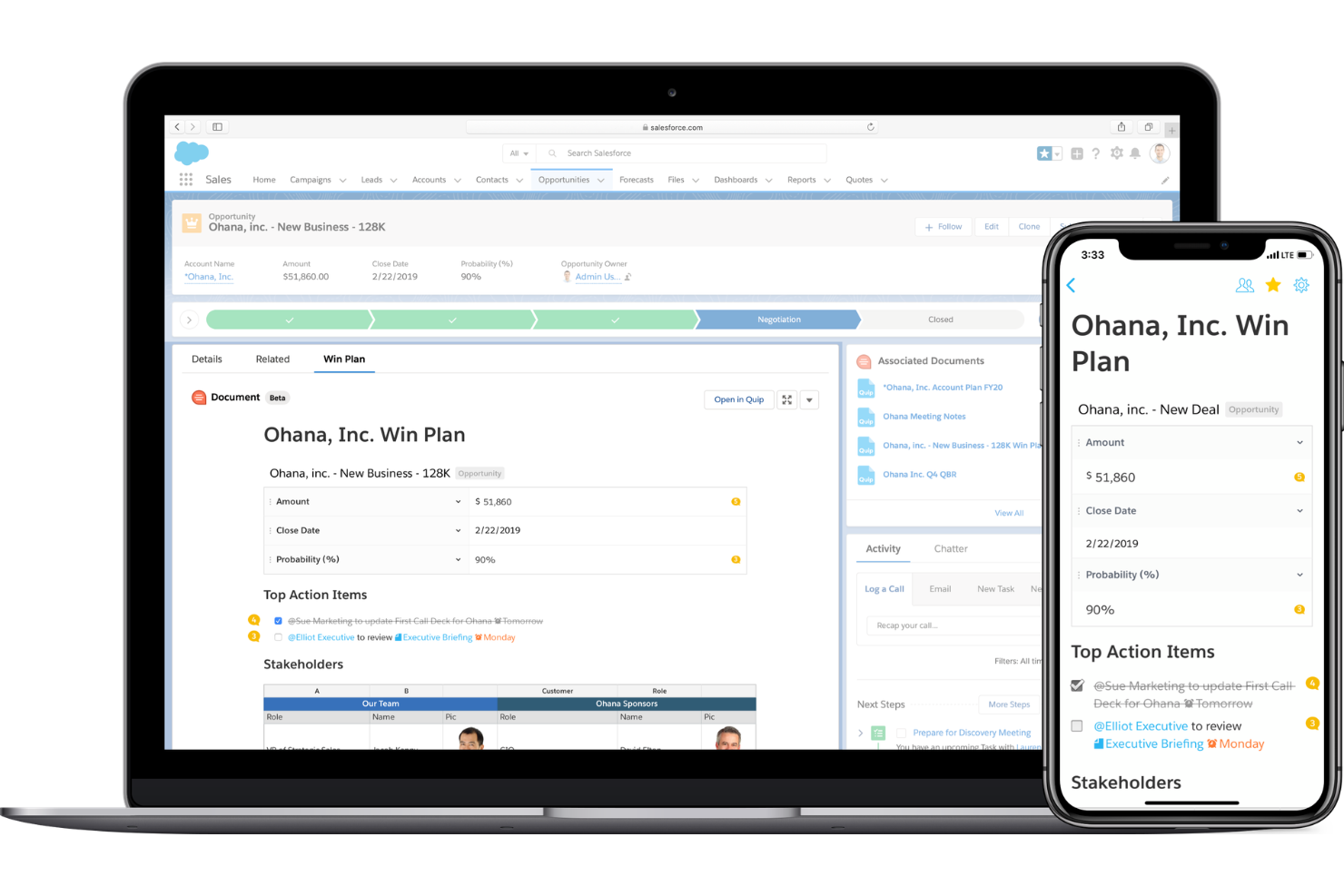
Quip is a document collaboration tool built for teams that need documents, spreadsheets, and conversations tied directly to CRM records. If your team runs on Salesforce, I'd pick Quip over something like Notion. Its native Salesforce integration keeps account plans, deal notes, and project docs connected to live CRM data—not siloed in a separate workspace.
Quip Evaluation Summary
- From $10/user/month (billed annually)
- Not available
Why Trust Our Software Recommendations
Our team has been testing and reviewing software since 2012. As project managers ourselves, we know how difficult—and important—it is to choose the right software.
For this guide, we evaluated tools using hands-on testing and independent research, scoring tools using our selection criteria. We also draw on insights from industry thought leaders and practicing project management experts.
Our reviews reflect our human editorial judgment, not a sales pitch.
Expert reviewers:
Quip Overview
In my opinion, Quip stands out as a solid document collaboration tool with its intuitive interface and seamless integration capabilities. It excels in real-time editing and collaboration, making it an ideal choice for tech-savvy teams and remote work environments. However, its customer support can be a bit slow, which might affect teams needing quick resolutions. Compared to other tools like Google Docs or Microsoft Word, Quip's ease of use and value for money make it a strong contender. It's best suited for teams that prioritize efficient collaboration and integration with existing tech stacks. If you're choosing a tool for a dynamic and interactive work environment, Quip should be on your list.
pros
-
Quip offers real-time collaboration that keeps your team in sync.
-
Its user-friendly interface makes it easy for your team to adopt.
-
Quip's document sharing is seamless and efficient for your work.
cons
-
Customer support can be slow, affecting your team's response time.
-
It lacks some advanced features found in other tools, which may limit your options.
-
Quip's offline access can be unreliable for your team.
Is Quip Right For Your Needs?
Who Would be a Good Fit for Quip?
Quip is ideal for tech startups and marketing teams that thrive on real-time collaboration and need a user-friendly interface. If your team values seamless document sharing and efficient communication, Quip's features cater to these needs. Remote work environments benefit from Quip's capabilities by keeping distributed teams connected and in sync. Its intuitive design makes it easy for your team to get started quickly without a steep learning curve.
-
Tech Startups
Quip's real-time collaboration and intuitive interface keep your agile team connected and productive.
-
Marketing Teams
Quip's seamless document sharing enhances your team's ability to create and share content efficiently.
-
Remote Work
Quip keeps your distributed team in sync with easy communication and collaboration tools.
-
Creative Departments
Quip's user-friendly design supports your team's need for quick adoption and efficient workflow.
-
Project Management
Quip's straightforward interface helps your team coordinate tasks and track progress effortlessly.
-
Small Businesses
Quip's easy setup and collaboration features make it a practical choice for your growing team.
Who Would be a Bad Fit for Quip?
Quip might not be suitable for large enterprises or industries that require advanced document management features and robust offline access. If your team relies heavily on intricate workflows or needs extensive customer support, Quip's limitations in these areas could be a hurdle. Industries that need a more comprehensive feature set for document collaboration might find Quip's offerings too basic for their needs.
-
Large Enterprises
Quip's lack of advanced document management features might not meet your complex organizational needs.
-
Legal Departments
Quip's limitations in handling intricate workflows could hinder your document management processes.
-
Healthcare Organizations
Quip's offline access issues may not suit your need for reliable document availability.
-
Financial Services
Quip's basic feature set might not provide the detailed collaboration tools your team requires.
-
Manufacturing Companies
Quip's slower customer support response times could affect your team's efficiency in resolving issues.
-
Government Agencies
Quip's lack of advanced security features might not align with your strict compliance requirements.
Our Review Methodology
How We Test & Score Tools
We’ve spent years building, refining, and improving our software testing and scoring system. The rubric is designed to capture the nuances of software selection and what makes a tool effective, focusing on critical aspects of the decision-making process.
Below, you can see exactly how our testing and scoring works across seven criteria. It allows us to provide an unbiased evaluation of the software based on core functionality, standout features, ease of use, onboarding, customer support, integrations, customer reviews, and value for money.
Core Functionality (25% of final scoring)
The starting point of our evaluation is always the core functionality of the tool. Does it have the basic features and functions that a user would expect to see? Are any of those core features locked to higher-tiered pricing plans? At its core, we expect a tool to stand up against the baseline capabilities of its competitors.
Standout Features (25% of final scoring)
Next, we evaluate uncommon standout features that go above and beyond the core functionality typically found in tools of its kind. A high score reflects specialized or unique features that make the product faster, more efficient, or offer additional value to the user.
We also evaluate how easy it is to integrate with other tools typically found in the tech stack to expand the functionality and utility of the software. Tools offering plentiful native integrations, 3rd party connections, and API access to build custom integrations score best.
Ease of Use (10% of final scoring)
We consider how quick and easy it is to execute the tasks defined in the core functionality using the tool. High scoring software is well designed, intuitive to use, offers mobile apps, provides templates, and makes relatively complex tasks seem simple.
Onboarding (10% of final scoring)
We know how important rapid team adoption is for a new platform, so we evaluate how easy it is to learn and use a tool with minimal training. We evaluate how quickly a team member can get set up and start using the tool with no experience. High scoring solutions indicate little or no support is required.
Customer Support (10% of final scoring)
We review how quick and easy it is to get unstuck and find help by phone, live chat, or knowledge base. Tools and companies that provide real-time support score best, while chatbots score worst.
Customer Reviews (10% of final scoring)
Beyond our own testing and evaluation, we consider the net promoter score from current and past customers. We review their likelihood, given the option, to choose the tool again for the core functionality. A high scoring software reflects a high net promoter score from current or past customers.
Value for Money (10% of final scoring)
Lastly, in consideration of all the other criteria, we review the average price of entry level plans against the core features and consider the value of the other evaluation criteria. Software that delivers more, for less, will score higher.
Core Features
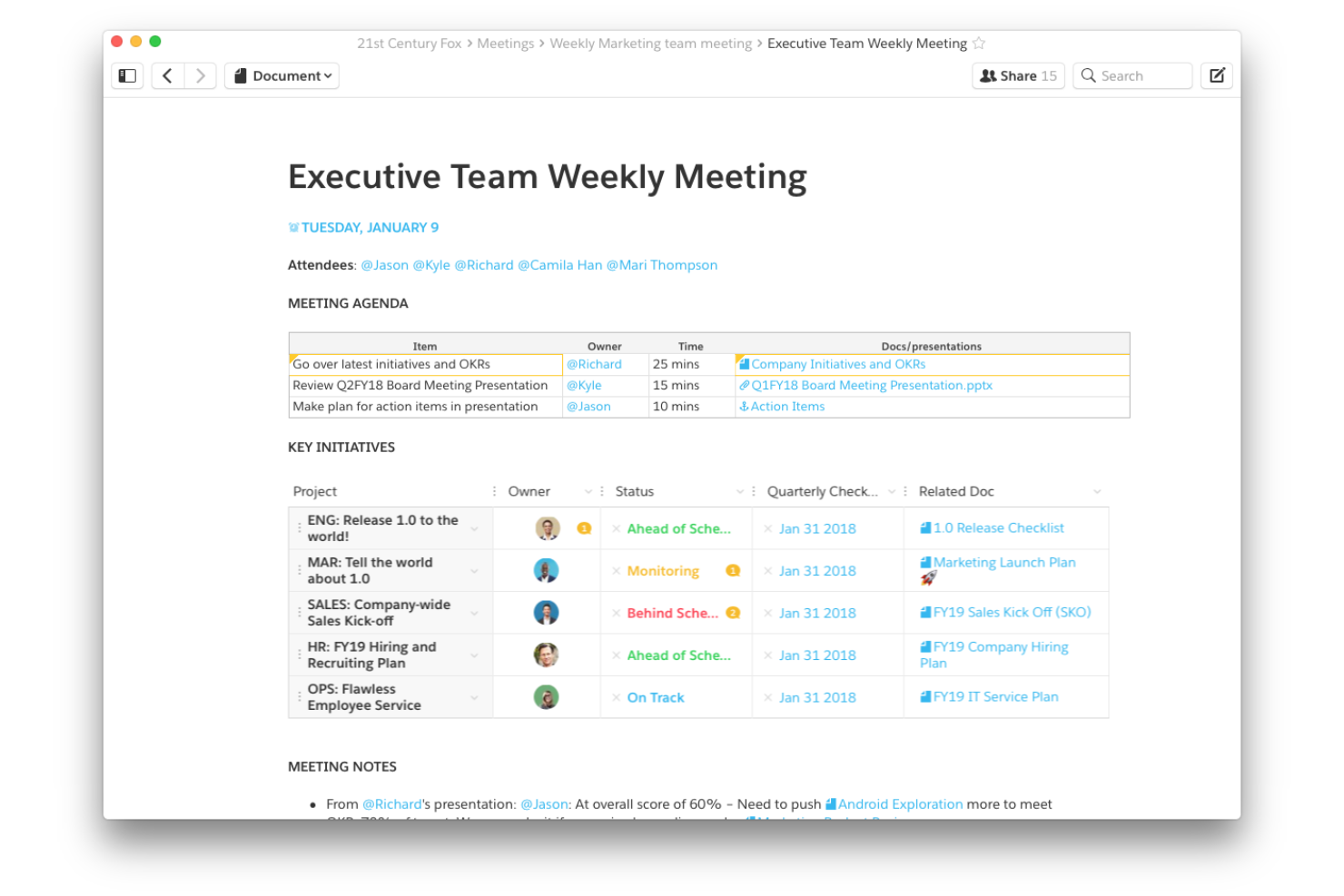
Real-Time Collaboration: Quip lets your team work together simultaneously on documents, ensuring everyone stays updated. This feature boosts productivity by reducing version conflicts.
Document Sharing: You can easily share documents in various file formats with your team, making collaboration smooth and efficient. It's straightforward and keeps everyone in the loop.
Task Management: Quip integrates tasks directly into your documents, helping your team stay organized. It simplifies project tracking and accountability.
Chat and Messaging: Quip's built-in chat feature and live notifications allow you to discuss changes and ideas without leaving the document. This keeps communication centralized and efficient.
Templates: Quip offers a variety of templates to jumpstart your projects. They save you time and ensure consistency across documents.
Mobile Access: Quip's mobile app keeps your team connected and productive on the go. It's handy for remote work and quick updates.
Standout Features
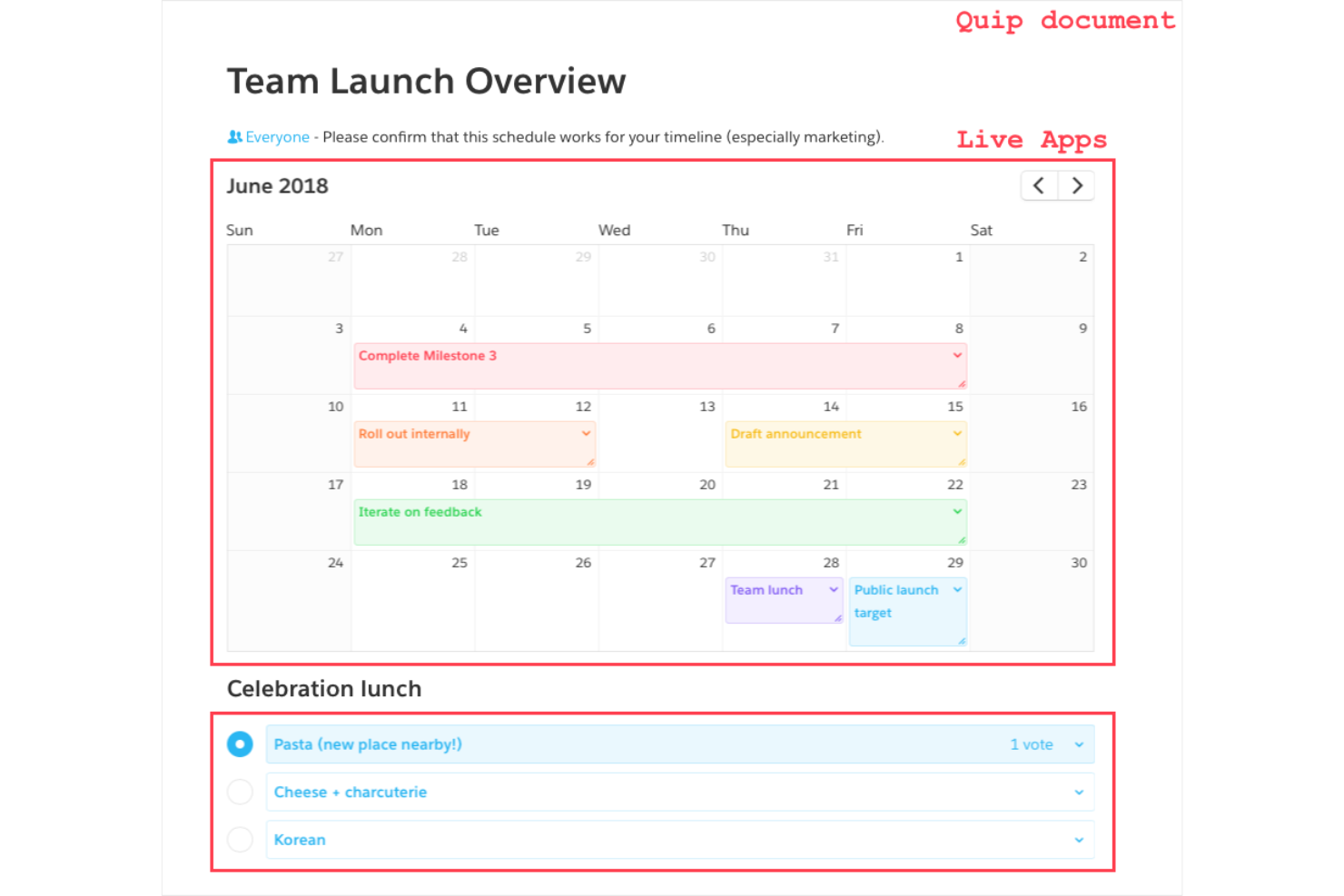
Live Apps: Quip's Live Apps let you embed interactive elements like calendars and polls in your documents. This feature enhances collaboration with dynamic content directly in your workspace.
Document History: Quip provides a detailed history of changes, allowing you to track edits and revert if needed. It gives your team transparency and control over document revisions.
Ease of Use
Quip's user-friendly interface makes it a breeze for your team to start collaborating. Its intuitive design and straightforward navigation mean you won't waste time figuring out how things work. Features like real-time collaboration and integrated chat keep everything in one place, simplifying your workflow. Compared to other tools, Quip's simplicity and accessibility stand out, allowing your team to focus on productivity rather than technical hurdles.
Onboarding
Quip's onboarding experience is smooth and efficient, helping your team get up to speed quickly. With clear tutorials and helpful resources, you'll find it easy to navigate the platform. The straightforward setup means you can start collaborating without delay. Users appreciate the accessible support options, which ensure any initial questions or issues are resolved promptly. This quick time to value makes Quip an attractive choice for teams looking to adopt a new document collaboration tool.
Customer Support
Quip's customer support is decent but can be slow at times, which might affect your team's ability to resolve issues quickly. While there are various support channels available, users often find response times could be faster. However, the available resources, documentation, and knowledge base are comprehensive, helping you troubleshoot common problems independently. If swift assistance is critical for your team, this might be a consideration when choosing Quip.
Integrations
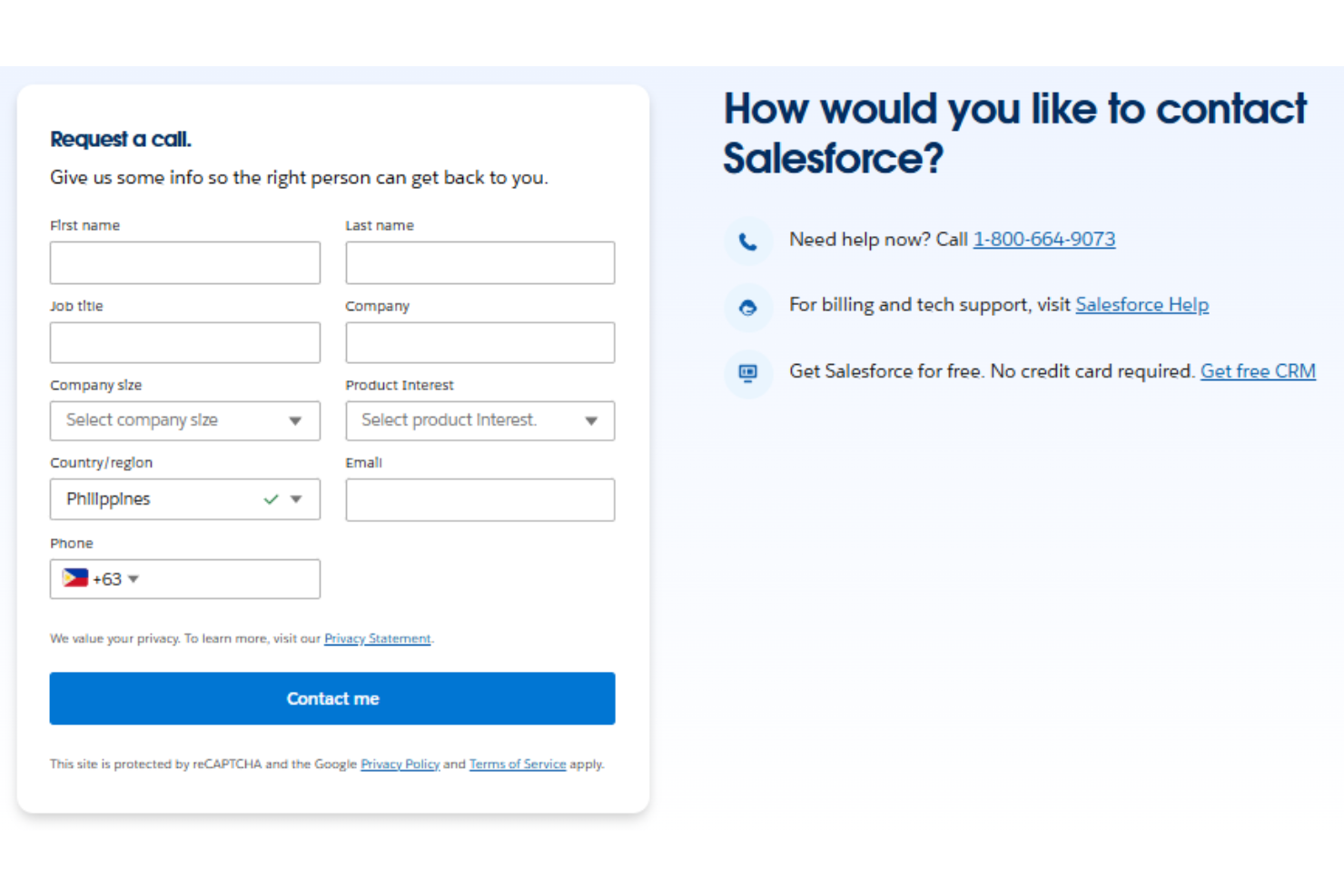
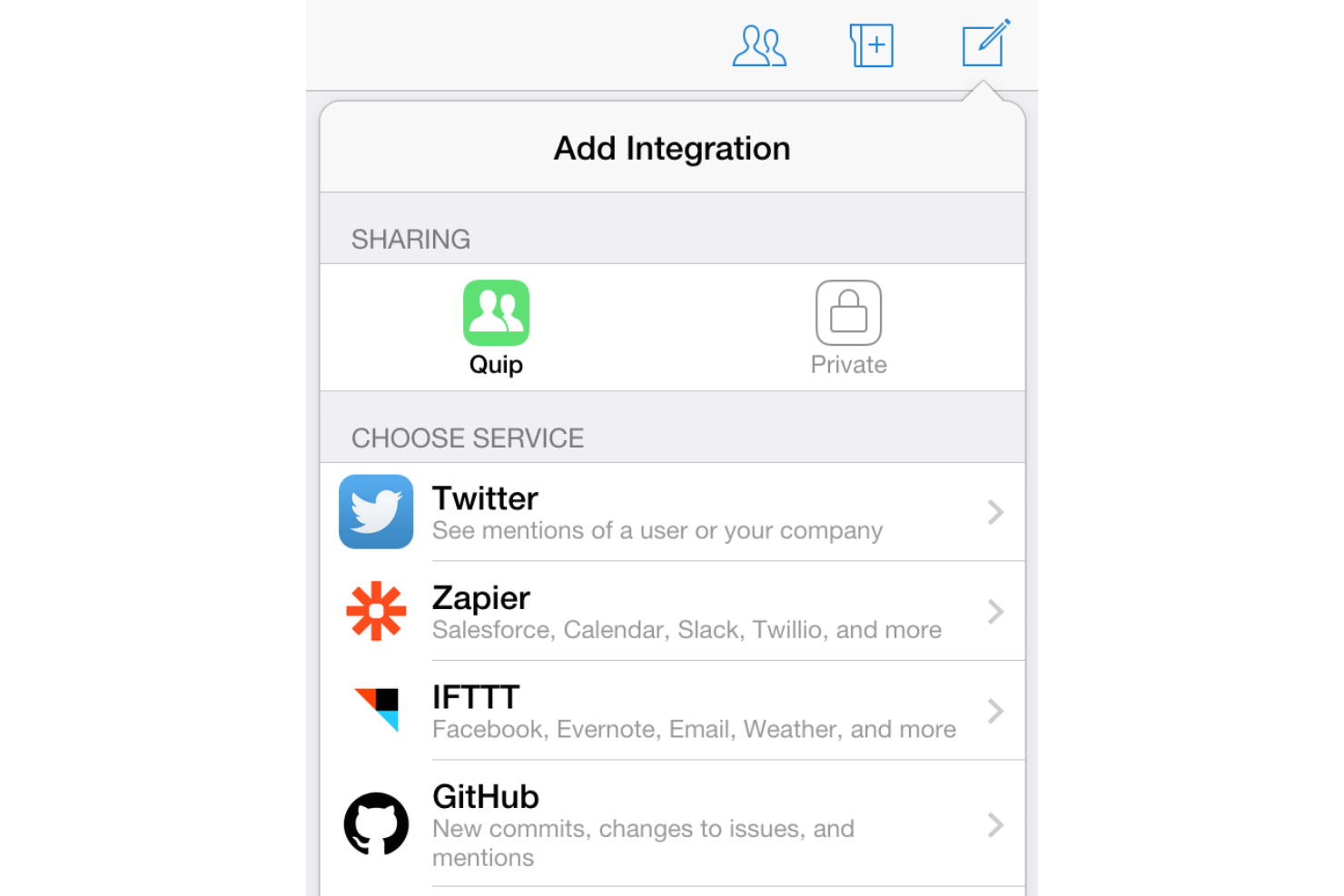
Quip integrates deeply with Salesforce and supports collaboration with tools like Slack, Google Workspace, Dropbox, Box, and Zendesk.
Quip also offers an API for building custom integrations and extending Quip workflows with third-party systems.
Value for Money
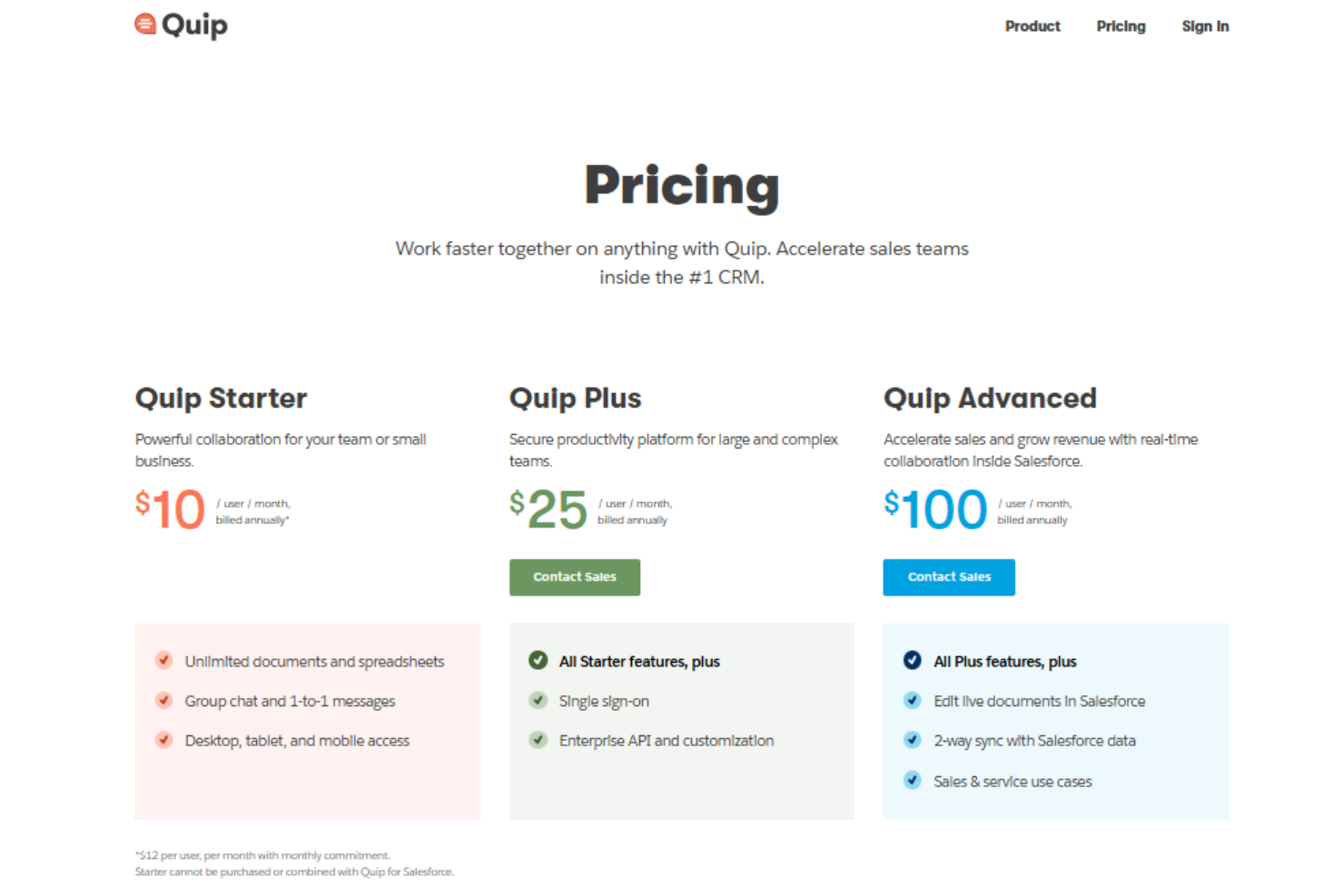
Quip pricing offers good value for your team with its competitive pricing and comprehensive feature set. Its different plans cater to various team sizes and needs, ensuring you get what you pay for. Quip provides a free trial, allowing your team to evaluate the software before committing to a purchase.
- Quip Starter: From $10 per user per month billed annually includes unlimited documents and spreadsheets, group and one-to-one chat, and desktop, tablet, and mobile access.
- Quip Plus: From $25 per user per month billed annually includes everything in Starter plus single sign-on, enterprise API access, and customization options.
- Quip Advanced: From $100 per user per month billed annually includes everything in Plus plus live document editing inside Salesforce, two-way Salesforce data sync, and sales and service use cases.
Quip Specs
- A/B Testing
- API
- Automated Testing
- Browser Compatibility Testing
- Bug Tracking
- Calendar Management
- CI/CD Integration
- Dashboard
- Data Export
- Data Import
- Data Visualization
- Developer Tools
- External Integrations
- History/Version Control
- Manual Testing
- Multi-User
- Notifications
- Performance Testing
- Regression Testing
- Scheduling
- Status Notifications
- Third-Party Plugins/Add-Ons
Quip FAQs
How does Quip handle data security and compliance?
Can Quip be used offline?
Does Quip support document versioning?
How customizable is Quip for different team sizes?
What kind of user support does Quip offer?
Can Quip integrate with my current workflow?
Does Quip offer mobile access?
How often is Quip updated?
Quip Company Overview & History
Quip, founded in 2012 by Bret Taylor and Kevin Gibbs, is a collaborative productivity software suite headquartered in San Francisco. It allows users to create and edit documents and spreadsheets together, mainly for word processing and business purposes. In 2016, Salesforce acquired Quip for approximately $750 million, integrating it into their enterprise software offerings. As a subsidiary of Salesforce, Quip continues to deliver innovative tools for teamwork and communication, recognized for its mobile-centric design.
Quip Major Milestones
- 2012: Founded by Bret Taylor and Kevin Gibbs.
- 2013: Publicly launched with a focus on mobile-centric design.
- 2015: Secured $30 million in funding to enhance features.
- 2016: Acquired by Salesforce for approximately $750 million.