


ProjectManager vs. Teamwork.com: Comparison & Expert Reviews For 2026



Juggling deadlines, client demands, and shifting priorities can make picking project management software feel impossible. You’re deciding between ProjectManager and Teamwork.com, both claiming to handle your chaos and drive work forward. But which one actually delivers for your team’s way of working and the day-to-day realities of professional services?
In this article, I’ll compare the two platforms head-to-head. You’ll get a clear look at pros and cons, use cases, pricing, security, and usability—giving you the answers you need to choose the right project management software for professional services.
ProjectManager vs. Teamwork.com: An Overview
ProjectManager
Teamwork.com


Why Trust Our Software Recommendations
Our team has been testing and reviewing software since 2012. As project managers ourselves, we know how difficult—and important—it is to choose the right software.
For this guide, we evaluated tools using hands-on testing and independent research, scoring tools using our selection criteria. We also draw on insights from industry thought leaders and practicing project management experts.
Our reviews reflect our human editorial judgment, not a sales pitch.
Expert reviewers:
ProjectManager vs. Teamwork.com Pricing Comparison
| ProjectManager | Teamwork.com | |
|---|---|---|
| Free Trial | 30-day free trial | Free plan available; 14-day free trial |
| Pricing | From $15/user/month (billed annually) | From $9.99/user/month (billed annually) |
ProjectManager vs. Teamwork.com Pricing & Hidden Costs
ProjectManager offers multiple subscription tiers, scaling up based on team size and feature set. Some premium features, such as advanced reporting or integrations, may require higher-tier plans. Teamwork.com also bases its pricing on package level and user count, with certain tools like resource management and advanced security available only on pricier plans. Both tools can introduce extra costs for add-ons, API usage, or onboarding support.
To pick the right vendor, look past the baseline price and map out your team's must-have features, user count, and potential growth. Factor in onboarding needs, the likelihood of needing add-ons down the line, and how each platform bundles its advanced capabilities. Examining what’s included at each tier helps you avoid price surprises and pick the tool that truly fits your workflow and scale.
ProjectManager vs. Teamwork.com Feature Comparison
When I compare ProjectManager and Teamwork.com, you’re essentially looking at two platforms that cover the same core project management fundamentals really well. Both give you structured task management, multiple project views like Gantt charts or boards, real-time collaboration, and reporting dashboards so you can track progress, costs, and workload across projects. In practice, that means you can plan timelines, assign work, communicate with your team (and clients), and monitor performance without needing extra tools—both are built to handle end-to-end project delivery for professional services teams.
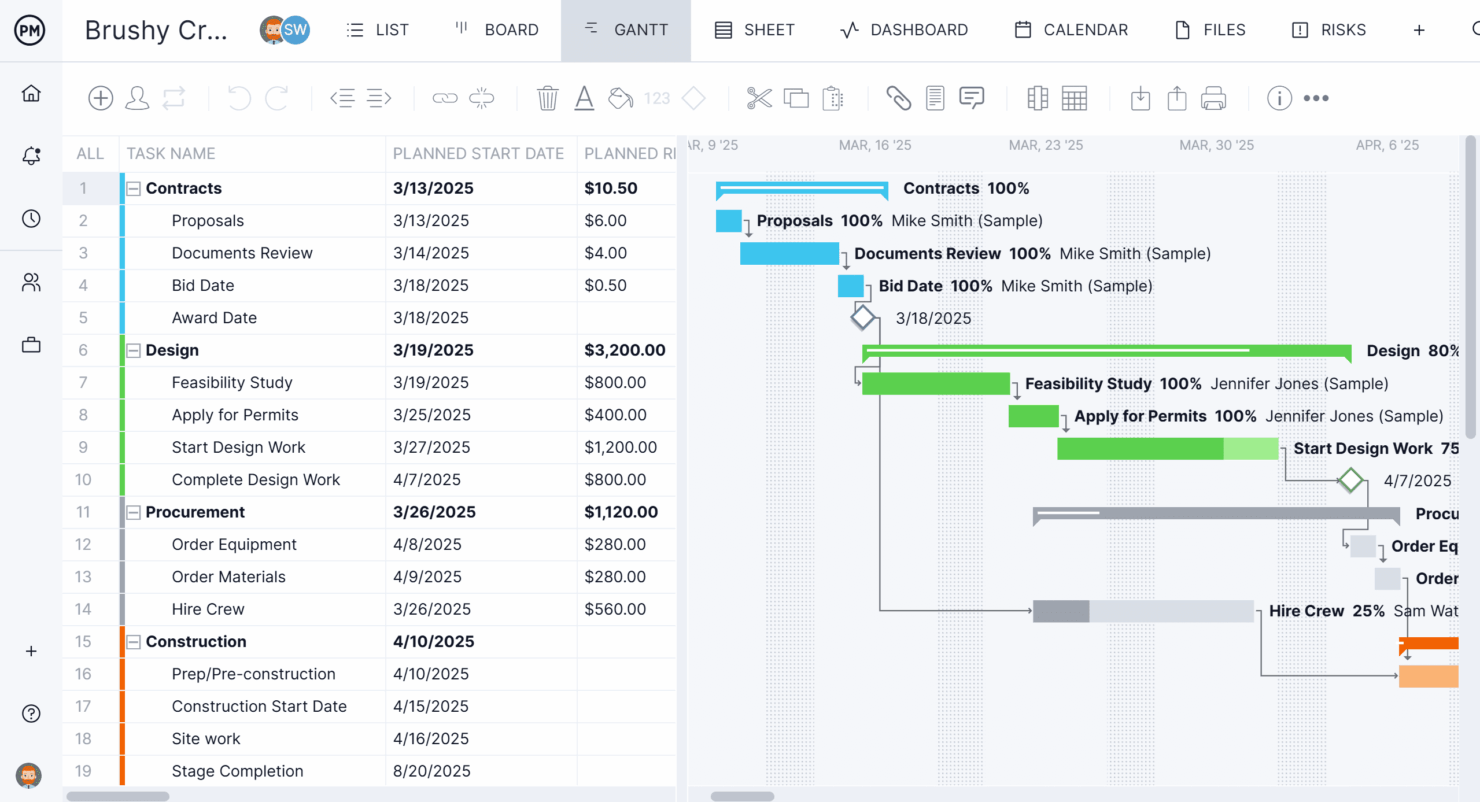
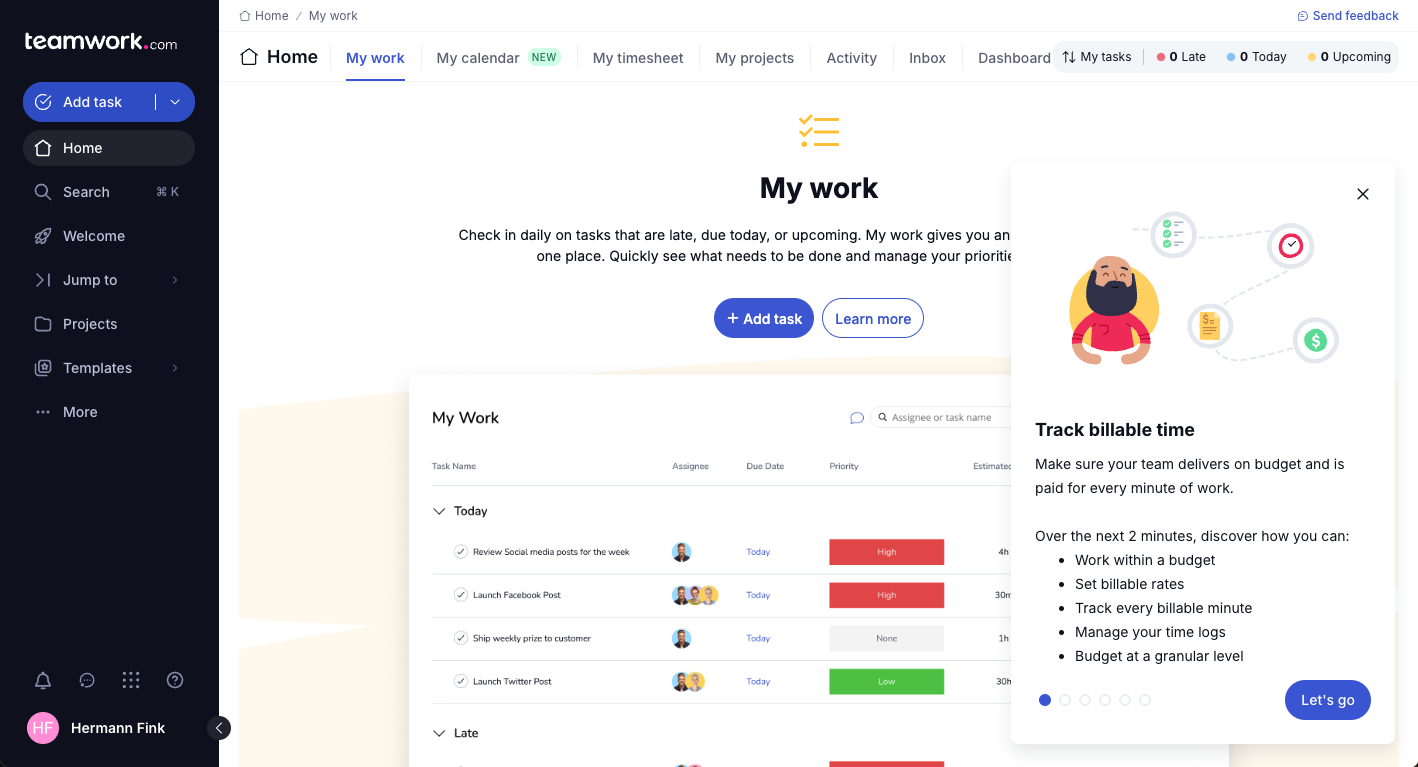
Where they diverge is in their specialization. I’ve found ProjectManager leans more into traditional project execution with standout features like real-time dashboards, predictive workload management, and highly customizable reporting that give you instant visibility into metrics like cost, workload, and progress without setup overhead. Teamwork.com, on the other hand, is clearly built for client work—it stands out with integrated time tracking, billing, and profitability tools, plus client-facing features like permissions and shared views that make it easier for you to manage billable projects and keep stakeholders aligned.
| ProjectManager | Teamwork.com | |
|---|---|---|
| API | ||
| Batch Permissions & Access | ||
| Budgeting | ||
| Calendar Management | ||
| Collaboration Support | ||
| Contact Management | ||
| Contact Sharing | ||
| Customer Management | ||
| Dashboard | ||
| Dashboards | ||
| Data Export | ||
| Data Import | ||
| Data Visualization | ||
| Dependency Tracking | ||
| Document Sharing | ||
| Expense Tracking | ||
| External Integrations | ||
| File Sharing | ||
| Gantt Charts | ||
| Kanban Boards | ||
| Multi-User | ||
| Notifications | ||
| Project Management | ||
| Resource Management | ||
| Scheduling | ||
| Task Scheduling/Tracking | ||
| Third-Party Plugins/Add-Ons | ||
| Time Management | ||
| Travel Management | ||
| Workflow Management |
ProjectManager vs. Teamwork.com Integrations
| Integration | ProjectManager | Teamwork.com |
|---|---|---|
| Google Drive | ❌ | ✅ |
| Microsoft Teams | ✅ | ✅ |
| Slack | ✅ | ✅ |
| Jira | ✅ | ✅ |
| QuickBooks | ❌ | ✅ |
| HubSpot | ❌ | ✅ |
| Xero | ❌ | ✅ |
| Salesforce | ❌ | ✅ |
| API | ✅ | ✅ |
| Zapier | ✅ | ✅ |
Both tools hit the basics for cloud file sharing and communication, but Teamwork.com pulls ahead with broader coverage: Deeper accounting, CRM, and sales platform integrations. ProjectManager generally has fewer native integrations, often relying on Zapier to connect with everyday tools. With both offering API and Zapier support, your team can bridge most integration gaps, but if you prefer leaning on out-of-the-box options for broader functionality, like finance or CRM tools, Teamwork.com will support you best here.
ProjectManager vs. Teamwork.com Security, Compliance & Reliability
| Factor | ProjectManager | Teamwork.com |
|---|---|---|
| Data Encryption | Encrypts data in transit using SSL and stores data securely on AWS with industry-standard encryption practices. | Encrypts data in transit and at rest using industry-standard protocols. |
| Regulatory Compliance | SOC 2 Type 2 compliant and aligned with the NIST Cybersecurity Framework. | SOC 2 (Type 1 & 2) and ISO/IEC 27001:2022 certified. |
| Uptime & Reliability | Hosted on AWS with multi-zone replication and continuous monitoring for uptime and performance. | Targets 99.9% uptime with continuous monitoring and frequent automated backups. |
| Access Controls | Uses strict access controls with audited data access and limited personnel permissions. | Offers role-based access controls and emphasizes data ownership and privacy protections. |
Both platforms take security seriously, but they emphasize different strengths. ProjectManager leans more into infrastructure reliability with AWS-based redundancy, continuous monitoring, and strong operational controls. Teamwork.com stands out more on certifications and data governance, with ISO 27001 alongside SOC 2 and a clear focus on data ownership, which may matter more if you’re working with clients who prioritize compliance frameworks.
ProjectManager vs. Teamwork.com Ease of Use
| Factor | ProjectManager | Teamwork.com |
|---|---|---|
| User Interface | Clean, straightforward layout with easy project navigation. | Modern, intuitive design with customizable dashboards. |
| Onboarding Experience | Guided setup and sample projects for fast team onboarding. | In-app checklists, video tutorials, and onboarding help center. |
| Task Management | Quick-add tasks and bulk editing from multiple views. | Drag-and-drop boards and task templates simplify setup. |
| Customer Support | Offers chat, help docs, and tutorials for troubleshooting. | 24/7 chat, phone support on higher tiers, and detailed online guides. |
Both platforms are relatively easy to use, but they cater to slightly different user experiences. From what I’ve seen, ProjectManager feels more structured and familiar if you’ve used traditional project management tools before, especially with its Gantt-first approach. Teamwork.com tends to feel more approachable out of the gate, particularly for client-facing teams, thanks to its cleaner UI and stronger emphasis on guided setup and usability.
ProjectManager vs Teamwork.com: Pros & Cons
ProjectManager
- Gantt chart features let you filter for the critical path, track dependencies, and set baselines.
- Detailed reporting tools let you monitor progress, resource allocation, and performance.
- Built-in time tracking features simplify the process of logging time and monitoring productivity.
- It may lack some customization options compared to other tools.
- The tool has a steeper learning curve than some competitors due to the extensive feature set.
- The tool’s resource management capabilities are more limited than you would get in a dedicated resourcing tool.
Teamwork.com
- You can manage workloads and resources effectively with its robust features.
- Teamwork's collaboration tools, like chat and message boards, keep your team connected.
- The platform's Academy offers useful videos to help you use it effectively.
- You might find the interface overwhelming with its many features.
- Some users feel the mobile app could be more intuitive.
- The learning curve can be steep for new users without prior experience.
Best Use Cases for ProjectManager and Teamwork.com
ProjectManager
- Construction projects You can manage project timelines and resources with ProjectManager's robust scheduling tools.
- IT teams Your team will benefit from task management features that help track software development progress.
- Marketing campaigns You can improve collaboration and keep campaigns and other marketing efforts on schedule.
- Small businesses You can stay organized with features that support project planning and execution and reduce complexity.
- Remote teams You can coordinate work with ProjectManager's collaboration tools, even if your team isn’t in the same place.
- Event planning You can manage logistics and timelines with ProjectManager's scheduling and task management capabilities.
Teamwork.com
- Creative Agencies Teamwork.com supports your agency with tools for managing client projects and tracking billable hours.
- Remote Teams Use Teamwork to stay connected with your team through its communication and collaboration features.
- Marketing Departments Manage your marketing campaigns with task lists, calendars, and resource allocation.
- Consulting Firms Track time and manage multiple client projects efficiently with Teamwork’s time tracking capabilities.
- Event Planning Organize events with ease using project timelines and task dependencies.
- Product Development Coordinate product launches with detailed task management and team collaboration features.
Who Should Use ProjectManager, and Who Should Use Teamwork.com?
ProjectManager is a great fit for teams who want classic project planning, real-time tracking, and a simple learning curve—think IT departments, consultancies, or agencies with familiar workflows. Teamwork.com is tailored for client services, agencies, and firms juggling many clients or billing needs, and it’s ideal if you want strong integrations, advanced portfolio views, or extra onboarding support.
If your business needs deep collaboration and client-facing features, go with Teamwork.com. For tight timelines, structured projects, predictable delivery, and traditional project controls, I’d recommend ProjectManager.
Differences Between ProjectManager and Teamwork.com
| ProjectManager | Teamwork.com | |
|---|---|---|
| Automation | Limited workflow automation capabilities. | Offers workflow automation and task dependencies. |
| Client Billing | Lacks built-in invoicing and billing features. | Includes client billing, time tracking, and invoicing tools. |
| Integrations | Fewer direct integrations, relies on core productivity. | Broader integrations across CRM, accounting, and sales tools. |
| Onboarding Support | Streamlined but less hand-holding onboarding experience. | Rich guided onboarding with checklists, tours, and tutorials. |
| Portfolios | Basic project grouping and status views. | Advanced portfolio management with resource allocation. |
| Read ProjectManager ReviewOpens new window | Read Teamwork.com ReviewOpens new window |
Similarities Between ProjectManager and Teamwork.com
| Multiple Project Views | Both support multiple ways to visualize work, including Gantt charts, Kanban boards, and list views, so you can plan and track projects in the format that suits your workflow. |
|---|---|
| Real-Time Dashboards | ProjectManager and Teamwork.com have customizable dashboards showing real-time project health, letting teams monitor workload, budgets, and deadlines. |
| Reporting Tools | Both provide reporting features, with export options and ready-made templates to help teams share project progress and resource usage with stakeholders. |
| Task Management | Both offer drag-and-drop boards, list views, and checklists for fast, visual task tracking; each supports due dates, recurring tasks, priorities, and file attachments. |
| Read ProjectManager ReviewOpens new window Read Teamwork.com ReviewOpens new window | |
| Team Collaboration | Each project management tool includes built-in collaboration tools like comments, file sharing, and notifications, making it easy for teams to communicate and stay aligned without leaving the platform. |
| Time Tracking | Each software solution includes built-in time tracking and timesheets for tasks and projects, letting you log work hours directly in the platform for accurate reporting. |
| Read ProjectManager ReviewOpens new window Read Teamwork.com ReviewOpens new window | |