



Notion vs. Zenhub: Comparison & Expert Reviews for 2026



Deciding between Notion and Zenhub can feel tough when your team needs flexibility, transparency, and reliable delivery. Maybe you're struggling to keep track of shifting priorities, documentation, or cross-team work. Both platforms promise to help, but their takes on project management software are pretty different, and the best fit depends on how you work.
In this article, you'll get a direct comparison of Notion and Zenhub, including pros and cons, top use cases, pricing details, security features, and how user-friendly each one really is. I’ll help you figure out which tool could actually make your projects smoother—and which details to watch for before you decide.
Notion vs. Zenhub: An Overview
Notion



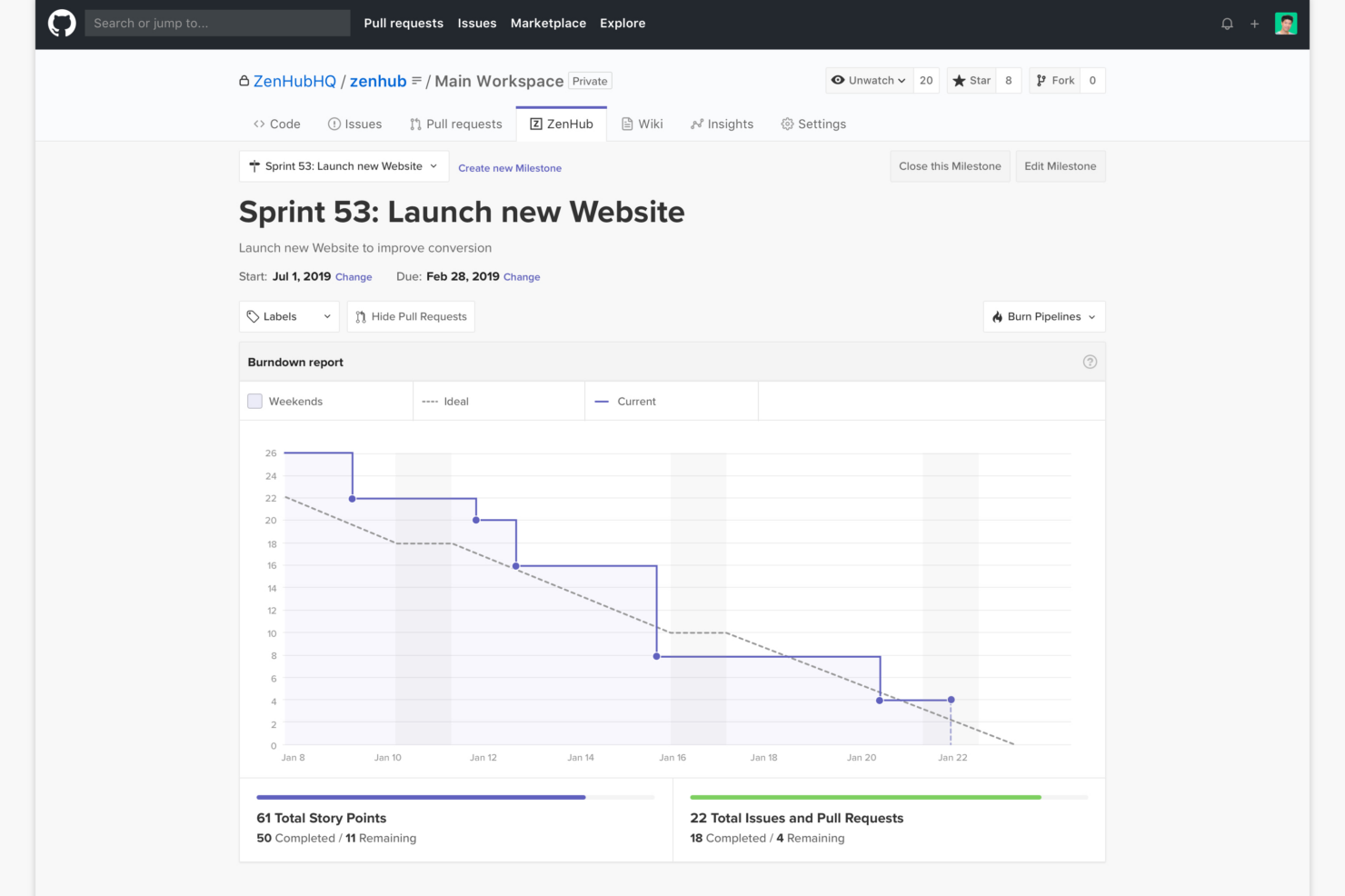
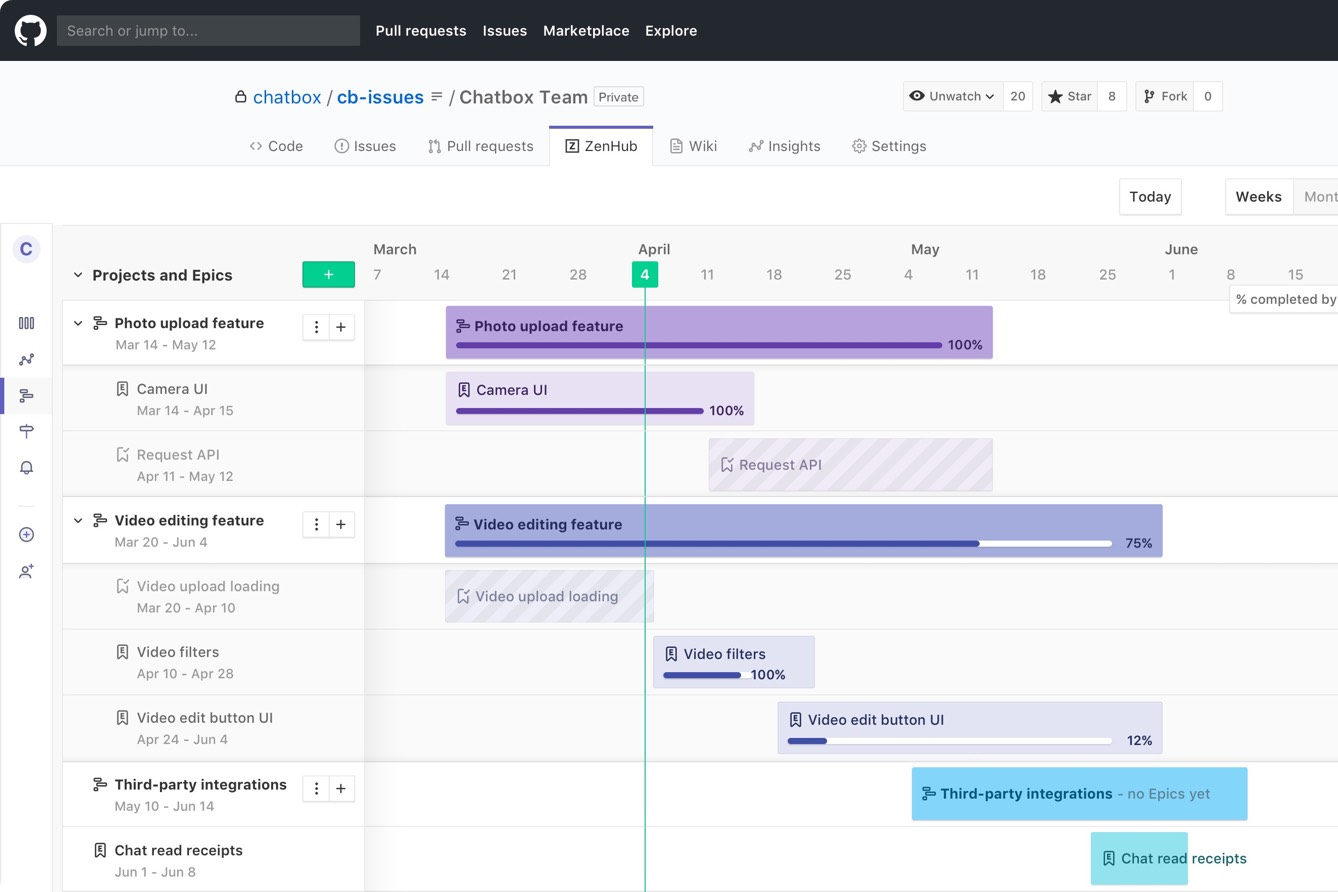
Zenhub

Why You Can Trust Us
We’ve been testing and reviewing project management software since 2012. As project managers ourselves, we know how critical and difficult it is to make the right decision when selecting software.
We invest in deep research to help our audience make better software purchasing decisions. We’ve tested more than 2,000 tools for different project management use cases and written over 1,000 comprehensive software reviews. Learn how we stay transparent & our software review methodology.
Notion vs. Zenhub Pricing Comparison
| Notion | Zenhub | |
|---|---|---|
| Free Trial | Free plan available | Free plan + 14-day free trial + free demo available |
| Pricing | From $10/user/month (billed annually) | From $4.99/user/month (billed annually) |
Notion vs. Zenhub Pricing & Hidden Costs
Notion uses a tiered subscription model that includes a free tier for individuals and paid plans based on user count and features. You might see extra costs if your team needs Notion AI, advanced permissions, guest access, or higher file upload limits. Zenhub also offers a free option and pricing scales using a tiered subscription model. Costs increase by the number of users, and some advanced reporting or workspace features may require higher-tier subscriptions.
To pick the right pricing model, review where your team may grow—like adding more users, integrating additional tools, or expanding projects. Check which features you’ll need at scale, not just starting out, and pay attention to limits on users, permissions, integrations, and data storage. It helps to map your likely usage over the next year before locking in, so you only pay for what you’ll truly use.
Notion vs. Zenhub Feature Comparison
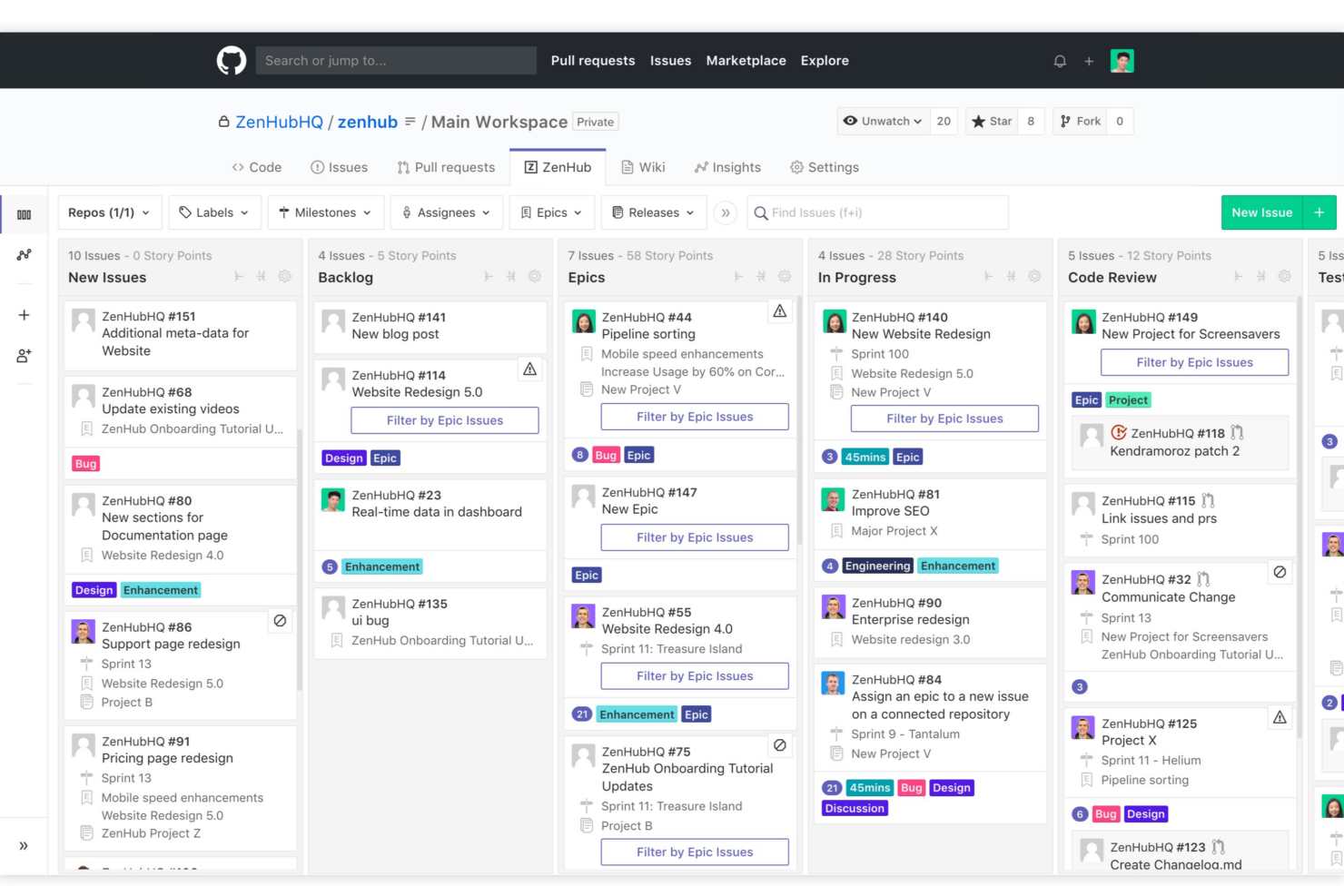
Both Notion and Zenhub provide project workspaces, task tracking, Kanban boards, and collaboration tools, so you can plan, organize, and communicate without switching platforms. Real-time updates and notifications keep everyone in sync, whether you’re managing a product backlog or juggling sprint cycles.
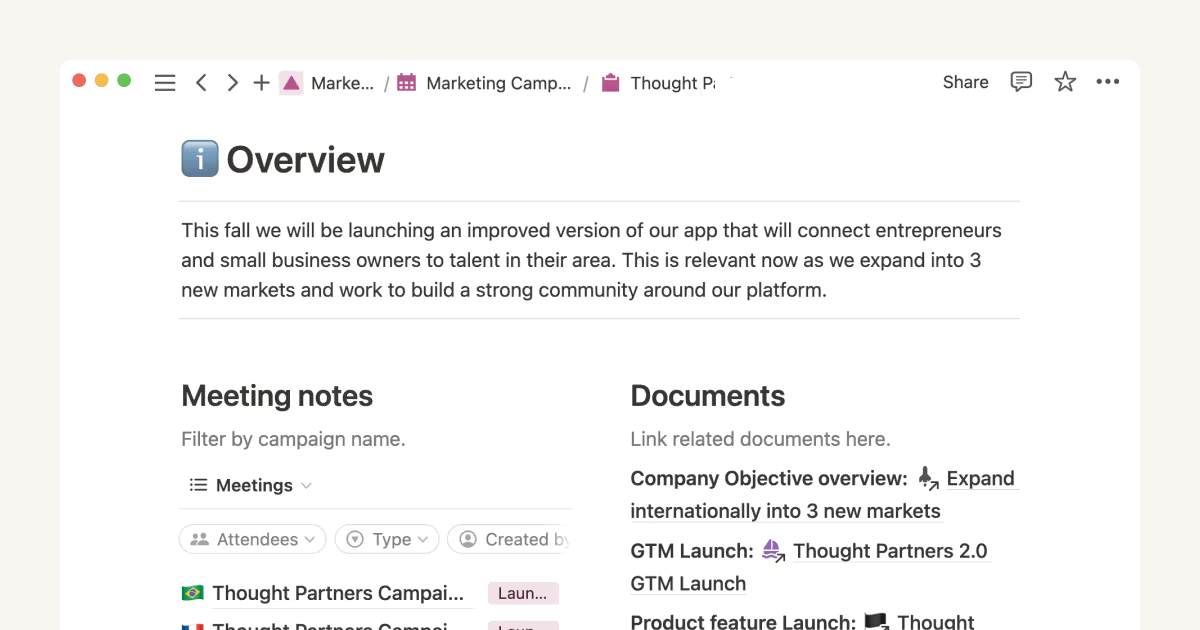
Notion stands out for its flexible note-taking and custom database capabilities, making it a go-to for teams that need documentation and project management together. Zenhub, on the other hand, shines for teams working in GitHub—its deep GitHub integration and agile reporting bring development work and project tracking into one shared view, which Notion simply can’t match.
| Notion | Zenhub | |
|---|---|---|
| API | ||
| Calendar Management | ||
| Data Export | ||
| Data Import | ||
| External Integrations | ||
| Multi-User | ||
| Notifications | ||
| Project Management | ||
| Scheduling | ||
| Task Scheduling/Tracking |
Notion vs. Zenhub Integrations
| Integration | Notion | Zenhub |
|---|---|---|
| GitHub | ✅ | ✅ |
| Slack | ✅ | ❌ |
| Google Drive | ✅ | ❌ |
| Figma | ✅ | ❌ |
| Jira | ✅ | ❌ |
| Microsoft Teams | ✅ | ❌ |
| Trello | ✅ | ❌ |
| Bitbucket | ❌ | ❌ |
| API | ✅ | ✅ |
| Zapier | ✅ | ❌ |
Notion covers a broader range of integrations out of the box, especially with creative and productivity tools, while Zenhub’s primary native integration is GitHub (it’s designed to function directly within the GitHub interface). With Zenhub, it’s still possible to connect with other tools through API/third-party connections. If your team is looking for quick, plug-and-play integrations and API and Zapier support, Notion has you covered. If your team needs deeper integration with GitHub and doesn’t mind more work upfront to set up integrations with other tools, Zenhub will meet those needs.
Notion vs. Zenhub Security, Compliance & Reliability
| Factor | Notion | Zenhub |
|---|---|---|
| Data Encryption | Uses AES-256 bit encryption at rest and TLS in transit. | Secures data with encryption protocols for both storage and transit. |
| Regulatory Compliance | SOC 2 Type II certified and GDPR compliant. | Follows GDPR and SOC 2 standards, built for enterprise and government needs. |
| Uptime Guarantee | Monitors uptime and publishes incident reports publicly. | Maintains high uptime with transparent status updates and incident tracking. |
| User Permissions | Granular workspace, page-level, and database permissions. | Offers role-based access control and workspace-level permissions. |
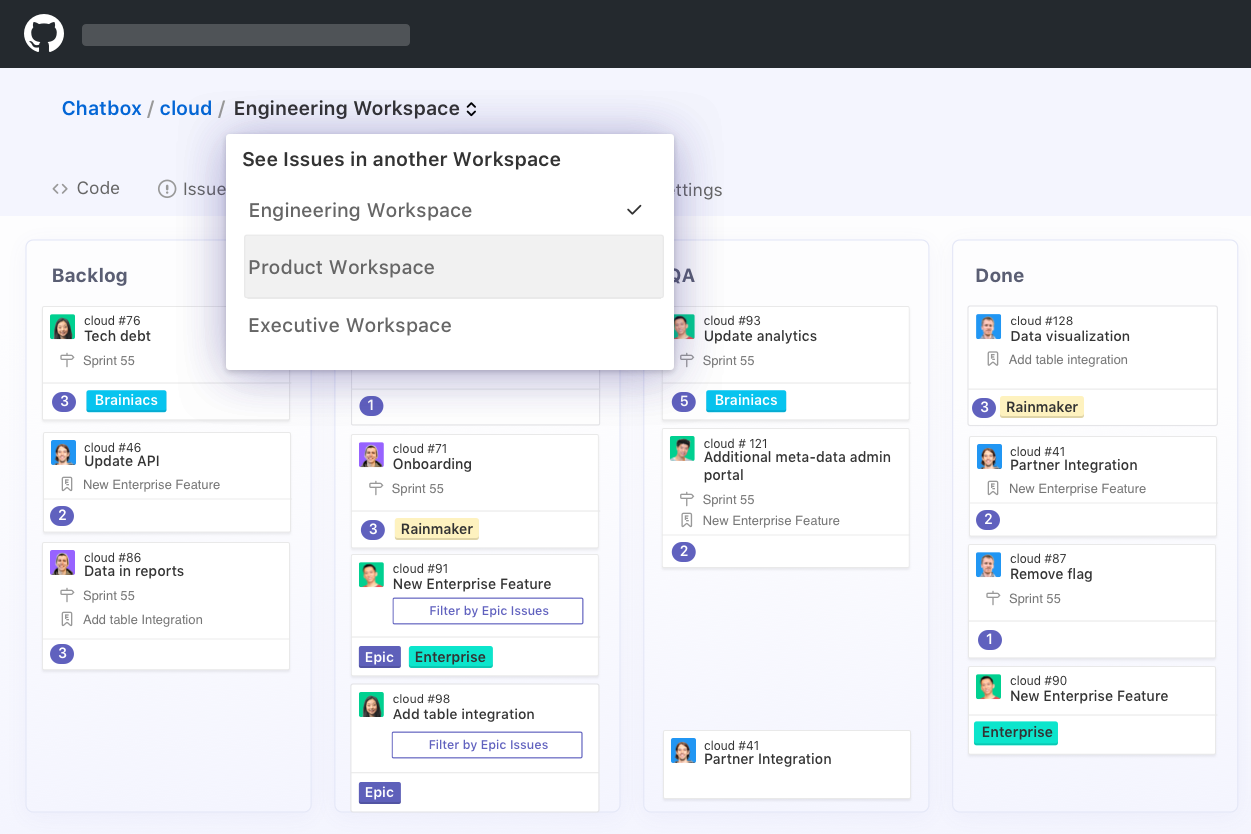
| Data Residency | Hosts data in the U.S. but offers region flexibility for Enterprise. | Offers flexible hosting, including EU data centers for compliance. |
Both tools are strong on security and compliance, but Zenhub is more developer- and enterprise-focused, while Notion stands out for transparency and granular user controls. In my experience, Notion makes permissions management easy for fast-moving teams, whereas Zenhub is a solid choice if you need advanced compliance or region-specific data hosting.
Notion vs. Zenhub Ease of Use
| Factor | Notion | Zenhub |
|---|---|---|
| User Interface | Clean, flexible, and highly customizable drag-and-drop interface. | Familiar Kanban layout embedded directly in GitHub issues. |
| Onboarding | Guided templates and tooltips help new users get started fast. | Seamless onboarding for teams already using GitHub workflows. |
| Learning Curve | Steeper at first due to customization depth but improves quickly. | Shallow if you're comfortable with GitHub, steeper for others. |
| Collaboration | Simple sharing, comments, and mentions on any content type. | Real-time sync and comments in GitHub issues and boards. |
| Customer Support | Offers live chat and an extensive knowledge base. | Provides documentation, email, and GitHub community support. |
Both platforms focus on easy adoption, but Notion feels more flexible for teams who want to design their own workflows, while Zenhub is instantly comfortable for developers who live in GitHub. I think Notion's customization can wow creative teams, but Zenhub's tight GitHub integration keeps developer projects moving with less friction.
Notion vs Zenhub: Pros & Cons
Notion
- You can tailor your workspace to fit your needs with flexible layouts and templates.
- The intuitive design makes it easy for users to navigate and organize their projects.
- You can take notes, manage projects, and maintain your databases in one place.
- It can be challenging for new users to master without spending time on tutorials.
- You might experience slow performance if you have large databases or complex setups.
- The mobile app is less intuitive than the desktop version.
Zenhub
- Direct integration into GitHub repository interface
- Automated issue tracking and workflow management
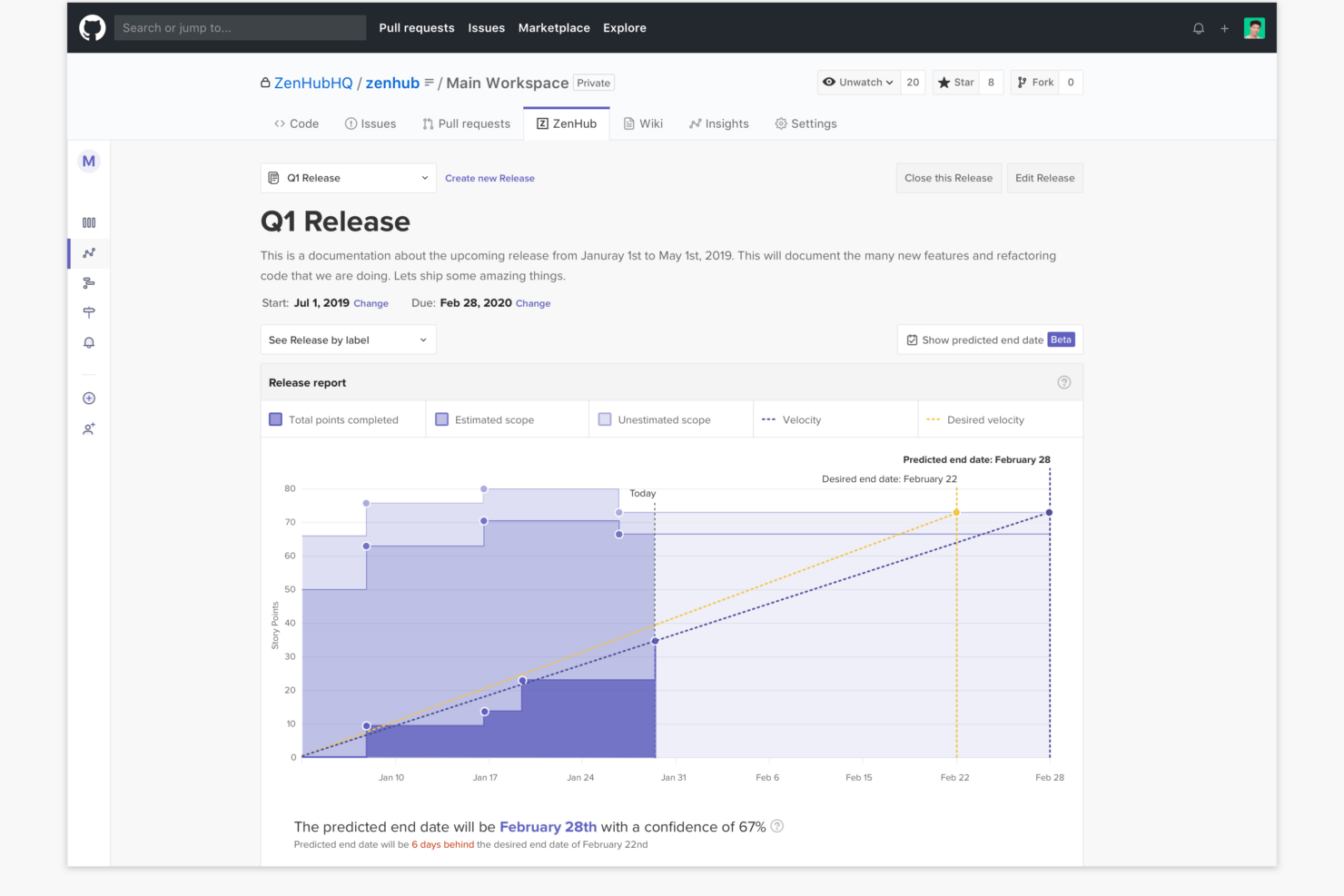
- Sprint planning and agile reporting within GitHub
- Limited functionality for non-developer stakeholders
- Advanced reporting features require higher-tier plans
- Kanban boards feel basic compared to some competitors
Best Use Cases for Notion and Zenhub
Notion
- Creative Agencies You can use customizable templates within a flexible workspace to manage creative projects and collaborate with the team.
- Freelancers You can manage multiple projects and clients in a single, organized platform.
- Startups You can tailor your workspace to your needs in order to manage rapid growth and changing project requirements.
- Remote Teams Notion supports constant communication and project tracking across different locations.
- Education Departments You can use Notion's database capabilities to organize curricula, schedules, and educational materials.
- Content Writers You can use the note-taking and organization features to manage research, drafts, and editorial calendars efficiently.
Zenhub
- Agile Engineering Teams Zenhub’s built-in sprints, automation, and agile boards map directly to engineering workflows inside GitHub.
- Product Management Epics, milestones, and real-time roadmaps help product managers keep complex deliverables organized and visible to developers.
- Tech Startups Quick onboarding and low internal process overhead let lean startup teams manage feature delivery and bug fixes directly from GitHub.
- Open Source Projects Native GitHub experience enables seamless contribution management, issue triage, and community collaboration without external tools.
- Remote Development Teams All project tracking within GitHub helps distributed developers stay aligned with async workflows and shared dashboards.
- SaaS Companies Teams juggling multiple repositories and microservices benefit from Zenhub’s workspace-centric organization and reporting.
Who Should Use Notion, And Who Should Use Zenhub?
Notion is ideal if you want a flexible, all-in-one workspace for docs, projects, and collaboration. I’ve found it works best for startups, marketing teams, and cross-functional groups that need to organize knowledge and manage tasks in one place without rigid structure. If your work goes beyond just development—think content, planning, or internal wikis—Notion gives you the freedom to build your own system.
Zenhub is better suited for Agile software teams that live in GitHub. If you’re managing sprints, issues, and releases, it fits naturally into your workflow and keeps everything tied to your codebase. I’d recommend it if your priority is developer efficiency and structured project tracking, rather than broader team collaboration or documentation.
Differences Between Notion and Zenhub
| Notion | Zenhub | |
|---|---|---|
| Agile Features | Customizable boards and timelines, but fewer native agile tools. | Deep agile support: epics, sprints, velocity, and burndown. |
| Automation | Offers some automation via integrations and templates. | Built-in workflow automations for ticket tracking in GitHub. |
| Core Audience | Flexible for any team, including marketing, ops, and product. | Made for software teams working in GitHub. |
| Documentation | Combines docs, wikis, and tasks in one space. | Focuses on tasks and boards, not text-rich documentation. |
| Integration Focus | Integrates with many creative and productivity platforms. | Integrates tightly with GitHub and dev tools. |
| Read Notion ReviewOpens new window | Read Zenhub ReviewOpens new window |
Similarities Between Notion and Zenhub
| API Access | Each provides API access, making it possible to build custom workflows, connect with external tools, and automate repetitive tasks. |
|---|---|
| Collaboration | Real-time collaboration with commenting and mentions keeps teams connected, whether in a Notion doc or a Zenhub board linked to dev work. |
| Kanban Boards | Both offer drag-and-drop Kanban boards for task and workflow management; in Notion, boards are customizable, while Zenhub boards map directly to GitHub issues. |
| Notifications | Both send email and in-app notifications to keep you up to date on task assignments, comments, and changes. |
| User-Based Pricing | Both platforms charge based on the number of users, letting teams scale from small groups to enterprise deployments as needs grow. |
| Read Notion ReviewOpens new window Read Zenhub ReviewOpens new window | |