



Lucid Vs. Miro: Comparison and Expert Reviews for 2026



Your team has ideas worth sharing and processes worth untangling, but are your tools helping you see them, or burying them? The right canvas turns scattered thinking into something everyone can follow; the wrong one just adds another tab to ignore.
If you’re stuck between Lucid and Miro, you’re not alone. Picking the right visual collaboration platform can make or break how your team visualizes processes, shares ideas, and moves projects forward. Maybe you want clarity, real-time collaboration, or simple integrations—but need to cut through the buzzwords.
In this article, you’ll get a practical comparison including pros and cons, who each tool is best for, where pricing stands, and what to know about security and usability. I’ll help you figure out which solution fits your style, your team, and your projects best.
Lucid vs. Miro: An Overview
Lucid
Miro

Why Trust Our Software Recommendations
Our team has been testing and reviewing software since 2012. As project managers ourselves, we know how difficult—and important—it is to choose the right software.
For this guide, we evaluated tools using hands-on testing and independent research, scoring tools using our selection criteria. We also draw on insights from industry thought leaders and practicing project management experts.
Our reviews reflect our human editorial judgment, not a sales pitch.
Expert reviewers:
Lucid vs. Miro Pricing Comparison
| Lucid | Miro | |
|---|---|---|
| Free Trial | Free trial + free plan available | Free plan + 14-day free trial available |
| Pricing | From $15/month (billed annually) | From $8/user/month (billed annually) |
Lucid Vs. Miro Pricing & Hidden Costs
Lucid and Miro both offer tiered subscription models based on feature access and team size. Lucid charges extra for certain advanced integrations and higher-level collaboration controls, while Miro often reserves key features like unlimited boards or advanced templates for higher-priced plans. Even though both platforms offer free plans, you may still face additional charges for add-ons or premium support with both, so costs can rise above the base subscription.
To pick the right vendor, look beyond the headline subscription price and map each tool’s feature tiers to your team's actual workflow needs. Test out the free versions, review which integrations are included, and pay special attention to how limits or add-on fees might affect the total cost once your team is fully up and running.
Lucid vs. Miro Feature Comparison
| Lucid | Miro | |
|---|---|---|
| API | ||
| Data Export | ||
| Data Import | ||
| Email Integration | ||
| External Integrations | ||
| Multi-User | ||
| Notifications | ||
| Project Management |
Lucid Vs. Miro Integrations
| Integration | Lucid | Miro |
|---|---|---|
| Google Drive | ✅ | ✅ |
| Microsoft Teams | ✅ | ✅ |
| Slack | ✅ | ✅ |
| Jira | ✅ | ✅ |
| Confluence | ✅ | ❌ |
| Salesforce | ✅ | ✅ |
| GitHub | ❌ | ✅ |
| Zoom | ✅ | ✅ |
| Asana | ✅ | ✅ |
| Notion | ✅ | ✅ |
| API | ✅ | ✅ |
| Zapier | ✅ | ✅ |
Both Lucid and Miro cover the major team-collaboration and file-storage integrations, and both offer a public API and Zapier, so most common stacks are supported either way. Miro's catalog is larger and leans into two-way sync with project tools, while Lucid's marketplace leans toward data connectors and enterprise-architecture tools like AWS, Azure, Ardoq, and LeanIX. Overall, their integration options are quite similar, so the better choice largely comes down to your team’s preferences and workflows.
Lucid Vs. Miro Security, Compliance & Reliability
| Factor | Lucid | Miro |
|---|---|---|
| Data Encryption | AES-256 at rest and TLS 1.2/1.3 in transit, with keys managed via AWS KMS. | AES-256 at rest and TLS 1.2+ in transit. |
| Regulatory Compliance | SOC 2 Type II, ISO27001/27701, PCI, FedRAMPAuthorized, and IRAP(PROTECTED), plusGDPR/CCPA; EnterpriseShield add-on for extragovernance. | SOC 2 Type II, SOC 3, ISO 27001, ISO 42001 (AI), NIST, and TISAX, plus GDPR/CCPA. |
| Access Controls | SAML SSO, SCIM provisioning, two-factor authentication, and role-based admin controls. | SAML SSO, SCIM provisioning, two-factor authentication, domain control, and audit logs on Enterprise. |
| Uptime & Reliability | 99.9% uptime guarantee for Enterprise customers on AWS infrastructure across multiple availability zones, and transparent real-time status. | Transparent real-time status with guaranteed SLAs available through Enterprise premium support. |
Both Lucid and Miro offer strong, well-documented security and compliance. Lucid stands out for public-sector and highly regulated buyers—it's FedRAMP Authorized and IRAPassessed at the PROTECTED level—while Miro brings a broad certification set of its own with EU-default data residency. For most organizations either will clear procurement; the deciding factor is usually which specific framework your industry requires, but I think Lucid takes the edge here.
Lucid Vs. Miro Ease of Use
| Factor | Lucid | Miro |
|---|---|---|
| User Interface | Clean layout focused on structured diagram building with drag-and-drop components. | Intuitive, infinite canvas built for freeform sketching and agile brainstorming. |
| Onboarding | Step-by-step tutorials and templates guide new users from day one, with optional training and white-glove setup. | Offers interactive walkthroughs and sample boards to ease first-time setup. |
| Collaboration | Real-time editing with commenting and easy sharing for tight-knit teams. | Live cursors, sticky notes, and voting make group work lively and engaging. |
| Setup & Templates | Extensive template library and fast setup for process mapping. | Broad template collection for workshops, sprint planning, and cross-team work. |
| Support | Help center, Lucid Training Labs, and an active user community; professional services available on Enterprise. | Help Center and community on all plans; email support on paid plans and 24/7 premium support as an add-on. |
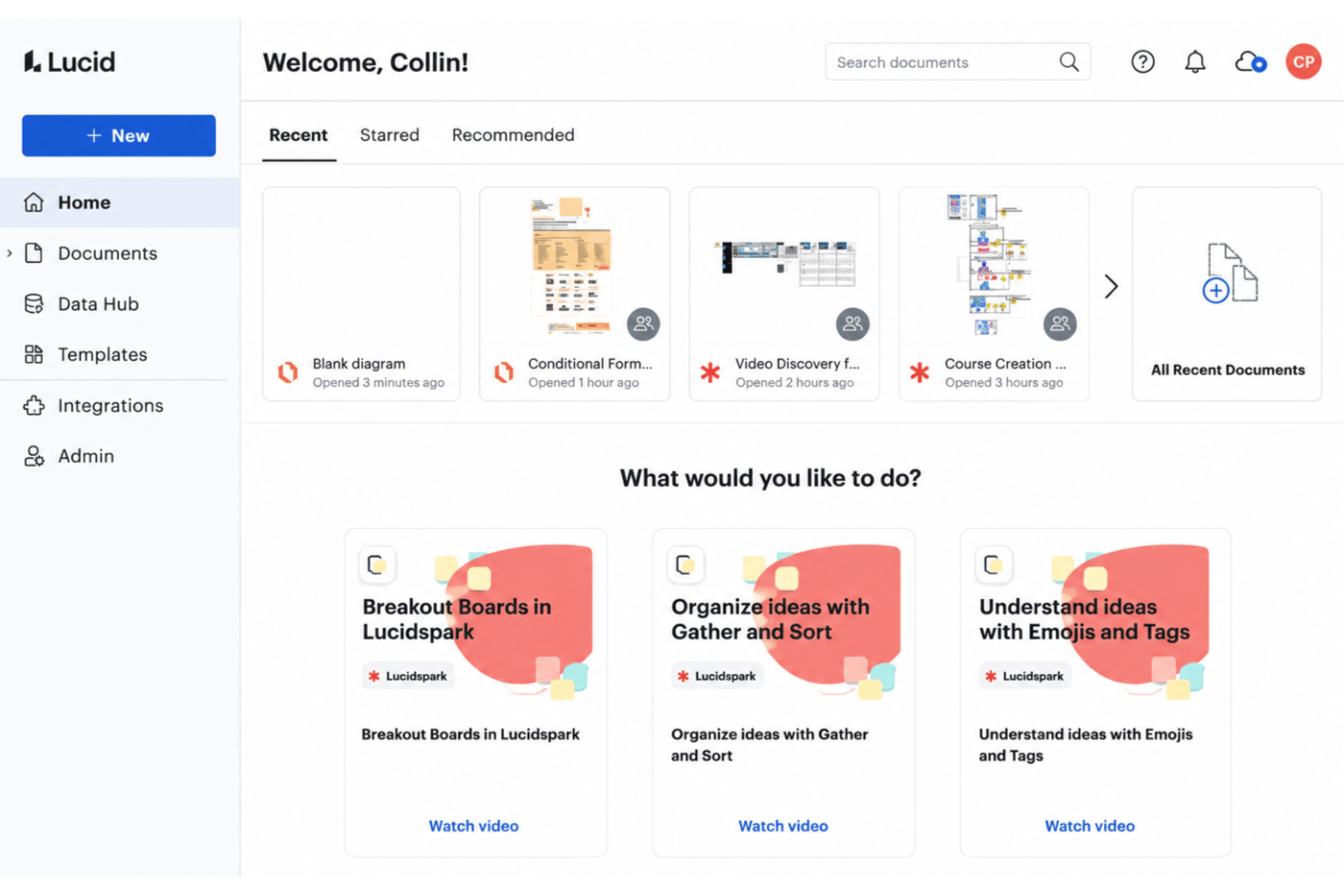
Miro is generally seen as the more playful, canvas-first tool, while Lucid balances Lucidspark’s freeform whiteboard with Lucidchart’s precise, methodical diagramming. I find Lucid best when you want structure and data-backed clarity, but Miro delivers a creative, collaborative feel that makes group work less of a chore.
Lucid vs Miro: Pros & Cons
Lucid
- Real-time collaboration supports remote and hybrid teams well
- Advanced diagramming tools for technical and business workflows
- Version history enables easy rollback to previous states
- Tapping the full toolset means moving between Lucidchart and Lucidspark
- More advanced data features are reserved for the Enterprise plan
- Limited offline access for users without internet connection
Miro
- You’ll love Miro's intuitive and visually engaging interface.
- Your team can collaborate in real-time with ease.
- Miro's flexible templates save you time on project setup.
- You might find the learning curve steep for advanced features.
- Your team could experience occasional performance lags with large boards.
- Miro may require frequent updates, which can interrupt your workflow.
Best Use Cases for Lucid and Miro
Lucid
- Product Management Teams Lucid enables rapid user journey mapping, roadmapping, and workflow visualization for cross-functional project work.
- Software Engineering UML diagrams, system architectures, and data flow mapping are easy to build and share with real-time collaboration.
- Enterprise IT Departments Complex process mapping, network diagrams, and documentation can be maintained at scale with admin controls and access management.
- Consulting Firms Facilitates collaborative client workshops, value stream mapping, and dynamic presentations for stakeholder alignment.
- Higher Education Offers collaborative whiteboarding for faculty and students, encouraging interactive learning and group project work.
- Large Enterprises Lucid's scalability, advanced security, and integration options match large organizations' governance and compliance requirements.
Miro
- Creative agencies Miro supports brainstorming sessions with its visual tools and helps your team innovate and execute creative ideas efficiently.
- Marketing teams It allows you to map out marketing campaigns visually and keeps your projects organized and aligned with your goals.
- Design departments Miro’s flexible templates and drawing tools let your team create and iterate on design concepts with ease.
- Product management Visual roadmaps and collaboration features make it easy for your team to track product development and align on tasks.
- Remote teams Miro allows for seamless remote collaboration, so your team stays connected and productive, no matter where they’re located.
- Education sector Engage your students and make learning more dynamic with interactive lessons using Miro’s visual aids and collaborative features.
Who Should Use Lucid, And Who Should Use Miro?
Lucid is the best fit for teams who need technical precision, complex process mapping, and structured documentation while still supporting brainstorming and workshops through Lucidspark. It spans software development, SaaS, consulting, education, healthcare, financial services, and the public sector, where its FedRAMP and IRAP credentials matter. Miro is built for teams that prioritize open-ended brainstorming, agile ceremonies, and visually-driven collaboration, like designers, digital product teams, and creative agencies. If your culture values structure, data, and governance, choose Lucid; if you want a canvas-first tool for idea generation and workshops, pick Miro. Budgetconscious startups may also find Miro’s freemium model appealing, though Lucid offers a free tier of its own.
Differences Between Lucid and Miro
| Lucid | Miro | |
|---|---|---|
| Advanced Data Linking | Offers robust data linking for process automation and real-time updates. | Data linking is limited, focusing more on visual collaboration tools. |
| Diagramming Depth | Best for detailed flowcharts, ERDs, and technical diagrams. | Geared toward broad mind maps, workshops, and high-level sketches. |
| Ideal Use Case | Teams that need structured, polished diagrams and precise technical or business documentation. | Teams that want a flexible shared canvas for ideation, meetings, planning, and moving ideas toward execution. |
| Process and cloud governance | Offers tools for standardizing processes, managing approvals, and mapping cloud infrastructure. | Focuses more on collaborative planning, workshops, and visual teamwork. |
| Visit LucidOpens new window | Visit MiroOpens new window |
Similarities Between Lucid and Miro
| Cloud-Based Access | You can access both platforms in any web browser and sync your work across devices for flexibility. |
|---|---|
| Integrations | Each tool connects with top work apps like Slack, Zoom, Jira, and Google Drive for smoother workflows. |
| Real-Time Collaboration | Both offer live editing, commenting, and multi-user sessions, making it easy to work as a group. |
| Templates Library | Both come with a large range of templates for brainstorming, diagramming, and business processes. |
| Visit LucidOpens new window Visit MiroOpens new window | |