

Funnelytics Review: Pros, Cons, Features and Pricing Guide



Funnelytics is an agency software for visually mapping and analyzing marketing funnels. It's built for agencies that plan client campaigns and need to connect those plans directly to real performance data. I'd consider it over a tool like Miro if your team does more than diagram—Funnelytics ties your funnel maps to live traffic and conversion metrics, so you can show clients exactly where leads drop off without bouncing between a whiteboard and a separate analytics tool.
Funnelytics Evaluation Summary
- From $103/month (billed annually)
- 14-day free trial available
Why Trust Our Software Recommendations
Our team has been testing and reviewing software since 2012. As project managers ourselves, we know how difficult—and important—it is to choose the right software.
For this guide, we evaluated tools using hands-on testing and independent research, scoring tools using our selection criteria. We also draw on insights from industry thought leaders and practicing project management experts.
Our reviews reflect our human editorial judgment, not a sales pitch.
Expert reviewers:
Funnelytics Overview
When judging Funnelytics, I think its visual funnel mapping, analytics, and easy reporting outshine most competitors—especially for agencies needing quick client insights. I’ve found onboarding straightforward, and the interface simple for non-technical teams. However, integrations are limited and pricing may deter smaller agencies. If you’re selecting a platform for clear funnel visualization and team-friendly reporting, Funnelytics is a solid choice, particularly when data-driven campaign decisions are your priority.
pros
-
Visual funnel mapping helps teams align strategies and campaigns
-
Built-in analytics offer client-ready performance reporting
-
Drag-and-drop interface speeds up campaign planning
cons
-
Limited export and sharing options for funnel maps
-
Analytics can lag with high-traffic funnels
-
Pricing structure restricts access for small agencies
Is Funnelytics Right For Your Needs?
Who Would be a Good Fit for Funnelytics?
Funnelytics is a strong choice for teams who heavily rely on digital funnels and need visual, granular analytics across campaigns. Agencies, marketing departments, and ecommerce brands benefit most, especially when presenting detailed funnel performance to clients or stakeholders. If you need to map, analyze, and optimize complex customer journeys while collaborating, Funnelytics will save you time and make your work more transparent.
-
Digital Marketing Agencies
Handles multi-client funnel mapping and reporting, making client collaboration and campaign optimization more efficient.
-
Ecommerce Brands
Shows the full customer journey, allowing teams to refine paths and boost conversions across shop and ad funnels.
-
Performance Marketing Teams
Supports detailed conversion tracking, so teams can test and scale paid campaigns with certainty.
-
SaaS Companies
Visualizes trial, signup, and onboarding flows, which aids efforts to reduce churn and maximize user adoption.
-
In-House Marketing Departments
Enables cross-functional teams to align on goals and campaign structure using a unified, visual dashboard.
-
Education & Course Creators
Maps webinars, lead magnets, and course funnels, supporting rapid content launches and analytical reviews.
Who Would be a Bad Fit for Funnelytics?
If your work doesn't revolve around web-based customer journeys, or if you only need simple analytics, Funnelytics is likely more tool than you need. Businesses with limited digital activity, those with highly manual sales, or companies investing mostly in offline marketing won’t see the same value. For small businesses with tight budgets or non-marketing teams, Funnelytics’ advanced features may be unnecessary.
-
Brick-and-Mortar Retail
Lacks solutions for in-store analytics, making it irrelevant for businesses focused on physical foot traffic.
-
B2B Sales Teams
Offers limited value if your pipeline is managed through relationship building and offline interactions.
-
Nonprofits with Manual Outreach
Does not align with workflows driven by calls, events, or offline campaigns.
-
Early-Stage Startups
The feature depth and price are excessive if you’re not running multiple concurrent campaigns.
-
Local Service Providers
Misses the mark for teams relying on referrals or direct, face-to-face lead generation.
-
Finance & Compliance Teams
Not designed for audit, reporting, or workflow management that centers around non-marketing activities.
Our Review Methodology
How We Test & Score Tools
We’ve spent years building, refining, and improving our software testing and scoring system. The rubric is designed to capture the nuances of software selection and what makes a tool effective, focusing on critical aspects of the decision-making process.
Below, you can see exactly how our testing and scoring works across seven criteria. It allows us to provide an unbiased evaluation of the software based on core functionality, standout features, ease of use, onboarding, customer support, integrations, customer reviews, and value for money.
Core Functionality (25% of final scoring)
The starting point of our evaluation is always the core functionality of the tool. Does it have the basic features and functions that a user would expect to see? Are any of those core features locked to higher-tiered pricing plans? At its core, we expect a tool to stand up against the baseline capabilities of its competitors.
Standout Features (25% of final scoring)
Next, we evaluate uncommon standout features that go above and beyond the core functionality typically found in tools of its kind. A high score reflects specialized or unique features that make the product faster, more efficient, or offer additional value to the user.
We also evaluate how easy it is to integrate with other tools typically found in the tech stack to expand the functionality and utility of the software. Tools offering plentiful native integrations, 3rd party connections, and API access to build custom integrations score best.
Ease of Use (10% of final scoring)
We consider how quick and easy it is to execute the tasks defined in the core functionality using the tool. High scoring software is well designed, intuitive to use, offers mobile apps, provides templates, and makes relatively complex tasks seem simple.
Onboarding (10% of final scoring)
We know how important rapid team adoption is for a new platform, so we evaluate how easy it is to learn and use a tool with minimal training. We evaluate how quickly a team member can get set up and start using the tool with no experience. High scoring solutions indicate little or no support is required.
Customer Support (10% of final scoring)
We review how quick and easy it is to get unstuck and find help by phone, live chat, or knowledge base. Tools and companies that provide real-time support score best, while chatbots score worst.
Customer Reviews (10% of final scoring)
Beyond our own testing and evaluation, we consider the net promoter score from current and past customers. We review their likelihood, given the option, to choose the tool again for the core functionality. A high scoring software reflects a high net promoter score from current or past customers.
Value for Money (10% of final scoring)
Lastly, in consideration of all the other criteria, we review the average price of entry level plans against the core features and consider the value of the other evaluation criteria. Software that delivers more, for less, will score higher.
Core Features
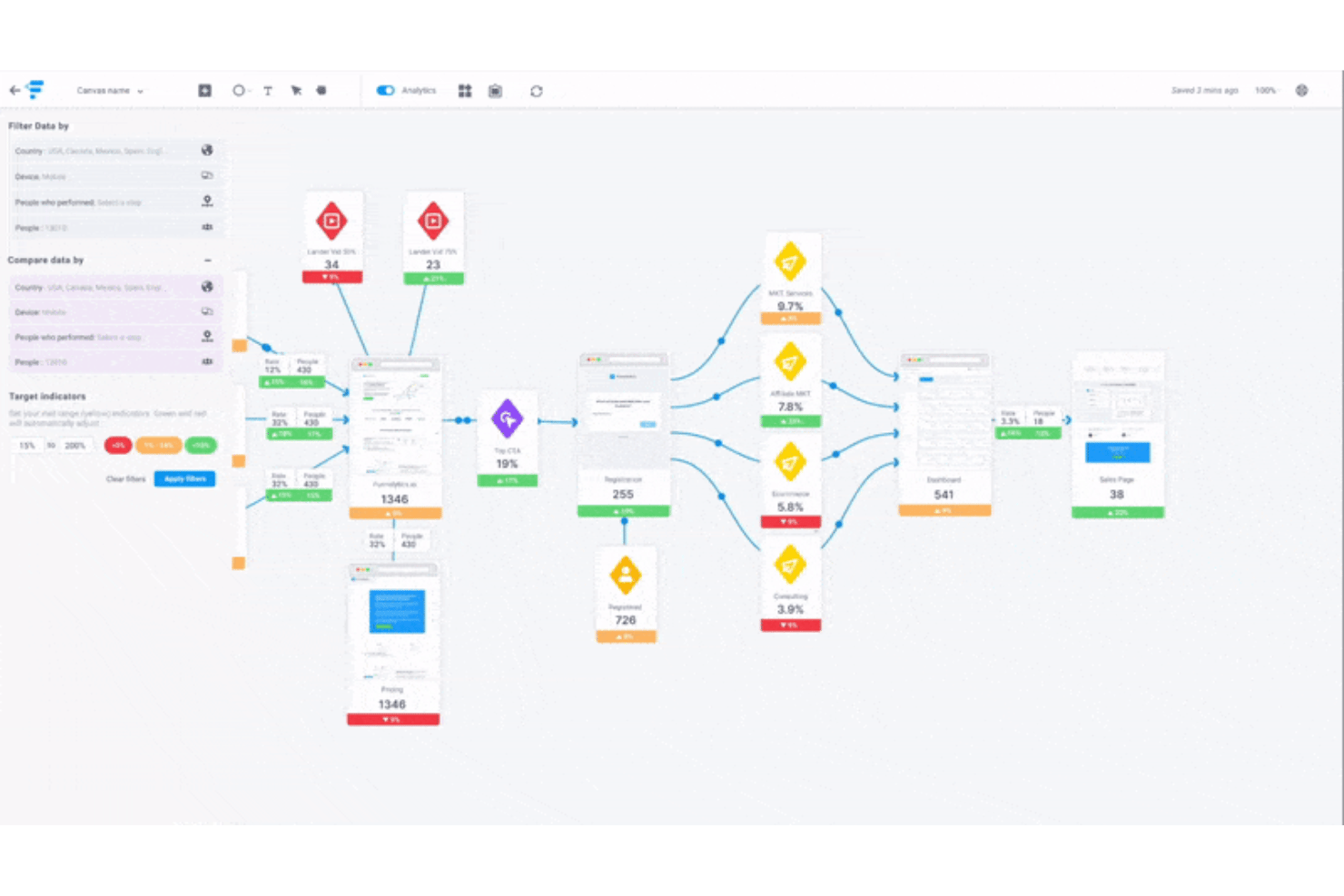
Visual Funnel Mapping
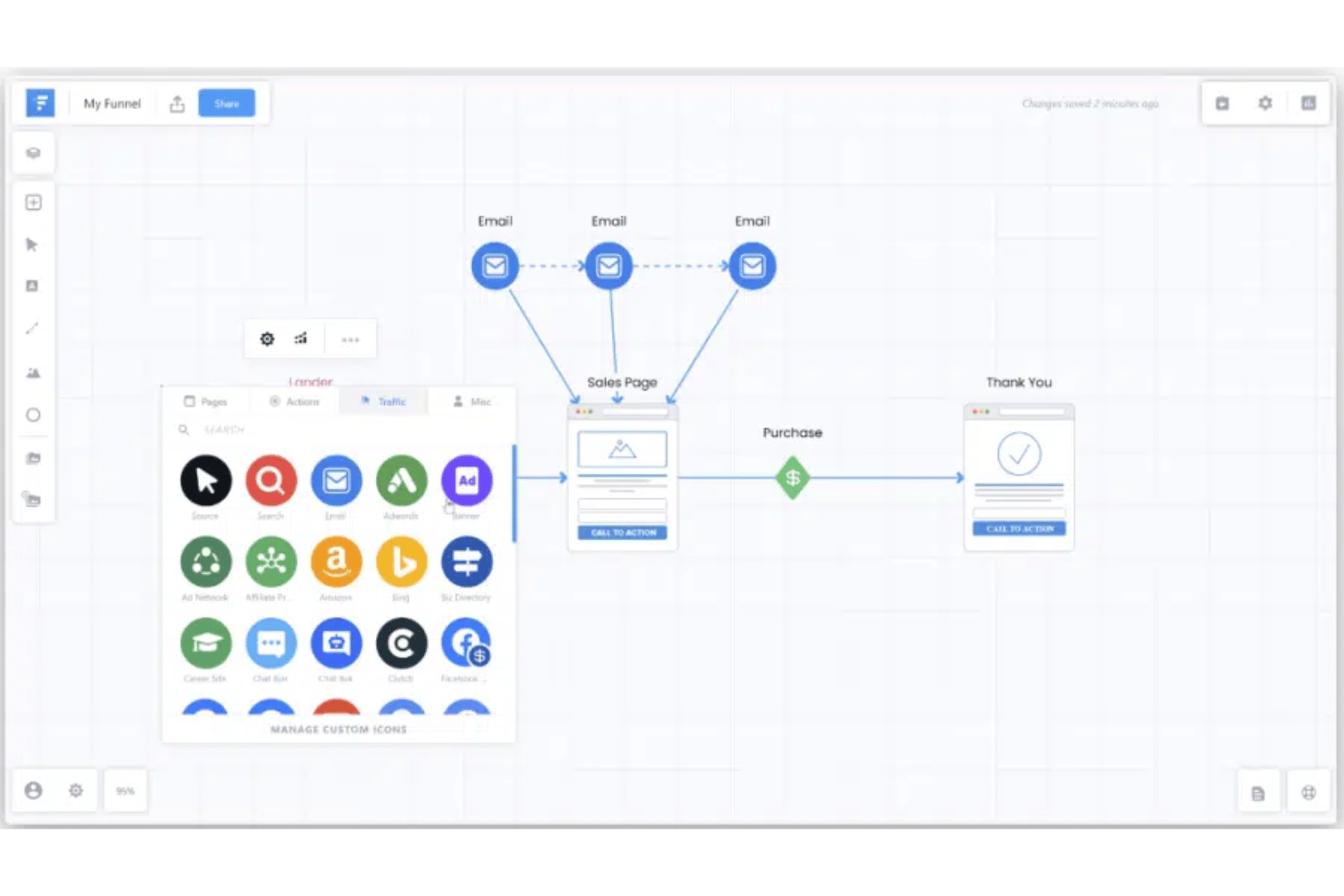
Map out marketing funnels with a drag-and-drop builder. Teams instantly see campaign structure and touchpoints on one canvas.
Goal and Conversion Tracking
Set custom goals for each funnel and monitor conversions. This makes client reporting and optimization decisions faster.
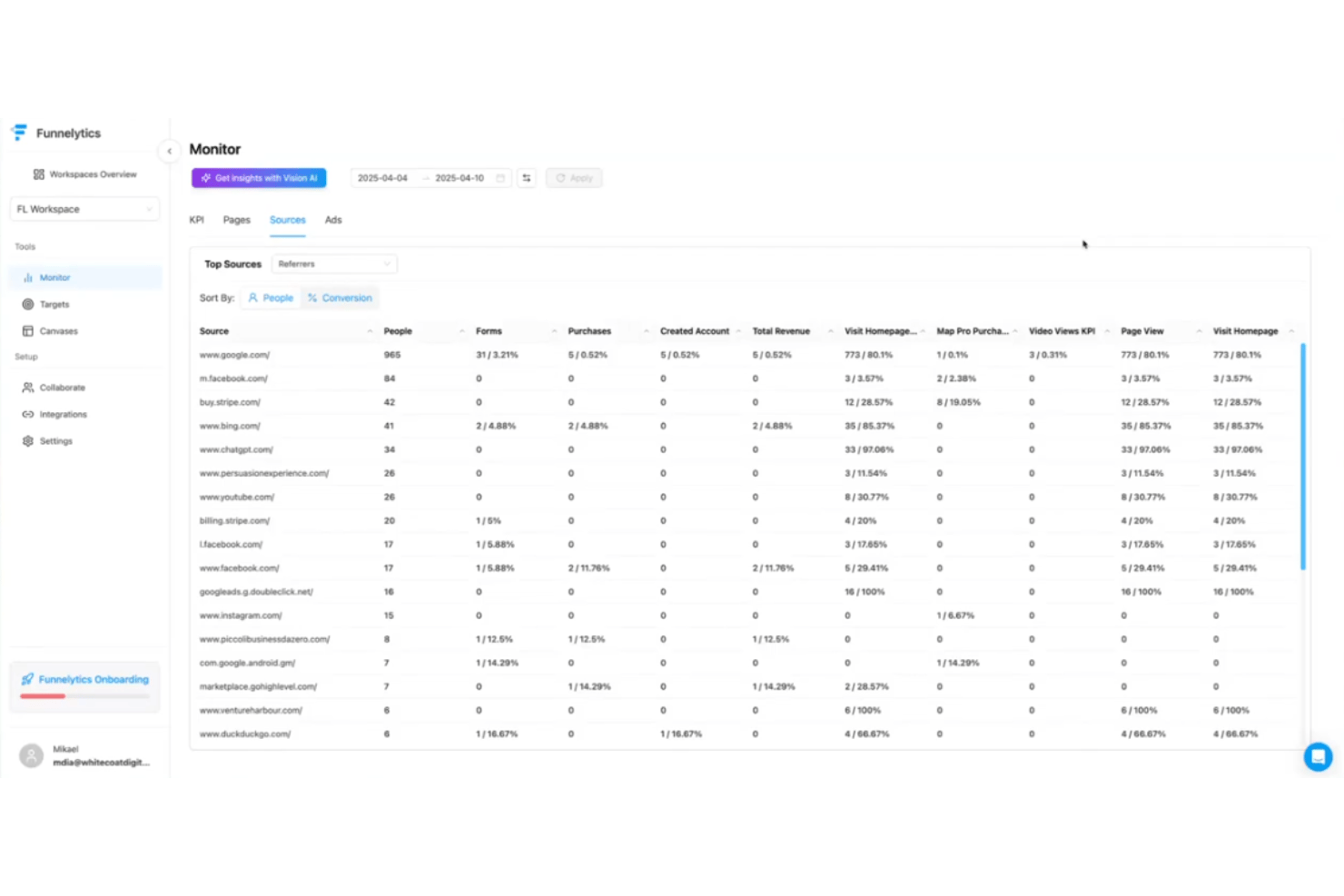
Funnel Analytics Dashboard
Get real-time data on visitor flow, drop-offs, and conversion rates. Agencies can spot issues and share insights with clients easily.
Annotation and Collaboration Tools
Add comments or notes for team members directly on funnels. This keeps feedback organized and reduces miscommunication.
Snapshot and Version History
Save snapshots of funnel designs and review past changes. This helps agencies revert or reference earlier strategies anytime.
White Label Reporting
Create branded analytics reports for clients with agency logos. Agencies look more professional without extra manual formatting.
Standout Features
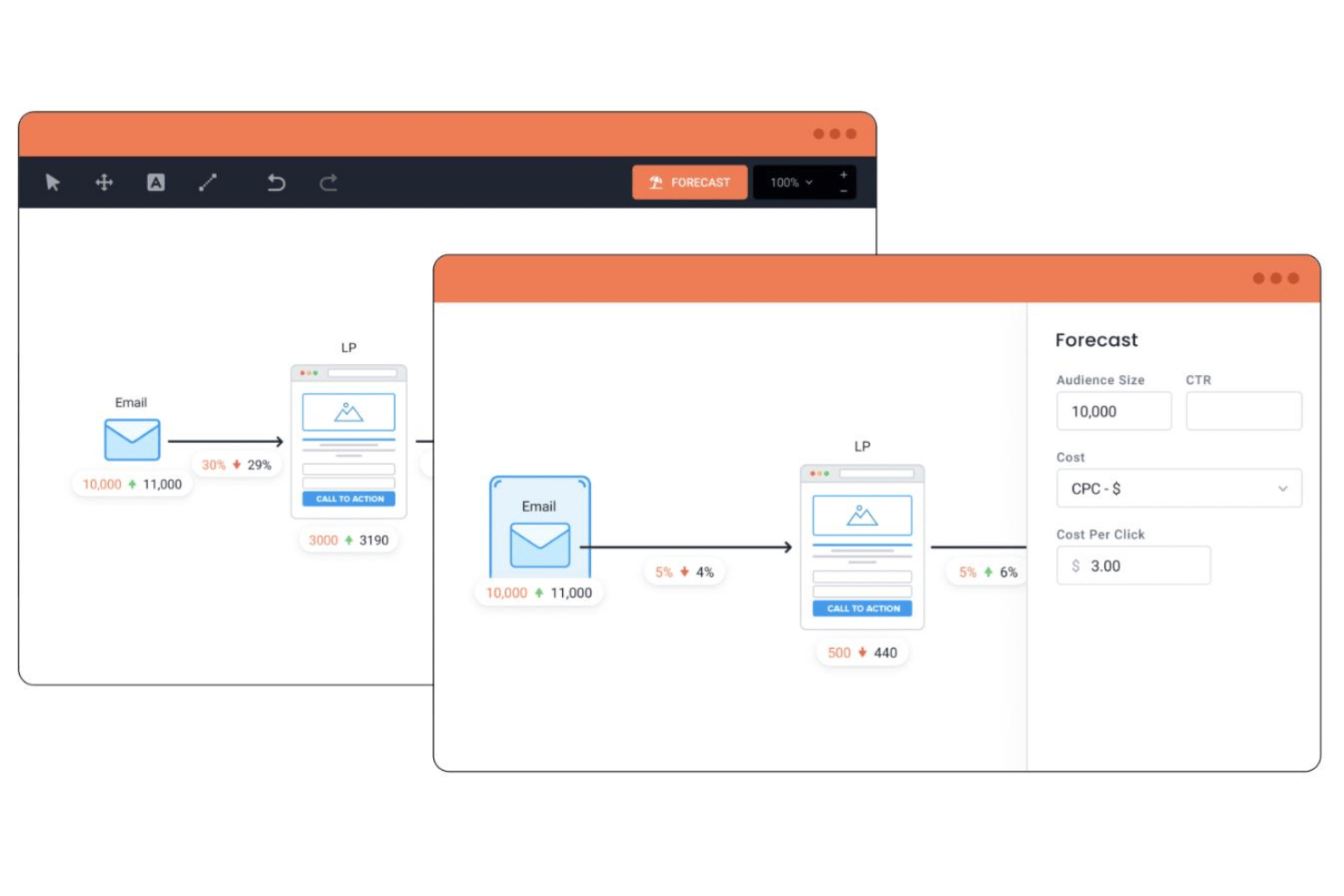
Predictive Funnel Simulation
Simulate projected traffic flow and conversion outcomes before launching campaigns. Agencies can use data to forecast results and justify strategies to clients.
Universal Tracking Script
Deploy a single script to track user journeys across multiple funnels and domains. This saves setup time and ensures agencies capture every important touchpoint automatically.
Ease of Use
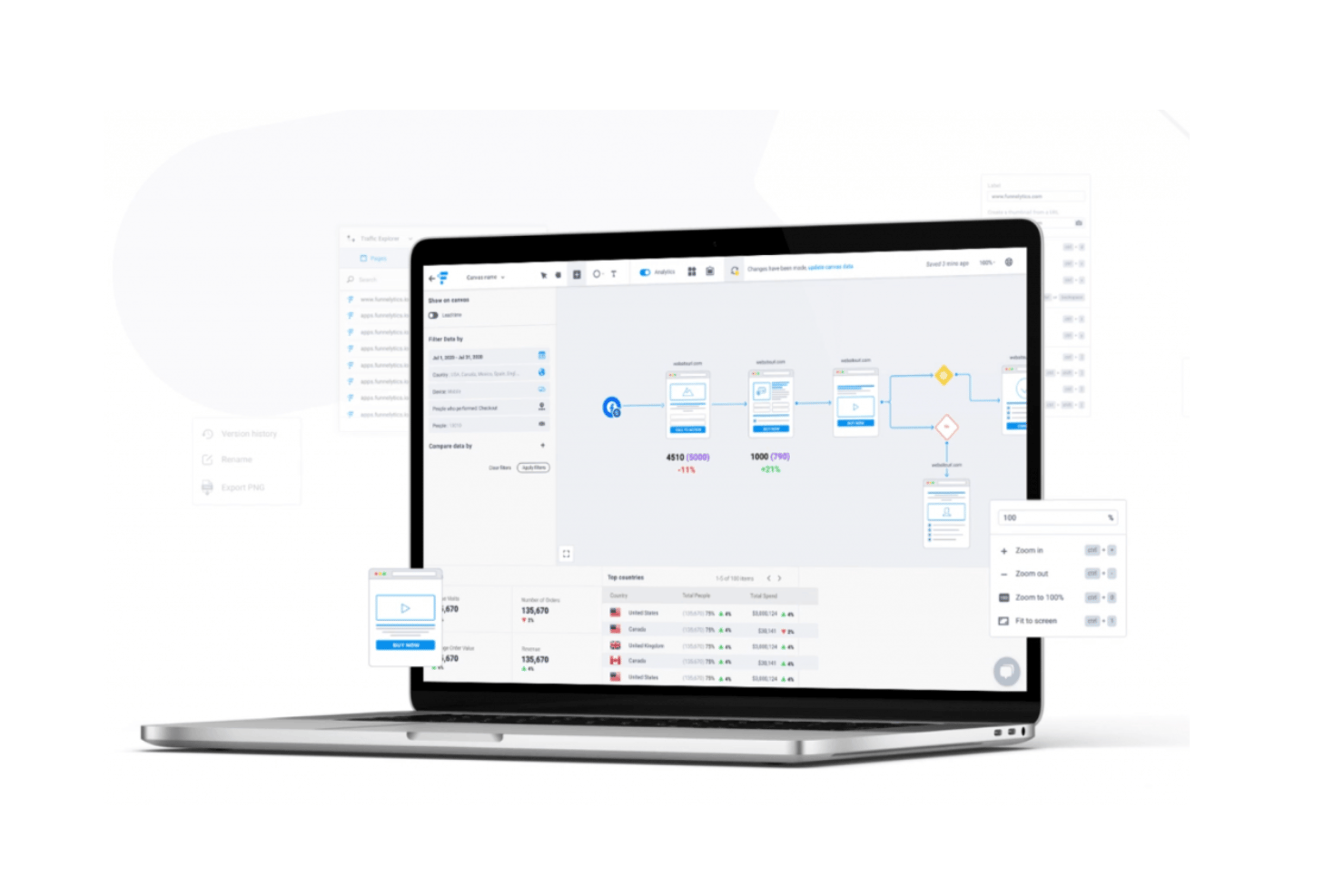
Funnelytics is remarkably user-friendly thanks to its intuitive drag-and-drop funnel builder and clean interface. I’ve noticed even new users quickly pick up campaign mapping and analysis. Clear visuals, built-in annotations, and fast sharing make client collaboration easier than what you’ll find in most software.
Onboarding
Funnelytics offers a smooth onboarding process, with guided tutorials and a comprehensive knowledge base that help users get set up quickly. Users often mention fast replies from support and a helpful community, which shortens the initial learning curve and delivers value early.
Customer Support
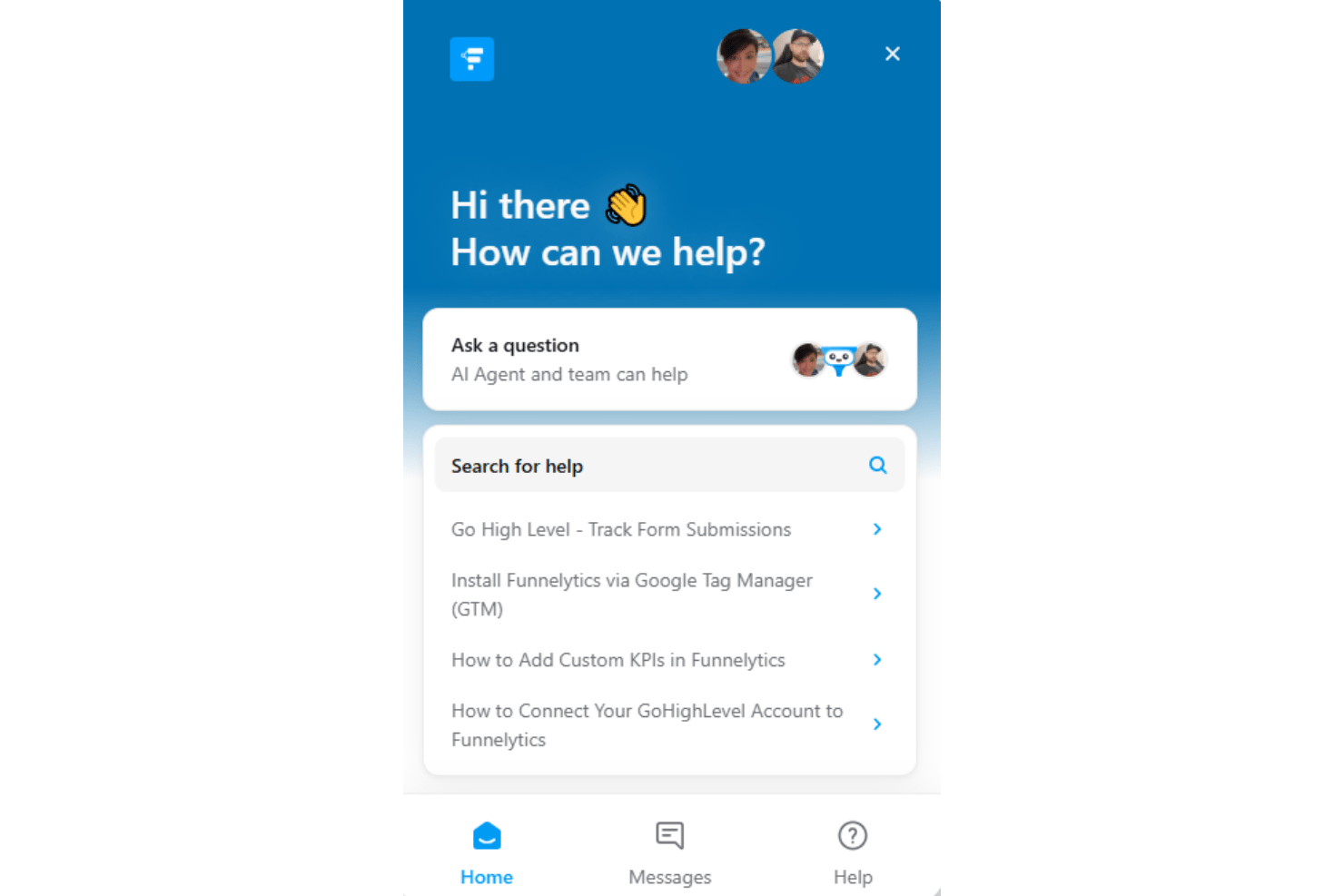
Funnelytics gets strong marks for customer support, with many users highlighting responsive chat and email channels. I’ve seen praise for their support team’s expertise and willingness to help troubleshoot issues quickly, especially during onboarding and when dealing with technical questions.
Integrations
Funnelytics integrates with Shopify, HubSpot, GoHighLevel, Meta Ads, Google Ads, and Zapier, as well as through webhooks and other major platforms.
Funnelytics also offers an API and connects with third-party tools for expanded integration options.
Value for Money
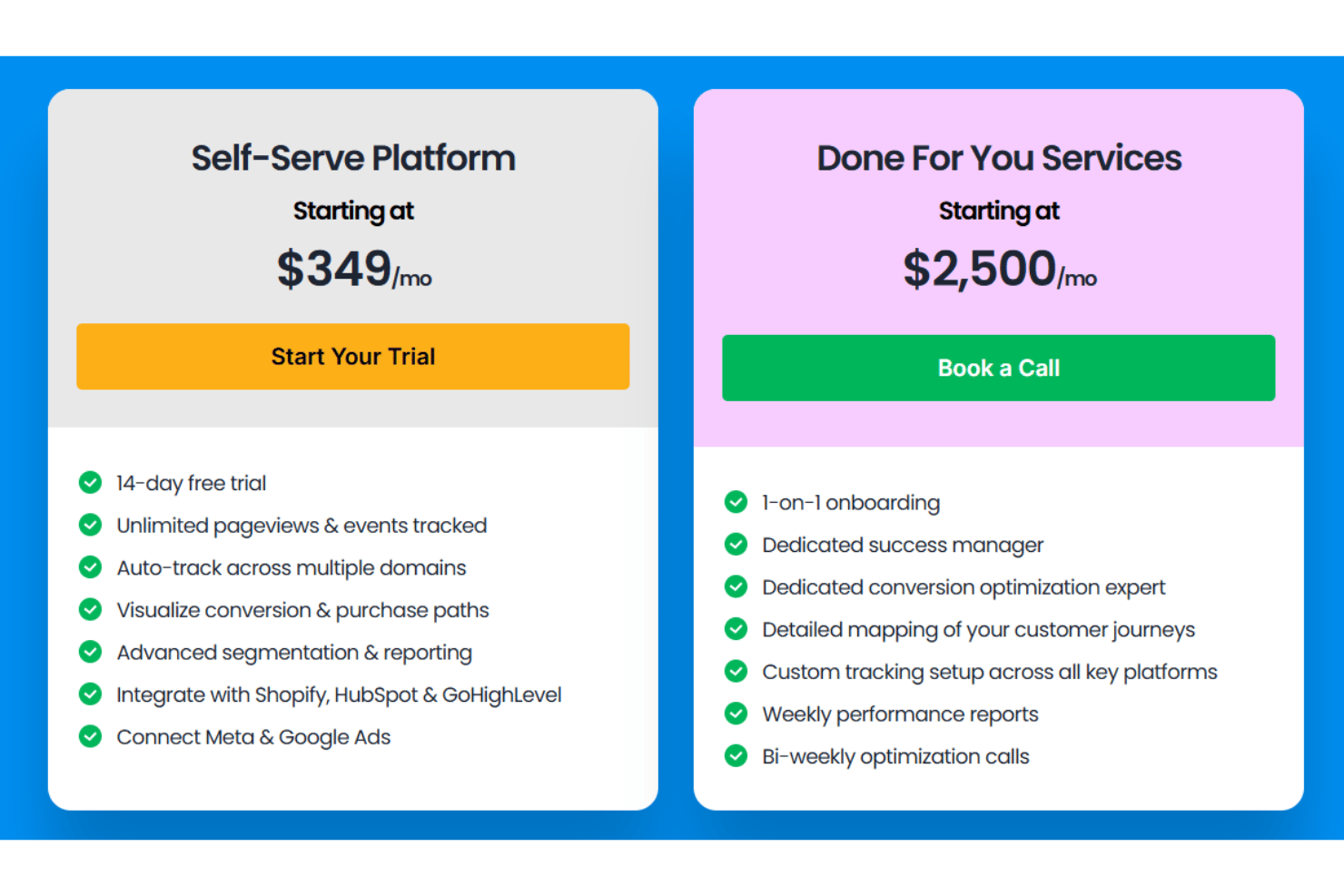
Funnelytics offers two distinct pricing tiers: a self-service platform for teams that want to build and analyze funnels on their own, and a more premium white-glove service that provides hands-on strategy, implementation, and support. While the higher-tier offering comes at a significantly greater cost, businesses that want expert guidance and done-for-you funnel optimization may find the additional investment worthwhile.
- Self-Serve Platform: Includes unlimited pageviews, unlimited tracked events, multiple-domain tracking, and advanced segmentation.
- Done For You Services: Offers 1-on-1 onboarding, dedicated account manager, a dedicated conversion optimization expert, and weekly performance reports.
Funnelytics Specs
- API
- Batch Permissions & Access
- Budgeting
- Calendar Management
- Collaboration Support
- Contact Management
- Contact Sharing
- Customer Management
- Dashboard
- Dashboards
- Data Export
- Data Import
- Data Visualization
- Dependency Tracking
- Document Sharing
- Expense Tracking
- External Integrations
- File Sharing
- Gantt Charts
- Kanban Boards
- Multi-User
- Notifications
- Project Management
- Resource Management
- Scheduling
- Task Scheduling/Tracking
- Third-Party Plugins/Add-Ons
- Time Management
- Travel Management
- Workflow Management
Funnelytics FAQs
Does Funnelytics offer real-time funnel analytics?
What integrations are available to connect Funnelytics with other marketing tools?
How quickly can a new team member learn to use Funnelytics?
Can we set custom goals or events in Funnelytics?
Is it possible to collaborate with teammates on the same funnel project?
What customer support options does Funnelytics provide?
How does Funnelytics ensure data security and privacy compliance?
Funnelytics Company Overview & History
Funnelytics is a Toronto-based software company specializing in funnel mapping and analytics solutions for agencies and marketers. Founded by Mikael Dia, Funnelytics launched in 2018 and operates with a fully remote team. The platform has been adopted by thousands of agencies and digital businesses worldwide. There is no publicly listed financial information, affiliations, or other owned products noted on its website.
Funnelytics Major Milestones
- 2017: Company founded by Mikael Dia.
- 2018: Public launch of the Funnelytics platform.
- 2019: Reached over 10,000 users on the platform.
- 2020: Introduced advanced analytics and agency-focused features.
- 2021: Expanded integration ecosystem and introduced agency-specific plans.