



Float vs. Runn: Comparison & Expert Reviews For 2026



Growth creates opportunity, but it also makes planning more complex. As demand increases and priorities shift, teams need a clear view of capacity to make confident staffing decisions and determine whether they can take on new work.
If you’re trying to juggle schedules, forecast workloads, or allocate the right people to the right projects, choosing the best resource management and capacity planning software can feel overwhelming. Both Float and Runn promise to help you plan resources and hit your delivery goals, but how do they actually compare? You probably want real answers about flexibility, speed, and how each tool supports distributed teams like yours.
In this article, you’ll get a straightforward comparison of Float vs. Runn—including pros and cons, top use cases, pricing, security, and how easy they are to use. I’ll help you see which software matches your needs so you can make the right call for your team.
Float.com vs. Runn: An Overview
Float.com

Runn
Why Trust Our Software Recommendations
Our team has been testing and reviewing software since 2012. As project managers ourselves, we know how difficult—and important—it is to choose the right software.
For this guide, we evaluated tools using hands-on testing and independent research, scoring tools using our selection criteria. We also draw on insights from industry thought leaders and practicing project management experts.
Our reviews reflect our human editorial judgment, not a sales pitch.
Expert reviewers:
Float.com vs. Runn Pricing Comparison
| Float.com | Runn | |
|---|---|---|
| Free Trial | 30-day free trial available | 30-day free trial |
| Pricing | From $7/scheduled user/month | From $7/user/month (billed annually) |
Float vs. Runn Pricing & Hidden Costs
Float offers subscription-based pricing based on the number of seats, with tiered packages that unlock more features as you go up. Extra fees may apply for optional add-ons, integrations, or increased data storage. Runn also charges per seat but is known for clear plans that scale with your team size and feature needs.
When you’re comparing pricing, look past the headline number and consider whether each tool’s features match your workflows—especially for reporting, permissions, or integrations you know you’ll need. Ask about annual versus monthly commitments, and request a breakdown of all possible fees, including onboarding, support upgrades, or customizations. Prioritize vendors that are up-front about costs so you don’t run into surprises down the line.
Float.com vs. Runn Feature Comparison
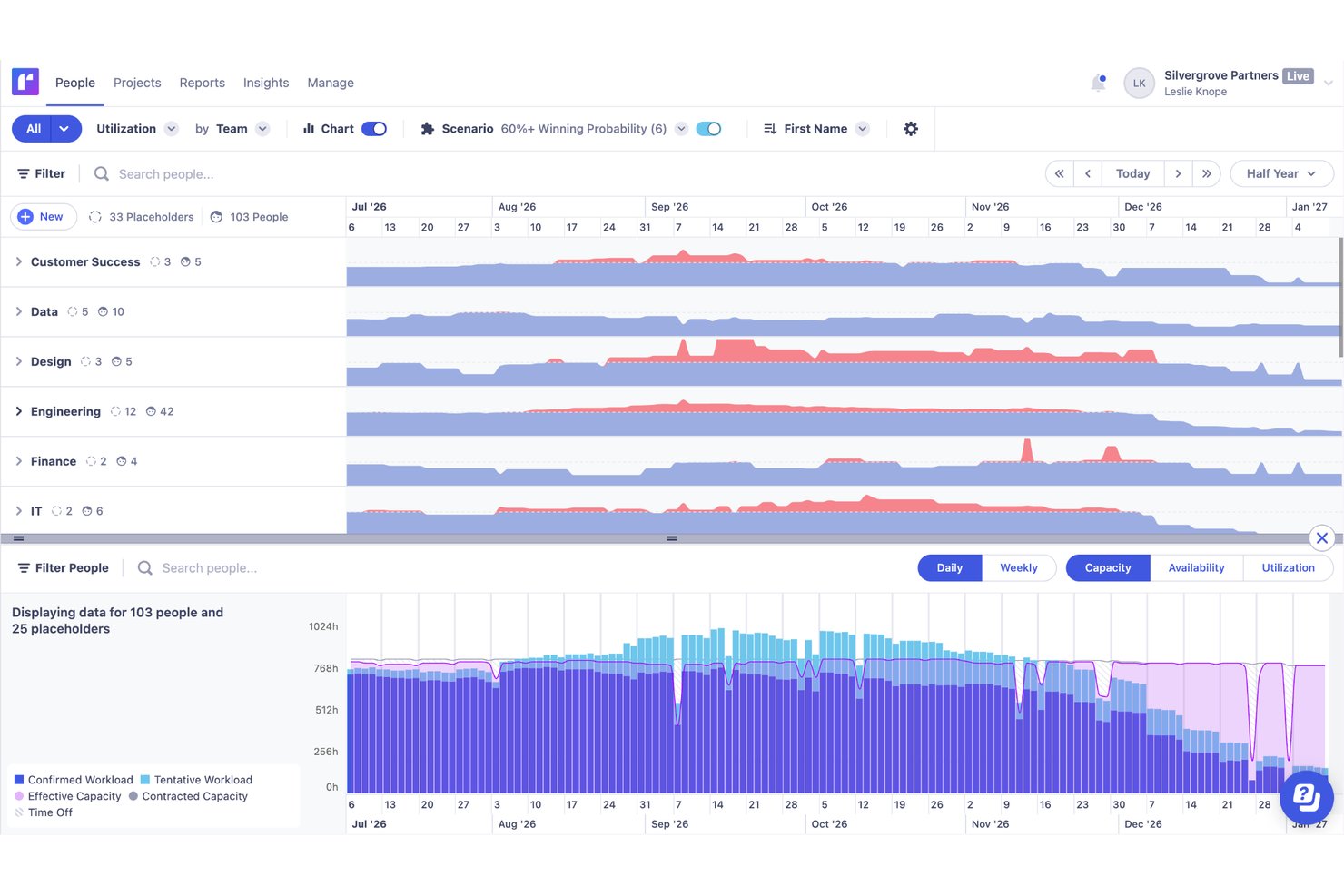
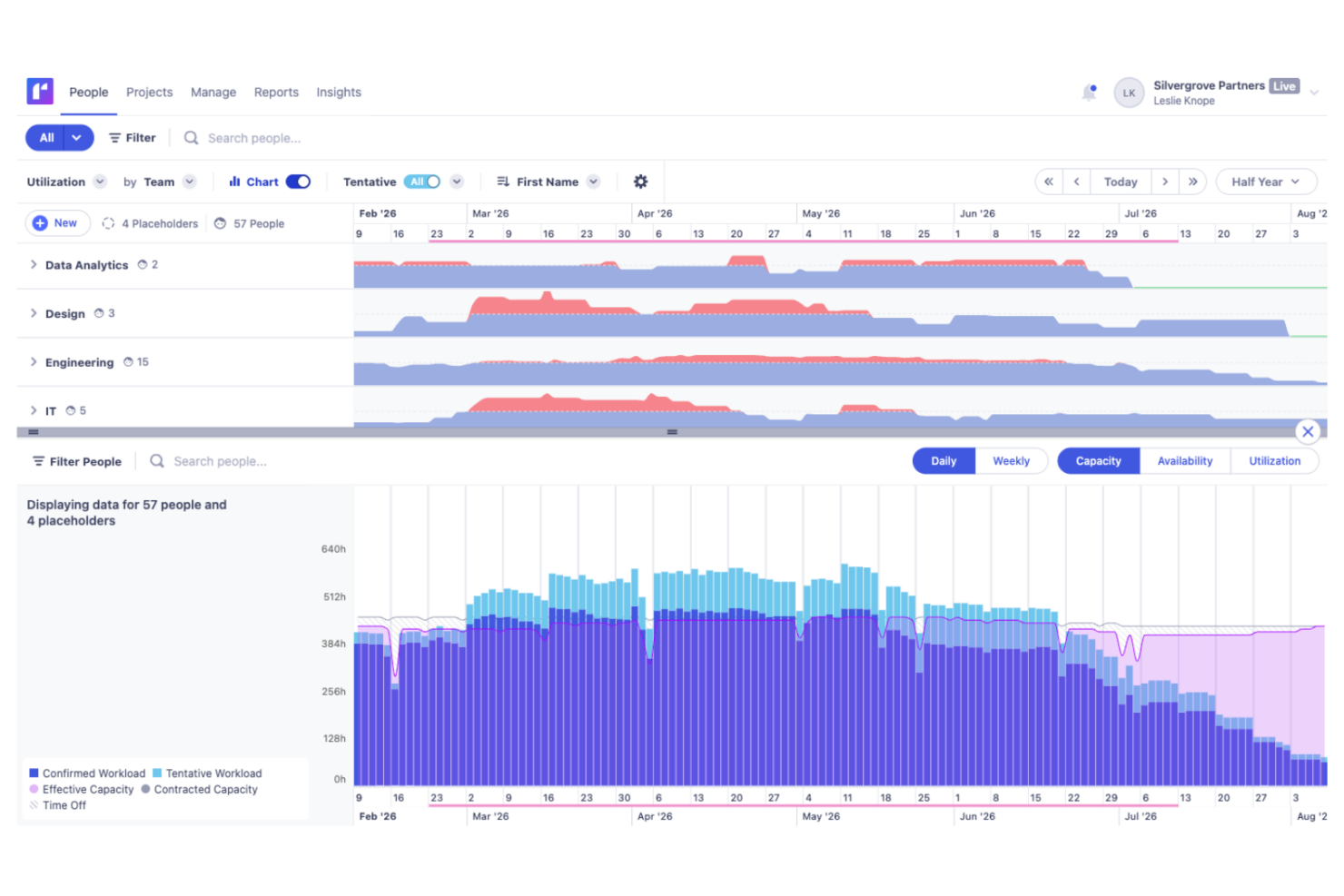
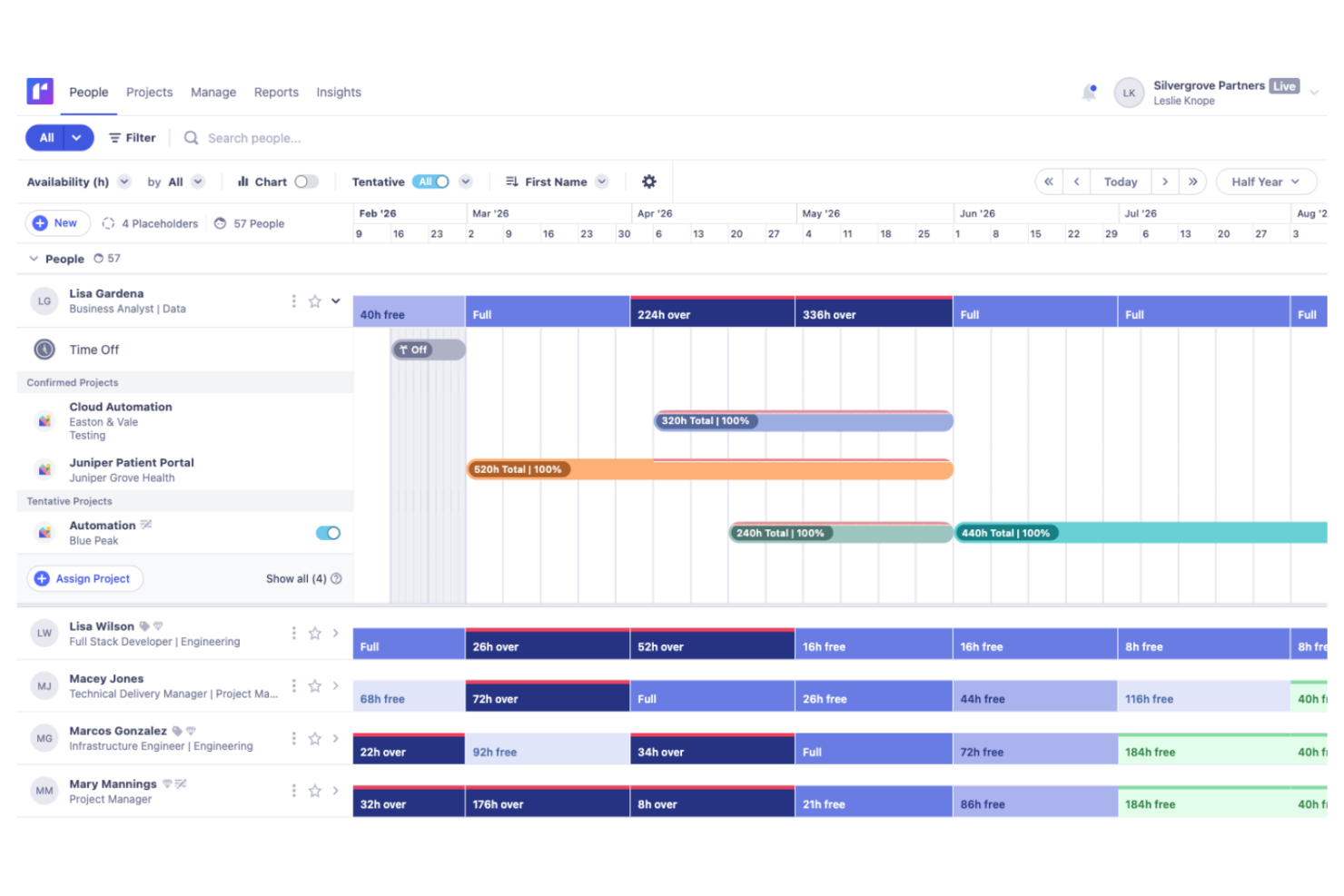
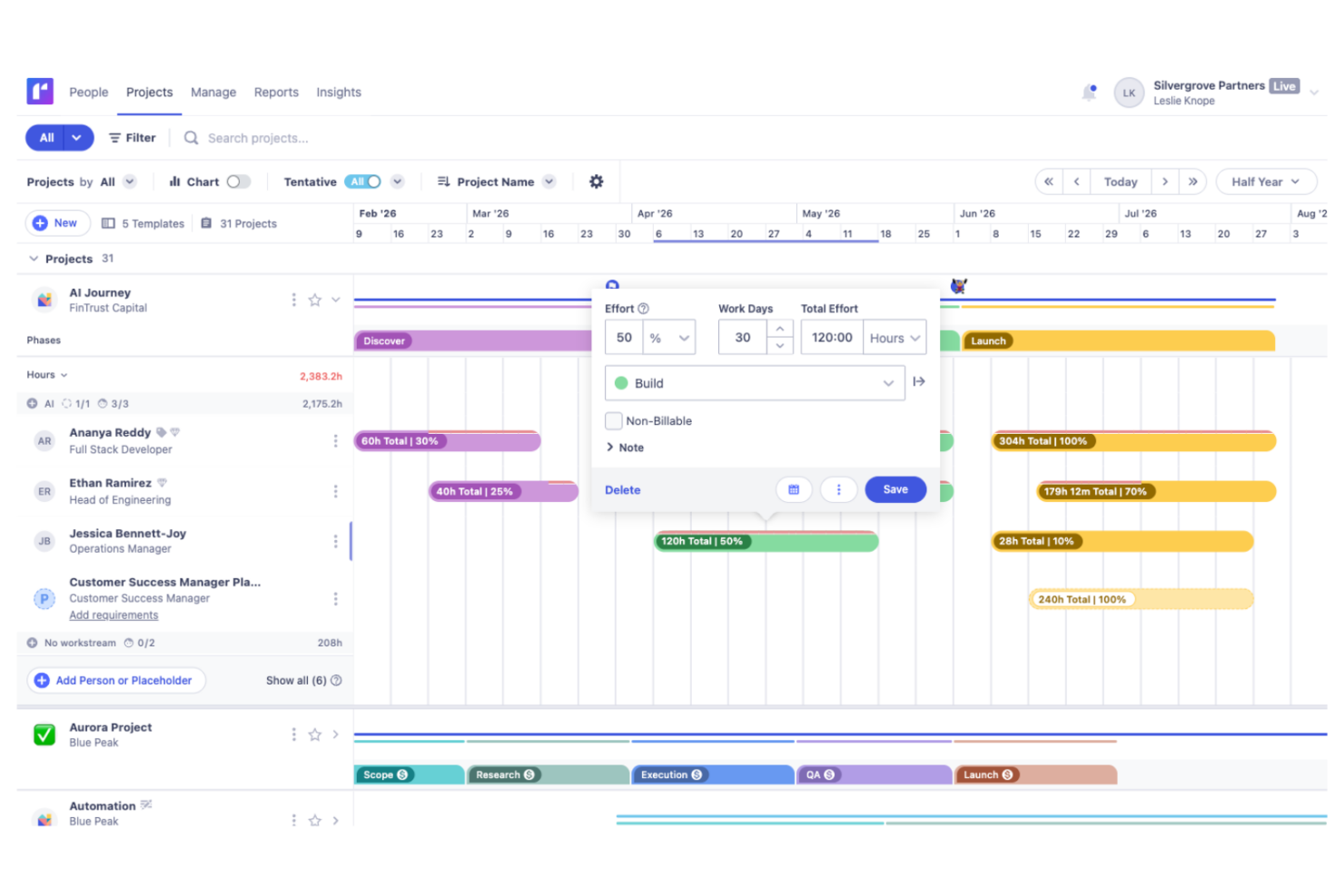
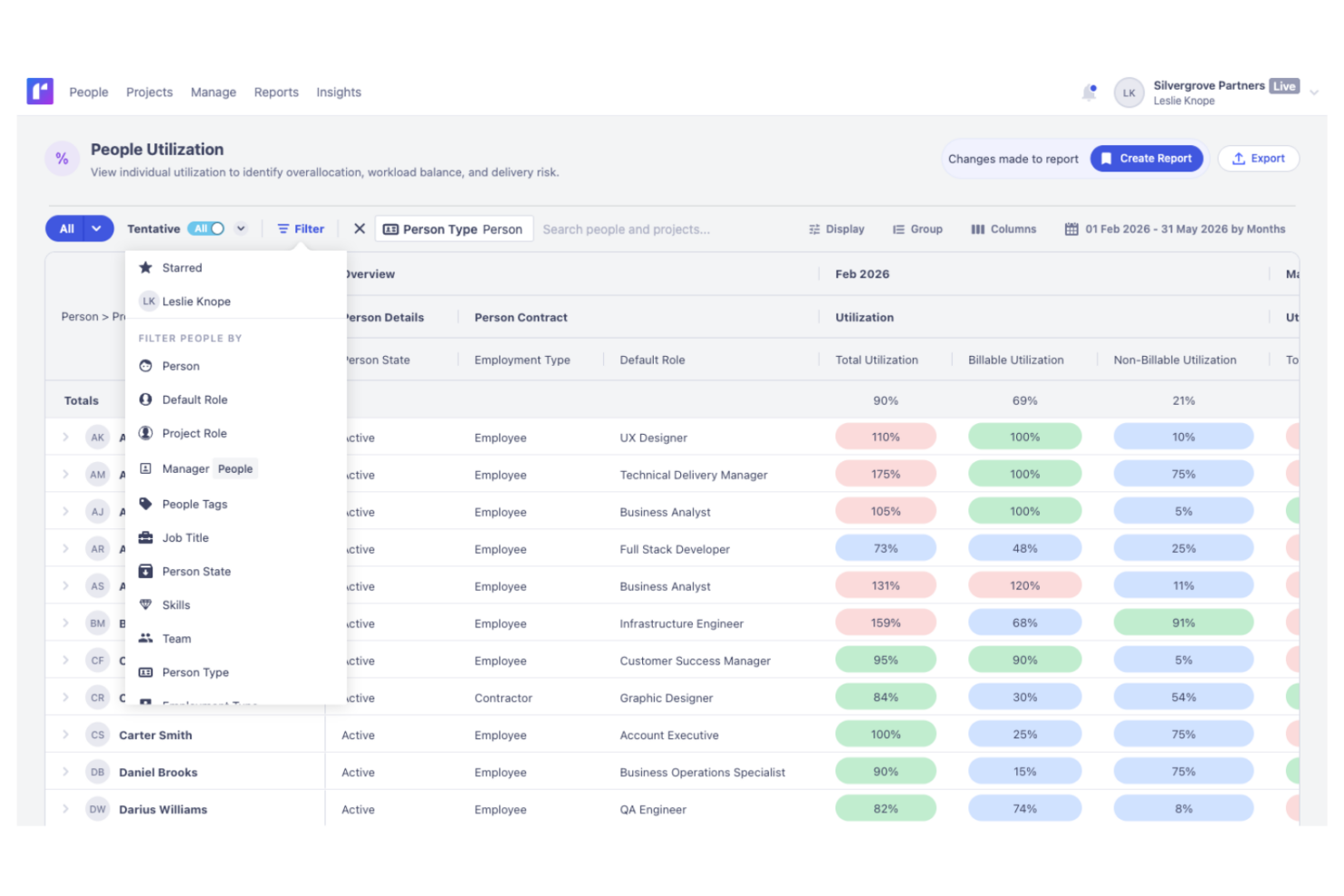
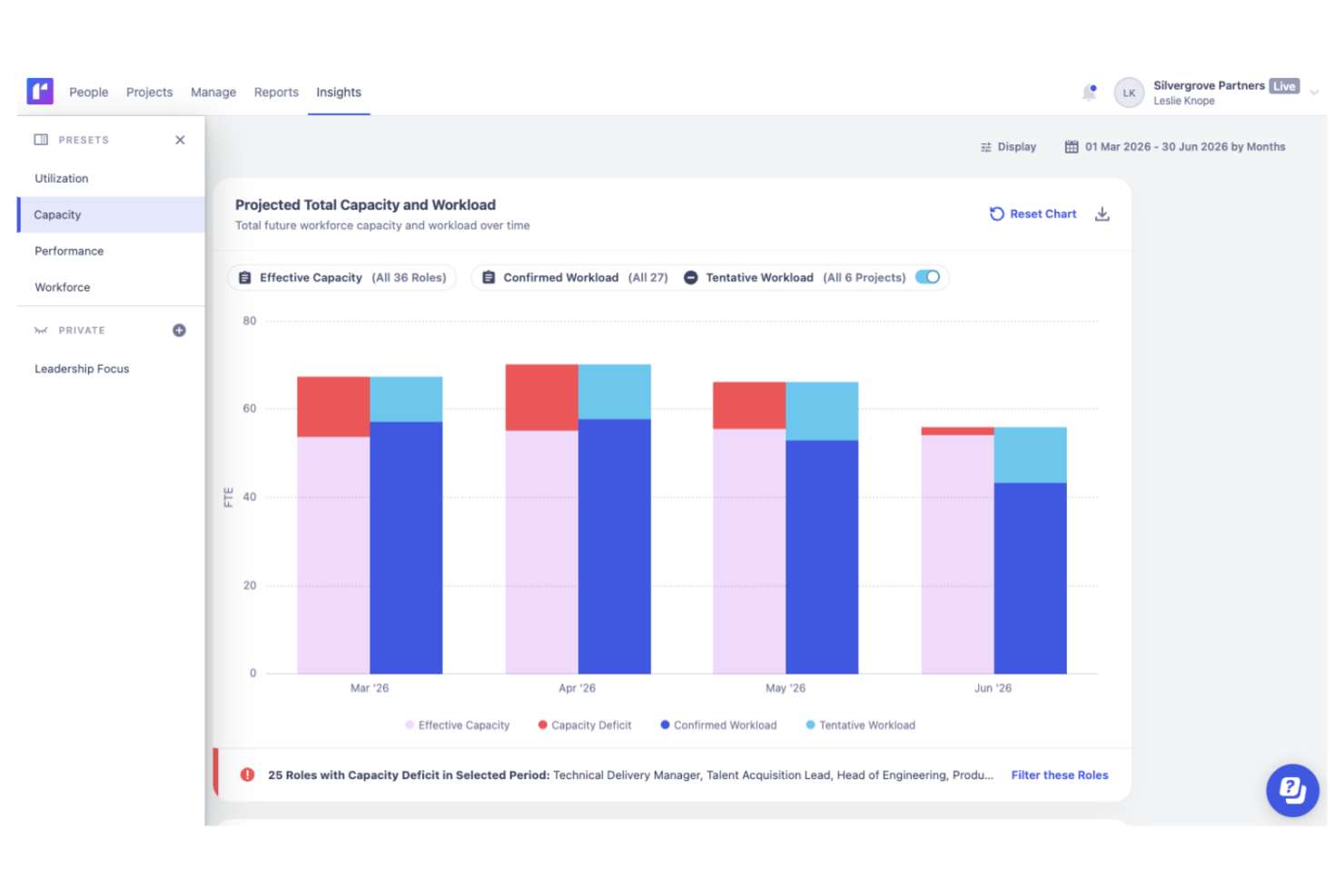
Float’s live utilization and profit-aware scheduling lets you drag-drop allocations, then spot overcapacity and margin risks on an agency retainer week. Runn’s scenario planning and tentative projects are great for mapping pipeline shifts across quarters when you’re balancing hiring with delivery. Compared to Runn, Float feels better when you need tight actuals vs. planned visibility inside the schedule, while Runn shines for multi-month forecasting across teams.
| Float.com | Runn | |
|---|---|---|
| API | ||
| Approval Workflows | ||
| Audit Trail | ||
| Budgeting | ||
| Calendar Management | ||
| Compliance Tracking | ||
| Custom Reports | ||
| Customer Management | ||
| Dashboard | ||
| Data Export | ||
| Data Import | ||
| Data Visualization | ||
| Document Management | ||
| Expense Tracking | ||
| External Integrations | ||
| Forecasting | ||
| Inventory Tracking | ||
| Multi-Currency | ||
| Multi-User | ||
| Notifications | ||
| Prioritization | ||
| Process Reporting | ||
| Project Management | ||
| Resource Management | ||
| Risk Assessment | ||
| Roadmapping | ||
| Scheduling | ||
| Supplier Management | ||
| Third-Party Plugins/Add-Ons | ||
| Workflow Management |
Float vs. Runn Integrations
| Integration | Float | Runn |
|---|---|---|
| Asana | ✅ | ❌ |
| Jira | ✅ | ✅ |
| Microsoft Teams | ✅ | ❌ |
| Trello | ✅ | ❌ |
| Slack | ✅ | ❌ |
| BambooHR | ❌ | ✅ |
| n8n | ✅ | ✅ |
| API | ✅ | ✅ |
| Zapier | ✅ | ✅ |
Runn and Float offer a comparable range of integrations across the core tools teams use for project planning, communication, and business operations. Runn provides a focused selection of native integrations, including broader support for HR and people-management platforms, along with API access and additional connections through Zapier and n8n. Float also supports APIs and popular third-party integrations, so the better fit will largely depend on the tools already in your workflow rather than any major difference in overall integration capabilities.
Float vs. Runn Security, Compliance & Reliability
| Factor | Float | Runn |
|---|---|---|
| Data Encryption | Float uses AES-256 encryption to protect data at rest and TLS for data in transit. | Runn encrypts data in transit using TLS 1.2+ and at rest using AES-256. |
| Regulatory Compliance | Float complies with GDPR and SOC 2 to maintain user data privacy. | Runn is SOC 2 Type II certified and supports compliance with GDPR, CCPA/CPRA, and applicable user data requests. |
| Uptime Reliability | Float promises 99.5% uptime and daily backups. | Runn’s security information supports continuous monitoring, backups, recovery measures, and incident response. |
Float and Runn both offer strong data security and compliance. To choose the right project and resource management software, assess how each tool's security features align with your compliance and data handling needs. Runn narrowly takes the lead thanks to its support for CCPA compliance, giving it a slight advantage for organizations with California privacy requirements.
Float vs. Runn Ease of Use
| Factor | Float | Runn |
|---|---|---|
| User Interface | Float offers a clean, intuitive interface that simplifies resource scheduling. | Simple, modern design focused on quick navigation. |
| Onboarding Experience | Float provides step-by-step tutorials and guides that make it easy for new users to start. | Runn offers personalized onboarding sessions and dedicated implementation services. |
| Customer Support | Float has responsive chat and email support available 24/5 to support a global customer base. | Runn offers an extensive knowledge base email support, in-app chat support, an in-app AI help desk agent, and an extensive knowledge base. |
Float is easier to navigate thanks to its straightforward, user-friendly interface, making it simple for new teams to get started. Runn has a slightly steeper learning curve because of its more advanced planning and forecasting capabilities, but teams that invest the time to learn the platform are rewarded with deeper insights and more powerful capacity planning features.
Float.com vs Runn: Pros & Cons
Float.com
- Float offers built-in time tracking so you can track actuals and improve accuracy in future resource planning.
- Strong forecasting tools support long-term planning and resource allocation.
- Flexible dashboards make managing complex projects more organized.
- Interface can feel overwhelming for small or simple projects.
- Time tracking features require a higher plan
- New users might need time to navigate and understand the platform's full features.
Runn
- Accurate forecasting tools provide insights into project health and resource needs, and help make informed decisions about future projects.
- Custom tags and fields make it easier to structure your data and make faster decisions.
- Reusable project templates reduce manual setup and help maintain consistency across recurring projects.
- Teams with highly complex permission requirements should review whether Runn’s role-based permissions meet their needs
- You may experience issues with managing over 1000 resources.
- Timesheet functionality isn't as robust as dedicated timesheet solutions.
Best Use Cases for Float.com and Runn
Float.com
- Creative agencies Float’s visual schedule helps you manage multiple projects and multiple client demands with ease.
- Tech startups Real-time updates keep your remote teams aligned and responsive to changes.
- Marketing departments You can quickly adjust schedules to accommodate new campaigns and priorities.
- Product development Clear reporting helps you make informed decisions for your development sprints.
- Remote teams Float's integrations with Slack and Google Calendar improve communication and coordination, which is vital for remote teams with varied schedules.
- Studios Studios benefit from Float's ability to track time and resources, and you can make sure projects stay on budget with the tool's real-time budget updates.
Runn
- IT Solutions Runn's project forecasting and capacity planning features are tailored for IT teams and help you manage resources effectively.
- Software Delivery The intuitive timeline view helps with planning sprints and managing project phases seamlessly.
- Digital Transformation Agencies Runn helps manage specialist workloads, plan future projects, and allocate resources more effectively across client engagements.
- Consulting firms With Runn, you can quickly adapt to changing client needs through its flexible scheduling.
- Marketing teams Its visual timelines help you coordinate campaigns and track deliverables efficiently.
- Cross-functional teams The skills management feature helps you assign tasks based on expertise and improve collaboration across departments.
Who Should Use Float, and Who Should Use Runn?
Float is a great fit for agencies, consultancies, and creative teams who want fast, visual resource scheduling without complexity. Runn stands out for analytics-driven teams, professional service firms, and organizations managing complex portfolios or needing robust capacity forecasting. If you value simplicity and quick onboarding, choose Float; if you prioritize scenario planning and deeper reporting, Runn will serve you better. Both tools cater to teams that need reliable workload visibility, but your priorities will tip the scale.
Differences Between Float.com and Runn
| Float.com | Runn | |
|---|---|---|
| Customization Options | Flexible views and custom fields applicable to most projects. | Deep scenario planning, capacity planning, and custom roles for complex workflows. |
| Data Visualization | Float provides an intuitive drag-and-drop interface for quick schedule adjustments. | Runn focuses on detailed project timelines with more emphasis on data analysis. |
| Financial Forecasting | Basic budget fields and limited reporting on finances. | Advanced revenue, cost, and margin analytics built-in. |
| Visit Float.comOpens new window | Visit RunnOpens new window |
Similarities Between Float.com and Runn
| API and Automation | Each platform supports integrations via API and Zapier, allowing teams to automate tasks, connect with favorite tools, and customize workflows as needed. |
|---|---|
| Availability Tracking | Each platform tracks employee availability, time off, and utilization at a glance, promoting healthy workloads and reducing scheduling conflicts for distributed teams. |
| Data Security | Float and Runn both prioritize data security and use encryption to protect your information. |
| Resource Management | Both Float and Runn excel in resource management and help with effective resource allocation and task management. Float uses visual timelines, while Runn offers detailed resource analytics. |
| Visit Float.comOpens new window Visit RunnOpens new window | |