



Click Maint CMMS vs. Limble: Comparison & Expert Reviews For 2026



As maintenance demands grow, the wrong platform can leave your team buried in manual work, missed requests, and scattered information. Two leading options promise to bring order to the chaos, but their different approaches could make one a much better fit for your team.
If you’re weighing Click Maint CMMS against Limble, you’re likely trying to cut down on manual work and deal with growing maintenance tasks. The right facilities project management software should make day-to-day coordination less stressful and give you more control over your site’s projects. But with so many overlapping features and different pricing models, knowing which one fits your team best isn’t always straightforward.
In this article, you’ll get a clear comparison of Click Maint CMMS and Limble, including pros and cons, top use cases, pricing details, security info, and how each tool actually feels to use. I’ll share insights to help you decide which tool lines up with your real needs.
Click Maint CMMS vs. Limble: An Overview
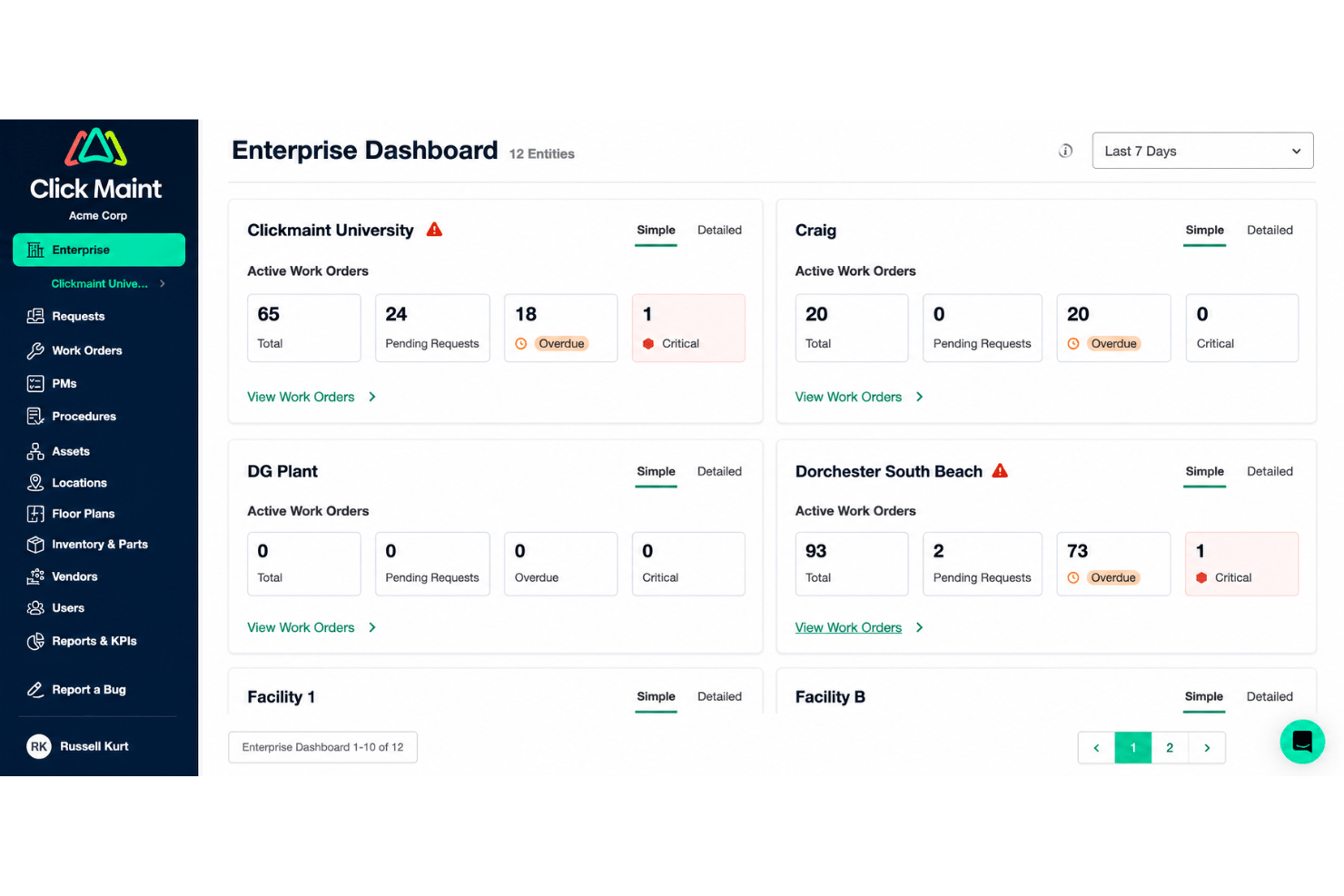
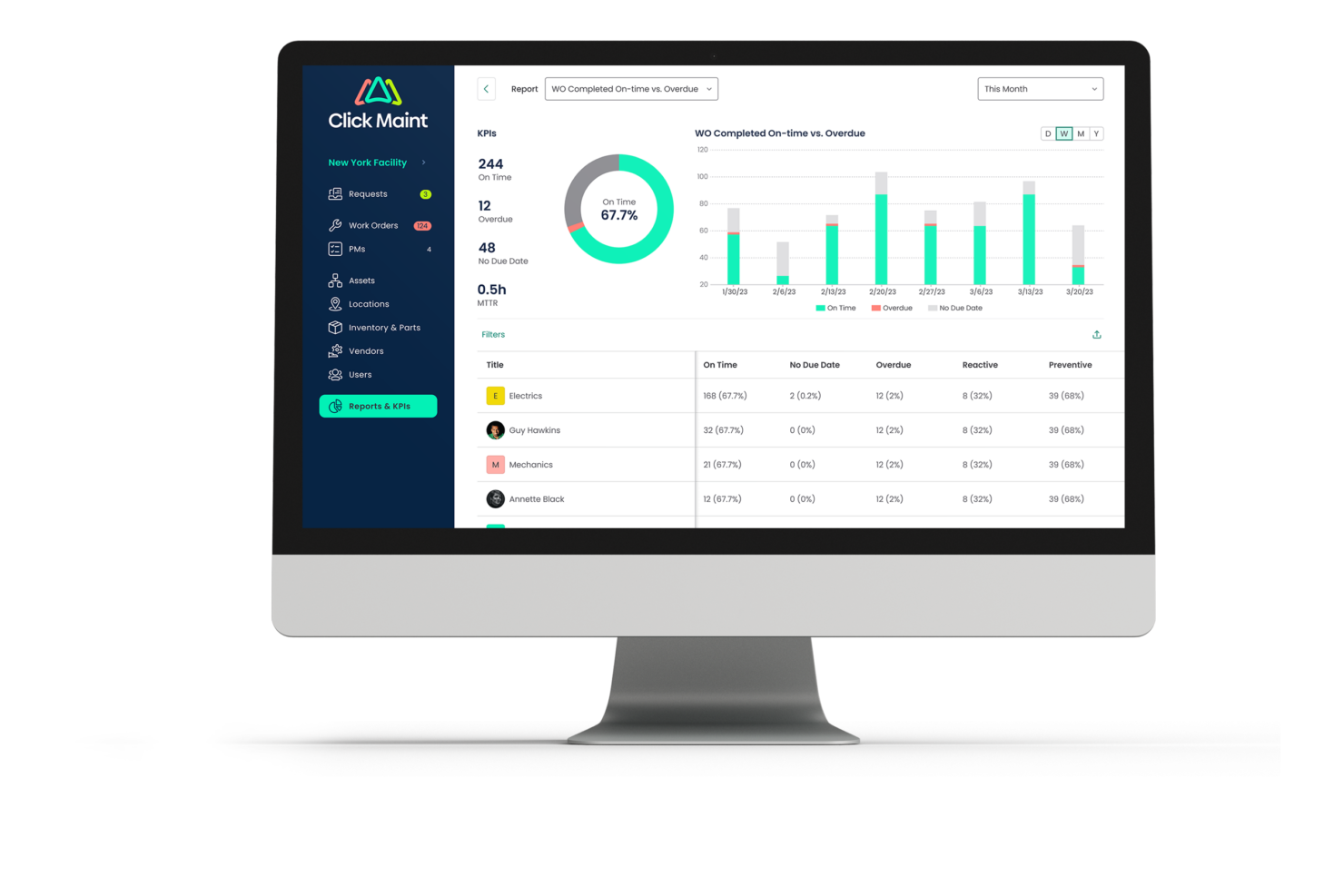
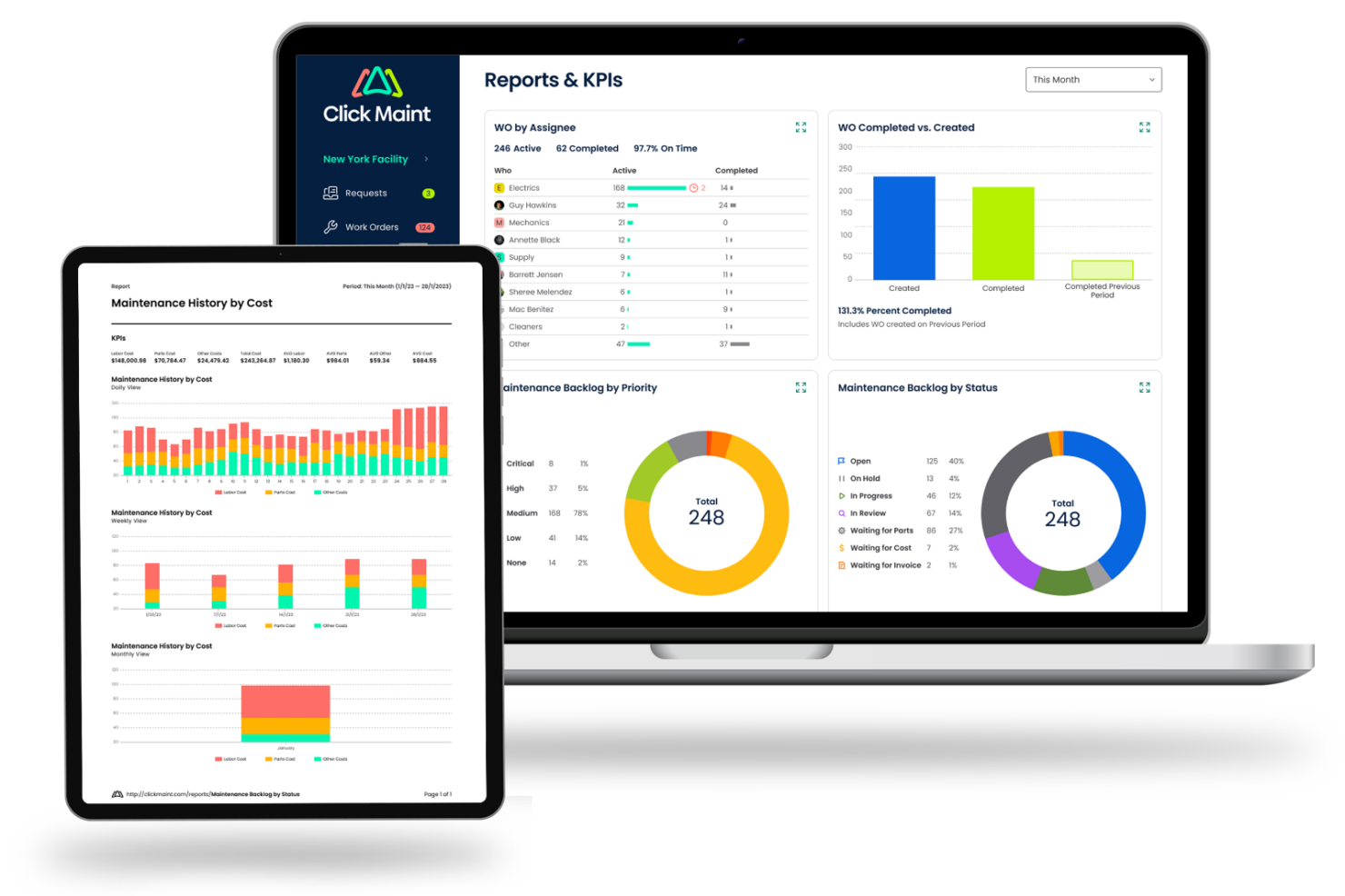
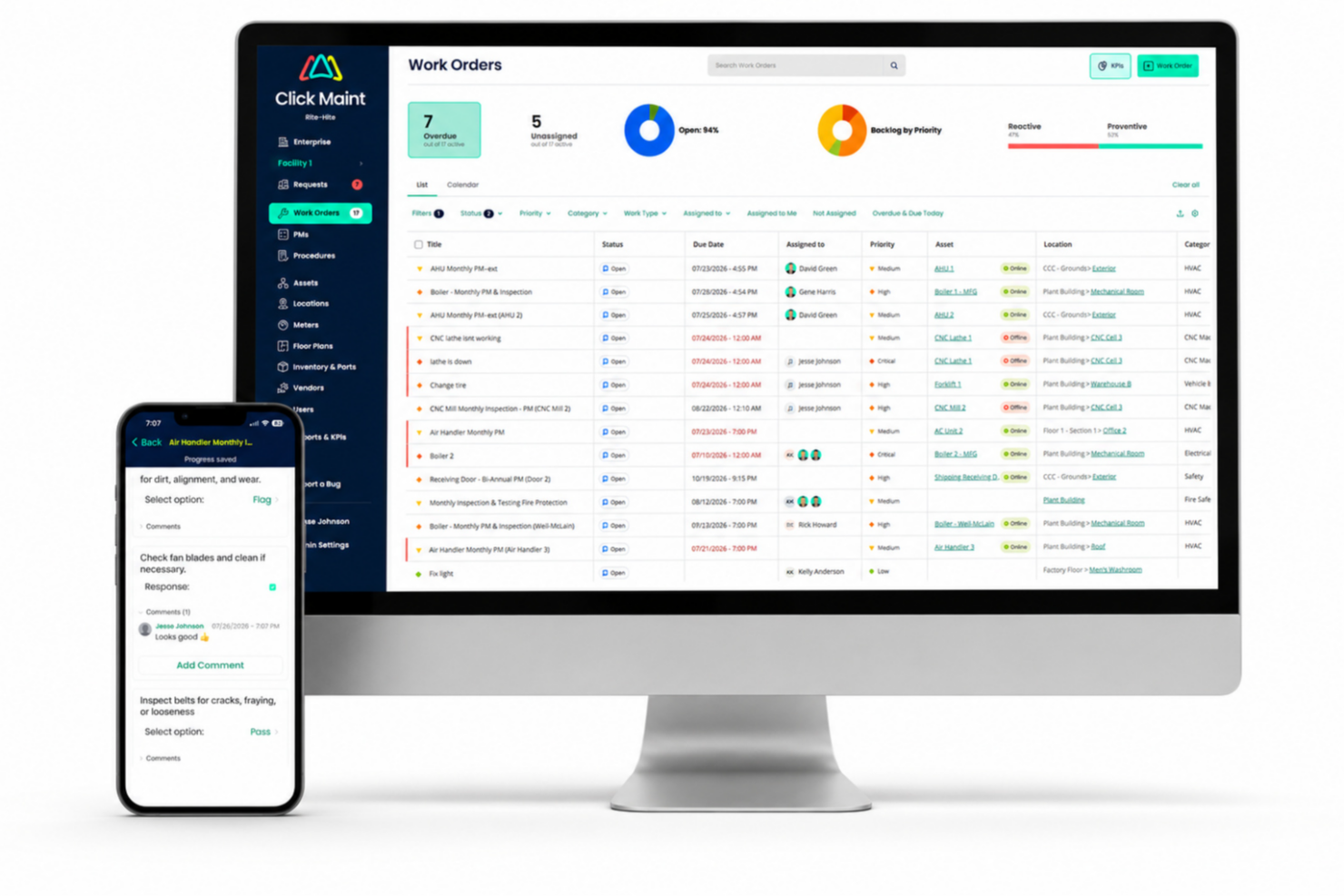
Click Maint CMMS
Limble



Why Trust Our Software Recommendations
Our team has been testing and reviewing software since 2012. As project managers ourselves, we know how difficult—and important—it is to choose the right software.
For this guide, we evaluated tools using hands-on testing and independent research, scoring tools using our selection criteria. We also draw on insights from industry thought leaders and practicing project management experts.
Our reviews reflect our human editorial judgment, not a sales pitch.
Expert reviewers:
Click Maint CMMS vs. Limble Pricing Comparison
| Click Maint CMMS | Limble | |
|---|---|---|
| Free Trial | 30-day free trial + free demo available | Free demo available |
| Pricing | Single plan at $35 per user/month (billed annually) | Pricing upon request |
Click Maint CMMS vs. Limble Pricing & Hidden Costs
Click Maint charges per user, per month, on a single plan. Not a starter plan, not a tier: the plan. Annual billing costs less than monthly, there is a free trial to test drive it, and only people who log in to manage or complete work count as seats, so requesters ride along free and unlimited. Limble runs the more familiar SaaS ladder. Requesters are unlimited on Limble too, though the free tier caps how many open request tickets you can actually hold.
The interesting question is not the sticker, it is what sits behind each paywall. On Limble, parts inventory, purchase orders, vendor management, time and cost tracking, meter-based scheduling, and REST API access all wait until you commit to a higher-tier plan. Click Maint has no ladder, so API access, the uptime SLA, multi-site management, and an account manager arrive on day one. Its fees live somewhere else entirely: onboarding and implementation. Starting from scratch is free, but importing a pile of legacy data or migrating work order history from an incumbent CMMS is quoted separately, as is the onsite asset audit.
Work out which features you genuinely need, then price the tier and the one-time services together, because comparing base rates alone will mislead you in both directions.
Click Maint CMMS vs. Limble Feature Comparison
| Click Maint CMMS | Limble | |
|---|---|---|
| API | ||
| Calendar Management | ||
| Customer Management | ||
| Dashboard | ||
| Data Export | ||
| Data Import | ||
| Data Visualization | ||
| External Integrations | ||
| Inventory Tracking | ||
| Multi-User | ||
| Notifications | ||
| Scheduling | ||
| Supplier Management |
Click Maint CMMS vs. Limble Integrations
| Integration | Click Maint CMMS | Limble |
|---|---|---|
| QuickBooks | ❌ | ✅ |
| Microsoft outlook | ❌ | ✅ |
| Microsoft Teams | ❌ | ❌ |
| Slack | ❌ | ✅ |
| Microsoft Dynamics 365 Business Central | ❌ | ✅ |
| Dropbox | ❌ | ❌ |
| SAP | ❌ | ✅ |
| API | ✅ | ✅ |
| Zapier | ✅ | ❌ |
Limble comes with pre-built connections to most of the systems that sit alongside a CMMS in real life: ERP, accounting, team chat, shared calendars, and IoT integrations. There is an integration platform layer for anything bespoke, though the ERP and sensor connections sit at Enterprise and bill separately. Click Maint answers with well-documented Webhooks and REST API covering the core records you would want to sync, included in the plan with no tier to unlock. It is a genuinely usable API, but it is a toolkit rather than a catalog: someone on your side has to build each connection and then keep it alive. If your maintenance data has to reconcile with an ERP or an accounting ledger and you have no developer to spare, Limble wins this outright. If the CMMS is meant to be selfcontained, the gap costs you nothing.
Click Maint CMMS vs. Limble Security, Compliance & Reliability
| Factor | Click Maint CMMS | Limble |
|---|---|---|
| Certifications | Program built on ISO 27001 with Cloud Security Alliance STAR validation. Also in the process of SOC 2 Type II. | SOC 2 Type II compliant, with 21 CFR support available for regulated production. |
| User Access Control | Role-based access across six role levels, set by administrators. | Custom roles and approval processes plus OIDC single sign-on. |
| Infrastructure and Data | Encrypted in transit and at rest, hosted on AWS across multiple availability zones, with 24/7 managed detection and response. | Unlimited cloud storage on every tier, paired with unlimited historical data retention. |
| Uptime & Reliability | 99.90% guaranteed uptime SLA. | 99.99% guaranteed uptime SLA . |
| Data Backups | Choice of Canadian or US hosting, with nightly backups replicated to a second region in the same country. | Bulk data import and export throughout, which keeps your history portable if you ever move on. |
Limble is SOC 2 Type II compliant, backs a 99.99% uptime SLA on every tier including the free one, and offers OIDC single sign-on plus 21 CFR support for regulated production, with those last two priced as extras. Click Maint runs a serious program built on ISO 27001 with Cloud Security Alliance STAR validation, AWS hosting across multiple availability zones, encryption in transit and at rest, round-the-clock managed detection and response, and nightly backups replicated to a second region in the same country. Although its SOC 2 Type II audit just happened, it will be a few months before this gap is closed. Click Maint's counterweight is data residency: you choose Canadian or US hosting. If you are a Canadian public body, or anyone with sovereignty language buried in your procurement, that single line can outrank every certification on the page.
Click Maint CMMS vs. Limble Ease of Use
| Factorv | Click Maint CMMS | Limble |
|---|---|---|
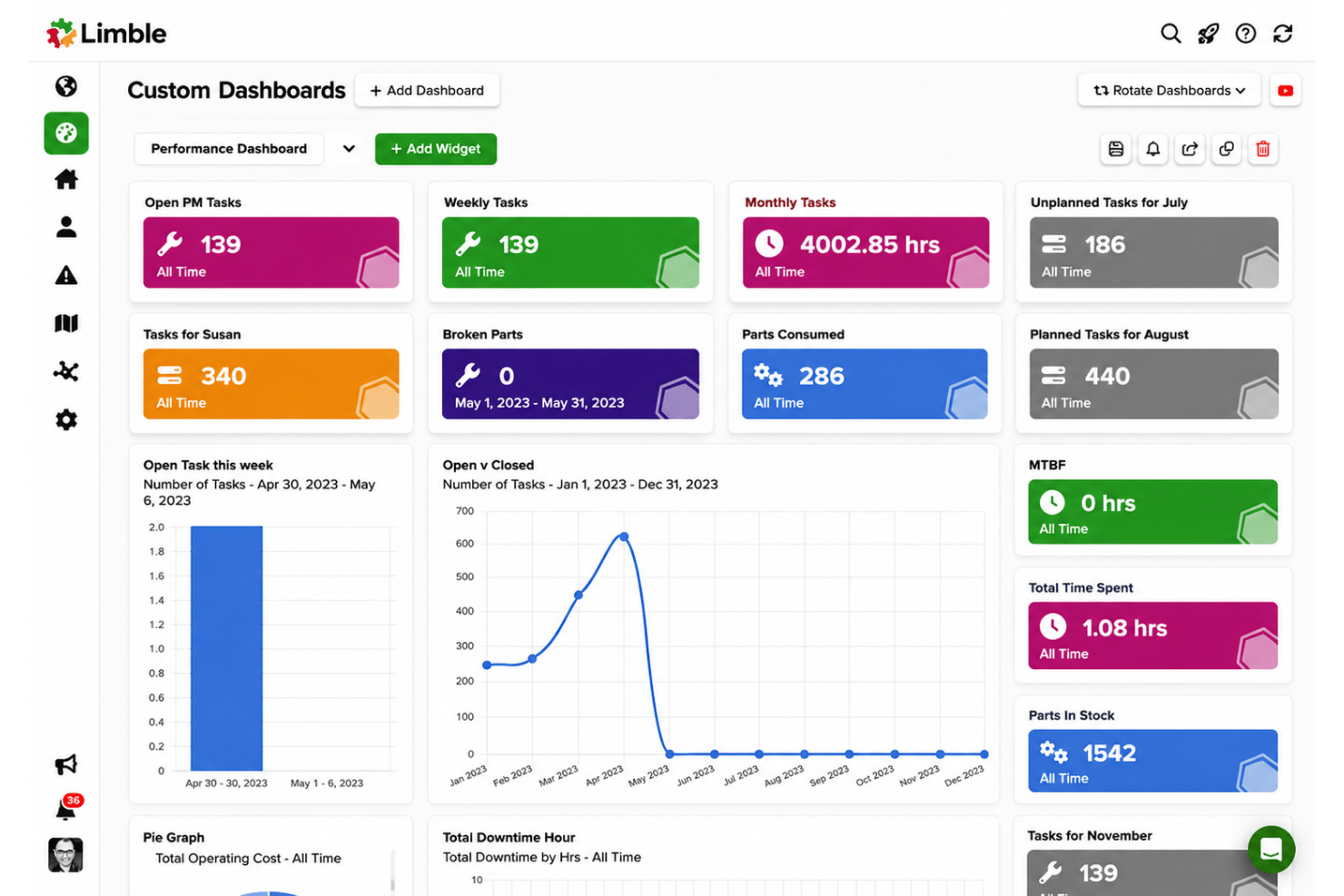
| User Interface | Built around a three-click rule, and it holds. Very little to get lost in. | Polished and configurable, unlimited custom dashboards. |
| Onboarding | Four streams, from a self-directed start in about two weeks to a roughly 90-day onsite audit where the team tags your assets and builds the database. | Start free and self-serve, or buy onsite implementation as a paid engagement. |
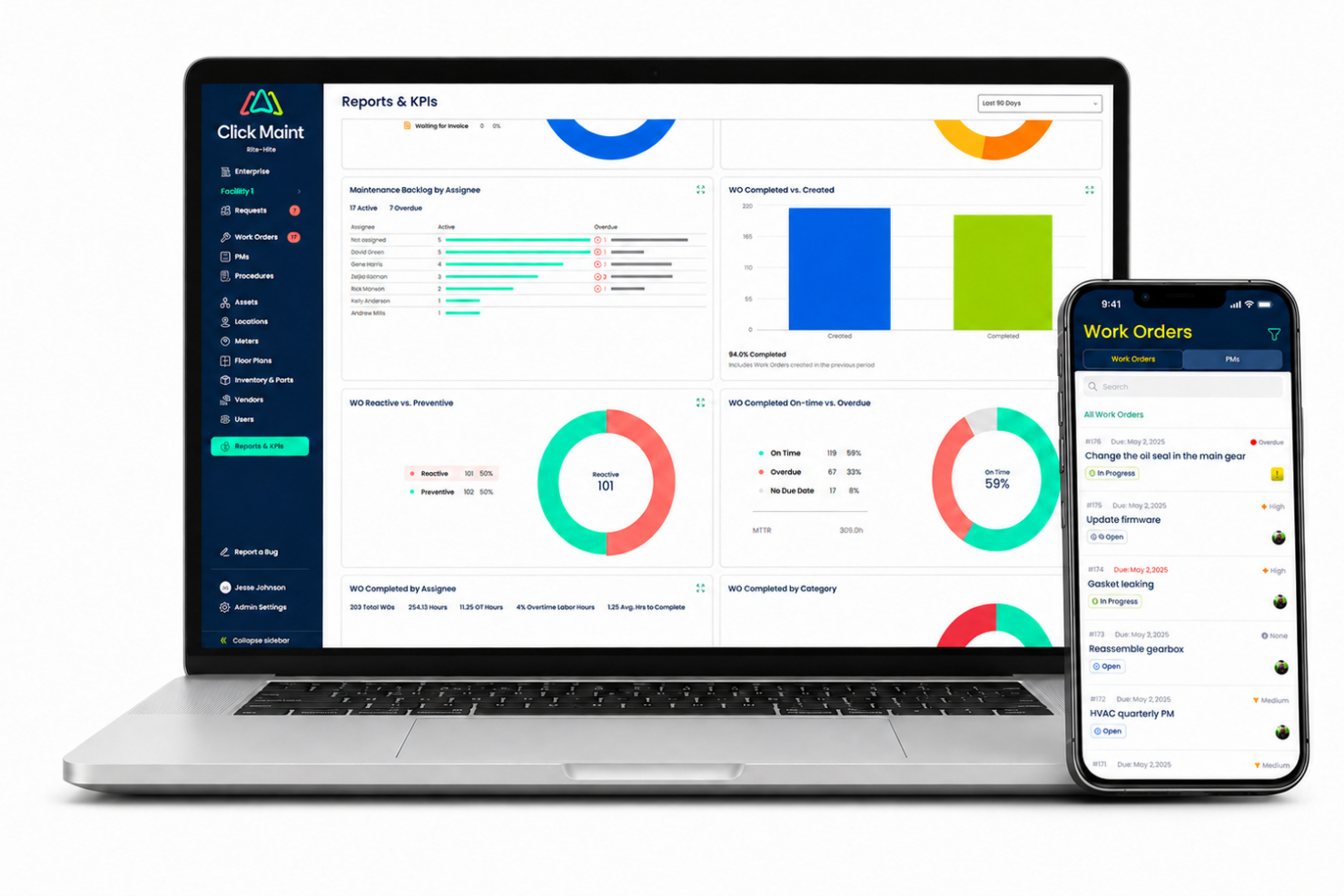
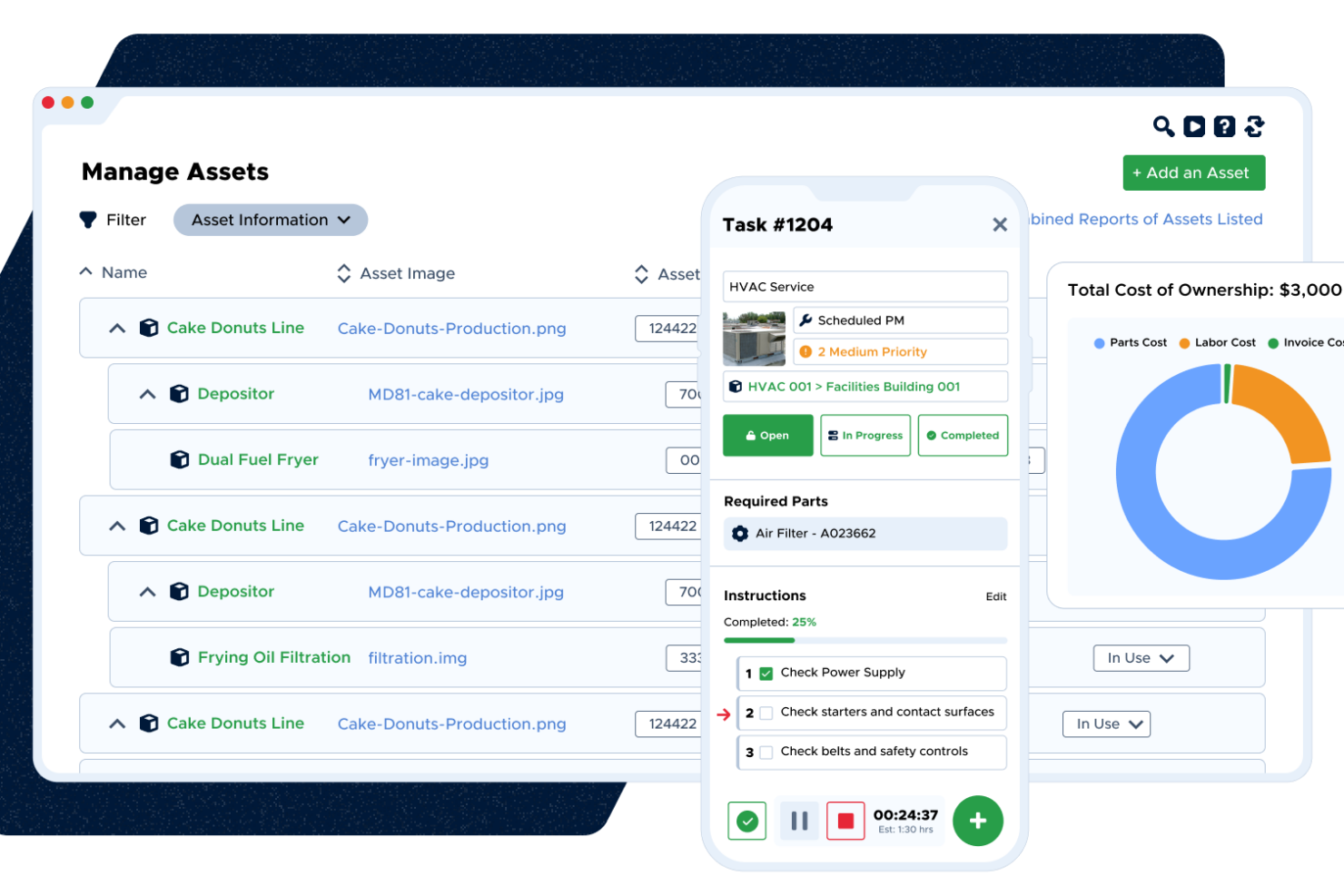
| Mobile Experience | Native iOS and Android apps with QR scanning, photo upload, and time logging. | Capable app across the range, and works offline. |
| Customization | Configurable forms, but custom fields, workflows, and report building get tight once you outgrow a mid-sized operation. | Unlimited custom fields from the free tier up, with workflow automation available as you scale. |
| Customer Support | Phone, email and live chat on weekdays, a 24/7 help center, and live office hours twice a week at no charge. | 24/7 support on every tier, a help center, and a dedicated success manager from Premium+. |
Both are easy to start. They are easy in different ways. Click Maint is easy because there is less of it: one plan, no feature gates, and an onboarding track that runs from a self-directed start inside a couple of weeks to a full onsite audit where somebody comes and tags your assets with QR labels and builds the database for you. That last option is unusual and genuinely valuable if your asset register currently lives in a filing cabinet. Limble is easy because it is well designed and because you can start free, then let the product grow into your operation. The tradeoff is that Limble has more surface area, and the feature you decided you needed in month three is often a tier or two above where you started.
Click Maint CMMS vs Limble: Pros & Cons
Click Maint CMMS
- Unlimited requester and view-only users, with requests by portal, email, or QR scan
- Native iOS and Android apps covering work orders, inspections, time, and photos
- Multi-level location hierarchies and interactive floor plans across multiple sites
- Custom fields, workflows, reports, and dashboards are limited for larger enterprises
- Inventory lacks multiple storerooms and cycle counts
- Thin fleet capability, with no GPS, fuel, or insurance tracking for large vehicle fleets
Limble
- Work order automation saves time on preventive maintenance tasks
- Inventory and asset tracking work well for multi-site management
- Mobile app supports barcode scanning and real-time updates
- Custom report options are limited for detailed analytics
- No built-in space planning or CAD integration tools
- Notification settings can be overwhelming to configure for teams
Best Use Cases for Click Maint CMMS and Limble
Click Maint CMMS
- K-12 Schools Staff, teachers, and custodians can submit requests with ease, while facilities managers track and prioritize campus issues quickly.
- Operations with Multiple Facilities & Locations Managing distributed residential or commercial properties is easier with asset tracking, visual floor plans, and web-based work order access.
- Small to Mid-Sized Manufacturing Plants Plant managers benefit from preventive maintenance tools and clear asset records to reduce downtime and prolong equipment life.
- Religious Institutions and Nonprofits Volunteer-driven or small staff teams can use the simple request portal and asset lists to keep buildings running smoothly.
- Senior Care Facilities Requests from staff across the building stay in one queue, with preventive schedules and asset history for mechanical, electrical, and plumbing equipment.
- Hotels and Resorts Front desk and housekeeping staff can log room and facility issues by QR scan, while managers schedule preventive work across the property.
Limble
- Manufacturing Plants Limble excels at automating preventive maintenance schedules and tracking asset lifecycles across numerous machines and work areas.
- Healthcare Facilities The platform helps meet regulatory standards, reduce downtime from equipment failures, and maintain detailed asset compliance monitoring.
- Educational Institutions Limble supports multi-campus tracking, easy reporting, and enables fast response to diverse facility requests from staff or students.
- Property Management Firms Centralized dashboards and robust vendor management streamline building upkeep and simplify managing multiple properties.
- Airports and Transportation Hubs Limble’s real-time mobile updates and barcode asset tagging handle high-volume, highly regulated operational environments.
- Mid-to-Large Enterprises Companies with hundreds of assets or distributed teams benefit from Limble’s granular controls and bulk work order management.
Who Should Use Click Maint CMMS, and Who Should Use Limble?
Click Maint suits small and mid-sized facilities teams, roughly up to a few hundred employees, who want a working system quickly and would rather not negotiate a contract to get an API key. It is at its best in schools and colleges, religious institutions and nonprofits, senior care, hotels, healthcare sites, and manufacturers whose maintenance is building-shaped rather than lineshaped. Multi-site is included rather than upsold, which quietly makes it one of the cheaper ways to run several locations properly.
Limble is the better call for asset-intensive operations and for teams who know they are growing: manufacturing plants, fleet operations, and anywhere with condition monitoring, purchasing workflows, or a compliance regime to satisfy.
Differences Between Click Maint CMMS and Limble
| Click Maint CMMS | Limble | |
|---|---|---|
| Industrial Depth | Facilities-first. No meter-based scheduling. | Interactive onboarding with advanced help content. |
| Integrations | A robust REST API and Webhooks that let you connect to Zapier. | Pre-built connectors for ERP, accounting, chat, calendars and sensors, plus an iPaaS layer. |
| Multi-Site | Included in the single plan, which makes several locations unusually affordable. | Multi-location tools and reporting are an Enterprise entitlement. |
| Pricing Model | One plan, priced per user, with all features included. | no feature gates. Four tiers from free to custom-quoted Enterprise, plus paid add-ons. |
| Visit Click Maint CMMSOpens new window | Read Limble ReviewOpens new window |
Similarities Between Click Maint CMMS and Limble
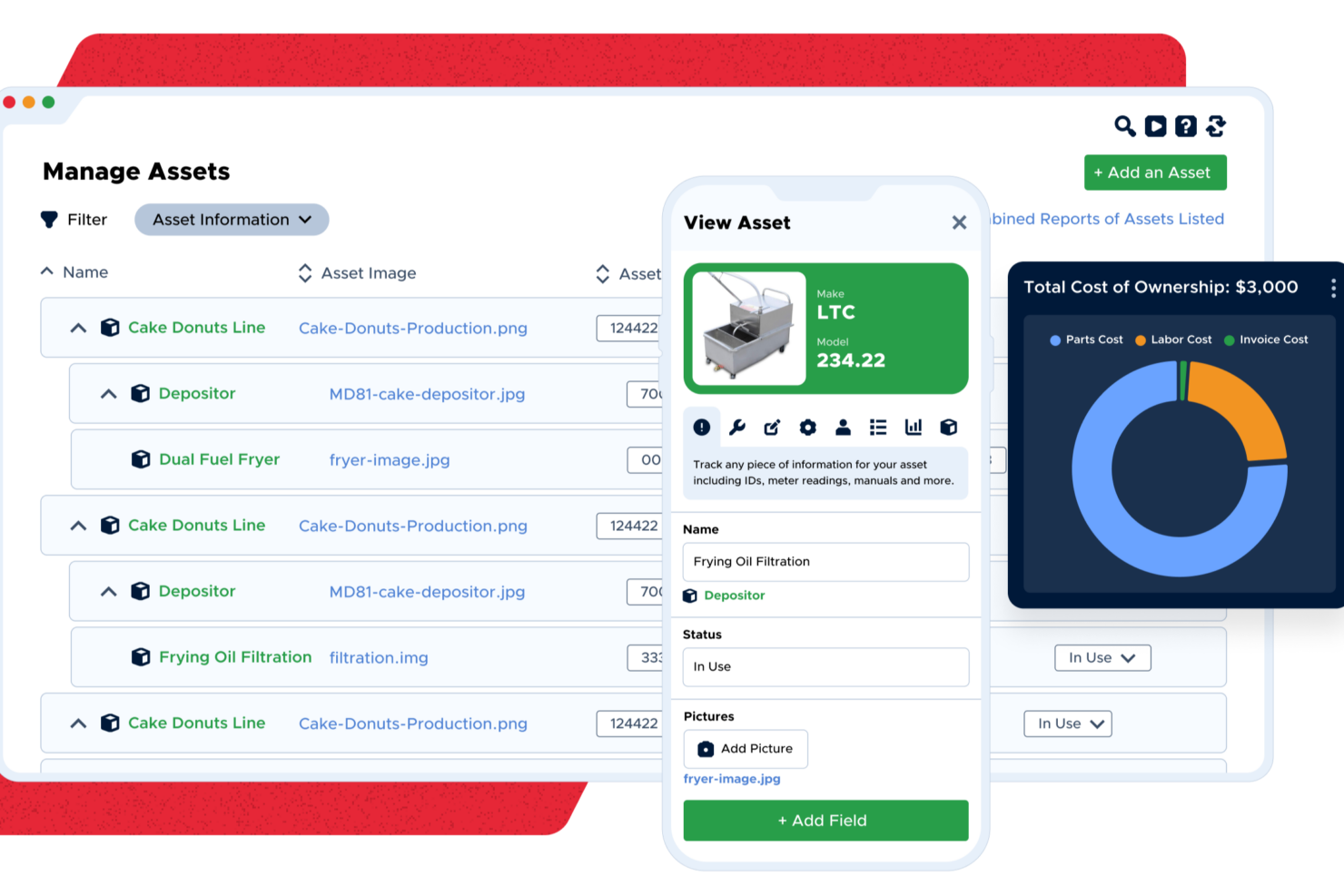
| Assets and Parts | Both maintain asset registries with history, downtime and warranty tracking, and both run parts inventory with minimum and maximum stock thresholds. |
|---|---|
| Free Requesters | Neither charges for people who only submit and follow requests, which keeps the wider organization involved without inflating the license count. |
| Preventive Maintenance | Both platforms help schedule and automate preventive maintenance tasks, reducing reactive repairs and downtime for facilities teams. |
| QR Codes and Mobile Apps | Both put QR codes on assets and ship capable mobile apps, so a technician can scan a label and pull up everything known about that machine. |
| Work Order Management | Both let you raise, assign, track and close work orders with images attached, and both keep status visible to the whole team in real time. |
| Visit Click Maint CMMSOpens new window Read Limble ReviewOpens new window | |