

10 Best Simpro Alternatives for Field Service in 2026

Simpro Alternatives Shortlist


The best Simpro alternatives give you flexible project scheduling, real-time field updates, and easy integration with your existing systems—without the complexity or cost that can slow teams down.
If you’re searching for Simpro alternatives, you’re likely looking for facilities project management software that fits your workflows, scales with your business, and keeps everyone aligned from the office to the field. In this guide, you’ll find options that help you manage jobs, track assets, and keep projects moving—so you can choose the right fit for your team’s needs.
What Is Simpro?
Simpro is a field service management software designed to support business management for service providers handling complex jobs, maintenance, and projects. As a SaaS platform, it brings together CRM, job management software, scheduling, invoicing, and asset tracking into a single field service management solution. It is used by teams that need to manage field operations while keeping office staff and technicians aligned.
Why Trust Our Software Recommendations
Our team has been testing and reviewing software since 2012. As project managers ourselves, we know how difficult—and important—it is to choose the right software.
For this guide, we evaluated tools using hands-on testing and independent research, scoring tools using our selection criteria. We also draw on insights from industry thought leaders and practicing project management experts.
Our reviews reflect our human editorial judgment, not a sales pitch.
Expert reviewers:
Simpro Alternatives Comparison Table
This comparison table highlights pricing details for my top Simpro alternatives.
| Tool | Best For | Trial Info | Price | ||
|---|---|---|---|---|---|
| 1 | Best for small contractor teams | Free demo available | Pricing upon request | Website | |
| 2 | Best for straightforward job management | 14-day free trial | From $29/month (billed annually) | Website | |
| 3 | Best for connected business workflows | 15-day free trial with no credit card required | Pricing upon request | Website | |
| 4 | Best for complex field service operations | Free demo available | Pricing upon request | Website | |
| 5 | Best for real-time field coordination | Free demo available | Pricing upon request | Website | |
| 6 | Best for streamlined service workflows | Free demo available | From $165/user/month (billed annually) | Website | |
| 7 | Best for end-to-end project control | Free demo available | From $790/month | Website | |
| 8 | Best for complex facilities teams | Free demo available | Pricing upon request | Website | |
| 9 | Best for small trade businesses | 14-day free trial | From $62/user/month | Website | |
| 10 | Best for trade job management | 14-day free trial + free demo available | From $31/month | Website |
Simpro Alternatives Reviews
Below are my detailed summaries of the Simpro alternatives that made it onto my shortlist. My reviews offer a detailed look at the features, best use cases, and integrations of each software to help you find the best one for you.

Best for small contractor teams

FieldPulse is a field service management platform designed for small contractors and service businesses who need to manage jobs, scheduling, and customer communications in one place. It’s a good fit for teams looking to centralize dispatch, invoicing, and field team coordination without a complex setup.
Who Is FieldPulse Best For?
FieldPulse is ideal for small contracting businesses that need an all-in-one platform to manage field service operations.
I picked FieldPulse because it's built specifically for small contractors who need a single platform to run every part of a job, from first call to final payment. What I like most is ClearPath, FieldPulse's guided job workflow tool that walks field techs through each stage of a job, ensuring required details are captured and reducing mistakes on-site. I also appreciate the custom workflow builder, which lets you map out job-specific processes with step-by-step logic rather than forcing your team into a rigid structure. For small teams that can't afford the overhead of a tool like Simpro, FieldPulse gives you that same end-to-end job management without the complexity.
FieldPulse Key Features
- Scheduling and routing: Assign jobs and map out technician routes to get the right people to the right jobs quickly.
- Pricebook: Build and manage a catalog of services and materials with consistent, transparent pricing for estimates and invoices.
- Booking portal: Let customers self-schedule appointments directly through an integrated online booking portal.
- Dashboards and reporting: Access over 60 prebuilt reports or build custom reports to track job and business performance.
FieldPulse Integrations
FieldPulse offers native integrations with QuickBooks Online, Square, NiceJob, and Zapier. An API is available for custom integrations.
Pros and Cons
Pros:
- Centralized dashboard with prebuilt performance reports
- Built-in customer booking portal for appointment scheduling
- Customizable job workflows tailored to contractor processes
Cons:
- Reporting lacks depth for advanced analysis
- Asset tracking functionality is limited

Jobber
Best for straightforward job management
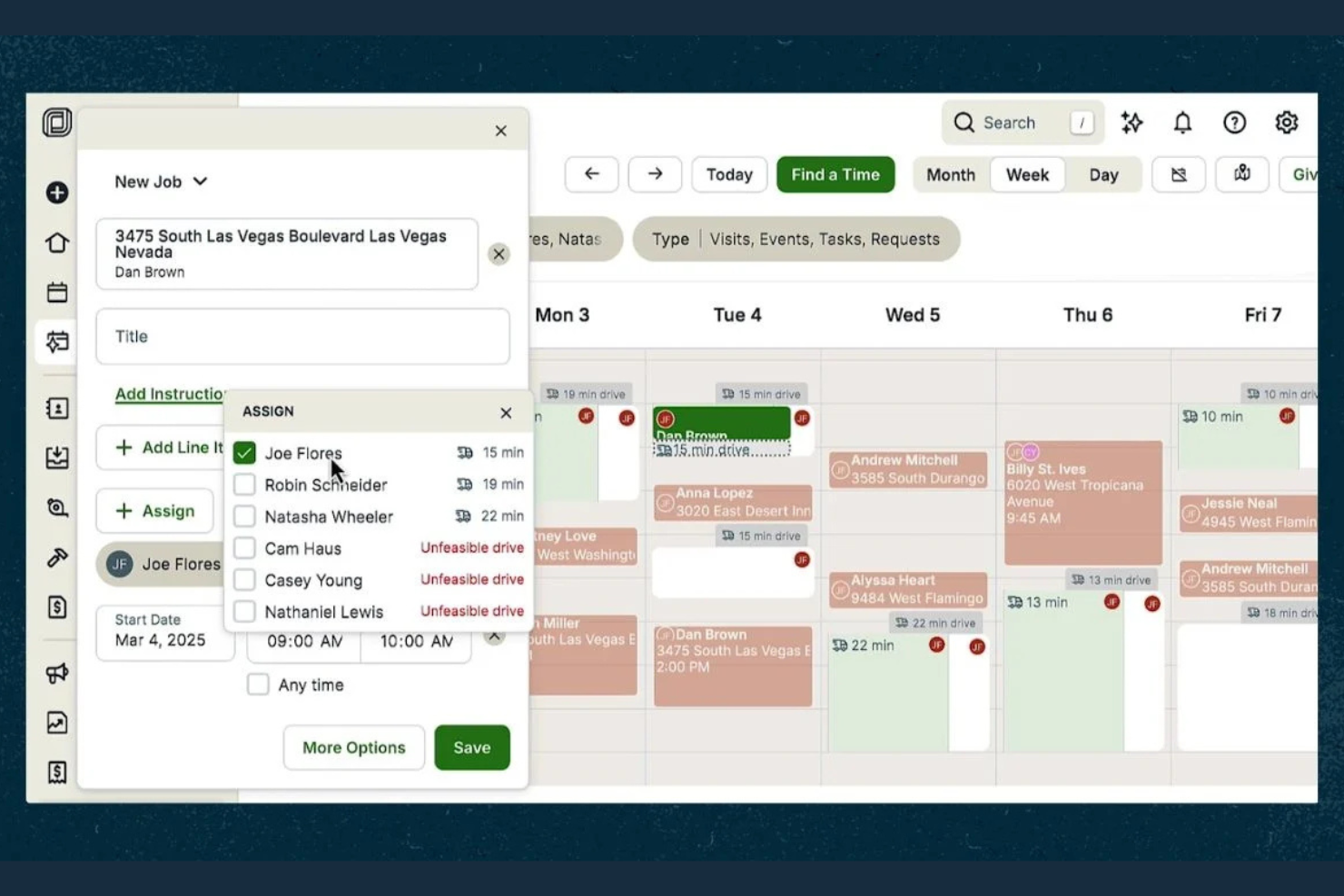
Jobber is built for small to mid-sized field service businesses that want to organize scheduling, job tracking, and client communication in one place. If you need a straightforward way to manage jobs, quotes, and payments without extra complexity, Jobber is worth a look.
Who Is Jobber Best For?
Jobber fits small field service teams that want simple, flexible scheduling and invoicing.
Why Jobber Is a Good Simpro Alternative
Jobber's drag-and-drop scheduling calendar is one of the things I like most about it. I can see my team's full availability at a glance, reassign jobs with a quick drag, and push schedule changes directly to field staff via mobile notifications. The client hub also gives customers a self-serve portal to approve quotes, view upcoming appointments, and pay invoices without any back-and-forth. For small field service teams that want a clean, flexible workflow without the overhead of a more complex platform, Jobber delivers.
Jobber Key Features
- Two-way text messaging: Send and receive texts with clients directly in Jobber, with all conversations stored in one place.
- GPS waypoints: View your team's real-time locations on a map and assign incoming jobs to the nearest available technician.
- Job checklists: Attach to-do lists to jobs to standardize field work and create accountability across your team.
- Expense tracking: Log job expenses and attach receipt photos from the field to track costs against each job.
Jobber Integrations
Jobber offers native integrations with QuickBooks Online, Xero, Stripe, Square, Zapier, Mailchimp, and Google Calendar. An API is available for custom integrations.
Pros and Cons
Pros:
- Real-time GPS tracking for field team visibility
- Client self-serve portal for approvals, payments, and communication
- Drag-and-drop scheduling calendar for quick job reassignment
Cons:
- Reporting capabilities are limited for advanced insights
- No built-in inventory or parts tracking functionality

Best for connected business workflows
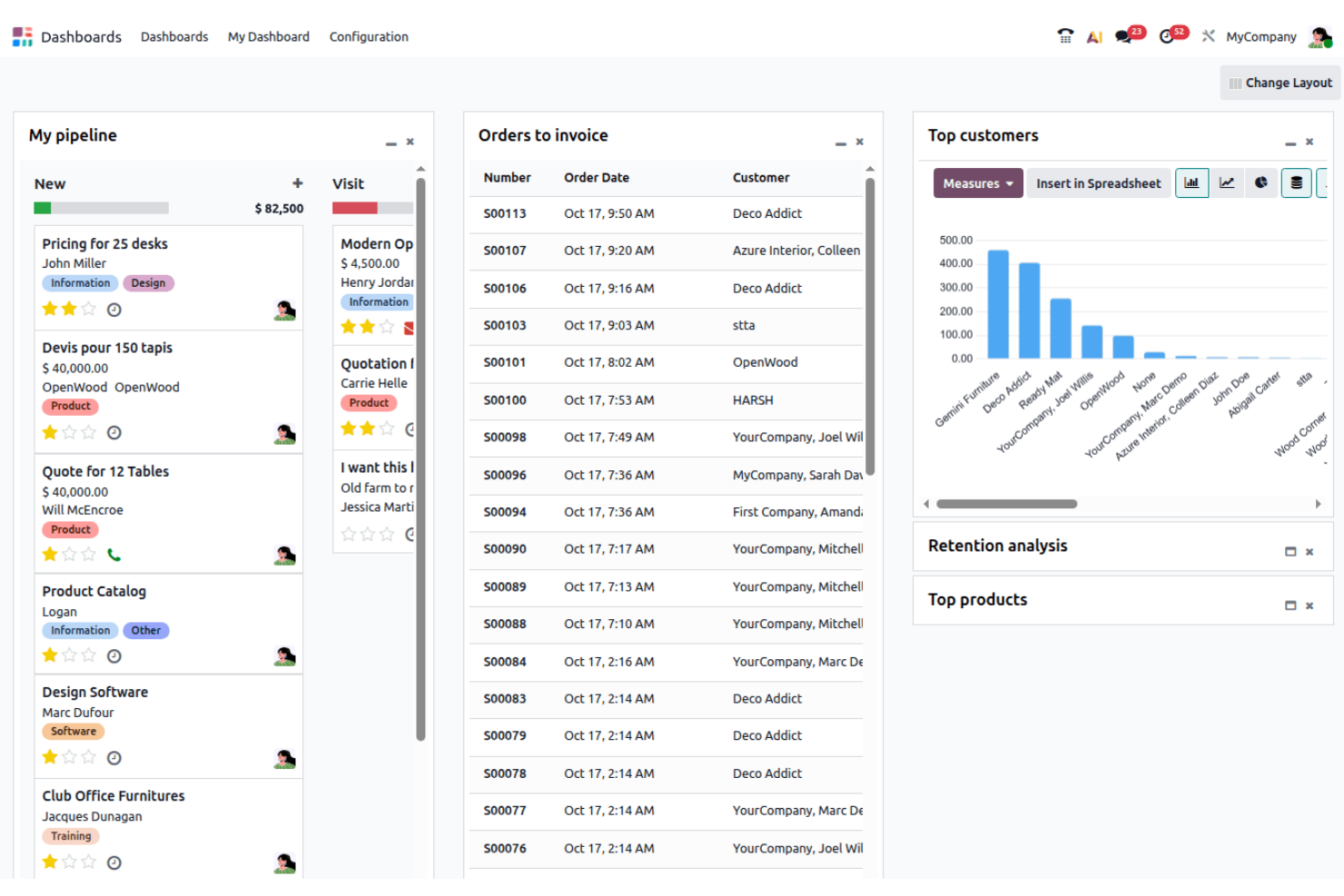
Odoo Field Service is part of the Odoo suite, giving facilities teams a unified platform to manage field operations alongside inventory, sales, and invoicing. It’s a strong fit for businesses that want to connect field service with other core business processes in one system.
Who Is Odoo Field Service Best For?
Odoo Field Service suits mid-sized businesses that want to manage field operations and back-office workflows in a single, integrated platform.
What sets Odoo Field Service apart is how tightly it connects field operations to the rest of your business. I picked it because the integration with Odoo's Inventory, Sales, and Invoicing apps means my team can track spare parts used on-site, auto-generate invoices, and link jobs back to sales orders without switching platforms. I also like that tasks can be created automatically when a sale is made, which cuts out a manual handoff step that slows most teams down. For businesses already running on Odoo, or those looking to consolidate tools, this level of connectivity is hard to match.
Odoo Field Service Key Features
- Customizable worksheets: Design worksheet templates with configurable fields to generate detailed customer reports at the end of each task.
- Recurring tasks: Automate the creation of repeating tasks for scheduled maintenance or regular service visits.
- Customer portal: Give customers a dedicated portal to view and manage tasks, quotations, invoices, and reports.
- Gantt view with drag-and-drop scheduling: Plan dates, reassign tasks, and set dependencies directly in the Gantt view to avoid double-booking.
Odoo Field Service Integrations
Odoo Field Service offers native integrations across the Odoo ecosystem, including Odoo Inventory, Odoo Sales, Odoo Invoicing, and Odoo Project. An API is available for custom integrations.
Pros and Cons
Pros:
- Drag-and-drop Gantt scheduling for task planning
- Customizable worksheets for detailed field reporting
- Connects field service with inventory and sales workflows
Cons:
- Limited advanced asset management capabilities
- Requires setup to fully configure across modules

Best for complex field service operations
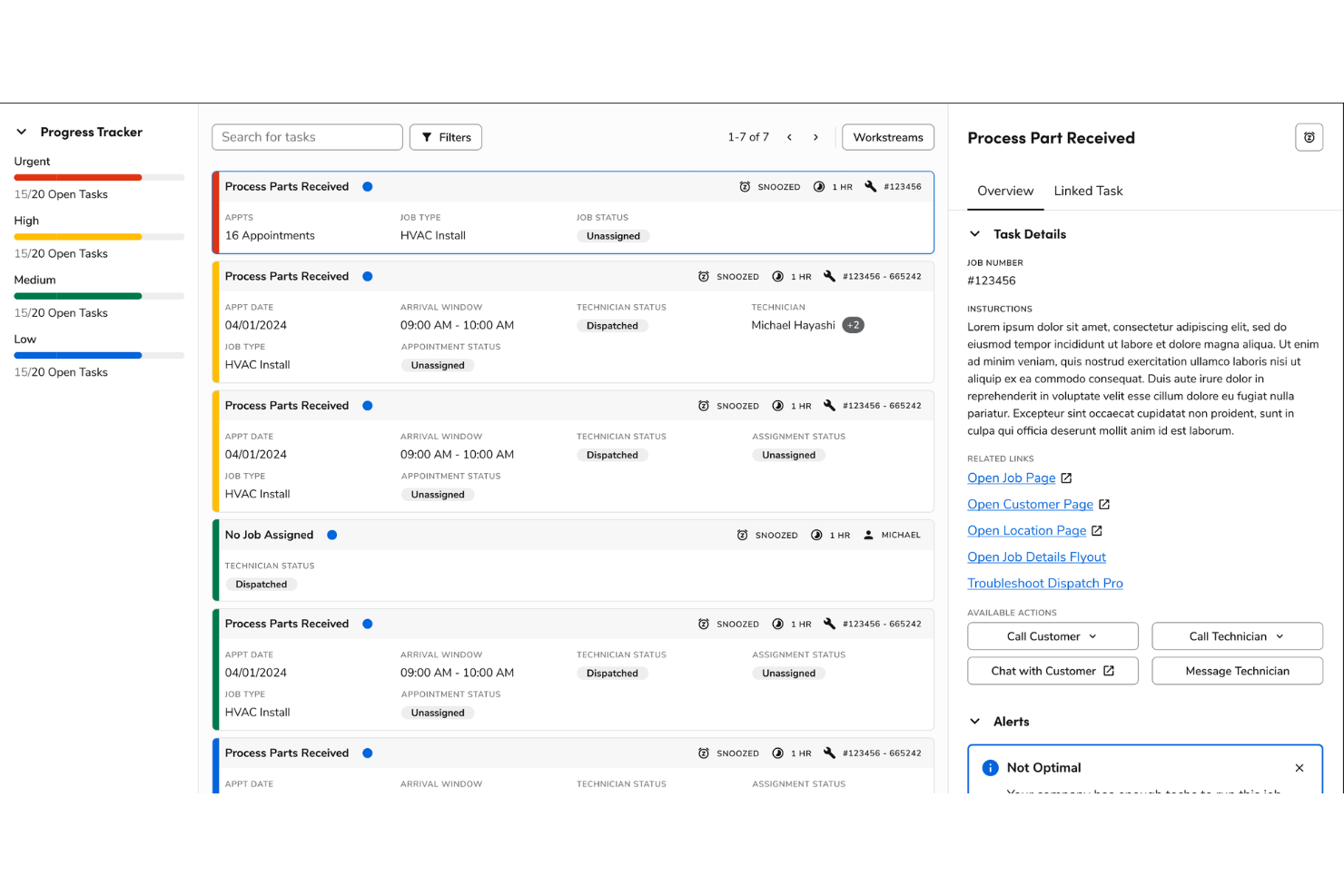
ServiceTitan is built for facilities managers and service businesses that need to coordinate field teams, manage complex job schedules, and keep projects on track. If you want a platform that connects office staff and technicians while handling everything from dispatch to invoicing, this is one to consider.
Who Is ServiceTitan Best For?
ServiceTitan suits mid-sized to large service businesses managing multiple field teams and complex facilities projects.
Why ServiceTitan Is a Good Simpro Alternative
I picked ServiceTitan because it covers both home and commercial service operations in one platform, which is hard to find in this space. I like how the dispatch board gives my team real-time visibility into technician locations and job statuses, so we're never guessing who's available or where a job stands. The built-in quoting and invoicing tools also mean my team can move from estimate to payment without switching platforms. For facilities teams managing high job volumes across multiple sites, that end-to-end visibility makes a real difference.
ServiceTitan Key Features
- Service agreements: Automate recurring service contracts and track renewals across multiple client accounts.
- Job costing: View real-time budget vs. actuals to monitor labor, materials, and profitability on every job.
- Equipment management: Track customer equipment, warranties, and full service history in one place.
- Digital forms: Standardize field workflows and compliance using customizable digital forms for technicians.
ServiceTitan Integrations
ServiceTitan offers native integrations with QuickBooks, Sage Intacct, Google Calendar, and Intuit Payroll. An API is available for custom integrations.
Pros and Cons
Pros:
- Detailed job costing with profitability visibility
- Built-in quoting to invoicing workflow for job lifecycle management
- Real-time dispatch board with live technician tracking
Cons:
- Reporting customization options are somewhat limited
- Implementation process can be time-consuming for new teams

Best for real-time field coordination
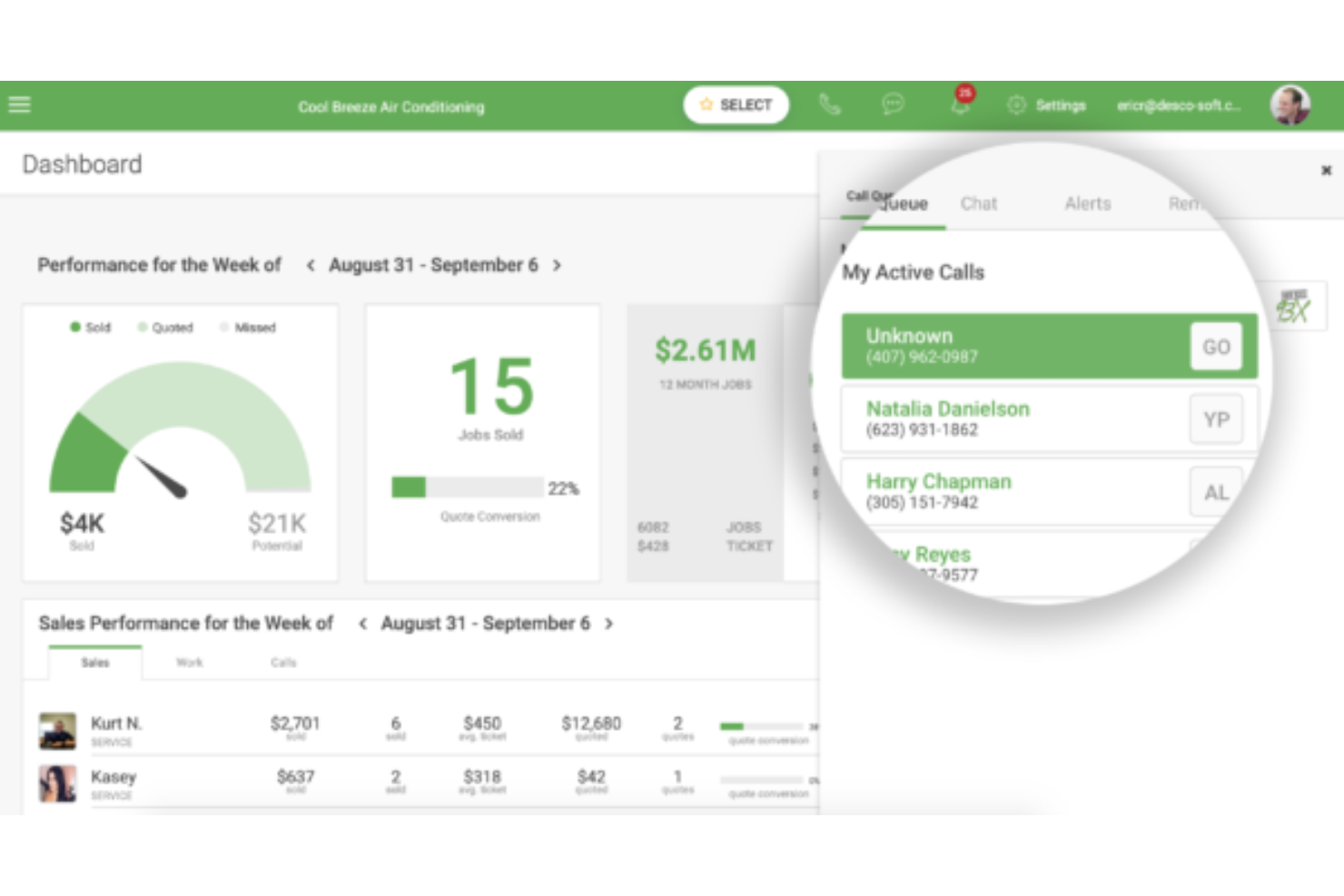
FieldEdge is a field service management platform designed for contractors and service businesses who need to manage scheduling, dispatch, and customer information in real time. It’s a strong fit for teams looking to connect office staff and technicians, track work orders, and streamline billing from the field.
Who Is FieldEdge Best For?
FieldEdge is a good fit for HVAC, plumbing, and electrical service contractors managing field teams across multiple job sites.
What draws me to FieldEdge as a Simpro alternative is how tightly it connects office staff and field technicians in real time. I like the drag-and-drop dispatch board, which lets you assign work orders across multiple trucks, match jobs to technicians by skill and location, and monitor job status from pending through to completed—all from a single screen.
The live QuickBooks sync is also a genuine differentiator: invoices created in the field flow directly into QuickBooks without any batch delays or manual re-entry, which cuts a significant amount of back-office admin. For service contractors managing recurring work, the service agreement tracking gives you a centralized view of renewal dates, billing cycles, and scheduled visits, so nothing slips through the cracks.
FieldEdge Key Features
- Flat rate price book: Access a pre-built catalog of parts and labor with good-better-best pricing options that technicians can present to customers directly from the mobile app.
- GPS technician tracking: Monitor the real-time location of field technicians from the dispatch board to improve routing decisions and response times.
- Customer history access: Pull up a full record of past work orders, equipment details, and service notes for any customer from the field or office.
- MarketingEdge email and SMS automation: Build and schedule targeted email and text campaigns to existing customers, including service agreement renewal reminders and equipment upsell sequences.
FieldEdge Integrations
FieldEdge offers native integrations with QuickBooks Desktop, QuickBooks Online, and ServiceTitan, and provides an API for custom integrations.
Pros and Cons
Pros:
- Flat-rate price book for consistent field estimates
- Service agreement tracking with renewal visibility
- Drag-and-drop dispatch board for real-time job coordination
Cons:
- No built-in customer self-service portal
- Reporting customization options are limited

Best for streamlined service workflows
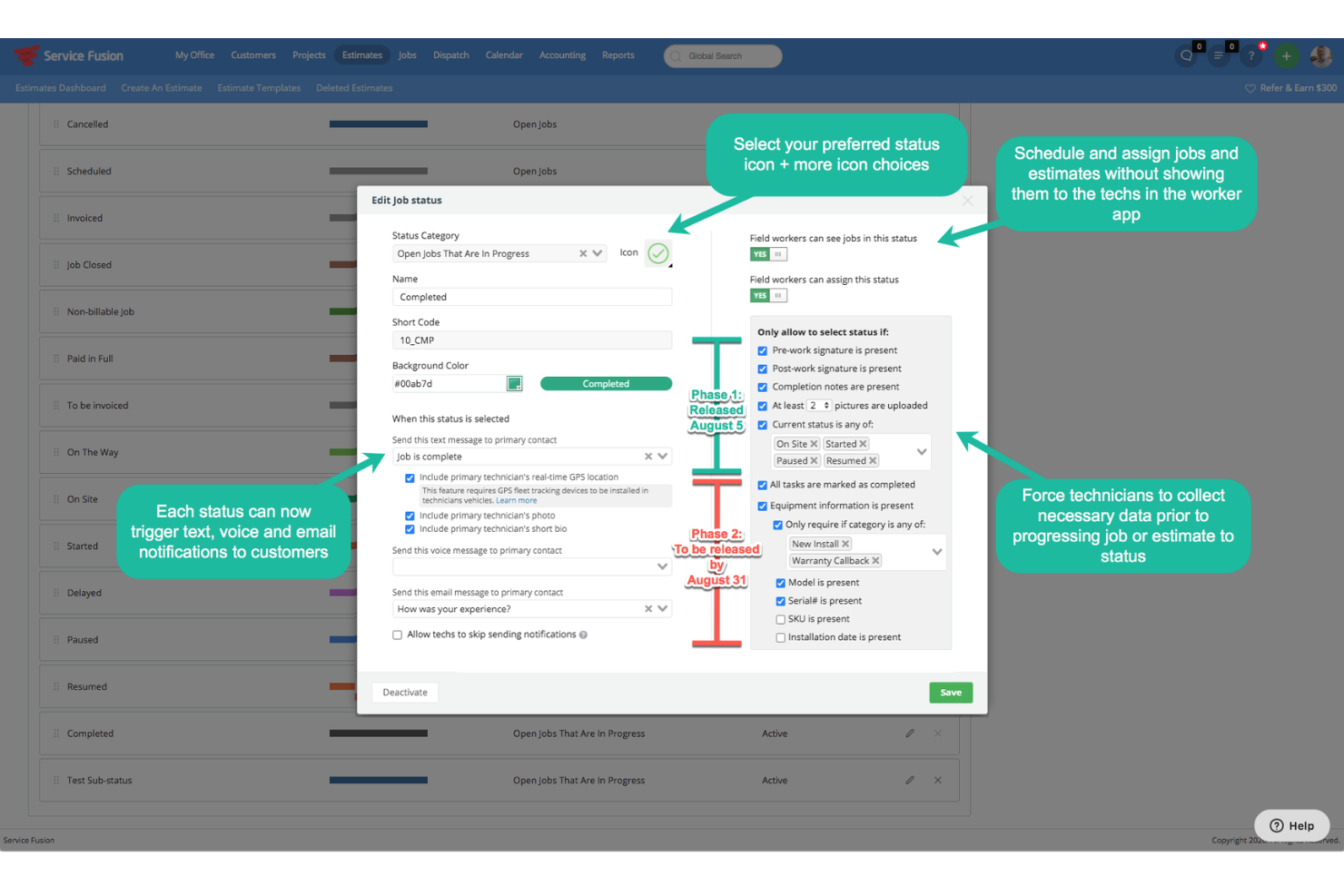
Service Fusion is a field service management platform designed for contractors and service businesses that need to coordinate scheduling, dispatch, and invoicing from one place. It’s a strong fit for teams who want to centralize customer management and field operations without complex setup.
Who Is Service Fusion Best For?
Service Fusion is a good fit for field service businesses with multiple technicians who need centralized scheduling, dispatch, and invoicing.
Why Service Fusion Is a Good Simpro Alternative
I picked Service Fusion because its unlimited-user pricing model removes one of the most frustrating constraints in field service software: per-seat costs that grow with your team. Every plan includes unlimited users, so adding a new dispatcher or technician doesn't change your monthly bill.
Noteworthy is the built-in VoIP phone system, ServiceCall, which ties customer call data directly to job records so your team can see a caller's full service history the moment they ring in. The flat-rate pricing book is another feature I appreciate—it lets you build a standardized catalog of services and parts that technicians can pull from in the field when creating estimates, keeping your pricing consistent across every job.
Service Fusion Key Features
- GPS fleet tracking: Monitor vehicle location, idle time, distance driven, and driver behavior in real time from within the platform.
- Customer location sharing: Let customers track a technician's location and contact them directly on the day of their appointment.
- Automated invoice generation: Convert completed jobs into invoices automatically, with materials, labor, taxes, and discounts pre-populated.
- Drag-and-drop job scheduling: Create work orders in a single click and assign them to technicians using a drag-and-drop scheduling interface.
Service Fusion Integrations
Service Fusion offers native integrations with QuickBooks Online, QuickBooks Desktop, Google Calendar, and Twilio. An API is available for custom integrations.
Pros and Cons
Pros:
- Centralized scheduling and dispatch for field teams
- Automated invoice generation from completed jobs
- Built-in VoIP system linked to customer job records
Cons:
- Lacks customer self-service portal
- No inventory or stock management functionality

Archdesk
Best for end-to-end project control

Archdesk is a cloud-based platform built for construction and facilities teams who need to manage projects, finances, and operations in one place. It appeals to businesses looking for customizable workflows and end-to-end control over project delivery and resource management.
Who Is Archdesk Best For?
Archdesk is a good fit for mid-sized to large construction and facilities management companies needing customizable project workflows.
Why Archdesk Is a Good Simpro Alternative
What draws me to Archdesk as a Simpro alternative is how far it goes on workflow customization across the full project lifecycle. I like that you can build project workflows from tender to handover and replicate them across different project types, so your team isn't rebuilding processes from scratch every time a new job comes in.
The global scheduler is also worth calling out: it gives you a single view of staff and equipment availability across all active projects, which makes it much easier to spot booking conflicts before they become delivery problems. For teams managing complex financials, the earned value management and cost-to-complete forecasting built into the cost controls module give you a level of financial visibility that Simpro doesn't match.
Archdesk Key Features
- Document management: Store and manage CAD files, BIM models, and 60+ file types in a centralized Common Data Environment with version control and role-based access permissions.
- Procurement management: Handle the full procure-to-pay process, from automated purchase order generation and multi-level approval workflows to three-way invoice matching.
- Subcontractor management: Maintain a searchable database of subcontractors with performance ratings, trade-specific categorization, and certification tracking.
- Tender management: Create RFQs and RFPs, compare bids side by side, and manage the full tendering process through to award.
Archdesk Integrations
Archdesk offers native integrations with Xero, Sage, QuickBooks, Microsoft 365, and Google Workspace, and provides an API for custom integrations.
Pros and Cons
Pros:
- Centralized document management with version control
- Strong cost tracking with forecasting and financial visibility
- Highly customizable workflows across full project lifecycle
Cons:
- Mobile functionality is less developed than competitors
- Limited field service dispatch and scheduling features


Fieldpoint is a field service management platform built for facilities teams handling complex work orders, assets, and contracts. It’s a strong fit for organizations that need advanced job costing, preventive maintenance, and deep integration with ERP or accounting systems.
Who Is Fieldpoint Best For?
Fieldpoint suits large facilities teams in industries like healthcare, utilities, or property management that need advanced work order and asset management.
Why Fieldpoint Is a Good Simpro Alternative
What draws me to Fieldpoint as a Simpro alternative is how deeply it handles work order and contract management for complex facilities operations. I like that you can build multi-line service contracts covering everything from routine inspections to specific repair scenarios, with automated work order creation so nothing slips through. The job costing module is also a real differentiator—it tracks time, parts, and expenses against each job and feeds directly into your ERP for invoicing, which is exactly what larger facilities teams need. For organizations running both break/fix and project-based work simultaneously, Fieldpoint handles both in one system without forcing you to manage them separately.
Fieldpoint Key Features
- Scheduling and dispatch: Use a drag-and-drop calendar to assign jobs to technicians based on availability, skills, severity codes, and territory.
- Subcontractor management: Manage third-party vendor work orders, pricing agreements, and automate subcontractor assignment and dispatching.
- Mobile checklists: Attach inspection and maintenance checklists to jobs, accessible from the mobile app for field technicians to complete on-site.
- IoT monitoring: Connect field equipment with sensors to monitor anomalies and trigger alerts before issues escalate into failures.
Fieldpoint Integrations
Fieldpoint offers native integrations with Microsoft Dynamics 365, QuickBooks, NetSuite, Sage Intacct, and Salesforce. An API is available for custom integrations.
Pros and Cons
Pros:
- Customizable preventive maintenance scheduling
- Deep asset and contract lifecycle management capabilities
- Advanced job costing with direct ERP synchronization
Cons:
- Reporting requires more setup for detailed insights
- User interface feels dated compared to newer platforms

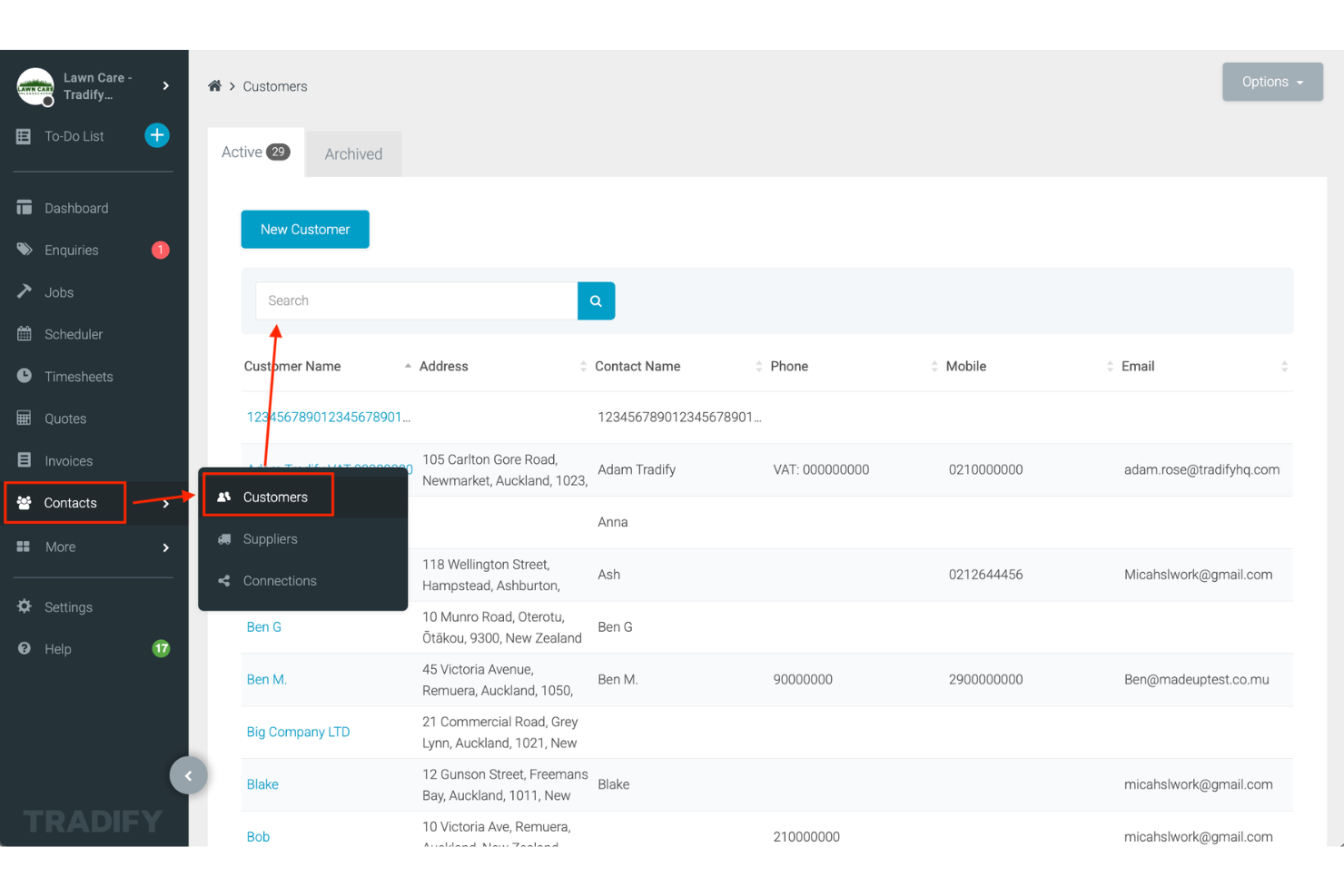
Tradify is built for trade and service businesses that need to manage jobs, quotes, scheduling, and invoicing from one platform. If you’re looking for a Simpro alternative that simplifies job tracking and paperwork for small to midsize teams, Tradify is worth a look.
Who Is Tradify Best For?
Tradify suits small trade businesses and contractors who need simple job management and paperwork automation.
Why Tradify Is a Good Simpro Alternative
I picked Tradify because it keeps the full job lifecycle in one place without the complexity that makes Simpro feel like overkill for smaller trade teams. What I like most is how quoting flows directly into job creation and then into invoicing, so there's no re-entering data at each stage. The staff scheduler gives my team a live view of who's assigned to what, with route planning built in. For trade businesses that want to move fast without managing a heavy system, Tradify hits the right balance.
Tradify Key Features
- Purchase orders: Create and send branded purchase orders from any device, and link them directly to jobs, quotes, and invoices.
- Subcontractor management: Store subcontractor details, check availability, and book them on jobs, with free Tradify access for subcontractors to update their own work.
- Digital timesheets: Field staff and subcontractors can log time directly from their devices, reducing manual follow-ups and data entry.
- Appointment reminders: Send automated email reminders to customers for upcoming appointments, quotes, and outstanding invoices.
Tradify Integrations
Tradify offers native integrations with Xero, QuickBooks Online, MYOB, and Stripe, and provides an API for custom integrations.
Pros and Cons
Pros:
- Built-in purchase orders linked directly to jobs
- Simple job tracking designed for small trade teams
- Quote-to-invoice workflow reduces duplicate data entry
Cons:
- Reporting lacks depth for detailed business insights
- Limited functionality for complex multi-phase projects


Fergus is a job management platform built for trades and service businesses that need to manage quoting, scheduling, and invoicing from one place. It’s a strong choice for small to mid-sized teams looking to simplify project tracking and keep field and office staff connected.
Who Is Fergus Best For?
Fergus is a good fit for small to mid-sized trades and service businesses managing jobs, teams, and invoicing.
Why Fergus Is a Good Simpro Alternative
I picked Fergus because it takes a genuinely simpler approach to job management than Simpro, without stripping out the features trades businesses actually need. I like the job phases feature in particular: it lets you break a single job into sub-phases, each with its own scheduling, time tracking, materials, and invoicing, so you can bill progressively rather than waiting until a job wraps up. I also appreciate the visual status board, which gives you a live view of every job's progress across your team from a single screen. For smaller trades businesses that find Simpro's setup heavy, Fergus delivers the same end-to-end workflow at a fraction of the complexity.
Fergus Key Features
- Tap to Pay: Accept card payments directly from a mobile device using Tap to Pay on iPhone or Android, without needing a separate card reader.
- Supplier invoice ingestion: Drag-and-drop or email supplier invoices directly into Fergus, where they're automatically matched to the correct job.
- Customizable scheduling calendar: Assign jobs to team members using a calendar view that shows each person's current workload and availability.
- Health and safety forms: Attach SWMS forms and checklists directly to job cards so field staff have safety documentation on hand before starting work.
Fergus Integrations
Fergus offers native integrations with Xero, QuickBooks Online, MYOB AccountRight, and simPRO. An API is available for custom integrations.
Pros and Cons
Pros:
- Visual job status board for team-wide visibility
- Supplier invoice capture linked directly to jobs
- Job phases enable detailed tracking and progressive billing
Cons:
- Limited reporting beyond core job financials
- No built-in asset management capabilities
Other Simpro alternatives
Here are some additional Simpro alternatives that didn’t make it onto my shortlist, but are still worth checking out:
- Housecall Pro
For home service dispatching
- Workiz
Field service scheduling and communication platform
- Connecteam
All-in-one app for deskless workforce management
- BuildOps
Operations platform for commercial contractors
- ServiceM8
Job management for small service businesses
- Oracle Field Service
AI-powered field service management for enterprises


How I Evaluate Simpro Alternatives
I look at every tool on two levels—baseline capabilities that qualify it for the list and differentiators that separate the best fits for contractors running jobs from quote to dispatch to invoice.
Core Functionality (Table Stakes For This List)
When I'm selecting tools for my list, I rank each one on a scale from 0 (does not offer the functionality) to 5 (excels in this area) for each core functionality listed below. Then, I calculate the tool's total score into a percentage. Each tool needs to achieve a minimum total score of 65% to be considered for inclusion.
- Job Management: I evaluate whether a tool covers the full lifecycle from quote through work order to invoice, including multi-stage jobs like a commercial HVAC install with phased billing.
- Scheduling & Dispatch: The dispatch board should let you assign technicians by availability and skill, so a licensed gasfitter gets routed to the right callout.
- Field Mobile App: I check whether field crews can pull up job details, log time, snap photos, and capture signatures on-site—especially in areas with spotty connectivity.
- Project Costing: Real-time visibility into labor, materials, and subcontractor costs against the original estimate matters, particularly on longer jobs where scope creep erodes margins.
- Inventory & Asset Tracking: I look at how each platform handles stock across warehouses and service vehicles, plus whether it ties customer assets to service history for future callouts.
- Accounting Integration: A two-way sync with platforms like QuickBooks or Xero keeps invoices, payments, and purchase orders aligned without manual double-entry.
Once I have a list of tools that meet this criteria, I consider what sets each platform apart.
Differentiating Factors (What Sets Vendors Apart)
Here's how I compare and contrast different vendors:
Standout Features
Recurring maintenance contracts are a big differentiator. I look at whether a platform can auto-generate scheduled visits and trigger invoices for SLA-based agreements, since this is where many trade businesses build predictable revenue. Custom digital forms and safety checklists also matter, especially for teams that need signed compliance certificates before closing out a job. A customer portal rounds things out by letting clients approve quotes and pay invoices without back-and-forth emails.
Beyond Features
Industry fit matters a lot here. A platform built for electrical contractors handles cable schedules and compliance differently than one designed for plumbing or HVAC, so I check whether a tool aligns with specific trade workflows. Implementation and onboarding deserve equal attention—migrating years of job history and customer data from Simpro is a real undertaking, and I evaluate whether vendors offer guided data migration and hands-on training. I also consider pricing transparency, since hidden fees for add-on modules or extra users can quietly inflate the total cost.
Why Look For A Simpro Alternative?
While Simpro is a good choice of a facilities project management software, there are a number of reasons why some users seek out alternative solutions. You might be looking for a Simpro alternative because…
- You want unlimited users without extra fees
- You need more flexible integration options
- You require built-in VoIP or advanced communication tools
- You prefer a simpler interface for field teams
- You need better support for non-English regions
If any of these sound like you, you’ve come to the right place. My list contains several facilities project management software options that are better suited for teams facing these challenges with Simpro and looking for alternative solutions.
Simpro Key Features
Here are some of the key features of Simpro, to help you contrast and compare what alternative solutions offer:
- Job management: Centralizes all job details, scheduling, and documentation in one place so teams can track progress and manage tasks from start to finish.
- Quoting and estimating: Lets you build detailed quotes and estimates using pre-set templates, item catalogs, and labor rates for fast, accurate proposals.
- Scheduling and dispatch: Provides a drag-and-drop calendar and map-based scheduling tools to assign jobs to field staff and optimize routes.
- Inventory management: Tracks stock levels, parts usage, and reordering across multiple warehouses or vehicles, reducing shortages and overstock.
- Invoicing and payments: Automates invoice creation from completed jobs and supports online payment processing to speed up cash flow.
- Customer management: Stores customer contact details, service history, and communication logs for quick reference and personalized service.
- Mobile app: Gives field technicians access to job details, timesheets, and digital forms from their mobile devices, even offline.
- Reporting and analytics: Offers customizable dashboards and reports to monitor job costs, team performance, and business KPIs in real time.
- Asset management: Tracks customer assets, maintenance schedules, and service history to support preventative maintenance and compliance.
- Integrations: Connects with accounting platforms, payment gateways, and other business tools to streamline workflows and data sharing.